Our readers keep the lights on and my smoothie glass nicely filled. As an Amazon Associate, I earn from qualifying purchases.
Choosing your first drawing tablet can feel overwhelming with so many options claiming to be the perfect starting point. A real beginner needs a device that pairs seamlessly with creative software, offers responsive pen input, and doesn’t introduce frustrating lag or complex driver issues that kill the excitement of learning.
I’m Mohammad Maruf — the founder and writer behind WellFizz. I’ve spent countless hours analyzing hardware specifications, user feedback, and category-specific metrics like pressure sensitivity, active area dimensions, and stylus technology to identify which digital drawing tablets actually deliver a smooth learning curve for beginners.
Whether you want to sketch, edit photos, or take digital notes, this guide breaks down the top contenders for the best digital drawing tablet for beginners based on real-world usability and performance data.
How To Choose The Best Digital Drawing Tablet For Beginners
Before you commit to a specific model, understanding three key factors will help you avoid common beginner mistakes. The size of the active drawing area, the type of stylus technology, and whether you need a display directly under your pen all define how fast you learn and how much you enjoy the process.
Active Surface Area vs. Portability
A larger active area gives you more room for broad strokes and reduces the need to zoom constantly, but it also takes up desk space and can be less portable. For beginners, a medium-sized area (around 8.5 x 5.3 inches) offers the best balance between comfortable drawing and easy storage. Very small tablets force you to make tight, cramped movements that don’t translate well to large monitors.
Battery-Free vs. Rechargeable Stylus
Battery-free pens (EMR technology) never need charging — they draw power from the tablet’s surface through electromagnetic resonance. This means no dead batteries mid-sketch and a lighter, more natural pen feel. Rechargeable styluses add weight and dependency on battery life, which can interrupt practice sessions for a beginner.
Pen Tablet vs. Pen Display vs. Standalone Tablet
A pen tablet (like the HUION Inspiroy 2) has no screen — you draw on a flat pad while looking at your computer monitor. It’s affordable and forces you to develop hand-eye coordination. A pen display (like the GAOMON PD1161) lets you draw directly on an LCD screen, which feels more intuitive but costs more. A standalone tablet (like the Frunsi RubensTab T11 Pro) runs its own operating system and apps — no computer needed — but often has lower pressure sensitivity and less professional software support.
Quick Comparison
On smaller screens, swipe sideways to see the full table.
| Model | Category | Best For | Key Spec | Amazon |
|---|---|---|---|---|
| HUION Inspiroy 2 Medium | Pen Tablet | Budget-conscious beginners wanting pro features | 8.7 x 5.4 inch active area | Amazon |
| HUION Inspiroy 2 Large | Pen Tablet | Artists wanting more drawing real estate | 10.5 x 6.56 inch active area | Amazon |
| HUION Note | Hybrid Notebook | Note-takers and hybrid art & note users | 7.35 x 5.5 inch active area | Amazon |
| Wacom Intuos Medium Bluetooth | Pen Tablet | Students wanting wireless freedom | 8.5 x 5.31 inch active area | Amazon |
| GAOMON PD1161 | Pen Display | Beginners wanting a direct drawing screen | 11.6 inch FHD IPS display | Amazon |
| Frunsi RubensTab T8 | Standalone | Young artists needing a self-contained device | 8 inch FHD display | Amazon |
| Frunsi RubensTab T11 Pro | Standalone | Versatile creation without a computer | 10.1 inch FHD IPS display | Amazon |
In‑Depth Reviews
1. HUION Inspiroy 2 Medium

The HUION Inspiroy 2 Medium strikes an exceptional balance between features and cost for beginners. Its 8.7 x 5.4 inch active area provides plenty of room for broad strokes without overwhelming your desk. The upgraded PenTech 3.0 stylus delivers precise, lag-free lines with 60-degree tilt support — a feature usually reserved for more expensive models — so your stroke angles feel natural from the start.
The programmable scroll wheel and eight customizable shortcut keys let you map your most-used tools like brush size and undo directly to the tablet. This reduces how often you need to reach for the keyboard, which speeds up your learning curve significantly. USB-C connectivity and broad compatibility (Windows, Mac, Linux, Android) ensure it works with your existing setup without additional adapters or software headaches.
Users consistently praise the smooth pressure adjustment and battery-free pen that never needs charging. The pen holder includes 10 replacement nibs, so you won’t need to buy consumables for months. For a beginner who wants a reliable, feature-rich pen tablet that grows with their skills, this is the most well-rounded choice available right now.
Why it’s great
- PenTech 3.0 provides excellent precision with no discernible lag or wobble
- 8 customizable keys plus scroll wheel for efficient shortcuts
- Battery-free stylus with 60° tilt support
Good to know
- Scroll wheel can feel a bit stiff to push
- No Bluetooth — requires wired USB-C connection
2. HUION Inspiroy 2 Large

The Inspiroy 2 Large takes everything that makes the Medium great and scales up the drawing surface to 10.5 x 6.56 inches. This extra space is invaluable for beginners who prefer sweeping arm movements over wrist-based drawing — it more closely mimics the feel of working on a traditional sketchpad. The larger format also reduces the need to constantly zoom in and out of your canvas while sketching.
Beyond the size bump, this model introduces a 3-set programmable shortcut system. This allows you to store three different configurations of your eight press keys and scroll wheel, letting you switch between profiles optimized for sketching, painting, or photo editing with a single button press. The PW110 pen retains the same slim, ergonomic design with a soft silicone grip for comfort during longer practice sessions.
Real-world feedback from users highlights the smooth responsiveness after calibration, with many noting it works seamlessly with programs like Krita, MediBang Paint, and Clip Studio Paint. The battery-free design and USB-C connectivity make it a plug-and-play solution for beginners who want minimal setup fuss. If you have the desk space, the Large version is a worthy upgrade that will stay relevant as your skills advance.
Why it’s great
- Larger active area reduces zooming and feels more natural
- 3-set shortcut profiles for different creative workflows
- Lightweight at 1.2 pounds, easy to pack in a laptop bag
Good to know
- Uses Micro B instead of USB-C for connectivity
- Some users report the HUION software requires restart after button remapping
3. HUION Note

The HUION Note is a unique hybrid that bridges the gap between traditional pen-and-paper note-taking and digital art. It functions as an A5 paper notebook where you write with a real ballpoint pen, while simultaneous Bluetooth 5.0 capture sends vector lines to the companion app on your phone or tablet. This dual-mode approach appeals to beginners who value the tactile feedback of paper but want the organizational benefits of digital files.
In addition to notebook mode, the Note converts into a standard drawing tablet. Remove the inner pages and connect it to your PC via USB-C, and it functions as a 7.35 x 5.5 inch graphics tablet compatible with creative software. The battery-free stylus for PC mode eliminates charging concerns, while the notebook’s pen uses standard ballpoint refills. Audio recording syncs with your notes, letting you replay the moment you wrote something — helpful for students and meeting attendees.
Users appreciate the easy setup and the ability to instantly digitize handwritten notes and share them as images, PDFs, or MP4s. The 18-hour battery life in note-taking mode means you won’t reach for a charger during a full school week. For beginners who want a device that serves both academic note-taking and introductory digital art, the Note delivers a versatile two-in-one solution.
Why it’s great
- Real paper writing experience with simultaneous digital capture
- Converts to a drawing tablet for PC use
- Audio recording syncs with handwritten notes
Good to know
- Paper performance affected by humidity
- Only the proprietary pen works with the notebook mode
4. Wacom Intuos Medium Bluetooth
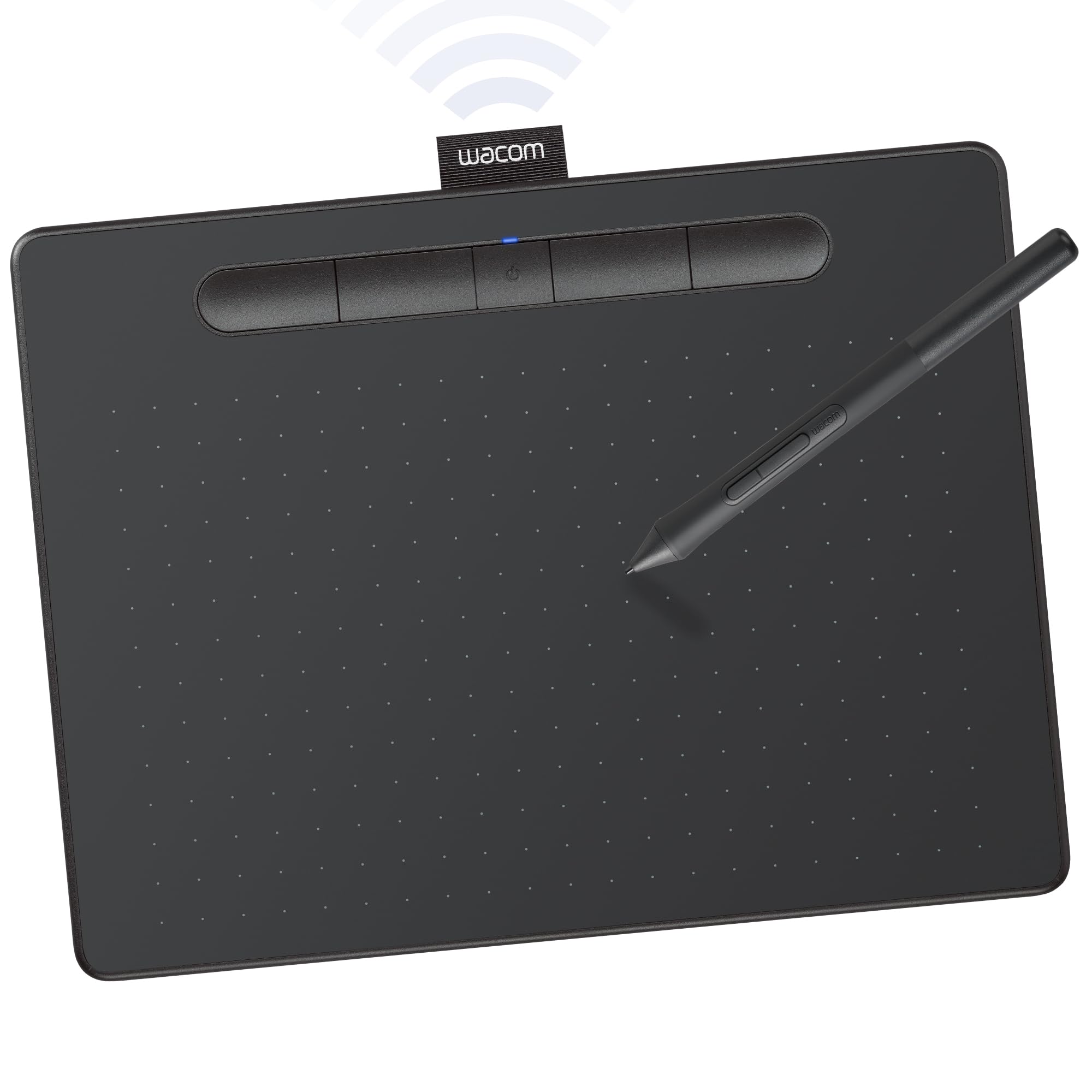
The Wacom Intuos Medium Bluetooth is the entry point into Wacom’s ecosystem, a brand trusted by professional artists for decades. Its 8.5 x 5.31 inch active area matches the dimensions that most beginners find comfortable, and the battery-free EMR stylus delivers the reliable, lag-free performance that Wacom is known for. The Bluetooth connectivity frees you from cables, allowing you to draw from a couch, bed, or classroom without being tethered to your computer.
Four customizable ExpressKeys provide quick access to your most-used shortcuts, and the included software bundle gives beginners access to creative applications and online training tutorials. The tablet is lightweight at under a pound, making it easy to carry between home and school. Driver support is robust across Windows, Mac, and Chromebook, and the USB-A cable (included) works as a backup when Bluetooth runs low on battery.
Long-time Wacom users consistently report that these tablets last for years without ghost touches or driver failures. The pen nib removal tool is integrated into the pen barrel, a clever detail that keeps replacement simple. For beginners who prioritize brand reliability, wireless freedom, and a proven track record, the Intuos Medium Bluetooth is a safe investment that holds its resale value well.
Why it’s great
- Industry-leading EMR battery-free pen with reliable pressure sensitivity
- Bluetooth wireless for tether-free drawing
- Includes creative software bundle and training
Good to know
- Bluetooth connectivity can be unreliable on some iMac models
- Only 4 ExpressKeys compared to competitors offering 8 or more
5. GAOMON PD1161

The GAOMON PD1161 offers beginners their first opportunity to draw directly on a screen without spending premium-tier money. Its 11.6-inch full HD IPS display with 72% NTSC color gamut delivers vibrant, lifelike colors with smooth gradations. The pre-installed matte film reduces glare and provides a paper-like texture under the battery-free AP50 stylus, which offers 8192 levels of pressure sensitivity and 60-degree tilt support for natural stroke variation.
Eight programmable shortcut keys on the side of the display let you map essential tools without reaching for a keyboard, and the two pen buttons provide additional customization. The built-in adjustable stand eliminates the need for a separate tablet stand, keeping your setup clean and portable. Connectivity requires HDMI and USB ports, so ensure your computer has them available or use an appropriate converter.
Reviewers highlight the negligible pen lag and the screen’s great responsiveness in programs like Krita, Clip Studio Paint, and Blender. The included drawing glove reduces friction between your hand and the screen. While the touch-sensitive shortcut buttons can be accidentally pressed and the cable connection feels somewhat awkward, the overall value proposition for a pen display at this price level is impressive.
Why it’s great
- Direct screen drawing with 11.6-inch FHD IPS display
- 8192 levels of pressure sensitivity with 60° tilt
- Battery-free stylus with matte film for paper-like feel
Good to know
- Touch-sensitive shortcut buttons can be accidentally activated
- Pen nibs wear down faster compared to some competitors
6. Frunsi RubensTab T8
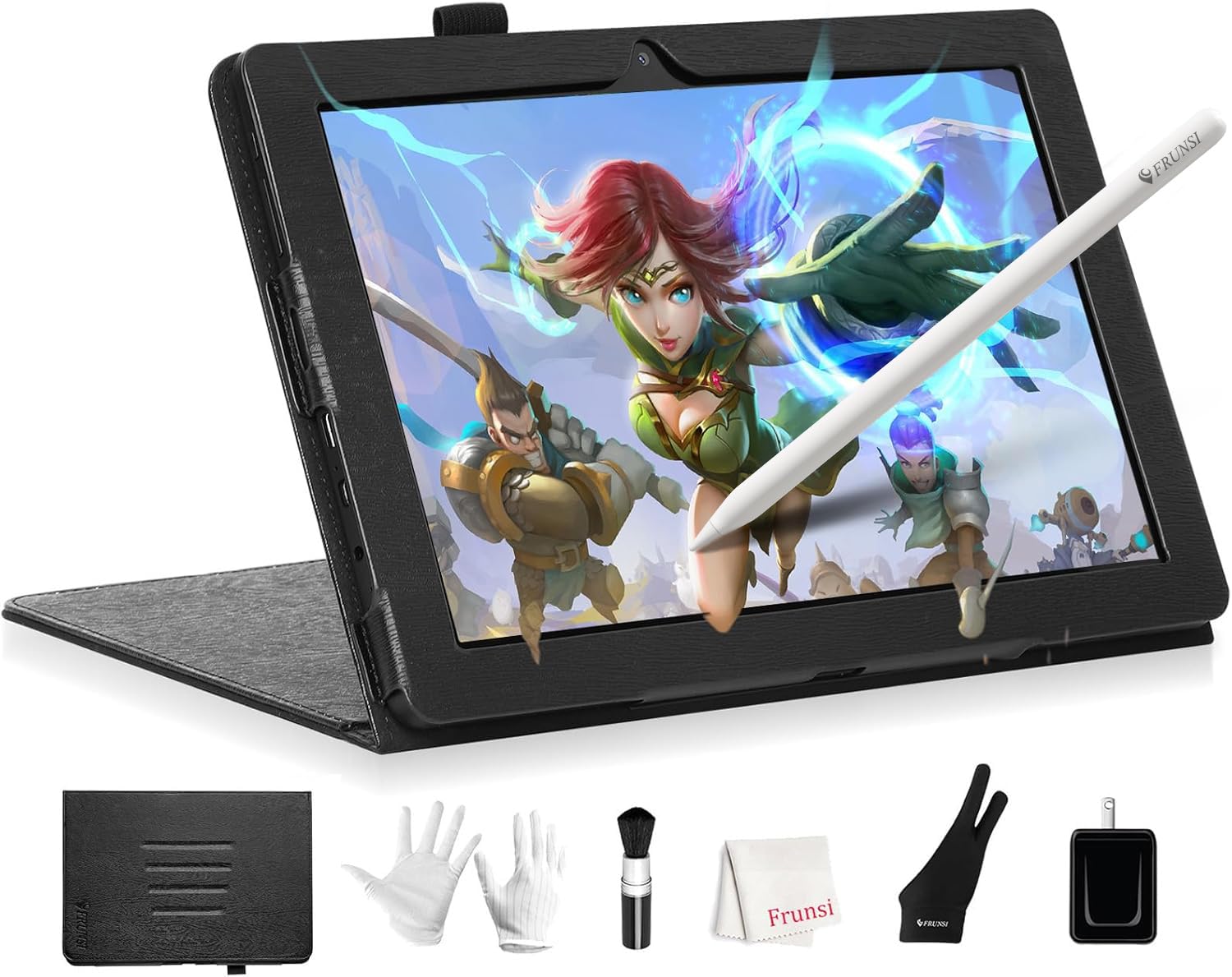
The Frunsi RubensTab T8 is a standalone drawing tablet that runs Android 13, meaning you don’t need a computer to start creating. Its 8-inch FHD display with 1200×800 resolution is compact and portable, making it ideal for young artists or beginners who want a self-contained device. The MTK quad-core CPU, 4GB of RAM, and 64GB of onboard storage (expandable to 256GB) provide enough performance for apps like SketchBook, ArtFlow, and ibis Paint X.
The included stylus offers 2048 levels of pressure sensitivity — sufficient for most beginner artwork, though not as responsive as the 8192-level pens on higher-end models. The detachable keyboard adds versatility for typing notes or navigating the Android interface. Pre-installed drawing apps and tutorials give beginners immediate access to learning materials without needing to search for downloads or subscriptions.
Users report that the tablet handles popular drawing apps with minimal lag, though heavier brush settings can introduce slight jitter. The 4000mAh battery provides several hours of continuous drawing, and the included protective case and cleaning cloth make it a complete starter kit. For a beginner who wants an all-in-one device without the complexity of connecting to a computer, the T8 offers a simplified, portable experience.
Why it’s great
- Standalone Android 13 tablet — no computer required
- Includes detachable keyboard, screen protector, and cleaning cloth
- Pre-installed drawing apps and tutorials for immediate use
Good to know
- 2048 pressure sensitivity levels are entry-level compared to pen tablets
- Battery life under 3.5 hours during heavy drawing use
7. Frunsi RubensTab T11 Pro
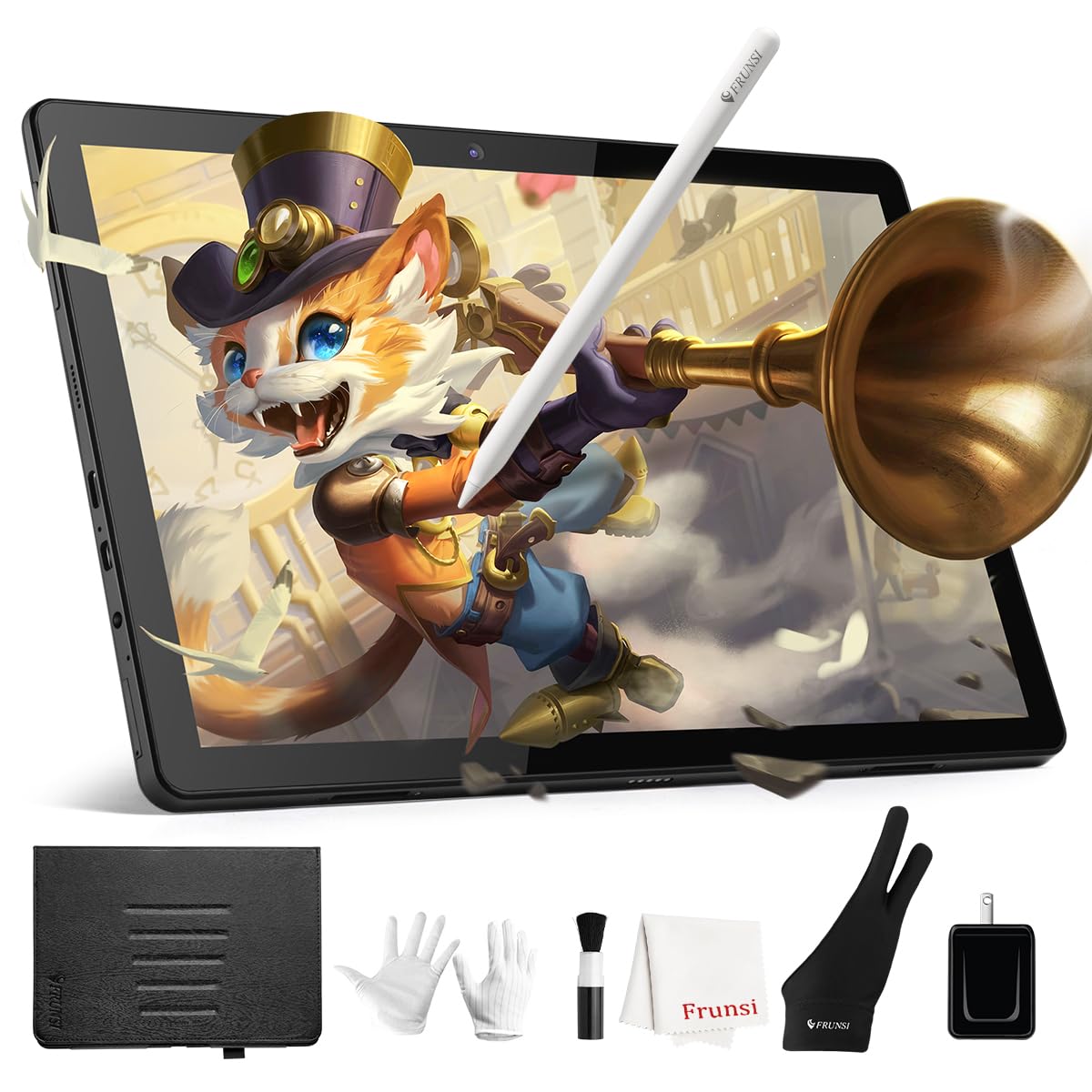
The RubensTab T11 Pro upgrades the standalone concept with a larger 10.1-inch Full HD IPS display at 1920×1200 resolution, providing significantly more detail and screen real estate than the T8. This makes it a more capable device for detailed illustrations and photo editing directly on the tablet. The octa-core processor, combined with pre-installed professional-grade drawing apps like Krita and Adobe Sketchbook, gives beginners a full creative suite out of the box.
The battery-free stylus offers 1024 levels of pressure sensitivity and tilt support, and the responsive screen delivers natural, fluid strokes. Multi-touch support enables intuitive zooming and panning with your fingers, mimicking the experience of using a smartphone or iPad. The 5800mAh battery provides up to 5 hours of continuous use, and USB-C charging allows quick replenishment using a mobile power bank when traveling.
Users consistently praise the excellent customer service, the bright and vivid display, and the durable included case that doubles as a stand. The laminated screen design eliminates parallax, meaning the cursor appears directly under the pen tip for accurate drawing. While the stylus pressure sensitivity doesn’t match the premium pen tablets at the same price point, the T11 Pro’s independence from a computer makes it a compelling choice for beginners who want a portable, all-in-one creative studio.
Why it’s great
- Standalone with 10.1-inch FHD laminated display — no parallax
- Pre-installed with Krita and Adobe Sketchbook
- Durable case/stand included; responsive customer service
Good to know
- Stylus has 1024 pressure levels, lower than dedicated pen tablets
- Slight lag is noticeable when drawing slow diagonal lines
FAQ
Do I need a drawing tablet with a screen as a beginner?
Can I use these tablets with free drawing software?
Is a standalone drawing tablet better than one that needs a computer?
How long does a battery-free stylus last?
Final Thoughts: The Verdict
For most users, the best digital drawing tablet for beginners winner is the HUION Inspiroy 2 Medium because it offers advanced PenTech 3.0 precision, 60-degree tilt support, and a programmable scroll wheel at a price that doesn’t punish exploration. If you want a larger drawing surface for more natural arm movements, grab the HUION Inspiroy 2 Large. And for the unique blend of paper note-taking and digital art in one device, nothing beats the HUION Note.

Mo Maruf
I created WellFizz to bridge the gap between vague wellness advice and actionable solutions. My mission is simple: to decode the research and give you practical tools you can actually use.
Beyond the data, I am a passionate traveler. I believe that stepping away from the screen to explore new environments is essential for mental clarity and physical vitality.