Our readers keep the lights on and my smoothie glass nicely filled. As an Amazon Associate, I earn from qualifying purchases.
The gap between a smartphone photo and a physical print you can hold, share, or stick in a journal has never been smaller. A digital camera printer solves the specific frustration of having thousands of photos trapped on a phone, waiting for a process that never seems convenient enough to actually start.
I’m Mohammad Maruf — the founder and writer behind WellFizz. I’ve spent hundreds of hours analyzing the print quality, connectivity stability, and real-world durability of portable photo printers to find the models that actually deliver on their promises.
Whether you are scrapbooking, decorating with sticker prints, or building a family album, the key is finding the right balance of color accuracy, print speed, and paper cost. This guide breaks down the nine best options to help you pick the best digital camera printer for your specific needs.
How To Choose The Best Digital Camera Printer
The right choice depends on how you plan to use the prints and where you will be using the printer. A dedicated photo printer for 4×6-inch archival prints serves a very different purpose than a pocket-sized sticker maker for journaling.
Print Technology: ZINK vs Dye-Sublimation
ZINK (Zero Ink) printers embed dye crystals inside the paper itself. Heat activates these crystals to produce color. The advantage is a simpler, smaller mechanism with no separate ink cartridges. The trade-off is that ZINK prints are more prone to color casts — often a pink or blue tint — and the per-sheet cost can be higher. Dye-sublimation printers use separate ink ribbons that yield richer, more accurate colors and add a protective overcoat layer that resists water, scratches, and fading. For archival quality, dye-sub is the clear winner.
Connectivity and App Experience
Bluetooth 5.0 is the standard for pocket printers, offering fast pairing and low power drain. Wi-Fi-based printers create their own hotspot, allowing multiple people to print at once without depending on a home network. The app quality matters just as much as the connection method — look for apps that allow exposure adjustment, color balance tweaks, border options, and collage layouts before you hit print.
Print Size and Paper Cost Per Sheet
The smallest format is 2×3 inches, perfect for stickers and journal entries. The most popular size is 4×6 inches, which fits standard frames and albums. Some models also support 3.5×4.25 inch postcard prints. Calculate the long-term cost per print by dividing the price of a paper-and-ink bundle by the number of sheets. ZINK papers often cost between to per print, while dye-sub paper and ink bundles for 4×6 prints can run as low as per print when bought in bulk.
Portability vs Print Quality
Pocket-sized printers sacrifice some color accuracy and maximum resolution for convenience. If you prioritize portability and instant sticker prints, a ZINK-based 2×3 printer is the most compact option. If you value color fidelity and want prints that look professional, a dye-sublimation printer in a slightly larger form factor will produce noticeably better results.
Quick Comparison
On smaller screens, swipe sideways to see the full table.
| Model | Category | Best For | Key Spec | Amazon |
|---|---|---|---|---|
| Canon SELPHY CP1500 | Dye-Sub | Archival 4×6 Prints | 300 x 300 dpi, 3.5″ LCD | Amazon |
| Liene M100 4×6 Bundle | Dye-Sub | High-Volume Home Printing | Dye-sub, 180 sheets + 5 inks | Amazon |
| Fujifilm Instax Mini 12 Bundle | Instant Film | Instant Camera & Print | 60mm lens, auto exposure | Amazon |
| Canon Ivy 2 Mini | ZINK | Pocket Sticker Printer | ZINK, peel-and-stick, 2×3″ | Amazon |
| Liene Pearl N200 Pro | Dye-Sub | True-Color Mini Stickers | 2×3″, AI editing features | Amazon |
| Fujifilm Instax Mini Link 3 | Instax Film | Classic Instax Look | USB-C, touch controls | Amazon |
| YOTON Photo Printer | Dye-Sub | AR Video Photo Prints | Dye-sub, 4×6″, AR video | Amazon |
| HP Sprocket 2×3 Blush Pink | ZINK | True pocket portability | 2×3″, ZINK, sticky-back | Amazon |
| Kodak Smile+ 2-in-1 | ZINK | Camera + Printer Hybrid | ZINK, 2×3″, microSD | Amazon |
In‑Depth Reviews
1. Canon SELPHY CP1500 Compact Photo Printer | Black with 2 x KP-108IN Color Ink and Paper Set

The Canon SELPHY CP1500 is the benchmark for serious home photo printing. It uses dye-sublimation technology to produce 4×6 inch prints at 300 x 300 dpi with a protective overcoat that prevents fading, water damage, and fingerprints. The kit comes with two KP-108IN ink and paper sets, giving you 216 prints right out of the box, making the per-print cost extremely low — around per image when you factor in the bundled supplies.
The built-in Wi-Fi connects to the SELPHY Layout app, which offers crop, resize, and creative tools like sepia and monochrome filters. You can also print directly from an SD card or a USB flash drive, which eliminates the need for a phone altogether. The 3.5-inch LCD screen allows you to preview and edit prints before committing to paper, a rare and valuable feature in the portable printer category.
The 300 dpi resolution is noticeably sharper than ZINK-based pocket printers. Colors are accurate and consistent across multiple prints, with no unexpected color casts. The printer is compact enough to pack for travel but requires AC power unless you purchase the optional battery pack, so it is best suited for desk use or outlets.
Why it’s great
- Exceptional print quality with water-resistant, scratch-proof coating
- Very low cost per print when using bundled paper and ink
- Versatile input options: SD card, USB drive, and Wi-Fi direct
Good to know
- Requires AC power without optional battery — not truly wireless
- Print speed is about 60 seconds per 4×6 print
- Only supports paper sizes up to 4×6 inches
2. Liene M100 4×6 Photo Printer Bundle

The Liene M100 is a 4×6 dye-sublimation printer that comes with an aggressive bundle: 180 sheets of glossy photo paper and 5 ink cartridges included in the box. That is enough material to print 180 full-size photos without buying any supplies. The built-in Wi-Fi hotspot creates a direct connection to your phone, bypassing any home network complications, and supports up to five simultaneous connections for party printing.
Print quality from the M100 is very good for the price. Colors are vibrant and the protective layer applied during the final pass guards against water, scratches, and UV fading. The app includes step-by-step troubleshooting for paper jams and alignment issues. One print takes roughly one minute at 4×6 size, which is competitive with other dye-sub models in this tier.
Avoid printing more than 20 photos in a single session, as the thermal mechanism can overheat and require a cooldown period. The prints look best when processed through the Liene app — direct prints from the phone gallery without the app are noticeably grainier. The slightly yellow tint reported by some users is easily corrected with the app’s color balance slider.
Why it’s great
- Huge bundle with 180 sheets and 5 ink cartridges included
- Wi-Fi hotspot connection bypasses home network issues
- Dye-sub output with protective coating against fading and water
Good to know
- Needs a cooldown break after about 20 consecutive prints
- Print quality drops if you skip the Liene app and print directly
- Slightly slower than premium models at about 1 minute per print
3. Fujifilm Instax Mini 12 Instant Camera Lilac Purple Bundle

This bundle merges the Fujifilm Instax Mini 12 camera with a carrying case, 40 sheets of Instax film, a photo album, and color frames. The Mini 12 is a dedicated instant camera, not a printer, but it belongs here because it captures and prints in one seamless process — no phone needed. The Fujinon 60mm lens with auto exposure and built-in flash produces the classic Instax square format that millions of users love.
The camera is incredibly easy to use: point, press the shutter with the alert sound, and watch the image develop before your eyes. The included 40 film sheets give you enough capacity for multiple outings. The bundle also contains a fitted carrying case and a 64-page photo album, making it a complete starter kit for instant photography.
The print size is roughly 2.4 x 1.8 inches, which is smaller than 4×6 but fits perfectly in the included album. This is the best option for anyone who wants the full analog instant camera experience rather than a printer that relies on a smartphone. The film cost per shot runs higher than digital printing, so it is ideal for special moments rather than bulk printing.
Why it’s great
- All-in-one instant camera and printer — no phone or app required
- Complete starter bundle with film, case, album, and frames
- Classic Instax aesthetic with auto exposure and built-in flash
Good to know
- Film cost per print is higher than digital printing methods
- Limited to the small Instax Mini format only
- No ability to edit or retouch photos before printing
4. Canon Ivy 2 Mini Photo Printer (Pure White) Bundle

The Canon Ivy 2 Mini is a true pocket-sized printer using ZINK Zero Ink technology. The bundle includes 110 sheets of ZINK sticky-back paper, a protective case, and a USB-C charging cable. The printer itself is about the size of a smartphone and fits into a small purse or jacket pocket. Bluetooth 5.0 enables fast and stable connectivity with both iOS and Android devices through the Canon Mini Print app.
Print quality is decent for the 2×3-inch sticker format. Images emerge dry and ready to peel and stick almost immediately. The new print engine in the Ivy 2 improves skin tone rendering, contrast, and sharpness compared to the original Ivy. The sticky-back paper makes it perfect for scrapbooking, decorating laptops, or creating custom stickers for planners.
The main compromise is color accuracy. Several users report a noticeable color shift — often cooler or more muted than the original photo. The per-sheet cost for ZINK paper is higher than dye-sub alternatives. The 45-minute fast charge is a genuine convenience, and the LED light bar adds a fun visual indicator, but those looking for professional-grade prints should look at the SELPHY or Liene M100 instead.
Why it’s great
- Compact pocket-size design fits in a purse or bag
- Peel-and-stick ZINK paper is ideal for journals and decorations
- Fast 45-minute charge via USB-C
Good to know
- Color accuracy is inconsistent — photos can look muted or tinted
- Per-print cost is higher than dye-sub models
- Only produces 2×3 inch prints, not standard photo sizes
5. Liene Pearl N200 Pro Portable AI Photo Printer (Gold)

The Liene Pearl N200 Pro stands out among mini 2×3 sticker printers by using dye-sublimation technology instead of ZINK. This produces significantly more vibrant colors and sharper details than most pocket printers. Users who have compared it side-by-side with the Canon IVY and HPRT report the Liene comes closest to matching the original photo on a phone screen, with richer blacks and more accurate flesh tones.
The app offers AI features that let you reimagine your photos with artistic styles while keeping the subject intact. There is also a built-in InstaPic Print mode that lets you shoot and print directly through the app with CCD camera filters, bypassing your phone’s camera roll entirely. Bluetooth pairing is fast, and the printer supports multi-device connections so multiple friends can take turns printing at a gathering.
A single charge prints about 27 stickers, which is adequate for a party session but means you will need to recharge for longer events. The paper and ink cartridges are bundled together, and while the per-print cost is higher than 4×6 dye-sub models, it is very competitive within the 2×3 mini printer space. The sticker paper is thin and does not add bulk to a journal.
Why it’s great
- Best-in-class print quality for a 2×3 mini printer — true dye-sub
- AI editing tools and InstaPic shoot-and-print mode
- Multi-device Bluetooth pairing for group use
Good to know
- Only about 27 prints per full charge
- Paper and ink cost is higher than larger format dye-sub printers
- Slightly louder printing operation than ZINK competitors
6. Fujifilm Instax Mini Link 3 Smartphone Printer (Clay White)

The Instax Mini Link 3 is a dedicated smartphone printer that uses genuine Instax Mini film to produce the classic credit-card-sized prints with the iconic white border. It connects via Bluetooth to the Instax Mini app, which offers editing tools, collage layouts, and the Click to Collage feature that lets you tap friends’ phones to combine photos. The Clay White finish is clean and modern, and the matte texture feels durable in hand.
Print quality delivers exactly what Instax fans expect: warm, slightly grainy prints with a vintage character that does not try to look like a digital photo. This aesthetic is the whole point — if you want hyper-realistic prints, Instax is not the right choice. The app is straightforward and stable, and the USB-C charging is a welcome upgrade over older Micro-USB models.
No film is included in the box, so you must purchase Instax Mini 2-packs separately. The printer is roughly the size of a smartphone but about three times thicker, making it portable but not pocket-friendly. The battery arrived fully discharged for some users, requiring a 25-minute charge before first use. The Click to Collage and remote printing modes make it a great social tool for parties.
Why it’s great
- True Instax aesthetic with rich classic film character
- USB-C charging for modern convenience
- Fun social printing features like Click to Collage
Good to know
- No film included — you must buy Instax Mini packs separately
- Does not produce photo-realistic color accuracy by design
- Battery may arrive fully discharged and needs charging first
7. YOTON Photo Printer with 54 Sheets and AR Video Printing

The YOTON Photo Printer brings a genuinely unique feature to the category: AR Video Printing. You can print a still photo from a video clip up to 15 seconds long. When you scan that printed photo with the YOTON app, the image on your phone screen comes to life as a video. This is an impressive trick for birthday parties, family events, or any moment where the motion matters as much as the still frame.
The printer uses dye-sublimation technology to produce 4×6 inch prints. Colors are rich and accurate, and the prints include a protective layer for longevity. The built-in Wi-Fi hotspot creates a direct connection to your phone, bypassing the need for an internet connection. The compact dimensions (7.1 x 4.9 x 2.2 inches) make it easy to slip into a backpack.
The setup is the weak point. The printer requires a 2.4GHz Wi-Fi connection or a direct connection to its own hotspot. The YOTON app demands location tracking permissions, and USB connectivity is unreliable. Several users report a frustrating first-time setup. Once connected, print quality is excellent, but the connectivity hurdles make this a printer for patient, tech-comfortable users who want the AR gimmick enough to push through the initial friction.
Why it’s great
- Exclusive AR Video Printing brings still photos to life on phone
- Dye-sub technology delivers vibrant, protected 4×6 prints
- Built-in Wi-Fi hotspot works without home internet
Good to know
- Connection setup is difficult and requires patience
- App requires location tracking permissions even for basic use
- Printer body feels less robust than competing models
8. HP Sprocket Portable 2×3 Inch Instant Photo Printer (Blush Pink)
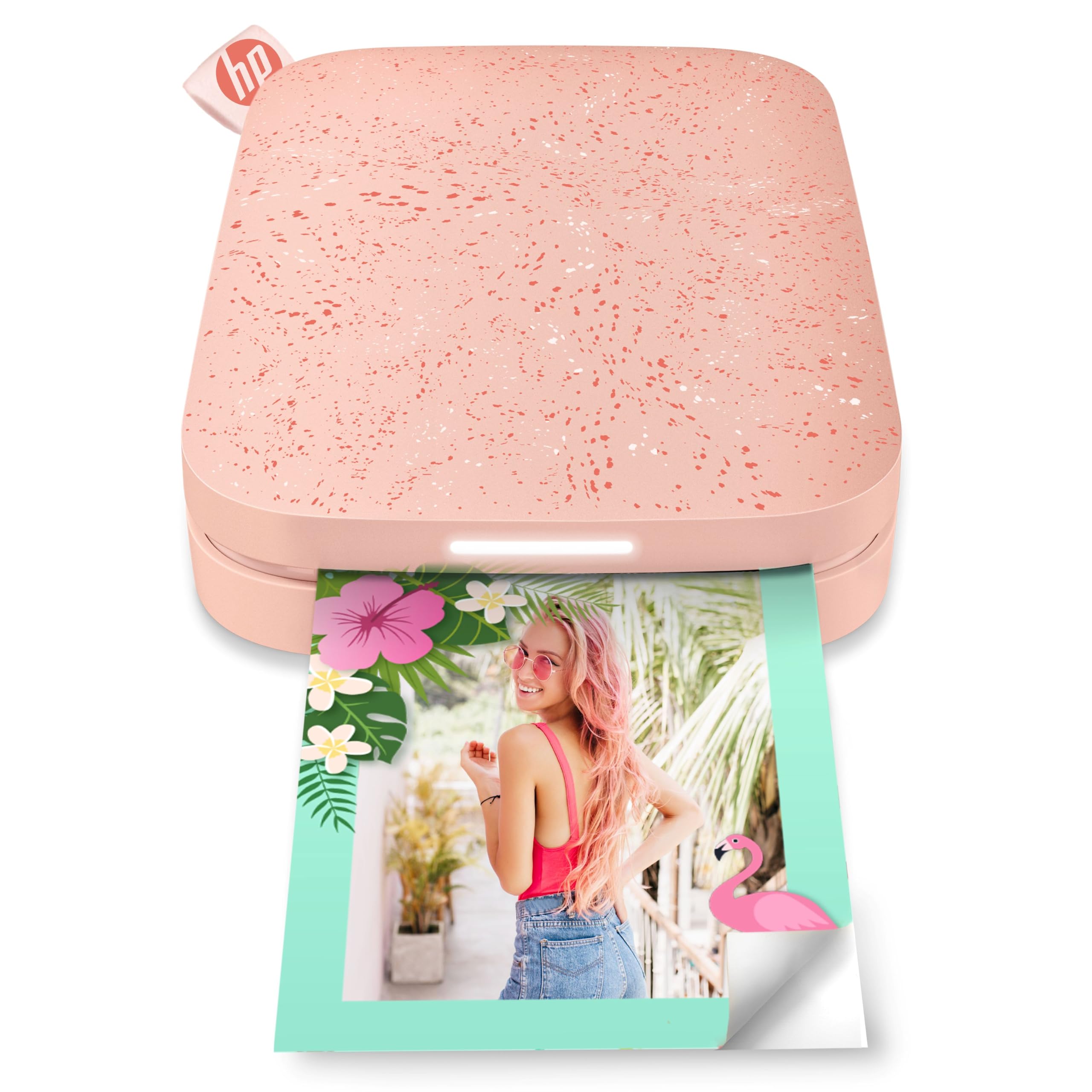
The HP Sprocket is the most portable printer on this list — it is genuinely smartphone-sized and easily fits in a pocket or small purse. It uses ZINK technology to produce 2×3 inch sticky-back prints. The Blush Pink color is bright and appealing, and the printer has a playful personality with an LED light system that changes color to show whose connected device is actively printing.
The HP Sprocket app offers editing tools, frames, stickers, and the ability to create shared albums with friends. Bluetooth 5.0 keeps a stable connection while in sleep mode without draining the battery, so the printer is always ready when you are. The battery life is solid, and the printer can even operate while charging. The included 10-sheet ZINK paper pack lets you start printing immediately.
Color accuracy is the main drawback. Like most ZINK printers, the Sprocket has a tendency toward a pink or blue color cast, and prints can come out darker than the original image. You can mitigate this by manually adjusting tint and brightness in the app, but it requires extra effort. The 2×3 inch size is also limiting — these are stickers first, photos second. Best suited for journaling, scrapbooking, and fun party favors at the cost of serious image fidelity.
Why it’s great
- Smallest footprint of any printer — true pocket portability
- Sticky-back ZINK paper is perfect for scrapbooks and journals
- Multi-device pairing with fun LED print indicators
Good to know
- ZINK color cast (pink/blue tint) requires manual correction
- Limited to very small 2×3 sticker format only
- First print is often too dark until you adjust settings
9. Kodak Smile+ 2-in-1 Digital Instant Print Camera (Blue)
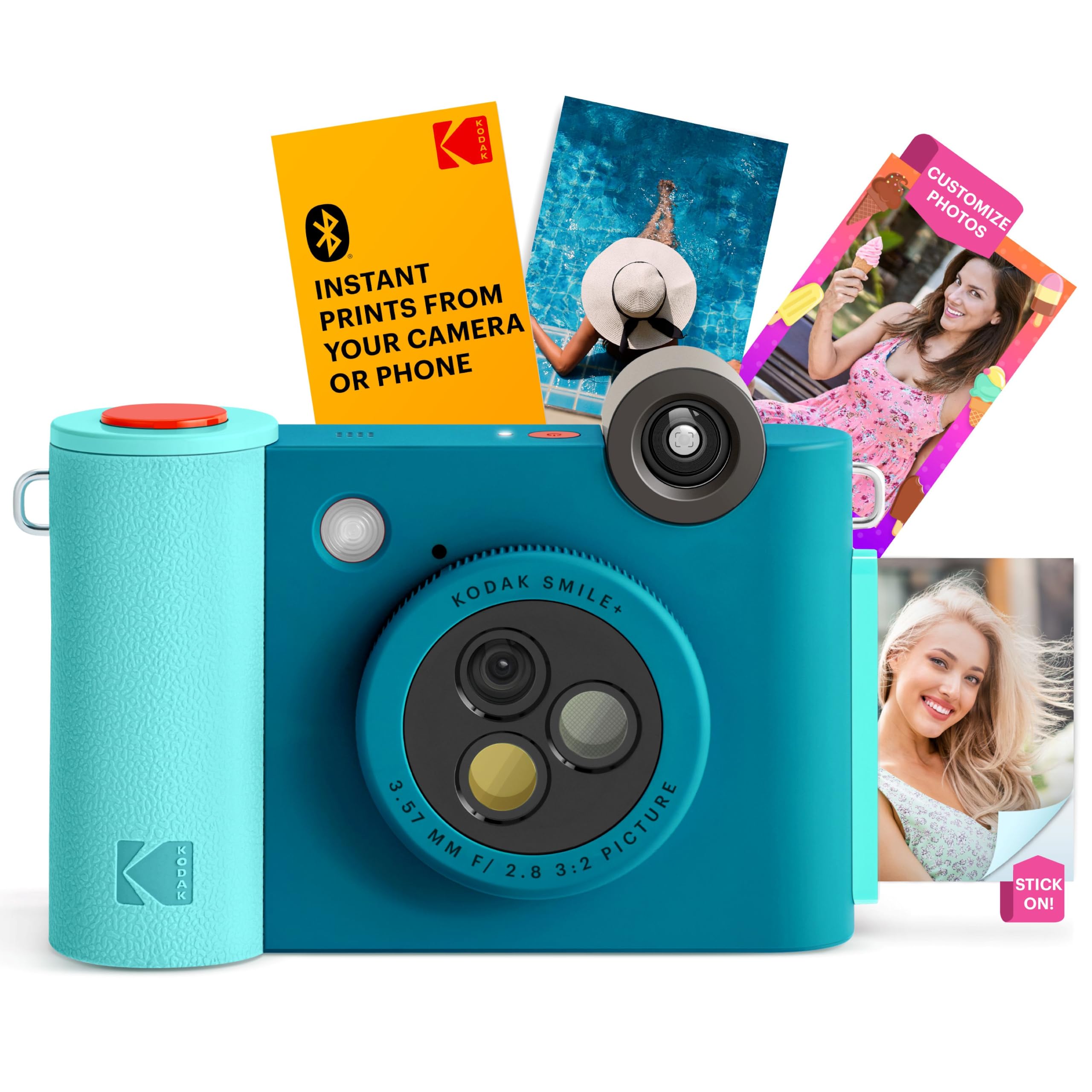
The Kodak Smile+ is a 2-in-1 device that works both as a standalone 10MP digital instant camera and as a Bluetooth-connected printer for your smartphone photos. The camera features a rotating lens with three built-in filter effects — standard, retro, and star — that you switch between by turning a knob on the lens barrel. Images print instantly on ZINK 2×3 inch sticky-back paper.
As a camera, the Smile+ is best used outdoors in good light. In dim conditions, photos come out blurry due to the lack of proper image stabilization. The digital stabilization helps only marginally. Photos are sharp and fun for close-up outdoor shots. The microSD card slot lets you save digital copies of everything you shoot, which is useful because the camera does not have a photo counter on the display.
As a Bluetooth printer, the Smile+ connects to Kodak’s app for editing and printing photos from your phone. The plastic body feels less premium than its price suggests, and the power button requires a long press that some users find irritating. The shutter has a noticeable delay, making it hard to capture fast-moving subjects. The included paper is only 5 sheets, so you will need to buy ZINK paper immediately.
Why it’s great
- 2-in-1 instant camera and smartphone printer in one device
- Rotating lens with three fun filter effects
- microSD slot for saving digital copies of photos
Good to know
- Poor performance in low light — requires strong outdoor light
- Plastic body feels cheaper than the price suggests
- Shutter delay makes action shots difficult
FAQ
What is the difference between ZINK and dye-sublimation printing in a digital camera printer?
Can I print directly from an SD card or USB drive without a phone?
How much does it cost per print for a typical digital camera printer?
Why do my ZINK prints have a pink or blue tint?
Do I need an internet connection to use a portable digital camera printer?
Final Thoughts: The Verdict
For most users, the best digital camera printer winner is the Canon SELPHY CP1500 because it delivers true archival-quality dye-sublimation prints at the lowest per-print cost and accepts SD cards and USB drives directly. If you want a pocket-sized sticker printer with genuine dye-sub quality instead of ZINK, grab the Liene Pearl N200 Pro. And for the full instant camera experience without a phone in sight, nothing beats the Fujifilm Instax Mini 12 Bundle.

Mo Maruf
I created WellFizz to bridge the gap between vague wellness advice and actionable solutions. My mission is simple: to decode the research and give you practical tools you can actually use.
Beyond the data, I am a passionate traveler. I believe that stepping away from the screen to explore new environments is essential for mental clarity and physical vitality.