Our readers keep the lights on and my smoothie glass nicely filled. As an Amazon Associate, I earn from qualifying purchases.
The constant back-and-forth of “Who has practice tonight?” and “What’s for dinner?” drains more family energy than any single scheduling conflict. A dedicated digital calendar display for families acts as a central command hub, transforming a wall or countertop into a visual system that keeps everyone—from the toddler to the teenager—on the same page without anyone needing to unlock a phone.
I’m Mohammad Maruf — the founder and writer behind WellFizz. I’ve spent countless hours analyzing the spec sheets, customer feedback, and real-world trade-offs in connected home organizers to find which displays actually reduce mental load instead of adding another screen to manage.
After comparing seven of the most popular models on the market, this guide breaks down exactly what makes a digital calendar display for families worth the investment, from sync reliability to chore-tracking features.
How To Choose The Best Digital Calendar Display For Families
A family calendar display is only useful if it actually gets used. That means the sync must be invisible, the touchscreen must be responsive, and the features—chores, meal planning, photo frame—must match your household’s real habits. Here are the three factors that separate a helpful hub from a digital dust collector.
Screen Size and Viewing Distance
The most common sizes are 15.6 inches and 27 inches. A 15.6-inch 1080p screen works well on a countertop or mounted in a hallway where family members pass within a few feet. A 27-inch display, like the Skylight Calendar Max, becomes readable from across a kitchen or living room, making it ideal for larger households or open floor plans where the calendar serves as a central visual anchor.
Calendar Sync Reliability
Syncing is the core function. Look for bidirectional sync that pushes events from your phone to the display and vice versa without manual intervention. Models that support Google Calendar, Apple iCloud, Outlook, Cozi, and Yahoo cover the widest range of family members. Also check whether the calendar requires a subscription for full sync features—some premium models lock photo screensaver or meal planning behind a monthly plan.
Chore and Reward Systems
If you want kids to actually use the display, the chore system needs to be intuitive and motivating. Many models offer a point-based reward system where children earn stars or points for completed tasks, which they can redeem for pre-set rewards. The best implementations let parents assign rewards directly from the app and track progress visually on the display, turning the calendar into a positive reinforcement tool rather than just a nagging list.
Quick Comparison
On smaller screens, swipe sideways to see the full table.
| Model | Category | Best For | Key Spec | Amazon |
|---|---|---|---|---|
| Apolosign 15.6-inch | Premium | Android flexibility and voice control | 15.6-inch, Google Gemini voice assistant, dual mode (Calendar/Android) | Amazon |
| Skylight Calendar Max 27-Inch | Premium | Largest screen for open kitchens | 27-inch HD touchscreen, portrait/landscape, auto-sync | Amazon |
| Pastigio Digital Calendar 15.6 | Premium | AI event creation and individual profiles | 15.6-inch 1080P touchscreen, AI voice/photo input, no subscription | Amazon |
| Airzeen Digital Calendar 15.6 | Mid-Range | No-subscription family hub with rewards | 15.6-inch 1080P touchscreen, color-coded schedules, reward system | Amazon |
| DASFIWO 15.6 Inch Smart Calendar | Mid-Range | Large internal storage and easy setup | 15.6-inch 1080P IPS touchscreen, 32GB storage, weather and sleep mode | Amazon |
| Dragon Touch 15.6 Digital Calendar | Mid-Range | Reliable family entry point at a sensible price | 15.6-inch FHD touchscreen, chore chart, 1080P display | Amazon |
| Akimart 15.6 Inch Wall Planner | Budget | Entry-level digital wall calendar for basic scheduling | 15.6-inch touchscreen, chore chart, meal planner, digital photo frame | Amazon |
In‑Depth Reviews
1. Apolosign 15.6-inch Digital Family Calendar
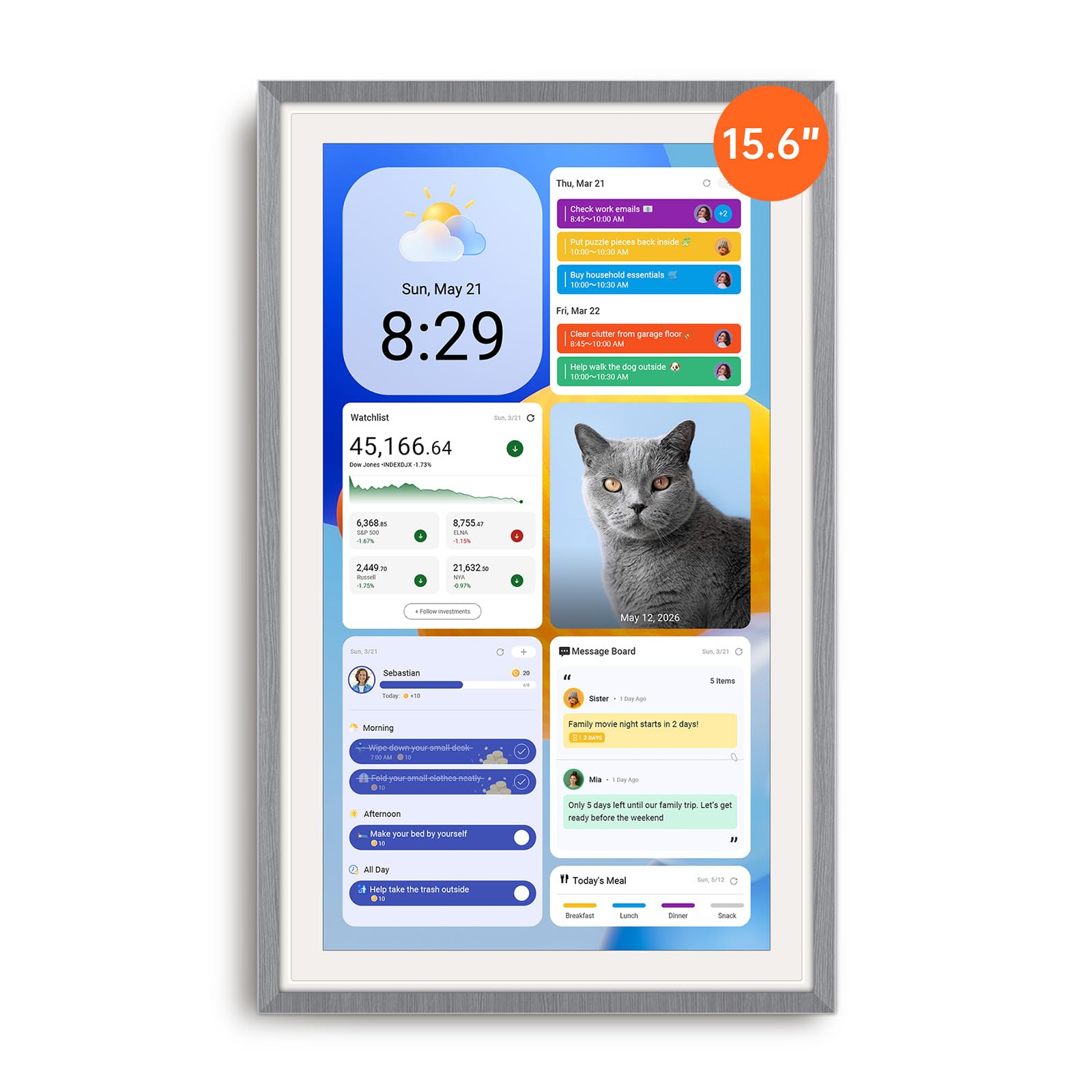
The Apolosign stands out from the crowd by offering both a dedicated Calendar Mode and a full Android Mode, letting you run apps like Netflix or YouTube directly on the display. This dual personality makes it the most versatile smart calendar of the group—it functions as a family organizer in the morning and a secondary entertainment screen in the evening, all without a subscription.
Setting it up feels closer to an Android tablet than a simple wall calendar. You connect to Wi-Fi, sign into your Google account, and within minutes your family’s color-coded schedules populate the display. The built-in Google Gemini voice assistant lets you check weather, set reminders, or control smart home devices like lights and doorbells hands-free, which is particularly useful when your hands are full with groceries or a child.
The chore chart and reward system are built directly into the Apolosign app, with a reward wheel that gamifies task completion for up to four kids. Parents report that the system motivates children without nagging, though the voice assistant itself has limited utility beyond basic commands. The anti-glare HD touchscreen adjusts brightness automatically, and the overall build feels sturdy—one reviewer noted it survived a four-foot drop without damage.
Why it’s great
- Full Android mode allows streaming apps and widget customization.
- Google Gemini voice assistant for hands-free schedule and smart home control.
- No subscription required for core features including chore rewards.
- Includes both stand and wall mount for flexible placement.
Good to know
- Must remain plugged into power; no battery backup.
- Built-in speaker is average for media playback.
- The Google Gemini feature is not as robust as dedicated smart speakers.
2. Skylight Calendar Max 27-Inch
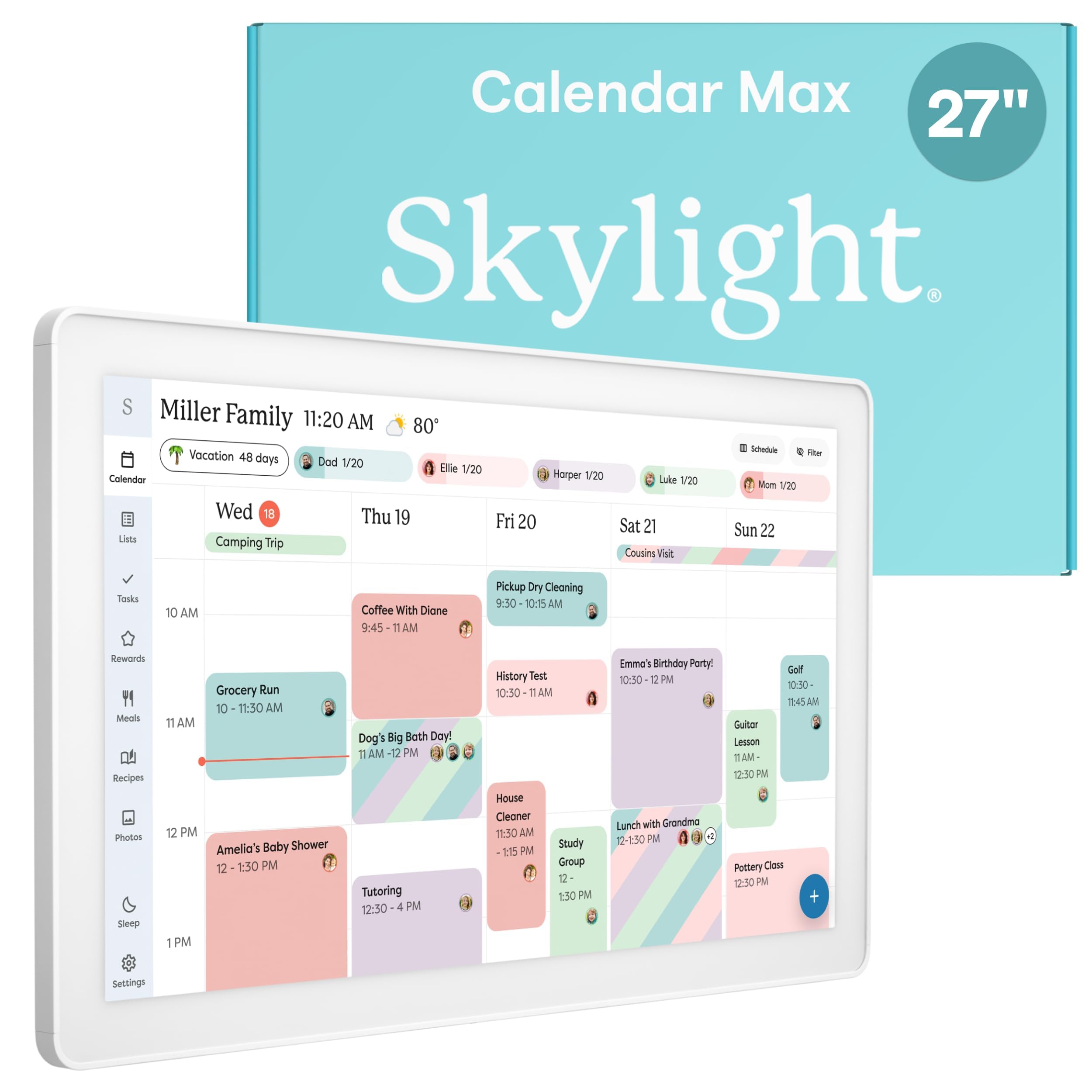
The Skylight Calendar Max dominates the room. Its 27-inch HD touchscreen is large enough to read from across a living room or open kitchen, making it the most accessible display for high-traffic households. The screen auto-adjusts between portrait and landscape orientation, and the included mounting guide includes a level for precise installation, which is a thoughtful touch given the size and weight of the unit.
Sync is straightforward and reliable across Google, Apple, Outlook, Yahoo, and Cozi. Events appear color-coded per family member, and the built-in to-do lists, chore chart with reward stars, and meal planning modules are all accessible directly from the touchscreen or the free mobile app. The Skylight Plus Plan unlocks advanced features like Magic Import (scanning paper flyers into digital events) and photo screensaver, though the core calendar and chore functions remain free.
Parents consistently describe the Max as a “game changer” for busy families, noting that the sheer visual presence of the display reduces verbal reminders and keeps everyone aware of commitments. The toddler-friendly interface allows even young children to tap routine icons independently, reinforcing a Montessori-style approach to daily schedules. The only real compromise is the premium price, which reflects the largest screen in this category.
Why it’s great
- Massive 27-inch HD screen readable from anywhere in a room.
- Effortless auto-sync with the most calendar platforms.
- Color-coded events, chore rewards, and meal planning built in.
- Easy installation with included level guide and swappable frame styles.
Good to know
- Premium price reflects the largest display in the lineup.
- Optional Plus Plan subscription for advanced features like photo screensaver.
- Heavy unit requires secure wall mounting.
3. Pastigio Digital Calendar 15.6
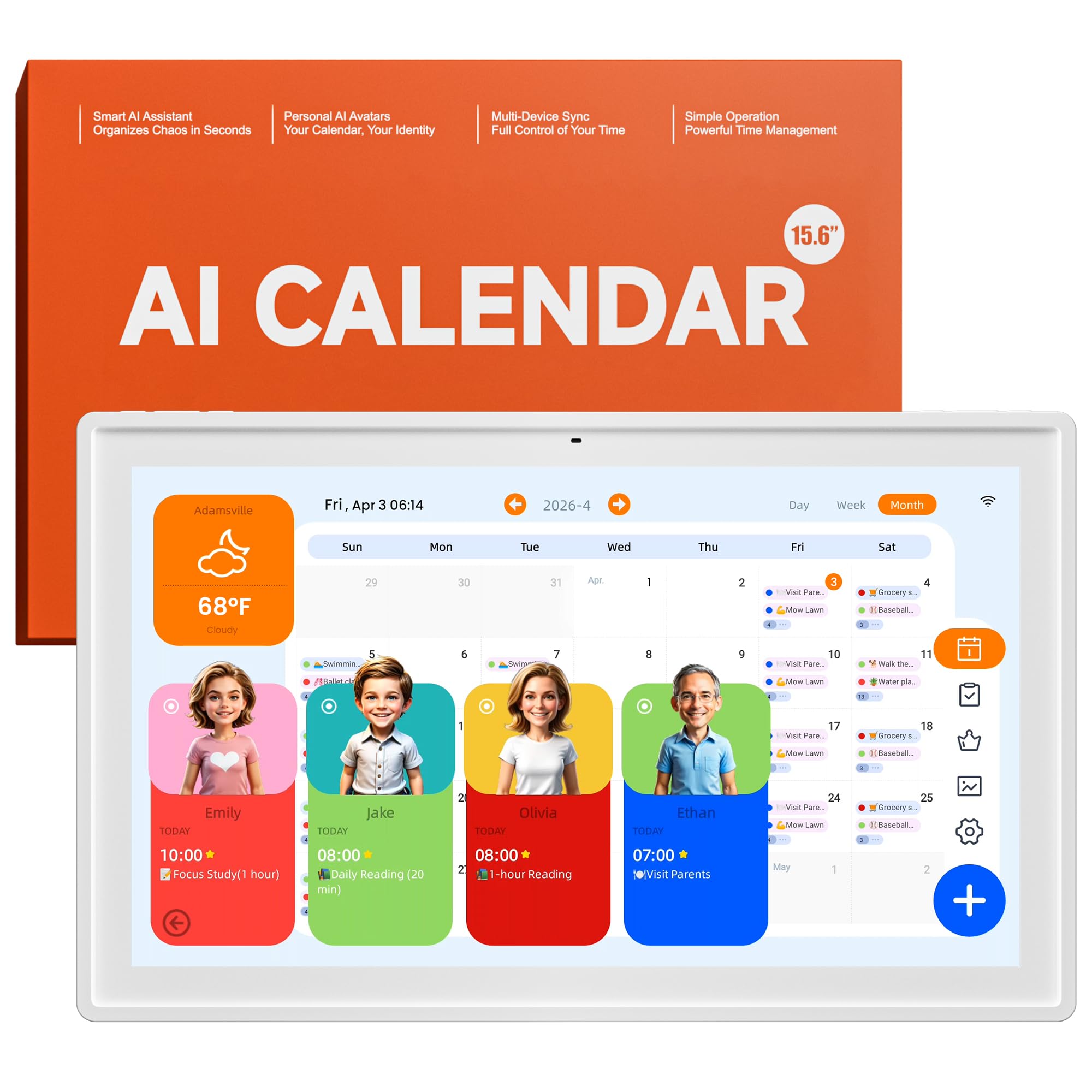
The Pastigio takes a genuinely different approach by embedding AI directly into the scheduling workflow. You can create an event by speaking to the Kairos app (“Grocery shopping tomorrow at 10 AM”) or by snapping a photo of a school flyer, which the AI reads and converts into a calendar entry. This reduces friction for parents who are already juggling paper notices and verbal reminders.
Each family member gets their own profile card with a customizable AI avatar, showing only their upcoming events in a personal view while the main display aggregates everyone’s schedule. The chore-and-reward system works for both kids and adults, allowing parents to set personal goals alongside children’s tasks. Reward redemption is managed through the app, turning the system into a motivational tool rather than just a list of duties.
The 1080P touchscreen is sharp and responsive, and the device switches to a digital photo frame when idle, with a time and temperature overlay. The main limitation is that the calendar only syncs one online calendar at a time, which may require combining multiple family members’ calendars into a single shared account. The black power cord against the white frame is a minor aesthetic distraction, and the AI avatars have been described as “weird” by some reviewers.
Why it’s great
- AI voice and photo-to-event creation saves time.
- Individual profile cards with separate personal views.
- Chore and reward system for both kids and adults.
- No subscription fees for core functionality.
Good to know
- Syncs only one online calendar at a time.
- Events added on the device do not sync back to iCal or Google Calendar.
- AI avatars and voice features are app-based, not on the display itself.
4. Airzeen Digital Calendar 15.6
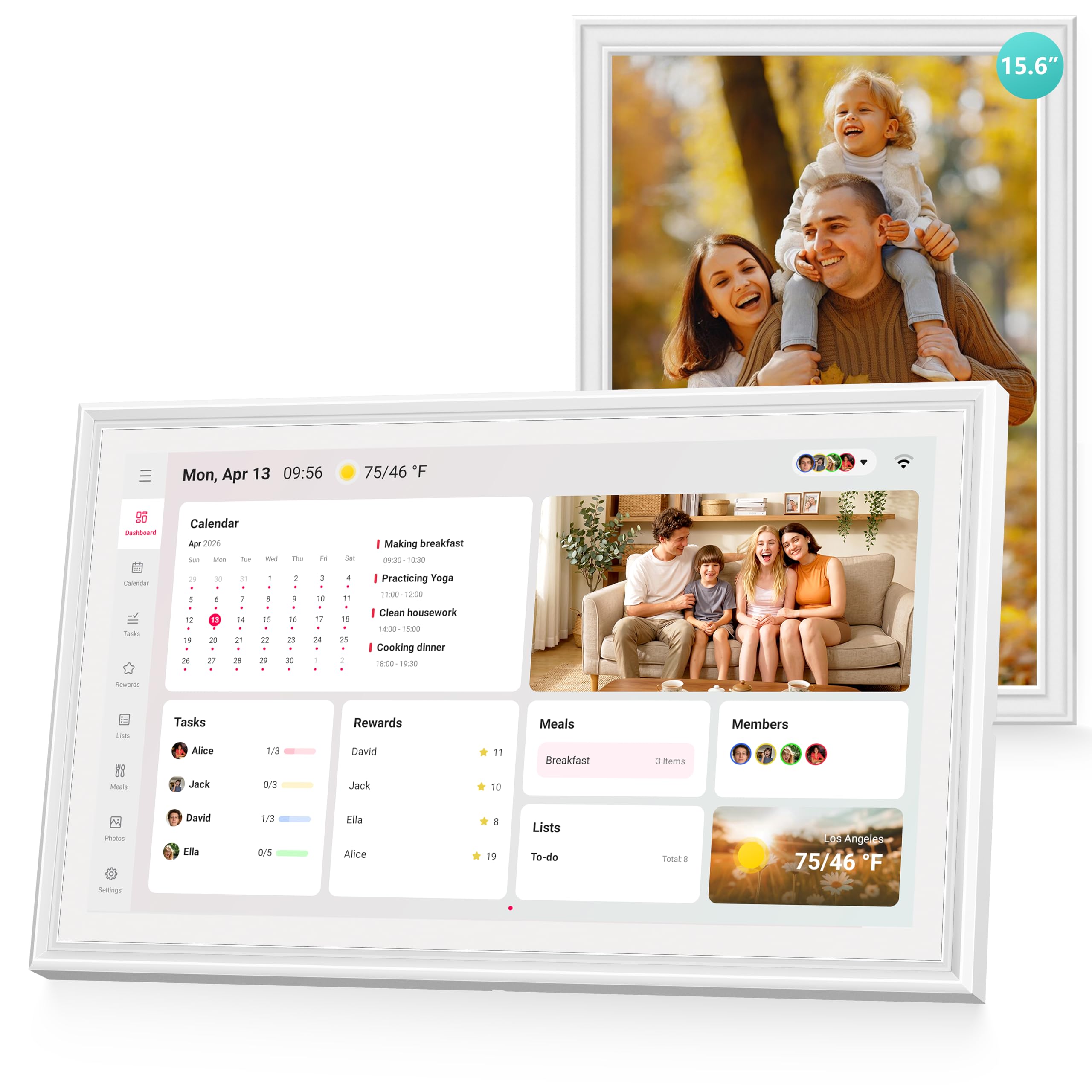
The Airzeen digital calendar is a strong mid-range contender that delivers a full suite of family organization tools with zero subscription fees. The 15.6-inch 1080P HD touchscreen supports a customizable dashboard where you can add widgets for tasks, meal plans, to-do lists, weather, and photo displays across multiple pages. The ability to create multi-page layouts means you can separate the family schedule from the chore list without overwhelming the screen.
Setup takes minutes, and the device syncs bidirectionally with Google Calendar, iCloud, Outlook, Cozi, and Yahoo. Color-coded schedules with customizable avatars and smart reminders keep every family member’s commitments organized at a glance. The task and reward system is particularly well-implemented for kids, allowing parents to assign points for completed chores and track progress visually on the display.
The meal planning feature lets families create weekly menus and share them with everyone, while the shared lists sync to the mobile app so you always have the grocery list on your phone when shopping. The sleek frame looks attractive on a wall or desk, and the adjustable brightness and sleep mode prevent screen glare during nighttime. Some users noted that the 10-inch screen variant is available, but the 15.6-inch model provides a much better balance of readability and counter space.
Why it’s great
- No subscription required for any features.
- Bidirectional sync with Google, iCloud, Outlook, Cozi, and Yahoo.
- Customizable multi-page dashboard with widgets.
- Shared to-do lists sync to mobile app for shopping.
Good to know
- Some users report occasional sync delays.
- Available in multiple sizes; 15.6-inch is the recommended balance.
- Photo frame mode requires setup through the free app.
5. DASFIWO 15.6 Inch Smart Calendar
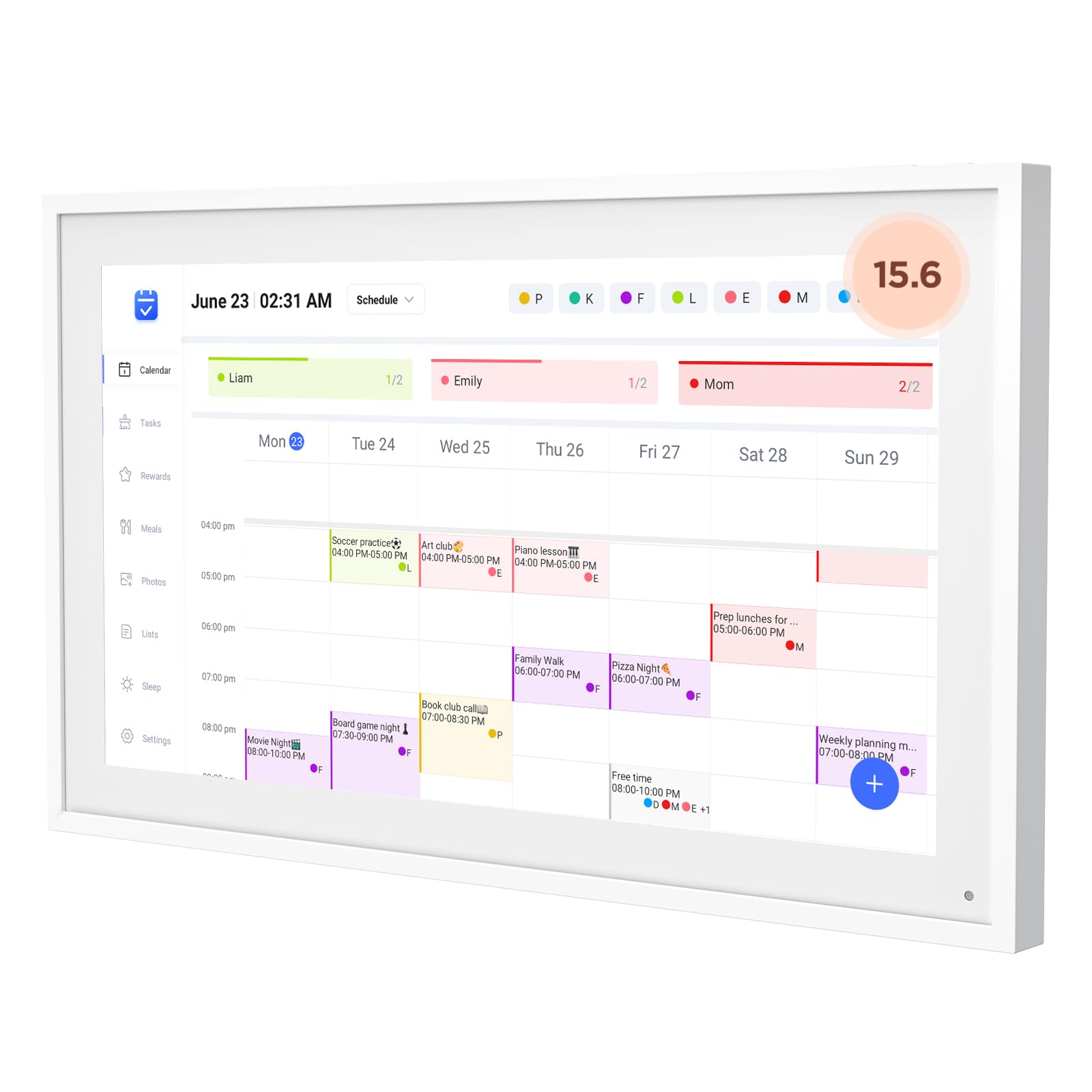
The DASFIWO 15.6 Inch Smart Calendar offers a generous 32GB of internal storage, which is significantly more than most competitors in its price tier. This extra space is useful for families who want to load a substantial photo library directly onto the device without relying solely on cloud streaming. The IPS Full HD touchscreen delivers vibrant colors and wide viewing angles, making photos and calendar text crisp from any position in the room.
Setup is straightforward through the mobile app, which supports sync with Google Calendar, iCloud, Outlook, Cozi, and Yahoo. The bidirectional synchronization means changes made on the display reflect on your phone and vice versa. The built-in weather feature updates local conditions in real-time, and the sleep mode automatically turns off the screen at night to avoid disrupting sleep when mounted in a bedroom or hallway.
Early customer reviews are very positive, but one long-term review flagged a power failure issue after about three months of use, with the device eventually dying completely at month five. The manufacturer offers a one-year warranty and lifetime support, but this durability concern is worth noting for families expecting a multi-year investment. When functioning properly, the device is praised for its ease of use and comprehensive feature set.
Why it’s great
- 32GB internal storage for extensive photo libraries.
- IPS Full HD display with excellent color and viewing angles.
- Real-time weather updates and sleep mode.
- Bidirectional sync with major calendar platforms.
Good to know
- Some durability concerns reported after several months of use.
- Customer support response can be slow for warranty claims.
- One-year warranty requires trusting the manufacturer’s reliability.
6. Dragon Touch 15.6 Digital Calendar Chore Chart

The Dragon Touch 15.6 Digital Calendar is a well-rounded mid-range option that prioritizes ease of use and family engagement. Setup is genuinely quick—plug in, connect to Wi-Fi, link your calendar via the mobile app, and events auto-populate within minutes. The 1080P FHD touchscreen is clear and responsive, and the device supports both wall and desk mounting for placement flexibility.
The standout feature is the interactive chore chart with a star reward system. Kids earn stars for completing tasks, and a chime plays when they mark a chore as done, which turns responsibility into a small celebration. Parents can assign different colors to each family member, making the schedule instantly scannable. The meal planning feature eliminates the “What’s for dinner?” question by displaying the weekly menu directly on the screen.
When not in use as a calendar, it transitions into a digital picture frame that showcases family photos. The free eCalendar app allows you to manage the calendar, chore chart, and dinner plans from anywhere. Some users noted that the app requires manual editing for shared tasks and that phone reminders for calendar events are not available, but the overall value—especially compared to subscription-based alternatives—is widely praised by families managing multiple extracurricular activities.
Why it’s great
- Star reward system with chime makes chores fun for kids.
- Quick setup and auto-sync with multiple calendar platforms.
- Meal planner integrated into the daily display.
- Competitive price for a full-featured family organizer.
Good to know
- No phone reminders for upcoming calendar events.
- App requires manual editing for shared tasks.
- Initial setup can take some time for complete customization.
7. Akimart 15.6 Inch Wall Planner
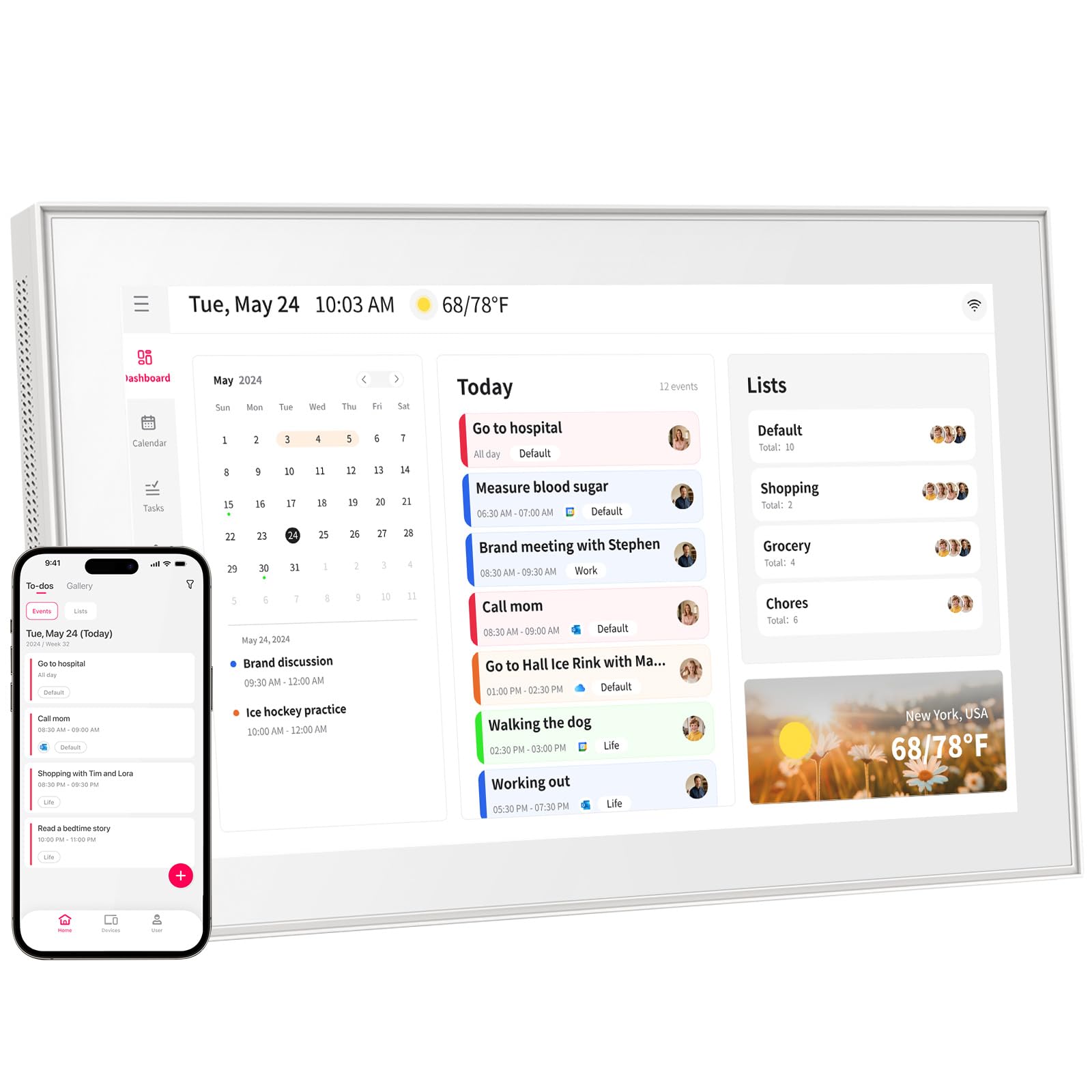
The Akimart 15.6 Inch Wall Planner is the entry-level option in this category, designed for families who want to test the waters of smart calendar organization without a large investment. It combines a digital calendar, chore chart, meal planner, and digital photo frame into a single wall-mounted or desk-placed device. Setup involves plugging it in, connecting to Wi-Fi, and syncing with Google Calendar, iCloud, Outlook, Cozi, or Yahoo via the free mobile app.
Each family member gets their own color for events and chores, which makes the schedule scannable at a glance. The chore chart helps children develop habits by assigning tasks with visual progress tracking, and the dinner planner displays the weekly menu so everyone knows what to expect. When the calendar is idle, the screen cycles through family photos, turning the device into a rotating gallery of memories.
Customer reviews highlight the easy touchscreen setup and the ability to share photos from anywhere, but some users experienced initial app connection hiccups and had to troubleshoot through online guides. The overall picture quality is good, with video playback performing well for short clips. The device is best suited for families who want a basic but functional display and are comfortable with occasional setup friction in exchange for a lower entry cost.
Why it’s great
- Entry-level price makes smart calendar adoption accessible.
- Works with most major calendar platforms.
- Combines calendar, chores, meal planner, and photo frame in one.
- Color-coded events for each family member.
Good to know
- App connection can be finicky during initial setup.
- Requires online research for some setup steps.
- Lacks advanced features like voice assistant or AI event creation.
FAQ
Can a digital calendar display replace my phone calendar?
Do I need a subscription for chore and reward features?
How do I mount a digital calendar on the wall?
Will the digital calendar sync with my husband’s Google Calendar and my iCloud?
Final Thoughts: The Verdict
For most families, the digital calendar display for families winner is the Dragon Touch 15.6 because it offers a great balance of screen size, chore incentives, and auto-sync without requiring a monthly subscription. If you want the largest screen possible for a busy open-plan kitchen, grab the Skylight Calendar Max 27-Inch. And for tech-forward families who want AI-powered event creation from voice and photos, nothing beats the Pastigio Digital Calendar.

Mo Maruf
I created WellFizz to bridge the gap between vague wellness advice and actionable solutions. My mission is simple: to decode the research and give you practical tools you can actually use.
Beyond the data, I am a passionate traveler. I believe that stepping away from the screen to explore new environments is essential for mental clarity and physical vitality.