Our readers keep the lights on and my smoothie glass nicely filled. As an Amazon Associate, I earn from qualifying purchases.
A die cutting and embossing machine is the engine room of any serious papercraft studio — it transforms flat cardstock into dimensional art, from letterpress-quality greeting cards to intricate die-cut shapes that would take hours to trim by hand. The key difference between a good machine and a frustrating one comes down to three factors: how evenly it distributes pressure across the cutting sandwich, whether the feed mechanism handles thick multi-layer stacks without stalling, and how consistently it reproduces fine embossed detail on the first pass.
I’m Mohammad Maruf — the founder and writer behind WellFizz. I’ve spent hundreds of hours analyzing user feedback, comparing build materials, and stress-testing the mechanical specs that determine whether a machine lasts through thousands of cutting cycles or fails after a few dozen uses.
This guide covers manual presses, automatic electric feeders, and high-definition cutters to help you find the right die cutting and embossing machine for your specific craft projects, from delicate letterpress stationery to heavy chipboard ornament shapes.
How To Choose The Best Die Cutting And Embossing Machine
Selecting a die cutter means matching the machine’s physical clearance, drive mechanism, and blade system to the materials you cut most often — thin cardstock and vinyl require a different geometry than thick chipboard or multi-layer cotton paper.
Manual vs. Electric Feed: Pressure Consistency Matters
Manual crank machines — like the classic Sizzix Big Shot — apply force through a geared roller that the user turns by hand. The advantage is full control over speed and the ability to feel if the sandwich is too thick. The trade-off is physical effort: cutting heavy chipboard or large embossing folders can fatigue your shoulder after twenty passes. Electric feeders automate the feed and maintain constant speed, but lower-cost electric units sometimes lack the torque to push thick sandwiches through without stalling. Premium electric machines include overload detection and one-touch reverse, which saves time when a die gets stuck.
Clearance Height and Cutting Sandwich
Every die cutting machine works with a sandwich — a stack of clear plastic plates and adapters that roll the material and die through the rollers. The critical spec is the maximum clearance height (often measured in millimeters) between the top roller and the bed. A machine with a 3 mm clearance can handle standard thin dies and embossing folders. If you plan to use heavy metal adapters like the BetterPress system or stack multiple dies to cut fabric or felt, look for a model with at least 5–6 mm of clearance. Too little clearance crushes thin dies; too much leaves deep dies uncut on the first pass.
Blade System: Fixed, AutoBlade, or Scan-Based
Vinyl and sticker cutters (Cricut Maker 4, Silhouette Cameo 5, Siser Juliet) use a rotating blade housing that moves along a carriage. These machines require digital design software and a computer or tablet to operate. The key spec is blade adjustment: manual dial vs. automatic. AutoBlade systems — found on Silhouette Cameo 5 and Brother ScanNCut — detect material thickness and set the blade depth automatically, reducing waste from test cuts. For pure embossing and thin metal die cutting, a fixed manual roller press with no blade is often more reliable because there is no software glitch or calibration drift to troubleshoot.
Quick Comparison
On smaller screens, swipe sideways to see the full table.
| Model | Category | Best For | Key Spec | Amazon |
|---|---|---|---|---|
| Spellbinders BetterPress BP-001 | Letterpress | Elegant cotton-card letterpress | 87.75 sq in bed area | Amazon |
| Sizzix Big Shot 6″ | Manual | General cardmaking & scrapbooking | 6″ opening, Multi-purpose Platform | Amazon |
| Sizzix Big Shot Switch Plus | Electric | High-volume, fast production | 9″ opening, overload detection | Amazon |
| Siser Juliet | Digital Cutter | Precision vinyl & HTV cutting | Matless cutting, 60% faster motor | Amazon |
| Cricut Maker 4 | Digital Cutter | Multi-material, 300+ materials | 270 sq in, Print-Then-Cut | Amazon |
| Silhouette Cameo 5 Alpha Plus | Digital Cutter | Wide-format, roll-fed vinyl | 15″ width, 400 mm/s speed | Amazon |
| Brother ScanNCut SDX125EGY | Scan & Cut | Hand-drawn to cut file workflow | Built-in scanner, 682 patterns | Amazon |
In‑Depth Reviews
1. Sizzix Big Shot Switch Plus Starter Kit

The Sizzix Big Shot Switch Plus bridges the gap between manual labor and full automation with an electric feed system that keeps a steady roller speed without the user needing to crank. The 9-inch opening accommodates full-page embossing folders and wide dies, and the built-in overload detection stops the motor before a jam damages the gears. Users consistently report that the one-touch reverse function saves significant time when adjusting the sandwich thickness mid-project.
This machine ships as a starter kit that includes 24 Thinlits dies and a 3-D embossing folder, which immediately offsets the higher initial investment for crafters expanding their die library. The included automated feeder works reliably with Sizzix’s own cutting pads and platforms, though some users found that adding a thin magnetic shim improved cut quality on intricate steel-rule dies. The machine is noticeably heavier than the manual Big Shot, so it benefits from a dedicated cart or shelf rather than being moved between rooms.
The motor’s torque handles thick stacks — including multi-layer felt and chipboard — without the hesitation that plagues cheaper electric models. For a crafter who produces holiday cards in batches or teaches classes, the Switch Plus reduces the physical fatigue of manual cranking while maintaining the consistent pressure needed for clean embossed impressions.
Why it’s great
- Overload detection protects the motor and gears during thick passes
- One-touch reverse simplifies sandwich adjustments without manual unwinding
- 9-inch opening fits full letter-size embossing folders and wide dies
- Included 24 Thinlits dies and embossing folder add immediate value
Good to know
- Heavier build requires a stable, dedicated workspace
- Some users needed a thin shim to achieve crisp cuts on first pass
- Not compatible with Bigz Scoreboard products due to feed mechanism design
2. Brother ScanNCut SDX125EGY

The Brother ScanNCut SDX125EGY stands alone in this lineup with a built-in flatbed scanner that lets you digitize hand-drawn sketches, printed paper patterns, and even fabric swatches directly into cut files — no computer or camera calibration required. The 5-inch color touchscreen gives you complete project control without needing a separate laptop, which streamlines the workflow for crafters who prefer a standalone machine experience. The included Auto Blade uses optical sensors to measure material thickness and adjust the blade depth automatically, eliminating manual test cuts for most paper, vinyl, and fabric projects.
With 682 built-in patterns (including 100 quilting designs) and 9 fonts, the SDX125EGY is a content-rich machine for anyone who wants to start cutting immediately without purchasing digital designs. The wireless connectivity lets you send projects from a computer using Brother’s Canvas Workspace software, but many users report that the onboard scanner is the feature that convinces them to switch from other brands — scanning a stamped image and cutting around it in seconds is a unique capability. The machine cuts materials up to 3 mm thick, including balsa wood and chipboard, with whisper-quiet operation that’s noticeably less intrusive than a vinyl cutter.
The trade-off comes in the software learning curve: Canvas Workspace is powerful but less intuitive than Silhouette Studio or Cricut Design Space, and the 11.7-inch cutting width is narrower than the 15-inch Silhouette Cameo 5. For a crafter who values the scan-and-cut feature above all else — especially for custom sticker production or quilt appliqué — this machine’s scanner integration is unmatched in its class.
Why it’s great
- Built-in flatbed scanner converts hand-drawn art to cut files directly
- Auto Blade sensor eliminates manual blade depth guessing
- 682 built-in patterns and 9 fonts for immediate projects
- Whisper-quiet operation won’t disturb others while cutting
Good to know
- Canvas Workspace software has a steeper learning curve than competitors
- 11.7-inch cutting width limits large-format projects
- Some users report paper buckling if the mat tackiness is low
3. Siser Juliet High-Definition Cutter

The Siser Juliet is a 12-inch professional-grade cutting machine engineered for the high-volume vinyl and heat transfer vinyl (HTV) market. Its advanced motor runs up to 60% faster than traditional desktop cutters while maintaining significantly lower decibel levels — a practical advantage for small-business owners who run the machine for hours producing shirt decals and sticker sheets. The matless cutting feature allows you to load vinyl directly into the machine without a carrier mat, saving the cost and hassle of mat replacement and letting you use the full 12-inch cutting width without a margin border.
The adjustable pinch rollers and commercial-level blade housing give Juliet an edge in precision: users consistently report clean cuts on intricately detailed designs, including 0.05-inch peel edges that other machines would tear or completely miss. The built-in WiFi connection links to Leonardo Design Studio software, which provides powerful vector editing tools but requires a learning investment — several users noted that the software documentation is less polished than Silhouette Studio’s tutorial library. The included marker adapter works with Siser Sublimation Markers for drawing, writing, and calligraphy projects, expanding the machine beyond pure cutting.
At a higher initial price point, Juliet targets crafters who prioritize speed, accuracy, and quiet operation over ecosystem simplicity. For a vinyl cutter that handles detailed HTV orders without frequent miscuts or recalibration, the Juliet represents a clear upgrade from entry-level hobby machines.
Why it’s great
- 60% faster cutting speed than comparable desktop vinyl cutters
- Matless loading saves material and eliminates mat tack issues
- Commercial-level blade housing with adjustable pinch rollers for precision
- Quieter operation suitable for in-home business environments
Good to know
- Leonardo Design Studio software has a steeper learning curve
- WiFi connectivity may need router adjustment for WPA3 networks
- Premium price reflects commercial-grade motor and build quality
4. Cricut Maker 4

The Cricut Maker 4 is the fourth generation of Cricut’s flagship smart cutting machine, and it improves on its predecessor with faster cutting speeds, quieter operation, and the ability to work with over 300 materials — from leather and balsa wood to cardstock and vinyl. The Seashell bundle includes a Fine-Point Blade, a materials sampler, a Light Grip Mat, a weeder, and 30 bonus images in the Design Space app, giving new users everything they need to start cutting immediately. The Print-Then-Cut feature works with most inkjet printers to create full-color sticker sheets, labels, and card fronts that the machine cuts around precisely.
The Maker 4 requires an active internet-connected device and the Design Space software to operate, which is a seamless experience for users who already own a tablet or laptop but a limitation for those seeking a standalone machine. Cricut’s online library offers 1,500,000+ images and 100,000+ projects, with an optional Cricut Access subscription unlocking the full library. The machine’s adaptive tool system accepts a range of QuickSwap tools including scoring wheels, foil transfer tools, and engraving tips, making it a true multi-material craft station rather than just a cutter.
While the Maker 4 is not designed for heavy embossing or letterpress — it lacks the roller pressure of a dedicated roller press — it excels at precision cutting of intricate designs across paper, vinyl, iron-on, and fabric. For a crafter who wants one machine to handle stickers, fabric patterns, leather earrings, and card fronts without switching platforms, the Maker 4 delivers the broadest material compatibility in this roundup.
Why it’s great
- Works with over 300 materials including leather, wood, and fabric
- Print-Then-Cut produces full-color custom stickers with crisp registration
- QuickSwap tool system supports scoring, foiling, engraving, and debossing
- Massive Design Space library with 1.5 million images available
Good to know
- Requires active internet connection and device for operation
- Design Space subscription needed to unlock full content library
- Not suited for heavy embossing or thick chipboard passes
5. Silhouette Cameo 5 Alpha Plus

The Silhouette Cameo 5 Alpha Plus expands on the standard Cameo 5 with a 15-inch cutting width, making it the only machine in this lineup capable of handling roll-fed vinyl up to 15 inches wide without repositioning. The 4-point registration mark system improves print-and-cut accuracy for larger sticker sheets and multi-panel designs, and the AutoBlade feature adjusts blade depth automatically based on the material setting you select in Silhouette Studio. The electrostatic mat keeps thin materials flat without adhesives, which eliminates the residue and tearing issues common with standard tack mats.
The Power Slide Lid opens and closes automatically during loading, adding a convenience layer that reduces manual steps when switching between roll-fed and sheet-fed materials. The Fast Sketch Mode lets the machine draw detailed line art and calligraphy at a higher speed without sacrificing line consistency. Silhouette Studio software is available as a free download with advanced features (tracing, rhinestone templates, print-and-cut) unlocked via optional upgrade licenses, giving users a cost-effective path to professional features without a monthly subscription.
For small-business owners producing large-scale vinyl decals, banners, or multi-sheet sticker runs, the 15-inch bed is a meaningful advantage over the 12-inch Siser Juliet and the 12-inch Cricut Maker 4. The machine operates quietly at speed, and the one-touch job repeat function lets you rerun the same design without reloading the software.
Why it’s great
- 15-inch cutting width handles wide vinyl rolls without repositioning
- 4-point registration improves print-and-cut accuracy for large stickers
- Electrostatic mat holds material flat without adhesive residue
- Silhouette Studio offers advanced features without monthly subscription
Good to know
- No printed user manual — relies on online documentation and YouTube tutorials
- Roller adjustment can be unclear for first-time users
- Larger footprint requires more dedicated desk space
6. Sizzix Big Shot 6-Inch Manual Machine
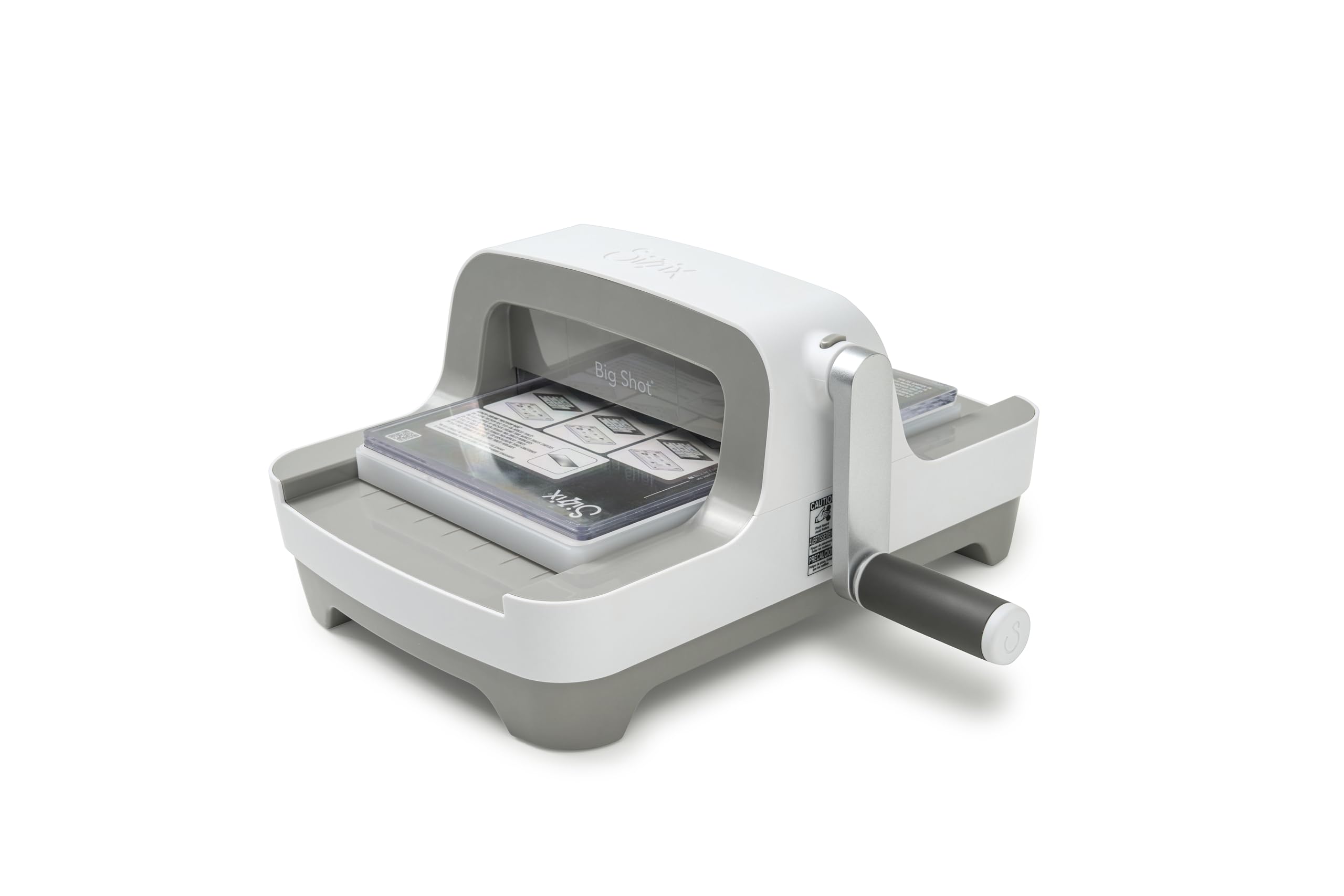
The Sizzix Big Shot has been the benchmark manual die cutting machine since 2001, and the latest redesign keeps the rock-solid geared roller mechanism while updating the aesthetics with a grey finish and a clip-on handle that stores underneath when not in use. The 6-inch opening accepts standard embossing folders, thin dies, and wafer-thin steel-rule dies, and the included Multi-purpose Platform and cutting pads let you build the correct sandwich for different material thicknesses. Users consistently praise the smooth crank motion — the gears engage without wobble, and the handle locks into position securely during storage.
This machine is entirely mechanical: no software, no electricity, no Bluetooth pairing. It works with any brand of wafer-thin dies and embossing folders as long as the sandwich height falls within the roller clearance. The trade-off is throughput — manual cranking requires physical effort, and producing batches of 50 cards can become tiring. But the pressure consistency is excellent: because the user controls the speed, slow passes through thick chipboard or multi-layer felt produce cleaner cuts than some automatic feeders that rush through the sandwich.
The Big Shot’s durability is well-documented: many users report machines lasting 10–15 years with regular use. For a crafter who values tactile control, reliability, and zero subscription costs, the Big Shot remains the most cost-effective entry point into serious die cutting and embossing.
Why it’s great
- Decades-proven mechanical design with smooth, wobble-free cranking
- Clip-on handle stores underneath, reducing counter clutter
- Compatible with all standard wafer-thin dies and embossing folders
- No software, no subscriptions, no electricity required
Good to know
- Manual cranking limits high-volume batch production
- 6-inch opening restricts use with letter-size embossing folders
- Heavier than previous Big Shot models at over 11 pounds
7. Spellbinders BetterPress Letterpress Machine BP-001
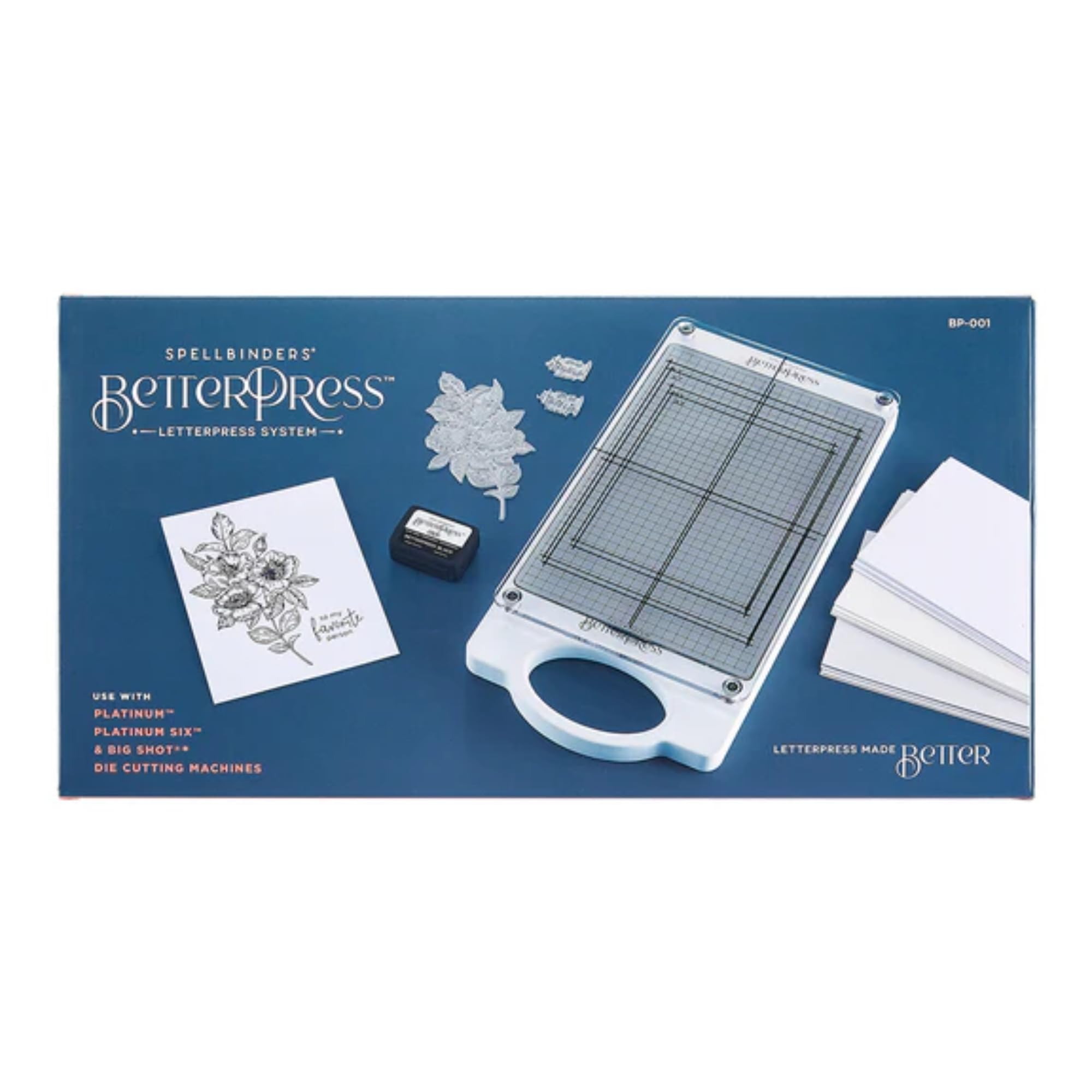
The Spellbinders BetterPress BP-001 is a specialized letterpress system designed to produce the tactile, debossed impressions of traditional letterpress printing without the messy ink, expensive press plates, or cleanup time. The system uses a thin plate, a small bottle of BetterPress ink, and specially formulated cotton cardstock — the sandwich runs through any standard 6- or 8.5-inch die cutting machine (like the Sizzix Big Shot or Platinum 6) to create crisp, indented text and designs that can be felt on the reverse side. The machine itself is small and lightweight at only 1.5 pounds, acting as a precision pressing bed rather than a standalone roller unit.
Users report that the BetterPress system produces professional-grade stationery with a level of impression depth that sticker-debossing tools cannot match. The ink transfers cleanly without smearing or bleeding, and the combination of pressure and ink creates a two-tone effect where the recessed area holds color while the raised background remains white. The compact size means it stores in a drawer, and the simple workflow — ink the plate, lay the paper, add the pressing plate, and run through the die cutting machine — takes under 30 seconds per card.
The limitation is specialization: this machine is built for letterpress and works best with the proprietary BetterPress cotton cardstock and ink pads. It does not cut dies or emboss in the traditional raised sense. For a cardmaker who wants to add letterpress elegance to wedding invitations, thank-you notes, or holiday cards, the BetterPress system delivers results that justify the dedicated learning and material costs.
Why it’s great
- Produces genuine letterpress impressions with tactile depth
- Mess-free ink system with no press cleanup required
- Ultra-compact design stores easily in a small drawer
- Works with any standard manual die cutting machine
Good to know
- Requires proprietary BetterPress ink pads and cotton cardstock for best results
- Does not cut dies or produce traditional raised embossing
- Narrow use case compared to multi-purpose die cutting machines
FAQ
What is the difference between die cutting and embossing?
Can I use third-party dies and folders in a Sizzix Big Shot machine?
How thick of material can the Brother ScanNCut SDX125EGY cut?
Do I need a computer to use the Cricut Maker 4?
What is the advantage of the Silhouette Cameo 5 Alpha Plus over the standard 12-inch Cameo 5?
Final Thoughts: The Verdict
For most users, the die cutting and embossing machine winner is the Sizzix Big Shot Switch Plus because it combines electric feed automation with the robust roller pressure needed for consistent embossing and die cutting across paper, felt, and chipboard. If you want a standalone scan-and-cut workflow for hand-drawn art and custom stickers, grab the Brother ScanNCut SDX125EGY. And for premium large-format vinyl production and precise sticker cutting, nothing beats the Silhouette Cameo 5 Alpha Plus.

Mo Maruf
I created WellFizz to bridge the gap between vague wellness advice and actionable solutions. My mission is simple: to decode the research and give you practical tools you can actually use.
Beyond the data, I am a passionate traveler. I believe that stepping away from the screen to explore new environments is essential for mental clarity and physical vitality.