Our readers keep the lights on and my smoothie glass nicely filled. As an Amazon Associate, I earn from qualifying purchases.
Recording a basketball game from the bleachers often means zooming in on a blur, catching the back of a player’s head, or getting a shaky shot of the net while the real action moves two courts away. The right camera for this job needs more than just a high resolution number—it demands reliable zoom, sturdy stabilization, and the ability to follow the ball without you having to jog the sideline.
I’m Mohammad Maruf — the founder and writer behind WellFizz. I’ve spent countless hours analyzing camera specs, customer reviews, and real-world footage to find the devices that actually deliver smooth, watchable basketball recordings without costing a fortune or requiring a film crew.
This guide breaks down the best options for capturing fast-paced hoops action, from budget camcorders to premium AI-powered trackers, helping you find the ideal device to record basketball games for your skill level and budget.
How To Choose The Best Device To Record Basketball Games
Basketball is one of the trickiest sports to capture because of its speed, constant direction changes, and the sheer distance from the sidelines to the far basket. Choosing the right recorder means prioritizing features that fix the specific problems of court-side filming.
Zoom That Actually Works in a Gym
A basketball court is roughly 94 feet long. If you’re sitting mid-court or in the bleachers, you need at least 10x optical zoom to fill the frame with a player at the opposite free-throw line. Digital zoom just blows up pixels and ruins clarity, especially in the dimmer light of a school gym. Look for optical zoom—the physical glass movement—as your primary spec for distance shooting.
Stabilization for Handheld Shooting
Unless you have a tripod bolted to the floor, your hands will introduce shake when you zoom in tight on a fast break. Basketball action also involves sudden panning as the ball crosses half-court. Electronic Image Stabilization (EIS) with a gyroscope-based system smooths these quick movements. For palm-sized cams, 3-axis or 6-axis EIS makes the difference between watchable footage and nausea-indecting motion blur.
Auto-Tracking vs. Manual Panning
Manual panning is exhausting over a full game. AI auto-tracking action cameras like the XbotGo Falcon or Chameleon use a motorized gimbal and computer vision to follow the ball or a specific player automatically. This is a game-changer if you want to upload full-game highlights without babysitting the camera. Traditional camcorders like the Canon VIXIA put that control in your hand with a smooth zoom rocker but require constant attention.
Low-Light Performance in Indoor Courts
High school and rec center gyms are notorious for dim, uneven lighting. A larger sensor (1-inch CMOS or bigger) captures more light, reducing grainy noise at high ISO. The DJI Osmo Pocket 3’s 1-inch sensor is a standout here for a compact body. For dedicated camcorders, check the aperture—f/1.8 to f/2.8 is ideal for keeping shutter speeds high enough to freeze a dribble or jump shot.
Quick Comparison
On smaller screens, swipe sideways to see the full table.
| Model | Category | Best For | Key Spec | Amazon |
|---|---|---|---|---|
| Canon VIXIA HF G70 | Camcorder | Pro-level optical zoom | 20x Optical Zoom | Amazon |
| DJI Osmo Pocket 3 Creator Combo | Gimbal Cam | Ultra-steady handheld 4K | 3-Axis Mechanical Stabilization | Amazon |
| XbotGo Falcon | AI Action Cam | Hands-free auto tracking | 6 TOPS AI Processor | Amazon |
| XbotGo Chameleon | AI Action Cam | Smartphone-based tracking | 360° Panoramic Tracking | Amazon |
| Insta360 GO Ultra | Wearable | POV first-person clips | 53g / 4K60fps HDR | Amazon |
| FJFJOPK 5K Camcorder | Camcorder | 5K resolution + optical zoom | 8x Optical Zoom | Amazon |
| AKASO Brave 7 LE | Action Camera | Weatherproof versatile action cam | 4K30fps / EIS 2.0 | Amazon |
| THPACIP 4K Camcorder | Camcorder | Beginners / budget vlogging | 18x Digital Zoom | Amazon |
| ZYDIIE 4K Camcorder | Camcorder | Entry-level all-in-one kit | 64MP photo / IR Night Vision | Amazon |
In‑Depth Reviews
1. Canon VIXIA HF G70

The Canon VIXIA HF G70 is the gold standard for recording basketball games if your priority is bringing the far baseline into crisp focus. Its 20x optical zoom lens (35mm equivalent of 26.8–576mm) lets you frame a player at the opposite free-throw line without pixel degradation — a critical advantage over any digital zoom camcorder. The 1/2.3-inch 4K UHD CMOS sensor paired with the DIGIC DV 6 image processor delivers clean, saturated footage with an 8-blade aperture that creates pleasing background blur behind the action.
For game-day logistics, the dual SD card slots let you hot-swap storage during timeouts, and the UVC livestreaming function pushes 1080p HD video directly to a laptop for instant sharing. The Hybrid AF system with face detection locks onto players quickly, though some reviewers note a slight autofocus twitch in 4K mode — switching to 1080p recording eliminates that issue. The built-in optical image stabilization does a solid job reducing handheld shake at moderate zoom lengths, but for full-telephoto sideline shooting, a monopod or tripod is still recommended to keep fast breaks steady.
Low-light performance is the camera’s main trade-off. In dim high school gyms, gain levels rise above four, softening detail noticeably. Outdoor day games or well-lit college arenas, however, look outstanding. If you need reliable date-and-time stamp overlaid on footage (OSD recording), this Canon is one of the few models that embeds it directly into the original file — useful for coaches reviewing game film for scouting.
Why it’s great
- 20x optical zoom delivers broadcast-like reach from the bleachers
- Dual SD card slots for uninterrupted recording during long games
- UVC streaming and OSD time stamp are practical for coaching analysis
Good to know
- Weak low-light performance in dim gyms — gain becomes soft above ISO 4
- No 4K output for livestreaming; HDMI and USB limited to 1080p
- Autofocus can pulse slightly in 4K mode during fast horizontal pans
2. DJI Osmo Pocket 3 Creator Combo

The DJI Osmo Pocket 3 redefines steady handheld recording for basketball with its 3-axis mechanical gimbal — a physical stabilizer that keeps the horizon level even when you pivot quickly to follow a fast break. This is the single most important feature for court-side filming because it eliminates the rolling-shutter wobble that plagues electronic stabilization when you whip-pan from baseline to baseline. The 1-inch CMOS sensor is significantly larger than the 1/2.3-inch chips found in most camcorders, letting the Pocket 3 capture clean 4K footage at 120fps in the low light of indoor gyms without excessive noise.
ActiveTrack 6.0 is a practical asset for solo shooters. After setting the camera on a mini tripod, the gimbal locks onto a player and follows their movement automatically, keeping them center-frame through transitions and drives to the basket. The rotating 2-inch touchscreen flips between horizontal and vertical shooting instantly — useful if you’re creating content for both YouTube and TikTok from the same game. The Creator Combo adds a DJI Mic 2 transmitter, a battery handle for extended runtime, and a wide-angle lens that expands the field of view to 108 degrees for capturing more of the court.
The trade-off is zoom. The Pocket 3 uses digital zoom (2x max), which degrades resolution at full extension. For recording a single player’s footwork during a drill, that’s fine. For pulling in the far basket from the opposite end of the court, you’ll need to physically walk closer. The gimbal is also delicate — DJI ships it with a protective cover, and rough handling in a camera bag can damage the mechanism. The battery handle and charger combo weigh the package down, but the resulting stabilization is unmatched for mobile sideline footage.
Why it’s great
- 3-axis mechanical gimbal delivers gimbal-smooth pans without post-processing
- 1-inch sensor performs well in dim school gyms at 4K/60fps
- ActiveTrack 6.0 auto-follows players for hands-free solo filming
Good to know
- No optical zoom — digital zoom only, limiting reach from a distance
- Fragile gimbal head requires careful storage and transport
- Creator Combo is expensive; basic version lacks essential accessories
3. XbotGo Falcon
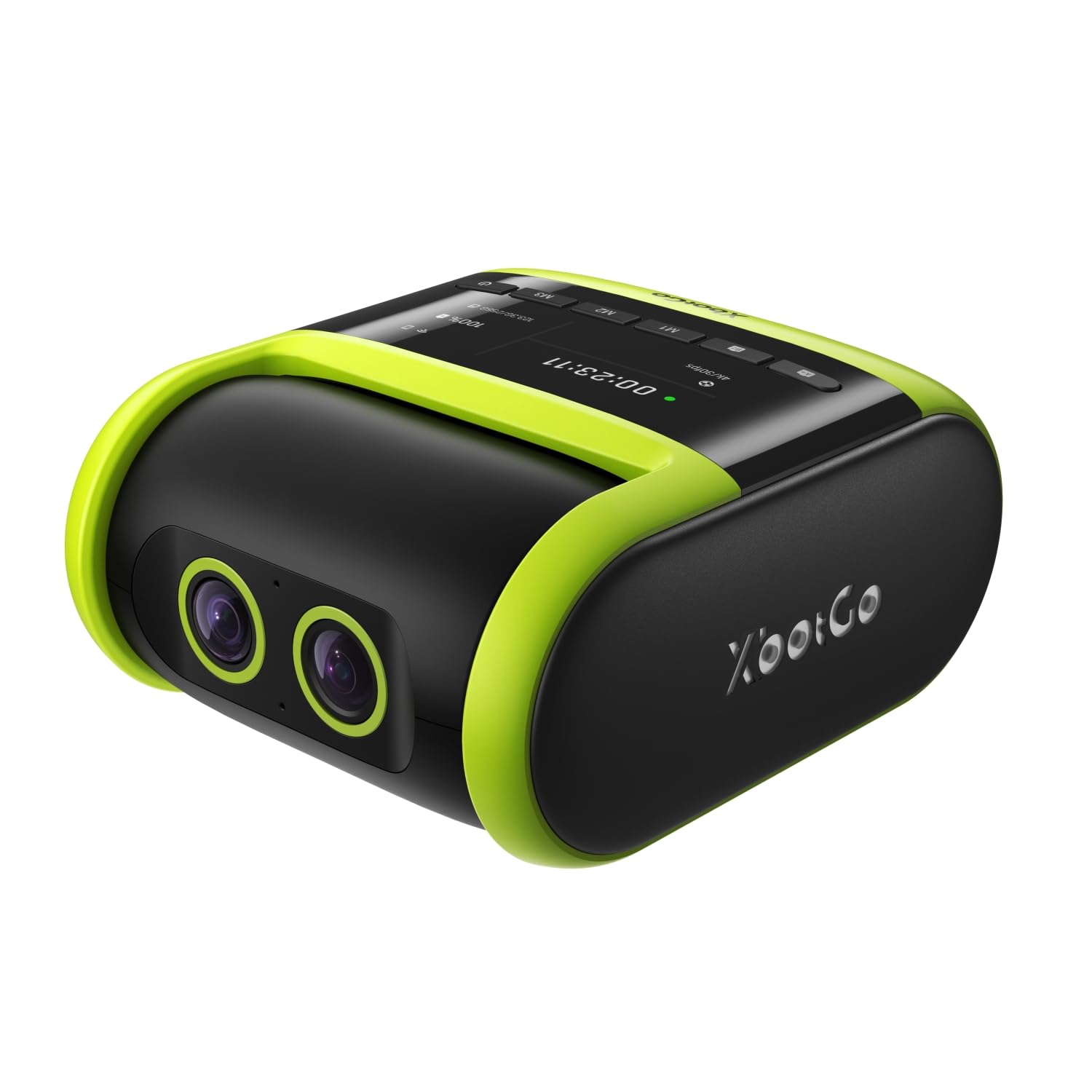
The XbotGo Falcon is the first truly all-in-one AI action camera built specifically for team sports recording, and it solves the biggest pain point of shooting basketball: staying locked on the ball without manual intervention. The dual-lens system combines a dedicated 4K recording lens with an AI-assisted tracking lens, powered by a 6 TOPS neural processing unit that identifies and follows the ball and primary action across the court. This eliminates the need to pan the camera yourself — just mount it on a 10-foot tripod, start recording, and let the motorized gimbal handle the rest.
The Falcon’s IPX5 water-resistant housing means it can survive light rain on outdoor courts, and its standard 1/4-inch screw mount fits any tripod. The built-in Wi-Fi enables live streaming directly to platforms like YouTube and Facebook, making it practical for parents who want to share games with remote family members. Battery life is solid — reviewers report lasting through a full game (roughly 2-2.5 hours of continuous 4K recording) — and the USB-C charging port allows extended power via a portable battery bank during tournaments.
Critically, the Falcon tracks the ball rather than a specific player, which works well for capturing general game flow but may not suit coaches who want individual player-only footage. Some buyers note occasional latency on very fast cross-court passes, and the UI for live streaming can be glitchy on certain Wi-Fi networks. The camera requires a microSD card (sold separately) but supports cards up to 1TB, giving you plenty of space for full-game archives.
Why it’s great
- AI auto-tracking follows the ball automatically — no panning needed
- Dual-lens system separates tracking from recording for clean 4K output
- IPX5 weather-resistant body works on outdoor courts in drizzling conditions
Good to know
- No individual player tracking; camera follows the ball only
- Requires a heavy-duty tripod with 10+ foot height for proper court coverage
- Some users report live-streaming glitches and occasional freeze on certain routers
4. XbotGo Chameleon
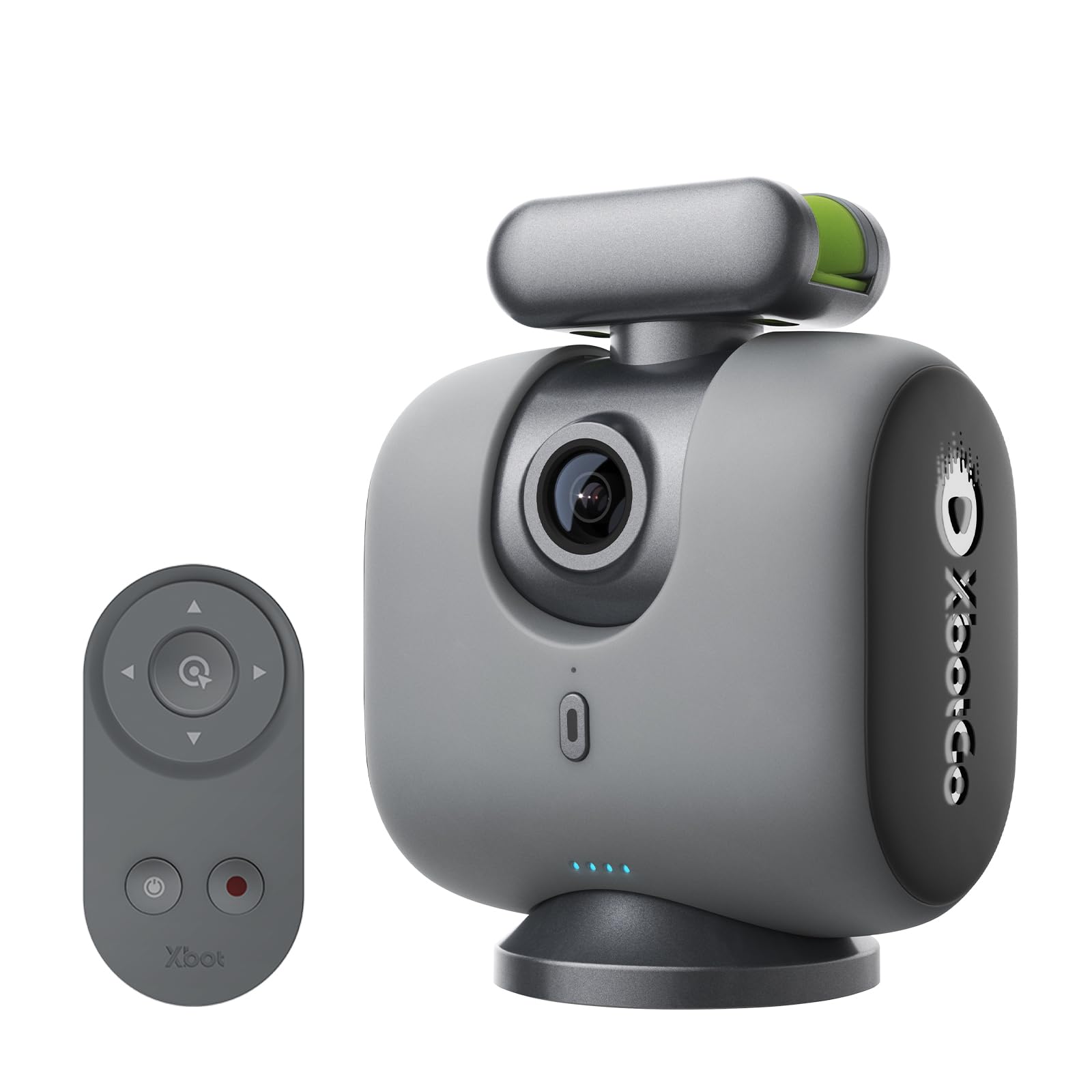
The XbotGo Chameleon takes a different approach to basketball recording by turning your smartphone into the camera and providing a motorized gimbal base that handles all the tracking. This design is clever because it leverages the high-end camera sensor already in your phone — often better than a budget camcorder’s — while adding 360-degree panoramic tracking and a 120-degree ultra-wide-angle lens for covering the entire court. The xbotVision AI 2.0 algorithm recognizes more than 20 sports, but it is particularly optimized for basketball and soccer, automatically zooming to keep the ball and key players in frame.
The Bluetooth remote control lets you mark highlight moments during the game, and the companion app generates auto-edited highlight reels with transitions and music — a huge time-saver for parents who want to post clips after the final buzzer. Battery life on the gimbal base is rated at 8 hours, which covers back-to-back games easily. The setup requires placing your phone in the Chameleon cradle and connecting via the XbotGo app; it works with both iOS and Android devices.
The main catch is that you are using your everyday phone for recording, which means you cannot use the phone for calls or texts during the game. Also, the Chameleon uses your phone’s digital zoom, not optical zoom, so video quality degrades when the action moves to the far end of the court. Some users found the learning curve steep — the manual focuses on describing features rather than showing how to use them — and live streaming struggles in crowded indoor spaces with congested 2.4GHz Wi-Fi. For parents who want automated highlights without buying a dedicated camera, the Chameleon is a smart workaround.
Why it’s great
- Leverages your phone’s high-quality camera sensor for 4K/60fps recording
- Auto-edited highlight reels save hours of manual clip trimming
- 8-hour gimbal battery handles multi-game tournaments without recharging
Good to know
- Uses phone’s digital zoom — detail degrades at the far end of the court
- Phone becomes dedicated to recording; no multitasking during games
- Live streaming can be choppy in crowded gymnasiums with Wi-Fi interference
5. Insta360 GO Ultra
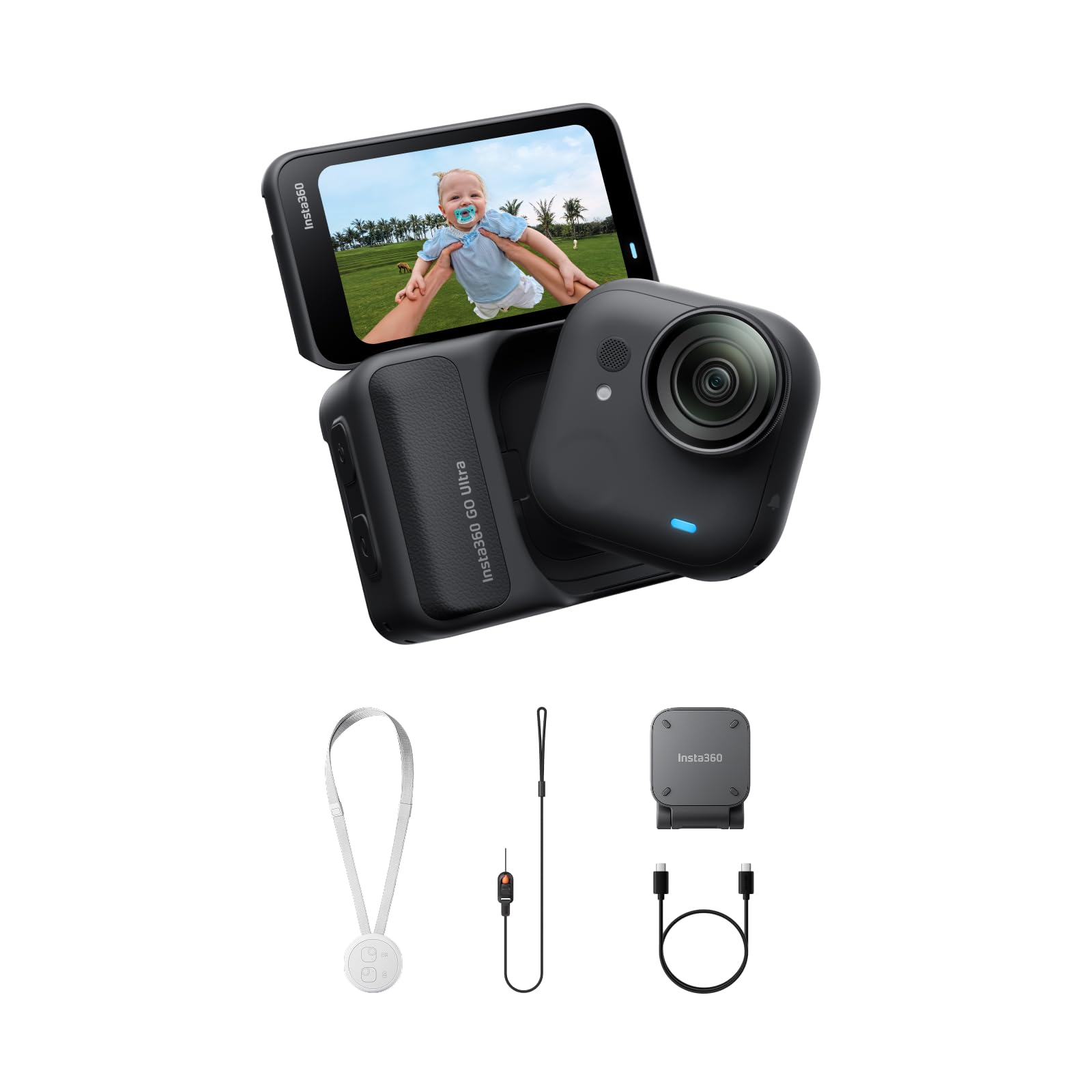
The Insta360 GO Ultra is not a traditional basketball recording device — it is a 53-gram wearable action camera designed for first-person point-of-view clips. Clip it to a player’s jersey using the magnetic pendant or attach it to a cap visor, and you get immersive dribble-level footage that no sideline camera can replicate. The 1/1.28-inch sensor and 4K Active HDR produce bright, detailed video even when the player moves from under full arena lights into the shadows of the baseline. The FlowState stabilization with 360 Horizon Lock keeps the shot level even during sharp cuts and crossover dribbles.
The dual-module system — a standalone camera that detaches from a battery-filled Action Pod — gives roughly 200 minutes of total runtime. The quick-charge feature is a standout: 12 minutes of charging gets the camera from 0% to 80%, letting you recharge between quarters. The magnetic mounting accessories mean you can attach the GO Ultra to backboards, stanchions, or scorer’s tables for unique static angles that capture the full court from unconventional perspectives. The IPX8 waterproof rating (33ft on the standalone camera) makes it safe for outdoor games in unexpected rain.
The main limitation for game recording is that the GO Ultra relies on a single fixed-focus wide-angle lens with no zoom. You cannot pull in a distant player’s face or zoom into the scoreboard. The AI auto-editing feature, while fun for social-media highlight clips, does not give you raw control over the final edit. The Action Pod is only splashproof (IPX4), so you cannot submerge the whole unit. Despite these constraints, the GO Ultra captures adrenaline-filled on-court moments that no other device in this guide can deliver.
Why it’s great
- 53-gram wearable body clips to jersey or cap for immersive first-person hoops footage
- Quick-charge reaches 80% in 12 minutes — perfect for halftime top-ups
- FlowState stabilization keeps shots level through rapid directional changes
Good to know
- No zoom at all — only fixed wide-angle field of view
- Action Pod is not waterproof; only the standalone camera is IPX8
- AI editing lacks manual controls; raw footage export requires a separate workflow
6. FJFJOPK 5K Video Camera Camcorder
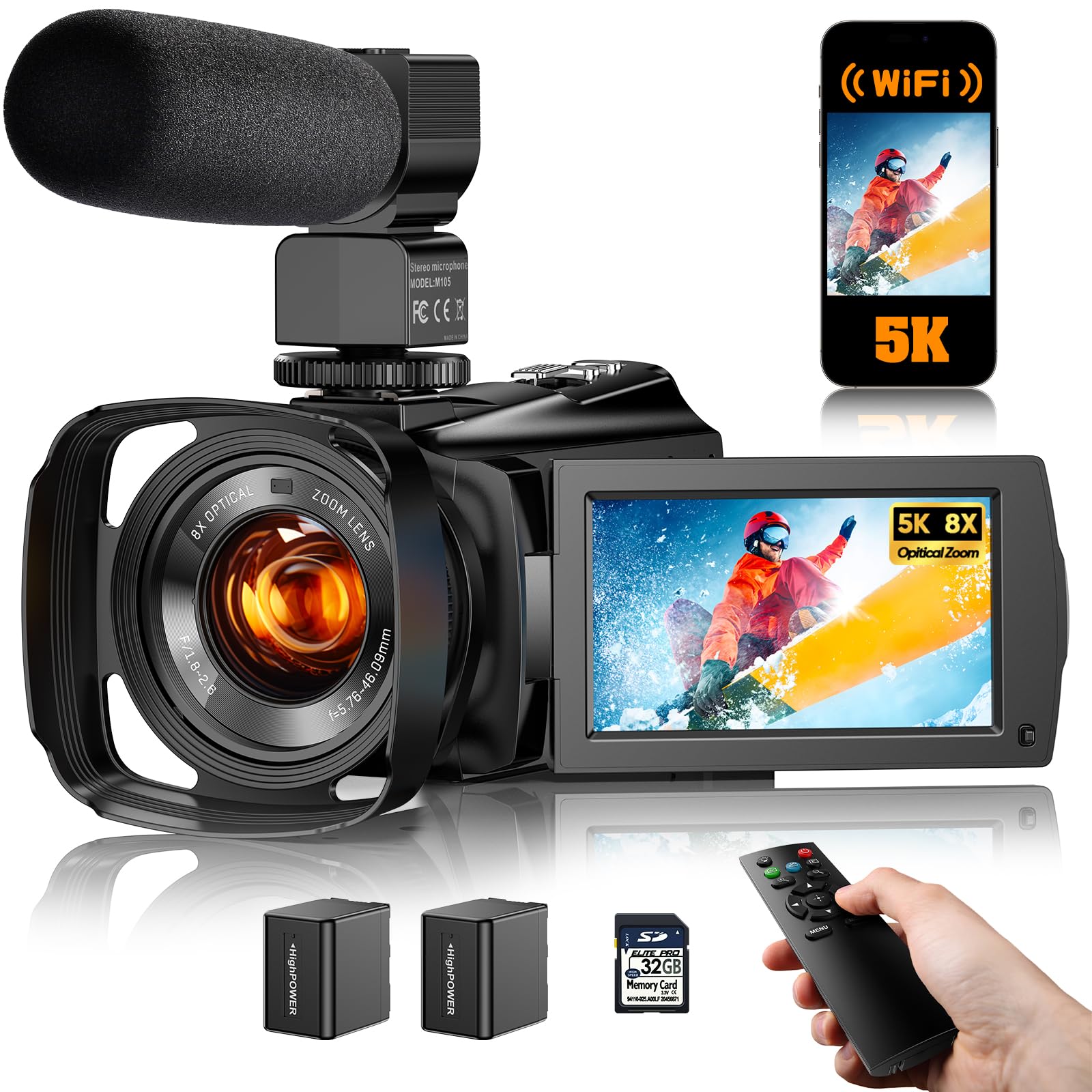
The FJFJOPK 5K camcorder bridges the gap between budget 4K cams and the premium Canon VIXIA by offering true 8x optical zoom and a 5K UHD sensor at a mid-range price. The optical zoom is a critical advantage over digital-only cameras — you can stand at the free-throw line and clearly frame the action at the opposite key without losing detail. The 3.6-inch IPS touchscreen rotates 270 degrees, which helps you monitor shooting angles while filming from a tripod or holding the camera overhead in a crowded sideline.
The included TOF laser autofocus assist speeds up focus acquisition in low light, a real benefit in dim gyms. The full-color night vision mode (infrared-based) is less relevant for indoor basketball since you will likely have some ambient light, but it does mean the camera can capture recognizable footage even in nearly dark conditions. The EIS electronic stabilization uses a 6-axis gyroscope-accelerometer combo that smooths out minor handheld shakes, though aggressive panning during fast breaks may still show some wobble at the edges of the frame.
Audio quality from the on-board microphone is merely adequate — reviewers note it picks up wind noise and court echoes. The external microphone jack solves this, but that is an extra purchase. The companion app “Viipulse” for Wi-Fi file transfers is functional but less polished than DJI’s ecosystem. A few buyers reported difficulties offloading files via USB-C to Windows 11 machines. For the price, the 8x optical zoom and 5K resolution make this the strongest value proposition for parents who need reach and clarity without jumping to the four-figure tier.
Why it’s great
- 8x optical zoom captures crisp detail from the far baseline without pixel loss
- 5K resolution gives extra cropping flexibility in post-production
- TOF laser autofocus works quickly in challenging low-light gym conditions
Good to know
- Built-in microphone picks up wind and echo; external mic strongly recommended
- USB-C file transfer can be finicky on Windows machines — use the SD card reader instead
- EIS struggles during rapid sideline pans; best results come from a tripod
7. AKASO Brave 7 LE
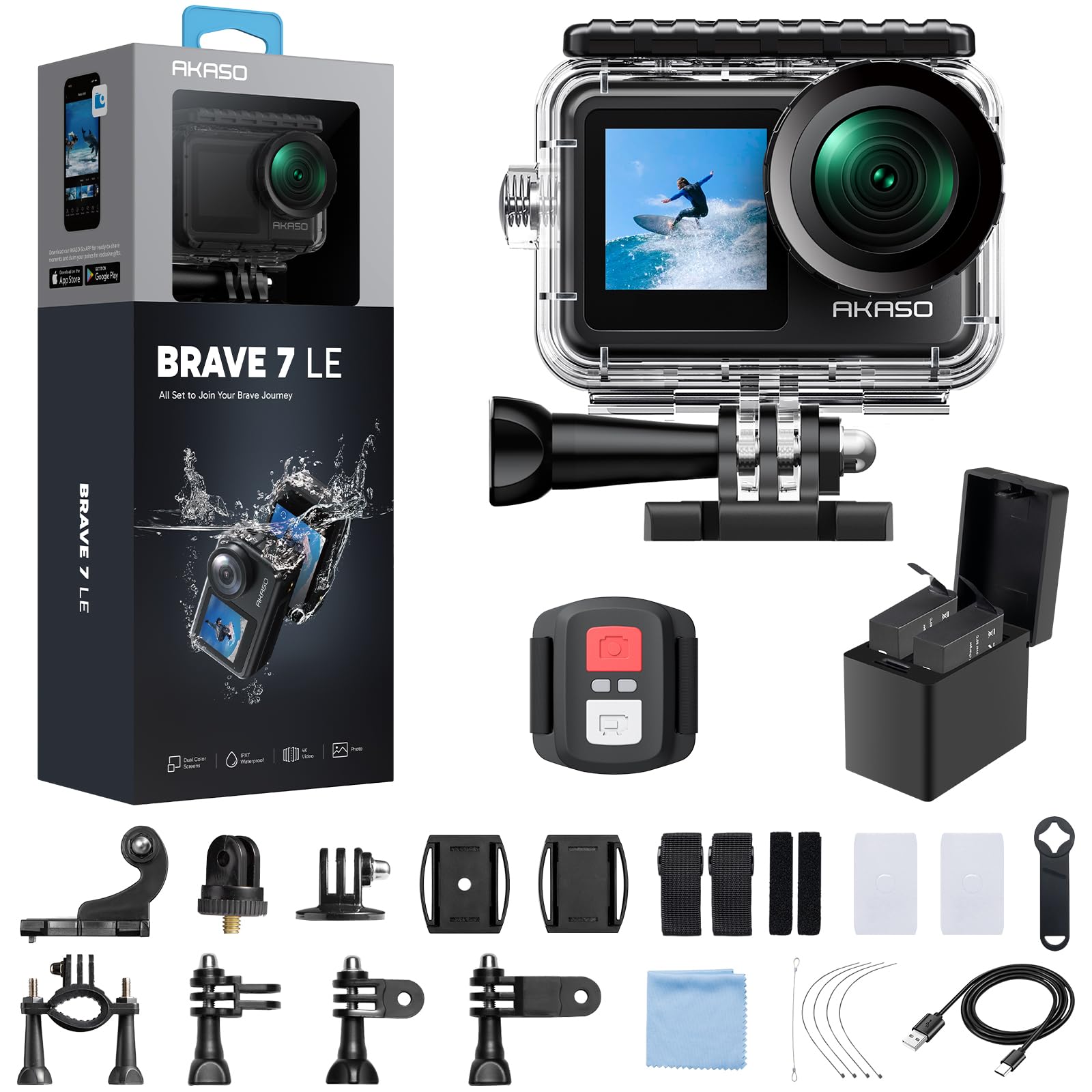
The AKASO Brave 7 LE is an action camera that works well for recording basketball games when mounted to the backboard support pole or on a tripod behind the baseline. The dual-screen design — a front-facing color screen for selfie framing and a 2-inch rear touchscreen for settings — makes it easy to verify the shot composition before tip-off. The camera records at 4K30fps with Electronic Image Stabilization 2.0, which smoothes out the vibrations from wind or light tripod contact but is less effective at canceling the shake from a handheld sideline run.
Its IPX7 water resistance means the bare camera can survive rain, snow, and splash — useful for outdoor courts. With the included waterproof housing, it can dive to 131 feet, though you are unlikely to use that for basketball. The 4x digital zoom is functional for minor reframing but not a substitute for optical zoom. The remote control wristband lets you start and stop recording without touching the camera, which is handy when the action is intense and you are standing 10 feet away.
Battery life is about 70-90 minutes in 4K mode, so you will need to swap to the second included battery during halftime for a full game. The camera tends to reset settings after removing the battery, requiring a quick reconfiguration before the second half. Video colors are slightly saturated straight out of the box, which most users find pleasing for quick social-media sharing without color grading. The front-facing screen is a nice touch for player interviews or vlog-style wrap-ups after the game.
Why it’s great
- Front and rear screens allow easy framing from both angles
- IPX7 water-resistant body is safe for outdoor games in unpredictable weather
- Remote control wristband for starting/stopping recording from a distance
Good to know
- 4x digital zoom only — no optical zoom for distant baseline shots
- Battery lasts roughly 70-90 minutes in 4K; swap at halftime for full games
- Settings reset when battery is removed; requires quick re-setup between halves
8. THPACIP 4K Camcorder
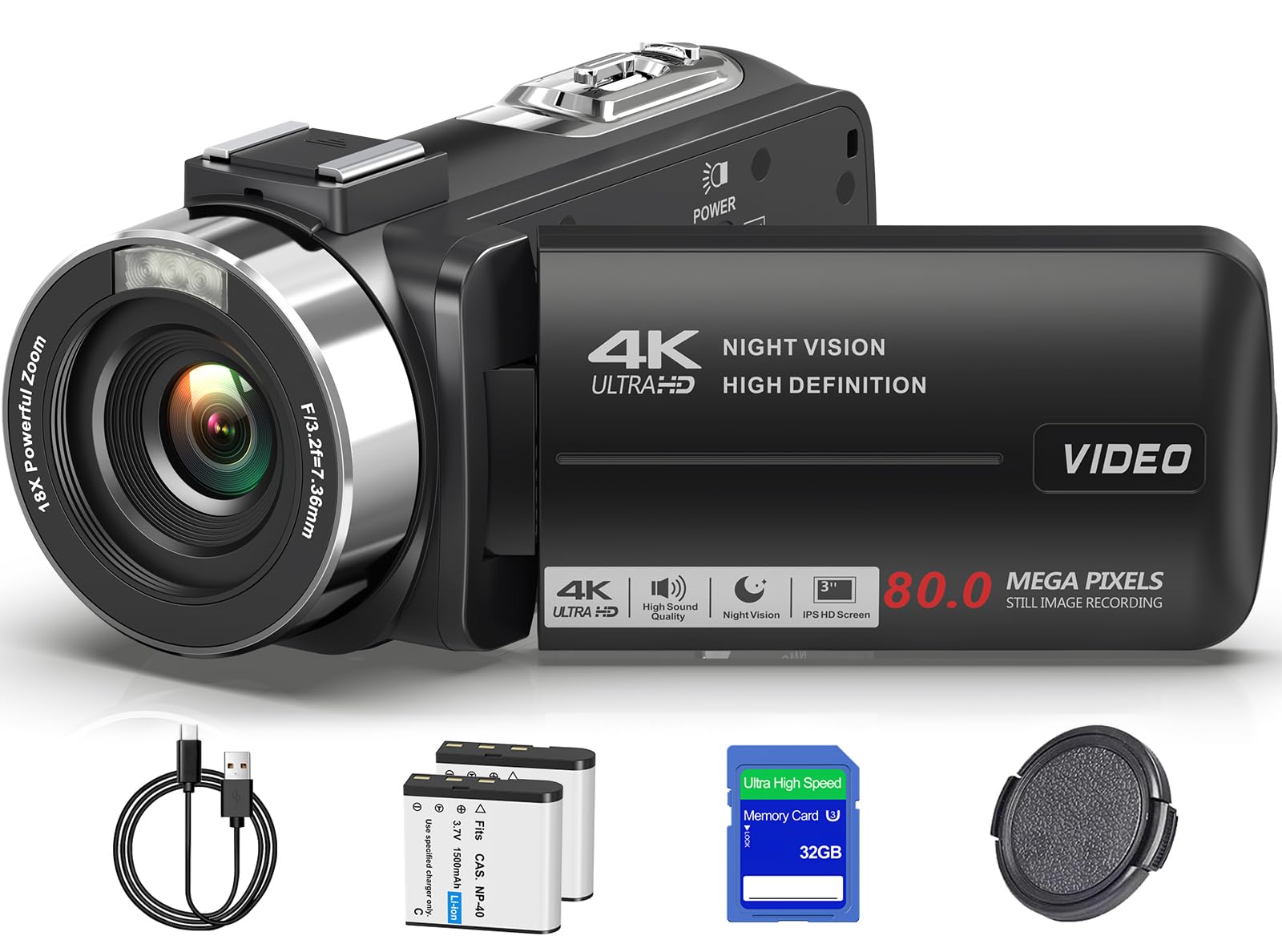
The THPACIP 4K camcorder is an entry-level kit for parents or beginning videographers who want to record basketball games without investing in specialized gear. It shoots 4K UHD video at a claimed 80MP still resolution, though the 18x digital zoom is the main spec beginners gravitate toward — just know that digital zoom crops and enlarges the image at the cost of sharpness, so keeping the action within the middle third of the court delivers the best results. The 3.0-inch IPS screen rotates 270 degrees, allowing flexible positioning when shooting from the stands or holding the camera over a row of spectators.
The IR night vision mode switches the sensor to monochrome for recording in extremely dark gyms, though the black-and-white footage lacks the visual punch of daytime recording. The webcam function lets you repurpose the camcorder for live streaming or video calls when it is not at a game. The two included 1500mAh batteries each provide roughly 65 minutes of recording time, meaning you have about enough juice for one full game with a battery swap at halftime. The 32GB SD card included is sufficient for about 40 minutes of 4K footage, so you will want to buy a larger card for tournament days.
Audio from the built-in microphone is thin and picks up wind and crowd noise easily — an external lavalier mic is a worthwhile addition for clean coach-in-the-huddle commentary. The camera supports external microphones via a 3.5mm jack. The plastic build feels lightweight and portable but does not inspire confidence in rough sideline scenarios. For a family on a strict budget who simply wants a visual record of the season, this camcorder fills the role without breaking the bank.
Why it’s great
- Comes with two batteries, a 32GB SD card, and a carrying bag — ready out of the box
- 270-degree rotatable screen helps frame shots from awkward angles in packed bleachers
- Webcam mode adds versatility for streaming and video calls
Good to know
- 18x digital zoom reduces clarity at maximum reach; optical zoom would be better
- Built-in mic captures thin audio with significant wind and crowd bleed
- 32GB SD card fills fast in 4K mode; budget extra storage for full games
9. ZYDIIE 4K Video Camera Camcorder
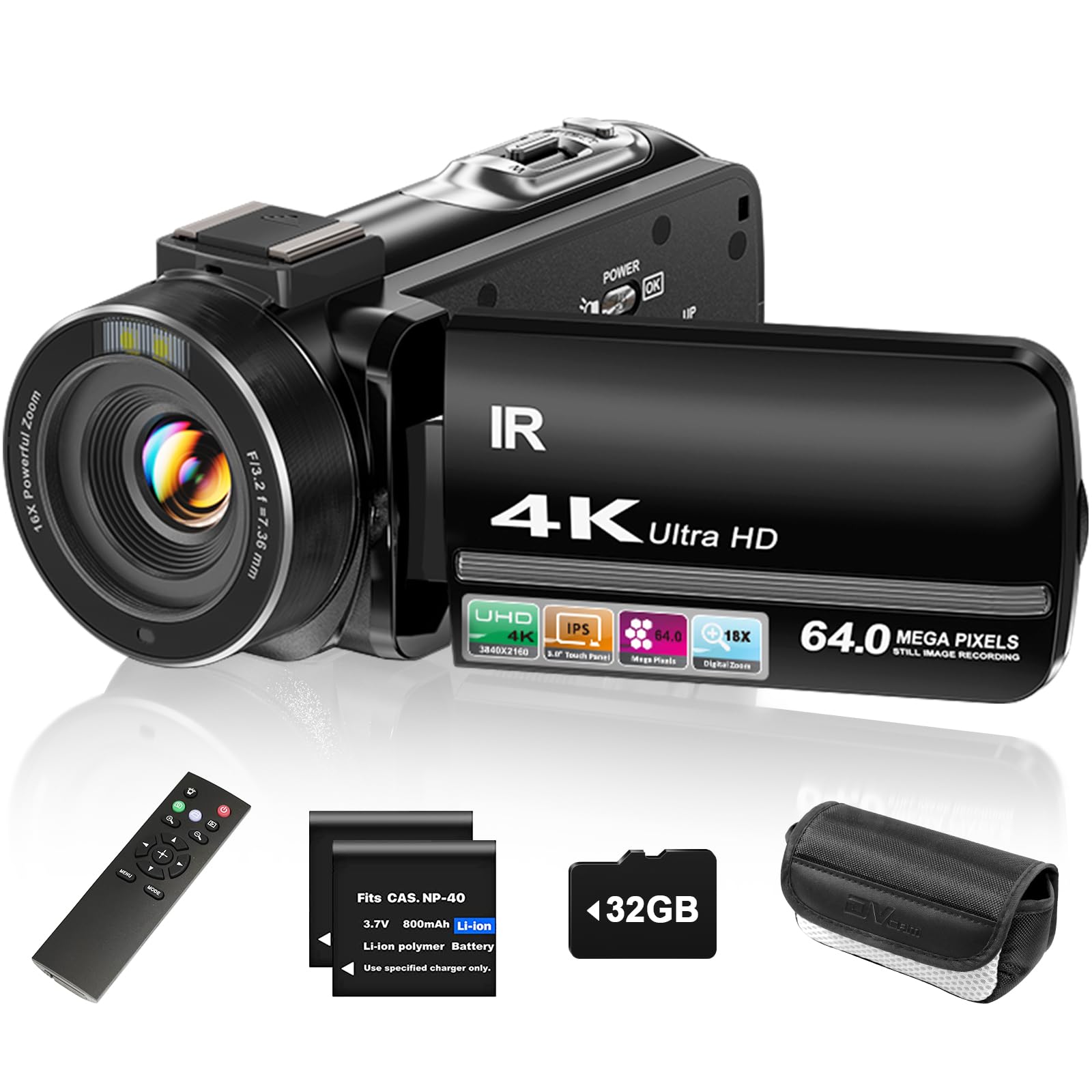
The ZYDIIE 4K camcorder is the most budget-friendly option for recording basketball games, and it packages enough accessories (32GB card, remote control, two batteries) to make it a true grab-and-go solution for parents new to filming sports. The 4K UHD sensor and 64MP photo mode produce surprisingly clean footage in well-lit outdoor courts or brightly lit gyms, but the 18x digital zoom behaves the same as the THPACIP — fine for mid-range shots, blurry when you max out the zoom on a distant fast break. The 3-inch touchscreen with 270-degree rotation is responsive and bright, helping you tap to focus on a specific player during play.
The included wireless remote control lets you start and stop recording from up to 15 feet away, which is handy when the camera is mounted on a tripod and you are cheering from the sideline. The face detection feature tries to lock onto players’ faces, but in fast-paced team sports with bodies crossing paths, it often loses tracking. The anti-shake system reduces some minor hand wobble but cannot compensate for aggressive panning — tripod usage is strongly recommended for watchable game footage. The two batteries last about 130 minutes combined, enough for one game with a halftime swap.
The biggest drawback is the build quality — the plastic chassis feels less durable than the AKASO or DJI offerings, and the buttons have a slightly recessed feel that can be hard to find by touch when you are looking through the viewfinder. Image quality in low light is noisy, with visible grain starting at moderate zoom. For a family on a tight budget who wants a simple, functional recorder for casual game memories, the ZYDIIE delivers acceptable footage. For anything approaching serious coaching review or high-quality highlights, spending more on a model with optical zoom and better stabilization will pay dividends.
Why it’s great
- Complete kit with remote, two batteries, and 32GB card — nothing else to buy
- Touchscreen autofocus and face detection simplify operation for beginners
- Wireless remote lets you control recording from the sideline
Good to know
- Digital zoom only — far-baseline footage loses detail quickly
- Low-light performance is noisy; best results come from well-lit indoor/outdoor courts
- Plastic build feels fragile; handle carefully during transport and setup
FAQ
Do I need a special camera to record basketball in a dim high school gym?
Is digital zoom good enough for recording basketball from the bleachers?
Can I use an action camera (GoPro-style) to record basketball?
How much storage do I need for a 40-minute basketball game in 4K?
Will AI auto-tracking work if my kid plays in a different jersey color every game?
Final Thoughts: The Verdict
For most users, the best device to record basketball games is the Canon VIXIA HF G70 because its 20x optical zoom and robust image stabilization deliver broadcast-quality footage from the bleachers without the learning curve of a gimbal. If your main priority is silky-smooth handheld footage and you shoot from court-side, grab the DJI Osmo Pocket 3 Creator Combo. And for parents who want to watch the game live and let the camera do the work, nothing beats the hands-free auto-tracking of the XbotGo Falcon.

Mo Maruf
I created WellFizz to bridge the gap between vague wellness advice and actionable solutions. My mission is simple: to decode the research and give you practical tools you can actually use.
Beyond the data, I am a passionate traveler. I believe that stepping away from the screen to explore new environments is essential for mental clarity and physical vitality.