Our readers keep the lights on and my smoothie glass nicely filled. As an Amazon Associate, I earn from qualifying purchases.
Great video conferencing hinges on two things: seeing every expression clearly and hearing every word without strain. A fuzzy lens or a hollow microphone undermines the entire meeting, wasting time with repeated phrases and squinted eyes. The right device eliminates this friction, making remote collaboration feel natural and productive.
I’m Mohammad Maruf — the founder and writer behind WellFizz. For this guide, I’ve spent hours dissecting the real-world specs of nine distinct video conferencing devices, weighing lens quality, microphone arrays, and AI tracking features against the demands of both huddle rooms and professional home offices.
This analysis focuses on matching the hardware to the room size and participant count, so you choose with confidence. We’ve evaluated the key trade-offs to help you find the best device for video conferencing.
How To Choose The Best Device For Video Conferencing
Selecting a video conferencing device requires balancing video resolution, audio pickup, and room coverage. A webcam that works well for a solo desk might fail in a twelve-person conference room. Here are the essential factors to evaluate before buying.
Sensor Resolution and Lens Zoom
The video sensor determines overall clarity. A 4K sensor delivers finer detail, allowing digital zoom without severe pixelation, while 1080p remains sharp for close-up desk use. Optical zoom preserves image quality at range, essential for large rooms where the camera must pull in a speaker at the back. Digital zoom carries an inherent quality loss that becomes visible in presentations or whiteboard shots.
Microphone Array and Pickup Range
Built-in microphones vary widely. Single-mic webcams capture nearby voices only, while beamforming arrays with multiple elements reject side noise and expand pickup to 12-18 feet. For rooms larger than eight people, a separate speakerphone or ceiling mic often becomes necessary. Look for echo cancellation and noise reduction hardware to reduce the garbled audio that plagues budget devices.
PTZ and AI Tracking
Pan, tilt, and zoom give a camera operator the ability to change shots mid-meeting. AI auto-tracking automates this by keeping a moving speaker centered. In a conference room, PTZ presets let you switch instantly from a whiteboard view to a close-up of the presenter. For home offices, fixed wide-angle lenses suffice, but boardrooms benefit from the flexibility of a motorized head and smart framing.
Quick Comparison
On smaller screens, swipe sideways to see the full table.
| Model | Category | Best For | Key Spec | Amazon |
|---|---|---|---|---|
| Logitech Brio 4K | Mid-Range | Professional desktop use | 4K UHD sensor, 5x digital zoom | Amazon |
| Prisual NDI PT20X-UL-N | Premium | Church/production streaming | 20x optical zoom, NDI 6.1.1 | Amazon |
| NexiGo Meeting 360 Ultra (Gen 3) | Premium | Medium to large meeting rooms | 8K capture, multi-camera support | Amazon |
| TONGVEO 4K PTZ Camera System | Premium | All-in-one church/meeting setup | 4K sensor, 20x optical zoom | Amazon |
| Meeting Owl 4+ | Premium | Enterprise hybrid huddle rooms | 360° 4K video, 18ft audio pickup | Amazon |
| TOUCAN 360° Conference Camera | Mid-Range | Round-table small meetings | 1080p camera, 360° omni lens | Amazon |
| Logitech MeetUp | Mid-Range | Small huddle rooms (5-7 people) | 4K sensor, 120° FOV | Amazon |
| AV Access BizEye All-in-One | Mid-Range | Small to med meeting rooms | 4K dual-lens, 15x zoom | Amazon |
| TONGVEO PTZ Camera 20X | Mid-Range | Church streaming / training rooms | 1080p 60fps, 20x optical zoom | Amazon |
In‑Depth Reviews
1. Prisual NDI PT20X-UL-N
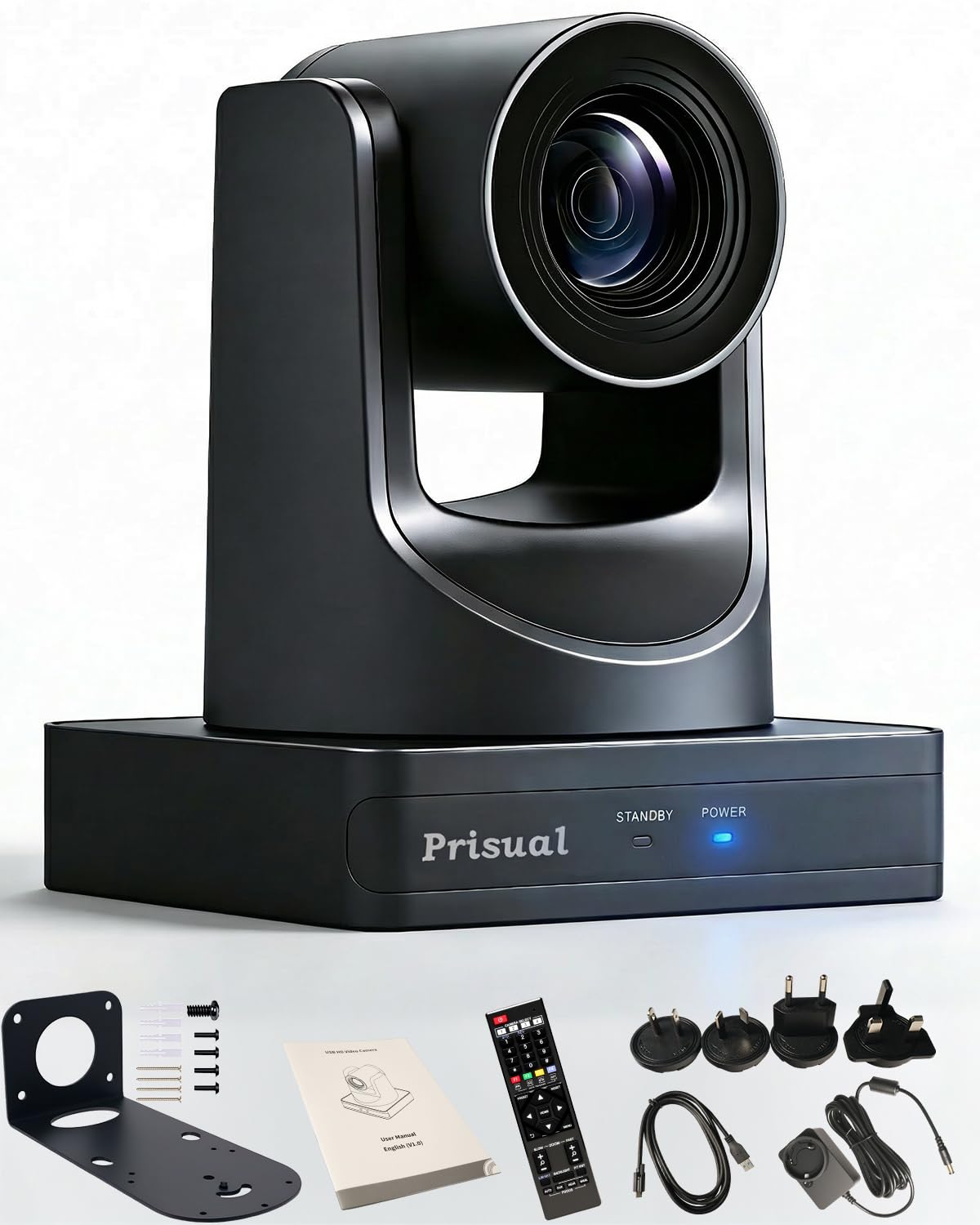
The Prisual PT20X-UL-N offers official NDI 6.1.1 certification, which means it streams directly over a network with low latency and zero video degradation, crucial for live production environments. Its 1/2.8-inch CMOS sensor and 20x optical zoom capture clean 1080p at 60 frames per second, preserving fine detail even from across a large sanctuary or lecture hall. The all-metal chassis, belt-driven PTZ mechanism, and PoE power delivery ensure it runs silently and stays positioned accurately over many years of use.
AI auto-tracking locks onto a moving presenter with smooth pan and tilt transitions, and the remote allows storing up to 255 preset positions for quick shot changes between speakers, the pulpit, and a whiteboard. The camera outputs over HDMI 2.0, USB 3.0, and LAN simultaneously, giving streaming engineers maximum flexibility without extra converters. Multiple reviewers confirm the picture remains sharp in low-light scenarios after adjusting exposure through the web interface.
Setup takes about three minutes: connect Ethernet for PoE, access the IP via the on-screen display, and control from any browser. The 3-year warranty and responsive US-based support team add peace of mind for organizations that rely on weekly live streams. For any group needing broadcast-grade video and NDI workflow integration, this camera delivers premium performance without the typical enterprise price tag.
Why it’s great
- Official NDI certification ensures seamless network streaming.
- 20x optical zoom keeps distant subjects crisp without digital artifacts.
- Metal construction and belt drive mean quiet operation and long-term reliability.
Good to know
- Requires learning the web interface for full configuration.
- No built-in microphone — must pair with external audio.
2. NexiGo Meeting 360 Ultra (Gen 3)

The Meeting 360 Ultra Gen 3 is one of the most versatile conference room cameras available, thanks to its ability to link up to four cameras for unified image and audio capture across large, oddly shaped rooms. Each camera houses dual 195-degree fisheye lenses that stitch a 360-degree panoramic view at 8K, then output 1080p for streaming. The built-in operating system eliminates the need for a separate PC — connect it directly to a display, install Zoom or Teams from its app store, and start a call instantly.
Eight omnidirectional microphones with a pickup range up to 18 feet capture voices from the far end of a U-shaped table without dropouts. The included Hi-Fi speakers produce clear bidirectional sound, and the AI-powered framing automatically recognizes active speakers, providing a close-up that follows the conversation naturally. The privacy cover slides over the lenses when not in use, protecting both optical glass and sensitive room views.
Deployment options are flexible: connect via USB to a laptop, use HDMI to a TV, or link directly to the network router for a standalone conference station. IT managers can manage firmware and settings across multiple units through the NexiGo Meeting Studio app. The multi-camera support and 8K sensor make this system uniquely capable for medium to large meeting rooms where one fixed lens cannot cover the entire group.
Why it’s great
- Multi-camera daisy-chaining covers long-table and L-shaped rooms.
- No external computer needed for video calls.
- Eight-mic array with 18-foot pickup for large spaces.
Good to know
- Built-in speakers may not fill a very large room.
- Requires the Meeting Studio app for full multi-camera setup.
3. TONGVEO 4K PTZ Camera System
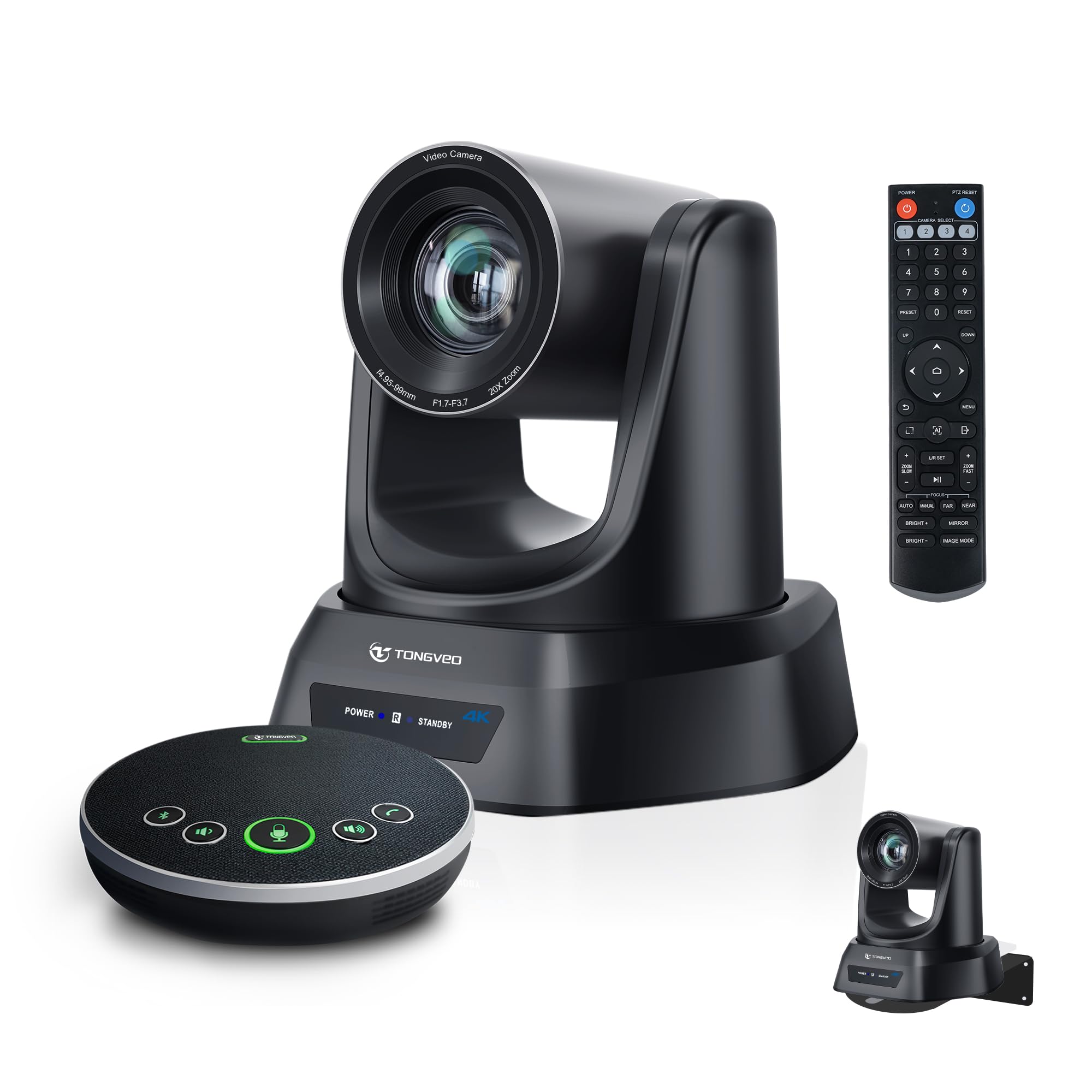
This bundle combines a 4K PTZ camera with 20x optical zoom and a Bluetooth wireless speakerphone, creating a complete video conferencing system in one box. The camera sensor delivers sharp 4K resolution, and the 20x optical zoom allows you to position the camera at the back of a large conference room or church sanctuary while still pulling in a tight, clear headshot of the speaker. The included speakerphone houses four ultra-sensitive microphones with full-duplex audio, echo cancellation, and a 16-foot pickup radius ideal for 8-12 participants around a table.
AI auto-tracking follows the presenter automatically, freeing the operator from manual pan and tilt. The system connects via USB 3.0 or HDMI, and the Bluetooth speakerphone can operate wirelessly for up to 8 hours on a single charge, making it easy to reposition during long meetings or training sessions. Users report that the image quality remains excellent even in mixed lighting, and the anti-shake feature smooths out minor vibrations from ceiling mounts or tripod stands.
Setup is genuinely plug-and-play: the speakerphone pairs automatically, and the camera is recognized by Zoom, Teams, and OBS immediately. The remote control stores up to 10 preset positions for quick switching between a presenter, a whiteboard, and audience shots. For any organization that wants a single purchase to cover both video and audio for a medium room, this system removes the guesswork of matching separate components.
Why it’s great
- Complete camera and speakerphone kit — no extra shopping.
- 20x optical zoom with 4K sensor for large-room detail.
- Speakerphone lasts 6-8 hours on battery for flexible placement.
Good to know
- Ceiling mount bracket requires compatible hardware.
- Speakerphone audio quality may need adjustment in very echoey rooms.
4. Meeting Owl 4+

The Meeting Owl 4+ delivers a 360-degree view of the room at 4K resolution, automatically zooming in on whoever speaks while still showing the full surround view to remote participants. Its proprietary Owl Intelligence System uses visual and audio cues to detect active speakers, providing a smooth, natural transition that feels like a broadcast director is managing the cuts. The 18-foot audio pickup range captures voices clearly from the far end of a boardroom table, and the onboard speaker reproduces remote voices with enough volume to fill a space with up to 18 people.
Deployment is famously fast — unbox to first meeting in about six minutes by plugging the USB cable into any laptop or PC. The device works over enterprise WiFi, includes a Kensington lock slot, and supports Power over Ethernet with an optional adapter for clean cable management. IT admins can manage fleets of Owl devices through The Nest platform, handling bulk registration, firmware updates, and default setting profiles.
The Owl ecosystem is expandable: pair two Meeting Owls for larger rooms, or add an Expansion Mic and the Whiteboard Owl for a complete hybrid setup. Certification for Microsoft Teams and compatibility with Zoom, Webex, and Google Meet means it integrates into nearly any corporate environment. The premium cost reflects the robust hardware, smart software, and the time saved through instant setup, making it the preferred choice for mid-sized meeting rooms that host frequent hybrid sessions.
Why it’s great
- True 360° view with intelligent speaker tracking.
- Unbox to meeting-ready in under seven minutes.
- Expandable ecosystem for larger rooms.
Good to know
- Camera may lag slightly when switching between speakers.
- Ceiling mount requires separate bracket.
5. Logitech MeetUp

Logitech MeetUp was purpose-built for huddle rooms and small conference spaces, accommodating five to seven people around a table. Its 4K sensor supports a 120-degree field of view that captures everyone seated on both sides of a four-foot table, minimizing the warped edges common in cheaper wide-angle lenses. The motorized pan and tilt extends the effective range to 170 degrees, allowing remote participants to see a whiteboard or a standing presenter by using the included remote.
Three beamforming microphones pick up voices up to 13 feet away, and an optional expansion mic extends that range another 5 feet for rectangular tables. The integrated speaker delivers clear, room-filling audio that has been fine-tuned for speech clarity. Setup is straightforward: plug the USB cable into a laptop or connect it to a mini PC with Logitech RoomMate for a fully managed conference room system with a Tap touch controller.
Sync software lets IT remotely monitor device status, update firmware, and configure settings across multiple MeetUp units. While the camera relies on digital zoom, the 4K sensor ensures the 5x zoom remains usable for framing a single speaker. MeetUp is built for reliable, everyday business use in spaces where a dedicated PTZ camera would be overkill, and multiple admin tools streamline the deployment.
Why it’s great
- Ultra-wide 120° FOV captures entire small table.
- Motorized pan/tilt expands coverage without moving the mount.
- Sync platform for fleet management.
Good to know
- Digital zoom loses some detail at max magnification.
- Not suitable for rooms larger than six people.
6. AV Access BizEye All-in-One
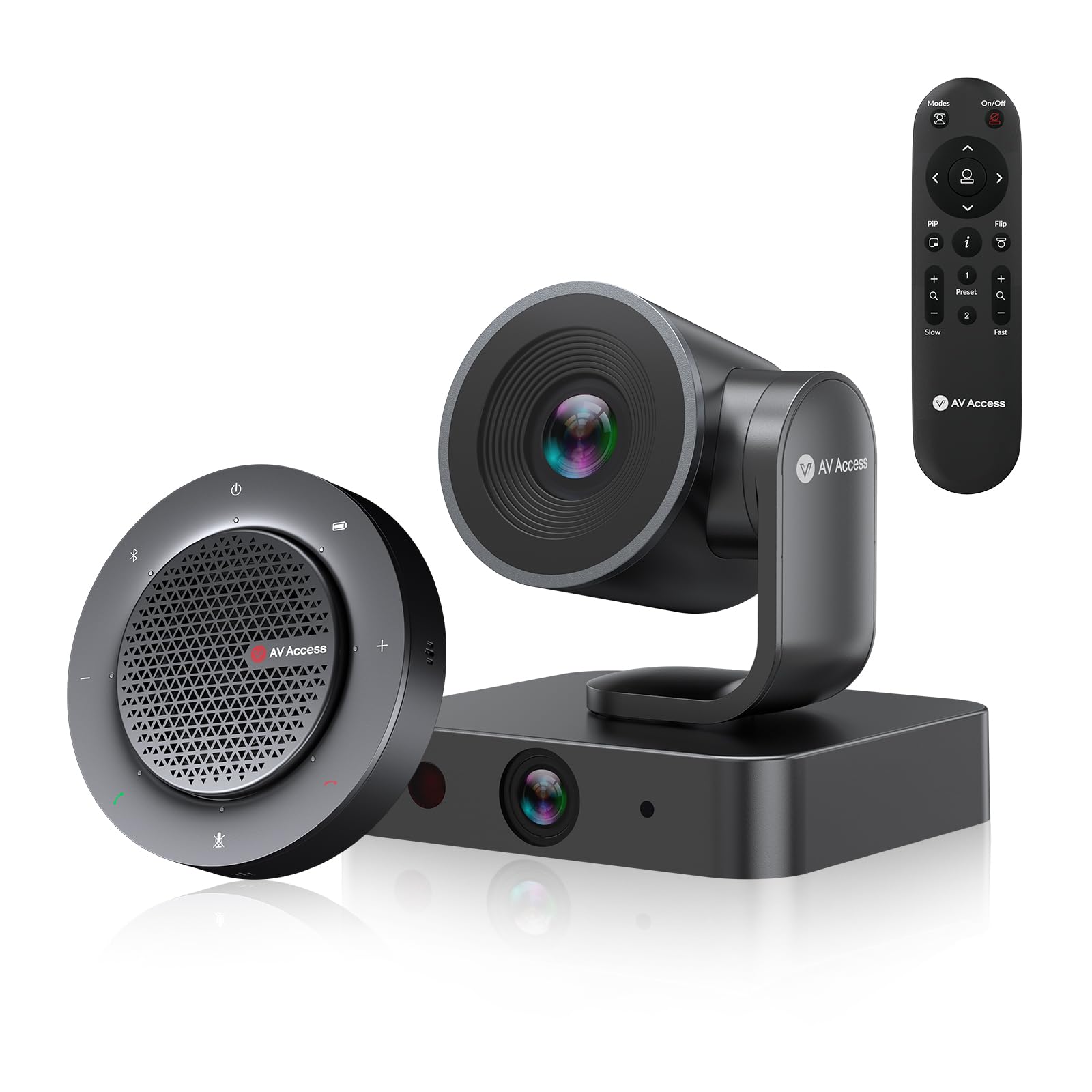
The BizEye system pairs a 4K PTZ camera with a 3x optical zoom and 5x digital zoom with a 1080p panoramic lens, giving users two views simultaneously. The camera’s AI Gallery Technology detects up to four individuals and frames each face separately, then switches to group framing when more enter the frame. This dual-lens approach ensures that remote participants see both a full room shot and close-ups of active speakers without any manual switching.
The included speakerphone features four omnidirectional microphones with 360-degree voice pickup, acoustic echo cancellation, and noise reduction, supporting up to 5 meters of clear capture. The speakerphone has a battery life of 10 hours, allowing it to be placed anywhere on the table without a cable. Setup is truly plug-and-play — connect the camera via USB 3.0 or Bluetooth for the speakerphone, and it works instantly with Zoom, Teams, Webex, and Skype.
For meeting rooms of four to eight people, this kit provides a complete solution with professional auto-framing and decent audio in one box. The IR remote and web UI control allow saving up to nine camera positions for different meeting configurations. Reviewers mention the camera quality is excellent, though some choose to upgrade the speakerphone for larger rooms. The combination of dual cameras and an included mic array makes this a turnkey package for small-to-medium conference setups.
Why it’s great
- Dual-lens system for both room view and individual close-ups.
- Long 10-hour battery on the speakerphone.
- Plug-and-play with all major platforms.
Good to know
- Speakerphone audio quality is adequate but not premium.
- Camera digital zoom is limited to 5x.
7. Logitech Brio 4K

The Logitech Brio 4K is the go-to desktop webcam for professionals who need sharp 4K video for presentations, client calls, and remote collaboration. Its 3840 x 2160 sensor supports 90 frames per second at 1080p for smooth motion, and the auto light correction adjusts exposure in mixed-lighting scenarios — backlit windows or dim corner desks. The 5x digital zoom works well for framing the user without moving the camera, and the built-in noise-canceling microphone captures clear speech in a quiet home office.
The Brio includes a privacy cover that slides over the lens when not in use, and the clip-mount design attaches to any monitor or laptop lid securely. The USB-A cable is built-in and long enough to reach most desktop ports. Compatibility spans Windows, macOS, and ChromeOS, and it works with every major video conferencing app including Teams, Zoom, and Google Meet without any driver installation.
While the Brio lacks PTZ control and a wide field of view, it excels in the solo workstation scenario where pixel-level detail and consistent color matter most. Reviewers consistently praise the crisp image quality and the durable build. For anyone upgrading from a grainy built-in laptop camera, the Brio offers a massive visual upgrade at a mid-range price point, delivering professional-grade video for daily calls.
Why it’s great
- True 4K resolution with high frame-rate 1080p option.
- Excellent auto exposure for mixed-lighting rooms.
- Privacy cover and sturdy monitor clip.
Good to know
- No PTZ or motorized movement.
- Microphone is OK for quiet spaces only.
8. TOUCAN 360° Conference Camera

The TOUCAN 360 is designed for small meeting rooms with a central conference table, where its 360-degree omni-directional lens captures every person around the table without requiring re-positioning. The 1080p HD sensor provides a clear picture, and the four built-in noise-reduction microphones capture voices from any direction while reducing background hum and fan noise. The integrated speaker projects audio clearly for a small group, though it may struggle in larger, more open rooms.
Setup is pure plug-and-play via USB, with no software installation needed. On platforms like Zoom and Teams, the camera is recognized immediately. The AI tracking follows speakers around the table, though the tracking is slightly slower compared to more expensive devices. The physical lens cover and mute button add privacy controls that are essential for office and home use.
For round tables of six to eight people, the TOUCAN 360 provides a simple, single-device solution that avoids the awkwardness of a fixed webcam that only sees one side. The 360-degree view lets remote participants see the whole room, not just the person nearest to the lens. While the microphone array won’t match a dedicated conference speakerphone, it is more than adequate for small team stand-ups and client calls in an intimate setting.
Why it’s great
- True 360-degree capture eliminates blind spots on round tables.
- Simple USB plug-and-play for quick deployment.
- Four noise-canceling microphones for clear small-room audio.
Good to know
- 1080p only, not 4K.
- Speaker volume may be too low for large or noisy rooms.
9. TONGVEO PTZ Camera 20X
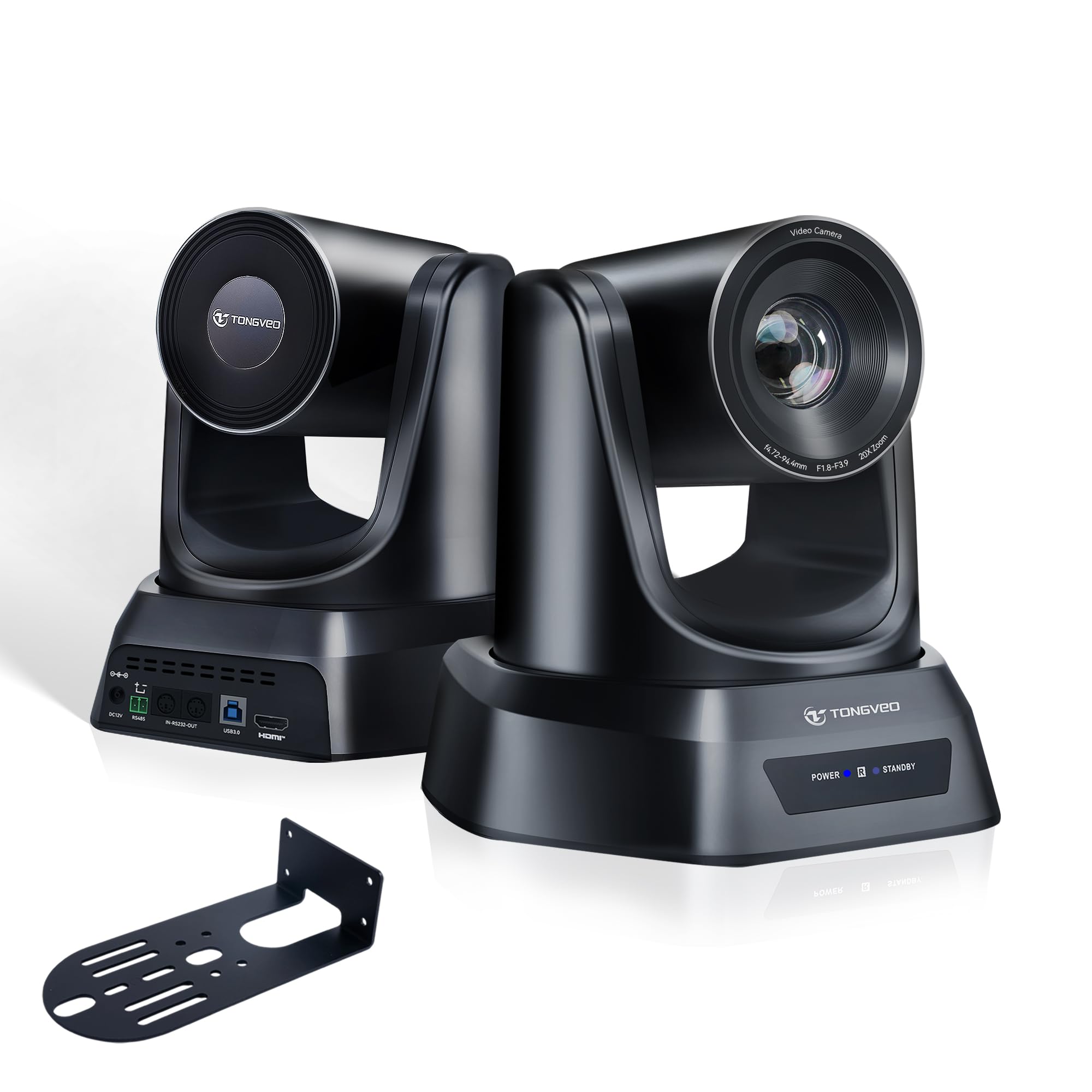
The TONGVEO PTZ Camera with 20x optical zoom and 1080p at 60fps delivers professional-grade video for church streaming, training centers, and conference rooms without the high cost of broadcast cameras. The AI auto-tracking supports both single-person tracking and multi-person auto-framing, adjusting pan, tilt, and zoom automatically to keep subjects centered. The smooth, quiet PTZ motor with 255 preset positions allows operators to switch between the pulpit, baptismal, and audience shots instantly.
Connectivity is versatile: HDMI and USB 3.0 outputs work with OBS, vMix, Zoom, and Teams out of the box without drivers. The 1/2.8-inch CMOS sensor handles low-light environments well, and the 20x optical zoom preserves image clarity at distances up to 60 feet. The IR remote control provides quick access to the first 10 presets, while the full 255 presets are accessible via the web interface or optional controller.
Users report the camera performs reliably for weekly services and training sessions, with clear video and responsive tracking. The included ceiling mount wall kit requires some effort for ceiling installation, but the camera itself is light and easy to secure. For any organization that needs a dedicated PTZ camera with strong zoom, reliable tracking, and HDMI/USB output at a mid-range investment, the TONGVEO 20X is a standout performer that punches well above its price category.
Why it’s great
- 20x optical zoom with 1080p 60fps output.
- 255 presets for fast, multi-angle switching.
- AI auto-tracking keeps presenters centered automatically.
Good to know
- Ceiling mount bracket requires separate hardware.
- No built-in microphone — needs external audio.
FAQ
How many people can a 120-degree field of view cover comfortably in a meeting room?
Is a 4K webcam necessary for video conferencing, or is 1080p enough?
What does NDI certification mean for a PTZ camera?
Final Thoughts: The Verdict
For most users, the best device for video conferencing winner is the Prisual NDI PT20X-UL-N because it combines professional 20x optical zoom with NDI streaming and reliable AI tracking at a mid-range investment. If you want a true all-in-one system with both camera and microphone included, grab the TONGVEO 4K PTZ Camera System. And for a compact, 360-degree view that works right out of the box for small meeting tables, nothing beats the TOUCAN 360° Conference Camera.

Mo Maruf
I created WellFizz to bridge the gap between vague wellness advice and actionable solutions. My mission is simple: to decode the research and give you practical tools you can actually use.
Beyond the data, I am a passionate traveler. I believe that stepping away from the screen to explore new environments is essential for mental clarity and physical vitality.