Our readers keep the lights on and my smoothie glass nicely filled. As an Amazon Associate, I earn from qualifying purchases.
The wrong switch resistance or layout can cost you hours of productivity and lead to finger fatigue by mid-afternoon. For a developer, the keyboard is the primary tool—choosing the right one means balancing actuation force, tactile feedback, and programmable layers that match your workflow.
I’m Mohammad Maruf — the founder and writer behind WellFizz. This guide is built on dozens of hours of research, cross-referencing switch types, polling rates, build materials, and user feedback from developers who rely on their boards daily.
Whether you need hot-swappable switches for customization or a compact layout to save desk space, you’ll find the best developer keyboard for your specific coding environment in the reviews below.
How To Choose The Best Developer Keyboard
Developers type for hours on end, so the keyboard must minimize finger strain while maximizing input accuracy. The three factors that matter most are switch type, layout size, and programmability.
Switch Type: Tactile vs. Linear
Tactile switches, like Cherry MX Brown or similar clones, provide a detectable bump at the actuation point. This bump gives you physical confirmation that a keystroke registered, which can reduce typos and improve typing rhythm. Linear switches, such as Cherry MX Red, offer a smooth press from top to bottom—often preferred by those who need a lighter, quieter feel for extended sessions but may sacrifice tactile feedback.
Layout Size: Full, Tenkeyless, or Compact
A full-size keyboard (100%) includes the number pad, which is useful for data entry but takes up significant desk space. Tenkeyless (TKL) removes the number pad, freeing room for mouse movement. Compact 96% layouts keep the number pad but shrink the overall footprint by merging navigation keys—ideal for developers who need a numpad without losing desk real estate.
Programmability and Hot-Swap Support
Programmable keys let you remap functions, create macros for repetitive code snippets, and switch between layers for different IDEs. Hot-swappable switches allow you to change switch types without soldering, letting you experiment with different feels and actuation forces over time without buying a new board.
Quick Comparison
On smaller screens, swipe sideways to see the full table.
| Model | Category | Best For | Key Spec | Amazon |
|---|---|---|---|---|
| Logitech MX Mechanical Mini for Mac | Premium | Mac-first workflow | Tactile Quiet switches, 10mo battery | Amazon |
| Corsair K70 PRO TKL | Premium | Adjustable actuation | Hall Effect MGX, 0.4–3.6mm travel | Amazon |
| Corsair Vanguard 96 | Premium | Compact with numpad | 96% layout, 8000Hz polling | Amazon |
| Logitech G915 X Lightspeed | Premium | Tri-mode wireless | GL Linear, 1.3mm actuation | Amazon |
| Keychron C2 Pro | Mid-Range | Full-size value | 8K Hz polling, PBT keycaps | Amazon |
| RK ROYAL KLUDGE R98 Pro | Mid-Range | Creamy typing feel | Gasket mount, MDA PBT caps | Amazon |
| Cherry MX 3.0S Wireless | Mid-Range | Triple-mode connectivity | MX2A Brown, aluminum housing | Amazon |
In‑Depth Reviews
1. Logitech MX Mechanical Mini for Mac

The MX Mechanical Mini is engineered specifically for macOS, with a dedicated key layout and seamless Bluetooth Low Energy pairing across three devices. Its Tactile Quiet switches deliver a distinct bump without the audible click, making it suitable for open office environments where noise levels matter. The low-profile keycaps reduce overall travel distance, which can help maintain a faster typing cadence during long coding sprints.
Battery performance sets it apart—up to 15 days with backlight on or nearly 10 months with backlight off. The smart illumination activates when your hands approach, conserving power without requiring manual toggling. Pale Grey plastic construction incorporates 36% post-consumer recycled material, though the ABS keycaps may show wear faster than PBT alternatives.
Logi Options+ software enables deep customization of Fn keys, backlighting effects, and Flow cross-computer control when paired with an MX Master 3S for Mac. The non-hot-swappable switches mean you commit to the Tactile Quiet feel, but the overall package excels for developers who value battery longevity and native Mac integration over switch modularity.
Why it’s great
- Excellent battery life with or without backlight
- Instant multi-device switching via Bluetooth
- Thin low-profile design reduces wrist angle
Good to know
- Non-hot-swappable switches limit customization
- ABS keycaps may develop shine over time
- Slightly higher actuation force can fatigue some users
2. Corsair K70 PRO TKL RGB

Corsair’s K70 PRO TKL introduces MGX Hyperdrive magnetic switches with per-key actuation adjustable from 0.4mm to 3.6mm in 0.1mm increments. This granular control allows you to set coding keys at a deeper actuation to avoid accidental presses while setting gaming keys at a hair-trigger for fast response. The tenkeyless layout reclaims desk space for mouse movement, a common request from developers who rely on precise cursor control.
The aluminum chassis and double-rail switch structure minimize key wobble, rated for 150 million keystrokes. Rapid Trigger dynamically changes actuation and reset points, which can benefit rapid repeated keystrokes common in code navigation. The included detachable USB-C cable and braided construction add durability for transport between home and office.
iCue software provides extensive customization but has a learning curve—some users report initial setup difficulties with RGB synchronization. The volume roller sits close to the PgUp cluster, occasionally causing accidental inputs during typing. For developers who want a future-proof adjustable switch platform, the K70 PRO TKL delivers unmatched precision.
Why it’s great
- Per-key actuation range adapts to any typing style
- Aluminum frame with minimal key wobble
- Rapid Trigger improves repeated keystroke speed
Good to know
- iCue software requires time to configure fully
- Volume knob placement may interfere with navigation keys
- ABS keycaps included, not PBT
3. Corsair Vanguard 96
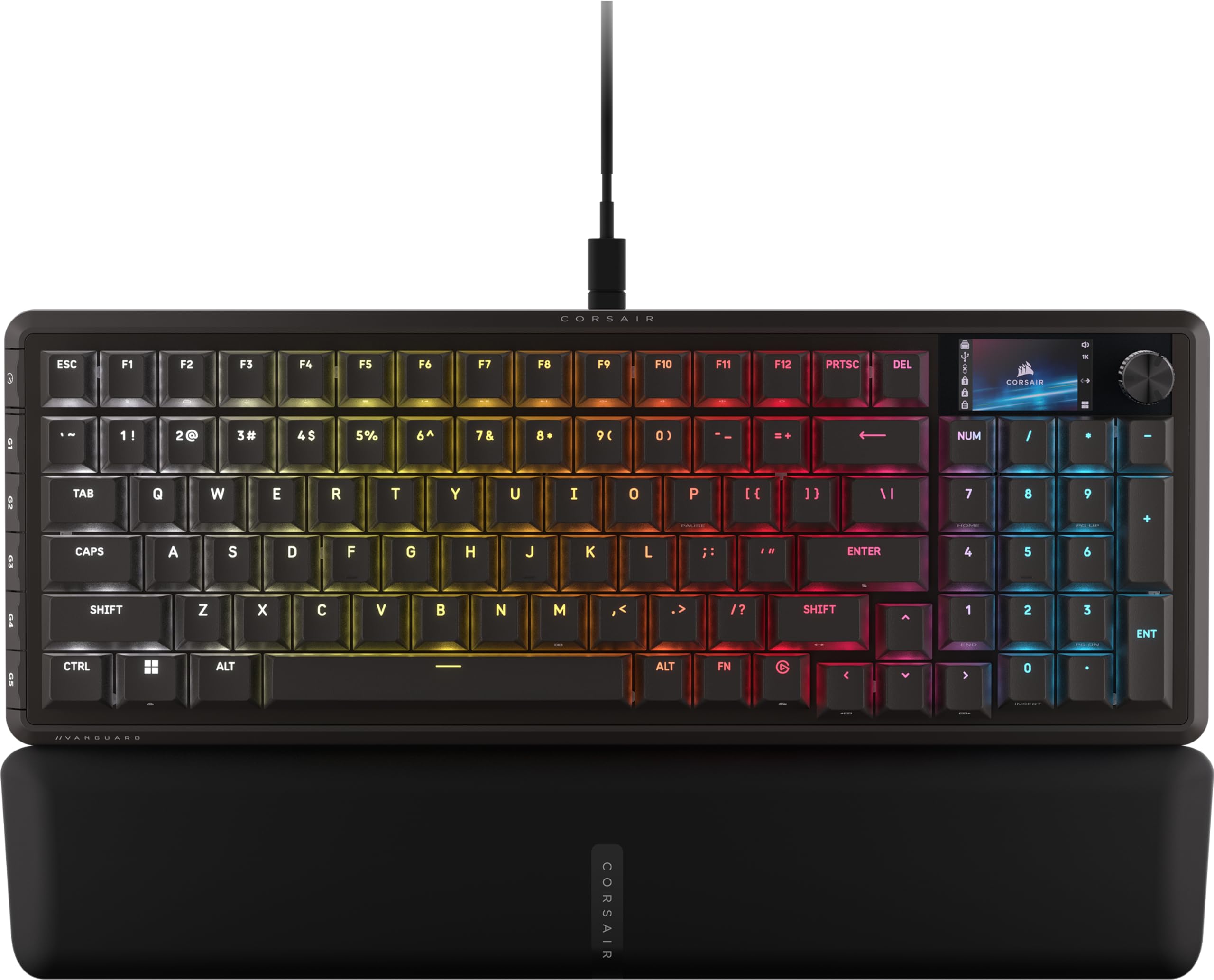
The Vanguard 96 packs a full number pad, arrow keys, six programmable G-keys, and a 1.9-inch LCD screen into a frame roughly the size of a TKL keyboard. The 96% layout is ideal for developers who need dedicated number input for data analysis or financial coding without sacrificing desk space. The LCD screen can display system stats, custom animations, or Spotify information, adding practical utility beyond aesthetics.
MLX Plasma linear switches provide a smooth, consistent keystroke with a sound profile that reviewers describe as not too loud. The 8000Hz hyper-polling ensures near-zero input lag, though its primary benefit appears in gaming rather than typing. Included magnetic wrist rest uses soft material that remains comfortable during extended sessions without collecting lint or dust excessively.
Some early units required debounce adjustments to fix double-keypress issues—setting 3ms debounce via the web portal resolves this. The iCue support rollout after launch expanded customization, but initial reliance on the web-based configurator felt incomplete. For developers who want a compact numpad board with premium build and screen functionality, the Vanguard 96 is a strong contender.
Why it’s great
- Compact 96% retains full numpad functionality
- Bright LCD screen shows system metrics and art
- Magnetic wrist rest is soft and comfortable
Good to know
- Initial iCue support was delayed after launch
- Some units need debounce adjustment out of box
- Keycap legibility low in dark without backlight
4. Logitech G915 X Lightspeed

The G915 X Lightspeed delivers a premium low-profile wireless experience with GL linear switches offering a 1.3mm actuation point and 3.2mm total travel. The reduced travel distance suits developers who prefer fast, shallow keystrokes without bottoming out. A brushed aluminum top plate and double-shot PBT keycaps provide a sturdy, high-end feel resistant to keycap shine over time.
Tri-mode connectivity includes 2.4 GHz Lightspeed wireless, Bluetooth, and USB-C wired mode, with seamless switching via a dedicated button. Battery life reaches 36 hours at full RGB brightness and up to 800 hours with backlight off, making it viable for weeks of office use between charges. The full-size layout includes dedicated media controls, a volume roller, and nine G-keys for macros or application shortcuts.
Some users have reported double-key pressing issues developing after months of use, with replacements exhibiting similar behavior. The receiver range is limited, requiring the included extender if your desktop is far away. For teams that prioritize wireless freedom and low-profile mechanical feel, the G915 X remains a top option despite reliability concerns.
Why it’s great
- Ultra-thin design with premium aluminum top plate
- Long battery life even with RGB enabled
- Durable double-shot PBT keycaps resist wear
Good to know
- Double-key pressing issue reported by multiple users
- Receiver range requires extender for distant setups
- High price point for non-hot-swappable design
5. Keychron C2 Pro
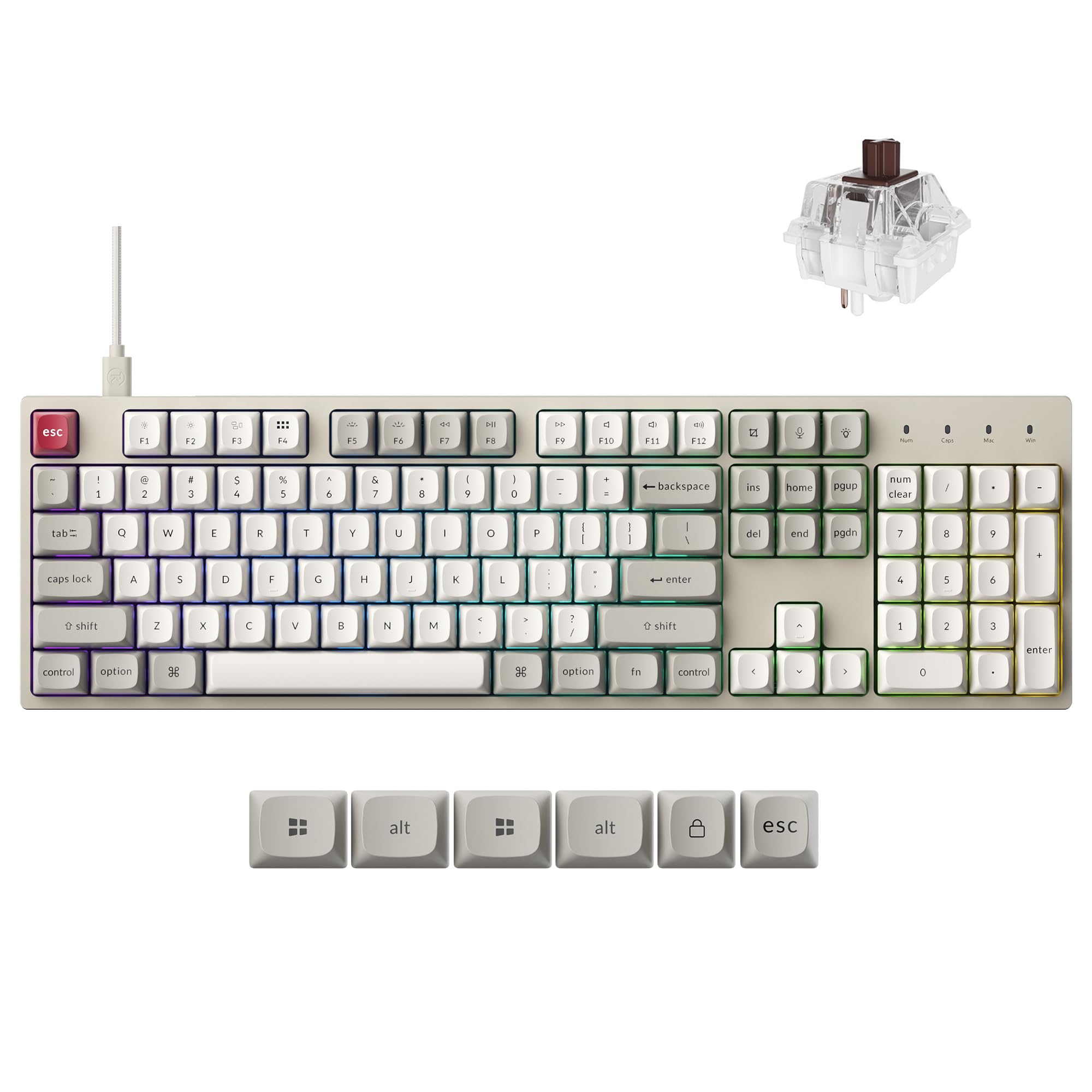
Keychron’s C2 Pro offers a full-size 100% layout with hot-swappable switches and an 8000 Hz polling rate at a competitive price point. The Brown switches included provide tactile feedback similar to Cherry MX Brown, delivering a noticeable bump without excessive noise. Durable non-shine-through PBT keycaps resist oil buildup and maintain a matte texture, even after extended use.
South-facing RGB lighting illuminates from the typist’s angle without interfering with Cherry-profile keycap compatibility. The open-source QMK firmware supports deep customization via the Keychron Launcher web app, allowing full key remapping and macro creation without installing native software. The system toggle switches between macOS and Windows layouts, with extra keycaps included for both operating systems.
Build quality uses an ABS plastic enclosure that feels more utilitarian than premium, but the internal construction remains solid. The initial Brown switches can be difficult to remove from the hot-swap sockets—some users recommend replacing them with smoother alternatives like Kailh Box switches. For developers who want a full layout with hot-swap flexibility and excellent firmware support, the C2 Pro delivers impressive value.
Why it’s great
- Full-size layout with hot-swappable switches
- Open-source QMK firmware for deep customization
- PBT keycaps resist shine and wear
Good to know
- ABS plastic enclosure feels less premium
- Stock Brown switches can be stubborn to remove
- Polling rate benefit minimal for typing tasks
6. RK ROYAL KLUDGE R98 Pro

The R98 Pro uses a gasket mount design with five layers of sound-absorbing foam, producing a thocky, creamy typing sound that enthusiasts prize. The 96% layout keeps the number pad and arrow keys while shrinking the overall footprint, similar to the Corsair Vanguard but at a lower price point. Pre-lubed linear cream switches provide smooth keystrokes with factory lubrication that reduces scratchiness out of the box.
MDA profile PBT keycaps offer a wider surface area with a concave shape that cradles fingertips, reducing fatigue during long typing sessions. The detachable aluminum CNC volume knob provides quick audio control without reaching for your monitor. Hot-swap sockets support both 3-pin and 5-pin switches, allowing you to experiment with different switch types without soldering.
The online driver enables key remapping, macro creation, and custom RGB lighting on both Windows and macOS. Some users note the backlight can appear dimmer than other boards, particularly under direct light, because the PBT keycaps are not shine-through. For developers who prioritize sound profile and typing feel over maximum brightness, the R98 Pro excels.
Why it’s great
- Five-layer foam gasket mount produces premium sound
- MDA profile keycaps reduce typing fatigue
- Hot-swappable with both 3 and 5 pin switches
Good to know
- RGB brightness is lower than typical gaming boards
- Keycaps not shine-through—legends hard to read in dark
- Some users note durability concerns after extended use
7. Cherry MX 3.0S Wireless
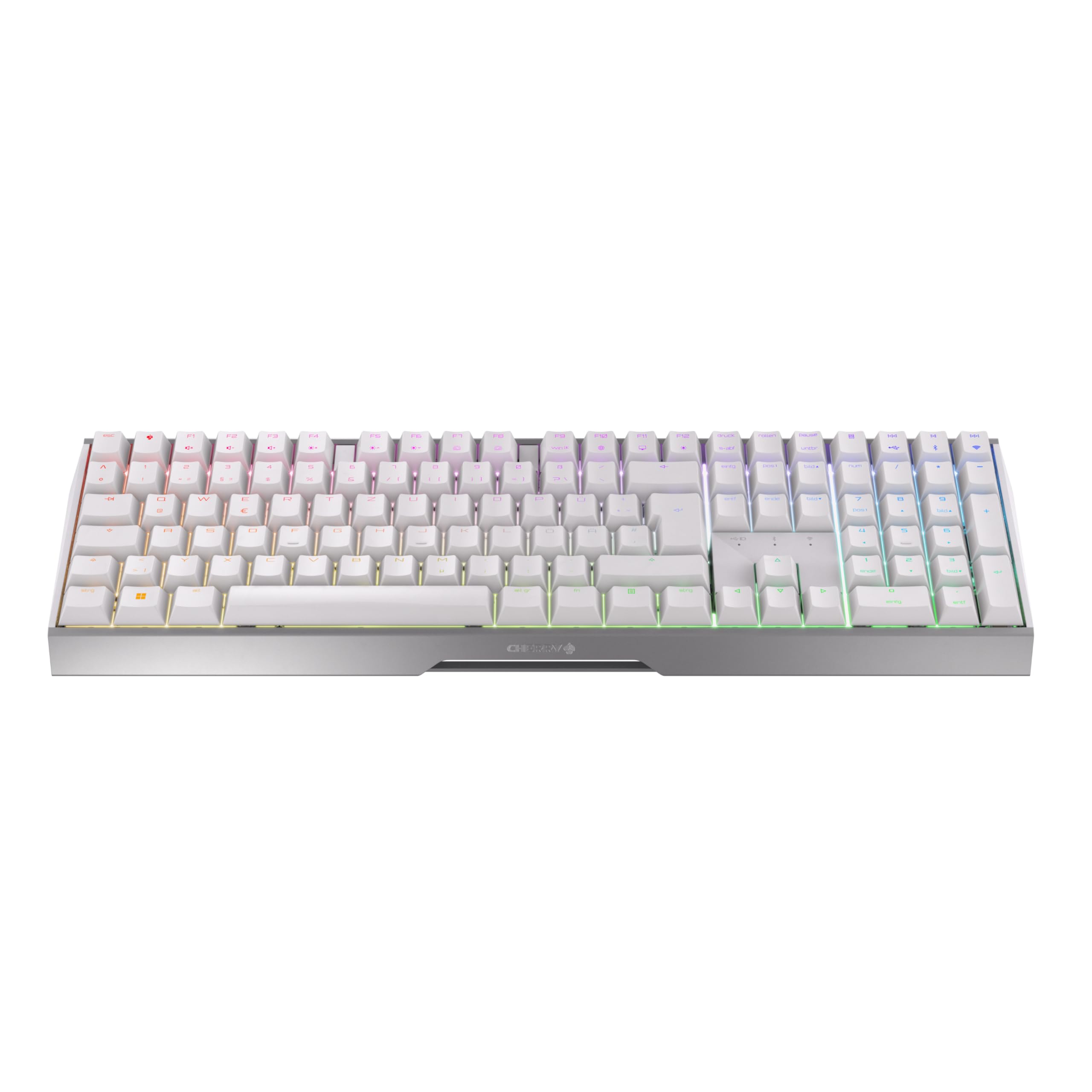
The Cherry MX 3.0S Wireless combines a sleek aluminum housing with genuine Cherry MX2A Brown switches, rated for over 100 million actuations per key. The tactile bump of the Cherry Brown switches is precise and consistent, offering the signature Cherry feel that many developers trust for reliable typing feedback. The aluminum chassis gives the board a solid, premium weight that resists flex during aggressive typing.
Triple-mode connectivity includes Bluetooth, 2.4 GHz wireless, and USB-C wired, with latency under 1 ms in gaming mode. You can pair up to three devices via Bluetooth and switch with a button press, ideal for developers toggling between a desktop, laptop, and tablet. Full N-key rollover and anti-ghosting ensure every keystroke registers correctly, even during rapid typing sequences.
RGB lighting offers over 16 million colors and customizable patterns via the Cherry Utility software. The white color option stands out on darker desks but may show dirt over time. For developers who want a tried-and-true Cherry switch experience in a wireless aluminum body, the 3.0S delivers reliability without gimmicks.
Why it’s great
- Genuine Cherry MX2A switches with 100M keystroke lifespan
- Aluminum housing provides premium stability
- Triple-mode with low-latency wireless performance
Good to know
- Non-hot-swappable switches limit future changes
- White color may show dirt and wear faster
- Limited software customization compared to QMK boards
FAQ
What switch type is best for long coding sessions?
Do I need a number pad for development work?
Is a mechanical keyboard necessary for programming?
Final Thoughts: The Verdict
For most developers, the best developer keyboard winner is the Logitech MX Mechanical Mini for Mac because it balances battery life, comfortable low-profile Tactile Quiet switches, and seamless multi-device connectivity with macOS and iPadOS. If you want adjustable per-key actuation for ultimate typing precision, grab the Corsair K70 PRO TKL. And for a compact 96% layout with a numpad and a vibrant LCD screen, nothing beats the Corsair Vanguard 96.

Mo Maruf
I created WellFizz to bridge the gap between vague wellness advice and actionable solutions. My mission is simple: to decode the research and give you practical tools you can actually use.
Beyond the data, I am a passionate traveler. I believe that stepping away from the screen to explore new environments is essential for mental clarity and physical vitality.