Our readers keep the lights on and my smoothie glass nicely filled. As an Amazon Associate, I earn from qualifying purchases.
Staring at a screen that sits too low on the desk is a fast track to neck stiffness, shoulder aches, and a cluttered workspace. A solid desk monitor stand lifts your display to eye level, reclaims valuable desktop real estate, and transforms your entire setup from cramped to comfortable in one move.
I’m Mohammad Maruf — the founder and writer behind WellFizz. I’ve spent countless hours dissecting the specifications, load ratings, and build quality of dozens of monitor stands to find the options that genuinely improve your posture and workflow.
This guide breaks down the top models on the market, helping you find the best desk monitor stand for your specific screen size, desk layout, and budget without the guesswork.
How To Choose The Best Desk Monitor Stand
Selecting the right stand means balancing your monitor’s size and weight against your desk’s layout and your ergonomic needs. A mismatch here leads to wobble, poor viewing angles, or a stand that simply cannot hold your screen securely.
Weight Capacity and VESA Compatibility
Every monitor has a VESA pattern (usually 75x75mm or 100x100mm) that dictates which stands it can mount to. More importantly, check the stand’s weight limit against your monitor’s actual weight. Exceeding the load capacity by even a few pounds can cause sagging or failure over time. For ultrawide screens above 30 inches, aim for a stand rated for at least 22 to 44 pounds.
Adjustability Range: Tilt, Swivel, and Height
A fixed riser simply elevates the screen, but an articulating arm offers tilt, swivel, and height adjustments that let you dial in the perfect angle. Look for at least 25 degrees of tilt and a height adjustment range of 8 inches or more. Gas spring arms provide smooth, tool-free repositioning that holds your monitor steady at any angle.
Desk Mounting Type: Clamp, Grommet, or Freestanding
C-clamps work on most desks up to 3.5 inches thick, while grommet mounts require a hole through the desktop. Freestanding risers with a wide base need no desk modification but take up more surface area. Choose a clamp or grommet arm if you want maximum desk space, or a riser if you cannot modify your desk at all.
Quick Comparison
On smaller screens, swipe sideways to see the full table.
| Model | Category | Best For | Key Spec | Amazon |
|---|---|---|---|---|
| HUANUO Dual Monitor Stand HNDS7 | Dual Arm | Premium dual 40″ setup | 26.4 lbs per arm / 21.1″ height | Amazon |
| HUANUO TitanLift Single Arm | Single Arm | Heavy ultrawide single monitor | 44 lbs capacity / 19.6″ height | Amazon |
| ULTRARM Heavy Duty MA20P-S | Single Arm | Massive 57″ ultrawide screens | 44 lbs capacity / 13″ height | Amazon |
| Perlegear Dual Monitor PGTVS41B | Dual Arm | Dual 32″ with power strip | 22 lbs per arm / built-in outlets | Amazon |
| VIVO Heavy Duty STAND-V101V | Single Arm | 49″ ultrawide gaming screens | 44 lbs capacity / 11″ height | Amazon |
| PUTORSEN Triple Monitor Mount | Triple Arm | Three-screen productivity rigs | Center 44 lbs / sides 26.4 lbs | Amazon |
| Fenge Dual Monitor Riser | Freestanding Riser | No-drill organization with drawers | 99 lbs total / 42.5″ wide | Amazon |
In‑Depth Reviews
1. HUANUO Dual Monitor Stand HNDS7

TheHUANUO HNDS7 is the gold standard for dual-monitor setups. Its solid aluminum arms and oversized dual C-clamp base eliminate wobble, even when supporting two 32-inch screens at full extension. The gas spring system raises each monitor up to 21.1 inches from the desk, giving tall users a proper eye-level line without stacking books or risers.
Each arm handles 26.4 pounds, so you can mount heavier curved gaming monitors without sagging. The range of motion includes 360-degree rotation and 180-degree swivel, letting you switch quickly between portrait coding screens and landscape design layouts. The integrated cable management channels keep power bricks and display cords completely hidden inside the arms.
A pair of built-in USB ports near the base provide convenient charging for phones or peripherals without reaching behind the desk. The clamp and grommet mounting options fit desks up to 3.54 inches thick, and the lifetime warranty backs the construction against defects. This is the set-it-and-forget-it solution for professionals who want their dual monitors locked in place for years.
Why it’s great
- Gas spring height adjustment stays put at any level
- Dual C-clamp base provides rock-solid stability
- Built-in USB charging saves desk space
Good to know
- USB ports are standard charging, not high-speed data
2. HUANUO TitanLift Heavy Duty Monitor Arm
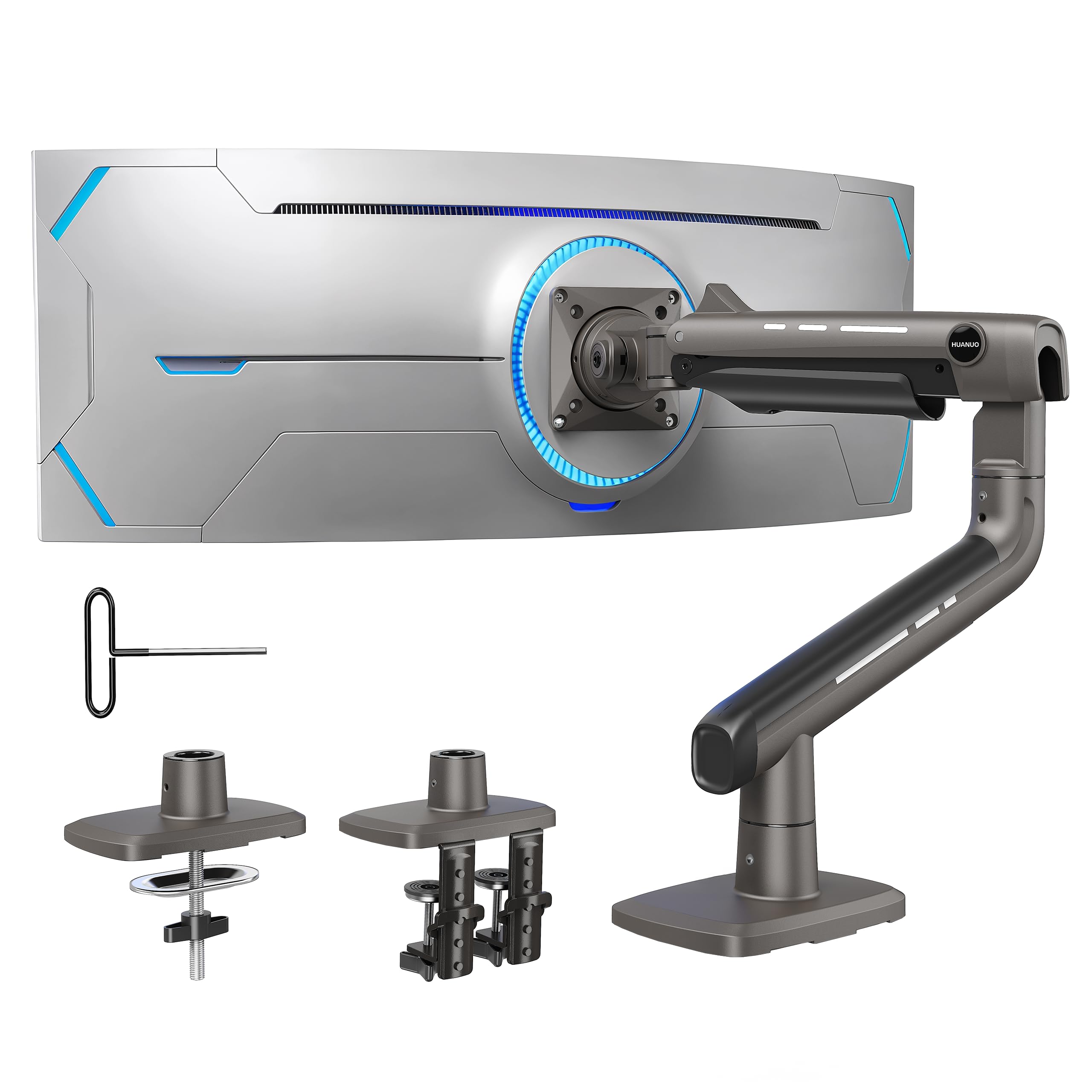
TheHUANUO TitanLift is built for a single massive ultrawide monitor. Its high-strength aluminum alloy arms are 20 percent thicker than standard models, and the base is 30 percent wider, distributing the load of screens up to 49 inches and 44 pounds across the desk surface. The reinforced VESA head has passed 50,000-cycle motion tests, so daily tilting and swiveling will not loosen the joint over time.
Height adjustment reaches 19.6 inches from the desk to the VESA center, which is enough to lift a Samsung Odyssey G9 to a comfortable seated eye line. The tilt range spans 100 degrees total (50 up, 50 down), giving you flexibility to angle the screen away from overhead lights. A single Allen key adjusts the gas spring tension with one hand, making it easy to dial in the perfect lift force.
The quick-install VESA plate snaps on in seconds, and the built-in cable management covers the entire lower arm for a clean look. Installation requires a wooden desk between 0.8 and 3.5 inches thick, and the dual C-clamp design adds extra grip. This is the arm to choose when you need uncompromising support for a single heavy screen.
Why it’s great
- Extra-thick aluminum eliminates sag at full extension
- One-handed tension adjustment with included Allen key
- 19.6 inch height range works for tall users
Good to know
- Not compatible with glass or plastic desktops
3. ULTRARM Heavy Duty Monitor Arm MA20P-S

TheULTRARM MA20P-S is one of the few stands designed to handle super-ultrawide monitors up to 57 inches, such as the Samsung Odyssey Neo G9. The pneumatic spring system inside the tall pole counterbalances the 44-pound weight, holding the screen steady at any height without drifting downward. The quick-release VESA plate accepts both 75x75mm and 100x100mm patterns, and the mounting hardware includes both C-clamp and grommet options.
Height adjustment is a smooth 13 inches, and the tilt range of 50 degrees (+25 to -25) lets you angle the massive screen to match your viewing position. The 180-degree swivel and 180-degree rotation allow you to switch between landscape and portrait orientations without tools. The integrated cable management channels all wires through the arm for a clutter-free appearance.
The base pole itself can support up to 88 pounds, which opens the door to future upgrades with modular extension arms for a dual or triple monitor configuration. Users report zero wobble with 57-inch panels, and the included instructions guide you through pneumatic tension calibration. This is the premium choice for anyone with a flagship ultrawide who refuses to compromise on ergonomics.
Why it’s great
- Handles the largest consumer ultrawide monitors available
- Modular base supports stacking multiple screens later
- Pneumatic spring keeps heavy screens stable
Good to know
- VESA adapter for Samsung G9 sold separately
4. Perlegear Dual Monitor Stand PGTVS41B
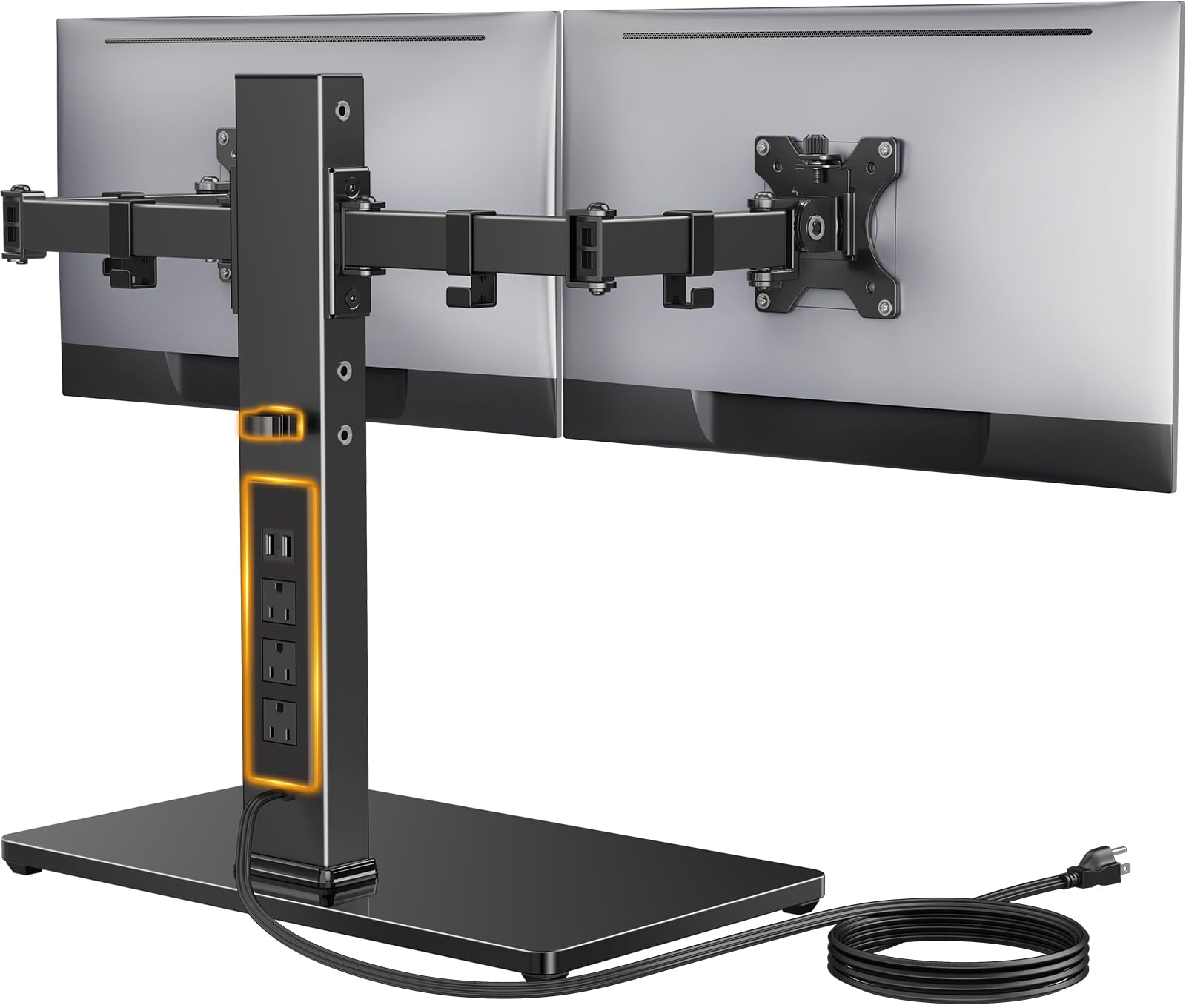
ThePerlegear PGTVS41B combines a dual-arm monitor mount with a 3-outlet power strip and two USB ports, all integrated directly into the tempered-glass base. This design eliminates the cable clutter from separate power bricks and extension cords, keeping the entire setup tidy. The arms support screens up to 32 inches and 22 pounds each, with VESA patterns of 75x75mm or 100x100mm.
Height adjustment uses four discrete settings between 10.79 and 14.92 inches, controlled by repositioning the arms on the central pole. While not infinitely adjustable like gas spring models, the preset heights cover the ergonomic sweet spot for most seated users. The arms provide 45-degree tilt and 90-degree swivel, plus 360-degree rotation for portrait mode.
The carbon steel column and tempered-glass base provide sturdy support with a glossy aesthetic that looks professional in any office. Non-slip pads keep the base stable on wooden and metal desks. Installation requires no assembly, and the six-foot power cable reaches standard outlets easily. This is the ideal pick for budget-conscious buyers who want dual-screen ergonomics without paying for gas spring mechanics.
Why it’s great
- Integrated power strip and USB ports reduce desk clutter
- No assembly required, ready out of the box
- Tempered-glass base looks sleek and professional
Good to know
- Height adjustment is fixed to four presets only
5. VIVO Heavy Duty Aluminum STAND-V101V
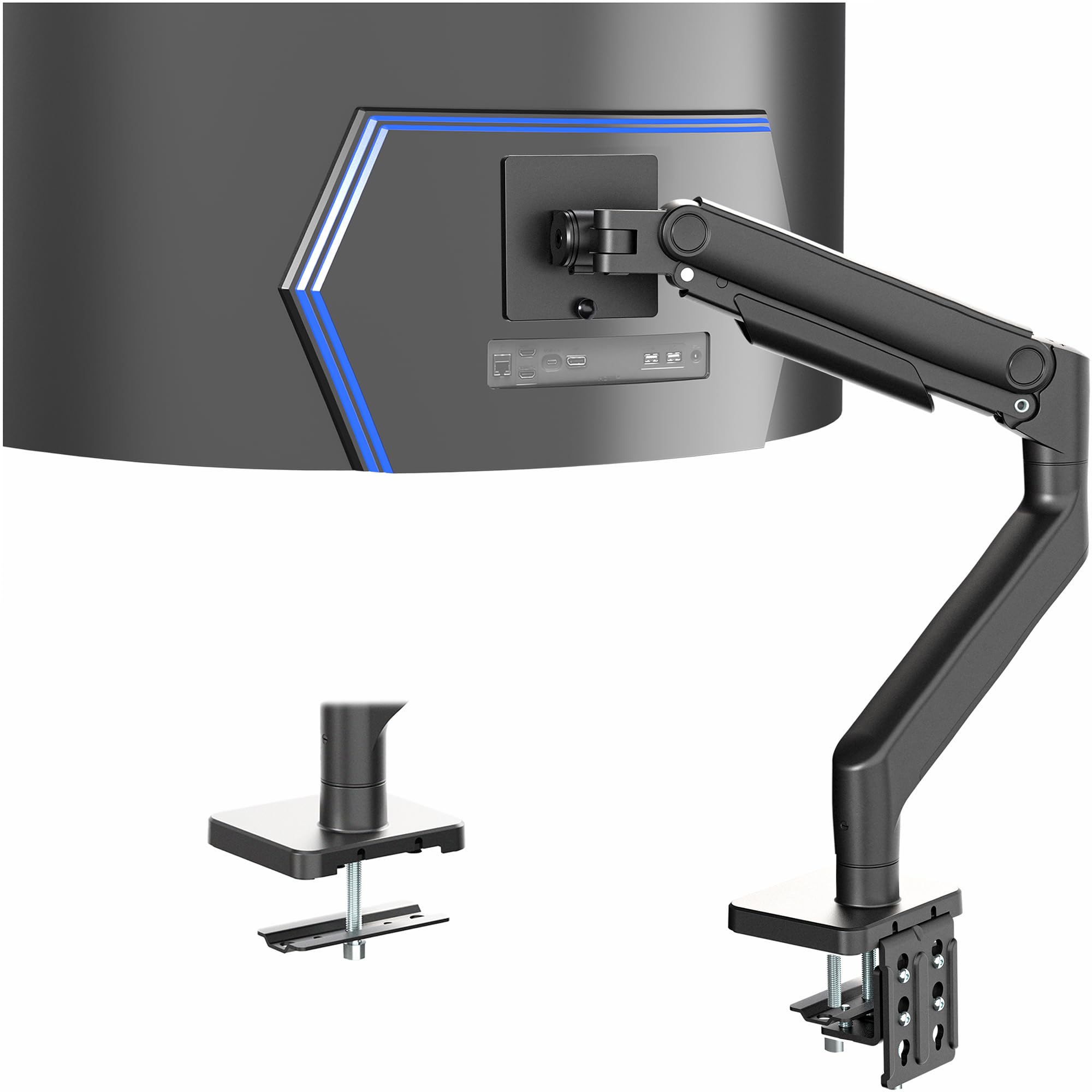
TheVIVO STAND-V101V delivers premium build quality at a budget-friendly entry point. The aluminum alloy construction and heavy-duty C-clamp secure monitors up to 49 inches and 44 pounds without creaking or flexing. The spring-assist tension arm counterbalances the screen weight, allowing smooth 11-inch height adjustments with minimal effort.
The tilt head offers a wide 70-degree range (+50 to -20), plus 180-degree swivel and 360-degree rotation for flexible positioning. The detachable VESA plate simplifies mounting — you attach it to the monitor first, then click it onto the arm. Integrated cable management covers keep cords hidden along the full length of the arm.
Desk compatibility covers thicknesses up to 3.2 inches with the clamp, and the included grommet mount works for desks with an existing hole. User feedback highlights that the tension screw requires a firm hand to set properly for heavier screens, but once dialed in, the arm holds position without sagging. This is the go-to choice for a single ultrawide setup on a tight budget.
Why it’s great
- Aluminum body feels much more expensive than the price suggests
- Detachable VESA plate makes installation simple
- Spring-assist arm supports heavy 49-inch panels
Good to know
- Tension adjustment requires trial and error for perfect balance
6. PUTORSEN Triple Monitor Mount
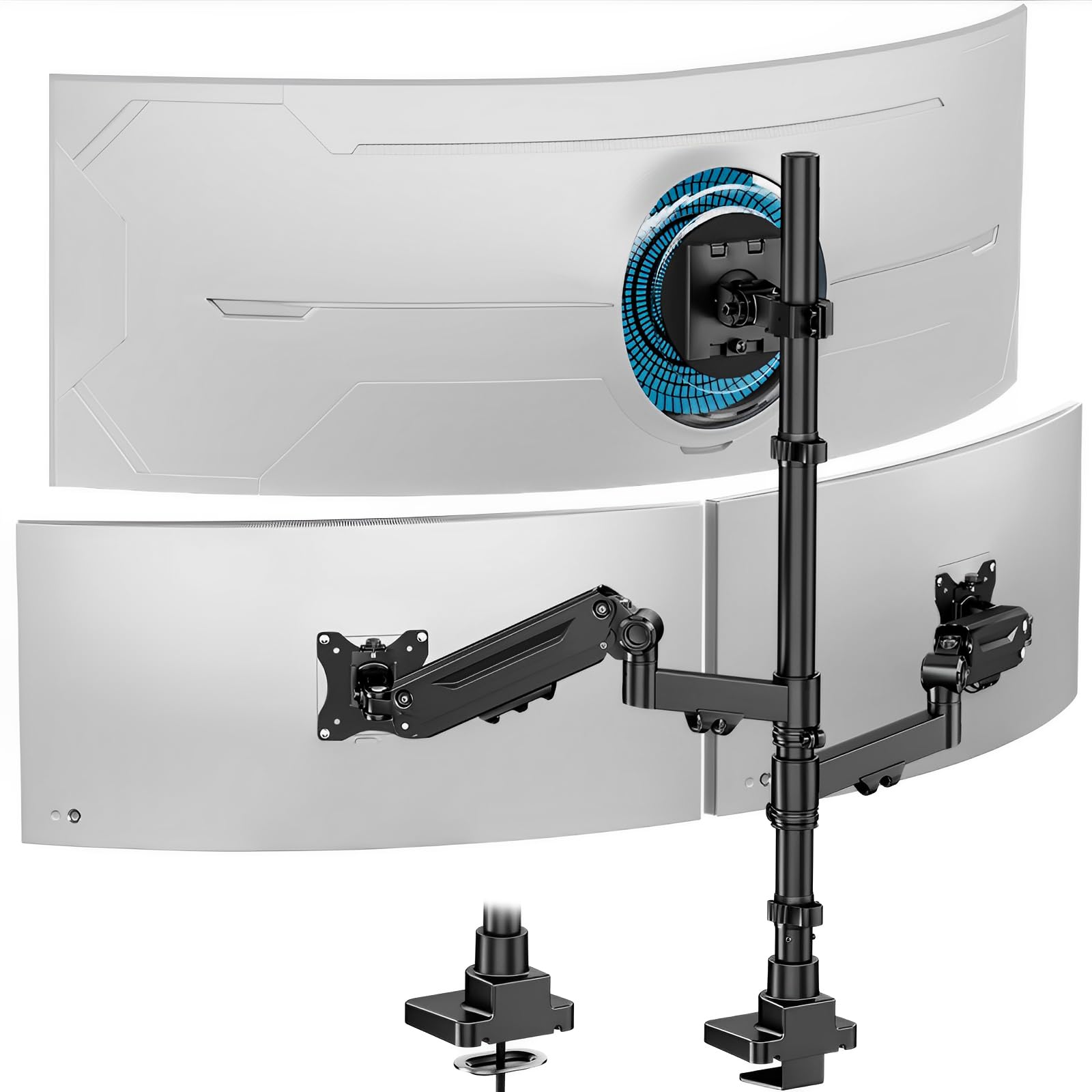
ThePUTORSEN triple monitor mount solves the headache of arranging three separate screens across a desk. The center arm supports a massive 49-inch ultrawide up to 44 pounds, while the two side arms use gas springs to handle screens up to 35 inches and 26.4 pounds each. All arms are cast aluminum for durability, and the reinforced head structures hold heavy panels without sagging.
Each arm offers 35 degrees of tilt, 90 degrees of swivel, and 360-degree rotation, giving you total flexibility to adjust each screen independently. The side arms feature smooth gas spring lift for effortless height changes, while the center screen uses a manual height adjustment that stays locked once set. The removable cable management system tucks wires behind the pole for a clean look.
The C-clamp fits desks between 0.4 and 1.8 inches thick, and the two-year manufacturer warranty provides peace of mind. Users report that the initial setup takes 20 to 30 minutes, with the main challenge being tension calibration on the gas spring arms. Once configured, the mount holds all three monitors securely with no wobble, making it the best solution for a serious multi-monitor workstation.
Why it’s great
- Center arm handles a single massive ultrawide plus two side screens
- Gas spring side arms enable quick repositioning
- Cast aluminum construction feels extremely solid
Good to know
- Gas spring tension adjustment requires patience
7. Fenge Dual Monitor Riser 42.5 Inch

TheFenge 42.5-inch riser takes a completely different approach — instead of a clamp arm, it is a freestanding wooden platform that supports up to 99 pounds across its wide surface. The 0.59-inch-thick engineered wood panel provides a rock-solid base for two monitors side by side, plus a laptop or printer. Two semi-transparent frosted acrylic drawers slide out from the bottom tier for storing pens, cables, or small accessories.
The 5.5-inch height lift brings most screens to an acceptable ergonomic level, reducing forward head posture during long work sessions. The polished surface is waterproof and resists scratches and fingerprints, maintaining its appearance over months of daily use. Non-slip rubber pads on the bottom keep the riser from sliding on the desk during typing or mouse movement.
Assembly takes about 5 to 8 minutes with the included tools, and the drawers can be mounted on either the left or right side for custom layouts. The FSC-certified wood adds an environmentally conscious touch. This is the best option for users who cannot clamp an arm to their desk or who want extra storage space without a separate shelf unit.
Why it’s great
- Supports nearly 100 pounds for dual monitors plus peripherals
- Drawers provide organized storage right under the screens
- Waterproof surface resists stains and scratches
Good to know
- Requires significant desk depth, measure before ordering
FAQ
Can I use a monitor arm on a glass desk?
Do all monitor arms work with curved ultrawide screens?
How do I know if my desk is thick enough for a clamp mount?
Final Thoughts: The Verdict
For most users, the best desk monitor stand winner is the HUANUO Dual Monitor Stand HNDS7 because its gas spring arms, sturdy dual clamp base, and built-in USB ports provide the best balance of stability and adjustability for dual-screen setups. If you want single heavy-duty support for an ultrawide monitor, grab the HUANUO TitanLift. And for a no-drill, storage-friendly solution, nothing beats the Fenge Dual Monitor Riser.

Mo Maruf
I created WellFizz to bridge the gap between vague wellness advice and actionable solutions. My mission is simple: to decode the research and give you practical tools you can actually use.
Beyond the data, I am a passionate traveler. I believe that stepping away from the screen to explore new environments is essential for mental clarity and physical vitality.