Our readers keep the lights on and my smoothie glass nicely filled. As an Amazon Associate, I earn from qualifying purchases.
The difference between a cluttered, frustrating workstation and a clean, productive command center often comes down to one design decision: intelligent cable management built into the desk itself.
I’m Mohammad Maruf — the founder and writer behind WellFizz. This guide is based on hundreds of hours analyzing cable routing channels, wire tray capacity, grommet placement, and power outlet integration across dozens of sit-stand and fixed desks to find the models that genuinely keep your cords invisible and organized.
After reviewing nine of the most promising models on the market right now, I’ve compiled the definitive resource to help you find the absolute best desk for cable management that matches your workspace size, budget, and setup complexity.
How To Choose The Best Desk For Cable Management
A desk that hides cables well isn’t just a gimmick — it’s the difference between a setup that takes 15 minutes to adjust and one that takes 5 seconds. Before you buy, focus on the physical infrastructure that turns a flat slab into a wire-taming workstation.
Cable Tray Capacity and Positioning
The single most important spec is the under-desk cable tray. Look for a tray that is at least 20 inches wide and 3-4 inches deep — shallow trays won’t hold a standard power strip plus bricks. The tray should be positioned near the rear edge of the desk but with enough overhang clearance so the desk can be placed flush against a wall without crushing the cables inside.
Built-In Power vs. Routing-Only
Some desks integrate AC outlets and USB ports directly into the desktop, which eliminates the need for a dangling power strip. For a truly clean setup, a desk with a pop-up power grommet or a recessed outlet panel in the cable tray reduces visible wires by 50% compared to routing-only models. Make sure the outlets are 3-prong grounded and include USB-C fast-charging if you use modern laptops or tablets.
Grommet Holes and Channel Routing
The size and placement of grommet holes dictate how neatly you can drop cables from the desktop into the hidden zone below. A single 2-inch grommet is fine for one monitor cable, but a dual-monitor setup with a webcam, speakers, and keyboard cable needs at least two grommets or one large rectangular cutout. Some desks integrate routed channels along the underside of the desktop — these keep individual wires separated and prevent tangling.
Quick Comparison
On smaller screens, swipe sideways to see the full table.
| Model | Category | Best For | Key Spec | Amazon |
|---|---|---|---|---|
| FlexiSpot E6 Bamboo | Premium Sit-Stand | Natural material look with stable cable routing | Dual motor, 45dB, 220 lbs capacity | Amazon |
| SIAGO L-Shaped | Premium L-Shape | Corner setup with triple-leg stability | 63×55 inch, 3 preset heights, child lock | Amazon |
| OffiGo Executive 71″ | Mid-Range Premium | Large surface with dual cable grommets | 1.38″ thick desktop, 154 lbs load | Amazon |
| VIVO 60×30 | Premium Gaming/Office | Hidden flip-top cable trays and full mouse pad | Two under-desk cable trays included | Amazon |
| Desktronic HomePro | Premium European | Maximum weight capacity, zero wobble | Dual motor, 352.7 lbs load, 2 in/s lift | Amazon |
| Huuger 55″ Electric | Mid-Range Standing | Budget-friendly with built-in power outlets | 4 AC outlets, 2 USB, 1 USB-C, 45dB motor | Amazon |
| OffiGo L-Shaped | Mid-Range L-Shape | Storage drawers + cable tray in corner design | 4 fabric drawers, 3 outlets + USB + USB-C | Amazon |
| FLEXISPOT 63×32 | Mid-Range Standing | Wide splice board with dedicated cable organizer | 63×32 inch, 4 memory presets, cup holder | Amazon |
| AODK 55″ Standing | Entry-Level Gaming | Gamer-focused with LED lights and hidden tray | 2 cloth drawers, keyboard tray, LED modes | Amazon |
In‑Depth Reviews
1. FlexiSpot E6 Bamboo

The FlexiSpot E6 Bamboo combines a beautiful FSC-certified bamboo surface with a whisper-quiet dual-motor system that lifts up to 220 lbs at less than 45dB. The one-piece bamboo top is strong enough to avoid the flex and creaking common in cheaper splice-board designs, and its 23.6-inch to 48.8-inch height range accommodates taller users comfortably — crucial when cable routing channels need to stay aligned at standing height.
Cable management is handled by pre-drilled grommet holes and an open under-desk channel that lets you run power bricks and monitor cables cleanly. The dual motors are synchronized to keep the desk level during lifting, which prevents wires from snagging or pulling taut. The included wire clips are basic, but the open design gives you the flexibility to add your own adhesive cable trays for a fully hidden setup.
The bamboo surface is easy to clean and naturally resistant to scratches. Assembly requires drilling a few holes for the base attachment, a minor trade-off for the sturdiness. The base and top ship in separate boxes, so plan for a few days between deliveries.
Why it’s great
- Solid bamboo top is durable and attractive
- Dual motors provide smooth, quiet lifting
- Wide height range fits tall users
Good to know
- Requires drilling for base attachment
- Included wire clips are low quality
- Base and top ship separately
2. SIAGO L-Shaped Standing Desk

The SIAGO L-Shaped desk uses three equal-length legs instead of a single central support, giving it industry-leading stability at 250 lbs load capacity during 50,000 lifting cycles. The 63×55 inch L-shape is reversible, letting you configure the long side on the left or right to match your room layout. The smart memory controller with child lock and 3 preset heights (27.5 to 45.7 inches) makes transitioning between sitting and standing seamless.
Cable management is handled by a built-in trough behind the desktop and two headphone hooks that double as cable anchors. The desk includes 3 AC outlets and dual USB fast-charging ports (Type-A and Type-C) integrated into the frame, eliminating the need for a separate power strip. The single included cable basket is adequate for a basic setup, but heavy users with multiple power bricks may want to add a secondary tray for full organization.
The MDF top with threaded inserts holds up well under heavy monitor arms, though it’s not solid wood. Assembly is straightforward with the provided toolkit and step-by-step manual, but you’ll need a helper to flip the desk upright.
Why it’s great
- Three-leg design provides exceptional stability
- Integrated AC outlets and USB-C charging
- Reversible layout for flexible room placement
Good to know
- Single cable basket insufficient for multi-PC setups
- MDF top, not solid wood
- Requires two people for assembly flip
3. OffiGo 71 Inch Executive Electric Standing Desk
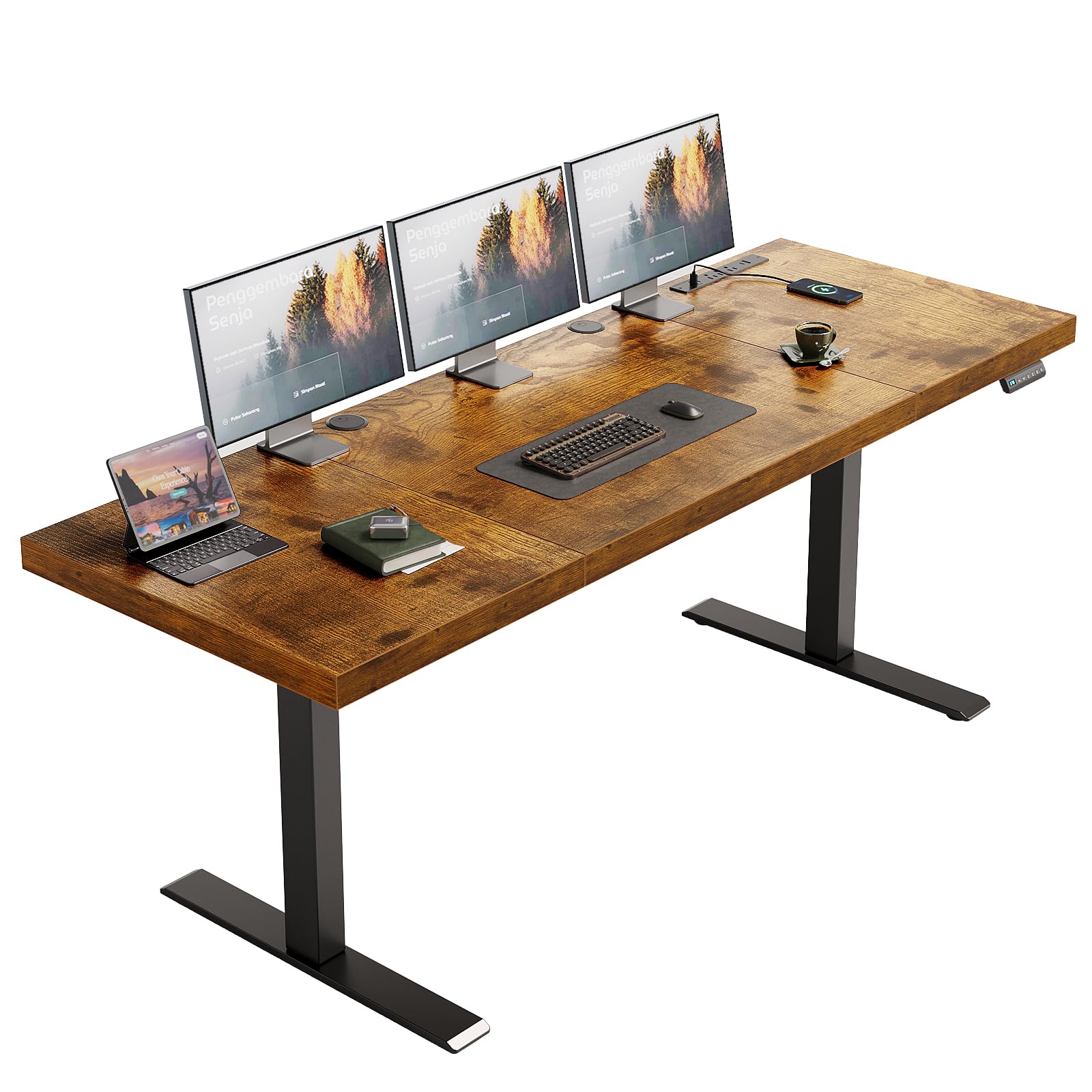
The OffiGo 71-inch executive desk stands out with its 1.38-inch thick 3-piece desktop and dual beam steel frame, supporting up to 154 lbs without noticeable flex at standing height. The height range extends from 29.1 to 48 inches, with 3 customizable memory presets via the integrated keypad. The 80×50 mm reinforced steel legs ensure the desk stays wobble-free even when you’re typing vigorously on a mechanical keyboard.
Cable management includes two 2-inch grommet holes and a side hook for headphones or bags. The built-in power panel provides 3 AC outlets, 2 USB-A ports, and 2 Type-C ports — all recessed into the desktop to keep plugs flush and reduce visible wire clutter. The grommets are positioned to allow clean drops for monitor and laptop cables, though the desktop is not designed for monitor arm clamps, so standard stands are recommended.
The laminated finish is durable and easy to clean, but the 3-piece design means there’s a visible seam across the desktop. Assembly is well documented with labeled parts and an installation video, and most users complete it in under an hour with two people.
Why it’s great
- Very thick desktop resists bending under load
- Dual grommets and side hook for organized routing
- Power panel with USB-C ports built in
Good to know
- Not compatible with monitor arm clamps
- 3-piece top has visible seams
- Lowest height may not suit recliner users
4. VIVO Electric 60 x 30 Standing Desk
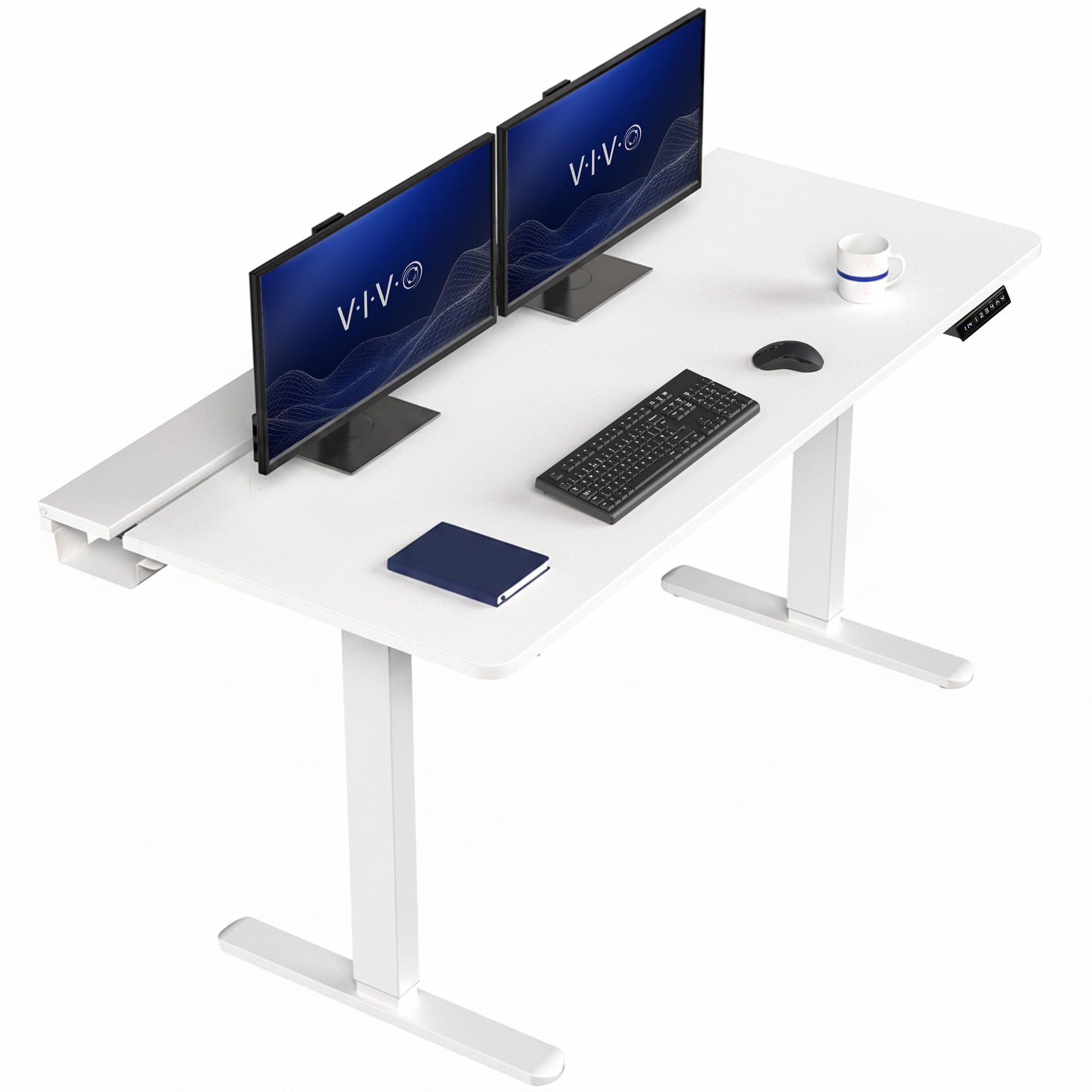
The VIVO 60×30 desk is the only model in this lineup with hidden flip-top cable trays built directly into the desktop surface. Two under-desk trays are large enough to conceal extension cords, power strips, and excess cable slack, with an open center section for monitor arm access. The included microfiber desk pad covers the entire surface, protecting the laminate top and providing a smooth mouse surface.
The desk frame is all-steel with a powerful single motor that lifts up to 220 lbs across a 29-to-48.2-inch height range. The push-button controller offers 4 memory presets, letting you save multiple sit and stand heights. The 3-piece tabletop includes flip-top covers that lift to reveal the cable trays — a clever design that keeps wires completely hidden from view during normal use.
Assembly is more involved than average due to the flip-top mechanism, requiring small fingers and patience to align the covers. The white laminate top with white frame gives a clean, modern look. The included pad prevents scratches but will show wear over time with heavy use.
Why it’s great
- Hidden flip-top cable trays keep wires invisible
- Large full-size mouse pad included
- 4 memory presets for flexible height adjustment
Good to know
- Assembly is fiddly and time-consuming
- Single motor, not dual motor
- White finish shows dust easily
5. Desktronic HomePro Standing Desk
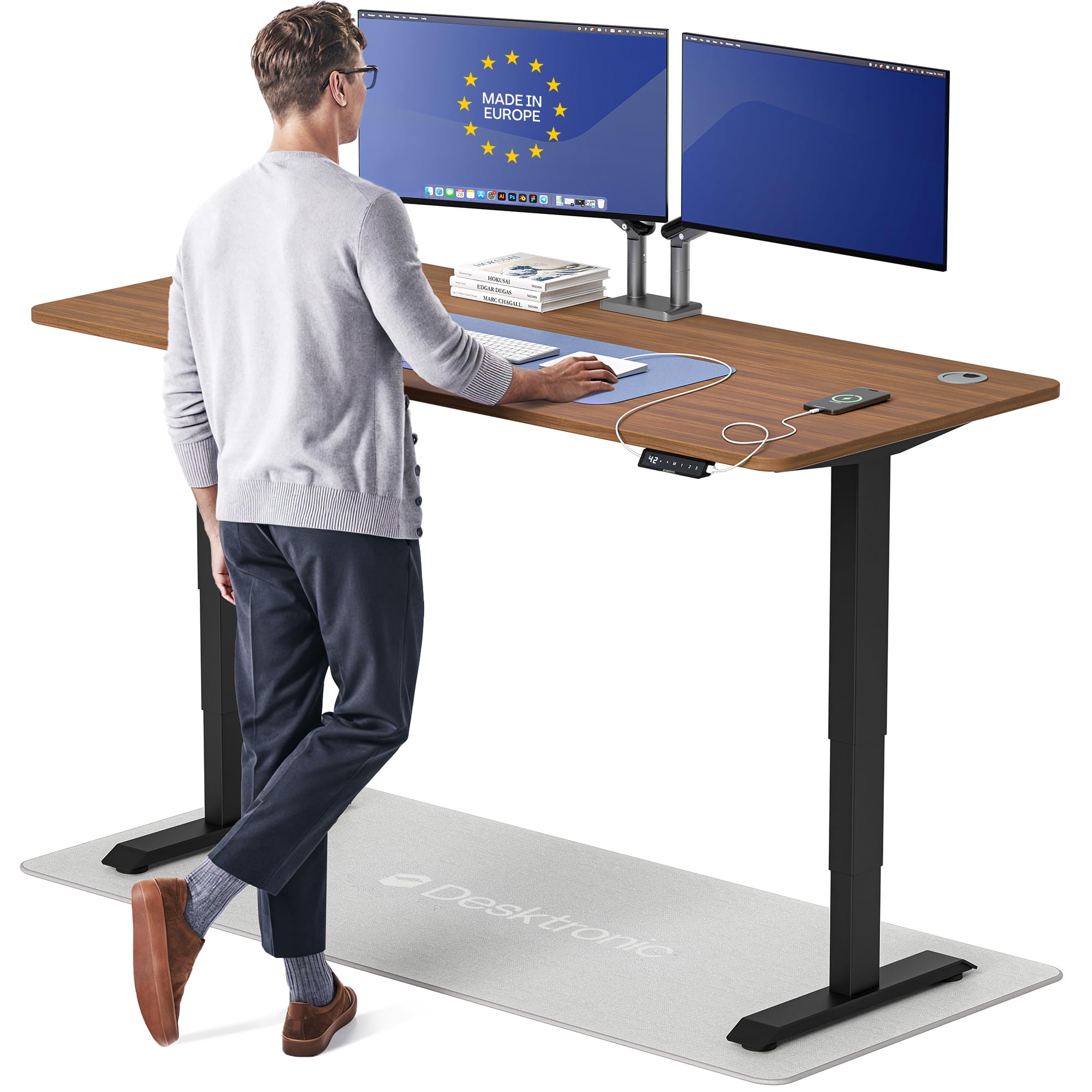
The Desktronic HomePro is engineered for the most demanding setups, with dual synchronized motors that lift 352.7 lbs at 2 inches per second with zero wobble at any height. The 70×30 inch one-piece desktop has no seams, and the lacquered finish is easy to clean. The touchscreen controller features 3 memory presets and an anti-collision sensor for safety. The height range (25.4 to 51.2 inches) is the widest in this roundup, fitting users from 5’0″ to 6’8″.
Cable management is integrated into the frame with a pop-out channel that runs across the underside of the desktop. The built-in USB-A and USB-C ports provide fast charging without extra adapters. The cable management channel is not the deepest — bulky power bricks may extend past the channel edge — but for most office setups with slim power supplies, it keeps everything tidy. The basswood desktop is durable and resists dents.
Assembly is designed to take under 30 minutes with clear instructions, though some users report that packaging could be better to prevent cosmetic damage during shipping. The European engineering is evident in the smooth operation and solid feel.
Why it’s great
- Extremely stable at all heights with high load capacity
- Widest height range for tall and short users
- Touchscreen controller with anti-collision feature
Good to know
- Packaging can lead to surface damage during shipping
- Cable channel depth may not fit large power bricks
- Premium price point reflects European build
6. Huuger 55 x 28 Electric Standing Desk
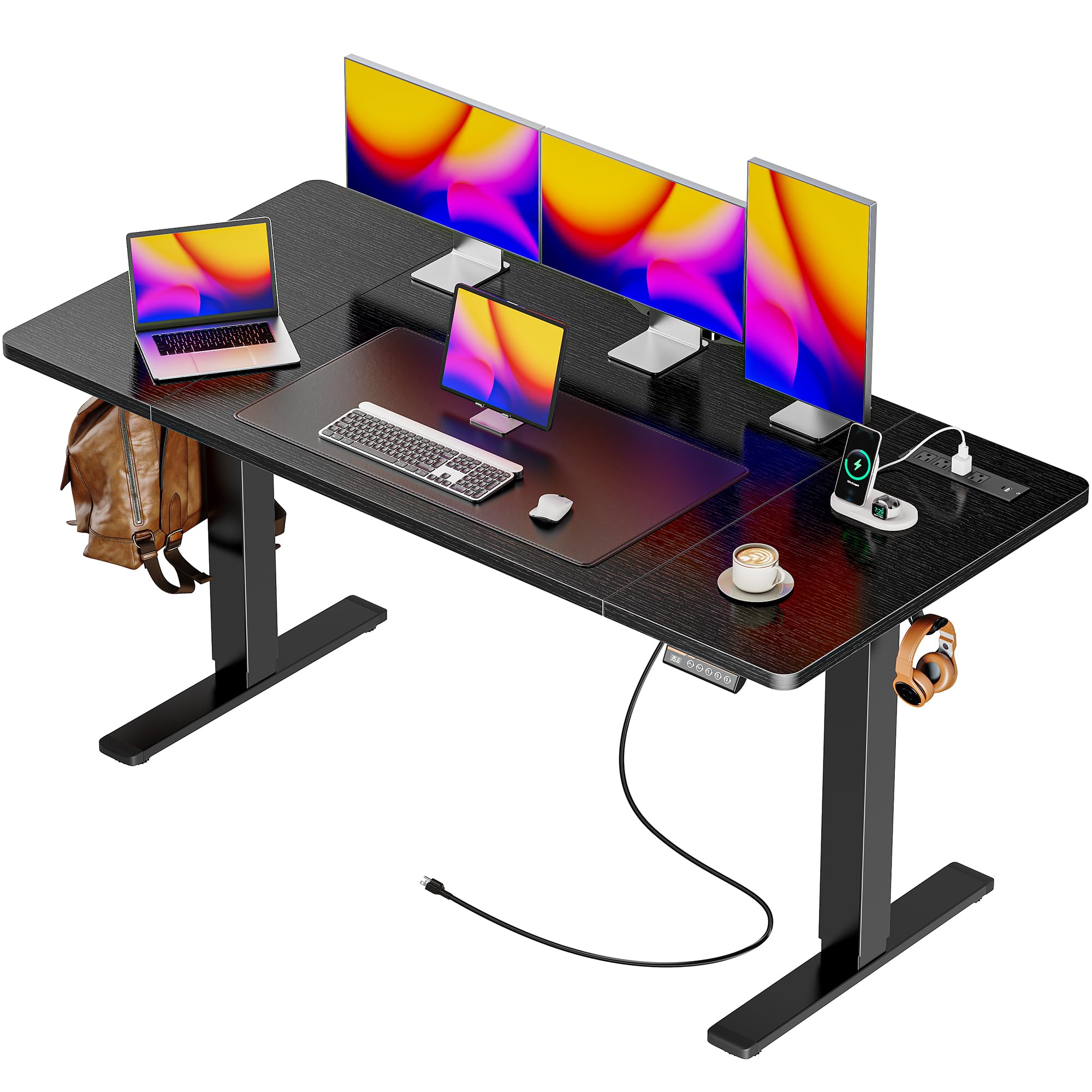
The Huuger 55-inch desk punches above its price tier with 4 AC outlets, 2 USB ports, and 1 USB-C port integrated into the desktop — more power capacity than many desks costing twice as much. The cable management system includes built-in channels along the underside and two headphone hooks that also serve as cord organizers. The 28.3-to-46.5-inch height range and 3 memory presets make sit-stand transitions easy.
The T-shaped industrial-grade steel frame supports up to 220 lbs with quiet operation at under 45dB. The 3-piece desktop is made from engineered wood with a powder-coated finish. The cable channels are practical but not deep enough for oversized power bricks — a slim power strip fits comfortably. The anti-collision technology automatically reverses direction if the desk hits an obstacle, protecting both the desk and your equipment.
Assembly is manageable solo, though flipping the desk requires a second person. The motor is smooth and quiet, and the desk is stable at all heights when loaded properly. Some users report the desktop surface can creak under elbow pressure, which is common for 3-piece splice boards.
Why it’s great
- Unbeatable power outlet density for the price
- Quiet motor under 45dB
- Anti-collision safety feature included
Good to know
- 3-piece top can creak with pressure
- Cable channels are shallow for large bricks
- Max height may be slightly low for very tall users
7. OffiGo L Shaped Electric Standing Desk
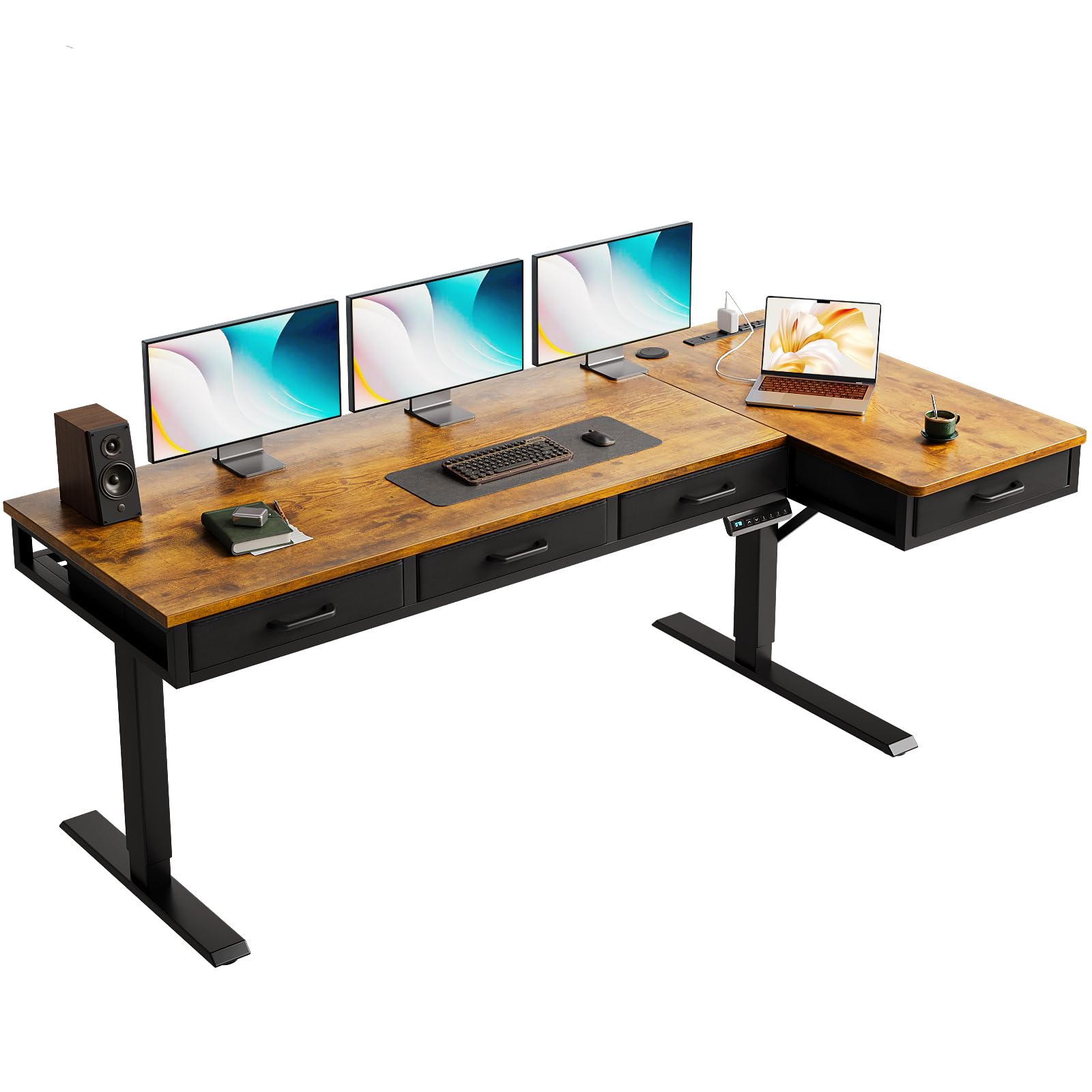
The OffiGo L-shaped desk combines corner-saving design with four fabric drawers and a rear cable management tray. At 63 inches across the main section with a 15-inch secondary board, it fits comfortably in a corner while providing enough surface area for three monitors. The height adjustment (29.9 to 46.1 inches) is powered by a quiet motor with 3 memory presets, and the reversible sub-table lets you choose left or right orientation.
The cable tray sits behind the desktop, making it easy to bundle and hide monitor and power cables behind the desk rather than underneath. The built-in power panel provides 3 AC outlets, 1 USB-A, and 1 Type-C port. The drawers are fabric-lined with sturdy bottoms and are suitable for office supplies, though they are not designed for heavy items. The frame is industrial-grade carbon steel, and the desktop surface is a wood veneer finish that looks appealing.
Assembly is straightforward with labeled parts, but users report that hand-tightening screws is essential to avoid stripping. The desk can wobble at full standing height when bumped, which is common for L-shaped designs on a single motor.
Why it’s great
- Four fabric drawers add storage without clutter
- Rear cable tray keeps wires hidden behind desk
- Reversible layout adapts to any corner
Good to know
- Wobbles at full height when bumped
- Drawers not for heavy items
- Hand-tightening required to avoid stripped screws
8. FLEXISPOT 63×32 Inch Electric Standing Desk
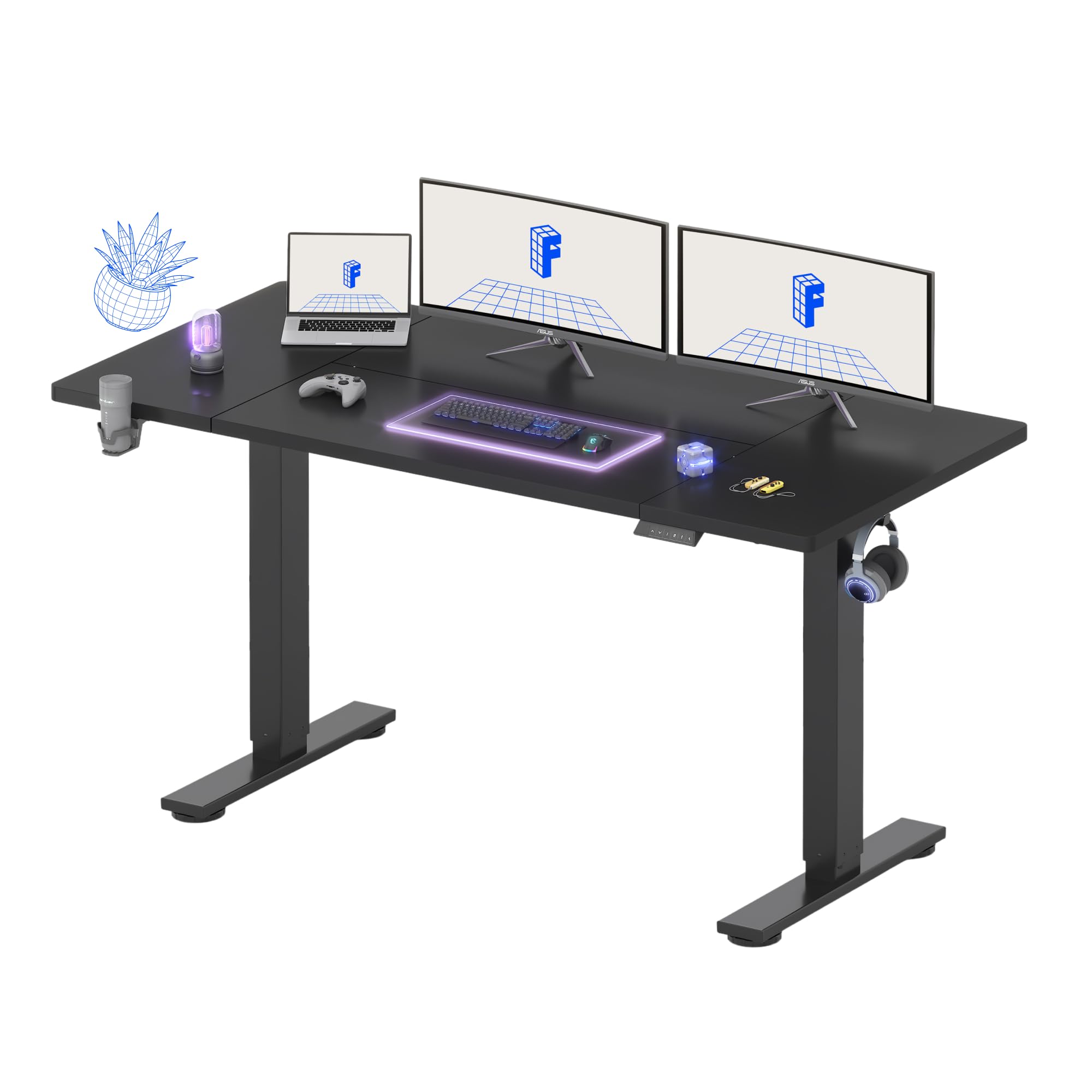
The FLEXISPOT 63×32 desk offers one of the deepest work surfaces in the mid-range category at 32 inches, giving you plenty of room for multiple monitors and a laptop without crowding. The splice board design uses a strong steel frame and wide feet to minimize wobble at all heights. The height range (28.9 to 46.5 inches) with 4 programmable memory presets covers most user preferences.
Cable management comes via a dedicated under-desk organizer that clips to the frame, plus a cup holder and two hooks for bags and headphones. The organizer is a plastic channel that routes cables neatly from the grommet holes to the back of the desk. It’s effective for standard monitor cables and slim power cords, but thicker cables may require some coaxing. The included cup holder and hooks reduce desktop clutter by keeping frequently used items off the surface.
The 5-year warranty on the frame and mechanical components, plus 2-year coverage on electronics, makes this a confidence-inspiring purchase. Assembly is quick with clear instructions, and the motor operates quietly enough for shared workspaces.
Why it’s great
- Deep 32-inch surface for spacious setups
- Dedicated cable organizer keeps routing neat
- Strong warranty coverage on frame and electronics
Good to know
- Plastic organizer may not fit very thick cables
- Desktop is a splice board, not a single piece
- Paint damage reported on some units
9. AODK Electric Standing Desk with Drawers & Keyboard Tray
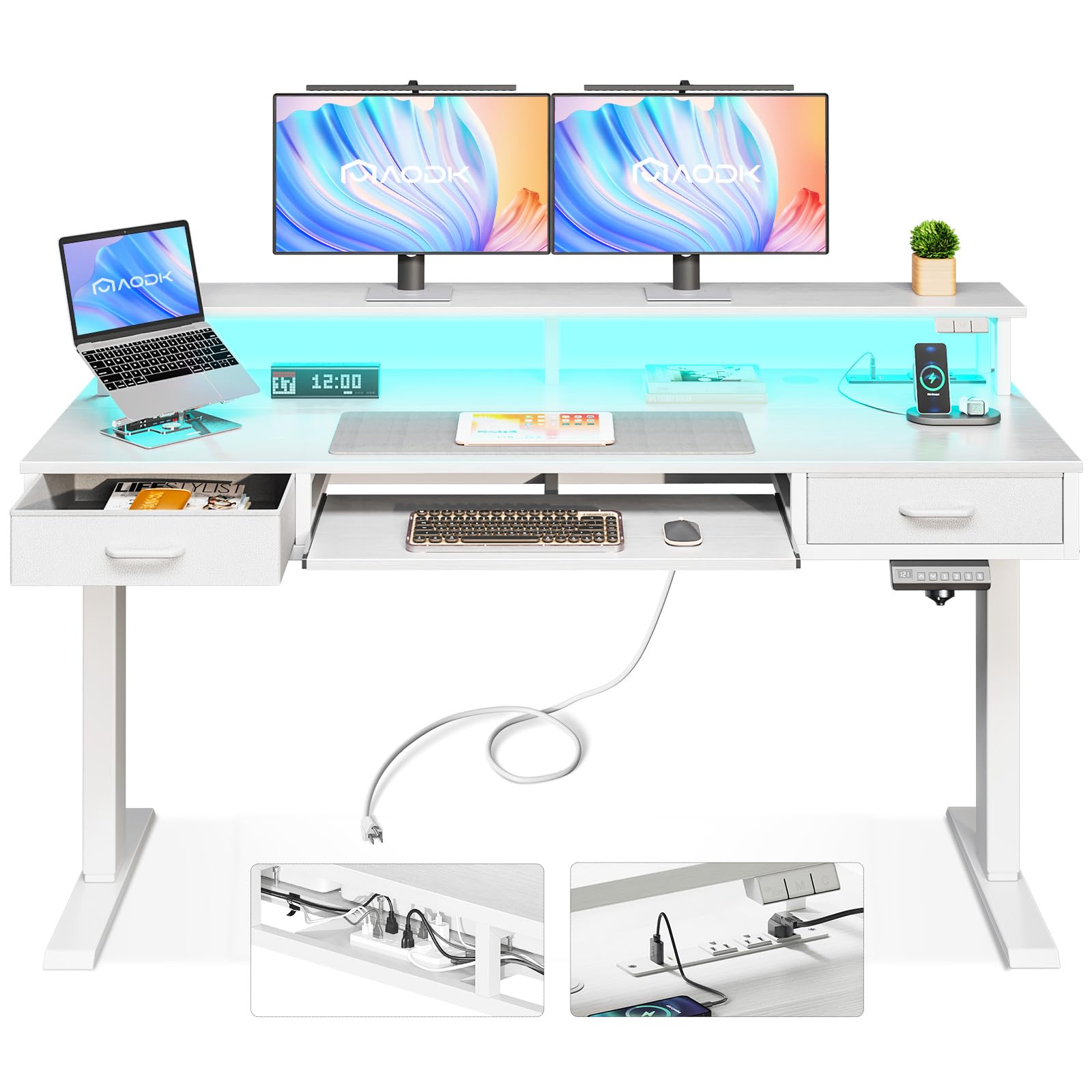
The AODK 55-inch desk targets gamers with integrated LED lights (20 modes) and a hidden under-desk cable tray behind the frame. The desk includes 2 cloth drawers, a sliding keyboard tray, and a monitor stand shelf. The height adjustment (29.9 to 46.1 inches) with 3 presets is powered by a motor that operates at 45-55dB with an automatic rebound safety feature. The built-in power outlet provides 3 AC outlets and 2 USB ports.
The hidden cable tray is positioned behind the desktop and concealed from view when seated, effectively hiding power strips and cable slack. The tray is large enough for a standard power strip but not oversized bricks. The keyboard tray is a tight fit for keyboards with number pads, and the drawers are fabric-lined with lightweight construction — fine for pens and papers, not for heavy tools. The LED lights add ambiance but consume one of the power outlets.
Assembly requires two people and takes about an hour. The desk is stable when loaded but wobbles slightly at full height. The motor is quiet enough for gaming sessions, and the LED controller lets you switch colors to match your setup.
Why it’s great
- Hidden cable tray keeps wires out of sight
- LED lights add gaming atmosphere with 20 modes
- Built-in power outlets save desk space
Good to know
- Keyboard tray is tight for keyboards with numpads
- Drawers are lightweight and not for heavy items
- Desk can wobble at full standing height
FAQ
Can I add my own cable management to a desk that has none?
How many grommet holes do I need for a dual-monitor setup?
Final Thoughts: The Verdict
For most users, the best desk for cable management winner is the VIVO Electric 60×30 because its hidden flip-top cable trays keep every wire completely out of sight without requiring aftermarket accessories. If you want a solid wood surface with dual-motor stability, grab the FlexiSpot E6 Bamboo. And for the ultimate zero-wobble workstation with the highest weight capacity, nothing beats the Desktronic HomePro.

Mo Maruf
I created WellFizz to bridge the gap between vague wellness advice and actionable solutions. My mission is simple: to decode the research and give you practical tools you can actually use.
Beyond the data, I am a passionate traveler. I believe that stepping away from the screen to explore new environments is essential for mental clarity and physical vitality.