Our readers keep the lights on and my smoothie glass nicely filled. As an Amazon Associate, I earn from qualifying purchases.
Setting up three monitors on a single desk changes your workflow, but it also changes the physics of your workspace. That extra weight across a wide span demands a desktop that won’t bow, legs that won’t wobble, and a frame built to handle the constant torque of monitor arms. A thin, budget board will flex under the load, and a flimsy frame will introduce a shakiness that ruins focus during long sessions. The right desk is an anchor for productivity, not a compromise you regret after the first week.
I’m Mohammad Maruf — the founder and writer behind WellFizz. I’ve spent hundreds of hours analyzing the structural engineering, motor specs, and real-world stability reports for heavy multi-monitor desks so you don’t have to guess.
Whether you are a trader, developer, or content creator relying on a triple-screen command center, finding a truly stable and spacious desk for 3 monitors is the difference between a setup that works and one that constantly fights you.
How To Choose The Best Desk For 3 Monitors
A desk that holds three monitors needs to be judged differently than a regular computer desk. The biggest mistake is buying based on width alone and ignoring how that width is supported. The span between the legs is the real stability variable—a 71-inch desk with a single crossbeam will flex differently than one with a dual-beam or T-leg frame. You are not just buying surface area; you are buying a rigid platform that will not transfer monitor shake to your mouse hand.
Desktop Construction and Thickness
Three monitor arms clamped to the back edge concentrate enormous pressure on a small area. A desktop under 1 inch thick in particle board or MDF is at risk of cracking around the clamp plate over time. Look for a minimum 1-inch thickness, and preferably 1.25 inches or more. The material also matters: high-density particle board with a laminate finish offers the best stiffness-to-weight ratio at this price tier, while solid wood is heavier but more forgiving if you ever want to drill custom grommets.
Frame Structure and Stability at Height
For standing desks, the frame is everything. A dual-motor system with a crossbeam or T-style legs will eliminate the lateral wobble that plagues single-motor, C-leg frames at standing height. If you plan to use monitor arms, test the desk’s lateral stiffness—many budget frames allow a noticeable front-to-back rock when you lean on the desktop. The reinforced steel legs with a dual-beam design found on better models keep that rock to a minimum, even with three heavy screens extended out on arms.
Weight Capacity Margin
Add up the weight of your three monitors, monitor arms, PC tower, and peripherals. A typical triple 27-inch setup with mounting arms runs 50 to 70 pounds. Your desk should be rated for at least 150 pounds to leave headroom for future additions and to ensure the lifting mechanism isn’t straining near its limit every time you adjust height. Desks with a 220-pound or higher capacity offer a significant margin that translates to smoother movement and longer motor life.
Quick Comparison
On smaller screens, swipe sideways to see the full table.
| Model | Category | Best For | Key Spec | Amazon |
|---|---|---|---|---|
| Vari ComfortEdge 72×30 | Premium | Zero-wobble typing comfort | 1.25 inch thick laminate top | Amazon |
| VIVO Curved Corner E3C | Premium | Deep corner wrap-around setups | Multi-motor, 264 lb capacity | Amazon |
| VIVO L-Shape 3E5SB | Premium | Heavy commercial L-desks | 300 lb total frame capacity | Amazon |
| FEZIBO 71×37 | Mid-Range | Deep 37-inch surface for arms | Integrated dual crossbeam frame | Amazon |
| SIAGO 71×30 Standing Desk | Mid-Range | Silent operation under 45 dB | Double-beam, 220 lb capacity | Amazon |
| EUREKA ERGONOMIC Aero 72 | Mid-Range | Gamers and streamers | Wing-shaped, 400 lb capacity | Amazon |
| SIAGO L-Shaped 63×55 | Mid-Range | Triple monitor L-desk on budget | 250 lb capacity, 3 memory heights | Amazon |
| OffiGo 79 Inch Executive | Value | Maximum width for the price | 1.38 inch thick 3-piece desktop | Amazon |
| FLEXISPOT 79×32 | Value | Extra-wide budget standing desk | Under 50 dB motor noise level | Amazon |
Prices and availability are subject to change.
In‑Depth Reviews
1. Vari ComfortEdge 72×30 Inch Electric Standing Desk

The Vari ComfortEdge is the gold standard for anyone who types all day across three monitors. Its 1.25-inch thick reclaimed wood laminate desktop is the thickest in this roundup, and the patented slide-lock legs snap into the pre-installed frame without tools—assembly takes minutes, not hours. The sloped ComfortEdge front edge relieves wrist pressure, a detail that becomes indispensable during marathon coding or trading sessions.
Under the surface, dual motors lift the 180-pound capacity smoothly from 25 to 50.5 inches. Owners consistently report zero wobble at standing height even with dual monitor arms clamping into the desktop, which is the highest praise a triple-monitor desk can earn. The T-style steel legs provide lateral rigidity that cheaper C-frames cannot match, keeping your cursor steady when the desk is elevated.
Four programmable memory presets let you switch between sitting and standing instantly, and the lifetime warranty removes any hesitation about the investment. The reclaimed wood finish is scratch-resistant and easy to maintain, though the slightly toned-down color may not suit everyone’s aesthetic.
Why it’s great
- Tool-free assembly saves significant build time
- Sloped front edge improves wrist ergonomics
- Rock-solid stability with heavy monitor arms
- Lifetime warranty for long-term confidence
Good to know
- Premium price reflects the build quality
- Shipped in two separate boxes
- Reclaimed wood finish is more subdued than photos suggest
2. VIVO Electric 71 x 71 inch Curved Corner Stand Up Desk (DESK-KIT-E3CB2)

The VIVO E3C curved corner desk transforms an underused corner into a triple-monitor powerhouse. Its 71-by-71-inch surface wraps around you, creating a natural arc for three screens that reduces head rotation compared to a straight desk. The four-piece particle board top is 1 inch thick and laminated for scratch resistance, and the curved front edge on the corner section prevents the awkward knee-bump that flat L-desks cause.
Multi-motor legs lift up to 264 pounds across a height range of 29.3 to 48.1 inches. The four memory presets on the controller let you save positions for sitting and standing, and the telescopic adjustment is fast—about 15 seconds from lowest to highest. Owners report the seams between the desktop sections are barely noticeable, and the finish resists fingerprints better than glossier alternatives.
Assembly requires drilling pilot holes into the particle board, which adds about 15 minutes compared to fully pre-drilled models. The center seam of the corner section sits where a mouse might roam, causing a slight bump under the mouse pad. Despite these quirks, the amount of deep, wrap-around surface area for the price is unmatched for a triple-monitor corner setup.
Why it’s great
- Massive wrap-around surface fits three monitors with room to spare
- Smooth multi-motor lift with quick height adjustment
- Sturdy steel legs provide excellent stability at standing height
- Four programmable memory presets for multiple users
Good to know
- Requires drilling pilot holes during assembly
- Center seam can interfere with mouse movement
- Heavy desk requires two people to flip during build
3. VIVO Electric 78 x 55 inch Square Corner L Shaped Stand Up Desk (DESK-KIT-3E5SB)

The VIVO 3E5SB is engineered for the heaviest setups. Its all-steel frame carries a 300-pound capacity—more than enough for three large monitors on arms, a full-tower PC, and a printer without breaking a sweat. The L-shape with two one-piece tops (not pieced-together segments) provides a cleaner surface and better structural rigidity across the span.
Multi-motor legs deliver a height range of 24.6 to 50.2 inches, accommodating shorter and taller users equally well. The four memory presets are intuitive, and the quiet motors let you adjust height mid-call without disrupting audio. Owners running dual 27-inch monitors on arms plus a separate 35-inch ultrawide report no wobble even at full standing height, which is a strong testament to the frame’s engineering.
Assembly is the main hurdle. Early units required drilling your own holes into the frame, though later shipments have improved instructions. The desk is extremely heavy—plan for two people and a clear afternoon. The inside corner is not a perfect 90 degrees due to rounded edges, so nesting a traditional corner desk against walls requires some gap tolerance.
Why it’s great
- Highest load capacity in this guide at 300 pounds
- Two one-piece tops provide a clean, seamless surface
- Quiet multi-motor system with excellent stability
- Wide height range fits a variety of user statures
Good to know
- Heavy and bulky—two-person assembly required
- Some units arrive without pre-drilled holes
- Inside corner geometry may not sit flush against walls
4. FEZIBO 71 x 37 Inch Electric Standing Desk

Standard 30-inch deep desks force monitor arms to place screens very close to your face. The FEZIBO 71×37 solves that with a 37-inch depth, giving you room to push monitors further back and create a comfortable viewing distance for three screens. The 1-inch thick FSC-certified wood desktop is monitor-arm friendly and resists cracking under clamp pressure.
The integrated dual crossbeam frame is the key stability feature here. FEZIBO claims 150 percent greater stability than standard standing desks, and owners confirm minimal wobble even with heavy gaming monitors mounted on arms. The high-performance motor adjusts from 28.3 to 46.5 inches at under 50 dB, and the smart controller includes three memory presets plus an 18-watt USB-C PD 3.0 fast-charging port built into the panel.
Assembly uses a patented 7-step process where most components arrive pre-assembled. Some owners report that placing a heavy PC tower on the far side from the motor makes lifting slightly more difficult, and the USB-C port can fail after several weeks of use. The 37-inch depth is transformative for arm-mounted triple monitors, but it requires a desk footprint that not every room can accommodate.
Why it’s great
- Extra-deep 37-inch surface ideal for monitor arm setups
- Dual crossbeam frame reduces wobble significantly
- USB-C fast charging built into the controller
- Pre-assembled components speed up installation
Good to know
- USB-C port longevity issues reported
- Heavy PC placement affects lift smoothness
- Deep footprint requires generous room space
5. SIAGO Electric Standing Desk Adjustable 71×30 Inch
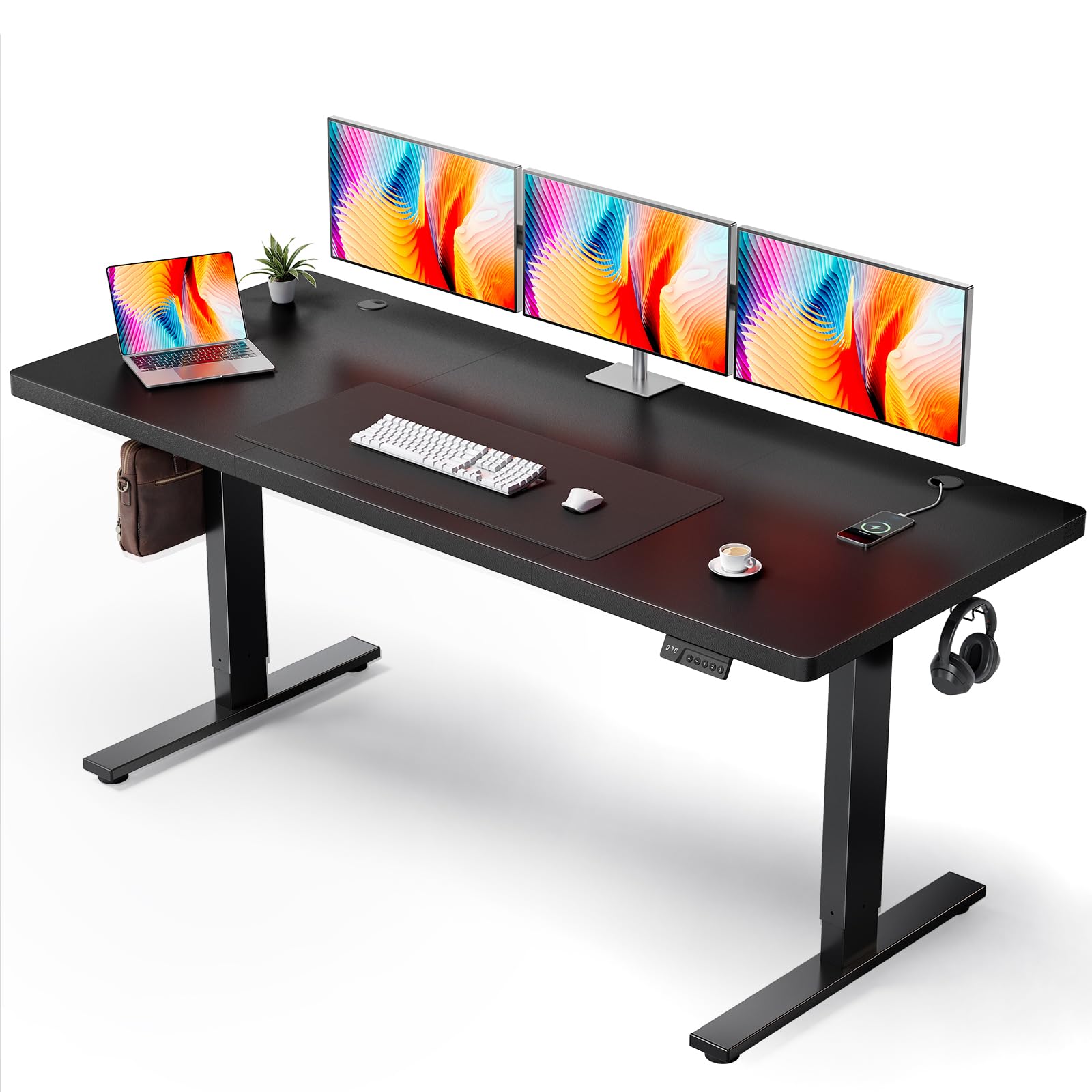
The SIAGO 71×30 is built for silence. Its motor operates at under 45 decibels—quieter than a typical office conversation—making it the stealthiest desk in this lineup for shared workspaces or recording environments. The 1-inch thick desktop sits on a reinforced double-beam steel frame rated for 220 pounds, which handles triple monitor setups without visible flex.
Height adjustment spans 27.95 to 45.67 inches with three programmable memory buttons. The 2.5mm steel base adds mass that resists lateral movement, and the motor has been tested for 50,000 lift cycles. Owners describe the desk as “solid” and “easy to assemble,” with pre-drilled holes and labeled parts enabling a 30-minute build time. The included cable management tray and headphone hooks keep the clean aesthetic intact.
The 30-inch depth is standard, so monitor arm reach is typical—you will need a deep enough desk placement if using a wall mount. The particle board top, while durable, will show smudges on the black finish more readily than textured surfaces. For the price, the combination of near-silent operation and a reinforced frame makes this a strong candidate for noise-sensitive buyers.
Why it’s great
- Exceptionally quiet motor under 45 dB
- Double-beam frame provides solid stability
- Fast 30-minute assembly with pre-drilled holes
- 50,000-cycle motor testing for long-term reliability
Good to know
- Standard 30-inch depth may be tight for deep monitor arms
- Black desktop finish is a smudge magnet
- Three-piece desktop has visible seams
6. EUREKA ERGONOMIC Aero 72 Inch Gaming Desk
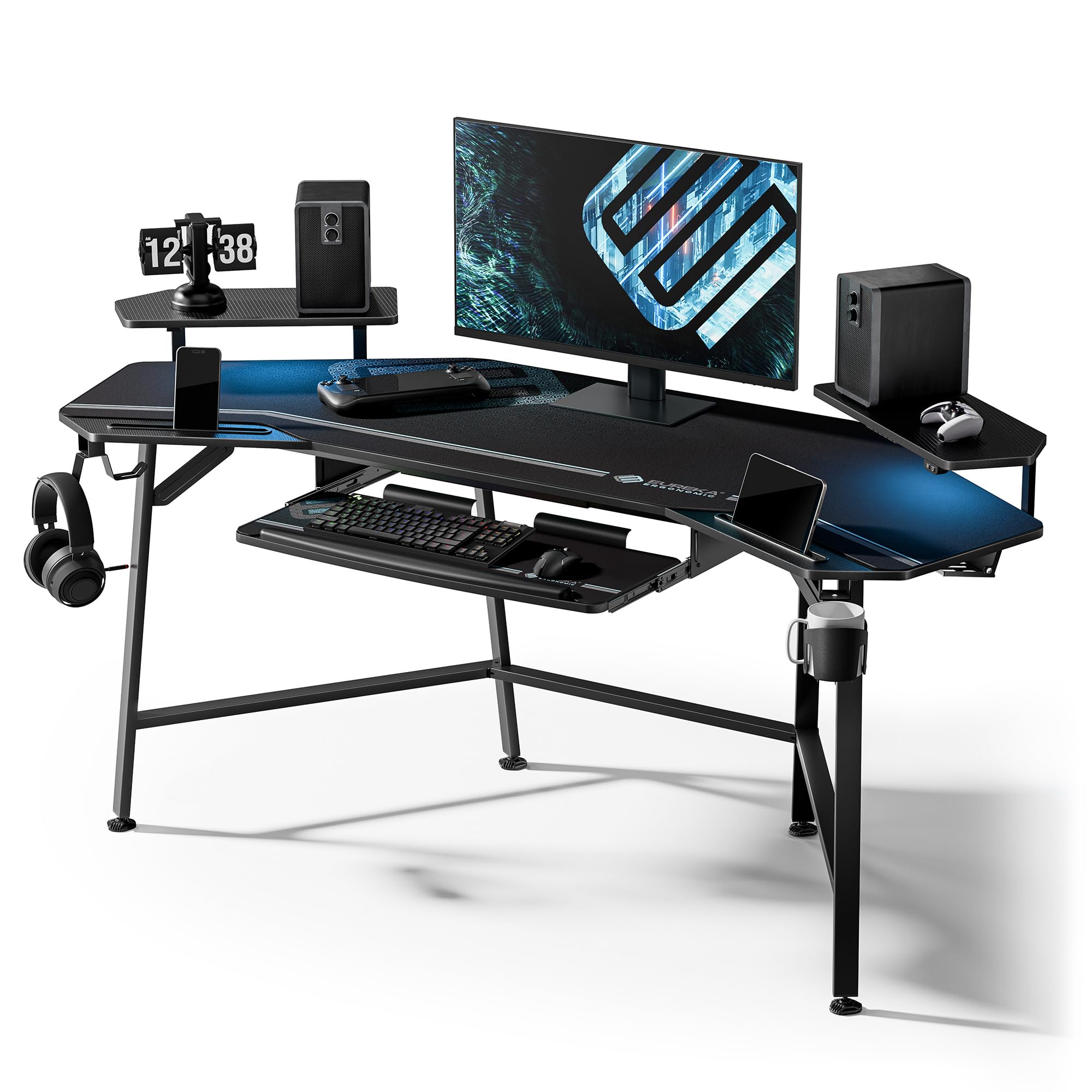
The Eureka Aero is a fixed-height desk (30 inches) that compensates with a massive 400-pound capacity—the highest static load in this guide. The wing-shaped carbon fiber textured desktop gives you a natural arc for three monitors, and the included dual monitor shelf lifts screens to eye level without needing aftermarket arms. The onboard RGB LED lighting creates a customizable ambient glow that streamers and gamers appreciate.
Below the surface, a pull-out keyboard tray with an included mouse pad reduces wrist strain during long sessions, while dual headphone hooks and a cup holder keep peripherals organized. Two cable management grommets and dual power socket holders hide the mess of three monitors’ worth of wiring. The carbon fiber finish is scratch-resistant and easy to wipe clean, surviving coffee spills and snack crumbs alike.
This desk is not height-adjustable, so you are locked into a seated position unless you add a riser. The wing shape measures about 110 degrees rather than 90, which leaves a gap if you intend to nest it into a corner. Assembly takes time due to the RGB wiring, and some owners wish the LED strip used screw mounts instead of adhesive. For a dedicated seated gaming or streaming setup that needs to bear serious weight, the capacity is hard to beat.
Why it’s great
- 400-pound capacity handles the heaviest triple-monitor rigs
- Wing-shaped design creates a natural multi-screen arc
- Included monitor shelf and keyboard tray improve ergonomics
- Carbon fiber texture is durable and easy to clean
Good to know
- Fixed height limits standing posture without a riser
- 110-degree wing shape leaves gaps in corner placement
- RGB LED strip uses adhesive rather than screw mounts
7. SIAGO L-Shaped Standing Desk 63 x 55 Inch

The SIAGO L-shaped desk delivers a corner workspace with electric height adjustment at a price that undercuts most competitors. Its 63-by-55-inch surface fits three monitors plus a PC tower on the return side, and the three-leg design (one leg on each end of both sections) eliminates the sag that two-legged L-desks suffer when holding heavy monitors. The 250-pound load capacity provides generous headroom.
Height adjustment ranges from 27.5 to 45.7 inches with three memory presets and a child safety lock that prevents accidental activation. The motor operates at 48 dB—audible but not distracting—and the 50,000-cycle testing suggests good longevity. The reversible configuration lets you place the long side on the left or right, adapting to your room layout without requiring a mirror-image purchase.
Three AC outlets and dual USB ports (Type-A and Type-C) on the desktop eliminate the need for a separate power strip under the monitors. The cable management basket is smaller than ideal for a triple-monitor setup, and the particle board desktop uses threaded inserts rather than solid wood. Build time runs about 45 minutes with the included step-by-step manual, and some owners note slight wobble when the desk is at maximum standing height.
Why it’s great
- Reversible L-shape adapts to any room layout
- Three-leg design prevents sag under heavy loads
- Built-in power outlets reduce cable clutter
- Child safety lock prevents accidental height changes
Good to know
- Cable management basket is undersized for dense wiring
- Some wobble at maximum standing height
- Particle board top with threaded inserts, not solid wood
8. OffiGo 79 Inch Executive Electric Standing Desk
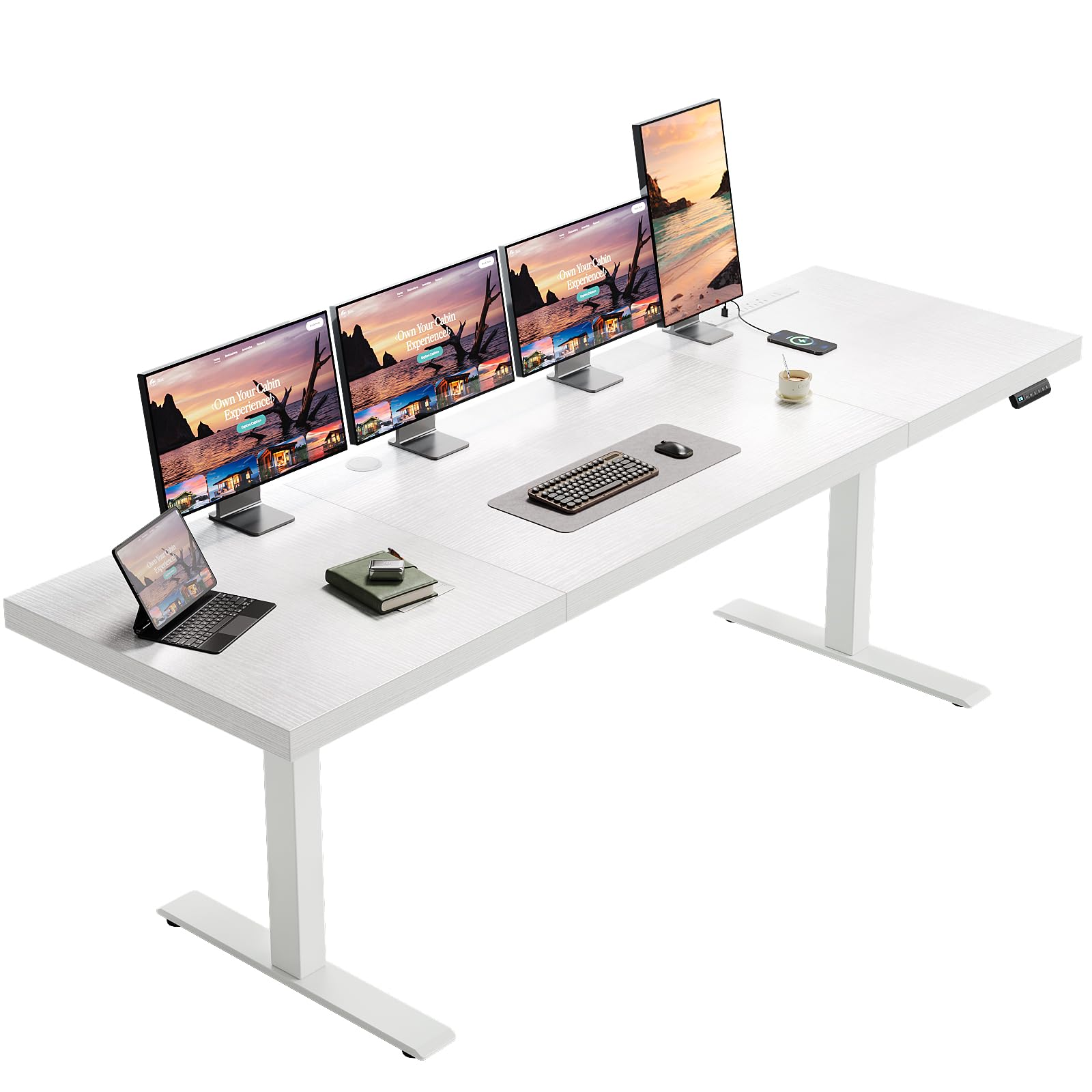
The OffiGo Executive desk stretches 79 inches wide with a massive 1.38-inch thick three-piece desktop—the thickest surface in this lineup. That heft dampens vibration from monitor arms and provides a rock-solid foundation for three monitors side by side. The dual beam structure and 80×50 mm reinforced steel legs support up to 154 pounds, which is adequate for a typical triple 27-inch setup plus peripherals.
Height adjustment spans 29.1 to 48 inches with three memory presets. The motor is noticeably quieter than entry-level single-motor desks, and owners report smooth, vibration-free adjustments even with heavy monitor arms mounted. The built-in power strip includes three AC outlets, two USB-A ports, and two Type-C ports, giving you direct charging without reaching under the desk. Two cable management grommets and a side hook keep the workspace tidy.
The 79-inch width means this desk needs significant wall space. The particle board desktop is not designed for monitor arm mounting—clamping an arm to this thick top may require longer bolts than those included with standard monitor arms. The white finish looks clean but shows scuffs more readily than darker surfaces, and the 30-inch standard depth means monitor arm placement will be similar to other straight desks.
Why it’s great
- Thickest desktop at 1.38 inches reduces vibration
- 79-inch width fits three monitors with generous spacing
- Quiet motor with smooth height transitions
- Integrated power strip with USB-A and USB-C ports
Good to know
- Desktop not officially designed for clamp-on monitor arms
- White finish shows scuffs and smudges easily
- Large footprint requires ample room space
9. FLEXISPOT 79 x 32 Inch Office Standing Desk
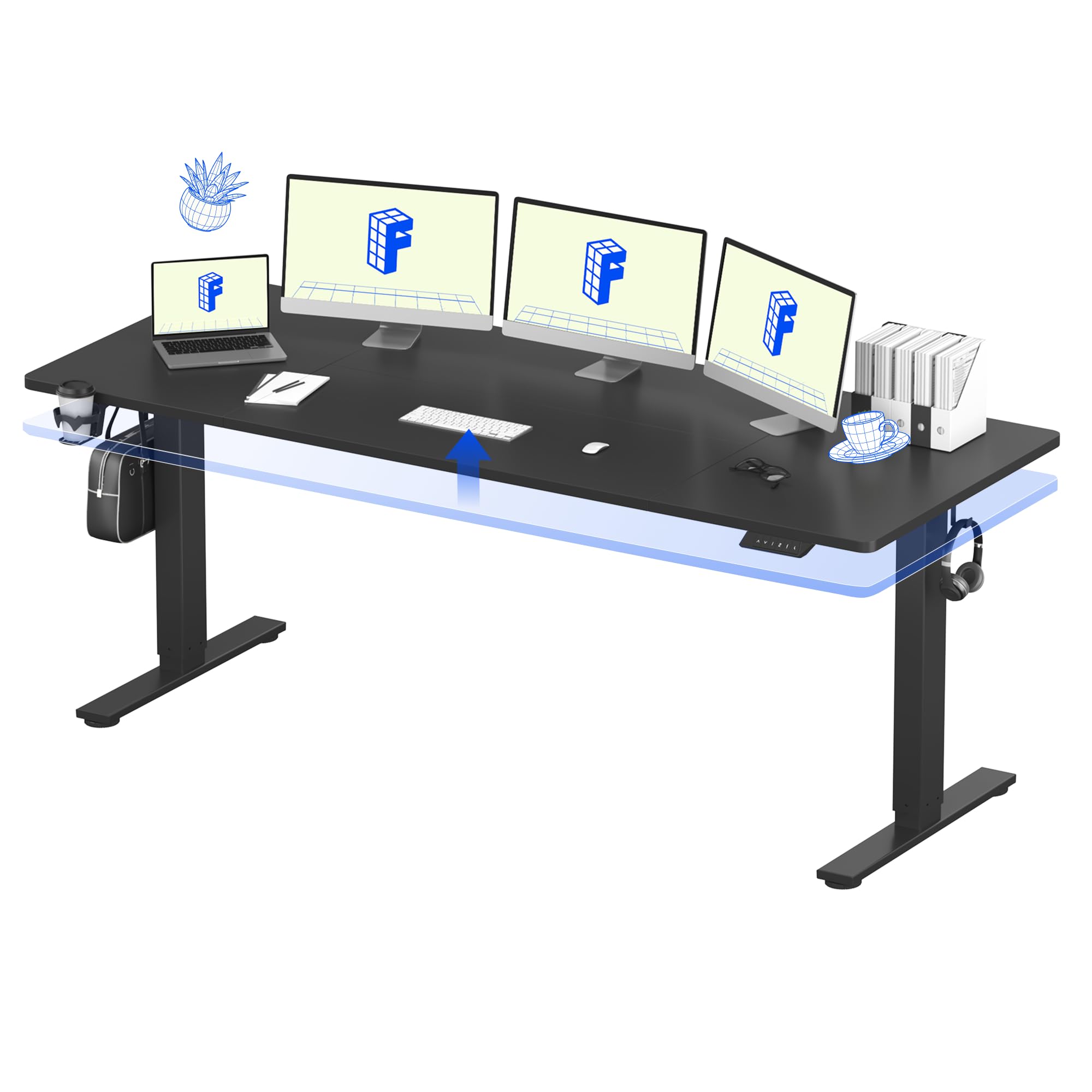
FLEXISPOT brings a wide 79-by-32-inch surface into the entry-level standing desk category without sacrificing essential safety features. The built-in anti-collision protection automatically reverses the desk if it detects resistance during lowering, a rare inclusion at this tier. The single-motor lift system adjusts from 28.94 to 46.46 inches at under 50 dB, offering smooth transitions that won’t interrupt calls or recordings.
The reinforced alloy steel frame supports the full desk width with minimal flex, and owners report the large surface fits three monitors plus a laptop and audio equipment comfortably. The cup holder and integrated cable management tray help tame the visual chaos of multiple display cables. Assembly is straightforward with well-packaged components, though the 32-inch depth is only 2 inches more than standard, so monitor arm reach remains similar to 30-inch desks.
The particle board desktop is 9/16 inches thick—noticeably thinner than the 1-inch or thicker competitors in this guide. Some owners report slight bounciness when leaning on the desk at standing height, and the single motor operates on a 10 percent duty cycle, meaning you should let it rest after each full adjustment cycle. For budget-conscious buyers who need maximum width and safety features, this desk delivers where it counts at a price that leaves room for a good monitor arm set.
Why it’s great
- Wide 79×32-inch surface fits three monitors easily
- Anti-collision protection adds safety for shared spaces
- Quiet motor under 50 dB works in open offices
- Includes cup holder and cable management tray
Good to know
- Desktop is thin at 9/16 inch, with some flex reported
- Single motor has a 10 percent duty cycle limit
- Large plug requires careful outlet planning
FAQ
Will a standard 60-inch desk fit three 27-inch monitors?
Can I use monitor arm clamps on a particle board desktop?
How much wobble is normal for a standing desk with three monitors?
Final Thoughts: The Verdict
For most users, the desk for 3 monitors winner is the Vari ComfortEdge 72×30 because its thick laminate top, tool-free assembly, and wobble-free stability at standing height solve the three biggest problems of a triple-monitor setup. If you need a deep surface for monitor arm reach, grab the FEZIBO 71×37—that extra 7 inches of depth transforms how you position your screens. And for a budget-friendly seated gaming rig that can hold three monitors and a full PC without breaking, nothing beats the EUREKA ERGONOMIC Aero 72.

Mo Maruf
I created WellFizz to bridge the gap between vague wellness advice and actionable solutions. My mission is simple: to decode the research and give you practical tools you can actually use.
Beyond the data, I am a passionate traveler. I believe that stepping away from the screen to explore new environments is essential for mental clarity and physical vitality.