Our readers keep the lights on and my smoothie glass nicely filled. As an Amazon Associate, I earn from qualifying purchases.
The search for the ultimate pointing device isn’t just about a cursor on a screen; it’s about the marriage of form and function. A true marriage of ergonomic science, material quality, and workflow precision defines the best in class, separating a tool from a mere peripheral.
I’m Mohammad Maruf — the founder and writer behind WellFizz. I’ve spent hundreds of hours dissecting the engineering, sensor technology, and ergonomic claims behind the most celebrated mice to find what genuinely improves daily comfort and control.
This guide examines four top-tier models to help you find the best designed mouse for your specific needs, balancing premium materials with advanced features that truly matter.
How To Choose The Best Designed Mouse
A mouse is a high-touch interface, and its design determines comfort and efficiency. The right choice depends on your hand size, primary tasks—from CAD work to competitive gaming—and your tolerance for change, like adopting a trackball. Focusing on ergonomics, sensor performance, and connectivity ensures you find a tool that feels like a natural extension of your hand.
Ergonomics and Hand Orientation
A mouse must fit your hand naturally. Right-handed users have the widest selection of sculpted shapes, while left-handed users often need ambidextrous models. Trackball mice minimize arm movement, reducing strain from the forearm and shoulder, but they require a thumb or finger to control the ball. A sculpted shape with a proper tilt angle, like 20 degrees, can significantly reduce muscle strain during long work sessions.
Sensor Technology and DPI
The DPI rating determines cursor speed and precision. Standard office tasks typically need 1600-4000 DPI, while high-resolution monitors and gaming call for more. Optical sensors are the standard for reliable tracking on most surfaces. Laser sensors can track on glass but may introduce slight acceleration. The true hallmark of a quality sensor is flawless tracking without jitter or spin-out, regardless of the spec sheet number.
Connectivity and Battery Life
Bluetooth is convenient for multi-device setups but can have latency, while dedicated wireless receivers (like Logi Bolt or LIGHTSPEED) offer near-zero lag and a stable connection. Battery life varies widely: some models last up to 120 days on a charge, others use replaceable AA batteries lasting 18 months. USB-C charging is the modern standard for rechargeable models, offering quick top-ups.
Quick Comparison
On smaller screens, swipe sideways to see the full table.
| Model | Category | Best For | Key Spec | Amazon |
|---|---|---|---|---|
| Logitech G PRO X2 SUPERSTRIKE | Gaming | Esports & Precision | 61g weight, 44K DPI | Amazon |
| Logitech MX Ergo S | Ergonomic Trackball | Wrist Health & Comfort | 20-degree tilt, 120-day batt. | Amazon |
| Logitech MX Master 3S | Productivity | Multi-Device Workflows | 8K DPI, MagSpeed scroll | Amazon |
| Logitech Ergo M575S | Entry Trackball | Space Saving & Budget | 18-month batt. life | Amazon |
In‑Depth Reviews
1. Logitech G PRO X2 SUPERSTRIKE
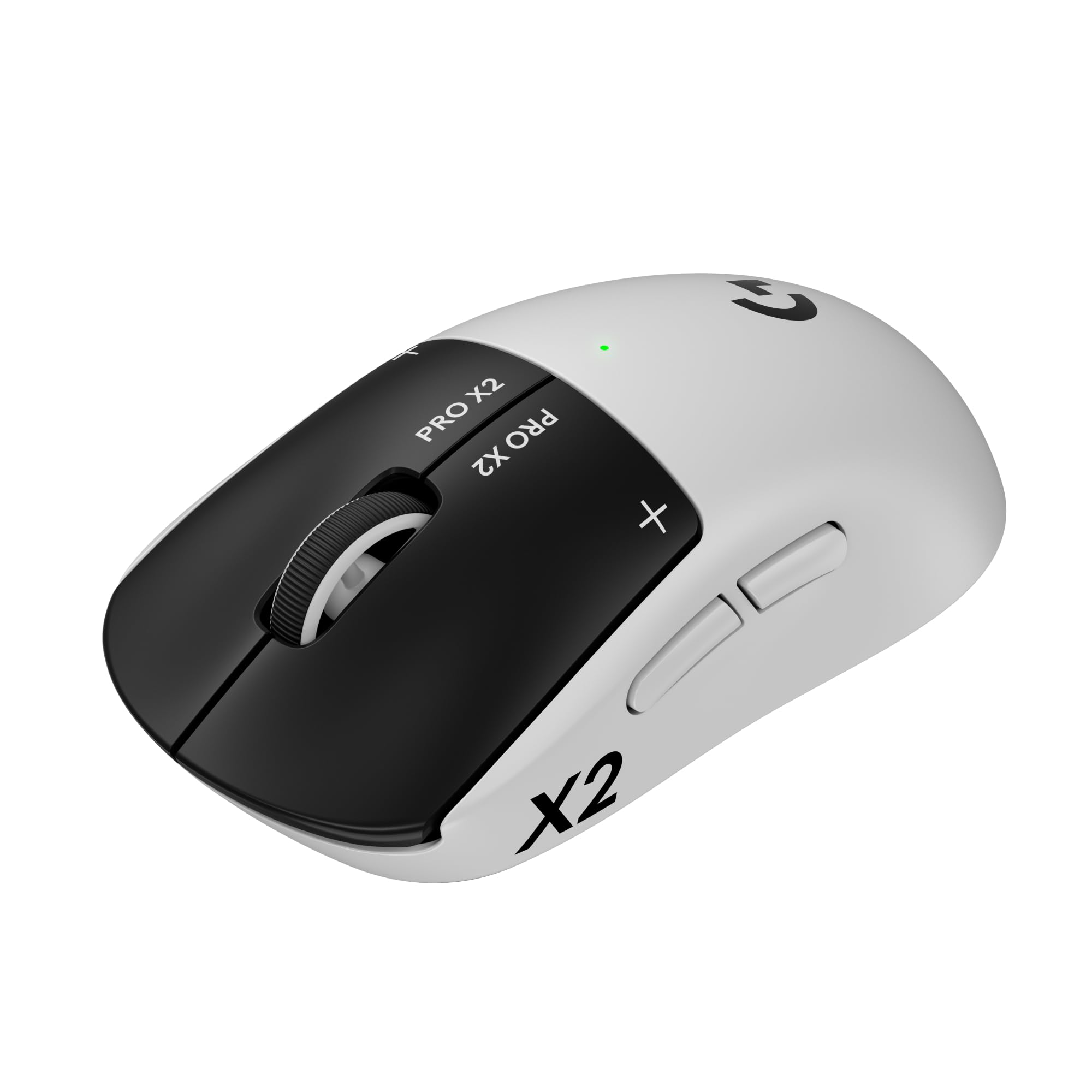
The Logitech G PRO X2 SUPERSTRIKE is a marvel of lightweight engineering, tipping the scales at just 61 grams without sacrificing build integrity. It utilizes a 0.7mm thin-wall case and large UHMWPE gliding feet for near-frictionless movement, making it ideal for competitive esports where every millisecond counts.
Its Haptic Inductive Trigger System (HITS) is a breakthrough, offering adjustable click haptics and 10-level actuation points. This lets you customize the feel and speed of every click, providing real-time feedback that can improve in-game reaction times. The HERO 2 sensor is equally impressive, delivering pinpoint accuracy up to 44,000 DPI with flawless tracking.
Wireless performance is handled by LIGHTSPEED technology, offering lag-free 8 kHz polling and a battery life of 60-90 hours. While this is a premium peripheral best suited for gamers and power users who demand absolute performance, its innovative design sets a new standard for what a mouse can be.
Why it’s great
- Extremely lightweight yet feels solid and durable
- Adjustable haptic triggers offer an unparalleled click experience
- Flawless LIGHTSPEED wireless with ultra-high polling rate
Good to know
- Premium price point aimed at competitive gamers
- May be too light for users who prefer a heavier, more grounded feel
- Lacks a side grip texture for some preferences
2. Logitech MX Ergo S

The MX Ergo S is a top-tier trackball engineered for serious ergonomic relief. Its key feature is a 20-degree adjustable tilt angle that realigns your forearm into a more natural posture, clinically shown to reduce muscle strain by 27%. This design is certified by ergonomists and ideal for users combating wrist, forearm, or shoulder pain from prolonged mouse use.
Its advanced thumb control is precise and smooth, with a dedicated button to toggle between precision and high-speed tracking modes. The clicks are now 80% quieter than the previous generation, making it an excellent choice for shared office environments. The sculpted shape and soft rubber grip are contoured for medium to large hands, providing all-day comfort.
Battery life is a standout feature: a quick 1-minute charge via USB-C provides 24 hours of use, and a full charge delivers up to 120 days. It connects via Bluetooth or the included Logi Bolt receiver, and its six programmable buttons are fully customizable via the Logi Options+ app, making it a powerful tool for productivity.
Why it’s great
- Clinically proven 20-degree tilt reduces muscle strain
- Excellent battery life with fast USB-C charging
- Premium, quiet clicks suitable for offices
Good to know
- Requires an adjustment period for trackball newcomers
- Designed for larger hands; may cause fatigue for smaller hands
- Silicone coating can attract dust and may wear over time
3. Logitech MX Master 3S

The MX Master 3S is the benchmark for productivity-focused design. Its signature MagSpeed electromagnetic scroll wheel is a marvel of tactility, seamlessly switching between a free-spin that flies through long documents and a clicky, ratcheted mode for precise line-by-line scrolling. The 8K DPI sensor tracks on virtually any surface, including glass, eliminating the need for a mousepad.
Ergonomics are top-notch, with a sculpted silhouette that supports a natural wrist posture. The thumb rest and strategically placed controls provide easy access to app-specific customizations via Logi Options+. Its quiet clicks offer a 90% noise reduction compared to standard mice, making it discreet in open-plan offices.
This Bluetooth-only version is designed for seamless multi-device workflows, connecting to up to three devices (Windows, Mac, Linux, Chrome OS) and allowing file transfer between them via FLOW technology. Its battery life is excellent, lasting up to 70 days on a full charge. While it lacks a USB receiver, its performance is robust for all but the most latency-sensitive users.
Why it’s great
- Best-in-class MagSpeed scroll wheel for speed and precision
- Quiet clicks suitable for shared workspaces
- Smooth tracking on glass and other tricky surfaces
Good to know
- This “Bluetooth Edition” does not include a USB receiver
- Software customization can occasionally be inconsistent across apps
- Large ergonomic shape may not suit small hands
4. Logitech Ergo M575S

The Ergo M575S is an accessible and durable entry point into trackball mice, offering the core ergonomic benefits of reduced arm and shoulder movement. By keeping the mouse stationary and controlling the cursor with your thumb, it frees up desk space and can significantly lessen muscle strain in the forearm, as certified by ergonomists.
Its sculpted shape is comfortable for most hands, and the high-resolution optical tracking is smooth and precise. Clicks are now quieter than previous generations, and the three customizable buttons plus a scroll wheel provide basic but effective workflow shortcuts via the Logi Options+ app. It connects via both Bluetooth and the included Logi Bolt USB receiver for strong, stable connectivity.
One of its best features is incredible battery efficiency, lasting up to 18 months on a single AA battery. This makes it essentially a ‘set it and forget it’ peripheral. While it lacks the premium materials and tilt adjustment of the MX Ergo S, its proven reliability—with many users reporting 10-year lifespans—makes it a fantastic, affordable gateway to better ergonomics.
Why it’s great
- Longest battery life of the group at 18 months
- Reduces arm strain and saves desk space effectively
- High reliability and proven long-term durability
Good to know
- Right-handed only and uses a single AA battery
- Warranty was reduced from 3 years to 1 year
- Requires occasional ball and sensor cleaning
FAQ
How long does it take to get used to a trackball mouse?
Can I use a gaming mouse for everyday office work?
Final Thoughts: The Verdict
For most users, the best designed mouse winner is the Logitech MX Ergo S because it represents the pinnacle of ergonomic design, offering a genuine solution for wrist pain with its adjustable tilt and premium build. If you want the ultimate productivity and a scroll wheel experience like no other, grab the Logitech MX Master 3S. And for esports-level speed and a featherlight build, nothing beats the Logitech G PRO X2 SUPERSTRIKE.

Mo Maruf
I created WellFizz to bridge the gap between vague wellness advice and actionable solutions. My mission is simple: to decode the research and give you practical tools you can actually use.
Beyond the data, I am a passionate traveler. I believe that stepping away from the screen to explore new environments is essential for mental clarity and physical vitality.