Our readers keep the lights on and my smoothie glass nicely filled. As an Amazon Associate, I earn from qualifying purchases.
The line between a fluid creative session and a frustrating one often comes down to how your tablet handles a single fast diagonal stroke. Lag, jitter, or a visible gap between the nib and the cursor—these are the micro-failures that break a designer’s workflow. The right display tablet eliminates these variables, letting you focus on the composition rather than the tool.
I’m Mohammad Maruf — the founder and writer behind WellFizz. I’ve spent countless hours analyzing pressure curves, color gamut coverage, and driver ecosystems to separate the industry benchmarks from the marketing claims in this category.
This guide breaks down nine of the top options available today, covering standalone units and pen displays alike, so you can confidently choose among the best design tablets for graphic designers on the market right now.
How To Choose The Best Design Tablets For Graphic Designers
Graphic designers work across different mediums—vector illustration, photo retouching, UI/UX mockups, concept art. The tablet that works for a portrait illustrator may frustrate a logo designer. Focus on these four factors to narrow your search.
Pen Display vs. Standalone Tablet
A pen display (like the Huion Kamvas 13 or Wacom Cintiq 16) is a monitor you draw on directly. It must connect to a computer, offering zero-compromise performance and full access to desktop-grade software like Adobe Illustrator and Affinity Designer. A standalone tablet (like the XP-Pen Magic Drawing Pad or RubensTab T11 Pro) runs its own operating system and drawing apps without a computer. Standalone units trade raw power for portability. Choose a pen display if you already own a capable laptop or desktop. Choose a standalone unit if you need a self-contained mobile sketching tool.
Screen Technology and Parallax
Full lamination bonds the glass to the LCD panel, removing the air gap that creates parallax—the perceived distance between the pen tip and the drawn line. Anti-glare etched glass further reduces reflection and mimics the tooth of real paper. For precise line work in logo design or character illustration, a fully laminated display with minimal parallax is non-negotiable. Budget models often skip this, leading to a disconnected feel.
Pressure Sensitivity and Tilt Recognition
Pressure sensitivity is measured in levels. 2048 levels handles basic sketching. 8192 levels is considered pro-grade for nuanced brushwork, and the newest generation—16384 levels—detects the faintest changes in hand pressure, essential for delicate ink washes and soft shading. Tilt recognition (typically up to 60 degrees) lets you angle the pen for calligraphic strokes or airbrush effects. Higher tilt accuracy matters for natural media artists replicating real brush behavior.
Color Accuracy and Gamut Coverage
For designers delivering print and digital assets, color accuracy is critical. Look for sRGB coverage at or above 99%, Adobe RGB coverage for print work, and a Delta E (ΔE) value below 2 for color-critical consistency. Factory calibration reports add peace of mind. A wide color gamut—124% sRGB or higher — prevents your final output from looking washed out compared to what you see during creation.
Quick Comparison
On smaller screens, swipe sideways to see the full table.
| Model | Category | Best For | Key Spec | Amazon |
|---|---|---|---|---|
| XP-Pen Magic Drawing Pad | Standalone | Mobile professional art | 16384 pressure levels / 12.2″ display | Amazon |
| Huion Kamvas Pro 16 V2 | Pen Display | Studio illustration & design | 16384 pressure levels / 15.6″ display | Amazon |
| Wacom Cintiq 16 | Pen Display | Professional color-critical work | 2560×1600 resolution / 100% sRGB | Amazon |
| XP-Pen Artist 13.3 Pro V2 | Pen Display | Digital painting & animation | 125% sRGB / X3 Pro stylus | Amazon |
| Wacom Intuos Pro Medium | Pen Tablet | Desktop workflow efficiency | 8192 pressure levels / Bluetooth 5.3 | Amazon |
| Huion Kamvas 13 (Gen 3) | Pen Display | Entry-level design & illustration | 16384 pressure levels / 99% sRGB | Amazon |
| UGEE UE12 | Pen Display | Cost-effective digital art | 124% sRGB / 16K pressure levels | Amazon |
| Frunsi RubensTab T11 Pro | Standalone | Beginner & student artists | 1920×1200 resolution / 10.1″ display | Amazon |
| Frunsi RubensTab T8 | Standalone | Portable sketching & learning | 1200×800 resolution / 8″ display | Amazon |
In‑Depth Reviews
1. XP-Pen Magic Drawing Pad

The XP-Pen Magic Drawing Pad redefines what a standalone tablet can deliver. Its 12.2-inch AG-etched screen produces a convincing paper-like friction that eliminates the slippery feel common on glass-only displays. The X3 Pro Slim stylus hits 16,384 pressure levels and 60 degrees of tilt recognition, offering responsiveness that rivals many tethered pen displays. Running Android 14 with 8GB of RAM and 256GB of expandable storage, it handles Clip Studio Paint and ibis Paint X without the lag that plagues lesser Android drawing tablets.
The 2160×1440 resolution on a 3:2 aspect ratio gives you a spacious vertical canvas ideal for portrait orientation sketching and comic panels. An 8000 mAh battery rated for 13 hours of continuous use means you can work through a full studio session or travel day without hunting for an outlet. The textured surface resists fingerprints, and the built-in rear-facing camera adds versatility beyond pure art creation.
Some users note that Android lacks a direct Procreate equivalent, though Clip Studio Paint on Android is a strong substitute. The bundled detachable keyboard feels less premium than the tablet itself, and tilt performance could be slightly more accurate for calligraphic strokes. For any designer wanting a self-contained powerhouse that cuts the computer cord, this is the current benchmark.
Why it’s great
- Paper-like AG-etched screen reduces glare
- High-capacity 8000 mAh battery for all-day use
- Excellent 16384-level pressure sensitivity
Good to know
- Tilt accuracy could be sharper for advanced calligraphy
- Keyboard accessory feels less premium than the tablet
- No direct Procreate alternative on Android
2. Huion Kamvas Pro 16 V2
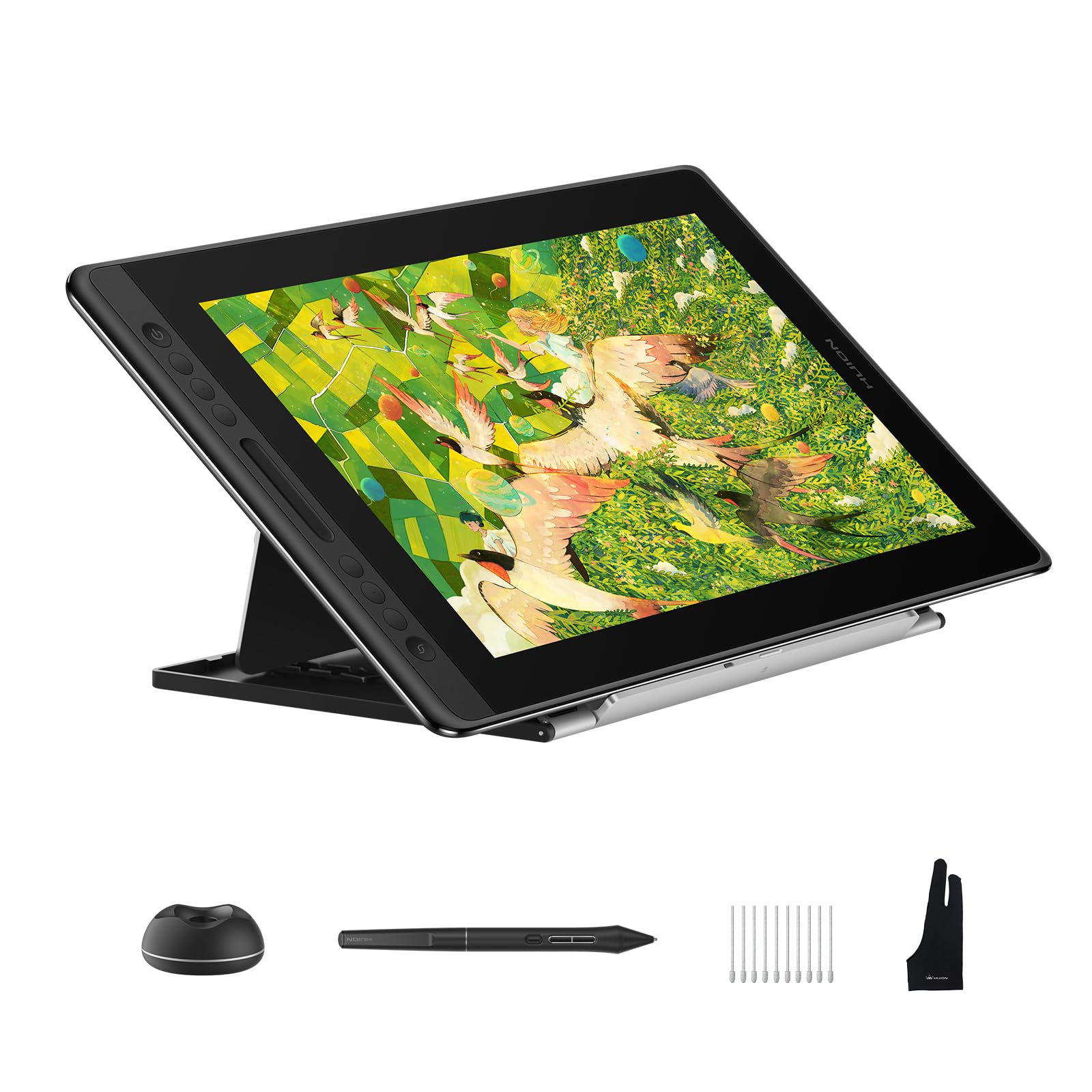
The Huion Kamvas Pro 16 V2 brings 16,384 levels of pressure sensitivity through its Pentech 4.0 engine, making it one of the most responsive pen displays in the mid-range market. The 15.6-inch fully laminated anti-glare display minimizes parallax to near zero, which means your cursor appears exactly where the nib touches the glass. Canvas Glass 2.0 reduces glare without introducing the rainbow sparkle effect found on earlier etched screens, maintaining color purity across the 120% sRGB coverage.
Six customizable express keys and a Smart Touch Bar give you direct access to zoom, brush size, and undo functions. The recessed Type-C port locks the 3-in-1 cable securely in place, preventing accidental disconnections during critical strokes. At just 0.453 inches thick and 2.65 pounds, it’s slim enough to slip into a laptop bag alongside your primary machine.
Some users report the screen gets warm on the port side after extended use, and the 200-nit brightness is adequate for indoor studios but struggles in brightly lit rooms. The included ST200 aluminum stand offers six adjustable angles, though some users wish for more elevation range. If you need a large, color-accurate display for studio illustration work at a price that undercuts comparable Wacom models, this is a serious contender.
Why it’s great
- Full lamination eliminates parallax for precise drawing
- Smart Touch Bar and six express keys speed up workflow
- 120% sRGB coverage for print-ready color accuracy
Good to know
- Screen brightness limited to 200 nits for bright rooms
- Port side can become warm after three hours of use
- Requires 3-in-1 cable, not a single USB-C connection
3. Wacom Cintiq 16

The Wacom Cintiq 16 sets the benchmark for color-critical design work with its 2560×1600 WQXGA resolution and 100% sRGB / 99% DCI-P3 coverage. This 16-inch IPS display delivers crisp, detailed visuals that let print designers and digital illustrators trust what they see. The Pro Pen 3 offers 8192 pressure levels with precise tilt support, and its customizable grip options—slim, straight, or flared—let you dial in the ergonomics that match your natural drawing hand.
Build-in fold-out legs provide a 20-degree working angle out of the box, and the USB-C connection simplifies setup with modern Macs and PCs that support DisplayPort Alt Mode or Thunderbolt. The anti-glare glass effectively diffuses overhead lighting without introducing visible grain, preserving the clarity of fine lines and gradients. For professional designers working in Adobe Creative Suite, Clip Studio Paint, or Blender, the driver stability and consistent pen tracking remain the gold standard.
The Pro Pen 3 included in the box lacks the full complement of shortcut buttons found on the standalone Pro Pen 3, which may disappoint users accustomed to accessing tools directly from the pen. No adjustable stand is included, forcing you to purchase a separate VESA mount or third-party stand for ergonomic positioning. If you demand top-tier color fidelity and a robust driver ecosystem for professional output, the Cintiq 16 justifies its place at the top of the stack.
Why it’s great
- Industry-leading color accuracy with 100% sRGB and 99% DCI-P3
- 2560×1600 resolution for ultra-sharp detail
- Pro Pen 3 with customizable ergonomic grip options
Good to know
- Pro Pen 3 has fewer shortcuts than the standalone version
- No adjustable stand included in the box
- Requires computer with DisplayPort Alt Mode or Thunderbolt
4. XP-Pen Artist 13.3 Pro V2

The XP-Pen Artist 13.3 Pro V2 combines a Red Dial Quick Key with eight customizable shortcut buttons, giving you physical control over brush size, canvas zoom, and navigation without lifting your drawing hand. The 13.3-inch full-laminated AG film screen reduces parallax and glare, delivering a paper-like feel that benefits both digital painters and animators. Its 125% sRGB color gamut with 107% Adobe RGB coverage ensures vibrant color reproduction for commercial design projects.
The X3 Pro Smart Chip stylus delivers 16,384 pressure levels and 60-degree tilt support, with an initial activation force that picks up the lightest graze for delicate shading work. The included AC42 adjustable stand supports a 90-degree angle range, promoting better wrist and neck posture during long sessions. Setup is straightforward with a single full-featured USB-C cable, and compatibility spans Windows, macOS, ChromeOS, and Android devices with USB 3.1 DP 1.2.
Some users report driver quirks when using dual monitors with different resolutions—specifically pen misalignment unless both displays are set to 1080p. The 1920×1080 resolution is adequate for drawing but feels less sharp compared to higher-resolution alternatives. For beginners and junior illustrators who want a feature-rich pen display with intuitive physical controls, this is an excellent middle-ground option.
Why it’s great
- Red Dial and eight shortcut keys for efficient workflow
- Excellent 125% sRGB color gamut for vibrant output
- Adjustable stand included for ergonomic comfort
Good to know
- Pen alignment issue with dual monitors at different resolutions
- 1920×1080 display standard, not high-DPI
- Windows-only color temperature adjustment in driver
5. Wacom Intuos Pro Medium Bluetooth

The Wacom Intuos Pro Medium proves that a pen tablet without a screen can still deliver a superior drawing experience when the pen technology and build quality are top-tier. The Pro Pen 3 offers 8192 pressure levels and lag-free tracking, with customizable grips and a balance weight that let you adjust the pen feel for heavy or light strokes. The 16:9 active area matches modern monitor ratios, eliminating the need to scale or crop your workspace across multi-monitor setups.
Ten express keys and two mechanical dials sit at the top of the tablet, letting you map functions like brush resize, undo, and layer navigation without reaching for the keyboard. At just 4mm thick with a magnesium alloy frame, the tablet feels sturdy yet unobtrusive on your desk. Bluetooth 5.3 connects wirelessly to both macOS and Windows machines, with dual-channel support for seamless switching between a MacBook and a desktop.
Windows 11 users have reported intermittent Bluetooth connectivity issues that require pairing, and the medium size may feel too large for users with limited desk space. This model sacrifices touch sensitivity compared to previous generations, relying entirely on the pen and keys for navigation. For designers who work primarily in vector illustration, photo editing, or UI design and prefer a clean, glare-free workspace without a display, the Intuos Pro remains the standard to beat.
Why it’s great
- Pro Pen 3 with customizable grip and balance
- Ultra-thin 4mm profile with durable magnesium frame
- Dual mechanical dials speed up brush and navigation control
Good to know
- Bluetooth 5.3 can have intermittent connection issues on Windows
- No touch sensitivity for gesture navigation
- Medium size may feel large for compact desks
6. Huion Kamvas 13 (Gen 3)

The Huion Kamvas 13 (Gen 3) delivers 16,384 pressure sensitivity levels and a 2g initial activation force through its PenTech 4.0 technology, making it exceptionally responsive for light sketching and detailed inking. The 13.3-inch fully laminated display uses Huion’s Canvas Glass 2.0, which reduces glare without the rainbow sparkle of earlier anti-glare films. With 99% sRGB coverage and a factory calibration report showing an average Delta E under 1.5, this display is accurate enough for design work that requires consistent color output.
Five programmable shortcut keys and two dial buttons give you quick access to frequently used tools. A single USB-C cable can handle both video and power when connected to a modern laptop with DisplayPort Alt Mode. The included ST300 stand provides multiple viewing angles for comfortable drawing posture. For designers transitioning from a screenless tablet to their first pen display, the setup process is straightforward, and the driver interface is intuitive.
The 200-nit brightness is adequate for indoor studios but feels dim in well-lit environments. The 3-in-1 cable is necessary for computers without USB-C with DisplayPort support, and the port location on the left side can be inconvenient for some desk layouts. Linux users report that while basic pen and display functionality works, the shortcut keys and dials have limited configurability. For a budget-conscious designer seeking high pressure resolution and color accuracy in a compact form, the Kamvas 13 Gen 3 offers compelling value.
Why it’s great
- 16384 pressure levels with 2g activation force for light strokes
- Factory calibrated with Delta E under 1.5
- Compact 13.3-inch size fits smaller desks well
Good to know
- 200-nit panel dim compared to alternatives
- 3-in-1 cable required for many computers
- Linux driver has limited key configurability
7. UGEE UE12

The UGEE UE12 distinguishes itself with a 124% sRGB color gamut and the ability to switch between sRGB, Adobe RGB, and DCI-P3 color spaces, giving designers control over color output for different project types. The 11.6-inch fully laminated FHD display delivers zero parallax, so your strokes appear exactly where the pen meets the screen. The battery-free stylus supports 16,000-level pressure sensitivity and 60-degree tilt recognition, providing a natural drawing response that rivals more expensive competitors.
Eight concave-convex shortcut keys are designed for blind operation, meaning you can feel your way to the correct key without looking away from the canvas. Dual Type-C ports allow you to plug in either orientation, and the single full-featured USB-C cable simplifies connection to Windows, macOS, and Android devices. The package includes eight replacement nibs, which is essential because users report that the included nibs wear down relatively fast under heavy use.
Some units have experienced intermittent display issues, including temporary partial screen failures, though these appear to be isolated incidents rather than a systemic flaw. The 11.6-inch display is smaller than the 13.3-inch standard, which may feel cramped for designers accustomed to larger active areas. For graphic designers on a tight budget who want a color-accurate, full-laminated pen display with high pressure sensitivity, the UE12 punches well above its tier.
Why it’s great
- 124% sRGB with switchable color spaces
- Full lamination eliminates parallax completely
- Dual Type-C ports for flexible plug orientation
Good to know
- 11.6-inch display smaller than standard pen displays
- Nibs wear down quickly with heavy drawing
- Spare nibs included but replacements needed often
8. Frunsi RubensTab T11 Pro
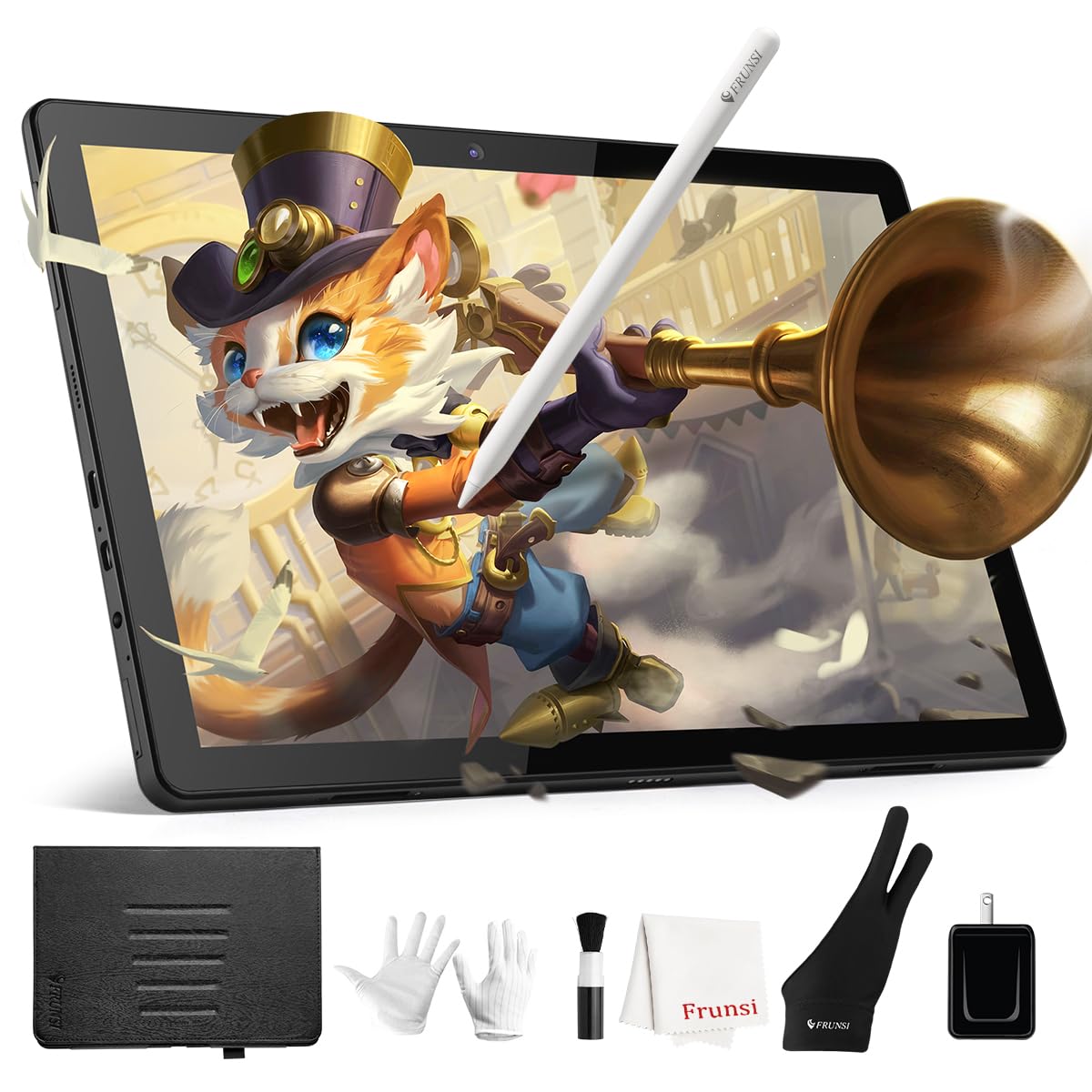
The Frunsi RubensTab T11 Pro offers a standalone drawing solution with a 10.1-inch Full HD IPS display (1920×1200 resolution) that runs Android 13. The battery-free stylus provides 1024 pressure levels and tilt support, sufficient for learning the fundamentals of digital illustration without the complexity of a tethered setup. Pre-installed drawing apps like Krita and Adobe Sketchbook let beginners start drawing immediately, and a 5800 mAh battery provides up to five hours of continuous use.
The included adjustable stand case protects the tablet during transport and props it up for desktop use. Wi-Fi connectivity allows you to access cloud storage and download apps from Google Play, expanding the tablet’s utility beyond drawing to note-taking and media consumption. Customer service reviews are notably positive, with responsive support for user errors and warranty replacements.
The display resolution at 1200×800 is lower than FHD, which reduces sharpness for detailed work like fine line illustration. Some users notice a slight lag between drawing and line appearance, though it does not become distracting for general sketching. The 1024 pressure levels are entry-level and may frustrate users transitioning from higher-resolution pen displays. For students or artists just starting their digital journey, the T11 Pro provides a complete, ready-to-go package.
Why it’s great
- Standalone Android 13 setup requires no computer
- Pre-installed drawing apps for immediate use
- Responsive customer service and warranty support
Good to know
- Pressure sensitivity limited to 1024 levels
- Occasional minor lag in line display
- Lower resolution panel reduces fine line clarity
9. Frunsi RubensTab T8

The Frunsi RubensTab T8 is the most portable entry in this guide, with an 8-inch FHD display and a standalone Android 13 OS that frees you from computer tethering entirely. Its 1200×800 resolution is adequate for sketching and concept development, and the integrated 4000 mAh battery provides up to 20 hours of drawing time—long enough for extended studio sessions without charging. The battery-free stylus offers 2048 pressure levels, a step up from the T11 Pro and sufficient for learning pressure-sensitive brushwork.
The device ships with a detachable keyboard, screen protector, and cleaning cloth, making it a complete out-of-box solution for beginners. Pre-loaded apps like SketchBook, ArtFlow, and ibis Paint X cover the essentials, and Android 13 provides access to the broader Google Play ecosystem. Magnetic stand allows for comfortable viewing angles on a desk or lap.
The 8-inch active area is significantly smaller than even the 10.1-inch T11 Pro, which may feel cramped for gesture-based navigation or large canvas work. Users report battery life closer to 3.5 hours under active drawing load, significantly below the advertised 20-hour figure. Some lag and jitter appear on diagonal strokes, particularly with heavy brush settings, though line smoothing features in supported apps mitigate the issue. For absolute beginners or young students testing their interest in digital art, the T8 provides an affordable and portable sandbox.
Why it’s great
- Ultra-portable 8-inch size for on-the-go sketching
- 2048 pressure levels adequate for learning fundamentals
- Complete bundle includes keyboard and accessories
Good to know
- Active area small for extended drawing sessions
- Real battery life under load is about 3.5 hours
- Noticeable lag on diagonal strokes with heavy brushes
FAQ
Is a higher pressure sensitivity level always better for graphic design work?
Can I use a pen display with a laptop that only has USB-A ports?
What is the real advantage of a standalone drawing tablet over an iPad?
How important is tilt recognition for graphic design?
Does a smaller screen make a pen display harder to work on?
Final Thoughts: The Verdict
For most users, the best design tablets for graphic designers winner is the XP-Pen Magic Drawing Pad because it combines true standalone freedom, a paper-like AG screen, and industry-leading 16384 pressure sensitivity in a package that outpaces other Android drawing tablets. If you want a studio-grade pen display with professional color accuracy, the Wacom Cintiq 16 delivers unmatched color fidelity for print designers. And for a budget-friendly standalone sketching device, the Frunsi RubensTab T8 offers the lowest entry point for young artists and students exploring digital illustration.

Mo Maruf
I created WellFizz to bridge the gap between vague wellness advice and actionable solutions. My mission is simple: to decode the research and give you practical tools you can actually use.
Beyond the data, I am a passionate traveler. I believe that stepping away from the screen to explore new environments is essential for mental clarity and physical vitality.