Our readers keep the lights on and my smoothie glass nicely filled. As an Amazon Associate, I earn from qualifying purchases.
That deadbolt on your front door is the single most important piece of hardware keeping your home secure, yet most homeowners pick one based on looks and hope for the best. A flimsy latch, a bump-vulnerable cylinder, or a cheap electronic board turns a simple lock into an open invitation. This guide cuts through the marketing to find the real security you need.
I’m Mohammad Maruf — the founder and writer behind WellFizz. My process involves dissecting hundreds of spec sheets, ANSI certification tiers, and real-world user reports to identify which deadbolt designs actually deliver on their promises and which rely on clever packaging.
In this guide, I compare five models covering traditional single-cylinder, keyless entry, and wifi-enabled smart locks to help you find the best deadbolt locks for front door security without wasting money on fluff.
How To Choose The Best Deadbolt Locks For Front Door
Every deadbolt on this list will physically bolt your door, but long-term security hangs on the specific construction details. Focus on the cylinder mechanism, the ANSI grade, and the practical features that make daily use tolerable.
ANSI/BHMA Grade: The Real Security Ceiling
Grade 1 is commercial-duty and overkill for most homes. Grade 2, like the Kwikset 780 carries, is the residential sweet spot — it withstands forced entry attempts well above what Grade 3 offers. If your lock is Grade 3, recognize it as a convenience lock, not a security barrier.
Lock Family & Key Compatibility
If you own multiple Kwikset locks, a model with SmartKey technology lets you rekey all locks to a single key in seconds without a locksmith. Schlage users cannot mix brands without separate cylinders. This single detail determines whether your front door lock lives in harmony with the rest of your home or lives as an island.
Electronic vs. Mechanical Tradeoffs
Keyless entry adds convenience — no fumbling for keys in the rain — but introduces battery dependency, electronic failure points, and in some models, plastic components on the exterior. A smart lock with wifi adds remote access and logs, but requires 2.4Ghz network compatibility and regular battery changes. Choose based on whether your priority is maximum mechanical reliability or maximum daily convenience.
Quick Comparison
On smaller screens, swipe sideways to see the full table.
| Model | Category | Best For | Key Spec | Amazon |
|---|---|---|---|---|
| Kwikset 780 | Single Cylinder | Reliable mechanical security | ANSI Grade 2, 1-inch throw | Amazon |
| TEEHO TE001 | Keypad Deadbolt | Budget keyless entry | 20 user codes + auto-lock | Amazon |
| Kwikset Powerbolt 240 | Keypad Electronic | Simple keyless upgrade | 12 codes + intrusion alarm | Amazon |
| TEEHO TE012W | WiFi Smart Lock | Remote control & fingerprint | Built-in wifi + IP55 | Amazon |
| Philips DDL242X | WiFi Smart Lock | Premium multi-method access | Fingerprint + 100 codes | Amazon |
In‑Depth Reviews
1. Kwikset 780 Deadbolt Lock
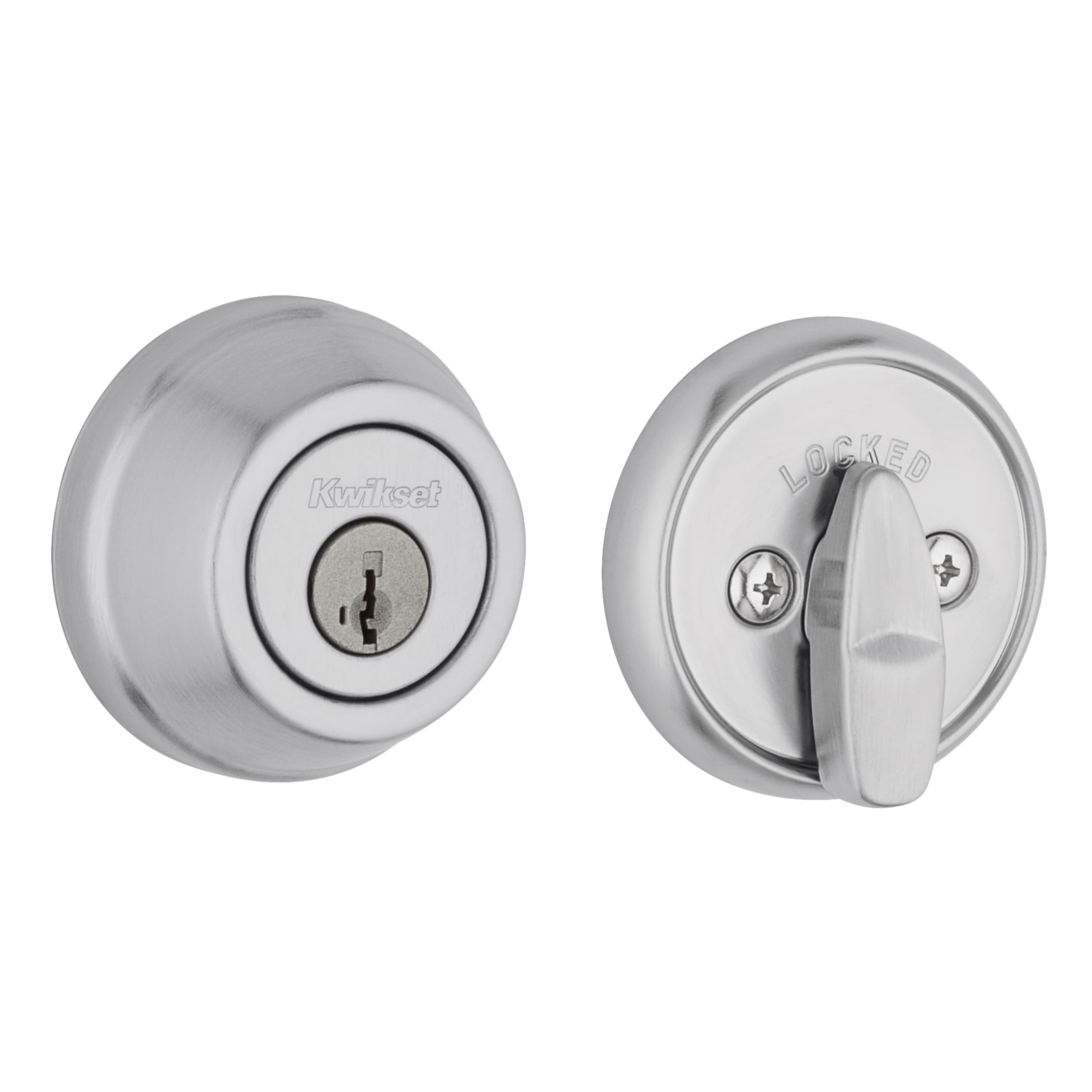
The Kwikset 780 delivers the most important residential security metric — ANSI Grade 2 certification — combined with SmartKey rekeying, all in a compact satin chrome body. The 1-inch deadbolt throw fully engages the strike plate for real forced-entry resistance, unlike cheaper Grade 3 locks that rely on a shorter bolt. The inclusion of Microban protection in the finish is a minor but thoughtful touch for high-touch areas.
Installation takes about 15 minutes with a Phillips screwdriver, and the SmartKey mechanism lets you rekey the lock to match any existing Kwikset key in under two minutes. This matters if you already own Kwikset locks on other doors — you end up with one key for the whole house without calling a locksmith. The three interchangeable latch faceplates (round, square, drive-in collar) cover almost every door prep scenario.
Customers consistently report smooth operation and an easy install experience. The lock is a single-cylinder design (key outside, thumb turn inside), which is the standard choice for doors without adjacent glass. There is no electronic component to fail, no battery to swap, and no app to update — just pure mechanical reliability dressed in a designer-grade finish.
Why it’s great
- ANSI Grade 2 certified for superior residential security
- SmartKey rekey saves money on future lock changes
- 1-inch deadbolt throw for full strike engagement
- Easy 15-minute install with a single screwdriver
Good to know
- No keyless entry or smart features
- Only one keyway option per lock
- Not compatible with Schlage keyways
2. TEEHO TE001 Keyless Entry Door Lock

The TEEHO TE001 brings keyless convenience to a budget tier without cutting the essential features. It stores up to 20 individual user codes plus a one-time guest code that self-destructs after first use — a genuinely useful feature for Airbnb hosts or service access. The aluminum alloy construction and IP54 weather rating mean it holds up against rain and temperature swings on exposed front doors.
Setup is straightforward: four AA batteries (not included) power the unit for up to 365 days under normal use, and a red LED alerts you when the charge drops below 15%. The automatic lock timer is adjustable from 10 to 99 seconds, and you can also trigger a one-touch lock by holding any keypad button for two seconds. The included two SC1 backup keys provide a fallback when batteries die.
User feedback highlights the smooth motorized locking action and the easy installation process, with many completing the swap in under 10 minutes. The lock operates entirely offline — no app, no wifi — which simplifies the experience but limits remote control. For anyone wanting a reliable, no-fuss keypad lock at a reasonable cost, the TE001 delivers consistent performance.
Why it’s great
- 20 user codes plus single-use temporary codes
- Adjustable auto-lock from 10 to 99 seconds
- IP54 weather resistant for exterior use
- Easy 10-minute install with a screwdriver
Good to know
- No wifi or app control
- Requires 4 AA batteries (not included)
- Motorized bolt cycles 2-3 times on some units before locking
3. Kwikset Powerbolt 240 Venetian Bronze

The Powerbolt 240 is Kwikset’s straightforward electronic deadbolt that focuses on the basics: keyless entry via a 5-button keypad, auto-lock with customizable timing (30 seconds to 10 minutes), and an intrusion alarm that sounds after three incorrect code attempts. The Venetian bronze finish adds a warm, traditional look that blends well with older architectural styles.
You can program up to 12 user codes, plus two one-time codes and a master programming code for managing access. The motorized deadbolt engages with a button press, and the bright LED backlight on the keypad makes late-night code entry easy. Battery life is rated at 12 months from four AA batteries, and Vacation Mode temporarily disables all keypad operation for extra security during trips.
Installation normally takes under 20 minutes with a standard screwdriver, though some users report that the rehandling instructions can be confusing if the default orientation doesn’t match your door. The exterior uses some plastic components on the button cap, which has shown UV wear after extended direct sunlight exposure in a small number of cases. For a simple, affordable keypad lock from a trusted brand, the Powerbolt 240 fits well.
Why it’s great
- Customizable auto-lock timer (30 sec to 10 min)
- Intrusion alarm after 3 incorrect codes
- Vacation Mode disables keypad while away
- Bright keypad backlight for low-light use
Good to know
- Exterior button cap can degrade in direct sunlight
- Rehandling instructions may be unclear
- Only one backup key included
4. TEEHO TE012W WiFi Smart Lock
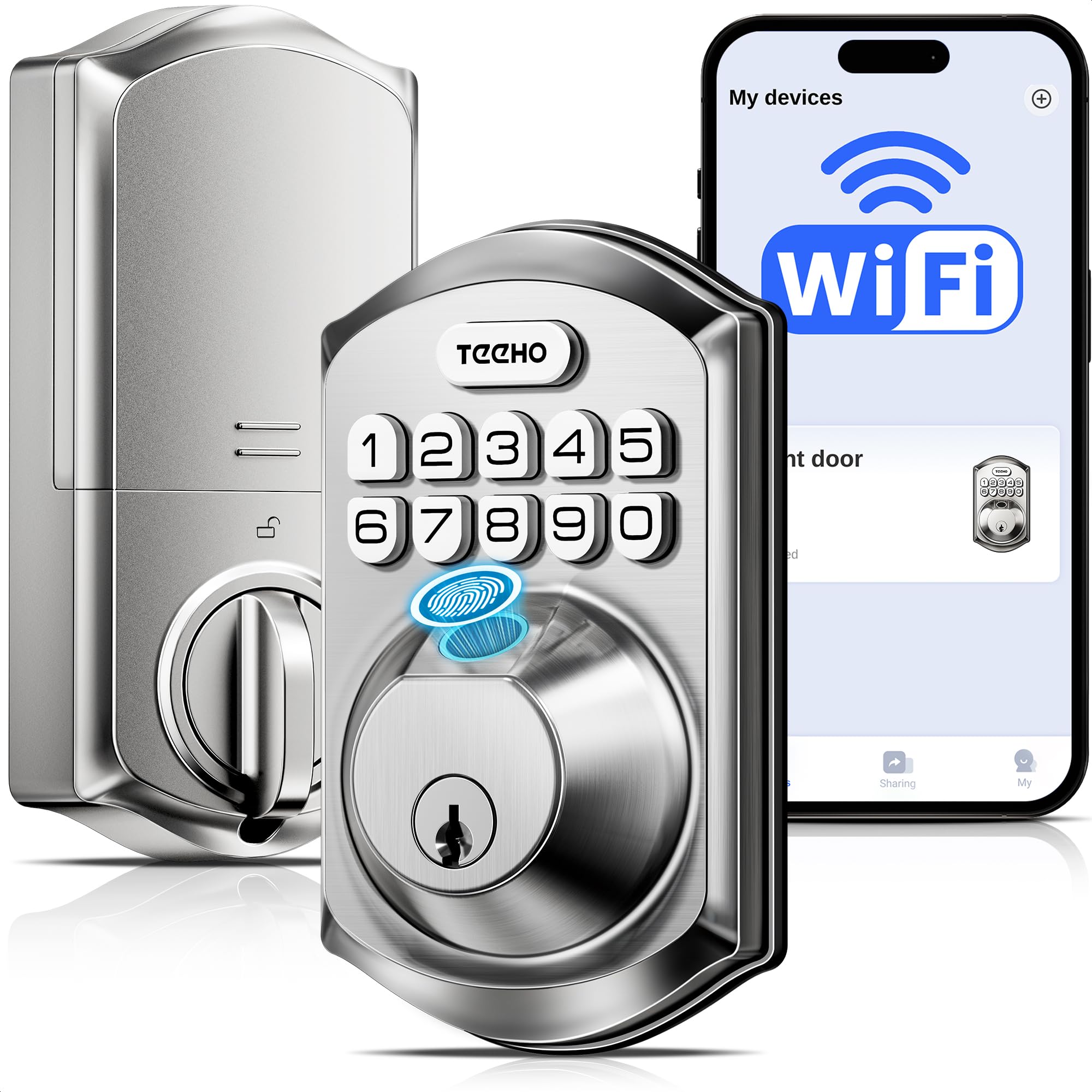
The TE012W is the most feature-dense smart lock in this lineup, packing built-in wifi, a capacitive fingerprint reader, and support for up to 100 passcodes into a compact body. The direct 2.4GHz wifi connection eliminates the need for a separate hub, and the KK Home app provides remote lock/unlock control, access logs, and user management from anywhere.
Biometric unlock supports up to 20 fingerprint profiles, and the anti-peep password feature lets you type random digits before and after your actual code to mask it from onlookers. The lock is IP55 rated for weather resistance, and the BHMA Grade 3 certification ensures basic security for residential use. Break-in detection triggers a 3-minute lockout after 10 incorrect attempts and sends an instant alert to your phone.
The lock requires eight AA batteries (not included), which is a more frequent replacement cycle compared to four-battery models — expect around 8 months of typical use. The KK Home app is developed by the manufacturer and requires a 120MB download, and some users report brief “abnormal state” alerts that resolve quickly. Despite the minor app quirks, the TE012W offers exceptional value for anyone wanting full smart lock capability.
Why it’s great
- Built-in wifi — no extra hub required
- Fingerprint reader with 20 user profiles
- IP55 weather resistant for outdoor reliability
- Anti-peep password and break-in detection
Good to know
- Requires 8 AA batteries; ~8 month life
- App is from a less familiar developer
- Fingerprint reliability drops in cold or wet weather
5. Philips Wi-Fi Door Lock DDL242X

The Philips DDL242X is the most polished smart lock in this roundup, combining a fast capacitive fingerprint sensor with built-in wifi, voice control via Alexa and Google Assistant, and support for up to 100 custom passcodes with time and day restrictions. The aluminum construction in matte black gives it a modern, premium feel that looks at home on contemporary front doors.
Remote access via the Philips Home Access app is smooth, allowing you to lock, unlock, check access logs, and manage users from anywhere. The fingerprint sensor is positioned discreetly within the keypad and reads fingerprints quickly — customers consistently rate it as more reliable than competing models. The auto-lock timer is adjustable from 10 to 180 seconds, and Away Mode disables all unlock methods except the master passcode for extra security during trips.
Installation takes about 20 minutes with a standard #2 Phillips screwdriver, though some doors may need a minor extension to the bolt housing. The lock runs on either 4 or 8 AA alkaline batteries, and the app sends low-battery alerts. Philips backs this with a 2-year warranty and a US-based customer service team available by phone during business hours. The app interface has minor quirks, such as finicky time scrolling, but the lock hardware itself is exceptionally reliable.
Why it’s great
- Fast, reliable fingerprint sensor — best in class
- Built-in wifi with no hub needed
- Up to 100 timed/restricted passcodes
- Premium aluminum build with matte black finish
Good to know
- Requires 4 or 8 AA batteries (not included)
- App interface has minor navigation quirks
- No auto-unlock via phone proximity
FAQ
What does ANSI Grade 2 mean for a front door deadbolt?
Can I rekey a deadbolt myself without a locksmith?
Will a smart lock with wifi drain my batteries faster than a basic keypad model?
Final Thoughts: The Verdict
For most users, the deadbolt locks for front door winner is the Kwikset 780 because it combines ANSI Grade 2 security with SmartKey rekeying and a clean design at a very reasonable cost — no electronics to fail, no app to maintain. If you want keyless entry without wifi complexity, grab the TEEHO TE001. And for full smart home integration with a reliable fingerprint reader, nothing beats the Philips DDL242X.

Mo Maruf
I created WellFizz to bridge the gap between vague wellness advice and actionable solutions. My mission is simple: to decode the research and give you practical tools you can actually use.
Beyond the data, I am a passionate traveler. I believe that stepping away from the screen to explore new environments is essential for mental clarity and physical vitality.