Our readers keep the lights on and my smoothie glass nicely filled. As an Amazon Associate, I earn from qualifying purchases.
Fumbling for keys in the dark, arms full of groceries, is a daily frustration that a reliable keypad deadbolt eliminates entirely. The modern standard for home security has shifted from metal keys to programmable codes, offering both convenience and controlled access for families, renters, and busy homeowners.
I’m Mohammad Maruf — the founder and writer behind WellFizz. I’ve spent hundreds of hours analyzing hardware specifications, user reviews, and security standards across the keyless entry market to identify which deadbolt keypad locks genuinely deliver on their promises.
This guide breaks down the critical specs and real-world performance of the market’s top contenders to help you find the best deadbolt keypad lock for your specific door and lifestyle.
How To Choose The Best Deadbolt Keypad Lock
The right keypad deadbolt is defined by its balance of security, convenience, and reliability. Focusing on a few key specifications will ensure you get a lock that fits your door and your life without overpaying for features you won’t use.
BHMA Security Grade: The Durability Benchmark
The Builders Hardware Manufacturers Association (BHMA) grades locks from Grade 3 (residential, minimum security) to Grade 1 (commercial, maximum security). A Grade 2 lock, like the Kwikset model in this guide, offers up to 2.5x more strength than a Grade 3 lock, making it ideal for high-traffic front doors. For most homes, a Grade 2 lock provides the best mix of reliability and cost.
Entry Methods: Codes, Fingerprints, or Wi-Fi
Basic keypad models offer simple code entry and are highly reliable. Adding a fingerprint sensor speeds up entry but requires a more complex mechanism. Wi-Fi enabled locks allow remote control via an app, letting you grant temporary codes or check lock status from anywhere. Choose based on whether you need remote access or simply want to ditch physical keys.
Battery Life and Backup Power
Look for locks that advertise a battery life of at least 6-12 months on a set of alkaline batteries. A low-battery indicator on the lock or in the app is essential. Many modern locks include a physical key backup or an emergency USB-C port to power the lock temporarily if the batteries die completely.
Quick Comparison
On smaller screens, swipe sideways to see the full table.
| Model | Category | Best For | Key Spec | Amazon |
|---|---|---|---|---|
| TEEHO TE012W | Wi-Fi + Fingerprint | Smart Home Integration | BHMA Grade 3 | Amazon |
| Philips DDL242X-1HW | Wi-Fi + Fingerprint | Premium Build & App | 100 User Codes | Amazon |
| Kwikset SmartCode 270 | Keypad Only | High Security, No Apps | BHMA Grade 2 | Amazon |
| DESLOC C110 | Fingerprint + Display | Built-in Display Management | 0.3s Fingerprint Speed | Amazon |
| TEEHO TE001 | Keypad Only | Budget-Friendly Reliability | 20 User Codes | Amazon |
In‑Depth Reviews
1. TEEHO TE012W Wi-Fi Smart Lock
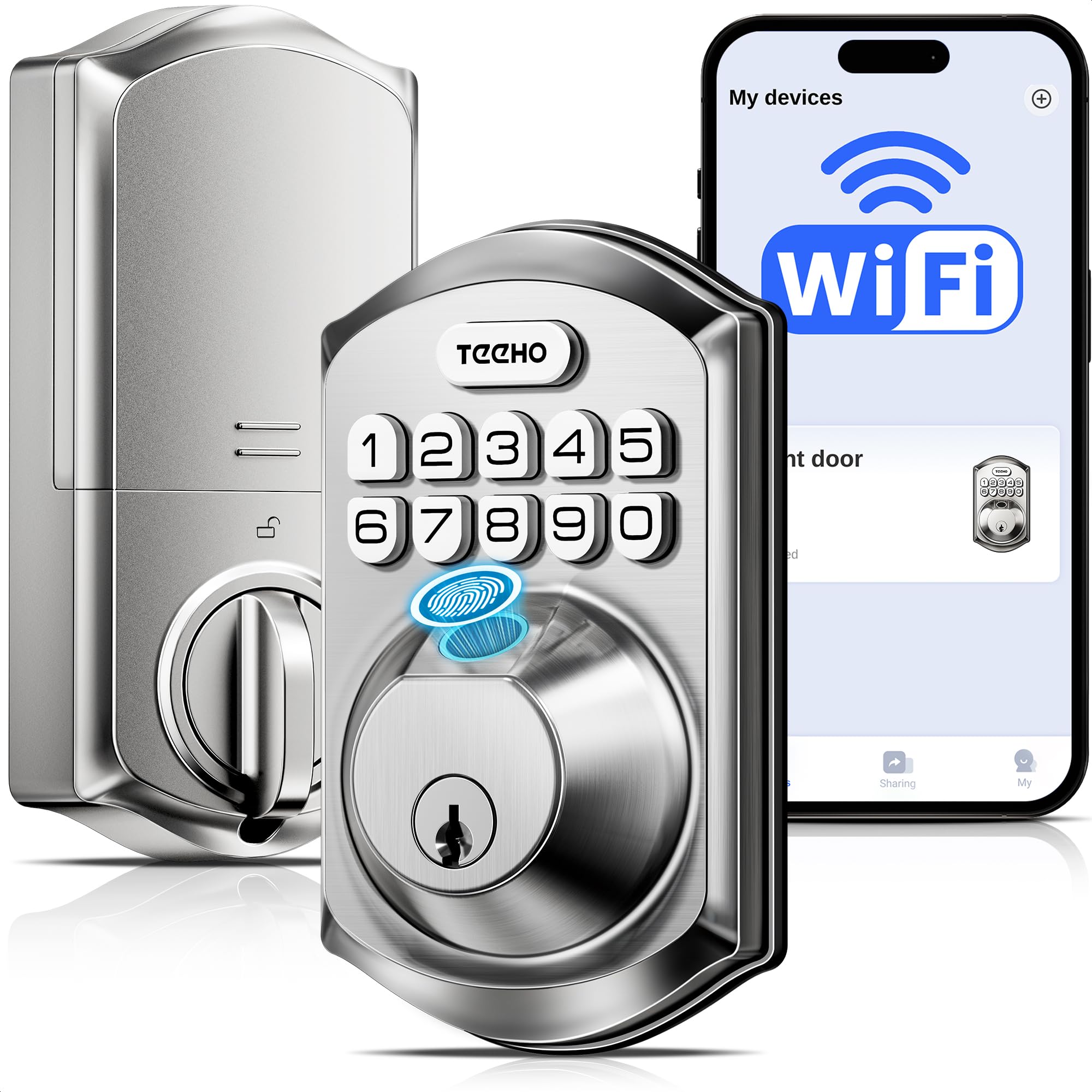
The TEEHO TE012W packs an impressive feature set into a mid-range price point, combining built-in Wi-Fi, a fingerprint reader, and a keypad into one sleek satin nickel package. Its integration with the KK Home App allows for remote control, code sharing, and access logs, all protected by AES-128 encryption. The inclusion of a fingerprint sensor adds a layer of biometric convenience that is typically reserved for more expensive models.
Installation is straightforward at 10-15 minutes for standard doors, and the BHMA Grade 3 certification combined with an IP55 weather resistance rating ensures it can handle rain and snow without issues. The backlit keypad and one-touch locking feature make it easy to use in low light. Users have successfully integrated it with Alexa and Google Assistant for hands-free voice control.
The primary trade-off is the battery consumption; it requires 8 AA batteries, and some users report needing a change every 3-4 months with heavy Wi-Fi usage. The KK Home app is functional but has a utilitarian design. For those wanting a full suite of smart features without paying top-tier prices, the TE012W is the most balanced option available.
Why it’s great
- Built-in Wi-Fi eliminates the need for a separate hub.
- Five entry methods: app, fingerprint, code, key, and voice.
- IP55 weather resistance for outdoor durability.
- Competitive feature set at a mid-range price.
Good to know
- Requires 8 AA batteries, which can drain faster with frequent app use.
- Only supports 2.4GHz Wi-Fi networks.
- The accompanying app is basic compared to premium competitors.
2. Philips Wi-Fi Door Lock (DDL242X-1HW)

The Philips DDL242X-1HW brings the brand’s reputation for quality into the smart lock space, offering a polished experience with built-in Wi-Fi and a responsive fingerprint sensor. This lock supports up to 100 unique passcodes, including one-time and scheduled codes, making it ideal for managing access for guests, service providers, or short-term rental properties. The auto-lock timer is adjustable from 10 to 180 seconds.
Installation is a simple screwdriver affair, and the accompanying “Philips Home Access” app provides a clean interface for remote locking, checking access logs, and receiving real-time alerts. Users consistently praise the fast fingerprint reader and the hidden keyhole underneath it, which maintains the lock’s clean aesthetic. The matte black finish is durable and resists fingerprints well.
The main drawback is the need for 8 AA batteries, which are not included. Some users note that the app, while functional, has minor quirks with setting time limits on codes. The “Away Mode” feature is a strong security addition, disabling all unlock methods except the master code. Overall, the Philips lock is a premium, reliable choice for those who want a well-known brand backed by responsive US-based customer support.
Why it’s great
- Fast and accurate fingerprint sensor.
- Manage up to 100 timed and one-time codes.
- Built-in Wi-Fi with no hub required.
- Excellent build quality and aesthetic design.
Good to know
- Requires 8 AA batteries (not included).
- App has minor interface limitations.
- Does not have a door sensor to confirm door closure.
3. Kwikset SmartCode 270

The Kwikset SmartCode 270 is a straightforward, highly secure keypad deadbolt that prioritizes physical reliability over smart features. With a BHMA Grade 2 certification, its locking mechanism is significantly stronger than most electronic locks, making it a top contender for front doors that need robust defense. It supports up to 50 user codes and 10 one-time codes, managed directly on the keypad without any app or Wi-Fi connectivity.
Its SmartKey technology allows you to re-key the lock yourself in seconds to work with an existing Kwikset key, a major benefit for homeowners who want all their locks on one key. The auto-lock feature offers adjustable delays from 30 seconds to 10 minutes, and the intrusion alarm sounds after three incorrect code attempts. The bright LED keypad is excellent for nighttime use.
Some users report the lock is slightly noisier during operation compared to other models, which can be a benefit as an audible confirmation or a drawback if you prefer silent operation. Notably, a small subset of users have reported reliability issues, so purchasing from a retailer with a good return policy is wise. For those who want maximum physical security without depending on an app, the SmartCode 270 is a formidable option.
Why it’s great
- BHMA Grade 2 certification for superior durability.
- SmartKey re-keying technology for key standardization.
- Intrusion alarm with keypad lockout after 3 bad attempts.
- No app or Wi-Fi required for operation.
Good to know
- Keypad and motor are audible during operation.
- Not a smart lock; no remote access or app features.
- Some reliability concerns reported by a small number of users.
4. DESLOC C110 Smart Lock
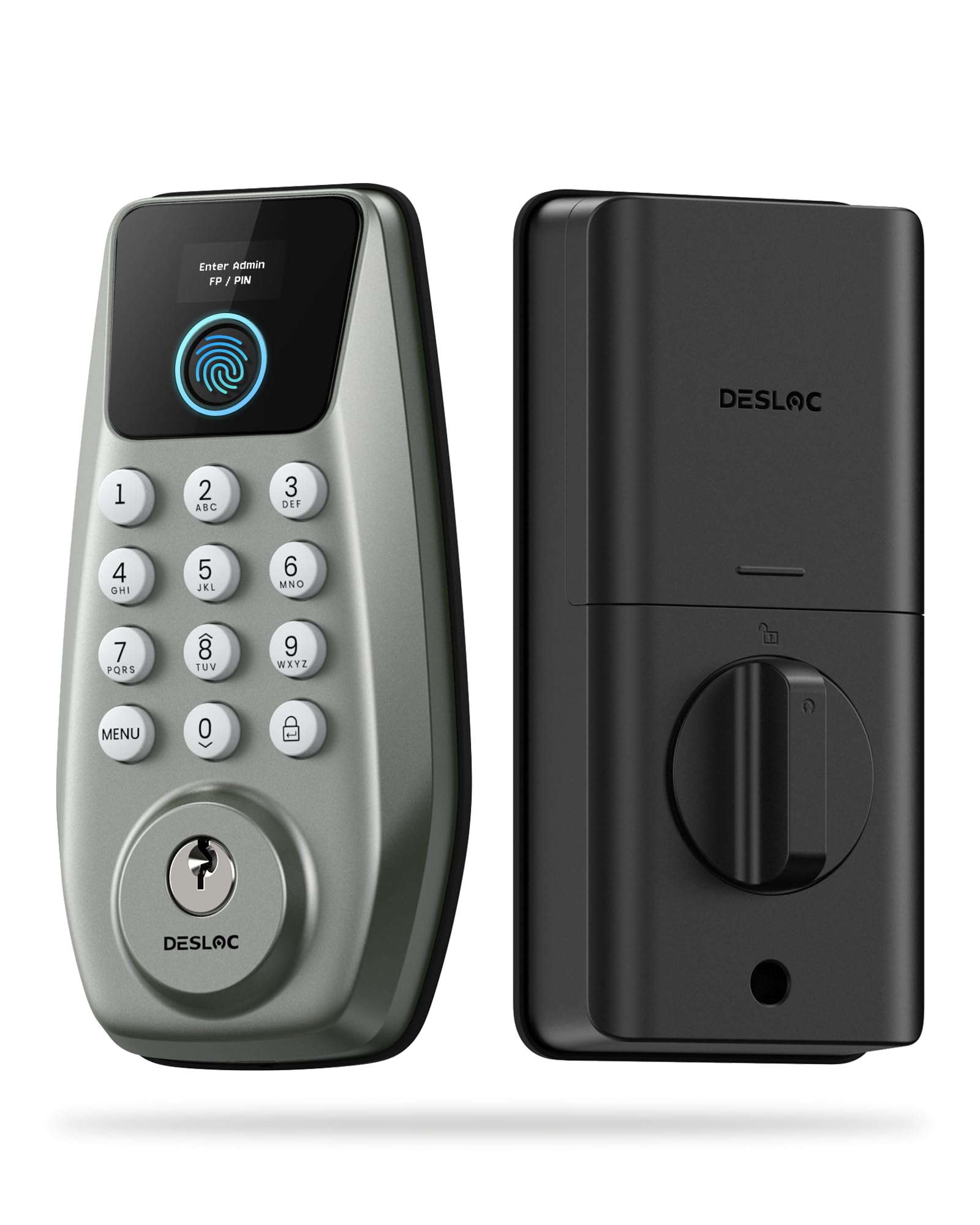
The DESLOC C110 distinguishes itself with the “LockVue Display,” a built-in screen that allows you to manage settings, create passcodes, and view system alerts directly on the lock itself. This feature eliminates the need for a smartphone app, making it a uniquely user-friendly option for those who prefer physical control. It offers 3-in-1 entry: a fingerprint sensor with a claimed 0.3-second recognition speed, a backlit keypad, and a physical key backup.
The lock can store up to 50 fingerprints and 100 access codes, including one-time PINs that automatically expire after use. It features a 5 to 120-second auto-lock timer and an emergency Type-C port to power the lock with a power bank if the 12-month battery life runs out. Installation is estimated at 15 minutes, and the lock automatically detects the door’s swing direction for hassle-free setup.
While the LockVue display is innovative, some users find the programming interface to be less intuitive than an app, requiring a few steps to navigate. The lack of Wi-Fi means no remote access or notifications. However, for those who value on-device control and fast biometric entry, the DESLOC C110 offers a unique and secure package that simplifies the smart lock experience.
Why it’s great
- Built-in LockVue display for on-device management.
- Fast 0.3-second fingerprint recognition.
- Long 12-month battery life with emergency Type-C port.
- BHMA Grade 3 certified with IP54 weather resistance.
Good to know
- No remote access or smart home compatibility.
- On-device programming can be less intuitive than an app.
- Only available in a nickel finish.
5. TEEHO TE001 Keyless Entry Lock

The TEEHO TE001 is a budget-friendly keypad deadbolt that proves you don’t need to spend a lot for reliable keyless entry. It offers up to 20 individual access codes and a one-time guest code that automatically deletes after use. The lock features an adjustable auto-lock timer (10-99 seconds) and a one-touch locking mechanism, all within a sturdy aluminum alloy housing rated IP54 for weather resistance.
Users consistently praise its very easy installation, with many completing the swap in under 10 minutes. The backlit keypad and low-battery indicator are thoughtful touches for a lock at this level. The anti-peep feature lets you input random numbers before your code, adding a layer of security against shoulder surfers. It is an offline lock with no Wi-Fi, making it simple and reliable.
A few users have noted that the lock cycle can be slightly longer or that it double-cycles on occasion. It also lacks a fingerprint sensor and requires 4 AA batteries. For apartments, side doors, or anyone looking for a pure, no-frills keypad lock that works out of the box, the TEEHO TE001 is the clear value champion.
Why it’s great
- Exceptional value for a reliable keypad deadbolt.
- Very easy 10-minute installation.
- Supports 20 user codes plus one-time guest codes.
- IP54 weather-resistant and solid aluminum alloy build.
Good to know
- No Wi-Fi, app, or fingerprint features.
- Some reports of the lock cycling multiple times to lock.
- Not suitable for all door hole sizes (requires 2-1/8″ hole).
FAQ
Can these locks be re-keyed to match my existing house keys?
Do I need a separate smart home hub for a Wi-Fi keypad lock?
Final Thoughts: The Verdict
For most users, the best deadbolt keypad lock winner is the TEEHO TE012W because it delivers the perfect balance of smart features, biometric entry, and weather resistance at a compelling mid-range price. If you want maximum physical security without any app or Wi-Fi, grab the Kwikset SmartCode 270. And for the best pure value without sacrificing reliability, nothing beats the TEEHO TE001.

Mo Maruf
I created WellFizz to bridge the gap between vague wellness advice and actionable solutions. My mission is simple: to decode the research and give you practical tools you can actually use.
Beyond the data, I am a passionate traveler. I believe that stepping away from the screen to explore new environments is essential for mental clarity and physical vitality.