Our readers keep the lights on and my smoothie glass nicely filled. As an Amazon Associate, I earn from qualifying purchases.
A day trading computer system isn’t just a faster PC — it’s a reliability contract between you and the markets. When a single price bar on a 1-second chart can mean a filled order or a missed entry, the hardware you choose becomes an extension of your strategy. Every millisecond of jitter from a weak processor or a swapped-out memory page is a small but real disadvantage that compounds across dozens of trades in a session.
I’m Mohammad Maruf — the founder and writer behind WellFizz. I’ve spent hundreds of hours dissecting multi-monitor support, CPU core architectures, memory bandwidth constraints, and storage latency specs to isolate the systems that genuinely serve a trader’s workflow.
This guide evaluates seven prebuilt desktops for their ability to run multiple charting platforms, Level 2 data feeds, and order execution software without stutter or overheating, then names the most dependable best day trading computer system for both new and experienced retail traders.
How To Choose The Best Day Trading Computer System
Selecting the right machine for trading requires a focus on sustained multi-tasking and display bandwidth rather than peak gaming frame rates. The system you choose should handle six or more concurrent applications — a charting suite, a broker’s order-routing platform, a news feed terminal, a Level 2 book viewer, a web browser with multiple tabs, and possibly a separate scanner — all at the same time without lag or crashing.
Processor Cores and Threads
A day trading computer benefits from a CPU with at least eight cores and a strong multi-threaded performance profile. A high single-core boost clock helps when a platform needs to refresh a 1000-tick chart quickly, but it’s the ability to distribute data parsing, screen rendering, and background polling across separate cores that prevents one frozen application from locking the entire system.
Memory Capacity and Speed
Expect to use 32GB of DDR5 RAM as your baseline. Real-world trading sessions with multiple monitors can easily consume 20GB or more, especially when running Thinkorswim, TradingView, and a broker’s proprietary platform simultaneously. 64GB provides extra headroom for virtual machines or data-heavy backtesting software.
Multi-Monitor Connectivity
The ability to drive four or more independent 4K displays is a defining characteristic of a trading workstation. Integrated graphics often cap out at three monitors, so a dedicated GPU or a business tower with multiple DisplayPort outputs is critical. Look for native DisplayPort connections (not adapters) and at least one USB-C with display output.
Storage Type and Capacity
A PCIe NVMe SSD is mandatory for near-instant boot times and rapid platform loading. A 1TB drive is a comfortable starting point for trading software, operating system files, and some historical data. Many professional traders prefer a secondary drive for data logging and backup archives.
Network Reliability
A wired Gigabit Ethernet connection remains the gold standard for trade execution. Wi-Fi, even the latest Wi-Fi 7 standard, introduces variable latency that can cause a refreshed order book to arrive a few frames behind the actual tape. If a prebuilt system lacks a built-in Ethernet port or ships with only a USB Wi-Fi adapter, plan to add a wired connection immediately.
Quick Comparison
On smaller screens, swipe sideways to see the full table.
| Model | Category | Best For | Key Spec | Amazon |
|---|---|---|---|---|
| HP Envy Desktop | Premium Tower | Heavy multi-threaded platforms & 4K multi-monitor trading | i9-14900K 6.0GHz, 64GB DDR5, RTX 3050 8GB | Amazon |
| Dell Pro Tower Plus (64GB) | Business Tower | Multi-4K display setups for high-density chart monitoring | Ultra 5 235, 64GB DDR5, 2TB SSD, 4x DP | Amazon |
| Panorama XL | High-End Gaming Rig | Data science, AI analysis & maximum resilience for trading | RTX 5090 32GB, 7800X3D, 32GB DDR5 | Amazon |
| GEEKOM A9 Max | AI Mini PC | Compact desk setups with dual 2.5GbE LAN and quad 8K output | Ryzen AI 9 HX 370, 32GB DDR5, 1TB, Wi-Fi 7 | Amazon |
| Dell Pro Tower Plus (32GB) | Business Tower | Financial software & enterprise-grade stability with triple 4K | Ultra 5 235, 32GB DDR5, 1TB, triple native DP | Amazon |
| HP OmniDesk | Mid-Range Tower | Entry-level trading with balanced specs and upgrade potential | Ryzen 7 8700G, 32GB DDR5, 1TB NVMe | Amazon |
| SAAV Gaming PC | Budget Gaming Prebuilt | Lightweight trading & schoolwork with very tight budget | Ryzen 5 8500G, Radeon 740M, 16GB DDR5 | Amazon |
In‑Depth Reviews
1. HP Envy Desktop PC

The HP Envy Desktop delivers the most balanced high-performance configuration for a trading workstation at a price that sits well below extreme boutique builds. Its Intel Core i9-14900K can boost up to 6.0GHz, which gives TradingView’s chart rendering engine and Thinkorswim’s script execution a noticeable edge when recalculating a watchlist of 50 symbols simultaneously. The 64GB of DDR5 memory is the headroom you need if you keep TradingView, TWS, a Level 2 book, Bloomberg Terminal, and a dozen Chrome tabs all open without ever touching the page file.
NVIDIA GeForce RTX 3050 with 8GB of dedicated GDDR6 video memory drives four 4K displays cleanly. Real-world user reports confirm processor loading remains under 20% and memory usage under 30% during heavy multi-monitor charting, meaning this unit handles simultaneous concurrent data streams without breaking a sweat. Wi-Fi 6 and Bluetooth 5.3 are standard, but you’ll want to use the built-in Gigabit Ethernet port for trade execution.
The only tradeoff is the form factor — a standard mid-tower that occupies desk or floor space — but the upgrade paths for adding a second drive or replacing the GPU make this a durable long-term investment.
Why it’s great
- i9-14900K with 24 cores handles extreme multi-threaded trading apps without lag
- 64GB DDR5 leaves comfortable headroom for running all platforms simultaneously
- Dedicated 8GB GPU supports four 4K monitors smoothly
Good to know
- Standard tower size takes up more desk space than mini PCs
- No built-in Wi-Fi 7 or dual LAN for redundant connections
2. Dell Pro Tower Plus (64GB)
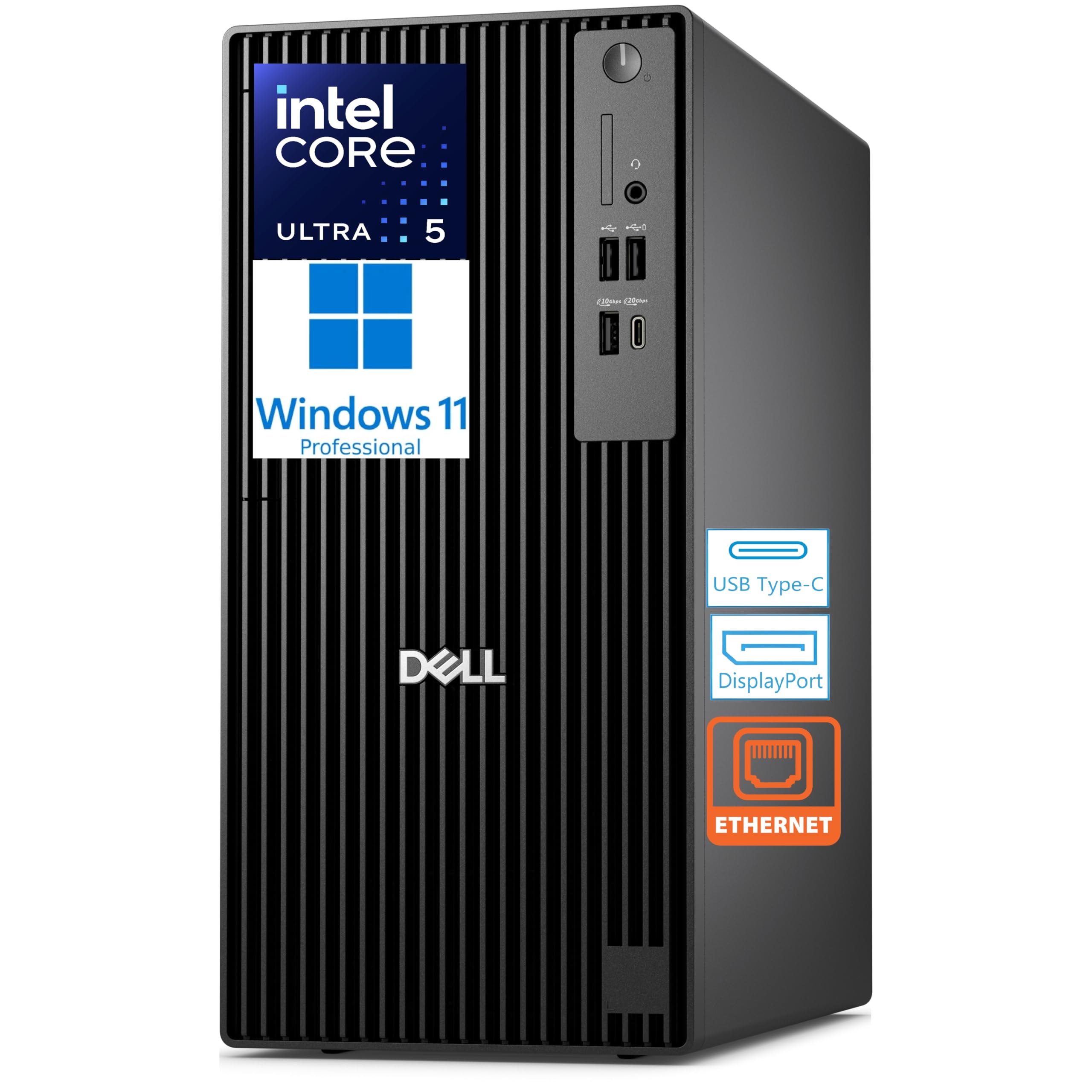
The Dell Pro Tower Plus with 64GB of RAM is purpose-built for professionals who rely on native multi-monitor support without adapter dongles. Its Intel Core Ultra 5 235 includes an NPU for AI acceleration, but the real value for traders is the three native DisplayPort connections plus a rear USB-C display output, supporting four independent 4K monitors right out of the box. This means you can dedicate one screen to your order-entry interface, one to your charting platform, one to a streaming news feed, and one to a scanner or watchlist — all at full resolution without signal degradation.
The 64GB of DDR5 memory clocked at up to 5600 MT/s handles memory-hungry platforms like Sierra Chart or MultiCharts with large workspaces. The 2TB TLC M.2 PCIe SSD provides fast boot and application loading while offering significant storage for historical data archives. One reviewer ran a hypervisor with VMWare Workstation hosting four loaded servers without any slowdown, which signals that this tower can handle demanding multi-platform trading setups.
A crucial detail: this configuration does not include built-in Wi-Fi. The system relies entirely on its Gigabit Ethernet port for network access. This is actually preferable for trading because it forces a wired connection, but you must be comfortable with that constraint. The chassis includes a DVD+/-RW optical drive for legacy software, and the tower is ENERGY STAR and EPEAT Silver certified.
Why it’s great
- Four native 4K display outputs (3x DP + 1x USB-C) without adapters
- 64GB DDR5 RAM provides ample headroom for simultaneous heavy trading platforms
- Wired Ethernet standard — no variable Wi-Fi latency for trade execution
Good to know
- No built-in Wi-Fi — requires wired connection or a USB Wi-Fi adapter purchase
- Integrated graphics are sufficient for trading but cannot handle modern gaming
3. Panorama XL RTX 5090

The Panorama XL from Empowered PC occupies the top tier of raw hardware capability with its NVIDIA GeForce RTX 5090 featuring 32GB of GDDR7 memory. For the trader, this GPU isn’t about gaming frames — it’s about driving the highest resolution displays at maximum refresh rates without taxing the CPU. The AMD Ryzen 7 7800X3D, with its 3D V-Cache technology, excels at reducing latency in memory-intensive calculations like scanning thousands of symbols for specific technical conditions.
The 32GB of DDR5 RAM and 2TB PCIe Gen4 NVMe SSD are standard for a premium build, but the cooling architecture sets this system apart for reliability. Eleven ARGB PWM fans and a panoramic tempered glass case create powerful airflow, which keeps the hardware stable during intense all-day trading sessions in warm environments. Buyer reports note GPU temperatures around 50-53°C under load and CPU temperatures around 36°C, ensuring thermal throttling is never a concern.
Assembled in the USA and backed by a 3-year limited hardware warranty plus lifetime technical support, this system carries the best after-purchase safety net. The tradeoff is cost — this is a significant investment, and the gaming-oriented case aesthetics may feel out of place in a professional office environment.
Why it’s great
- RTX 5090 with 32GB VRAM provides unmatched multi-monitor bandwidth
- 7800X3D’s 3D V-Cache reduces latency for complex scans
- Outstanding cooling keeps components stable during long sessions
Good to know
- Premium pricing that goes beyond what most trading workflows require
- Aggressive RGB gaming design may not suit a conservative trading desk aesthetic
4. GEEKOM A9 Max

The GEEKOM A9 Max is a compact alternative for traders who need serious hardware in a small footprint. Powered by the AMD Ryzen AI 9 HX 370 with 80 TOPS of AI performance, this mini PC is designed for heavy data analysis and can run local machine learning models for algorithmic pattern recognition or sentiment analysis without cloud dependency. The 32GB of DDR5 RAM and 1TB NVMe SSD handle standard trading platforms with ease.
The defining feature for a trading setup is the dual 2.5GbE LAN ports, which enable a redundant wired network connection — an important reliability consideration for traders who cannot afford a dropped connection during a live order. The two USB4 and two HDMI 2.1 ports support up to four 8K displays, making this one of the most capable multi-monitor mini PCs available. Wi-Fi 7 and Bluetooth 5.4 are included for convenience, but the dual LAN ports mean you can run one line to your modem and another to a separate network switch for failover.
The all-metal chassis houses the IceBlast 2.0 cooling system with copper heat sinks and dual heat pipes. One buyer repasted the thermal compound to lower peak CPU temperatures from a concerning 97°C to 85°C, but out-of-box thermal performance appears acceptable for standard trading loads. The 3-year warranty from GEEKOM is significantly longer than the typical 1-year coverage from most prebuilt brands.
Why it’s great
- Dual 2.5GbE LAN ports for a wired network failover setup
- Quad 8K display output capability from an ultra-compact chassis
- 3-year warranty provides excellent long-term protection
Good to know
- Thermal performance may require repasting under sustained heavy loads
- Limited internal upgrade paths compared to a full-size tower
5. Dell Pro Tower Plus (32GB)
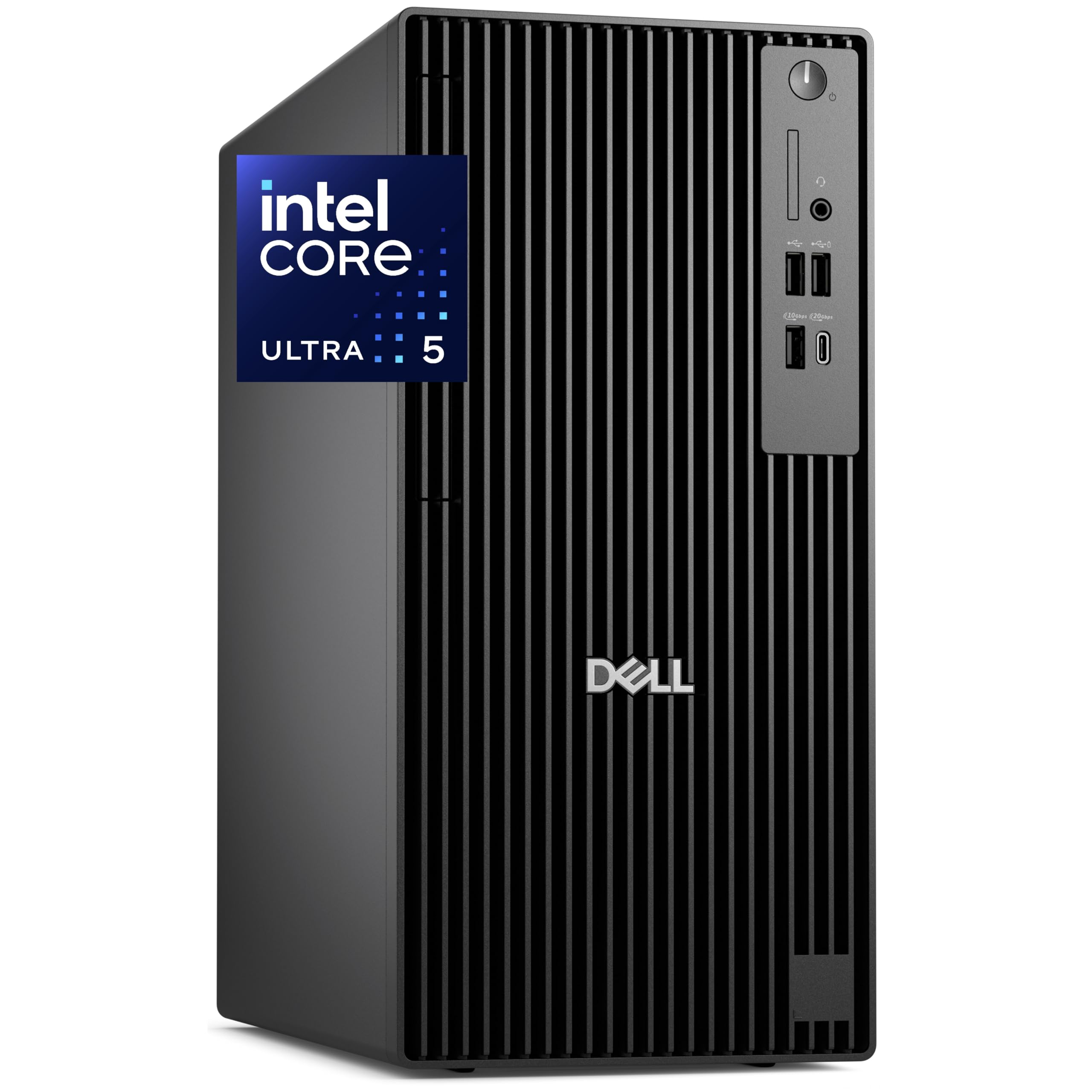
The 32GB configuration of the Dell Pro Tower Plus delivers the same platform stability and professional build quality as its 64GB sibling at a more accessible entry point. The Intel Core Ultra 5 235 features a dedicated NPU for AI acceleration, which becomes useful for modern applications like Windows Copilot and future trading platforms incorporating local AI assistants. The triple native DisplayPort output drives three independent 4K monitors without splitters.
This system is designed for financial analysts and enterprise deployment. The TPM 2.0 security chip and chassis intrusion switch are important for traders handling sensitive account data, and the flexible chassis allows easy servicing. The 32GB of DDR5 RAM is sufficient for a serious trading setup: you can run your broker’s platform, a charting suite, a browser, and a separate news feed without reaching the memory ceiling. The 1TB PCIe NVMe SSD provides quick boot times and ample storage for trading software and historical data.
One frequently mentioned concern is the included USB Wi-Fi adapter rather than a built-in wireless card. Many buyers prefer to add a Dell antenna kit and an Intel Wi-Fi/BT card for internal connectivity. For trading purposes, this minor inconvenience is irrelevant — the Gigabit Ethernet port should be your primary network interface anyway.
Why it’s great
- Three native DisplayPort outputs for a clean triple-4K monitor setup
- Enterprise-grade security with TPM 2.0 and chassis intrusion detection
- Good upgrade flexibility with an easily serviceable chassis
Good to know
- Ships with a USB Wi-Fi adapter instead of a built-in wireless card
- 32GB RAM is adequate now but may require an upgrade in 2-3 years
6. HP OmniDesk Desktop PC

The HP OmniDesk offers a strong starting point for the trader who needs a well-rounded system without overspending on components they won’t fully utilize. Its AMD Ryzen 7 8700G runs at 4.2GHz base and boosts to 5.1GHz, and the 32GB of DDR5-5200 memory is the exact baseline for a multi-platform trading workflow. The 1TB PCIe Gen4 NVMe SSD provides fast application loading and sufficient space for data storage.
The Radeon 780M integrated graphics are capable of driving a 4K display and handling most charting software without dedicated video memory, but this system is best configured with a single high-resolution monitor or two 1440p screens. It is not designed for a four-monitor 4K trading desk. The included HP wireless keyboard and mouse combo is functional, though one buyer commented that the peripherals feel lower in quality than the tower itself — a minor issue since most traders already have preferred input devices.
Upgrade potential is good: the standard HP chassis allows for adding a discrete graphics card later if you decide to expand your monitor setup. The Wi-Fi 6 and Bluetooth 5.4 are integrated, but the Gigabit Ethernet LAN port is present for wired connections. This system represents the smart budget-conscious choice for a trader who prioritizes a solid processor and enough memory over GPU power.
Why it’s great
- 32GB DDR5 RAM and a 1TB NVMe drive deliver a complete baseline for trading
- Ryzen 7 8700G provides strong multi-core performance for platform multitasking
- Upgradeable chassis with room for a future dedicated graphics card
Good to know
- Integrated graphics limit viable multi-monitor setups to two displays
- Included keyboard and mouse feel lower quality than the system itself
7. SAAV Prebuilt Gaming PC
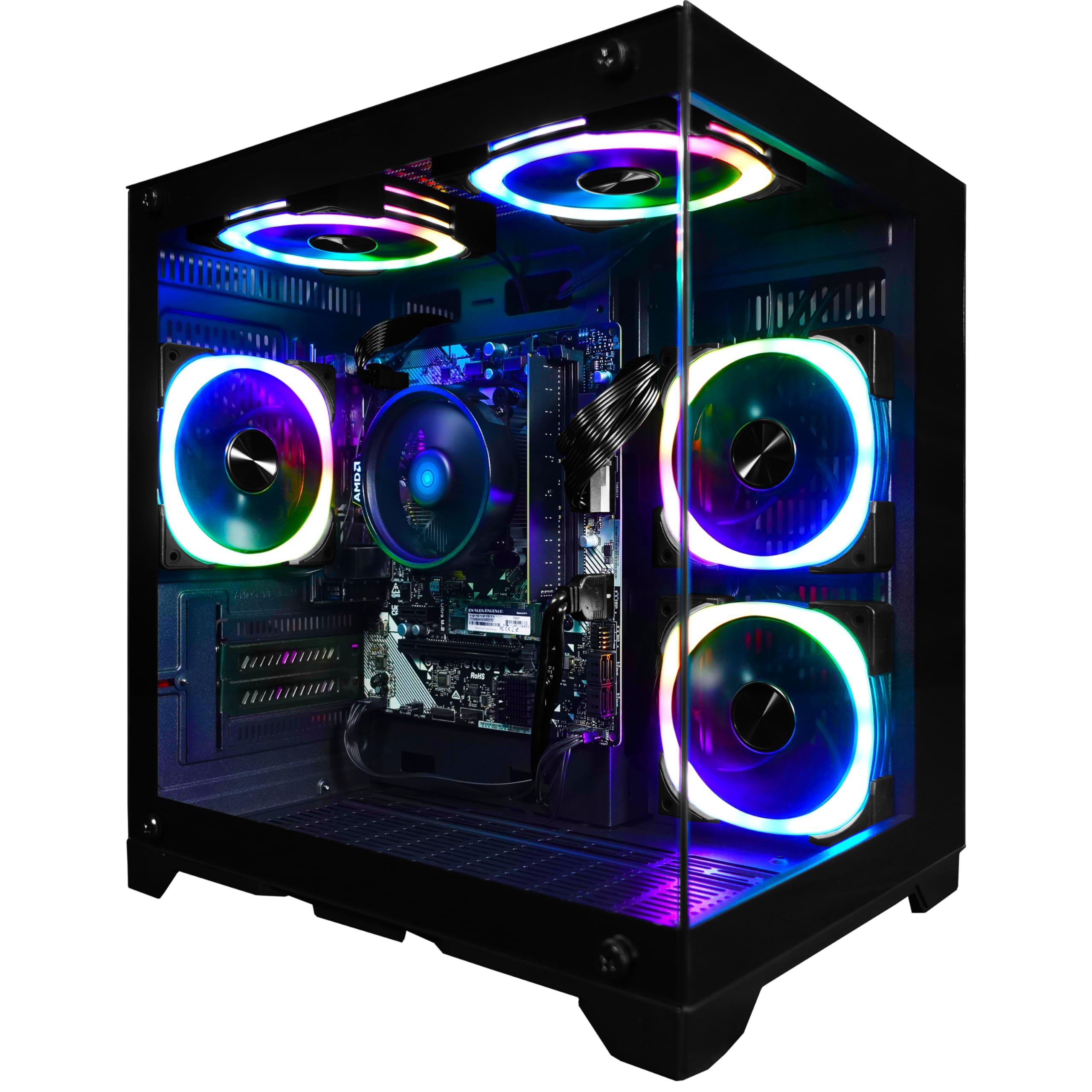
The SAAV prebuilt gaming PC is the entry-level option for a trader who is just starting out and wants to avoid a large hardware investment. Its AMD Ryzen 5 8500G processor and Radeon 740M graphics with 4 GPU cores handle lightweight charting platforms like TradingView Web and basic broker interfaces at 1080p resolution. The 16GB of DDR5 memory is enough for two or three modest applications running concurrently.
The biggest limitation is the 256GB NVMe SSD, which fills quickly with Windows, the trading platform, and a browser installed. You will need to add an external drive or upgrade the internal storage within weeks of regular use. The customizable RGB lighting is unnecessary for a trading setup, but the WiFi 6 and Bluetooth support allow flexible placement if wired Ethernet is temporarily unavailable.
SAAV backs this system with a 1-year limited warranty and responsive customer support — one reviewer reported that a damaged RAM stick was replaced overnight. This makes the purchase risk lower than a random used system, but the hardware limitations mean this machine is only suitable for minimal trading workflows. It will struggle with multiple large workspaces, high-frequency scanners, or a multi-monitor desk.
Why it’s great
- Lowest cost of entry for starting a trading setup from scratch
- 16GB DDR5 memory is acceptable for a streamlined 1-2 app workflow
- Responsive customer support with overnight replacement for defects
Good to know
- 256GB storage fills quickly — a drive expansion or external SSD is essential
- Limited multi-tasking ceiling for heavy platforms like Thinkorswim or Sierra Chart
FAQ
Do I need a dedicated graphics card for stock trading?
Is 16GB of RAM enough for day trading?
Why do some Dell business towers ship without Wi-Fi?
Can a mini PC handle a professional trading setup?
Final Thoughts: The Verdict
For most users, the best day trading computer system winner is the HP Envy Desktop PC because it delivers a balanced high-performance configuration — a 24-core i9-14900K, 64GB of DDR5 RAM, and a dedicated 8GB RTX 3050 GPU — that handles a full multi-platform trading workflow without hitting any hardware ceiling. If you want native four-monitor 4K support with wired-only reliability and the most display connections for your money, grab the Dell Pro Tower Plus (64GB). And for a compact build that saves desk space while offering dual 2.5GbE LAN for a redundant network setup, nothing beats the GEEKOM A9 Max.

Mo Maruf
I created WellFizz to bridge the gap between vague wellness advice and actionable solutions. My mission is simple: to decode the research and give you practical tools you can actually use.
Beyond the data, I am a passionate traveler. I believe that stepping away from the screen to explore new environments is essential for mental clarity and physical vitality.