Our readers keep the lights on and my smoothie glass nicely filled. As an Amazon Associate, I earn from qualifying purchases.
A dash cam that only records locally leaves you guessing what happened until you manually check the memory card. For fleet managers, rideshare drivers, or anyone who wants eyes on their parked car from miles away, live streaming turns a passive recorder into an active security tool. The key difference is connectivity: a standard dash cam stores footage on a card, while a live streaming model transmits video in real-time over a cellular or Wi-Fi network so you can watch from your phone or computer.
I’m Mohammad Maruf — the founder and writer behind WellFizz. After analyzing dozens of dash cam specifications, customer reviews, and real-world performance data across the to range, I’ve narrowed down the nine models that actually deliver reliable remote access and video streaming.
Whether you need 4G LTE tracking or fast Wi‑Fi downloads, this guide to the best dash cam for live streaming covers the essential specs and real trade-offs for every budget.
How To Choose The Best Dash Cam For Live Streaming
Choosing a live streaming dash cam means prioritizing connectivity over raw resolution. A 4K camera that can’t stream or transfer video quickly defeats the purpose of remote access. Focus on the type of network connection, the sensor’s low-light capability, and whether the parking mode supports the remote monitoring features you actually need.
Cellular vs. Wi‑Fi Streaming
The most important decision is whether the dash cam has a built-in 4G LTE modem or relies on a Wi‑Fi hotspot. 4G LTE models, like the Global View The Eagle, stream video directly over a cellular network — you can watch live feed from anywhere without needing your phone nearby. These require a monthly data plan. Wi‑Fi-only models, such as the ROVE R2-4K, let you view live footage only when your phone is connected to the dash cam’s local network, typically within range of the vehicle. For true anytime-anywhere streaming, choose 4G LTE.
Starvis 2 Sensor and Night Vision
Live streaming at night is useless if the image is grainy or too dark to read a license plate. Sony STARVIS 2 sensors, found in the 70mai Omni X800 and VIOFO A329S, dramatically improve low-light sensitivity and reduce motion blur. Look for a sensor with at least a 1/1.8-inch optical format — the larger the sensor, the more light it captures. This ensures your remote view remains clear even in dim parking lots or on poorly lit roads.
Parking Mode with Remote Alerts
A dash cam that streams live video while parked is only as useful as its parking mode implementation. The best systems use buffered recording, which captures the 10 to 15 seconds before an impact occurs. The Thinkware U3000 PRO uses a radar-based parking mode that detects motion with minimal battery drain, then wakes the camera to record and upload a clip. For LTE-enabled cameras, this means you receive an instant push notification with a short video, rather than digging through hours of time-lapse footage.
Cloud Storage and Data Plans
Live streaming cameras that upload clips to the cloud are more expensive to operate. The Global View The Eagle charges per month for 1GB of data, which covers basic live viewing and a few event uploads. Higher-tier plans with unlimited data cost around per month. If you want remote access without a subscription, choose a Wi‑Fi-based model that saves directly to your phone via the app during live viewing — but accept that you must be within Wi‑Fi range of the vehicle.
Quick Comparison
On smaller screens, swipe sideways to see the full table.
| Model | Category | Best For | Key Spec | Amazon |
|---|---|---|---|---|
| Thinkware U3000 PRO | Premium | Radar parking mode + 4K live view | Front 4K / Rear 2K, STARVIS 2, Radar | Amazon |
| VIOFO A329S | Premium | Fast Wi‑Fi 6 downloads + 4TB SSD | Front 4K@60fps / Rear 2K, STARVIS 2 | Amazon |
| 70mai Omni X800 | Mid-Range | 4G LTE + AI motion tracking | Front 4K@60fps, Wi‑Fi 6, STARVIS 2 | Amazon |
| Global View The Eagle | Premium | Dedicated 4G LTE live streaming | Front 1080p / Interior 1080p, 4G LTE | Amazon |
| Vantrue N5S | Mid-Range | 4-channel 360° coverage | 4× STARVIS 2, 2.7K front, 1TB max | Amazon |
| BOTSLAB 4K | Mid-Range | Included hardwire kit + ADAS | Front 4K / Rear 2K, IMX415, ADAS | Amazon |
| REDTIGER F7N Touch | Mid-Range | Touch screen + voice control | Front 4K / Rear 1080p, STARVIS 2 | Amazon |
| FREEXAR D4 | Mid-Range | True 360° 4-channel coverage | Front 4K / 3× 1080p, 360° view | Amazon |
| ROVE R2-4K | Budget-Friendly | Best value with included 128GB card | Front 4K / Rear 1080p, STARVIS 2, 5G | Amazon |
In‑Depth Reviews
1. Thinkware U3000 PRO 2CH
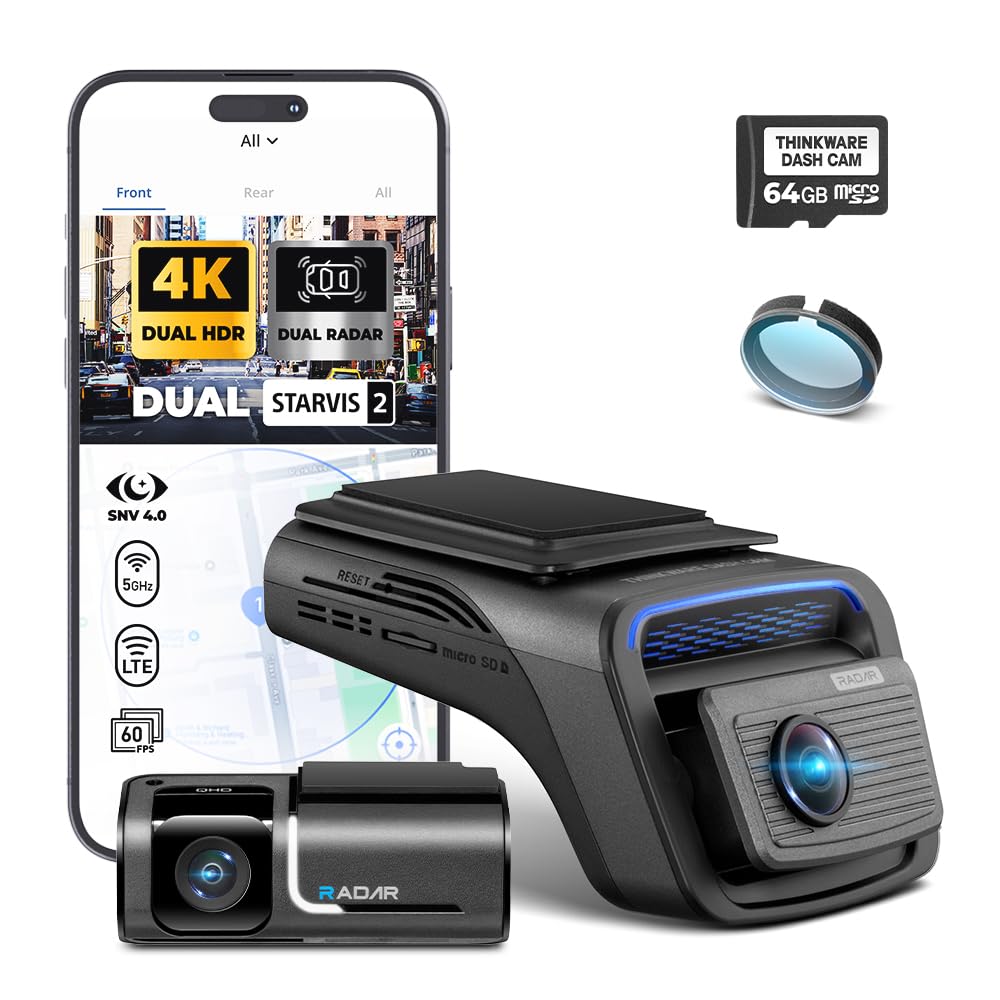
The Thinkware U3000 PRO is the most sophisticated live-streaming dash cam on this list, combining Sony STARVIS 2 sensors on both channels with a radar-based parking mode that drastically reduces battery drain. The front camera records at 4K resolution with Wide Dynamic Range that maintains natural colors even in harsh sunlight, while the rear captures 2K footage. The real differentiator is the radar parking mode: instead of constantly recording or relying on pixel-based motion detection, the radar senses physical movement within its field and wakes the camera to record a 20-second clip (10 seconds before and after the event). This means the camera spends most of its parked life in an ultra-low-power state, preserving your car battery for days rather than hours.
Live streaming is available through the Thinkware app over Wi‑Fi, and the camera is LTE-ready with the optional LTE module (sold separately). Once paired with the module, you can view live video remotely, receive impact alerts, and track GPS location from anywhere. The included OBD-II power cable simplifies installation by drawing power directly from the diagnostic port, and the 64GB microSD card gets you started immediately. Users consistently report that the video quality reads license plates at night without glare, a direct benefit of the STARVIS 2 sensor and smart auto-exposure.
The trade-off is the premium price and the app’s less intuitive interface for retrieving older footage — several owners mention using a card reader instead. The subscription for LTE service is separate, and the camera itself is the most expensive option here. But for drivers who prioritize parking security and want true remote live view without worrying about battery drain, the U3000 PRO delivers the most polished experience available.
Why it’s great
- Radar parking mode extends battery life significantly
- LTE-ready add-on enables true remote live streaming
- Excellent night-time license plate readability
- Reliable build quality with strong brand reputation
Good to know
- Highest upfront cost among all models reviewed
- LTE module and data plan are separate purchases
- App can be clunky for browsing old footage
2. VIOFO A329S 4K 60FPS
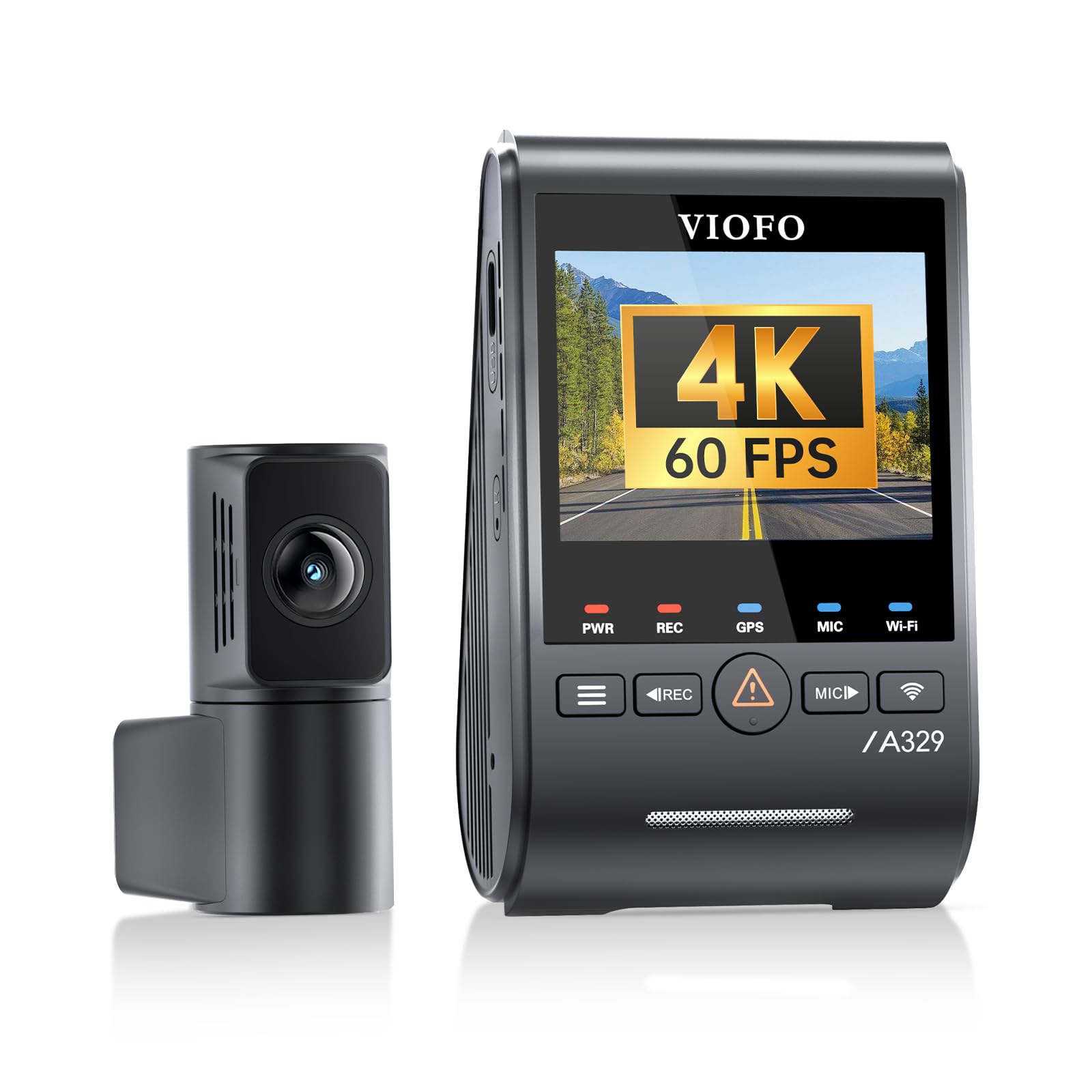
The VIOFO A329S is built for users who want the fastest possible local live viewing and video transfer, and its Wi‑Fi 6 radio is the standout spec here — download speeds reach up to 30MB/s, meaning a 1-minute 4K clip transfers in under 10 seconds. Both front and rear cameras use dual STARVIS 2 sensors (IMX678 front, IMX675 rear), which deliver exceptional low-light sensitivity and reduce motion blur. The front records at 4K 60fps, while the rear captures at 2K resolution, making it one of the sharpest dual-channel systems on the market. The included CPL filter screws onto the front lens to cut windshield glare, a practical addition for daytime streaming.
This camera supports ultra-low-power parking mode with impact detection, and you can pair it with the HK4/HK6 hardwire kit for continuous monitoring. The A329S also accepts external SSDs up to 4TB via USB-C, which means weeks of recording without overwriting. Live streaming works through the VIOFO app over the dash cam’s Wi‑Fi network, so you can view real-time feed when you’re in range. The voice control system supports hands-free commands like “Start recording” and “Take photo,” reducing distractions on the road.
The main limitation for remote streaming is that this is a Wi‑Fi-only device — no built-in LTE means you cannot view live video unless your phone is connected to the camera’s network. Users report that the app can be finicky when Apple CarPlay is active, requiring you to disconnect momentarily. The camera also does not include a memory card or SSD, adding to the total cost. For drivers who prioritize download speed and local video quality over cellular remote access, the A329S is a benchmark performer.
Why it’s great
- Fastest Wi‑Fi 6 transfer speeds up to 30MB/s
- Sharp dual STARVIS 2 sensors with 4K@60fps front
- Accepts up to 4TB SSD for massive storage
- Included CPL filter reduces windshield glare
Good to know
- No built-in LTE — requires Wi‑Fi range for live view
- Memory card and SSD not included in the box
- App can conflict with Apple CarPlay connection
3. 70mai Dash Cam Omni X800

The 70mai Omni X800 combines a motorized rotating front camera with 4G LTE capability, creating a dash cam that can physically follow moving objects while streaming video remotely. The front camera uses a Sony STARVIS 2 IMX678 sensor and records at 4K 60fps, with a 340° rotation range that effectively covers 360° by panning. The AI Motion Detection 2.0 feature automatically tracks movement — if someone walks around your parked car, the camera rotates to keep them in frame. This is the only camera on this list that offers physical object tracking, which is useful for both security and capturing scenic drives.
With the optional hardwire kit (sold separately), the Omni X800 connects to 4G LTE, allowing live remote viewing, real-time location tracking, and push notifications for parking events. The 70mai app supports voice control with 15+ commands, and the Wi‑Fi 6 radio ensures fast local downloads when you are in range. The rear camera records at 1080p and also benefits from the STARVIS 2 sensor, maintaining clear footage in low light. A 128GB microSD card is included, which is a welcome addition for a mid-range camera.
Reliability is the main concern here. A vocal minority of users reports Wi‑Fi and Bluetooth connectivity issues, and some cameras have experienced motor failures where the rotating front camera stops responding. The 4G LTE functionality requires a separate hardwire kit and data plan, which adds ongoing expense. For early adopters who want a futuristic security camera that follows suspected threats, the Omni X800 is compelling — but the reliability record means it is better suited to tech-savvy owners who can troubleshoot.
Why it’s great
- Motorized rotating camera tracks moving objects
- 4K 60fps front with excellent low-light sensitivity
- 4G LTE option for true remote live streaming
- 128GB card included in the box
Good to know
- Reports of Wi‑Fi/Bluetooth connectivity problems
- Motorized mechanism may fail over time
- Hardwire kit and LTE data plan are separate costs
4. Global View The Eagle
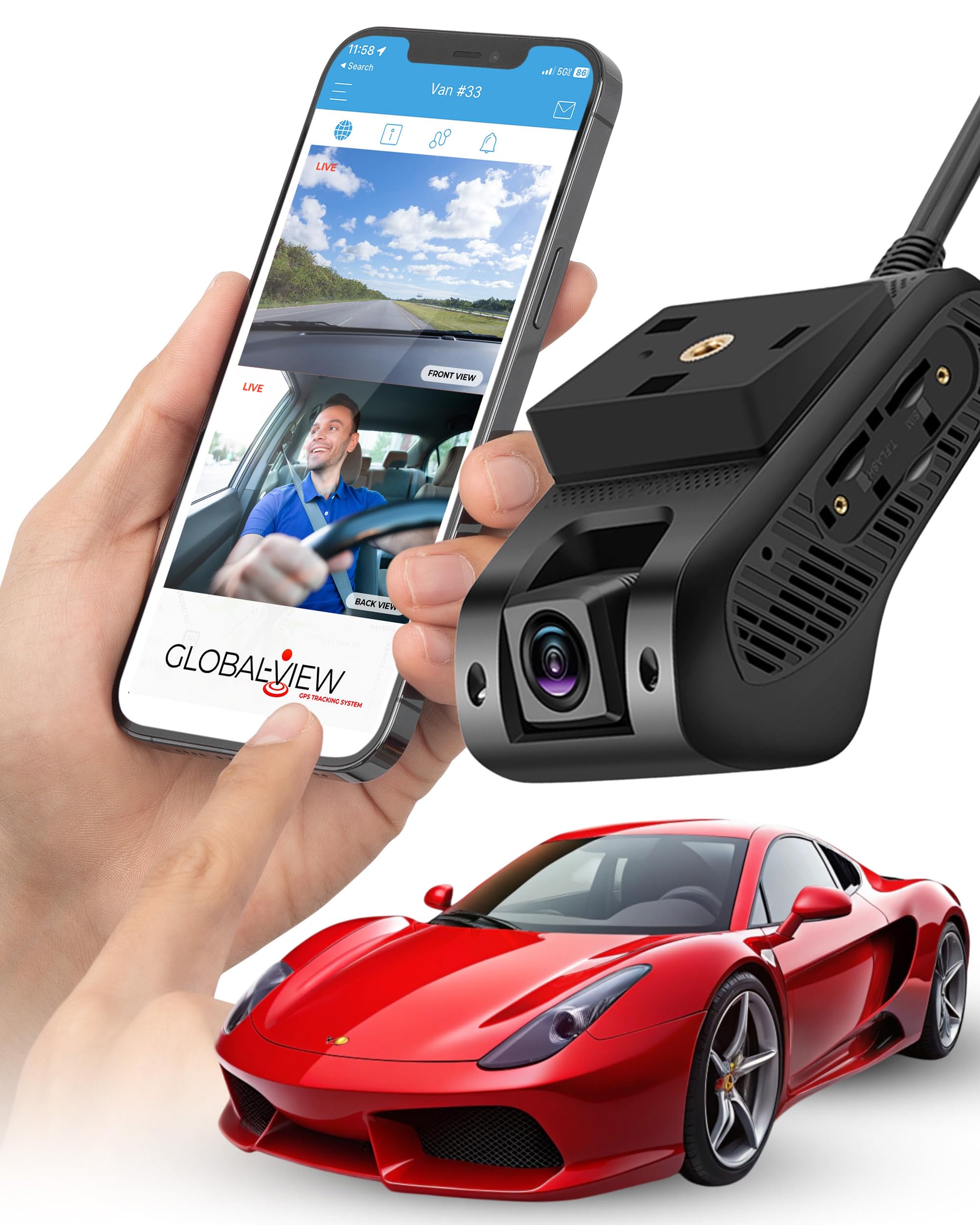
The Global View The Eagle is the only dash cam on this list that ships with built-in 4G LTE, meaning live streaming works out of the box without any additional hardware — just insert the included SIM and activate a subscription. The dual-camera system records 1080p video from the front-facing lens and an interior cabin camera, providing coverage of both the road and the driver or passengers. In the event of a collision, the camera automatically uploads one minute of video to the cloud, ensuring critical evidence is safe even if the device is damaged or stolen. The GPS tracking and geofence alerts let you monitor the vehicle’s location and receive notifications when it enters or leaves designated zones.
The subscription plans start at per month for 1GB of data, which covers basic live viewing and a few event uploads. The unlimited data plan at per month is expensive, but it includes priority support and no data caps — ideal for fleet operators or parents monitoring teenage drivers. The included 64GB microSD card is expandable to 256GB. Installation is straightforward with the wiring harness and relays provided, and the tamper-resistant design includes a bracket lock and screws to deter theft.
The video resolution is limited to 1080p, which falls behind the 4K options on this list. Some users also note that iOS live streaming is still in development and may not be as reliable as the Android experience. The monthly subscription is a significant ongoing cost, and the camera itself sits at a mid-range price point. For users who need true always-on 4G LTE without a separate module, The Eagle is a purpose-built tool — but the 1080p resolution and subscription fees limit its appeal for casual buyers.
Why it’s great
- Built-in 4G LTE for live streaming anywhere
- Auto cloud upload on collision protects evidence
- GPS tracking and geofence alerts included
- Tamper-resistant mounting hardware
Good to know
- 1080p resolution only, no 4K option
- Monthly subscription required (-)
- iOS live streaming still in development
5. Vantrue N5S 4 Channel
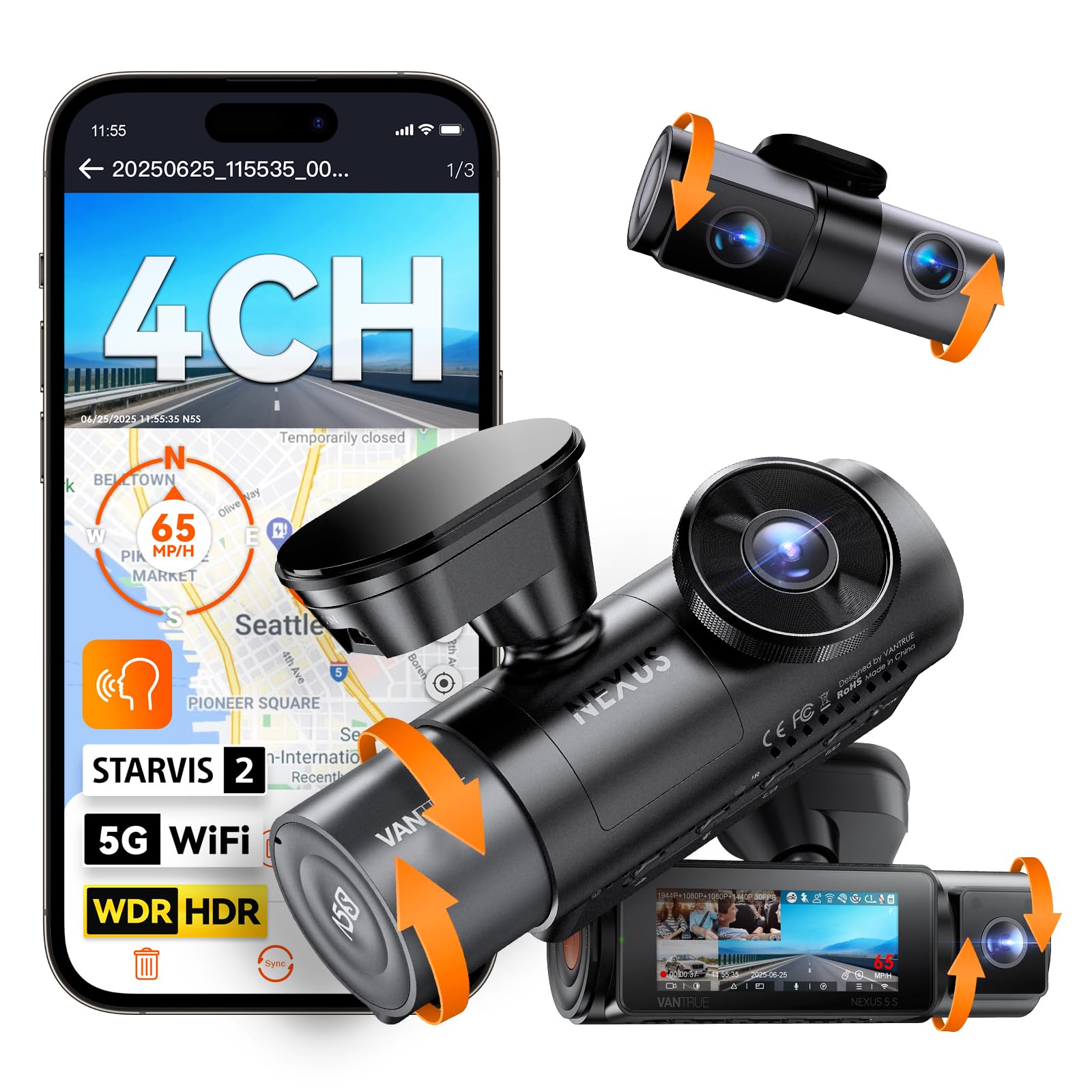
The Vantrue N5S is designed for drivers who want comprehensive coverage, offering four channels: front, rear, front cabin, and rear cabin. All four cameras use STARVIS 2 sensors, so low-light performance is consistent across every angle. The front camera records at 2.7K resolution, while the rear camera captures 1440p, and the two interior cameras record at 1080p with infrared night vision for pitch-black cabin monitoring. The 5GHz Wi‑Fi and dual-system GPS provide fast local streaming through the Vantrue app, and the camera supports up to 1TB microSD cards for extended recording without overwriting.
The buffered parking mode records 10 seconds before an event, ensuring you catch the lead-up to an impact. Voice control supports multiple languages, including English and French, and the G-sensor locks critical footage automatically. The camera comes with a hardwire kit and all necessary cables, making installation simpler than most multi-channel systems. Owners consistently praise the video quality for reading license plates during both day and night, and the low-profile mounts help the camera blend into the windshield without obstructing vision.
The main drawback is that the 5GHz Wi‑Fi can be unreliable — some users report frequent disconnections on both Android and iOS. The menu system is also dense, with many settings that can overwhelm new users. Since this is a Wi‑Fi-only device, live streaming requires you to be within range of the car. For drivers who prioritize complete interior and exterior coverage over cellular remote access, the N5S offers the most channels per dollar.
Why it’s great
- Four STARVIS 2 cameras cover every angle
- Supports up to 1TB microSD for long recording
- Infrared night vision for pitch-black cabin view
- Buffered parking mode captures 10s before event
Good to know
- 5GHz Wi‑Fi can be unreliable at times
- No built-in LTE — Wi‑Fi range only for live view
- Complex menu system with many settings
6. BOTSLAB 4K Dash Cam
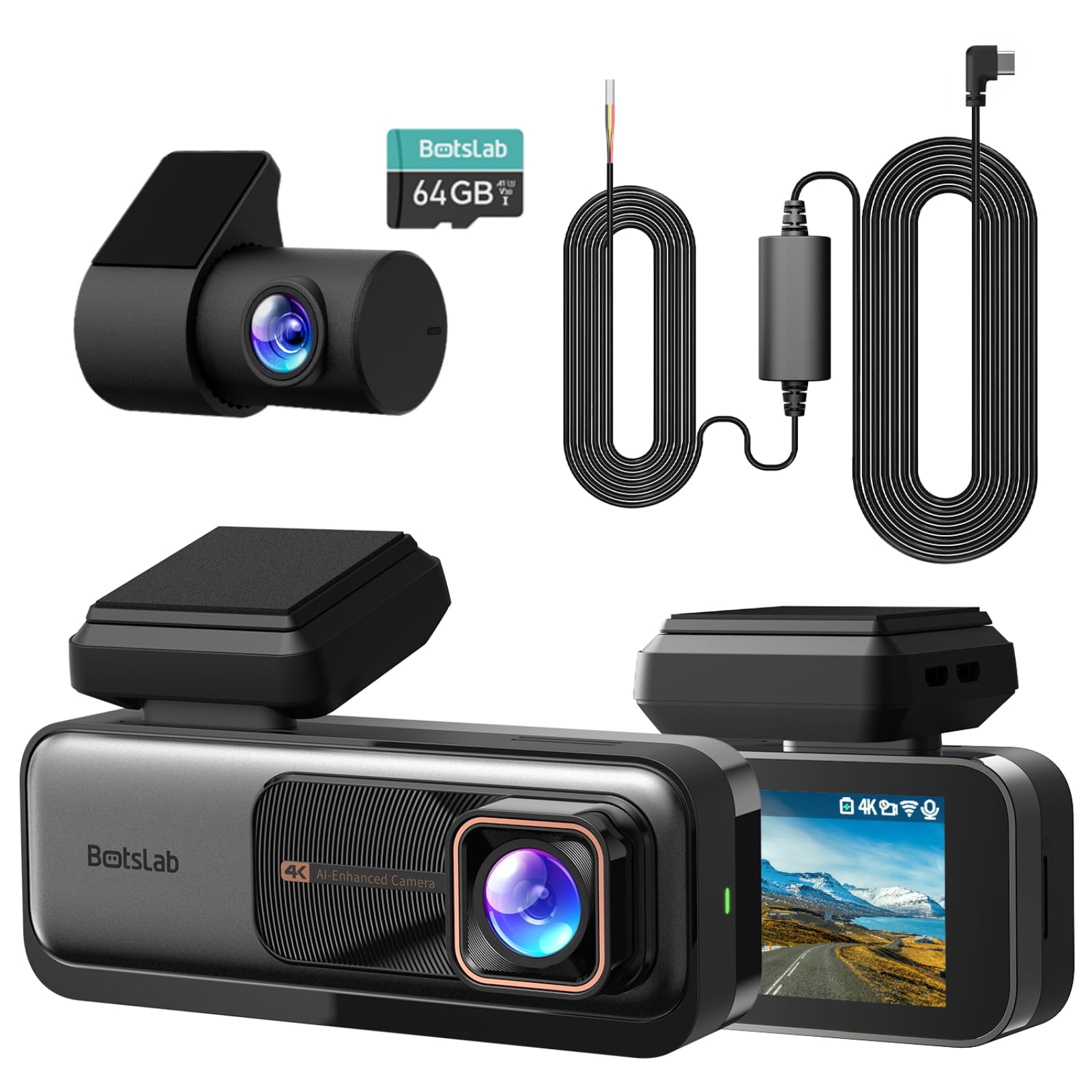
The BOTSLAB 4K dash cam sets itself apart by including the hardwire kit in the box, making 24/7 parking monitoring accessible without an additional purchase. The front camera uses an IMX415 sensor to record true 4K video, while the rear camera captures 2K resolution with a 360° swiveling lens that can face the road or the interior. The built-in ADAS (Advanced Driver Assistance System) uses a 1.5TOPS AI NPU chip to provide real-time warnings for pedestrian collisions, lane departure, forward vehicle movement, and close distance alerts. This level of driver safety assistance is rare at this price point.
The 5GHz and 2.4GHz dual-band Wi‑Fi provides stable connectivity for live viewing through the BOTSLAB app, and the built-in GPS logs speed and route data. The WDR technology handles tunnel entrances and direct sunlight better than most cameras in its tier. Owners report easy installation in large SUVs like the Lincoln Navigator, with long enough cables for rear camera routing. The included 64GB microSD card is sufficient for daily driving but may need upgrading for long trips.
The app experience has room for improvement — some users find Bluetooth pairing unreliable, and video quality viewed through the app can appear softer than the raw SD card footage. The ADAS alerts can also be overly sensitive in heavy traffic, potentially leading to notification fatigue. For budget-conscious buyers who want hardwire parking mode and safety alerts without buying extra components, the BOTSLAB delivers strong value.
Why it’s great
- Hardwire kit included for 24/7 parking mode
- AI ADAS provides collision and lane departure alerts
- Rear camera swivels 360° for interior or road view
- True 4K front and 2K rear recording
Good to know
- Bluetooth pairing can be inconsistent
- App preview may not reflect full video quality
- ADAS alerts may trigger too often in traffic
7. REDTIGER F7N Touch

The REDTIGER F7N Touch combines a 3.18-inch touchscreen display with voice control, allowing you to lock videos, enable Wi‑Fi, or capture photos without navigating menus. The front camera uses a STARVIS 2 sensor to record 4K video, while the rear captures 1080p. The 5.8GHz Wi‑Fi supports download speeds up to 20MB/s through the REDTIGER Cam app, making local live viewing smooth. The built-in GPS logs your driving route and speed, and the included 128GB microSD card eliminates the need for an immediate storage upgrade.
The voice control system recognizes commands like “Lock the video” and “Take photo,” and the touchscreen provides an intuitive alternative for adjusting settings. The loop recording with G-sensor ensures that collision events are protected from overwriting, and the parking mode (with optional hardwire kit) supports time-lapse and motion detection. Owners consistently mention that the installation is straightforward, with a strong suction cup mount that stays in place even on bumpy roads.
The front camera orientation is fixed — it cannot be rotated after mounting, which limits flexibility. Some users also report that the default Wi‑Fi password is difficult to read on the screen, and the menu navigation can be slow during startup while the GPS and Wi‑Fi modules initialize. The rear camera uses adhesive mounting only, with no screw hole for permanent installation, which can be a problem in hot climates where adhesives weaken. For drivers who prefer a touchscreen interface and responsive voice commands, the F7N Touch is a polished mid-range option.
Why it’s great
- Touch screen display for easy menu navigation
- Voice control for hands-free operation
- STARVIS 2 sensor with 4K front recording
- 128GB card included in the box
Good to know
- Front camera cannot rotate after mounting
- Rear camera uses adhesive only, no screw mount
- Slow startup when GPS/Wi‑Fi modules initialize
8. FREEXAR D4 4K 360°
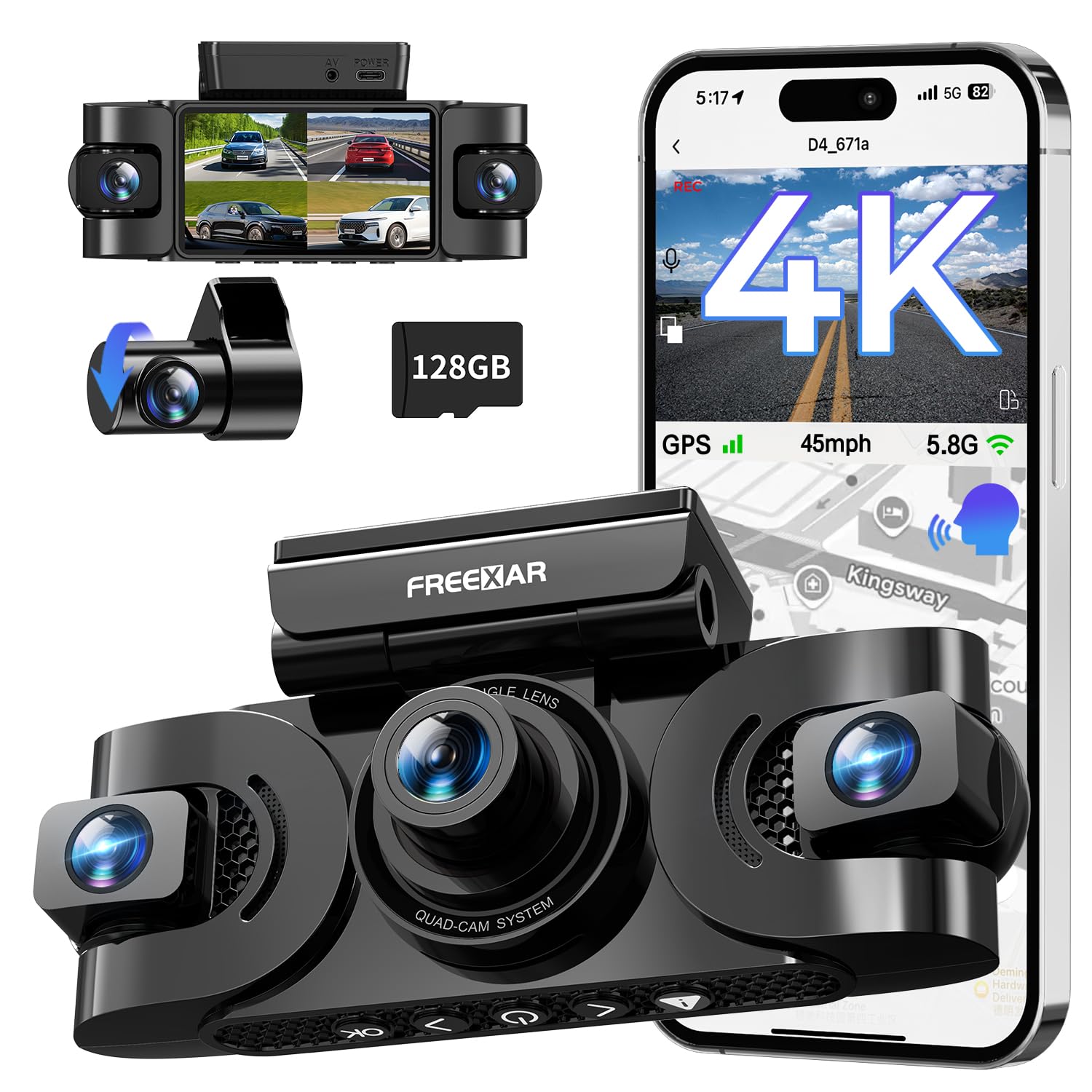
The FREEXAR D4 is designed to eliminate blind spots with four adjustable lenses providing true 360° coverage: front, rear, left, and right. The front camera records at 4K resolution, while the other three channels capture 1080p. The Super Night Vision 2.0 system uses an F1.8 aperture, 6-layer optical glass, and eight infrared lights to maintain clarity in complete darkness. This is the only sub- camera on this list that covers left and right sides, which is critical for recording side-swipe collisions or break-in attempts at passenger windows.
The 5.8GHz Wi‑Fi connects to the free app for live viewing, and voice commands allow you to lock video hands-free. The G-sensor, voice control, and one-press button provide three ways to save critical clips. A 128GB microSD card is included, and the 24-month warranty is longer than most competitors. Owners report that the video quality is clear enough to read license plates at reasonable distances, and the included electrostatic stickers help with repositioning during installation.
Some units have exhibited reliability issues, including random shutdowns while driving and settings reset after power cycles. The 12-foot power cable and 20-foot rear camera cable are generous, but the design is bulkier than single or dual-channel cameras. Since the D4 relies on Wi‑Fi for live viewing, remote access is limited to the range of your phone. For drivers who want to eliminate blind spots without spending premium-tier money, the D4 offers the best channel-to-dollar ratio.
Why it’s great
- True 360° with four adjustable lenses
- 8 infrared lights for night vision in dark cabins
- 128GB card included; 24-month warranty
- Three ways to lock video on impact
Good to know
- Reports of random shutdowns and settings resets
- Bulkier than dual-camera alternatives
- Wi‑Fi only — no built-in LTE for remote access
9. ROVE R2-4K Dual

The ROVE R2-4K Dual is the most budget-friendly way to get live streaming capability through 5GHz Wi‑Fi, and it includes a free 128GB microSD card — a genuine cost saving. The front camera uses a Sony STARVIS 2 sensor to record 4K video at 30fps, while the rear captures 1080p. The 5GHz Wi‑Fi supports download speeds up to 20MB/s through the ROVE app, allowing you to view live feed and download clips quickly. The 3-inch IPS display shows the live camera view and overlays GPS speed and compass direction when the built-in GPS is active.
The parking mode offers three options: 1fps time-lapse, motion detection, and collision detection. When an event occurs while parked, the camera records a full 1-minute video, locks it in an event folder, and provides a voice alert the next time you start the car. The supercapacitor design extends lifespan by resisting the heat that kills battery-powered cameras. ROVE’s customer support is frequently praised — several owners report fast replacements even beyond the standard warranty period, which adds peace of mind for a budget purchase.
The live streaming is limited to Wi‑Fi range, so you cannot view footage from work or vacation unless you connect to the car’s hotspot. The suction cup mount is adequate, but some users find it falls off occasionally in high heat. The app, while functional, is not as polished as premium competitors. For drivers who want 4K recording, 5GHz Wi‑Fi streaming, and a bundled memory card at the lowest entry price, the ROVE R2-4K is the clear value champion.
Why it’s great
- Lowest price with free 128GB card included
- STARVIS 2 sensor for sharp 4K footage
- 5GHz Wi‑Fi with 20MB/s download speed
- Excellent customer support with fast replacements
Good to know
- Wi‑Fi range only — no cellular live streaming
- Suction cup mount may detach in high heat
- App interface is less refined than premium brands
FAQ
Can I stream live video from my dash cam while at work?
How much data does live streaming use per month?
Do I need a separate SIM card for a live streaming dash cam?
Will live streaming drain my car battery while parked?
Final Thoughts: The Verdict
For most users, the best dash cam for live streaming winner is the Thinkware U3000 PRO because its radar parking mode and LTE-ready design offer the most reliable remote monitoring experience with minimal battery drain. If you want fast local streaming and massive storage options, grab the VIOFO A329S. And for a true 4G LTE live stream without extra hardware, nothing beats the Global View The Eagle.

Mo Maruf
I created WellFizz to bridge the gap between vague wellness advice and actionable solutions. My mission is simple: to decode the research and give you practical tools you can actually use.
Beyond the data, I am a passionate traveler. I believe that stepping away from the screen to explore new environments is essential for mental clarity and physical vitality.