Our readers keep the lights on and my smoothie glass nicely filled. As an Amazon Associate, I earn from qualifying purchases.
A DAS enclosure is the most direct path to expanding your storage without the latency of a network. When you need raw transfer speeds for video editing, large file backups, or running a media server, a direct-attached storage unit bypasses the router entirely—plugging straight into your computer’s USB or Thunderbolt port for dedicated bandwidth. The catch is that not all enclosures handle multiple drives with equal stability; cheap controllers, undersized power supplies, or drafty firmware can turn a 4-bay investment into a constant source of disconnects and data anxiety.
I’m Mohammad Maruf — the founder and writer behind WellFizz. I’ve spent hundreds of hours analyzing controller chips, RAID modes, heat dissipation designs, and real failure reports across dozens of DAS enclosures to separate the reliable workhorses from the problematic ones.
Whether you need a single NVMe speed demon or a multi-bay RAID fortress for your production workflow, this guide breaks down the top contenders to help you find the best das storage for your specific workload and budget.
How To Choose The Best DAS Storage
Picking a direct-attached storage enclosure means deciding on bay count, interface speed, RAID support, and physical build quality. Each factor directly affects your transfer speeds, data safety, and how long the unit stays in your setup.
Bay Count vs. Real Capacity Needs
A 4-bay enclosure gives you a strong foundation for RAID 5 (single-disk parity) or a JBOD pool. If you edit 4K video daily and need massive near-line archives, 6-bay or 8-bay units save you from daisy-chaining multiple boxes later. Remember that RAID 5 consumes one drive for parity, so a 4-bay unit in RAID 5 offers three drives worth of usable space.
Interface Bandwidth Matching Your Workflow
USB 3.2 Gen 2 caps at 10 Gbps, which easily saturates four HDDs in a striped array. Thunderbolt 3 at 40 Gbps is necessary only for NVMe enclosures or multi-drive SSD arrays. USB 3.0 (5 Gbps) still works for single-drive backups or archival tasks, but will bottleneck a multi-drive RAID 0 array. Match the interface to the actual speed of your drives, not the shiny spec on the box.
RAID Hardware vs. Software Control
Hardware RAID enclosures manage the array independently of your OS—set the dip switches and the unit presents itself as a single volume. Software RAID relies on your computer’s OS (like Windows Storage Spaces or macOS Disk Utility) to manage the array, which offloads cost but ties the array to that specific operating system. Decide which level of portability you need before you buy.
Quick Comparison
On smaller screens, swipe sideways to see the full table.
| Model | Category | Best For | Key Spec | Amazon |
|---|---|---|---|---|
| RayCue 80Gbps M.2 NVMe Enclosure | NVMe Enclosure | Ultra-fast single NVME transfers | 80 Gbps via Thunderbolt 5 | Amazon |
| TERRAMASTER D4-320 | 4-Bay DAS | Quiet, reliable multi-HDD pool | 10 Gbps USB 3.2 Gen 2 | Amazon |
| ORICO 4 Bay Raid Enclosure | 4-Bay RAID | Budget-friendly RAID flexibility | 235 MB/s sustained with 8 RAID modes | Amazon |
| CENMATE 6 Bay 10Gbps Enclosure | 6-Bay DAS | High-density storage without RAID | 10 Gbps, Daisy chain up to 3 units | Amazon |
| QNAP TR-004 | 4-Bay RAID | Hardware RAID for QNAP ecosystem | Hardware RAID 0/1/5/JBOD | Amazon |
| CENMATE 10 Bay RAID Enclosure | 10-Bay RAID | Large-scale HDD/SSD RAID arrays | 8 RAID modes, up to 200 TB | Amazon |
| QNAP TL-D800C | 8-Bay JBOD | Reliable 8-bay JBOD for ZFS/Unraid | USB 3.2 Gen 2, 8 independent bays | Amazon |
| OWC ThunderBay 4 | 4-Bay Thunderbolt 3 | Creative pro Thunderbolt workflow | 1527 MB/s sustained, SoftRAID included | Amazon |
| BUFFALO TeraStation Essentials | NAS | Small office all-in-one storage | 32 TB (24 TB usable RAID 5) | Amazon |
In‑Depth Reviews
1. RayCue 80Gbps M.2 NVMe SSD Enclosure
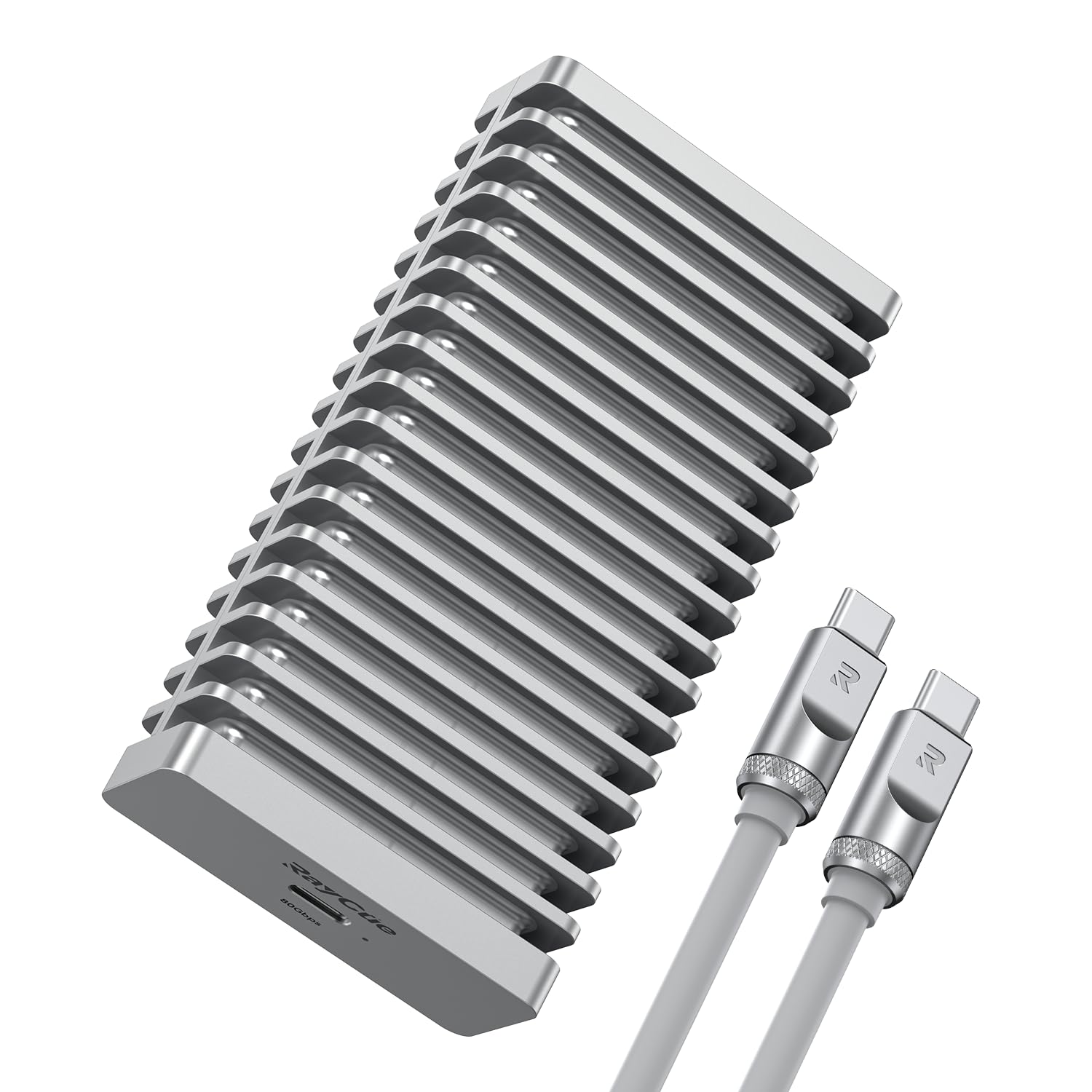
The RayCue enclosure harnesses the JHL9480 chip to push theoretical transfer speeds up to 80 Gbps when paired with a Thunderbolt 5 port, translating to sequential reads around 7000 MB/s. That makes it the fastest single-drive DAS in this lineup, purpose-built for editors who move massive 8K video files or large datasets between two machines. The double-sided aluminum fin design pairs with an internal fan that only activates when the temperature passes 40°C, keeping the NVMe drive cool without constant noise.
Backward compatibility with Thunderbolt 4/3 and USB 4 means it remains useful across older systems, though you won’t hit the 80 Gbps ceiling without a Thunderbolt 5 host and cable. The enclosure supports M.2 NVMe up to 8 TB in the 2280 form factor, and the included silicone sleeve adds a layer of travel protection absent in most bare-metal enclosures. Setup is tool-free, making drive swapping painless when you rotate between projects.
Users consistently report consistent 40 Gbps speeds on Thunderbolt 4 systems with zero driver hiccups on both Mac and Windows. The aluminum chassis stays cool even under sustained writes, and the included cable is rated for the full bandwidth — a detail that cheaper enclosures often overlook. For single-NVMe DAS storage, this is the performance benchmark.
Why it’s great
- Insane 80 Gbps ceiling with Thunderbolt 5
- Aluminum body + smart fan prevents thermal throttle
- Tool-free NVMe install in seconds
Good to know
- 80 Gbps requires Thunderbolt 5 host and cable
- No RAID support; single-drive only
2. TERRAMASTER D4-320 External Hard Drive Enclosure

The D4-320 is a 4-bay DAS that operates purely as separate disks — no RAID controller to complicate things, just four individual volumes over USB 3.2 Gen 2 at 10 Gbps. With four SATA III HDDs, you can reach combined read/write speeds of about 1016 MB/s, and installing a single SATA SSD delivers around 510 MB/s per drive. The unit supports up to 30 TB per drive (120 TB total), making it a serious cold-storage or media archive companion.
TerraMaster added sound-absorbing panels and vibration damping measures that reduce noise by up to 50% compared to the previous generation, dropping stand-by noise below 21 dB(A). The hot-swappable trays are tool-free, and the push-lock design keeps drives secure without screws. One common user-reported fix is swapping the included USB cable for a short, thick, shielded 0.5 m cable to prevent signal loss at 10 Gbps — thin bundled cables are the most frequent cause of disconnects.
The plastic shell feels lighter than aluminum rivals, but the intelligent temperature-controlled fan keeps drive temps below 40°C. If you need a silent, reliable multi-drive DAS without RAID complexity, this is the sweet spot.
Why it’s great
- Quietest 4-bay enclosure under load
- Tool-free hot-swap trays with push-lock
- 120 TB total capacity ceiling
Good to know
- No built-in RAID — individual disks only
- Stock USB cable often causes dropouts
3. ORICO 4 Bay Raid Hard Drive Enclosure

The ORICO 9848RU3 offers more RAID flexibility than any other 4-bay in this roundup, with eight hardware modes: RAID 0, 1, 3, 5, 10, JBOD, CLONE, and CLEAR. That range lets you choose between speed, parity protection, or direct-port duplication depending on the task. The USB 3.0 interface (5 Gbps) with SATA 6 Gbps yields sequential speeds around 235 MB/s in RAID 0, which is adequate for daily backups and file archives but not for high-bitrate video editing.
The all-aluminum chassis houses an 80 mm silent fan with front-to-back ventilation, and the built-in 150 W power supply eliminates the need for an external brick. Drive installation is tray-less with an independent safety lock that prevents accidental ejection. The unit supports single drives up to 22 TB, with a total ceiling of 88 TB — plenty for most prosumer and small-office workflows.
User reports indicate that RAID 5 works well for backups, but some experienced USB timeout issues when the enclosure was connected directly to a PC — the unit performed better when plugged into a NAS USB port for continuous operation. The fan is listenable but not intrusive, and the tool-less caddies make swapping drive sets easy. For a budget-friendly hardware RAID enclosure, this delivers strong value.
Why it’s great
- Eight RAID modes for maximum flexibility
- All-aluminum body with built-in 150W PSU
- Safety lock prevents drive ejection
Good to know
- USB 3.0 (5 Gbps) limits high-speed RAID 0
- Some firmware timeout issues on direct PC USB
4. CENMATE Aluminum 6 Bay 10Gbps HDD Enclosure
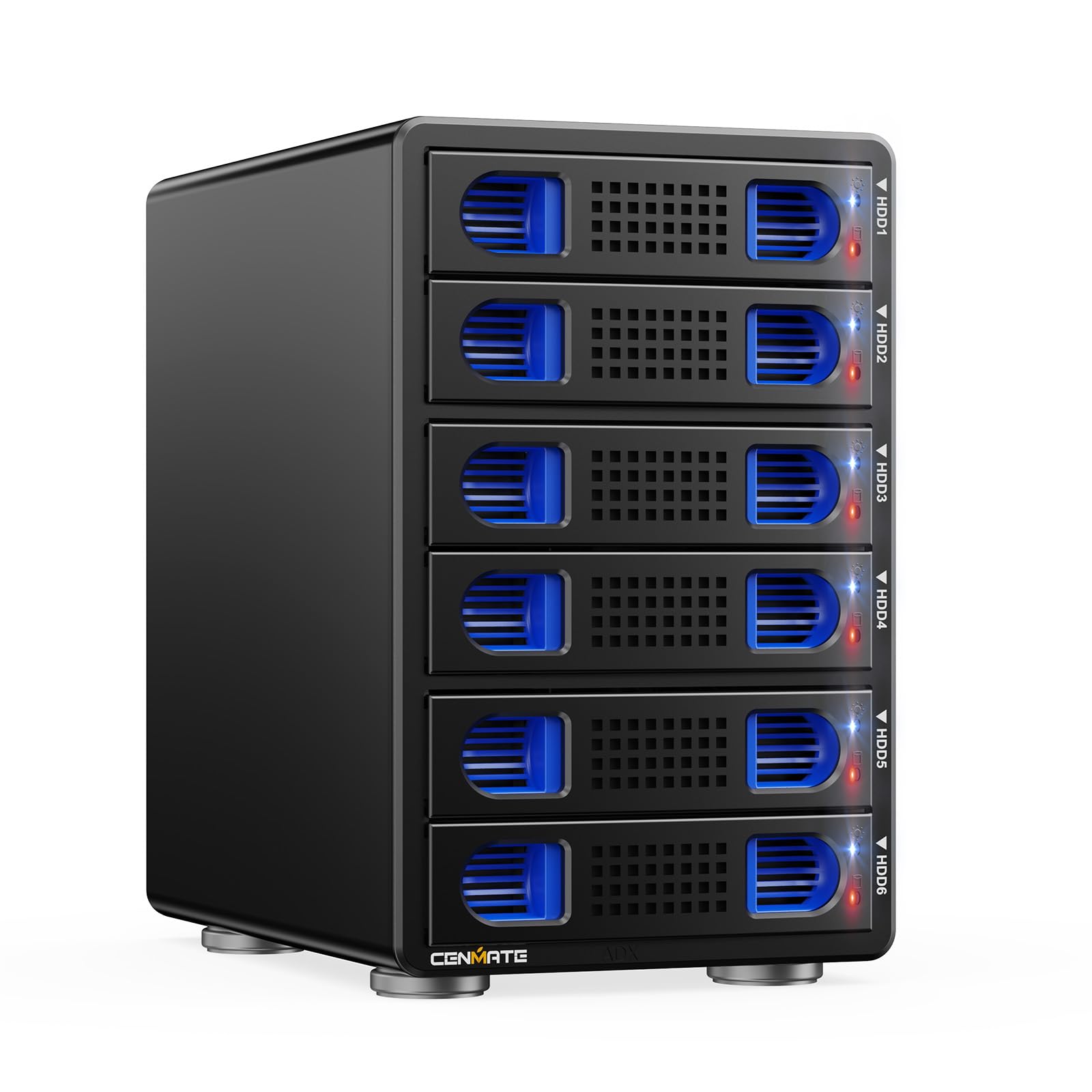
This 6-bay box from CENMATE packs the VL822+ASM235CM chips for USB 3.2 Gen 2 at 10 Gbps, delivering around 500 MB/s total with two HDDs and up to 510 MB/s with a single SSD. Each drive slot supports up to 20 TB, for a maximum of 120 TB across the six bays. The aluminum-alloy shell and two 2.7-inch fans keep temperatures in check, though the fans run at 40-50 dB, which is audible in a quiet office — several users recommend replacing them with Noctua fans if noise sensitivity is an issue.
Daisy-chain capability via the USB host port allows you to connect up to three units, reaching 120 TB in a single chain. The enclosure supports hot swapping, and the tool-free drive trays make swapping drives quick. Compatibility spans Windows, macOS, and Linux, and the USB Type-C interface works with Thunderbolt 3 and 4 ports as well.
User reports are mixed on reliability. One Linux user saw 170 MB/s sustained writes without dropouts, while a Windows user reported intermittent drive dropouts and self-wiping behavior that disappeared after switching to a TerraMaster D4-320. The fan is the most common complaint even among positive reviews. If you need six bays in a single USB 3.2 chain and are comfortable with fan replacement, this is the density leader.
Why it’s great
- High-density 6-bay in a compact footprint
- Daisy-chain up to 3 units (120 TB total)
- Hot-swap tool-free trays
Good to know
- Fan noise (40-50 dB) bothers quiet-room users
- Some users report drive dropouts on Windows
5. QNAP TR-004 4 Bay USB Type-C DAS

The QNAP TR-004 is one of the few consumer-friendly 4-bay enclosures that offers genuine hardware RAID via dip switches — no software drivers required. You can configure RAID 0, 1, 5, JBOD, or individual disk modes by toggling switches on the back, and the unit remembers your configuration after power loss. The USB Type-C interface runs at SATA 3 (6 Gbps) per bay, and the unit includes a physical on/off switch, an external power brick, and lockable drive bays for physical security.
It works out of the box with Windows, macOS, and Linux, and QNAP designed it to expand a QNAP NAS as well, though it cannot combine pools with the NAS. The drive trays are tool-less for 3.5-inch drives, but 2.5-inch SSDs require screws and removal of the clip. The metal body (not aluminum) and quiet fan make it suitable for desktop placement, though some users report no vibration dampening, which can amplify HDD noise.
Long-term users running Plex servers and Mac Minis report two years of reliable RAID 5 operation. However, a vocal minority of users on Apple Silicon Macs experienced constant beach-balling and 30-second wake delays with SSDs — those users switched to a Sabrent 5-bay. The plastic drive trays feel flimsy to some, but the underlying RAID controller is the main draw. If you want set-and-forget hardware RAID, this is the proven option.
Why it’s great
- True hardware RAID via dip switches
- Works with QNAP NAS for direct expansion
- Physical power switch and lockable bays
Good to know
- Poor drive vibration dampening
- Some SSD users on Mac experience USB glitches
6. CENMATE Aluminum 10 Bay Hard Drive RAID Enclosure
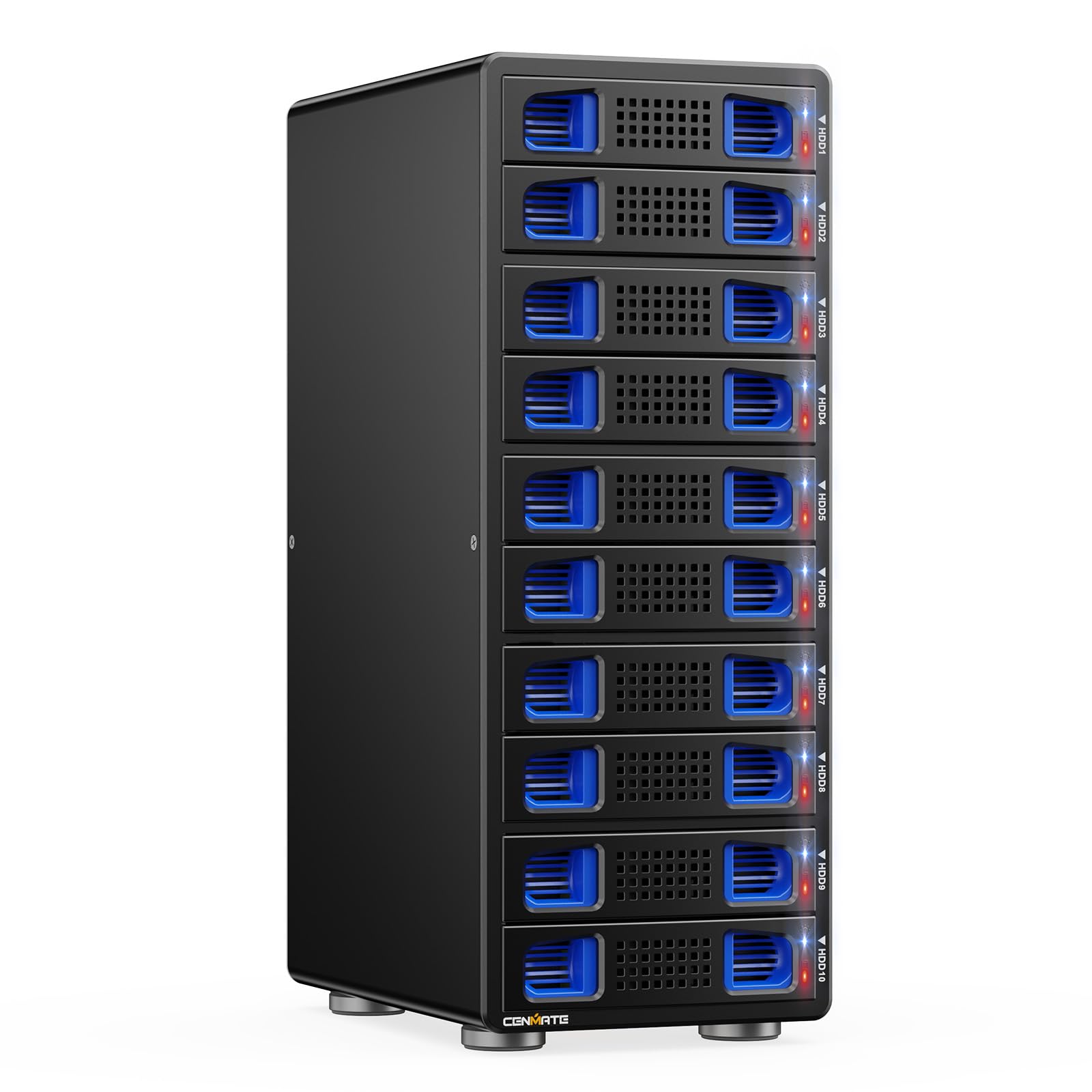
This 10-bay RAID enclosure from CENMATE supports up to 200 TB (20 TB per drive) with eight RAID modes including CLONE, LARGE, NORMAL, RAID 0/5/50, and RAID 00. The USB 3.0 interface caps at 5 Gbps under UASP, which is enough for archival transfers with HDDs but will bottleneck fast SSD arrays. A 150 W power supply handles the spin-up load of ten drives, and the aluminum body uses two 2.7-inch fans for heat extraction — ambient noise sits at 40-50 dB.
The enclosure requires at least one drive in HDD1-HDD5 and one in HDD6-HDD10 to function, and switching RAID modes requires you to disconnect power, toggle a physical paddle, press and hold the reset button, then reapply power. This hardware-dip approach means the array management is independent of your OS, but it also means misconfiguring a mode switch can wipe all data. CENMATE recommends testing each drive individually before populating all bays to isolate any problematic units.
Users running RAID 5 with four 20 TB WD drives report around 150 MB/s sustained writes — acceptable for backup duties but not for real-time video editing. The tool-less caddies are a highlight for swapping drive sets, and the fan noise is manageable. One notable caveat: the unit had compatibility issues with Mac Studio out of the box that a firmware update resolved for some but not all users. For sheer capacity per dollar, this is the density king.
Why it’s great
- Massive 10-bay capacity (up to 200 TB)
- Eight hardware RAID modes including RAID 50
- Tool-less caddies for fast drive swaps
Good to know
- USB 3.0 (5 Gbps) limits multi-drive speed
- Mac compatibility can be inconsistent
7. QNAP TL-D800C 8 Bay Desktop JBOD Enclosure

The TL-D800C is an 8-bay JBOD enclosure that presents each drive as an independent volume over USB 3.2 Gen 2 Type-C. There is no onboard RAID logic — this unit is designed for software-defined storage solutions like ZFS, Unraid, TrueNAS, or Proxmox where the OS handles pooling and parity. The 250 W power supply comfortably spins up eight enterprise drives simultaneously, and the quiet 80 mm fans keep noise levels low in a rack or desktop environment.
Each drive appears as an ASMedia UAS device, passing SMART statistics and supporting hot swap without driver installations on Windows, Linux, and macOS. The screwless drive trays fit both 3.5-inch and 2.5-inch drives, and the unit includes a USB-C to USB-A cable. Users running ZFS on FreeBSD report that the TL-D800C is the only 8-bay DAS they have found that does not produce checksum errors or drive dropouts over years of continuous operation — a reputation that matters when data integrity is non-negotiable.
One critical user review reported random disconnects of all eight drives within 24 hours, including during rsync transfers, which the user attributed to a software conflict that could not be resolved. Most other users, however, report years of flawless operation with TrueNAS Scale and FreeBSD. The all-metal chassis feels solid, and the hot-swap sleds are durable. If you need an 8-bay JBOD that plays nice with ZFS, this is the gold standard.
Why it’s great
- Reliable 8-bay JBOD for ZFS and TrueNAS
- Passes full SMART data and hot swap
- Quiet fans and robust 250W PSU
Good to know
- No RAID hardware — software array required
- Some users report random full-drive disconnects
8. OWC ThunderBay 4 0TB Four-Bay Thunderbolt 3 RAID

The ThunderBay 4 is OWC’s flagship 4-bay Thunderbolt 3 enclosure, offering sustained performance up to 1527 MB/s — fast enough to edit multiple streams of 4K ProRes or handle 8K RAW footage directly from the array. It supports 3.5-inch and 2.5-inch drives without adapters, and can be configured in RAID 0/1/4/5/10 via the included SoftRAID Premium software, which provides enterprise-grade monitoring and alerting. SoftRAID XT is included for the life of the unit with a 3-year subscription for updates.
Dual Thunderbolt 3 ports allow daisy-chaining up to six Thunderbolt devices, including displays via the DisplayPort output. The aluminum enclosure acts as a heatsink, keeping drives cool during sustained write operations. Users in video production report that the ThunderBay handles 400 GB transfers in under 30 minutes without thermal throttling, and the noise level is impressively low for a 4-bay RAID array.
Most users give the ThunderBay 4 five stars for build quality and speed, but a small fraction experienced kernel panics on macOS Catalina and drive mount failures that OWC support could not resolve. The bright blue front LED is a common minor irritant. If you are in the Apple creative ecosystem and need Thunderbolt 3 speeds with Pro-certified reliability, the ThunderBay 4 remains the professional choice.
Why it’s great
- Top-tier Thunderbolt 3 performance (1527 MB/s)
- SoftRAID software included with 3-year subscription
- Supports 2.5″ and 3.5″ drives no adapter needed
Good to know
- SoftRAID software issues on some macOS versions
- Blue front LED is very bright at night
9. BUFFALO TeraStation Essentials 2025 4-Bay NAS

The TeraStation Essentials is a NAS, not a DAS, but it earns a place here because many users consider it when they need networked access alongside direct-attach simplicity. It ships with four 8 TB drives pre-installed and pre-configured in RAID 5 for 24 TB usable out of the box. The native 2.5 GbE port delivers fast file transfers without requiring a 10 GbE switch, and the unit supports 256-bit drive encryption, cloud sync with S3/Azure/OneDrive/Dropbox, and a 3-year warranty with hard drive coverage.
Setup requires a driver installation on a local machine, and the web-based GUI manages RAID, users, and backups. Users report that the initial data load takes time, but after the first sync the TeraStation runs reliably for months without reboots. The all-metal chassis is larger than a desktop DAS but quieter than most DIY NAS builds. RAID configuration is flexible — you can change to RAID 6 for more redundancy or RAID 0 for full 32 TB, though the provided drives are 5400 RPM units.
This is ideal if you want an all-in-one storage appliance with drives included, zero assembly, and a single vendor for support. It is not the fastest option (2.5 GbE is slower than Thunderbolt 3 or USB 3.2 Gen 2), but for file sharing, automated backups, and media streaming across a home or small office, it delivers reliable convenience. If your workflow requires a DAS for direct-attach speed, look at the other options — if network flexibility matters more, this is the complete package.
Why it’s great
- Drives pre-installed and RAID pre-configured
- 2.5 GbE port for faster than Gigabit transfers
- 3-year warranty including hard drive coverage
Good to know
- NAS, not DAS — network latency is a factor
- 5400 RPM drives; slower than 7200 RPM options
FAQ
Can I use a DAS enclosure for a media server like Plex?
Is it safe to hot-swap drives in a DAS enclosure?
Why does my DAS enclosure disconnect randomly during large file transfers?
Can I mix HDDs and SSDs in the same DAS enclosure?
Final Thoughts: The Verdict
For most users, the best das storage winner is the TERRAMASTER D4-320 because it combines whisper-quiet operation, easy hot-swap trays, and a proven track record of reliability over years of use. If you need Thunderbolt 3 speed for video production, grab the OWC ThunderBay 4 — the included SoftRAID software and sustained 1527 MB/s performance make it the creative pro standard. And for massive density without compromise, nothing beats the QNAP TL-D800C for 8-bay JBOD perfection that ZFS and TrueNAS users trust with their most critical data.

Mo Maruf
I created WellFizz to bridge the gap between vague wellness advice and actionable solutions. My mission is simple: to decode the research and give you practical tools you can actually use.
Beyond the data, I am a passionate traveler. I believe that stepping away from the screen to explore new environments is essential for mental clarity and physical vitality.