Our readers keep the lights on and my smoothie glass nicely filled. As an Amazon Associate, I earn from qualifying purchases.
The promise of a clean, cable-free desk with multiple screens is real, but getting there means wading through a tangle of technical jargon. Daisy chain monitors let you link one display to the next using a single cable from your laptop, massively simplifying your workspace. But not every monitor with a DisplayPort out actually supports the Multi-Stream Transport (MST) protocol required for a true daisy chain, and that’s where most buyers get tripped up.
I’m Mohammad Maruf — the founder and writer behind WellFizz. I’ve spent countless hours dissecting spec sheets, cross-referencing DisplayPort versions, and verifying Multi-Stream Transport (MST) compatibility to bring you a buying guide that cuts through the noise.
Whether you’re a creative professional or a data analyst, choosing from the best daisy chain monitors on the market today requires close attention to connectivity, resolution, and power delivery specs to ensure a seamless multi-monitor workflow.
How To Choose The Best Daisy Chain Monitors
Choosing a monitor for daisy chaining is different from simply picking a good screen. You must verify that the DisplayPort or USB-C port supports MST — without it, the chain won’t work. Focus on the three pillars below to avoid a costly mistake.
Verify MST (Multi-Stream Transport) Support
Not all monitors with a DisplayPort Out support daisy chaining. Look for explicit references to “MST” or “Daisy Chain” in the specifications. If you’re using a Mac, confirm Thunderbolt 3/4 support, as macOS handles MST differently and often requires Thunderbolt-native monitors for multi-stream setups.
Check Power Delivery Wattage
If you plan to use a single USB-C cable for both video and laptop charging, the monitor’s Power Delivery (PD) rating matters. A 65W PD is sufficient for many ultrabooks, but larger workstations may require 90W or more to avoid battery drain during heavy use. The monitor’s USB-C port must also support DP Alt Mode for video.
Match Resolution and Refresh Rate Limits
Daisy chaining two or more 4K monitors at 60Hz requires DisplayPort 1.4 with High Bit Rate 3 (HBR3). For 1440p or lower resolutions, DisplayPort 1.2 with HBR2 is often enough. Review your chain’s bandwidth budget before buying to prevent signal dropouts or forced lower refresh rates.
Quick Comparison
On smaller screens, swipe sideways to see the full table.
| Model | Category | Best For | Key Spec | Amazon |
|---|---|---|---|---|
| Dell UltraSharp U2725QE | Premium | Pro color work & Thunderbolt chains | 140W PD, 120Hz, Thunderbolt 4 | Amazon |
| BenQ PD3225U | Premium | Mac-based creative studios | Thunderbolt 3, 40Gb/s, 2000:1 contrast | Amazon |
| MSI PRO MAX 271UPXW12G | Premium | QD-OLED visuals & dual USB-C hub | QD-OLED, 98W PD, Dual USB-C | Amazon |
| Dell Pro 32 Plus P3225QE | Premium | Large 4K workspace with LAN | 31.5″ 4K, 100Hz, 90W PD | Amazon |
| ASUS ProArt PA279CV | Mid-Range | 4K color-critical work on a budget | 4K UHD, 65W PD, Calman Verified | Amazon |
| Samsung ViewFinity S6 S60UD | Mid-Range | Productivity with built-in KVM | QHD, 100Hz, 90W PD, KVM | Amazon |
| BenQ PD2706QN | Mid-Range | Matte display & Mac color matching | QHD, 100Hz, 90W PD, Nano Matte | Amazon |
| ASUS ProArt PA278CV | Mid-Range | Entry-level daisy chain & color work | QHD, 75Hz, 65W PD, Calman Verified | Amazon |
| ViewSonic TD2455 | Budget | Touchscreen collaboration & POS | 1080p, 10-point touch, DP out | Amazon |
In‑Depth Reviews
1. Dell UltraSharp U2725QE

The Dell UltraSharp U2725QE sets the benchmark for daisy chain monitors targeting creative professionals. Its Thunderbolt 4 port delivers a massive 140W of power delivery, enough to charge even the most demanding laptops while simultaneously transmitting video and data. The 27-inch 4K IPS Black panel with a 120Hz refresh rate and Delta E less than 1.5 factory calibration ensures that your chain of monitors doesn’t compromise on color fidelity or fluidity.
Daisy chaining up to two additional 4K monitors via Thunderbolt 4 is seamless, and the built-in ambient light sensor adjusts brightness automatically for all-day comfort. The full ergonomic stand with tilt, swivel, pivot, and height adjustments makes it easy to align multiple screens perfectly. This is a premium monitor built for professionals who demand unwavering performance from every link in their chain.
While the price reflects its high-end positioning, the U2725QE’s combination of Thunderbolt 4 bandwidth, industry-leading power delivery, and exceptional color accuracy makes it a smart long-term investment. Mac users should note that macOS compatibility via Thunderbolt is excellent, though the monitor’s full versatility shines brightest with Windows systems that support native MST over Thunderbolt.
Why it’s great
- 140W Power Delivery charges even large laptops under load.
- 120Hz refresh rate with Delta E < 1.5 for fluid, accurate visuals.
- Thunderbolt 4 supports daisy chain of up to two 4K monitors.
Good to know
- Premium pricing may exceed the budget for casual users.
- Mac users may need to verify Thunderbolt 4 compatibility for MST.
2. BenQ PD3225U

The BenQ PD3225U is a 32-inch 4K IPS Black monitor engineered specifically for Mac-based creative workflows. Its Thunderbolt 3 port provides 40Gb/s bandwidth, enabling seamless daisy chaining of additional monitors while delivering 85W of power to your laptop. The 2000:1 contrast ratio from IPS Black technology gives deeper blacks and richer shadow detail than standard IPS panels, making it ideal for photo editing and color grading.
BenQ’s M-Book mode matches the color profile of your MacBook almost perfectly, and the factory calibration with Delta E ≤ 2 ensures consistency right out of the box. The included Hotkey Puck G2 allows for quick brightness and volume adjustments, and the built-in KVM switch lets you control two computers with a single keyboard and mouse. The anodized metal stand feels premium and offers full ergonomic adjustments.
Some users note the 250-nit brightness may struggle in very bright rooms, and the display could benefit from a higher refresh rate for video work. However, for professionals who need a Thunderbolt-native daisy chain solution with superior contrast and Mac-optimized color, the PD3225U is an outstanding choice that integrates deeply into a Mac-centric ecosystem.
Why it’s great
- 2000:1 IPS Black contrast for deep blacks and rich shadow detail.
- Thunderbolt 3 with 40Gb/s bandwidth and 85W PD.
- M-Book mode matches MacBook color profiles precisely.
Good to know
- 250-nit brightness may feel dim in sunlit spaces.
- 60Hz refresh rate lags behind some competitors.
3. MSI PRO MAX 271UPXW12G

The MSI PRO MAX 271UPXW12G brings QD-OLED technology to the daisy chain conversation, offering infinite contrast and vibrant colors that IPS panels simply can’t match. Its dual USB-C hub includes one port with 98W power delivery and another with 15W, allowing you to charge a laptop and peripherals through the monitor. The 27-inch 4K UHD panel runs at 120Hz with FreeSync Premium Pro, delivering smooth motion for both productivity and light gaming.
MSI’s Mac Optimization Software syncs color profiles with macOS and supports shortcut keys for brightness and volume control. The VESA DisplayHDR True Black 400 certification ensures deep blacks and bright highlights, while the monitor’s built-in speakers provide functional audio without cluttering your desk. Daisy chaining works through DisplayPort MST, making it flexible for both Windows and Mac setups.
The main trade-off is the chunkier stand base that takes up significant desk space, and the lack of USB-C ports beyond the two included. Some Mac users may need to disable DSC (Display Stream Compression) for stable dual-monitor operation. For anyone wanting OLED’s visual punch in a daisy chain workflow, this MSI model is a compelling option that blends professional features with stunning image quality.
Why it’s great
- QD-OLED with infinite contrast and True Black 400 HDR.
- Dual USB-C hub with 98W PD for laptop and peripherals.
- 120Hz refresh rate with FreeSync Premium Pro.
Good to know
- Stand base is large and takes up desk space.
- Mac users may need to adjust DSC settings for dual-monitor stability.
4. Dell Pro 32 Plus P3225QE
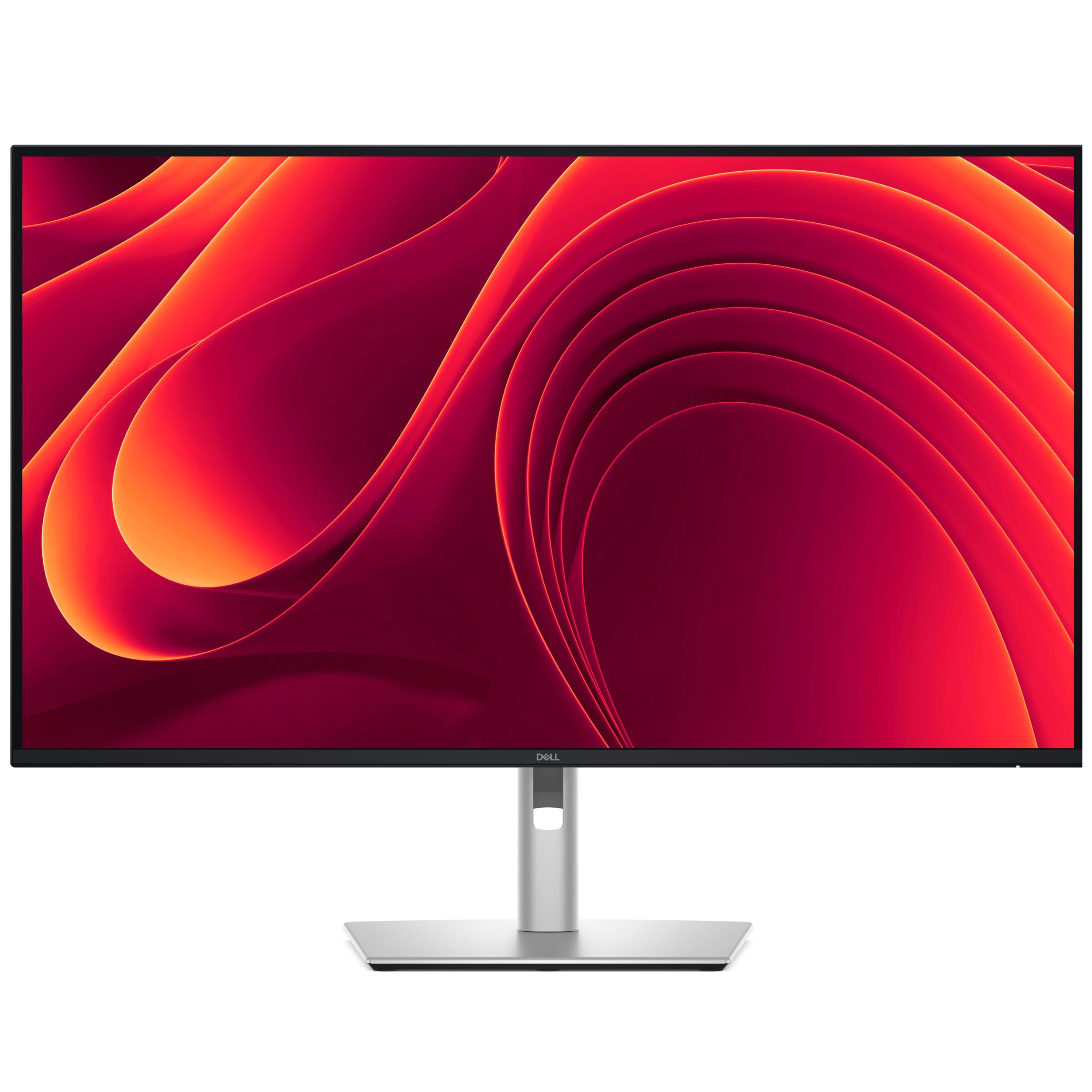
The Dell Pro 32 Plus P3225QE delivers a spacious 31.5-inch 4K Ultra HD experience with a 100Hz refresh rate, making it a strong contender for users who need screen real estate and smooth scrolling. Its USB-C port with 90W power delivery keeps your laptop charged, while the built-in Ethernet port provides a stable wired network connection — a rare and valuable feature for office setups where Wi-Fi is unreliable.
Daisy chain support via DisplayPort MST enables you to connect a second monitor with minimal cable clutter. The IPS panel covers 99% sRGB for accurate color reproduction, and the fully adjustable stand with tilt, swivel, pivot, and height adjustments makes aligning multiple monitors straightforward. The narrow bezels help create a seamless multi-monitor wall without visual distractions.
At this price point, the lack of Thunderbolt connectivity and a slightly lower color gamut compared to premium competitors are reasonable compromises. The P3225QE is a practical, spacious, and well-connected monitor that excels in productivity environments where large-screen real estate and wired networking are priorities over extreme color accuracy.
Why it’s great
- 32-inch 4K panel with 100Hz for fluid multitasking.
- Built-in LAN port for stable wired networking.
- 90W USB-C PD and full ergonomic stand.
Good to know
- Color gamut is limited to 99% sRGB, not DCI-P3.
- No Thunderbolt connectivity for faster data transfers.
5. ASUS ProArt PA279CV

The ASUS ProArt PA279CV is the go-to choice for budget-conscious creative professionals who demand 4K resolution and factory-calibrated color. This 27-inch IPS panel covers 100% sRGB and 100% Rec. 709 with a Delta E < 2, and it comes Calman Verified for accuracy. The USB-C port delivers 65W power delivery, enough for most ultrabooks, while the DisplayPort out supports daisy chaining up to four displays using MST.
Connectivity is generous with DisplayPort, HDMI, and a USB 3.1 hub, making it easy to integrate into an existing setup. The ergonomic stand allows height, pivot, swivel, and tilt adjustments, and ASUS’s Flicker-Free and Low Blue Light technologies help reduce eye strain during long editing sessions. The 75Hz refresh rate with Adaptive-Sync ensures tear-free scrolling and smooth video playback.
Keep in mind that the 65W power delivery may not keep larger laptops at full charge during intensive tasks, and the 4K resolution will limit daisy chain length compared to QHD monitors. For those seeking an affordable entry into a 4K daisy chain workflow with professional color accuracy, the PA279CV is hard to beat.
Why it’s great
- 4K UHD with Calman Verified Delta E < 2 color accuracy.
- USB-C 65W PD and DisplayPort out for MST daisy chain.
- Five-year warranty with online registration.
Good to know
- 65W PD may not charge larger laptops under load.
- 4K daisy chain limited to lower refresh rates on longer chains.
6. Samsung ViewFinity S6 S60UD
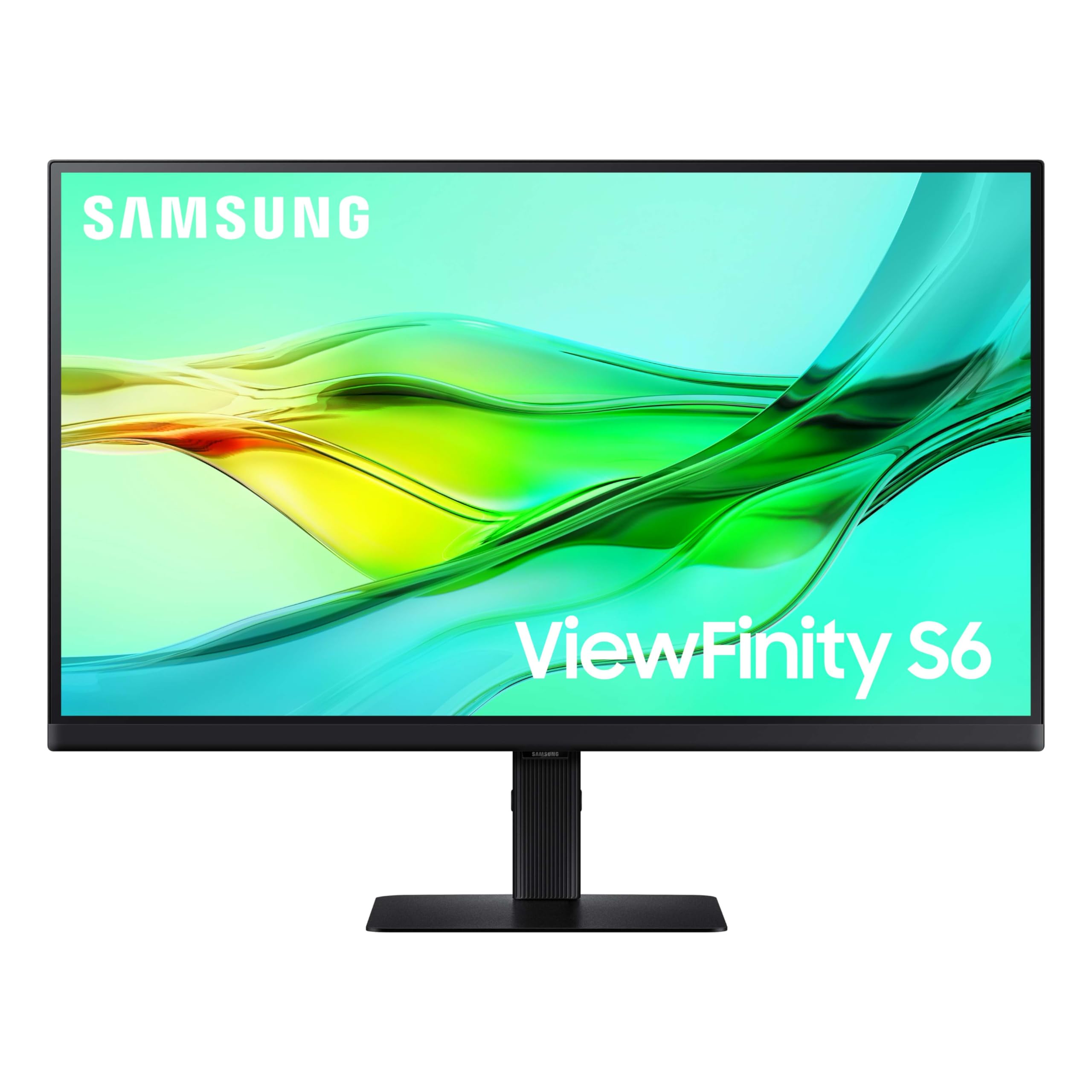
The Samsung ViewFinity S6 S60UD is a productivity powerhouse that integrates a built-in KVM switch, enabling you to control two connected computers with a single keyboard and mouse. Its 27-inch QHD (2560×1440) panel runs at a smooth 100Hz, reducing eye strain during long spreadsheets and document editing sessions. The USB-C port provides 90W power delivery, sufficient for most modern laptops, and supports daisy chaining for a clean multi-monitor setup.
Samsung includes a built-in LAN port for wired Ethernet, a feature that’s especially welcome in office environments. The Easy Setup Stand requires no tools or screws, making assembly quick and painless. HDR10 support adds vibrancy to media consumption, and the TÜV-certified Intelligent Eye Care adjusts brightness and color temperature automatically based on ambient light.
Some users have reported occasional signal loss via the USB hub, and the 300-nit brightness is average. The KVM functionality and daisy chain support make this monitor a strong mid-range option for users who frequently switch between a work laptop and a desktop PC, all while keeping a tidy, cable-managed desk.
Why it’s great
- Built-in KVM switch for dual-computer workflows.
- 90W USB-C PD and integrated LAN port.
- 100Hz refresh rate for smooth daily use.
Good to know
- USB hub may experience occasional signal dropouts.
- Brightness limited to 300 nits.
7. BenQ PD2706QN
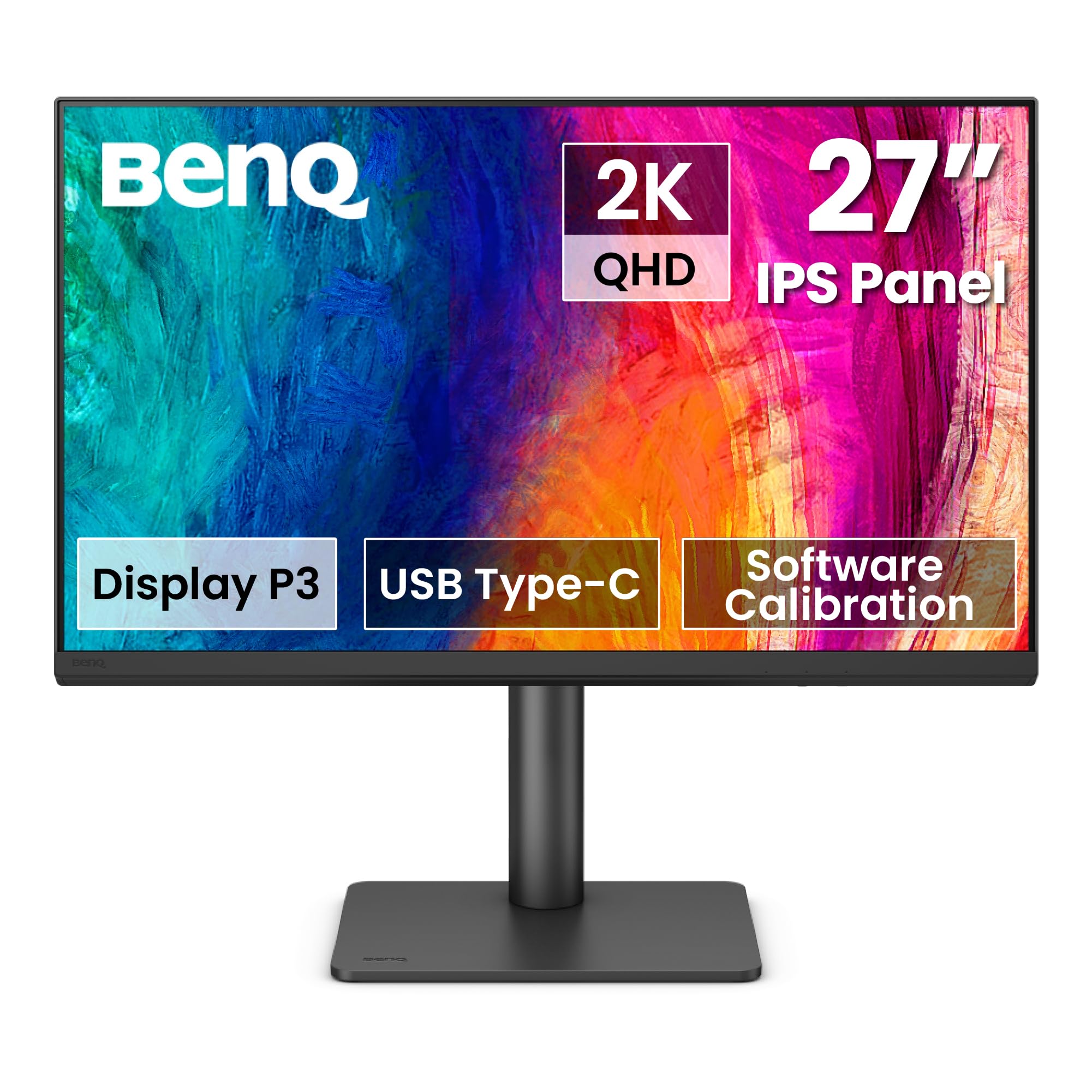
The BenQ PD2706QN is a Mac-ready, 27-inch QHD monitor designed to minimize glare while preserving color accuracy. Its Nano Matte panel diffuses ambient light to reduce reflections, making it ideal for workspaces near windows or under harsh overhead lights. The IPS display delivers 95% P3 and 100% sRGB/Rec. 709 coverage with factory calibration to Delta E ≤ 2, ensuring consistent and precise colors across your daisy chain setup.
The USB-C port provides 90W power delivery and supports daisy chaining via DisplayPort MST (note that macOS does not support MST, so Mac users should rely on Thunderbolt for multi-monitor setups). BenQ’s ICCsync automatically syncs ICC profiles between your Mac and the monitor when switching color modes, simplifying color management. The stand is fully ergonomic with tilt, pivot, swivel, and height adjustments.
The 100Hz refresh rate offers smoother scrolling and motion than standard 60Hz displays. While daisy chain functionality on Mac may be limited, Windows users will enjoy a seamless multi-monitor experience. The PD2706QN is an excellent choice for professionals who need a glare-free, color-accurate, and well-connected monitor for a productive chain of QHD displays.
Why it’s great
- Nano Matte panel diffuses glare in bright environments.
- 90W USB-C PD with ICCsync for Mac color matching.
- 95% P3 color gamut with factory Delta E ≤ 2 calibration.
Good to know
- Mac users cannot use MST for daisy chain.
- QHD resolution may not satisfy 4K enthusiasts.
8. ASUS ProArt PA278CV

The ASUS ProArt PA278CV is the most affordable entry into the ProArt family that still supports daisy chaining. It features a 27-inch QHD (2560×1440) IPS panel with 100% sRGB and 100% Rec. 709 coverage, factory calibrated to Delta E < 2 and Calman Verified. The USB-C port delivers 65W power delivery, sufficient for most ultrabooks, and supports DisplayPort daisy chaining for up to four monitors.
At 75Hz with Adaptive-Sync, the PA278CV provides smoother scrolling than standard 60Hz office monitors, reducing eye fatigue during long work sessions. The ergonomic stand offers full adjustability including a 90-degree pivot for portrait mode, ideal for coding or document review. ASUS backs the monitor with a five-year warranty (three years plus two years with registration).
The 65W power delivery is the main weakness for users with larger laptops, and QHD resolution means less screen real estate than 4K alternatives. However, for budget-minded professionals who need a reliable daisy chain monitor with excellent color accuracy and a robust warranty, the PA278CV is a solid foundation for a multi-monitor setup.
Why it’s great
- Calman Verified Delta E < 2 color accuracy at a low cost.
- DisplayPort out supports daisy chain of up to four monitors.
- Five-year warranty for long-term peace of mind.
Good to know
- 65W PD may not charge larger laptops under load.
- QHD resolution provides less detail than 4K displays.
9. ViewSonic TD2455

The ViewSonic TD2455 is a unique daisy chain monitor that adds a 10-point projected capacitive (PCAP) touchscreen to the mix. Its 24-inch 1080p IPS panel supports multi-touch gestures, making it ideal for collaborative offices, point-of-sale systems, and interactive kiosks. The USB-C port provides 60W power delivery and supports daisy chaining via DisplayPort out, allowing you to extend the touch experience across multiple displays.
The ergonomic tiltable dual-hinge stand maximizes comfort, and the included passive touch pen adds precision for rough drawing and note-taking. Connectivity is versatile with USB-C, HDMI, DisplayPort, and USB 3.2 ports. ViewSonic’s vTouch driver enables touch and gesture controls on macOS devices, broadening compatibility beyond Windows systems.
The trade-offs are significant: 1080p resolution is low compared to other monitors on this list, the 60Hz refresh rate is standard, and some users report touch reliability issues when using USB 3.2 ports. The larger base also demands desk space. For niche use cases where touch input is the priority and daisy chaining is a bonus, the TD2455 delivers where few other monitors can.
Why it’s great
- 10-point PCAP touchscreen for collaborative workflows.
- USB-C with 60W PD and DisplayPort out for daisy chain.
- macOS touch support via vTouch driver.
Good to know
- 1080p resolution is low for multitasking.
- Touch reliability may vary depending on USB port used.
FAQ
Can I daisy chain a mix of 4K and QHD monitors together?
Does daisy chain work with both Windows and Mac computers?
What cable do I need for a daisy chain setup?
Will daisy chaining affect my monitor’s color accuracy?
Can I use an HDMI adapter for daisy chaining?
Final Thoughts: The Verdict
For most users, the best daisy chain monitors winner is the Dell UltraSharp U2725QE because it offers the perfect balance of Thunderbolt 4 bandwidth, industry-leading 140W power delivery, and exceptional color accuracy for professional workflows. If you want a glare-free Nano Matte panel with excellent Mac color matching, grab the BenQ PD2706QN. And for a budget-friendly entry into a 4K daisy chain setup with professional color, nothing beats the ASUS ProArt PA279CV.

Mo Maruf
I created WellFizz to bridge the gap between vague wellness advice and actionable solutions. My mission is simple: to decode the research and give you practical tools you can actually use.
Beyond the data, I am a passionate traveler. I believe that stepping away from the screen to explore new environments is essential for mental clarity and physical vitality.