Our readers keep the lights on and my smoothie glass nicely filled. As an Amazon Associate, I earn from qualifying purchases.
The biggest headache in building a clean-looking PC isn’t the CPU or the GPU — it’s the mess of fan cables snaking across your motherboard. Daisy chain case fans solve this by linking power and lighting through a single connector, letting you build a high-airflow system without the wiring chaos.
I’m Mohammad Maruf — the founder and writer behind WellFizz. I’ve spent hundreds of hours analyzing specifications, customer feedback, and real-world benchmarks to create this guide on the best cooling solutions that prioritize both performance and cable management.
Whether you’re building a silent workstation or a vibrant RGB showcase, choosing the right fan can transform your build. This guide cuts through the noise to help you find the best daisy chain case fans for your specific needs and budget.
How To Choose The Best Daisy Chain Case Fans
Selecting the right daisy chain fans goes beyond just picking a color scheme. You need to balance airflow, noise, and compatibility to get the most out of your build without creating new headaches.
Size and Placement: 120mm vs. 140mm
120mm fans are the universal standard, fitting most cases, radiators, and AIO coolers. They offer a great balance of airflow and static pressure. 140mm fans, like the ARCTIC P14 Pro, move significantly more air at lower RPMs, making them ideal for larger cases where noise is a primary concern. Check your case specifications before committing.
The Daisy Chain Mechanism: PWM vs. ARGB
Not all daisy chains are the same. PWM (Pulse Width Modulation) daisy-chaining allows you to control fan speed for all connected fans through a single motherboard header. ARGB daisy-chaining syncs lighting effects. Some fans combine both in one cable, while others require separate connections. Understanding this distinction is critical to ensuring your motherboard has the necessary headers (usually 4-pin PWM and 3-pin 5V ARGB).
Airflow, Static Pressure, and Noise
Measured in CFM (Cubic Feet per Minute), airflow indicates raw volume. Static pressure (mmH2O) is crucial for pushing air through restrictive radiators or mesh panels. A fan with high CFM but low static pressure will struggle on a thick radiator. Noise, measured in decibels (dBA), is a trade-off—higher RPMs usually mean more noise. Look for fans with fluid dynamic bearings (FDB) for a good balance of quiet operation and longevity.
Quick Comparison
On smaller screens, swipe sideways to see the full table.
| Model | Category | Best For | Key Spec | Amazon |
|---|---|---|---|---|
| Thermalright TL-M12QR | Mid-Range | Reverse airflow intake | 47.6 CFM at 1500 RPM | Amazon |
| ARCTIC P12 Pro PST | Mid-Range | High-RPM radiator cooling | 77 CFM at 3000 RPM | Amazon |
| ARCTIC P14 Pro PST | Mid-Range | Large-case, low-noise airflow | 110 CFM at 1800 RPM | Amazon |
| Corsair RS120-R ARGB | Mid-Range | Premium reverse-blade build | 65.8 CFM at 2100 RPM | Amazon |
| AsiaHorse COSMIQ 120mm | Premium | Infinity mirror RGB with controller | 68.5 CFM at 2000 RPM | Amazon |
| Lian Li UNI Fan SL-Infinity | Premium | Seamless interlocking design | 58.5 CFM at 2100 RPM | Amazon |
| Lian Li UNI Fan TL Wireless | Premium | Cutting-edge wireless control | 2.4 GHz / 2600 RPM Max | Amazon |
In‑Depth Reviews
1. Thermalright TL-M12QR 120mm Reverse Case Fans
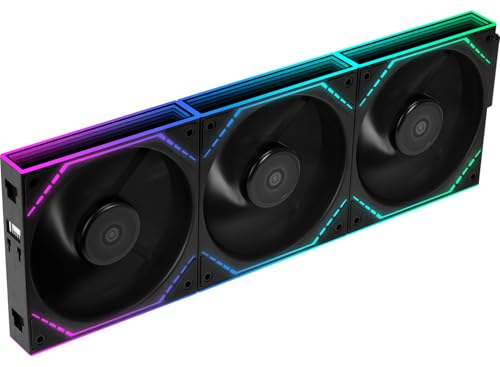
The Thermalright TL-M12QR delivers an impressive balance of performance, aesthetics, and value. As a mid-range option, it features a reverse blade design that keeps the infinity mirror lighting fully visible when mounted as an intake fan. Running at 1500 RPM and pushing 47.6 CFM, it provides steady, quiet ventilation with a noise level of only 23.2 dBA.
Its daisy-chain capability combines both PWM and ARGB into single cables, drastically reducing wiring clutter. The S-FDB bearings ensure smooth, long-lasting operation with minimal vibration. While the airflow isn’t the highest on this list, it’s more than adequate for most builds, and the quiet operation is a major plus for noise-sensitive users.
The 3-pack configuration offers excellent value, especially for those building a system with multiple intake positions. Just note that it requires an ARGB header on your motherboard, and some users have reported DOA units, so checking upon arrival is wise. For a clean, quiet, and visually stunning setup, this is a top contender.
Why it’s great
- Exceptional noise-to-performance ratio at 23.2 dBA
- Reverse blade design with beautiful infinity mirror lighting
- Combined PWM and ARGB daisy-chain reduces cable clutter
Good to know
- No ARGB controller hub included; requires motherboard header
- Airflow is lower than some high-RPM competitors
- Potential for DOA units, so test immediately
2. ARCTIC P12 Pro PST – 5 Pack

The ARCTIC P12 Pro PST is built for raw cooling performance. With a maximum RPM of 3000 and an airflow of 77 CFM, it’s designed for high-resistance scenarios like dense radiators and mesh panels. The PST (Passive Sharing Technology) allows PWM daisy-chaining through built-in Y-cables, making it easy to control up to five fans from a single header.
Its fluid dynamic bearing ensures smooth, long-lasting operation, and the redesigned blade optimizes the balance between airflow and noise. However, this fan is loud at max RPM, with many users noting a noticeable roar above 1800 RPM. This makes it less suitable for quiet builds but perfect for performance-oriented setups where maximum cooling is the priority.
The 5-pack provides incredible value for the price, offering high-end cooling potential without a premium cost. The Y-cable daisy chain is effective but can be frustrating for cable management, as it adds extra cabling that isn’t optional. For pure, unadulterated cooling power at a budget-friendly price, the P12 Pro is hard to beat.
Why it’s great
- Outstanding 77 CFM airflow with high static pressure
- Excellent performance on radiators and restrictive panels
- Five-pack offers exceptional value for the performance level
Good to know
- Significantly loud at high RPMs
- Non-optional Y-splitters complicate cable management
- No RGB lighting included
3. ARCTIC P14 Pro PST, 5 Pack
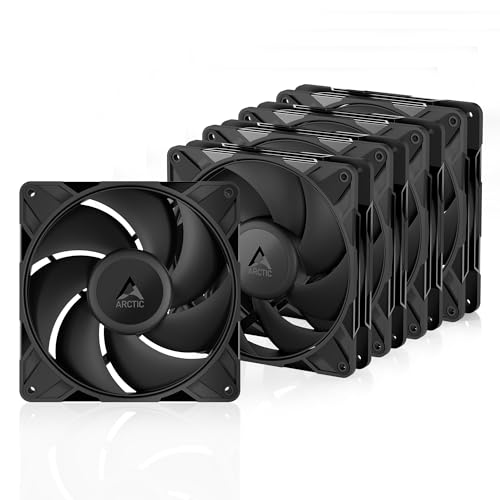
For users with larger cases, the ARCTIC P14 Pro PST is a fascinating choice. At 140mm, these fans move a massive 110 CFM at only 1800 RPM. This allows them to shift enormous volumes of air while operating at lower speeds, making them quieter during normal use compared to a 120mm fan running at higher RPMs to achieve similar airflow.
The PWM daisy-chain (PST) technology works well for keeping wiring simple across a large case. Users have reported significant temperature drops, with one review noting a reduction of over 7°C on their CPU when combined with a powerful air cooler. The fluid dynamic bearings contribute to a smooth, vibration-free experience at low to medium speeds.
The main downside is noise at full speed, which becomes apparent above 60-70% PWM. Additionally, the included screws are soft and the mounting holes are tight, so using spare case screws is recommended. For a large chassis or a DIY air purifier project where high airflow is the goal, these 140mm fans are a top-tier choice.
Why it’s great
- Massive airflow (110 CFM) at relatively low RPMs
- Excellent for large cases and low-noise builds
- Five-pack provides great overall value
Good to know
- Can be loud at maximum speed
- Included screws are low quality and may strip
- Short cables may require extensions in very large cases
4. Corsair RS120-R ARGB 120mm PWM Reverse Fans
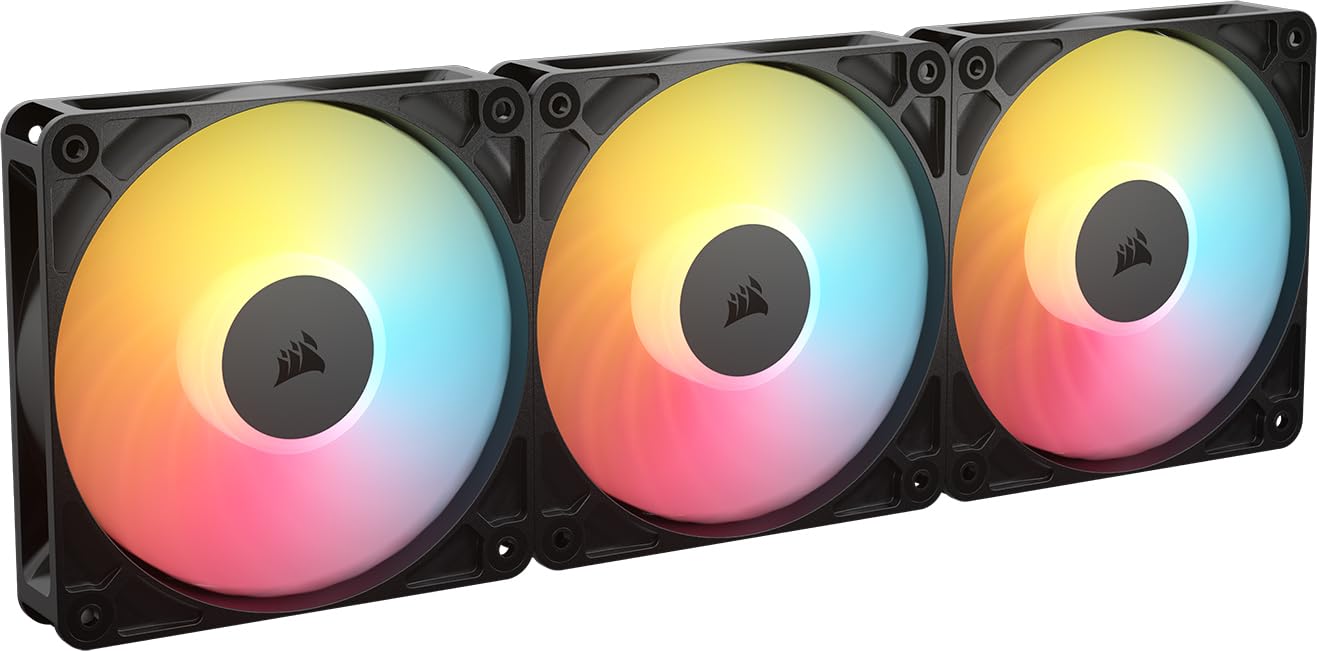
Corsair steps up with the RS120-R, a reverse rotor fan that solves the aesthetic problem of traditional intake fans. With eight RGB LEDs per fan and a magnetic dome bearing, it offers both brilliant lighting and high endurance. The fan pushes 65.8 CFM at 2100 RPM with a static pressure of 2.81 mmH2O, making it effective on both mesh panels and radiators.
The daisy-chain functionality is simple and reliable, connecting through both PWM and ARGB cables. Users consistently praise the build quality, noting that the metal and plastic construction feels solid and premium. The Zero RPM mode allows the fans to stop completely at low loads, further reducing noise when the system is idle.
However, the noise level at full speed is higher than some competitors at 34.6 dBA. The triple pack is a premium product, and while the performance justifies the cost for many, it’s an investment. For a builder wanting a premium, reverse-blade solution with reliable daisy-chaining and vibrant ARGB, the RS120-R is an excellent choice.
Why it’s great
- High-quality build with metal and plastic construction
- Effective reverse rotor for perfect intake aesthetics
- Strong static pressure (2.81 mmH2O) for radiator use
Good to know
- Noisier at max RPM compared to some rivals
- Premium price point may not suit all budgets
- Requires motherboard ARGB header for lighting control
5. AsiaHorse COSMIQ 120mm RGB Fans

The AsiaHorse COSMIQ fans are a premium-feeling option that punches well above its price tier. These 120mm fans feature a stunning infinity mirror design with 68.5 CFM of airflow at 2000 RPM. The standout feature is the built-in sound pickup module that enables music-synced lighting effects, reacting to game audio and ambient noise for an immersive experience.
The daisy-chain design is proprietary and uses interlocking connections that make installation straightforward and cable management remarkably clean. The included controller allows for independent lighting control without needing a motherboard ARGB header, which is a huge plus for compatibility. The FDB bearings keep noise at a reasonable 29 dBA, making these suitable for long gaming sessions.
While the build is solid and the RGB is vibrant, the airflow is adequate but not class-leading compared to pure performance fans. The proprietary controller and cables mean you’re somewhat locked into the ecosystem. For a user who wants vibrant, smart RGB lighting without breaking the bank, the COSMIQ is a fantastic find.
Why it’s great
- Incredible RGB effects with built-in music sync module
- Includes a dedicated controller for standalone operation
- Clean, interlocking daisy-chain design for easy install
Good to know
- Airflow is good but not top-tier for the price
- Proprietary connector locks you into the ecosystem
- Noise increases noticeably above 1500 RPM
6. Lian Li UNI Fan SL-Infinity 120mm
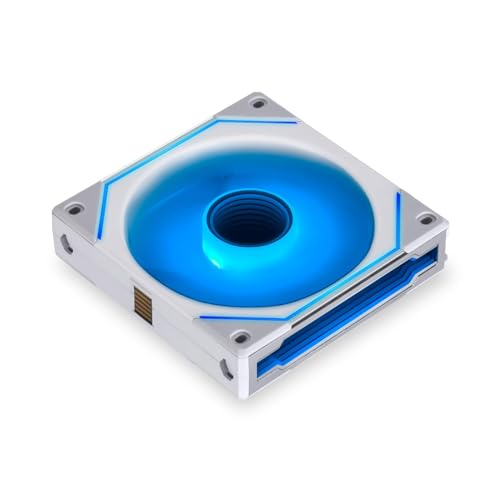
The Lian Li UNI Fan SL-Infinity is an industry benchmark for daisy chain design. Its interlocking mechanism allows you to connect multiple fans physically and electrically without any loose cables between them. The result is an extraordinarily clean build with only a single cable running from the fan cluster to the controller, handling both power and ARGB.
Each fan features 40 LEDs and a dual-layer infinity mirror that creates a stunning multi-dimensional lighting effect visible from any angle. The included controller can support up to 16 fans, and the L-Connect 3 software provides deep customization of both fan speed and lighting. At 2100 RPM and 58.5 CFM, the cooling is solid, and the noise level of 29 dBA is reasonable.
The main drawback is the proprietary 7-pin connector and hub, which means these fans cannot be plugged into standard motherboard headers without the included controller. The high price point is also a barrier. For the ultimate in build aesthetics and cable management, the SL-Infinity is a top-tier choice.
Why it’s great
- Revolutionary interlocking daisy-chain for zero visible cables
- Stunning infinity mirror lighting with 40 LEDs per fan
- Powerful L-Connect 3 software for detailed control
Good to know
- Requires proprietary hub; no direct motherboard connection
- Premium price point is significant
- L-Connect 3 software can be resource-heavy
7. Lian Li UNI Fan TL Wireless 120
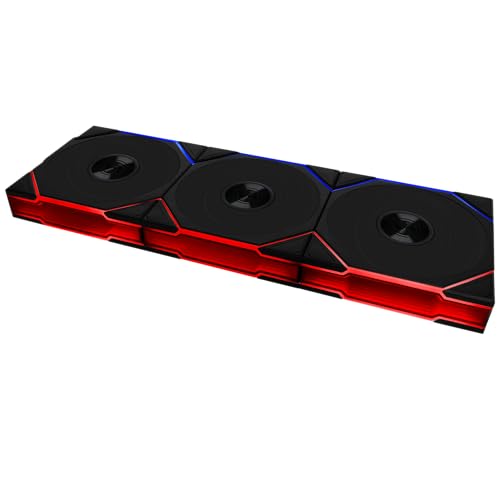
The Lian Li UNI Fan TL Wireless represents the cutting edge of fan technology. As the name implies, it uses a 2.4 GHz wireless signal to communicate with the controller, completely eliminating the need for traditional 5V ARGB and PWM cables running from the fan to the motherboard. This is the ultimate solution for cable management, achieving a level of cleanliness that even interlocking fans can’t match.
The performance is equally impressive, with a maximum speed of 2600 RPM and excellent airflow. The infinity mirror design and dual-zone RGB lighting are visually striking. The controller is required (included in the triple pack) and handles all the fan and lighting data through the L-Connect 3 software. Users report it is quiet under typical load and seamless to set up.
This is the most expensive option on the list and requires a significant investment for a full build. It also uses a proprietary hub and software, which some users dislike. For the enthusiast who values a pristine, cable-free interior above all else, the TL Wireless sets a new standard.
Why it’s great
- Revolutionary 2.4 GHz wireless control for zero cable management
- High-performance 2600 RPM motor with strong airflow
- Stunning dual-zone RGB and infinity mirror lighting
Good to know
- Most expensive option; requires a large investment
- Requires proprietary controller and software
- Still needs a USB power cable, so not fully wireless
FAQ
Can I mix and match daisy chain fans from different brands?
What is the difference between a reverse blade and a standard fan for daisy chaining?
How many daisy chain fans can I connect to one header?
Final Thoughts: The Verdict
For most users, the best daisy chain case fans winner is the Thermalright TL-M12QR because it offers an unbeatable combination of quiet operation, stunning reverse-blade aesthetics, and excellent daisy-chain cable management at a mid-range price point. If you prioritize raw cooling performance for a radiator, grab the ARCTIC P12 Pro PST. And for an uncompromised, cable-free masterpiece build, nothing beats the Lian Li UNI Fan TL Wireless.

Mo Maruf
I created WellFizz to bridge the gap between vague wellness advice and actionable solutions. My mission is simple: to decode the research and give you practical tools you can actually use.
Beyond the data, I am a passionate traveler. I believe that stepping away from the screen to explore new environments is essential for mental clarity and physical vitality.