Our readers keep the lights on and my smoothie glass nicely filled. As an Amazon Associate, I earn from qualifying purchases.
The promise of a cutting machine is simple: turn your digital designs into physical creations without a single shaky scissor cut. But the reality between a clean decal and a shredded mess often comes down to the machine’s motor torque, blade system, and software tolerances. With dozens of models now packing AI features, matless cutting, and multi-material compatibility, choosing the right one has become a spec-for-spec battle.
I’m Mohammad Maruf — the founder and writer behind WellFizz. This guide is built from hundreds of hours analyzing motor performance, blade assemblies, software ecosystems, and material handling specs across the most popular cutting machines on the market.
Whether you are crafting custom stickers, personalized T-shirts, or intricate paper art, finding the right tool starts here with a practical breakdown of the best cutting machine options available today.
How To Choose The Best Cutting Machine
Cutting machines are not one-size-fits-all. The right choice hinges on the materials you plan to cut, the complexity of your projects, and your tolerance for software learning curves. Focus on blade mechanics, material thickness limits, and software flexibility rather than just brand names.
Blade System & Cutting Force
Auto-blade systems adjust depth automatically based on the material, which is a must for beginners. Fixed-blade machines require manual calibration for each material swap. Cutting force, measured in grams or proprietary units, dictates whether your machine can handle thick materials like chipboard, leather, or balsa wood.
Software Ecosystem & Design Library
Some machines require internet-connected apps, others run fully offline. The number of built-in designs, fonts, and project templates varies wildly. Consider whether the software is subscription-based or a one-time purchase. A machine with a poor interface will bottleneck your creativity.
Quick Comparison
On smaller screens, swipe sideways to see the full table.
| Model | Category | Best For | Key Spec | Amazon |
|---|---|---|---|---|
| Brother ScanNCut SDX125EGY | Premium | Scanning & Direct Cut | 682 built-in patterns | Amazon |
| Cricut Maker 4 | Premium | 300+ Material Versatility | Adaptive Tool System | Amazon |
| Siser Juliet | Premium | High-Definition Detail Cutting | WiFi Connectivity | Amazon |
| Silhouette Cameo 5 Alpha Plus | Premium | Wide-Format Creations | 15-inch Cutting Width | Amazon |
| Silhouette Cameo 5 Alpha | Mid-Range | Ultr-Precise Print & Cut | 400mm/s Speed | Amazon |
| VEVOR 28-inch Cutter | Mid-Range | Large-Format Signage | 28.3-inch Feed Width | Amazon |
| LOKLiK Cutting Machine 2 | Mid-Range | 100+ Materials & AI Art | 5X Cutting Force | Amazon |
| Cricut Joy Xtra | Mid-Range | Compact Print-Then-Cut | Inkjet Printer Compatibility | Amazon |
| Likcut S501 | Budget | AI-Powered Beginner Projects | 3.2 Inches Per Second Cut | Amazon |
In‑Depth Reviews
1. Brother ScanNCut SDX125EGY
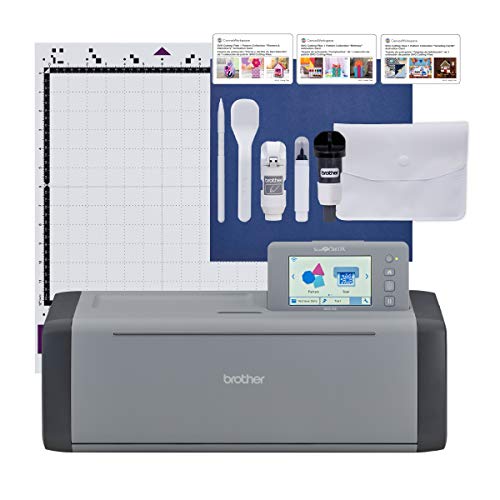
The Brother ScanNCut SDX125EGY stands apart from every other machine in this guide because it includes a built-in scanner. You can scan your own hand-drawn artwork or printed stickers directly into the machine without needing a separate printer-scanner setup. This feature alone eliminates the alignment guesswork of print-then-cut workflows.
The auto-blade sensor detects material thickness up to 3mm automatically, meaning no manual blade depth adjustments. The 5-inch touchscreen LCD makes navigating the 682 built-in designs and 9 fonts simple without a computer. The 18.2-pound build weight reflects its robust internal frame, which keeps cuts stable through long sessions.
Some users report that the standard tack mat is overly sticky, and the software for complex designs has a learning curve. For hobbyists who draw their own art or need a reliable offline cutting solution, this machine delivers a workflow no competitor matches.
Why it’s great
- Only machine with a built-in scanner for direct design import
- Auto-blade sensor eliminates manual material setup
- Large library of pre-installed patterns and fonts
Good to know
- Software interface can be confusing for intricate designs
- Heavier build at 18.2 pounds makes it less portable
2. Cricut Maker 4

The Cricut Maker 4 is the flagship of the Cricut lineup, offering an Adaptive Tool System that lets you swap between blades, scoring wheels, engraving tips, and more. It handles over 300 materials including leather, balsa wood, and fabric, making it the most versatile single-machine solution in this list.
Its dual motor carriage allows for simultaneous tool operations, and the Print-Then-Cut feature works with most inkjet printers for full-color sticker production. The machine is faster and quieter than the previous Maker 3, with a sturdy 22.1-inch width that accommodates large mats up to 12×24 inches.
The Design Space app remains the software ecosystem, which requires internet for full functionality. The initial cost is steep, but for serious crafters and small businesses needing a machine that can cut chipboard and engrave leather, this is a long-term investment.
Why it’s great
- Adaptive Tool System allows for engraving, scoring, and debossing
- Cuts over 300 material types from fabric to balsa wood
- Faster and quieter motor compared to previous generations
Good to know
- Design Space app requires internet for full software access
- Premium price point for the machine and accessories
3. Siser Juliet

The Siser Juliet is engineered for high-definition cutting, capable of maintaining fine detail at edges as tight as 0.05 inches. Its advanced motor operates up to 60% faster than typical desktop cutters while running quieter than the Silhouette Cameo 4, making it a top choice for professional use.
It supports matless cutting for materials up to 12 inches wide, and the adjustable pinch rollers allow for precise media alignment. The included Leonardo Design Studio software offers robust tools, though its learning curve is steeper than Cricut’s Design Space. WiFi connectivity eliminates the need for USB cables, and the intuitive touchscreen simplifies setup.
Some users report initial difficulty getting the blade close enough to the material, and the software lacks beginner-friendly hand-holding. For experienced crafters who demand commercial-grade precision and speed, the Siser Juliet is a powerful upgrade.
Why it’s great
- Extremely detailed cutting down to 0.05-inch edges
- Up to 60% faster than many desktop cutters
- WiFi connectivity for cable-free operation
Good to know
- Leonardo software has a noticeable learning curve
- Some units may need minor out-of-box adjustments
4. Silhouette Cameo 5 Alpha Plus
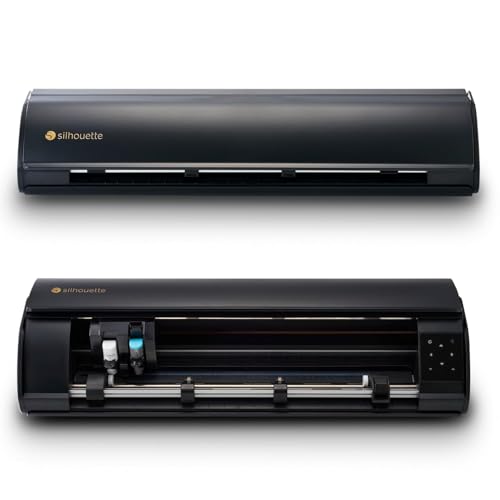
The Silhouette Cameo 5 Alpha Plus expands the standard 12-inch cutting width to 15 inches, making it ideal for large decals, banners, and wide-format projects. The AutoBlade feature automatically adjusts blade depth based on material thickness, and the 4-point registration system ensures precise alignment for print-then-cut jobs.
Fast Sketch Mode speeds up design output without sacrificing detail, and the Power Slide Lid opens and closes automatically for convenient material loading. The included Silhouette Studio software provides advanced design tools, plus 100 exclusive designs and a one-month subscription to the design store.
Users note that the machine runs slightly louder than quieter competitors, and the lack of an included manual can make initial setup challenging. For crafters who need to cut long, continuous rolls of vinyl or fabric, the 15-inch width is a major advantage.
Why it’s great
- Generous 15-inch cutting width for large projects
- AutoBlade and 4-point registration for precise cuts
- Fast Sketch Mode for quicker creative runs
Good to know
- Audible motor noise during operation
- Limited documentation included in the box
5. Silhouette Cameo 5 Alpha

The standard Silhouette Cameo 5 Alpha delivers the same core print-then-cut accuracy as the Plus model but in a more compact 12-inch format. Its 4-point registration system corrects both vertical and horizontal misalignment for sticker and heat transfer projects, and the ultra-quiet motor allows crafting without disturbing anyone nearby.
Intelligent Path Technology optimizes the cutting order for smoother results and less material stress. The included AutoBlade eliminates manual depth adjustments, and the machine handles materials up to 3mm thick for versatile projects. It comes with Studio software and 100 designs to get started.
Some Mac users report sluggish software performance and a lack of hotkeys in Silhouette Studio. For a detailed, quiet, and reliable mid-range machine that handles print-then-cut with excellent accuracy, this is a strong contender.
Why it’s great
- Whisper-quiet motor ideal for shared spaces
- 4-point registration ensures precise print-then-cut alignment
- Intelligent Path Technology reduces material waste
Good to know
- Mac software version lacks hotkeys and feels sluggish
- Higher price point compared to entry-level models
6. VEVOR 28-inch Cutting Machine
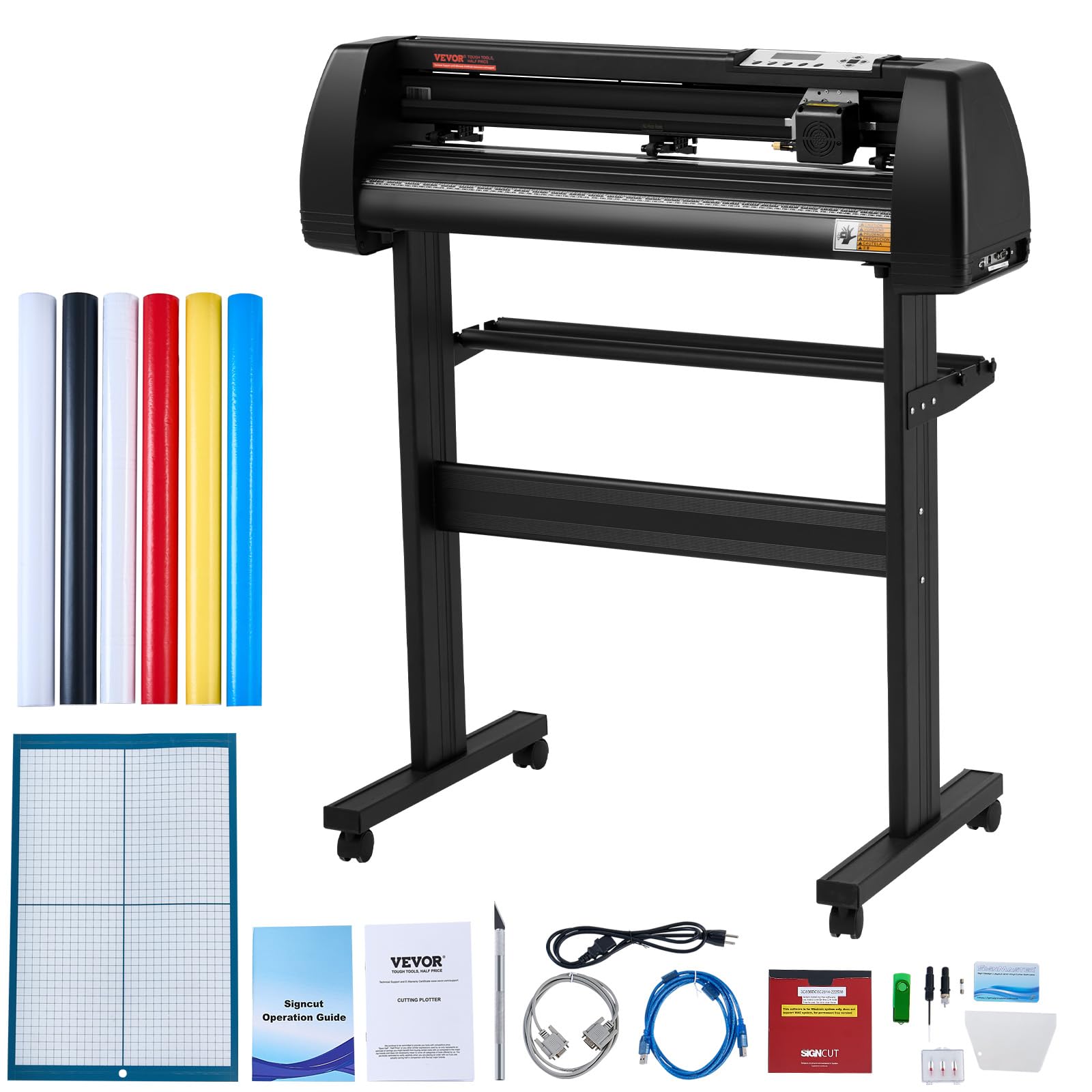
The VEVOR 28-inch machine is built for large-format professional use, with a max feed width of 28.3 inches and a cutting width of 24.8 inches. It includes an LCD screen for adjusting speed and force on the fly, plus dual adjustable spring rollers and an aluminum knurled rod system that prevents paper jams during long cuts.
The bundled SignMaster software works with most Windows versions via USB or serial port. The machine includes two replaceable blades and a precise dividing ruler with ±0.01mm accuracy. Caster wheels make the 39.7-pound unit mobile across a workshop floor.
The included vinyl rolls are considered low quality by some users, and the stand is not secured to the machine body. For sign shops and event decorators who prioritize cutting width and commercial throughput, this machine delivers a lot of capability.
Why it’s great
- Large 28.3-inch feed width for big signage projects
- LCD screen for direct speed and force adjustments
- Mobile with caster wheels for workshop use
Good to know
- Bundled vinyl rolls are thin and low quality
- Stand does not lock in place securely
7. LOKLiK Cutting Machine 2 by HTVRONT

The LOKLiK Cutting Machine 2 by HTVRONT introduces AI painting to the desktop cutting world, allowing users to type a text prompt and generate a design within the LOKLiK IdeaStudio software. It features 5X cutting force compared to standard models, enabling it to handle over 100 materials from vinyl to faux leather and glitter cardstock.
The machine supports 5-in-1 functionality: cutting, drawing, deep cutting, scoring, and foil printing (tools for scoring and foil sold separately). Its print-then-cut accuracy hits 0.5mm, and the step-motor system runs quieter than many competitors. Matless cutting handles smart materials up to 21 feet long and 13 inches wide.
Users report that the machine requires an internet connection for software use and that certain advanced tools like the deep point blade are hard to source locally. For creative users who want AI-generated design starting points and broad material support, this is a forward-looking option.
Why it’s great
- AI painting generates designs from text prompts
- 5X cutting force handles over 100 materials
- 5-in-1 functionality with scoring and foil support
Good to know
- Software requires an active internet connection
- Deep point blade and some accessories are hard to find
8. Cricut Joy Xtra

The Cricut Joy Xtra is a compact machine that expands on the original Joy by adding Print-Then-Cut capability and a wider 8.5×11-inch cutting area. It works with over 50 materials including vinyl, iron-on HTV, and cardstock, and supports drawing and foiling for simple custom projects.
Setup is straightforward through the Design Space app on mobile or desktop. The bundle includes a Fine-Point Blade, pen, mini weeder, and materials for a practice cut. It connects via Bluetooth and works with most inkjet printers for sticker creation. Users praise its portability and ease of storage.
The smaller size limits the complexity of projects you can tackle — it will not handle thick materials like leather or chipboard. For beginners or crafters who need a space-saving machine for basic card making, stickers, and small decals, the Joy Xtra is a perfect entry point.
Why it’s great
- Compact footprint fits easily in small workspaces
- Print-Then-Cut for full-color stickers with inkjet printer
- Simple setup ideal for beginners
Good to know
- Limited to 50 materials, no thick media support
- Smaller size restricts large or complex project capabilities
9. Likcut Vinyl Cutter Machine S501
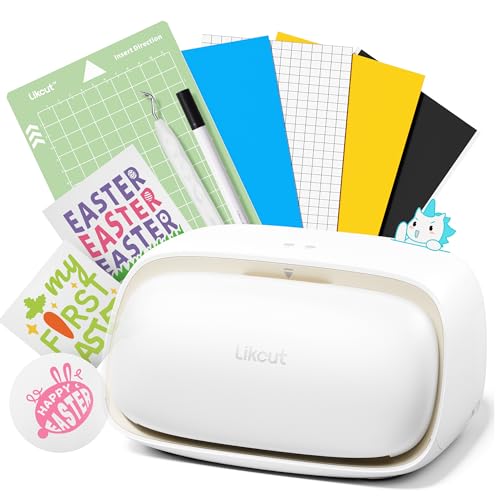
The Likcut S501 brings AI-powered sticker creation to a budget-friendly form factor. It can generate designs from voice or text commands, skipping traditional design software entirely. The machine cuts vinyl, cardstock, and other media at speeds up to 3.2 inches per second, with a durable blade rated for over 4,610 meters of cuts.
Bluetooth 5.0 and USB 2.0 provide stable connections, and the app includes over 1 million designs and 1,200 fonts. The front cover doubles as a storage compartment for tools, keeping the workspace tidy. At 2.65 kilograms, it is one of the lightest machines in this list.
Some users reported computer instability after first connecting the device, and the design software includes pay-per-use graphics. For beginners who want an AI-assisted sticker maker without a large upfront investment, the Likcut S501 is a low-risk starting point.
Why it’s great
- AI generates sticker designs from voice or text input
- Lightweight and portable with built-in storage
- Over 1 million free designs in the app library
Good to know
- Some devices reported computer driver instability
- Premium designs in the app are pay-per-use
FAQ
Do I need a separate computer to run a cutting machine?
What is the difference between matless and mat-based cutting?
Can I cut fabric with a standard blade cutting machine?
Final Thoughts: The Verdict
For most users, the best cutting machine winner is the Cricut Maker 4 because it combines the widest material support with an extensive accessory system and a user-friendly software ecosystem. If you want built-in scanning for direct design import without a computer, grab the Brother ScanNCut SDX125EGY. And for large-format commercial sign crafting, nothing beats the wide-format capacity of the VEVOR 28-inch Cutting Machine.

Mo Maruf
I created WellFizz to bridge the gap between vague wellness advice and actionable solutions. My mission is simple: to decode the research and give you practical tools you can actually use.
Beyond the data, I am a passionate traveler. I believe that stepping away from the screen to explore new environments is essential for mental clarity and physical vitality.