Our readers keep the lights on and my smoothie glass nicely filled. As an Amazon Associate, I earn from qualifying purchases.
A cutting machine can transform a stack of vinyl, cardstock, or fabric into custom decals, stickers, apparel designs, and home décor projects, but choosing the wrong one leads to wasted material, frustrating software, and imprecise cuts that ruin your work. The market splits between compact personal cutters, wide-format plotters for signage, and heavy-duty die-cutting systems, each designed for a specific craft style and material thickness.
I’m Mohammad Maruf — the founder and writer behind WellFizz. I’ve spent countless hours analyzing blade assemblies, motor speeds, software ecosystems, and material compatibility across dozens of models to help crafters make a confident purchase.
Whether you need a portable machine for labels or a professional plotter for large signs, this guide to the best cutting machine for crafters breaks down the key specs and real-world performance of each option.
How To Choose The Best Cutting Machine For Crafters
Selecting the right cutting machine depends on the materials you plan to cut most often, the size of your projects, and how much you value software ease. A crafter focused on vinyl decals needs a different tool than someone cutting thick chipboard or balsa wood. Understanding the core specs helps narrow your choices.
Cutting Force and Material Thickness
The most critical spec is the machine’s cutting force, measured in grams or pressure rating. Light-duty desktop cutters typically offer around 200g to 500g of force, handling paper, vinyl, and iron-on. Machines like the Brother ScanNCut can handle materials up to 3mm thick, including balsa wood and foam, thanks to its auto blade system. If you plan to cut chipboard, leather, or multiple fabric layers, prioritize models with higher force or dedicated die-cutter mechanisms.
Software Ecosystem and Design Library
Every cutting machine requires software to create or import designs. Cricut’s Design Space offers a vast library of images and fonts but requires an internet connection and optional paid subscription. Silhouette’s Studio software provides advanced vector tools and offline capability. Siser’s Leonardo Design Studio targets professionals with detailed control. For those who prefer to scan their own artwork, the Brother ScanNCut line includes a built-in scanner that converts hand-drawn sketches directly into cut files. Choose a system that matches your design skill level and internet availability.
Cutting Width and Roll Feed
Compact machines like the Cricut Joy Xtra cut up to 9 inches wide, ideal for labels and small decals. Standard desktop cutters handle 12-inch mats. Wide-format plotters from VEVOR and Silhouette’s Cameo Pro cut up to 24 or 34 inches, essential for sign making, large decals, and bulk production. Built-in roll feeders save time by loading vinyl directly from the roll without cutting a sheet first. If you make long continuous decals or banners, look for a model with an integrated cross cutter and roll feeder.
Quick Comparison
On smaller screens, swipe sideways to see the full table.
| Model | Category | Best For | Key Spec | Amazon |
|---|---|---|---|---|
| VEVOR 28-inch | Wide-Format | Sign making & large decals | 24.8 in cut width | Amazon |
| Silhouette Cameo 5 Pro MK II | Professional | Large format production | 24 in cut mat | Amazon |
| Brother ScanNCut SDX125e | Scanner-Integrated | Scanned artwork & thick materials | 3 mm max thickness | Amazon |
| Siser Juliet | High-Definition | Fine detail & pro precision | 12 in matless feed | Amazon |
| Cricut Explore 4 | Versatile | Multi-material & Print-Then-Cut | 100+ materials | Amazon |
| Crafter’s Companion Gemini II | Die-Cut Power | Intricate cardstock & embossing | 9 x 12.5 in platform | Amazon |
| Silhouette Cameo 5 Alpha Plus | Professional | 15 in wide vinyl cuts | 400 mm/s speed | Amazon |
| VEVOR 34-inch | Wide-Format | Industrial scale sign making | 31 in cut width | Amazon |
| Cricut Joy Xtra Bundle | Compact Starter | Portable labels & small decals | 12.5 in machine width | Amazon |
In‑Depth Reviews
1. Siser Juliet High-Definition Cutter

The Siser Juliet delivers high-definition cutting with an advanced motor that operates up to 60 percent faster than traditional desktop cutters while remaining noticeably quieter. Its 12-inch matless feed capability allows you to load materials directly without a cutting mat, maximizing usable area and reducing waste. The machine features adjustable pinch rollers and commercial-level blades, giving you precise control over material feeding.
The Juliet connects via WiFi to the Leonardo Design Studio software, which offers professional-grade design tools suitable for both beginners and experienced crafters. The included marker adapter supports drawing and calligraphy with Siser Sublimation Markers. The intuitive touch-screen interface simplifies setup, while the robust build quality handles heavy daily use without losing cutting accuracy.
Serious crafters who need reliable, detailed cuts on vinyl, cardstock, and stickers will appreciate the Juliet’s ability to maintain precision on intricate designs at high speeds. Its faster, quieter operation compared to competitors makes it a strong choice for workshops where multiple cuts are run consecutively.
Why it’s great
- Extremely precise and consistent cuts even on complex shapes
- Matless feed saves time and material waste
- Quieter and faster than many comparable desktop cutters
Good to know
- Higher upfront investment compared to entry-level models
- Leonardo software has a moderate learning curve for new users
2. Cricut Explore 4
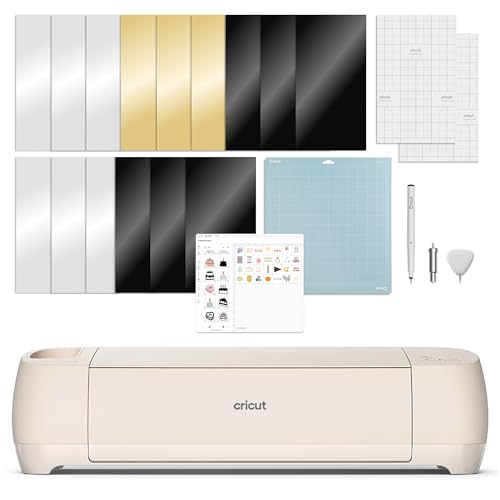
The Cricut Explore 4 works with over 100 materials including vinyl, iron-on, cardstock, and sticker paper, and it cuts about twice as fast as the Explore 3. The machine supports drawing, foiling, and scoring in addition to cutting, making it a versatile centerpiece for a home craft studio. Its Print-Then-Cut feature integrates with most inkjet printers for full-color sticker and label production.
Setup is straightforward through the Design Space app, which connects via Bluetooth to your smartphone, tablet, or computer. The included bundle provides 30 premium digital images and access to a library of over 1.5 million images with an optional subscription. The fine-point blade and light-grip mat handle everyday materials smoothly, and the machine runs quietly enough for shared living spaces.
For crafters who want a do-it-all machine without a steep learning curve, the Explore 4 balances speed, material range, and beginner-friendly software. Its fast cutting speed and reliable registration make it suitable for small batch production of stickers, decals, and apparel iron-ons.
Why it’s great
- Cuts significantly faster than previous Explore models
- Works with a huge range of materials and accessories
- Print-Then-Cut feature handles full-color sticker designs
Good to know
- Design Space requires an internet connection for full functionality
- Premium features require an optional paid subscription
3. VEVOR 28-inch Cutting Machine
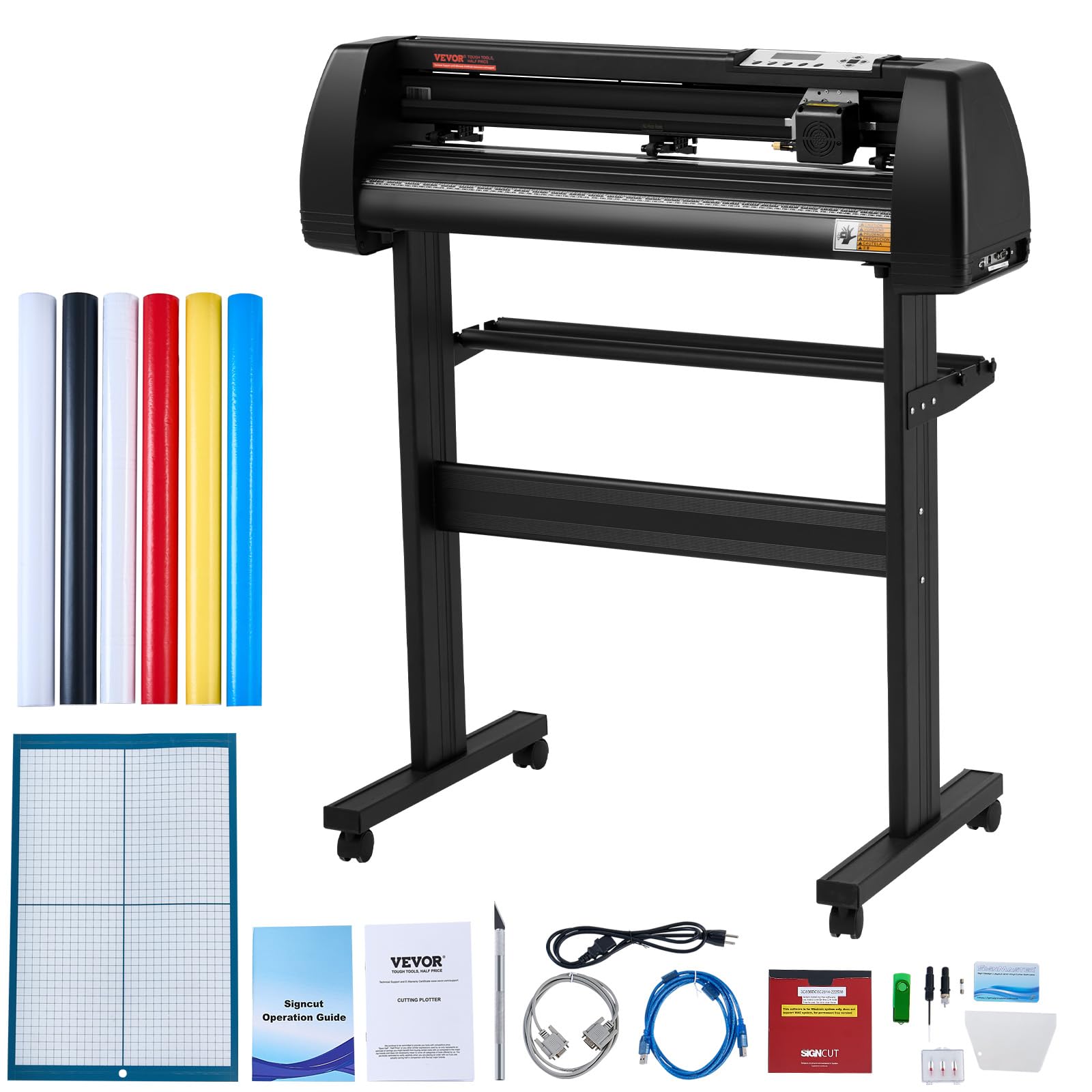
The VEVOR 28-inch cutting machine delivers wide-format capability with a maximum cutting width of 24.8 inches, making it ideal for sign making, large decals, and heat transfer projects. It features an illuminated LCD screen for controlling cutting speed and force, along with three adjustable double-spring pinch rollers and aluminum knurled rods that prevent paper jams during long cuts. The cutting precision reaches ±0.01 mm, which is competitive with professional plotters.
This machine includes Signmaster software compatible with most Windows versions via USB or serial port, and it also supports SignCut and Flexi. The sturdy aluminum stand with caster wheels allows you to move the plotter between workspaces easily. A five-piece vinyl starter set and crepe paper roll are included for immediate testing.
Sign makers and crafters who cut long runs of vinyl or heat transfer material will find the VEVOR 28-inch a budget-friendly entry into wide-format cutting. Its reliable feed system and replaceable blades make it a practical tool for small business owners producing signage in volume.
Why it’s great
- Wide 24.8-inch cut width for large projects
- Sturdy stand with caster wheels for mobility
- Precise cutting with adjustable dual spring rollers
Good to know
- Included software is Windows-only
- Starter vinyl rolls have weak adhesive performance
4. Crafter’s Companion Gemini II

The Gemini II is an electric die-cutting and embossing machine that applies higher and more even pressure than many other die-cut systems, handling heavyweight cardstock, vinyl, foil, and multiple layers of fabric. Its 9 x 12.5-inch cutting platform accommodates US letter-size materials edge to edge. The machine runs faster and quieter than the original Gemini, making it comfortable for extended crafting sessions in a home studio.
The automatic feed mechanism includes a pause and rewind function, giving you control over the cutting process for intricate designs. It is compatible with most leading metal dies and embossing folders, so you can leverage existing die collections. The white body and compact footprint fit well on a standard desk, and the glide feet allow easy repositioning.
Card makers, scrapbookers, and papercraft enthusiasts who need reliable, high-pressure die cutting will appreciate the Gemini II’s consistent results on detailed dies. Its quiet operation and straightforward setup make it a low-friction addition to a craft room focused on greeting cards and embossed projects.
Why it’s great
- High even pressure for intricate die cuts and embossing
- Compatible with most leading metal dies
- Quieter and faster than original Gemini model
Good to know
- Not designed for wide roll-fed vinyl cutting
- Cutting mats may lose tackiness with heavy use
5. Silhouette Cameo 5 Pro MK II
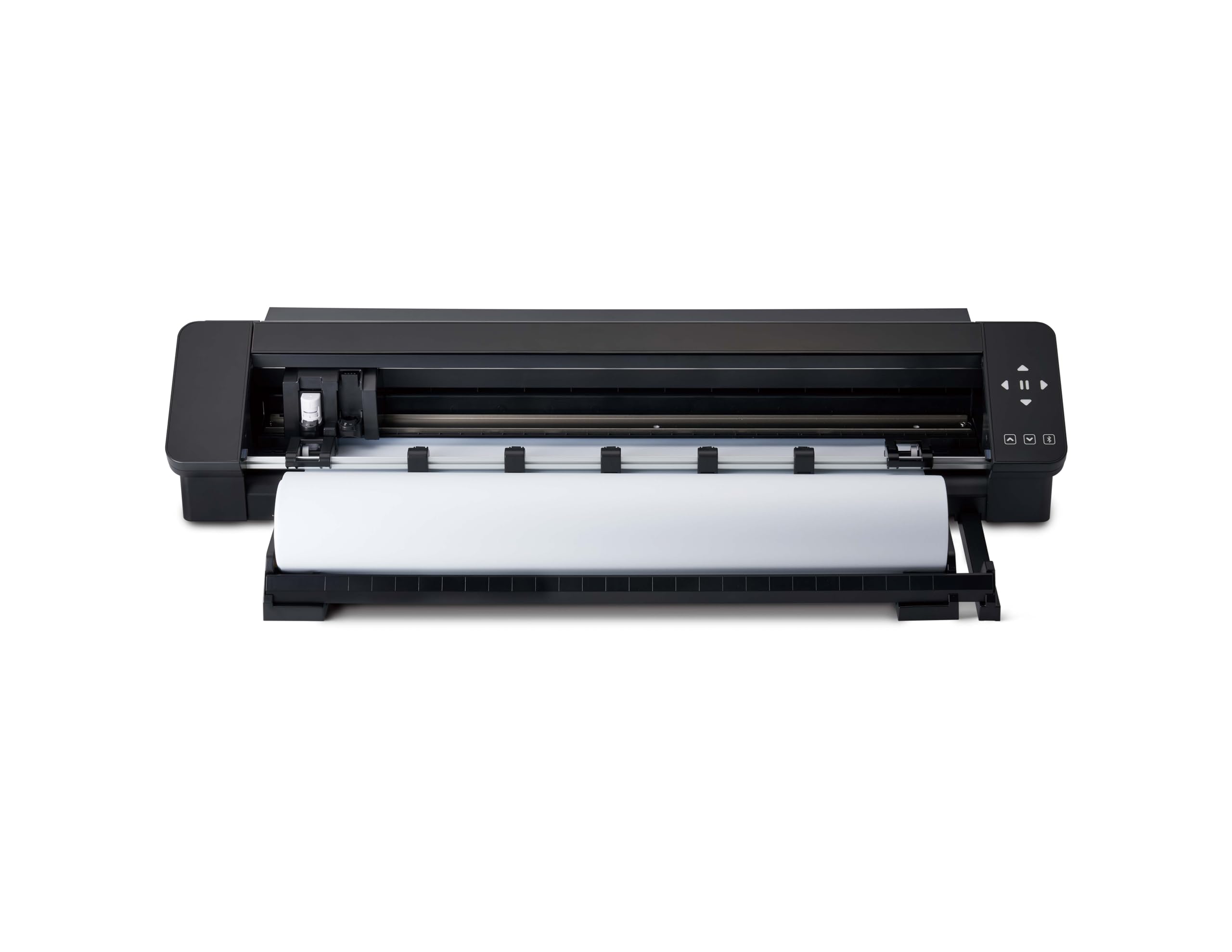
The Silhouette Cameo 5 Pro MK II features a 24-inch cutting mat and a built-in roll feeder stored in a compact pull-out drawer, allowing you to cut directly from rolls of vinyl or heat transfer material. A rear cross cutter provides clean straight-edge cuts on vinyl after cutting is complete. The machine supports a wide range of materials including paper, cardstock, vinyl, fabric, felt, and foam.
It integrates with Silhouette Studio software, which offers advanced design tools, multi-layer cutting, and registration for print-and-cut projects. The machine includes a 1-month subscription to the Silhouette Design Store with access to thousands of designs. The sturdy build handles frequent use, and the large format saves time on big decals and banners that would require piecing together on a 12-inch machine.
Business owners and serious crafters who regularly cut large decals, banners, or multiple copies of a design will benefit from the Cameo 5 Pro MK II’s wide format and roll feeder. Its reliability and speed make it a production tool for small batch manufacturing.
Why it’s great
- 24-inch cutting mat handles large projects
- Built-in roll feeder simplifies continuous vinyl cutting
- Rear cross cutter provides clean straight edges
Good to know
- Machine noise is noticeable during operation
- Bluetooth connectivity may require USB backup
6. Brother ScanNCut SDX125e

The Brother ScanNCut SDX125e is unique among cutting machines because it includes a built-in 600 dpi scanner that converts hand-drawn artwork directly into cut files. You can scan printed stickers for precise cut placement without using registration marks. The auto blade automatically detects material thickness up to 3mm, handling paper, vinyl, fabric, balsa wood, chipboard, and foam without manual adjustment.
The machine comes with 682 built-in designs, including 100 quilting patterns and 9 fonts, plus a 5-inch touchscreen LCD for on-machine editing. The bundle includes three 12×12 standard tack mats, three low tack mats, and six replacement blades. Wireless connectivity and a USB port let you import custom designs from your computer.
For crafters who draw their own designs or work with thick materials like chipboard and balsa wood, the ScanNCut SDX125e eliminates the need to digitize artwork separately. Its ability to scan and cut directly makes it a powerful tool for custom sticker production and mixed-media projects.
Why it’s great
- Built-in scanner converts hand-drawn art to cut files
- Auto blade adjusts for materials up to 3mm thick
- Large library of built-in designs and fonts
Good to know
- Mats lose tackiness with repeated use
- Learning curve for importing custom pattern formats
7. Silhouette Cameo 5 Alpha Plus
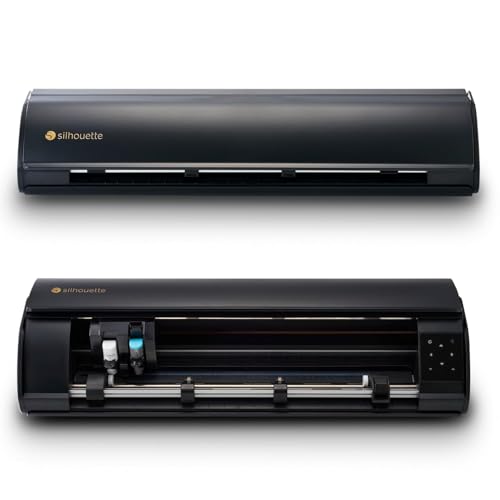
The Silhouette Cameo 5 Alpha Plus offers a 15-inch cutting width and speeds up to 400 mm/s, making it one of the fastest desktop cutters available. Its AutoBlade feature automatically adjusts blade depth based on material thickness, eliminating guesswork. The 4-point registration mark system ensures accurate print-and-cut alignment for full-color sticker production.
An innovative Power Slide Lid opens and closes automatically, providing convenient access to the cutting area. The machine also includes Fast Sketch Mode, which speeds up detailed drawing designs. The electrostatic mat supports materials up to 0.5mm thick without curling or tearing. Silhouette Studio software includes advanced vector tools and multi-layer project support.
Crafters who produce stickers, decals, and fabric projects in moderate to high volume will benefit from the Cameo 5 Alpha Plus’s speed and AutoBlade convenience. Its wide 15-inch format handles larger designs than standard 12-inch cutters, reducing the need to piece together big decals.
Why it’s great
- High cutting speed of 400 mm/s saves time on large runs
- AutoBlade adjusts depth without manual calibration
- 15-inch cutting width accommodates larger projects
Good to know
- Machine is noticeably loud during operation
- Software documentation can be sparse for advanced features
8. VEVOR 34-Inch Vinyl Cutter
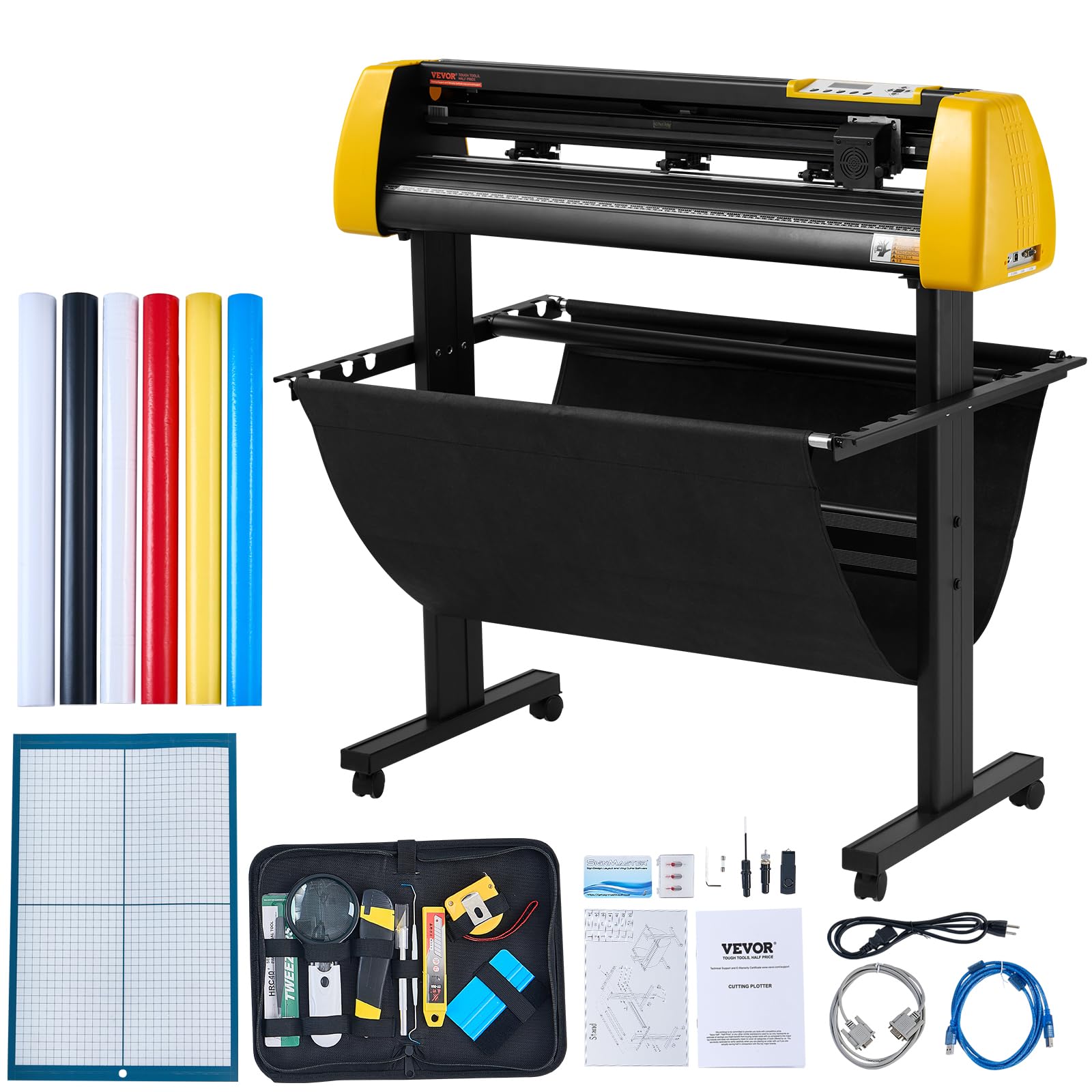
The VEVOR 34-inch vinyl cutter features a maximum paper feed of 34 inches and a cutting width of 31 inches, making it suitable for large-format sign production. An integrated camera acts as an optical eye for auto contour cutting, enabling registration-based cut positioning on printed designs. The machine delivers a cutting speed of 800 mm/s and 500g of cutting pressure for consistent performance on sticker vinyl, heat transfer film, and cardstock.
Its illuminated LCD screen and large control panel simplify force and speed adjustments during runs. The plotter supports multiple connectivity options including COMPIM, USB, and U-disk, and is compatible with DM/PL and HP/GL languages. It works with software like Signmaster, SignCut, Flexi, and CorelDraw on Windows systems. The heavy-duty aluminum stand and caster wheels support stable operation even at maximum cutting width.
Professional sign makers and businesses producing large decals, banners, and automotive wraps will find the VEVOR 34-inch a cost-effective solution for wide-format cutting. Its auto camera contour cutting reduces setup time for printed decals that require precise registration.
Why it’s great
- 31-inch cutting width handles large signage rolls
- Auto camera contour cutting improves registration accuracy
- High 800 mm/s cutting speed for production efficiency
Good to know
- Software compatibility limited to Windows systems
- Included practice vinyl rolls have low adhesive quality
9. Cricut Joy Xtra Bundle

The Cricut Joy Xtra bundle includes the compact cutting machine, a rainbow pack of Smart Vinyl, transfer tape, essential tools, and digital design guides. Its biggest advantage is its small footprint — measuring just 12.5 inches wide and 5.5 inches deep, it fits on a small desk or shelf. The machine works without a cutting mat when using Smart Vinyl, which loads directly for faster setup and longer continuous cuts.
Setup is beginner-friendly through the Cricut Design Space app, and the included rainbow vinyl samplers let you start creating labels, decals, and cards immediately. The machine cuts vinyl, cardstock, and iron-on materials with good precision for small projects. The bundle is designed for home organization, classroom labels, party decorations, and personalized gifts.
For casual crafters and beginners who want a no-fuss introduction to vinyl cutting without a large machine taking up space, the Joy Xtra bundle offers an accessible entry point. Its portability and matless workflow make it especially convenient for small-scale projects around the house or school.
Why it’s great
- Compact size fits in small workspaces
- Matless cutting with Smart Vinyl saves setup time
- Complete bundle includes materials and tools to start immediately
Good to know
- Limited to smaller project sizes
- Not suitable for thick materials like chipboard or fabric
FAQ
Can a cutting machine cut chipboard or balsa wood?
What is the difference between mat-based and matless cutting?
Do I need a subscription to use a Cricut or Silhouette machine?
Final Thoughts: The Verdict
For most users, the best cutting machine for crafters winner is the Cricut Explore 4 because it combines fast cutting speed, broad material compatibility, and an intuitive software ecosystem that suits both beginners and intermediate crafters. If you need professional-grade precision for detailed vinyl work, grab the Siser Juliet. And for large-format sign production, nothing beats the VEVOR 28-inch.

Mo Maruf
I created WellFizz to bridge the gap between vague wellness advice and actionable solutions. My mission is simple: to decode the research and give you practical tools you can actually use.
Beyond the data, I am a passionate traveler. I believe that stepping away from the screen to explore new environments is essential for mental clarity and physical vitality.