Our readers keep the lights on and my smoothie glass nicely filled. As an Amazon Associate, I earn from qualifying purchases.
A wall calendar is just a grid of dates until you layer it with your own memories. The right personalized calendar transforms a functional tool into a daily dose of nostalgia — whether it’s your dog’s goofy face for January or last summer’s beach trip for July. The challenge is finding a print partner that translates your digital photos into sharp, vibrant, long-lasting pages without washed-out colors or flimsy paper.
I’m Mohammad Maruf — the founder and writer behind WellFizz. After analyzing dozens of custom photo calendar vendors, comparing print stock weights, binding durability, and photo resolution handling, I’ve narrowed down the options that deliver real quality for your memories.
Each option below balances image clarity, paper feel, and ease of uploading so you can confidently buy the best custom photo calendar that makes your kitchen wall or office desk feel personal all year long.
How To Choose The Best Custom Photo Calendar
Not all photo calendars are printed equal. The difference between a keepsake and a throwaway often comes down to three factors: the paper’s weight, the surface finish, and the binding method. A calendar that uses thin, 60# paper will show ghost images from the reverse side, while a 250g gloss stock holds rich color and resists curling. Meanwhile, the way the pages are bound determines whether the calendar hangs flush against the wall or bows outward after a few months. Always check these specs before uploading your photos.
Photo Resolution and File Requirements
Almost every vendor recommends 300 DPI images, but some handle lower-resolution uploads better than others. If your favorite photo is a quick phone shot that looks fine on a 6-inch screen, it may appear soft or pixelated when printed at 8.5 x 11 inches. Look for services that clearly state their minimum resolution and offer a preview step — that’s your chance to catch a blurry image before it ships. Without a preview, you’re rolling the dice on every month’s picture.
Paper Stock and Finish
Gloss finishes make colors pop and are ideal for landscape or travel photos, but they show fingerprints easily. Matte finishes diffuse light and feel more elegant in hand, though they can mute shadow detail slightly. The paper’s thickness, measured in pounds (like 80#) or grams per square meter (like 250g), determines whether the calendar feels substantial or flimsy. Thicker paper also resists tearing when you flip months, especially important in high-traffic kitchens or busy offices.
Quick Comparison
On smaller screens, swipe sideways to see the full table.
| Model | Category | Best For | Key Spec | Amazon |
|---|---|---|---|---|
| Superior POD Wall Calendar | Premium Print | Large 17-inch spread with gloss pop | 80# Gloss Text Stock | Amazon |
| Let’s Make Memories – Upward Script | Mid-Range Matte | Gift giving with elegant matte feel | 8.5×11″ Matte Paper | Amazon |
| CLYLIFE Large Wall Calendar | Value Large Format | Family sharing with thick 250g paper | 250g Gloss Text Stock | Amazon |
| Let’s Make Memories – Full Photo | Mid-Range Matte | Full-bleed photo pages, US holidays | 8.5×11″ Matte Paper | Amazon |
| Let’s Make Memories – Modern Type | Budget Matte | Friendly typography, simple layout | 8.5×11″ Matte Paper | Amazon |
In‑Depth Reviews
1. Superior POD Custom Photo Wall Calendar
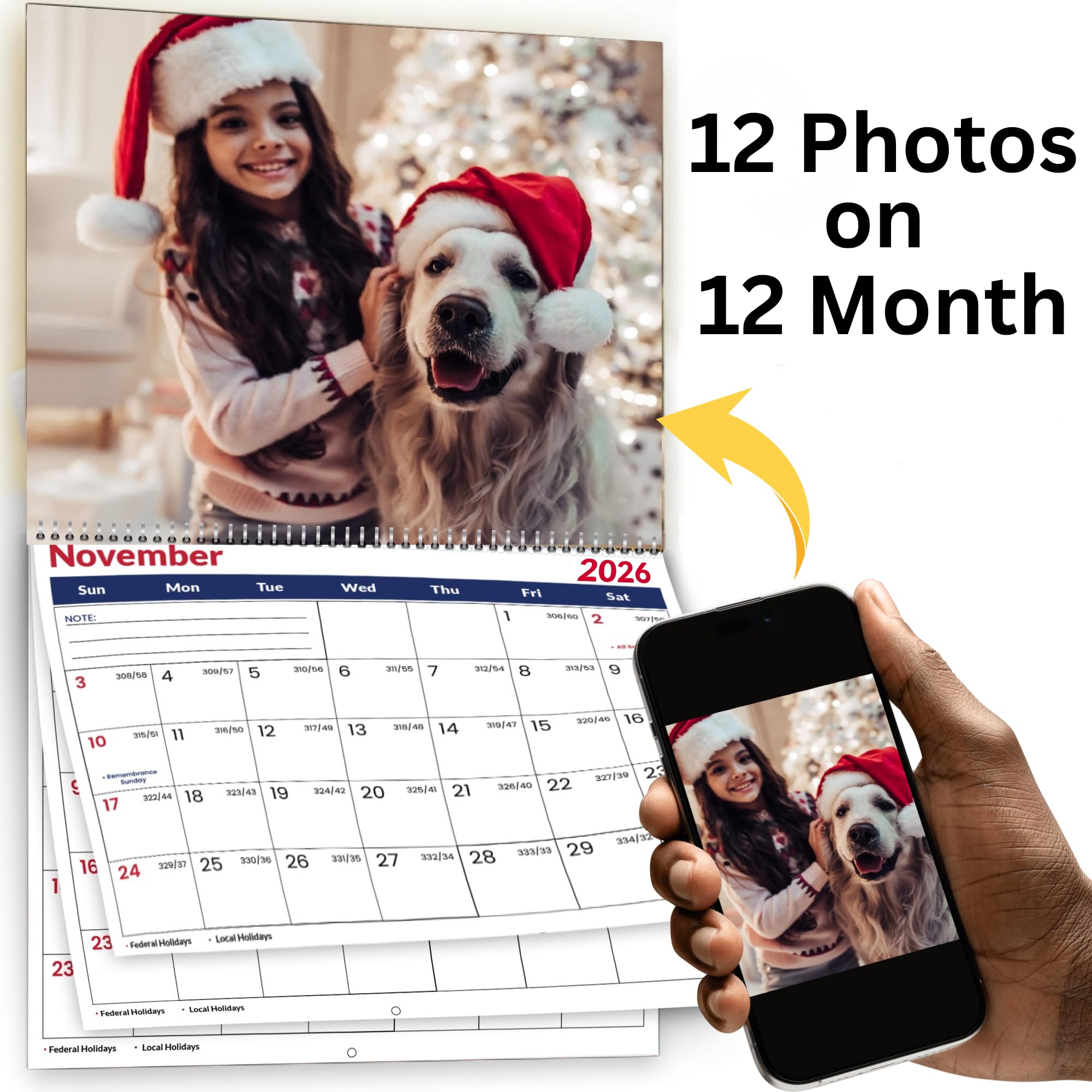
This Superior POD calendar uses 80# gloss text stock with a satin finish, giving each photo a vibrant, almost magazine-quality look. The 11×17-inch spread when hung makes it the largest option in this lineup, ideal for covering a blank hallway or kitchen wall with a single bold statement. The blue-core paper adds a rigidity that standard calendars lack, so pages don’t warp after months of hanging.
The bleed-out printing method extends your images edge-to-edge, eliminating those white borders that can make a calendar feel unfinished. With 13 image slots (one cover plus 12 months), you get a full year of memories without sacrificing a month for the title page. The plastic coil binding holds up well and allows easy flipping, though it’s less flat against the wall than wire-bound options.
Customers consistently praise the color accuracy and fast shipping, with several reviewers noting they’ve reordered for three consecutive years. The 300 DPI requirement is strictly recommended, but even slightly softer phone photos looked acceptable thanks to the gloss stock’s ability to add apparent sharpness. This is the calendar you choose when you want your travel or family photos to feel like art prints.
Why it’s great
- Largest print area at 11×17 inches for maximum visual impact
- Premium 80# gloss stock resists curling and delivers vibrant color
- Bleed-out printing removes white borders for a seamless look
Good to know
- Plastic coil binding may not lie completely flat on the wall
- Gloss finish shows fingerprints if handled frequently
2. Let’s Make Memories Personalized Photo Calendar – Upward Script
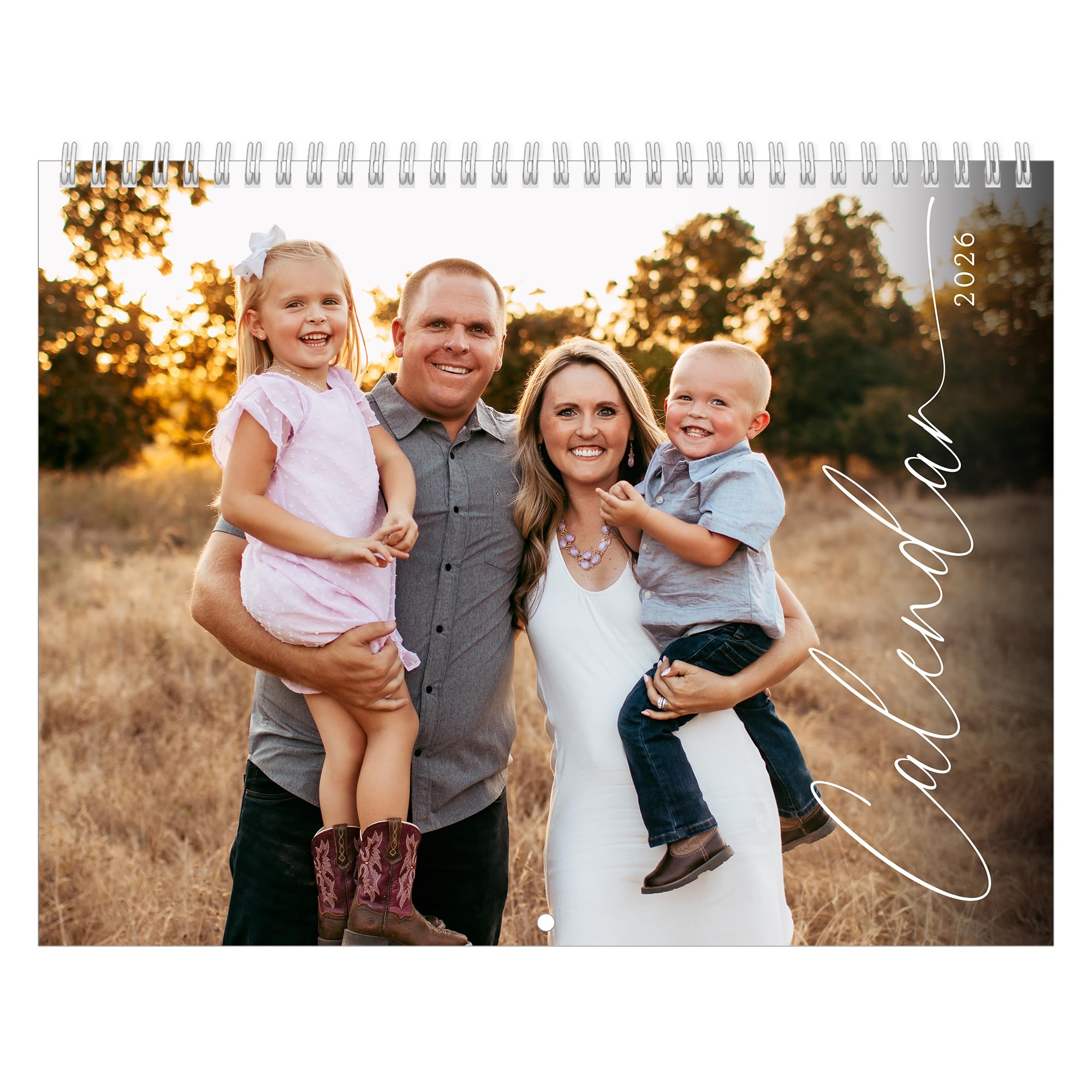
Printed by one of America’s largest commercial printers, this calendar from Let’s Make Memories delivers a refined matte finish that reduces glare and gives photos a soft, handcrafted feel. The Upward Script cover design adds a touch of elegance for gifting — especially popular among buyers creating calendars for grandparents or faraway relatives. The 8.5×11-inch page size is the classic wall-calendar dimension, easy to fit on a fridge or cubicle wall.
The user interface for uploading is straightforward, allowing you to choose from multiple cover designs before adding your 13 images. Pre-printed US holidays save you from manually marking days, and the spiral binding makes flipping months effortless. One buyer noted the matte paper handled their AI-generated images beautifully, with no ink smudging or color cast across the year.
Customer feedback highlights the responsive support team — a few users reported photo cropping issues near the eyelets, and the company issued replacements within a week. The only recurring caution is that you cannot preview how each month’s photo will be cropped on Amazon, so double-check your uploads to avoid the same picture appearing on two different months. For a classic, presentation-quality calendar, this is a strong mid-range pick.
Why it’s great
- Matte finish eliminates glare and feels high-end in hand
- Multiple cover design options let you personalize the title page
- Excellent customer service for print and cropping issues
Good to know
- Cannot preview photo cropping before ordering on Amazon
- Writing space is slightly limited due to photo dominance
3. CLYLIFE Custom Photo Wall Calendar 2026 Large 11×17
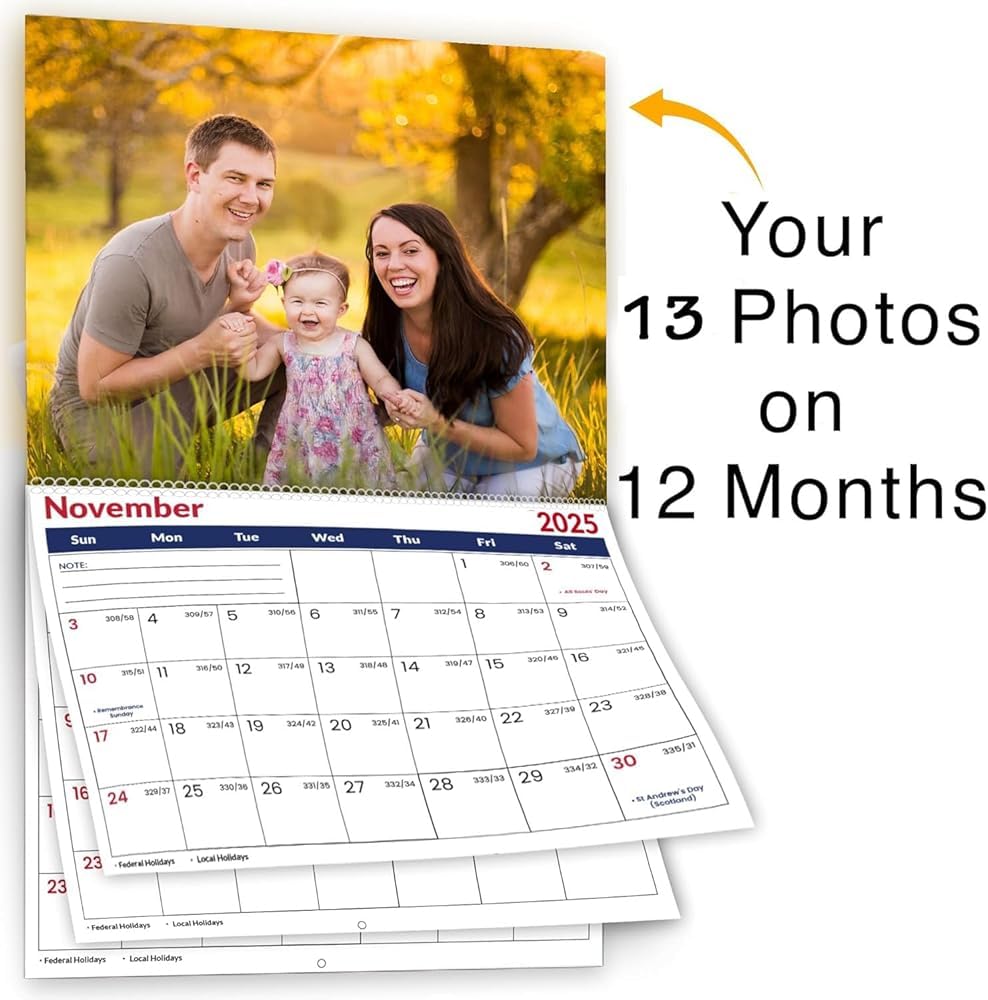
CLYLIFE bridges the gap between the large-format appeal of the Superior POD and the mid-range pricing of smaller options. Using 250g gloss text stock, each page feels notably thicker than standard 80# paper, giving the calendar a substantial weight that resists bending when hung. The pages expand to 17 inches wide when open, making this the best choice for families who want a large visual presence without paying a premium for the biggest brand.
The upload process specifies 300+ DPI for best results, and customers report that even lower-resolution images look decent thanks to the paper’s gloss coating, which adds perceived sharpness. Major US holidays are pre-marked, and a dedicated notes section on each month provides room for appointments or reminders — a feature that’s oddly absent from many photo-heavy calendars. The spiral binding is plastic, similar to the Superior POD, but the thicker paper reduces the risk of pages tearing out over time.
A small number of buyers flagged a counterfeit postage issue with shipping, which occasionally added delivery delays. Still, for users who prioritize thick, glossy pages and a large format at a budget-friendly price, this CLYLIFE calendar delivers impressive physical quality. The seller also earned praise for responsive communication when addressing address errors, which is rare for a budget-tier print service.
Why it’s great
- Thick 250g stock feels premium and resists page curling
- Large 17-inch wide spread for bold family displays
- Includes a notes section for monthly planning and appointments
Good to know
- Occasional shipping issues reported with counterfeit postage
- Gloss finish attracts fingerprints like the Superior POD model
4. Let’s Make Memories Personalized Photo Calendar – Full Photo
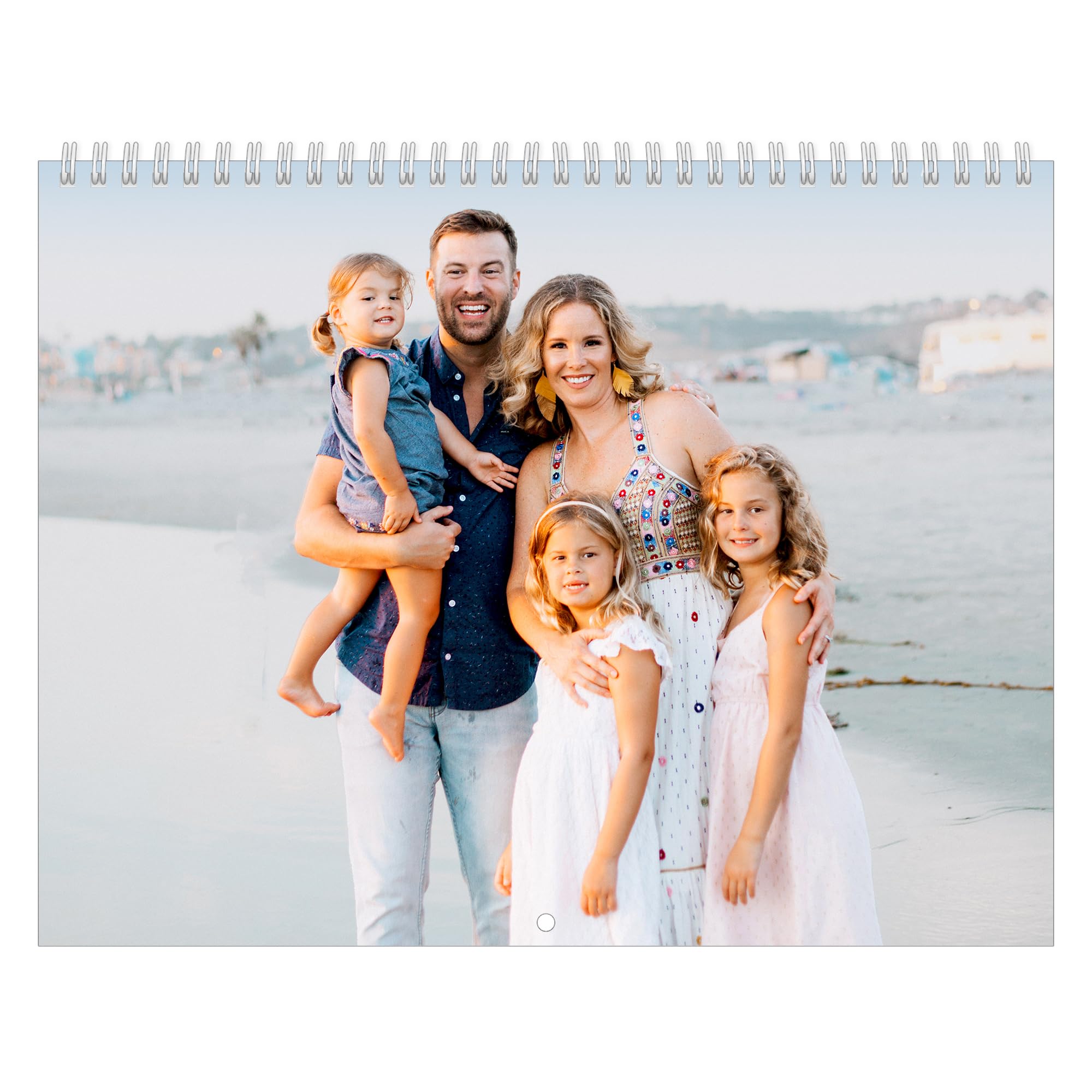
This variant from Let’s Make Memories offers the same matte paper and spiral-bound construction as the Upward Script edition, but with a cover layout that lets the photo take up nearly the entire front page — no decorative script taking visual space. It’s the pure photo-first calendar, best for users who want each month’s image to be the absolute star without competing design elements. The 333 customer reviews averaging 4.5 stars confirm consistent quality across print runs.
Like the other Let’s Make Memories offerings, this calendar is printed by a large American printer known for vivid color inks. The matte finish handles high-contrast photos well, retaining shadow detail rather than blowing out highlights. The pre-printed US holidays are a welcome convenience, though the writing space remains tight — this is a photo calendar first, a planner second. The spiral binding lies reasonably flat on the wall, but the 8.5×11 size means it doesn’t dominate the room like the larger formats.
Buyers who ordered multiple calendars for family gifts reported the most satisfaction, with one reviewer saying their grandmother specifically requested another one next year. The main frustration, echoed across reviews, is the inability to preview how each photo crops on Amazon’s platform — a few users ended up with photos partially cut off near the binding edge. The company’s replacement policy mitigates this, but it’s an extra step you’d rather skip.
Why it’s great
- Full-photo cover maximizes image real estate without design clutter
- Matte finish preserves shadow detail in high-contrast images
- Strong customer support with replacement policy for cropping errors
Good to know
- Photo cropping can’t be previewed before ordering
- Writing space is limited for detailed monthly planning
5. Let’s Make Memories Personalized Photo Calendar – Modern Type
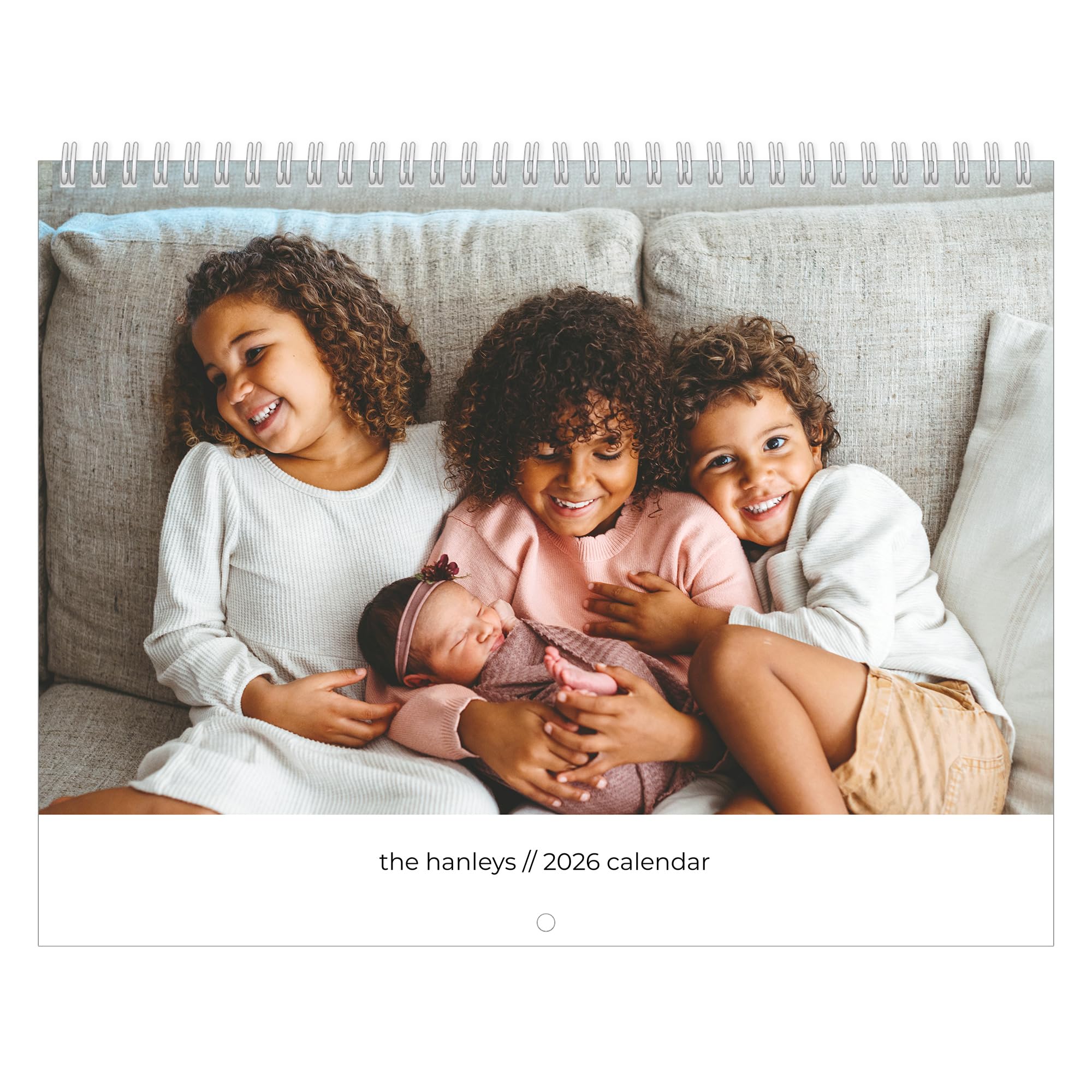
The Modern Type edition rounds out the Let’s Make Memories lineup with a clean, sans-serif typography cover that appeals to minimalist tastes. It shares the same 8.5×11 matte paper and spiral binding as the other two variants, so the core print quality is identical — clear photos, good color reproduction, and no paper ghosting. The main difference is the cover design, which uses a single text input for a personal message or name rather than a script-style heading.
This version works best for gifting to coworkers, teachers, or neighbors where you want a more understated look than the Upward Script’s flourished font. The matte paper’s glare-free surface makes it suitable for bright kitchens or sunlit desks, and the pre-printed holidays keep you on schedule without manual marking. Several customers commented on the smooth ordering process and fast shipping, with orders arriving in under a week.
The same cropping limitation applies here — you can’t preview how each photo will be placed on Amazon, so a few buyers received calendars with the same image on two different months. The company’s customer support appears to handle these cases promptly, but it’s worth noting that you must trust the upload process. For the price, this calendar delivers reliable print quality with a clean, modern aesthetic that won’t clash with any decor.
Why it’s great
- Clean modern cover design suits minimal decors and professional gifts
- Matte paper prevents glare in bright lighting conditions
- Fast shipping and easy ordering process for last-minute gifts
Good to know
- No photo preview system can lead to duplicate or cropped images
- Single text input limits cover personalization options
FAQ
Can I upload photos taken on my phone for a custom photo calendar?
How do I make sure my photos aren’t cropped awkwardly near the binding?
What is the difference between a gloss and matte finish for photo calendars?
Final Thoughts: The Verdict
For most users, the best custom photo calendar winner is the Superior POD Custom Photo Wall Calendar because its 11×17-inch gloss format delivers the biggest visual payoff for your memories, with premium 80# stock that keeps colors punchy all year. If you prefer a refined matte finish for gifting, grab the Let’s Make Memories Upward Script edition. And for a large-format budget option with thick 250g paper, nothing beats the CLYLIFE 11×17 calendar.

Mo Maruf
I created WellFizz to bridge the gap between vague wellness advice and actionable solutions. My mission is simple: to decode the research and give you practical tools you can actually use.
Beyond the data, I am a passionate traveler. I believe that stepping away from the screen to explore new environments is essential for mental clarity and physical vitality.