Our readers keep the lights on and my smoothie glass nicely filled. As an Amazon Associate, I earn from qualifying purchases.
The gap between a prebuilt that delivers genuine 4K performance and one that simply looks expensive on paper comes down to three measurable factors: GPU tier, VRAM allocation, and the CPU’s ability to feed those frames without bottlenecking. Most buyers in this space get seduced by a high core count, then wonder why their RTX 5070 sits idle during esports titles. A well-configured custom gaming PC balances the motherboard chipset, RAM speed, and cooling solution around one primary goal — sustained frame delivery at the resolution you actually play.
I’m Mohammad Maruf — the founder and writer behind WellFizz. I spend my research hours inside component benchmarks, VRAM scaling tests, and PSU efficiency curves to surface the prebuilt configs that actually align silicon value with long-term usability.
Whether you are chasing 1440p dominance or stepping into native 4K ray tracing, finding the right custom gaming pc means weighing upgrade paths against out-of-box readiness without overpaying for RGB you cannot reuse.
How To Choose The Best Custom Gaming PC
Selecting the right desktop involves more than comparing clock speeds. You must match the GPU, CPU, and memory to the resolution you intend to play at, and confirm the power supply and cooling can handle sustained loads. Below are the three most critical decision points.
GPU Tier and VRAM Budget
The graphics card determines your resolution ceiling and the lifespan of the system. An RTX 4060 with 8GB is fine for 1080p high refresh, but 1440p and 4K require 12GB minimum on modern titles. The RTX 5070 Ti and RTX 5090 offer 16GB and 32GB respectively, giving room for ray tracing and texture-heavy assets without hitting memory limits. Always check the VRAM capacity rather than just the model number — a 12GB card will age better than an 8GB card even if the core count is slightly lower.
CPU Architecture and Cache Hierarchy
For gaming, the compute workload leans heavily on single-thread performance and cache size. AMD’s 3D V-Cache processors (X3D series) provide a measurable frame-time advantage in simulation, strategy, and open-world titles because the larger L3 cache reduces memory latency. Intel’s hybrid architecture excels in productivity streams and multitasking. Choose an X3D chip if pure frame pacing is your priority, and an Intel Core Ultra or standard Ryzen if you also edit video or compile code.
RAM, Storage, and Power Delivery
DDR5 at 6000MHz CL30 offers the best price-to-performance ratio for Ryzen systems, while higher frequencies (6400–8000MT/s) benefit Intel builds but increase latency tuning risk. Storage should be at least 1TB NVMe Gen4 — many modern games exceed 150GB each. The power supply must be ATX 3.0 rated for transient loads from RTX 4000 and 5000 series cards; 850W is the baseline for mid-range builds and 1000W+ for high-end configurations.
Quick Comparison
On smaller screens, swipe sideways to see the full table.
| Model | Category | Best For | Key Spec | Amazon |
|---|---|---|---|---|
| Skytech Legacy 4 | Premium | Ultimate 4K & VR | RTX 5090 32GB VRAM | Amazon |
| Alienware Aurora | Premium | RTX 5080 + 1000W PSU | RTX 5080 16GB VRAM | Amazon |
| Skytech King 95 | Premium | Ryzen X3D + 5070 Ti | 9850X3D + 5070 Ti 16GB | Amazon |
| Skytech Azure 3 | Premium | AMD GPU 4K Gaming | RX 9070 XT 16GB VRAM | Amazon |
| Horizon Autherium | Premium | 64GB RAM & 10TB Storage | i9 + 5070 + 64GB DDR5 | Amazon |
| Lenovo Legion Tower 5i | Mid-Range | Ultra 7 + RTX 5070 Ti | Intel Ultra 7 + 5070 Ti | Amazon |
| iBUYPOWER Y40 PRO | Mid-Range | 1440p Ray Tracing | Ryzen 9 7900X + 5070 Ti | Amazon |
| Thermaltake View i570 | Mid-Range | i9 + Liquid Cooled 5070 | i9-14900KF + 5070 12GB | Amazon |
| MSI Codex Z2 | Mid-Range | RTX 5070 + 2TB Storage | Ryzen 7 8700F + 5070 12GB | Amazon |
| CyberPowerPC Gamer Xtreme | Mid-Range | i7 + RTX 5060 Ti Value | i7-14700F + 5060 Ti 8GB | Amazon |
| NINGMEI 5700X | Budget | 1080p AAA Gaming | Ryzen 7 5700X + RTX 5060 | Amazon |
| GMKtec EVO-X2 | Specialty | Local AI & LLM | 128GB Unified Memory | Amazon |
In‑Depth Reviews
1. Skytech Gaming Legacy 4

The Skytech Legacy 4 sits at the top of the prebuilt hierarchy because it pairs the flagship RTX 5090 with 32GB of GDDR7 VRAM and a 9950X3D processor that reaches 5.7GHz turbo. The 420mm AIO liquid cooler keeps that 16-core chip from throttling during extended 4K workloads, and the 1200W ATX 3.0 power supply handles transient spikes from the 5090 without issue. With 64GB of DDR5 6000 RAM and a 4TB Gen4 NVMe drive, this machine has zero bottlenecks for native 4K ray tracing or high-refresh 1440p competitive play.
Owner reports confirm the system handles Cyberpunk 2077 at max settings with path tracing enabled while staying in the 60–80 FPS range, and esports titles easily push past 300 FPS at 1440p. The X870 motherboard provides PCIe 5.0 lanes for future GPU upgrades and includes Wi-Fi 7 support out of the box. Cable management inside the Legacy 4 case is tidy, with magnetic dust filters and a tempered glass side panel that shows off the ARGB fans.
The only compromise is the 1-year warranty, which feels short for a system at this tier, and the included keyboard and mouse are basic. Buyers who plan to upgrade storage later will appreciate the extra M.2 slots and the spacious interior. For anyone building a future-proof rig today, this is the config that outpaces most DIY builds at a comparable component cost.
Why it’s great
- RTX 5090 32GB handles native 4K path tracing
- X3D cache eliminates frame-time stutter in simulation titles
- 420mm AIO keeps CPU under 70°C under sustained load
Good to know
- Warranty limited to 1 year for a flagship build
- Included peripherals are entry-level quality
2. Alienware Aurora ACT1250

The Alienware Aurora integrates a factory-overclocked RTX 5080 16GB with Intel’s Core Ultra 9 285 processor, a 240mm liquid cooler, and a 1000W Platinum-rated PSU in a chassis designed for tool-less upgrades. The clear side panel and customizable AlienFX lighting zones make it one of the more visually distinctive options in this class. The 16GB GDDR7 buffer on the 5080 delivers smooth 4K performance in titles like Cyberpunk 2077 and Alan Wake 2 with DLSS 4 frame generation enabled.
Users report outstanding thermal performance — the GPU stays around 66°C under full load with fans at 65% speed, producing a remarkably quiet profile given the hardware inside. The Dell 1-year onsite service adds value by sending a technician to your location if hardware issues arise, which is a notable advantage over typical mail-in warranty models. The 1000W Platinum PSU provides sufficient overhead for future GPU upgrades without requiring a swap.
The primary concern is reliability consistency: some users experienced motherboard failures and Windows license issues after RMA replacements. The proprietary motherboard form factor limits third-party upgrade options compared to standard ATX boards. However, for buyers who prioritize Dell’s onsite service and a quiet high-end system, this remains a solid pick.
Why it’s great
- Onsite warranty service included for 1 year
- RTX 5080 stays cool and quiet under heavy loads
- 1000W Platinum PSU offers upgrade headroom
Good to know
- Proprietary motherboard limits third-party part swaps
- Reports of reliability variance between units
3. Skytech Gaming King 95
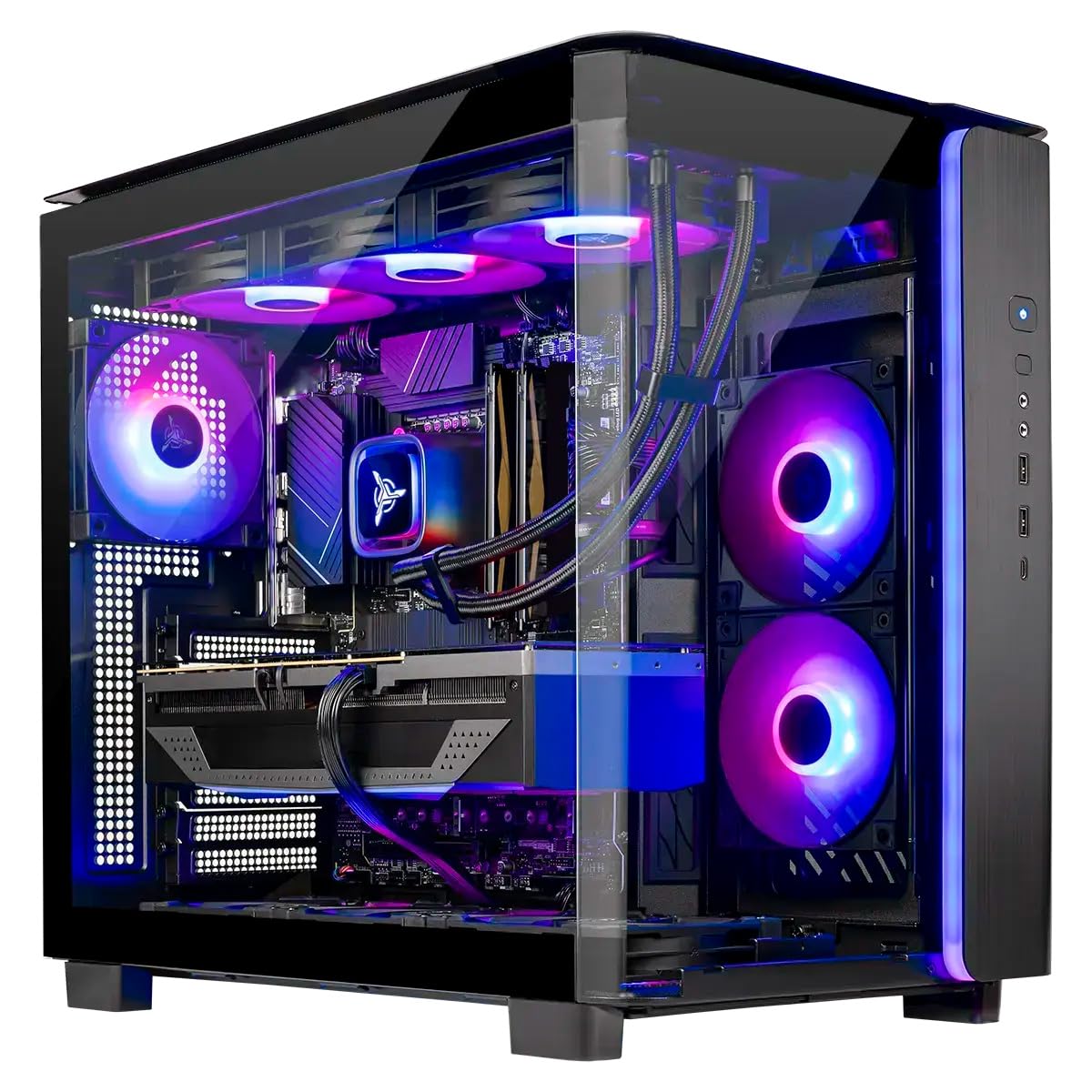
The King 95 brings AMD’s 9850X3D processor with 5.6GHz turbo boost together with an RTX 5070 Ti 16GB GPU, 32GB of DDR5 6000 RAM, and a 360mm AIO cooler. The 16GB VRAM buffer on the 5070 Ti is the sweet spot for 1440p ultra settings and 4K with DLSS quality mode — it avoids the memory swapping that plagues 8GB and 12GB cards in modern titles. The 850W Gold ATX 3.0 PSU meets the transient needs of the 5070 Ti without breaking a sweat.
Real-world gaming performance reported by owners shows consistent 100+ FPS at 1440p in demanding titles like Elden Ring and Helldivers 2. The 360mm AIO keeps CPU temperatures in check during long sessions, and the King 95 case features a dual-chamber layout that improves airflow to the GPU. The system arrives with no bloatware and includes a gaming keyboard and mouse that are usable out of the box.
The 1TB Gen4 NVMe drive fills up quickly for users with a large library, and some reviews noted that the GPU brand varies between units. The Wi-Fi 5 rather than Wi-Fi 6 is a dated choice for a mid-range prebuilt. Still, for anyone wanting X3D benefits at a price under the flagship tier, this config delivers excellent value.
Why it’s great
- X3D cache provides best-in-class frame pacing
- 16GB VRAM suitable for 4K DLSS gaming
- No bloatware and clean cable management
Good to know
- Wi-Fi 5 instead of Wi-Fi 6E
- Only 1TB primary storage for a mid-range build
4. Skytech Gaming Azure 3
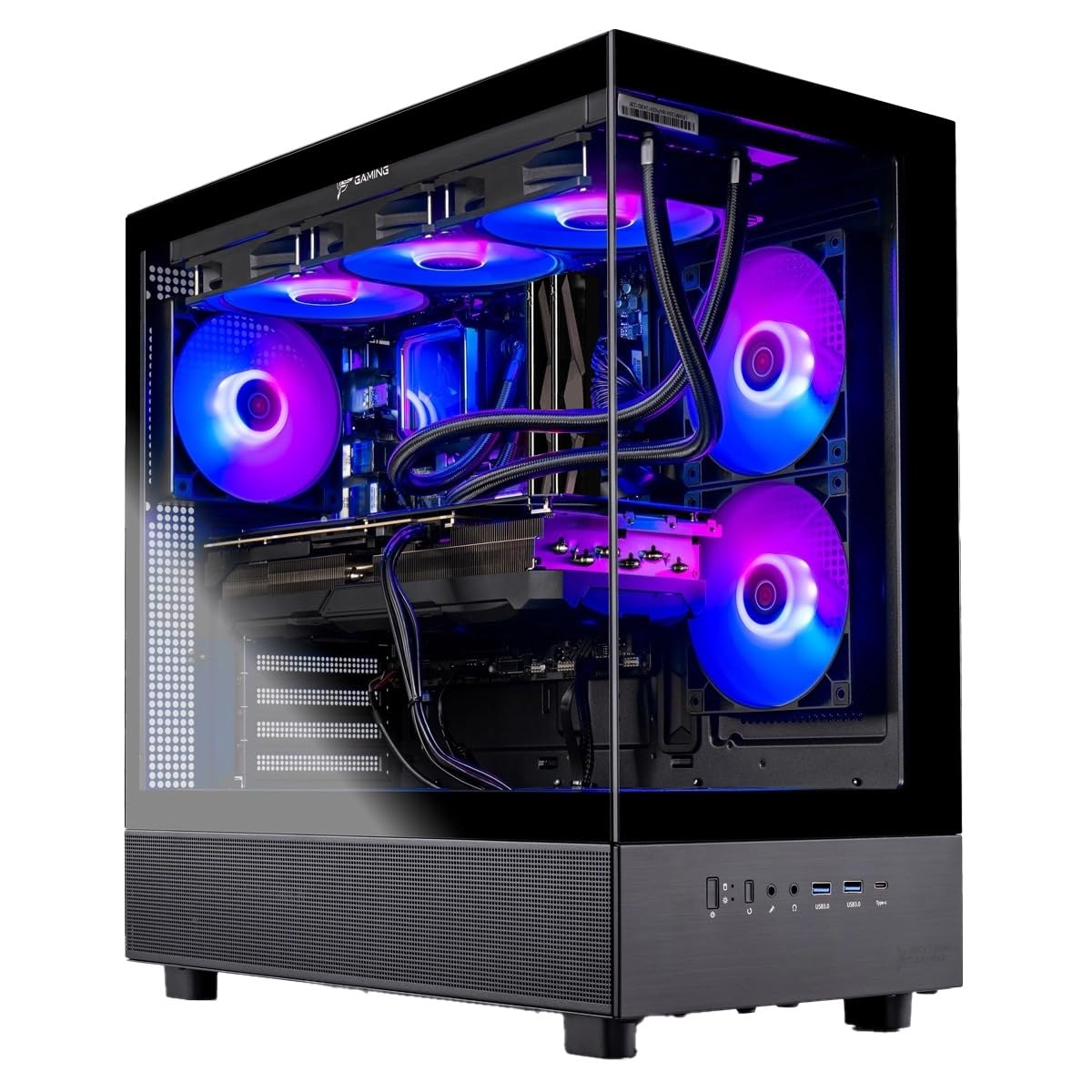
The Azure 3 trades Nvidia’s ray tracing dominance for AMD’s Radeon RX 9070 XT with 16GB of GDDR6 VRAM and the same 9850X3D processor found in the King 95. This combination delivers outstanding rasterization performance at 4K and is particularly strong in simulation and strategy games where the X3D cache reduces micro-stutters. The 360mm AIO cooler and 850W Gold ATX 3.0 PSU mirror the King 95’s thermal and power delivery, maintaining stable performance under prolonged loads.
Users note that the system runs near silent in quiet mode and handles competitive titles like Valorant and Overwatch 2 at over 200 FPS at 1440p. The 2TB Gen4 NVMe drive provides twice the storage of the King 95 for a similar price point, making it a better pick for gamers with large libraries. The Azure 3 case offers a clean black aesthetic with tempered glass and ARGB fans that can be controlled via the front panel button or Skytech software.
Ray tracing performance on the RX 9070 XT lags behind the RTX 5070 Ti by roughly 15–20% in titles like Cyberpunk 2077 with path tracing enabled. The Wi-Fi 5 adapter is also a step behind the competition. For raster-heavy gamers who prioritize raw compute and storage over ray tracing, the Azure 3 represents a smart allocation of budget.
Why it’s great
- 2TB NVMe at a competitive price point
- Excellent rasterization and X3D frame pacing
- Near silent operation in quiet mode
Good to know
- Ray tracing trails Nvidia equivalent by ~15-20%
- Wi-Fi 5 adapter is outdated
5. The Horizon Autherium Dragon RGB

The Autherium Dragon RGB breaks from the standard formula by offering 64GB of DDR5 RAM and a 10TB total storage split between a 2TB NVMe drive (up to 7000MB/s) and an 8TB 7200RPM HDD. The Core i9 processor, overclocked out of the box, reaches 5.4GHz and is paired with an RTX 5070 OC 12GB. The 360mm AIO handles CPU thermal loads, and the 850W Gold PSU supports the 5070’s transient draw. The case features a unique dragon front panel and 11 total fans including GPU and PSU units.
Owners report the system handles heavy CAD workloads, video rendering, and VR titles like Microsoft Flight Simulator 2024 on a Quest 3 without stutter. The 3-year parts and 5-year labor warranty is the longest in this comparison, and the seller includes handwritten notes and direct support contacts. Video rendering benchmarks show a 3-minute project completing in about 35 seconds, indicating solid multithreaded performance from the i9.
The RTX 5070 with 12GB VRAM will be the first component that needs upgrading for 4K ray tracing, as 12GB is the new baseline rather than future-proof. The HDD is slower than an all-NVMe configuration for game loading. However, for creators and gamers who need massive storage and high RAM capacity without breaking the premium barrier, this is a uniquely well-rounded config.
Why it’s great
- Industry-leading 3-year parts and 5-year labor warranty
- 64GB RAM and 10TB combined storage
- Excellent seller support with direct access
Good to know
- RTX 5070 12GB is the weak link for 4K future
- HDD slower than all-NVMe storage pools
6. Lenovo Legion Tower 5i

Lenovo’s Legion Tower 5i combines an Intel Core Ultra 7 265F processor with an RTX 5070 Ti 16GB GPU, 32GB of DDR5 RAM, and a 180W optimized air cooling solution. The chassis features a tool-less side panel for easy access to the two additional M.2 slots and open RAM slots for future upgrades. The 2.5G Ethernet port and Wi-Fi 6E provide fast networking, and the factory calibration report included in the box verifies the system has been tested before shipping.
Gaming benchmarks reported by owners show Forza Motorsport at around 180 FPS average with DLSS and frame gen enabled at 1440p, and Monster Hunter Wilds at roughly 97 FPS average maxed out. The cooling system keeps GPU temperatures in the mid-60s and CPU in the high-50s during gameplay, with the system remaining quiet outside of shader compilation bursts. The 3-month Xbox Game Pass adds immediate value for new buyers.
The single 1TB SSD fills up quickly for gamers with large libraries, and the 16GB RAM expansion ceiling for the stock configuration may require careful planning. The Intel Ultra 7 is not an unlocked K-series part, limiting overclocking. For a balanced mid-range build with strong build quality and easy upgradability, the Legion Tower 5i is a solid choice.
Why it’s great
- Tool-less side panel and easy upgrade access
- Excellent thermals with quiet operation
- Factory calibration and 2.5G Ethernet included
Good to know
- 1TB storage restrictive for large game libraries
- CPU is locked, no overclocking headroom
7. iBUYPOWER Y40 PRO

The Y40 PRO pairs a 12-core Ryzen 9 7900X processor capable of 5.6GHz boost with an RTX 5070 Ti 16GB GPU, 32GB of DDR5 5200MHz RAM, and a 2TB NVMe SSD. The 7900X provides strong multithreaded performance for streaming and content creation alongside gaming. The 5070 Ti with 16GB VRAM handles 1440p ultra settings with ray tracing enabled across most modern titles, and owners report over 100 FPS in demanding games like Cyberpunk 2077 with DLSS quality mode active.
The Y40 chassis features tempered glass on the front and side, 16-color RGB lighting, and includes a gaming keyboard and mouse. The build uses an AIO liquid cooler to manage the 7900X’s thermal output, and reviews note the system stays quiet during normal use. The 2TB NVMe provides ample storage for a large game library, and the five USB 3.1 ports give good connectivity for peripherals.
Some users reported RAM diagnostic issues within the first two weeks, and the system lacks Wi-Fi out of the box — iBUYPOWER labels it as “Wi-Fi Ready,” meaning you must install a Wi-Fi card yourself. The 5200MHz DDR5 is slower than the optimal 6000MHz for Ryzen performance. For a strong 1440p performer with plenty of storage, the Y40 PRO is a capable choice.
Why it’s great
- 2TB NVMe storage for large game libraries
- 12-core CPU suitable for streaming and productivity
- Strong 1440p ray tracing performance
Good to know
- Wi-Fi card not included, only “Wi-Fi Ready”
- 5200MHz RAM slower than ideal Ryzen speed
8. Thermaltake LCGS View i570

The View i570 from Thermaltake integrates a 24-core i9-14900KF processor with an RTX 5070 12GB GPU and 32GB of DDR5 6000MT/s RGB memory. The 240mm closed-loop liquid cooler manages the i9’s high thermal output, and the B760 chipset motherboard supports PCIe 5.0 for storage and graphics. The 5070’s 12GB VRAM is adequate for 1440p gaming but will encounter memory limits in 4K with ray tracing enabled.
Owners report the system runs Cyberpunk 2077, Rust, Baldur’s Gate 3, and Helldivers 2 without issues at high settings, with no bloatware detected on the Windows 11 installation. The vertical side mount radiator support and filtered PSU cover suggest attention to airflow design. The system is reported to be quiet under normal gaming loads, with fans becoming slightly audible during extended sessions but never intrusive.
The i9-14900KF’s power draw is substantial, and the 240mm AIO is sufficient but does not leave much thermal headroom for overclocking. The 1TB NVMe drive fills up quickly for a system at this tier. For buyers who want an i9 pair with a 12GB 5070 for 1440p gaming, the View i570 offers a clean aesthetic and reliable performance.
Why it’s great
- i9-14900KF provides top-tier multithreaded performance
- 6000MT/s DDR5 memory for optimal bandwidth
- No bloatware and quiet operation
Good to know
- 12GB VRAM is limited for 4K ray tracing
- 240mm AIO leaves minimal overclocking headroom
9. MSI Codex Z2

The MSI Codex Z2 features an AMD Ryzen 7 8700F processor with 8 cores and 16 threads, boosting to 5.0GHz, paired with an RTX 5070 12GB GPU. The 32GB of DDR5 RAM and 2TB NVMe SSD provide fast loading and ample storage for contemporary game libraries. MSI uses a four-fan air cooling configuration with an ARGB fan air cooler and three front intake fans to maintain airflow and component temperatures.
Gaming performance from owners shows stable frame rates in 1440p high settings across modern AAA titles, with the 2TB storage being a standout advantage at this tier. The system supports three 27-inch 4K monitors for productivity, and the multiple USB ports provide good peripheral connectivity. The MSI Center software allows RGB lighting customization and system monitoring from one interface.
Some users reported Bluetooth module issues requiring an upgrade, and the air cooler is noticeably louder than liquid cooling alternatives under sustained CPU loads. The Event Log errors and SSD failure noted in some reviews suggest quality control can vary. For a mid-range system with the RTX 5070 and generous storage, the Codex Z2 is a competitive option but benefits from immediate Bluetooth module assessment upon arrival.
Why it’s great
- 2TB NVMe drive is generous for a mid-range build
- RTX 5070 handles 1440p high settings comfortably
- Quad-display support for productivity workflows
Good to know
- Bluetooth module may need replacement
- Air cooling system louder than liquid cooling
10. CyberPowerPC Gamer Xtreme VR

The CyberPowerPC Gamer Xtreme VR pairs a 20-core Intel Core i7-14700F processor with an RTX 5060 Ti 8GB GPU, 16GB of DDR5 RAM, and a 1TB PCIe 4.0 NVMe SSD. The B760 chipset motherboard supports PCIe 4.0 and includes Wi-Fi 6 and Bluetooth 5.3 connectivity. The tempered glass side panel and custom RGB lighting create an attractive visual package that appeals to new builders entering the desktop space.
Owner reviews consistently highlight smooth performance in titles like Helldivers 2, Company of Heroes, and Fortnite at high settings with no frame drops. The setup process is simple, the case is well-ventilated, and the system runs quiet even during extended gaming sessions. The 16GB DDR5 is sufficient for gaming and everyday multitasking, though heavy users may want to upgrade later. The free keyboard and mouse provide a usable starting kit.
The RTX 5060 Ti with 8GB VRAM is the limiting factor for 1440p ultra or 4K gaming, and the 1TB SSD fills up quickly. Some units shipped with the HDD LED and reset wires swapped, requiring a simple manual correction. For a reliable 1080p high-refresh system with strong build quality and a full warranty package, the Gamer Xtreme VR offers solid value.
Why it’s great
- Reliable 1080p high-refresh performance
- Wi-Fi 6 and Bluetooth 5.3 included
- Quiet operation and solid build quality
Good to know
- 8GB VRAM limits future 1440p ultra use
- 16GB RAM may need upgrade for heavy multitasking
11. NINGMEI Ryzen 7 5700X
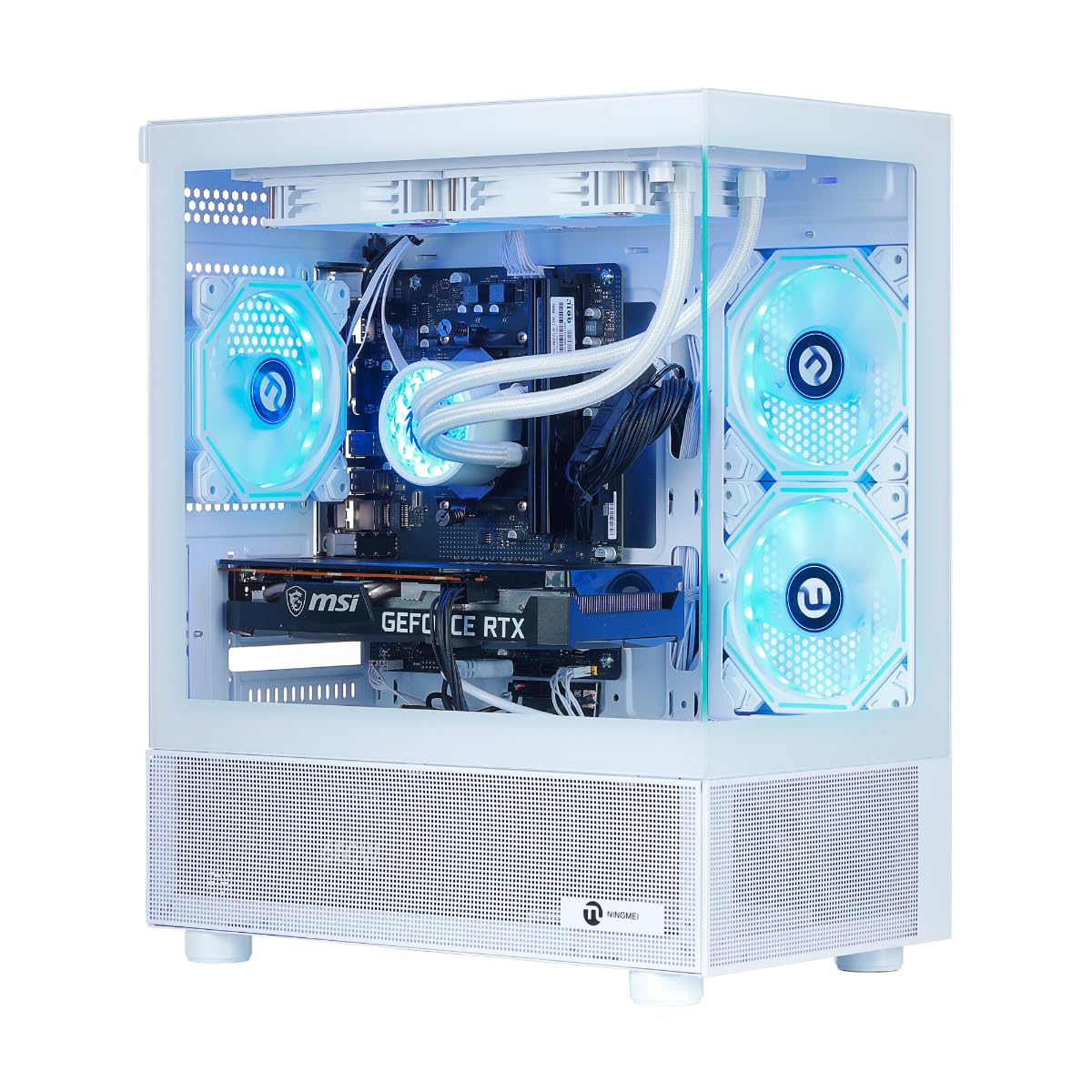
The NINGMEI desktop is built around an AMD Ryzen 7 5700X with 8 cores reaching 4.6GHz, paired with an RTX 5060 8GB GPU and 32GB of DDR4 RAM. The 1TB NVMe SSD provides adequate storage, and the liquid cooling system keeps thermal loads manageable during gaming. The white tower case with ATX 3.0 power design accommodates future hardware upgrades and provides a distinctive aesthetic in the budget segment.
Performance in AAA games at 1080p high settings is strong, with reviews noting smooth gameplay in Microsoft Flight Simulator 2020 and modern shooters. The 8GB VRAM on the RTX 5060 will encounter limits with texture-heavy titles at higher resolutions, but the 32GB DDR4 RAM provides ample memory buffers for multitasking. The liquid cooler keeps fan noise down compared to stock air coolers in this price range.
The most significant risk is quality control: some units shipped with defective drives showing blue screen errors or needing new RAM sticks, and seller support was inconsistent in those cases. The AM4 platform is a dead end for future CPU upgrades without a motherboard swap. For a budget-entry desktop that can handle 1080p gaming, the NINGMEI offers respectable specifications but benefits from immediate stress testing upon arrival.
Why it’s great
- 32GB DDR4 RAM for smooth multitasking
- Liquid cooling keeps noise low for the price
- White aesthetic differentiates from black towers
Good to know
- QC issues with defective drives reported
- AM4 platform limits CPU upgrade path
12. GMKtec EVO-X2

The GMKtec EVO-X2 is a mini PC that redefines what a small form factor machine can do with an AMD Ryzen AI Max+ 395 processor featuring 16 Zen 5 cores, 50+ AI TOPS NPU, and a Radeon 8060S integrated GPU with 40 RDNA 3.5 compute units. The 128GB of LPDDR5X 8000MT/s unified memory allows up to 96GB allocation as VRAM, enabling local execution of large language models like Deepseek 70B Q8 and Qwen3-235B at useful inference speeds. The 2TB PCIe 4.0 SSD provides storage for model weights and gaming.
For AI researchers and LLM hobbyists, the EVO-X2 is the most cost-effective way to run models that would otherwise require a multi-GPU workstation. Users report running Mistral and Llama models locally with context windows reaching 27k tokens, and image generation workloads complete faster than on a standard RTX 4060 laptop. The quad-display 8K output via HDMI 2.1 and dual USB4 ports supports multiple monitors for data visualization or creative workflows.
The EVO-X2 is not a competitive gaming desktop in the traditional sense — its iGPU trades blows with an RTX 4060 laptop GPU, which is adequate for 1080p gaming but not 1440p ray tracing. The small chassis means thermal performance under sustained loads is warmer than a full tower, and the lack of a dedicated GPU slot limits upgradeability. For buyers whose priority is local AI inference and productivity with light gaming, this mini PC is a unique, space-efficient powerhouse.
Why it’s great
- 96GB shared VRAM for running large LLMs locally
- Space-efficient design with quad 8K output
- Wi-Fi 7 and Bluetooth 5.4
Good to know
- Integrated GPU not competitive for high-end gaming
- No dedicated GPU upgrade slot available
FAQ
What VRAM capacity do I need for 1440p gaming in 2025?
Is an X3D processor worth the premium over a standard Ryzen for gaming?
Should I buy a prebuilt with DDR4 or DDR5 RAM?
What power supply wattage do I need for an RTX 5070 or RTX 5090?
Final Thoughts: The Verdict
For most users, the custom gaming pc winner is the Skytech Gaming Legacy 4 because it combines the flagship RTX 5090 with the X3D CPU advantage and a 1200W PSU in a balanced configuration that outperforms most DIY builds at a similar component cost. If you want the best 1440p value with ray tracing, grab the Skytech King 95. And for local AI inference and LLM workloads in a compact chassis, nothing beats the GMKtec EVO-X2.

Mo Maruf
I created WellFizz to bridge the gap between vague wellness advice and actionable solutions. My mission is simple: to decode the research and give you practical tools you can actually use.
Beyond the data, I am a passionate traveler. I believe that stepping away from the screen to explore new environments is essential for mental clarity and physical vitality.