Our readers keep the lights on and my smoothie glass nicely filled. As an Amazon Associate, I earn from qualifying purchases.
The promise of true black is what pulls you into the curved OLED world. Once you witness an image floating on a display with no backlight bleed, every standard LCD panel starts to look like a washed-out compromise. The buying decision, however, is a maze of refresh rates, curvature radii, panel generations, and burn-in anxiety.
I’m Mohammad Maruf — the founder and writer behind WellFizz. My research into this guide involved cross-referencing hundreds of verified buyer experiences and technical spec sheets to isolate which curved OLED panels deliver on their premium promise without hidden compromises.
Whether you are chasing immersive ultrawide racing, competitive 240Hz clarity, or a professional-grade HDR canvas, this guide to the best curved oled monitor breaks down every meaningful spec and real-world trade-off to help you land the right screen for your setup.
How To Choose The Best Curved OLED Monitor
Selecting a curved OLED monitor means weighing panel technology, curvature, resolution, and refresh rate against your specific use case. The following criteria will help you filter the options without getting lost in marketing noise.
Panel Generation and Type
Two major OLED panel technologies dominate the curved monitor market: QD-OLED and WOLED. QD-OLED uses quantum dots to convert blue light into precise reds and greens, delivering a wider color gamut and higher peak brightness in HDR scenes. WOLED, often found in LG panels, uses a white OLED backlight with color filters. QD-OLED tends to produce more vibrant colors in bright rooms, while WOLED excels in uniform black levels. Later generations of both technologies improve brightness and reduce burn-in risk significantly.
Refresh Rate and Response Time
Curved OLED monitors are available with refresh rates from 165Hz all the way up to 330Hz on some dual-mode panels. For competitive esports titles, higher refresh rates translate to smoother motion and reduced input lag. For single-player cinematic experiences, anything at 175Hz or above already exceeds what the human eye can perceive as stutter. The near-instantaneous 0.03ms response time is a hallmark of OLED technology and eliminates ghosting entirely — a major differentiator from any LCD panel.
Curvature Radius and Screen Size
The curvature radius determines how deeply the screen wraps around your field of view. 1800R is a gentle curve that works well for productivity and general gaming. An 800R or 1000R curve is much more aggressive, pulling the edges of the screen into your peripheral vision for extreme immersion. Screen size ranges from 34-inch ultrawides to massive 57-inch super-ultrawides. Consider your viewing distance — deeper curves and larger panels require more desk depth to be comfortable.
Burn-in Prevention Features
OLED burn-in is the result of uneven pixel wear over time. Modern monitors include automatic pixel refresh cycles, logo detection that dims static elements, and taskbar brightness reduction. Some premium models add proximity sensors that trigger a black screen when you step away. Look for monitors with at least a two-year warranty that explicitly covers burn-in, as this indicates the manufacturer’s confidence in its panel’s longevity.
Connectivity and Ergonomics
HDMI 2.1 and DisplayPort 1.4 are standard on most curved OLED monitors, but DisplayPort 2.1 offers higher bandwidth for uncompressed 4K at high refresh rates. USB-C with power delivery (65W or 90W) is valuable for laptop users who want a single-cable setup. For ergonomics, prioritize height adjustment and tilt — many monitors in this category still ship with fixed stands on budget tiers. VESA compatibility ensures you can switch to a monitor arm if the stock stand is too large.
Quick Comparison
On smaller screens, swipe sideways to see the full table.
| Model | Category | Best For | Key Spec | Amazon |
|---|---|---|---|---|
| ASUS ROG Swift PG32UCDMR | Premium | 4K HDR Gaming | 240Hz, DisplayPort 2.1, 99% DCI-P3 | Amazon |
| LG 39GX950B-B | Premium | 5K2K Creative Work | 165Hz, 143 PPI, True Black 500 | Amazon |
| Samsung Odyssey OLED G8 (G85SD) | Mid-Range | Streaming + Gaming | 175Hz, Glare Free, Gaming Hub | Amazon |
| Alienware AW3425DW | Premium | Competitive Ultrawide | 240Hz, 0.03ms, 1800R Curve | Amazon |
| INNOCN 49Q1S | Premium | Sim Racing / Multitasking | 5120×1440, 240Hz, 90W USB-C | Amazon |
| Acer Predator X34 | Mid-Range | High-FPS Immersion | 240Hz, 0.01ms, 800R Curve | Amazon |
| LG 34GX90SA-W | Mid-Range | Smart Gaming Hub | 240Hz, 800R Curve, webOS | Amazon |
| Samsung Odyssey G85SB | Mid-Range | All-Around QD-OLED | 175Hz, Neo Quantum Processor | Amazon |
| AOC Agon PRO AG346UCD | Mid-Range | Budget Ultrawide | 175Hz, 0.03ms, G-Sync Compatible | Amazon |
| Acer Predator X32 | Mid-Range | 4K Curved Desktop | 240Hz, 1700R, QD-OLED | Amazon |
| Philips Evnia 34M2C6500 | Budget | Entry-Level OLED | 175Hz, 1800R, 4-Year Warranty | Amazon |
| Alienware AW3423DWF | Mid-Range | Proven All-Rounder | 165Hz, 1800R, Creator Mode | Amazon |
| Samsung Odyssey Neo G9 (G95NC) | Premium | Dual 4K Sim Racing | 240Hz, 1000R, Mini-LED | Amazon |
In-Depth Reviews
1. ASUS ROG Swift PG32UCDMR

The ASUS ROG Swift PG32UCDMR sets the benchmark for a premium curved OLED monitor with its 32-inch 4K QD-OLED panel. The 240Hz refresh rate paired with a 0.03ms response time eliminates motion blur entirely, making every high-speed transition feel fluid. The inclusion of DisplayPort 2.1 ensures uncompressed bandwidth for full 4K at 240Hz, a future-proofing detail many competitors still lack.
Color accuracy is exceptional straight out of the box, with 99% DCI-P3 coverage and a Delta E under 2. The HDR performance, certified to VESA DisplayHDR True Black 400, delivers inky blacks and bright highlights without blooming. The OLED Care Pro system, including a proximity sensor that blanks the screen when you step away, provides robust burn-in prevention for long-term peace of mind.
Build quality is sturdy, though the stand footprint is substantial. The 16:9 aspect ratio at 32 inches remains versatile for both gaming and productivity, avoiding the ultrawide scaling issues some applications present. The three-year warranty with burn-in coverage adds significant value at this tier.
Why it’s great
- DisplayPort 2.1 for uncompressed 4K 240Hz
- Proximity sensor for automatic burn-in protection
- Excellent out-of-box color accuracy and HDR
Good to know
- Large stand footprint may require desk space
- 16:9 format less immersive than ultrawide for sim racing
2. LG 39GX950B-B
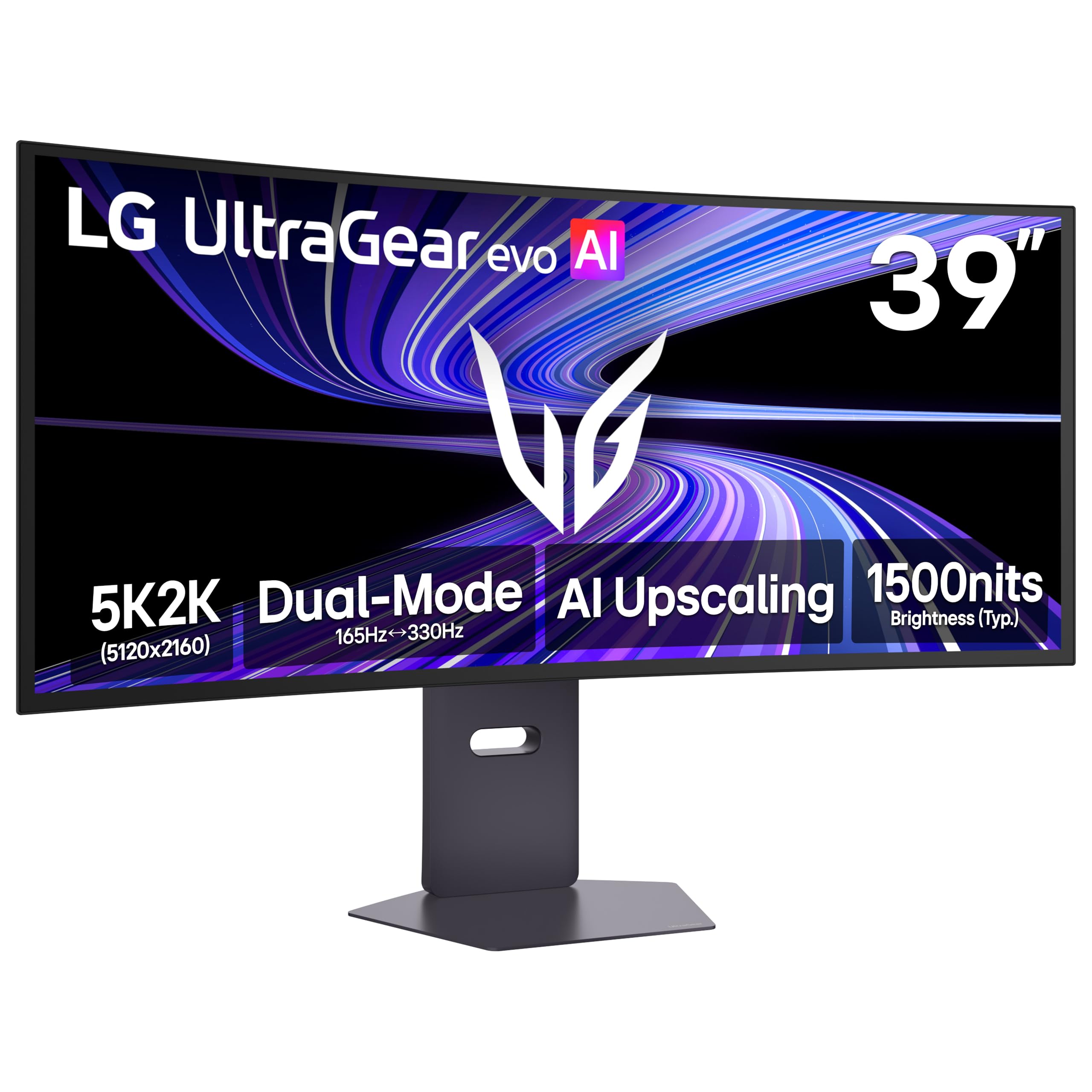
The LG 39GX950B-B is the world’s first 39-inch 5K2K OLED gaming monitor, delivering a pixel density of 143 PPI that makes text and UI elements remarkably sharp. The 21:9 ultrawide format at 5120×2160 resolution offers a spacious canvas for creative professionals who need precise detail without switching between multiple displays. The 1500R curve provides a gentle, natural wrap that enhances immersion without distorting straight lines.
The 4th Generation Primary RGB Tandem OLED panel achieves a typical brightness of 335 nits with improved power efficiency. VESA DisplayHDR True Black 500 certification means shadow detail in dark scenes is significantly better than True Black 400 panels. The dual-mode feature lets you switch between 5K2K at 165Hz for detailed AAA titles and WFHD at 330Hz for competitive gaming, adapting to your session’s demands.
NVIDIA G-Sync compatibility and AMD FreeSync Premium Pro ensure tear-free gameplay across variable frame rates. The matte coating reduces glare effectively, though some users note a subtle grain during solid gray backgrounds. The USB-C port delivers 90W power delivery, making it a true docking solution for laptops.
Why it’s great
- Highest pixel density in an ultrawide OLED
- Dual-mode refresh rate for versatile gaming
- 90W USB-C power delivery with KVM support
Good to know
- Matte coating has a slight grain in some conditions
- 165Hz maximum in native 5K2K may feel limiting for competitive players
3. Samsung Odyssey OLED G8 (G85SD)

The Samsung Odyssey OLED G8 (G85SD) combines a 34-inch QD-OLED panel with a glare-free surface treatment that preserves black depth even in brightly lit rooms. The 175Hz refresh rate and 0.03ms response time deliver the silky-smooth motion expected from a premium OLED. The 21:9 ultrawide format at 3440×1440 resolution hits a sweet spot between immersion and compatibility with modern games.
The built-in Samsung Gaming Hub and smart TV platform eliminate the need for an external streaming device, providing direct access to NVIDIA GeForce NOW, Xbox Cloud Gaming, and major streaming apps. The included remote control makes navigation easy when you switch from gaming to watching content. The thermal modulation system predicts surface temperature and adjusts brightness to prevent overheating without noticeable flicker.
Burn-in protection includes logo and taskbar detection that automatically dims static bright elements, plus a screen saver that activates after 10 minutes of inactivity. The sleek silver design and slim profile make it a visually appealing centerpiece for any desk setup.
Why it’s great
- Glare-free surface maintains black depth in bright rooms
- Built-in streaming and cloud gaming platform
- Effective thermal management for sustained brightness
Good to know
- Smart TV interface can feel bloated for pure PC use
- Requires calibration out of the box for neutral color
4. Alienware AW3425DW

The Alienware AW3425DW upgrades the proven AW3423DWF formula with a native 240Hz refresh rate, pushing the 34-inch QD-OLED panel to its peak speed. The 1800R curvature remains subtle enough for productivity use while still providing a noticeable wrap effect during gaming. At 3440×1440 resolution, this monitor balances high pixel density with the GPU requirements needed to drive high frame rates.
Color coverage reaches 99.3% DCI-P3 with Delta E under 2, ensuring accurate color for content creation alongside gaming. The VESA DisplayHDR True Black 400 certification delivers deep blacks and vivid highlights. G-Sync compatibility and AMD FreeSync Premium Pro both work seamlessly, making this a flexible choice for AMD and NVIDIA GPU owners alike.
The build quality is premium with robust cable management and the distinctive AlienFX RGB lighting. The three-year warranty includes burn-in coverage, matching the industry’s best protection. The glossy QD-OLED coating provides incredible vibrancy but may show reflections in direct lighting.
Why it’s great
- 240Hz native refresh rate for competitive play
- Excellent color accuracy with dual sync technology support
- Premium build with effective cable management
Good to know
- Glossy panel may reflect direct overhead light
- Stand is wide and takes up significant desk depth
5. INNOCN 49Q1S

The INNOCN 49Q1S delivers a massive 49-inch OLED canvas with 5120×1440 resolution and a 32:9 aspect ratio. This format matches the width of two 27-inch QHD monitors seamlessly, making it a powerhouse for sim racing, flight simulators, and productivity workflows. The 240Hz refresh rate keeps motion buttery smooth even across the super-wide field of view.
Connectivity is generous, including two DisplayPort 1.4 ports, one HDMI 2.1, and a USB-C port with 90W power delivery for laptops. The built-in USB hub with RJ45 Ethernet adds genuine convenience for docking. The 1800R curvature provides a natural arc that reduces eye strain during long sessions and keeps all content within comfortable peripheral range.
The included built-in speakers are a welcome addition for a desk setup short on space, though they won’t replace dedicated monitors. The height-adjustable stand is functional but the sheer width of the monitor demands a deep desk or a monitor arm for optimal positioning.
Why it’s great
- Immense 49-inch canvas for sim racing and multitasking
- 90W USB-C with RJ45 Ethernet built in
- Competitive price for super ultrawide OLED
Good to know
- Some applications may not scale to 32:9 properly
- Large footprint requires adequate desk depth
6. Acer Predator X34

The Acer Predator X34 distinguishes itself with an aggressive 800R curvature that pulls the edges of the 34-inch ultrawide into your peripheral vision. This creates a genuinely immersive experience that makes flat or 1800R panels feel less engaging. The 240Hz refresh rate and 0.01ms response time are among the fastest available, providing zero perceptible motion blur.
The OLED UWQHD panel covers 99% DCI-P3 color gamut and supports VESA DisplayHDR True Black 400. HDMI 2.1 compatibility makes it a strong choice for next-gen console gamers who want 4K upscaling and variable refresh rate support. The built-in KVM switch and USB-C with 90W power delivery streamline a multi-device setup.
The integrated 5-watt speakers provide usable audio for casual use, though the periodic pixel refresh pop-up can interrupt gameplay sessions. The stand offers full ergonomic adjustment, and VESA compatibility ensures you can mount it if the depth curve requires a specific viewing distance.
Why it’s great
- 800R curve delivers unmatched peripheral immersion
- 0.01ms response time is among the fastest
- KVM switch and 90W USB-C for multi-device setups
Good to know
- Periodic pixel refresh prompt can interrupt gameplay
- Aggressive curve not ideal for color-critical productivity work
7. LG 34GX90SA-W

The LG 34GX90SA-W combines a 34-inch WQHD OLED panel with the steepest 800R curve in LG’s lineup and a 240Hz refresh rate. The smart webOS platform integrates Netflix, Prime Video, and cloud gaming services directly, transforming the monitor into a standalone entertainment hub. The white finish is a refreshing alternative in a market dominated by black and silver monitors.
Peak brightness reaches 1300 nits in HDR highlights, making this one of the brightest curved OLED monitors available. The anti-glare coating effectively minimizes reflections without washing out the image. AMD FreeSync Premium Pro and G-Sync compatibility ensure tear-free gameplay across a wide range of frame rates.
The 800R curvature is aggressive and may take some adjustment for productivity work, but it excels in gaming immersion. The 2-year limited warranty covers the OLED panel, which is standard for LG. The USB-C port with 65W power delivery is slightly lower than competitors’ 90W offerings but still sufficient for most ultrabooks.
Why it’s great
- Excellent peak brightness at 1300 nits for HDR
- Built-in smart platform for streaming without a PC
- Steep 800R curve for deep immersion
Good to know
- USB-C power delivery limited to 65W
- Aggressive curve may feel unnatural for desktop productivity
8. Samsung Odyssey G85SB

The Samsung Odyssey G85SB is a 34-inch QD-OLED ultrawide that integrates a Neo Quantum Processor for real-time image optimization. This dedicated chip analyzes every frame to enhance color, contrast, and sharpness, delivering a consistently bright and detailed picture. The 175Hz refresh rate and 0.03ms response time align with mid-range expectations for smooth motion.
The Samsung Gaming Hub provides direct access to streaming services and cloud gaming platforms without a PC, making this a strong option for a multi-purpose desk. The included remote control and smart TV interface are convenient for switching between gaming and content consumption. The 1800R curvature is comfortable for long sessions without distorting productivity layouts.
The panel covers 99.3% DCI-P3 color gamut with a 1,000,000:1 contrast ratio, delivering vibrant colors and deep blacks. The USB-C port supports data and display signals over a single cable. The stand has a small footprint compared to many competitors, making it easier to fit on standard desks.
Why it’s great
- Neo Quantum Processor for real-time image enhancement
- Integrated Gaming Hub for cloud and streaming
- Small stand footprint saves desk space
Good to know
- Mini HDMI port can cause compatibility issues with some cables
- Smart TV interface may require setup before PC use
9. AOC Agon PRO AG346UCD

The AOC Agon PRO AG346UCD brings QD-OLED technology to a more accessible price point without sacrificing core performance. The 34-inch panel runs at 3440×1440 resolution with a 175Hz refresh rate and 0.03ms response time, matching the speed of monitors that cost significantly more. The glossy QD-OLED coating delivers vibrant colors and infinite contrast.
NVIDIA G-Sync compatibility ensures tear-free gameplay, and the VESA DisplayHDR True Black 400 certification provides proper HDR performance. The built-in speakers and RGB lighting add convenience and aesthetics. The height-adjustable stand with swivel and tilt covers the essential ergonomic adjustments needed for long sessions.
The screen protector included on initial units was difficult to remove, but this appears to be a batch-specific issue. The HDR 1000 Max mode pushes brightness beyond the standard certification for an enhanced HDR experience. The 4-year warranty with advance replacement offers strong peace of mind at this price tier.
Why it’s great
- Competitive QD-OLED price with full feature set
- 4-year advance replacement warranty
- G-Sync compatible with FreeSync support
Good to know
- Screen protector removal can be challenging
- V-shaped stand may interfere with mouse space
10. Acer Predator X32

The Acer Predator X32 delivers a 31.5-inch 4K UHD QD-OLED panel with a 1700R curvature. This 16:9 format retains the pixel density and sharpness advantages of 4K without the ultrawide compatibility concerns. The 240Hz refresh rate and 0.03ms response time make it a top-tier candidate for competitive gaming at native 4K resolution.
The 99% DCI-P3 color gamut and true 10-bit color depth ensure accurate and vibrant colors for content creation. VESA DisplayHDR True Black 400 with 1000 nits peak brightness in HDR highlights provides an impressive dynamic range. The ergonomic stand offers tilt, swivel, and height adjustment for comfortable positioning.
Connectivity includes two HDMI 2.1 ports, two DisplayPort 1.4 ports, and a USB-C connection. The KVM switch lets you control two PCs with a single keyboard and mouse setup. Some users report the periodic pixel refresh prompt can be intrusive, and the default color profile requires calibration for neutral whites.
Why it’s great
- 4K resolution with true 10-bit color for creative accuracy
- 240Hz at 4K for competitive gaming clarity
- KVM switch for multi-device efficiency
Good to know
- Frequent pixel refresh prompts can interrupt workflow
- Out-of-box color requires calibration for accuracy
11. Philips Evnia 34M2C6500

The Philips Evnia 34M2C6500 is the most accessible entry point into curved QD-OLED monitors, priced well below most competitors. The 34-inch panel runs at 3440×1440 resolution with a 175Hz refresh rate and 0.03ms response time. The 1800R curvature provides a gentle immersion suitable for both gaming and general productivity.
VESA DisplayHDR True Black 400 certification ensures competent HDR performance with deep blacks. The 4-year advance replacement warranty is notably generous at this price level, covering the monitor with a replacement shipped before you return the defective unit. Connectivity includes HDMI 2.0 and DisplayPort 1.4.
Quality control issues appear in some customer units, including dead pixels and build defects. The minimalist OSD menu lacks the granularity found on premium monitors. The Ambiglow lighting system is positioned only on the sides and lacks the bottom lighting of more expensive models. For the price, the core OLED experience is undeniable, but potential buyers should verify the return policy.
Why it’s great
- Lowest price entry into QD-OLED
- 4-year advance replacement warranty
- Solid 175Hz gaming performance
Good to know
- Quality control can be inconsistent across units
- HDMI 2.0 limits bandwidth compared to HDMI 2.1
12. Alienware AW3423DWF

The Alienware AW3423DWF is the monitor that established QD-OLED as a serious gaming category, and it remains a strong contender at its current price. The 34-inch panel features a 3440×1440 resolution with a 165Hz refresh rate and 0.1ms response time. The 1800R curvature is well-balanced for immersive gaming and daily productivity.
Creator Mode lets you switch between native DCI-P3 and sRGB color spaces with adjustable gamma, making it suitable for color-critical work. The Dell 3-year premium warranty covers OLED burn-in, backed by thousands of user reports showing no burn-in after 18+ months of heavy use. The factory calibration report included with each unit ensures consistent color accuracy.
The build quality is excellent, with a solid stand and effective cable management. The Legend 2.0 design language with AlienFX RGB lighting adds a premium aesthetic. The screen is fragile and micro scratches can appear from cleaning, but these are invisible when the display is on. The 165Hz refresh rate is slightly lower than newer competitors, but remains smooth for most gaming scenarios.
Why it’s great
- Proven burn-in resistance with thousands of user-hours
- Creator Mode for color-accurate content work
- 3-year warranty covers OLED burn-in
Good to know
- Screen glass is delicate and prone to micro scratches
- 165Hz refresh rate is lower than newer models
13. Samsung Odyssey Neo G9 (G95NC)

The Samsung Odyssey Neo G9 (G95NC) is the world’s first dual UHD monitor, with a 57-inch 32:9 super-ultrawide panel at 7680×2160 resolution. While not technically OLED, Quantum Mini-LED technology with 2392 local dimming zones delivers deep blacks and high contrast that competes with OLED, combined with peak brightness of 1000 nits that OLED can’t match. The 1000R curvature wraps the entire field of view.
The 240Hz refresh rate with 1ms response time and DisplayPort 2.1 support ensures fluid motion at the massive dual 4K resolution. AMD FreeSync Premium Pro eliminates tearing across the expansive canvas. The built-in CoreSync lighting extends colors beyond the screen for enhanced ambient immersion.
The sheer size requires a desk at least 30 inches deep and often a monitor arm. Some software may not scale correctly at 32:9, particularly older games. The weight of approximately 40 pounds demands a sturdy mounting solution. This monitor is best suited for enthusiasts who want the most immersive single-screen experience available.
Why it’s great
- World’s first dual UHD resolution for extreme detail
- Mini-LED with 2392 zones for high brightness and deep blacks
- DisplayPort 2.1 for uncompressed high-res high-refresh output
Good to know
- Not OLED; uses Quantum Mini-LED technology
- Extremely large and heavy; requires substantial desk space and a heavy-duty arm
FAQ
Does a curved OLED monitor cause text clarity issues for productivity work?
How long does a curved OLED monitor typically last before showing burn-in?
What is the ideal curvature radius for a curved OLED monitor?
Do curved OLED monitors require special graphics cards to run at high refresh rates?
Final Thoughts: The Verdict
For most users, the best curved oled monitor winner is the ASUS ROG Swift PG32UCDMR because it delivers uncompromised 4K clarity at 240Hz with DisplayPort 2.1 bandwidth and robust burn-in protection. If you want an immersive ultrawide with the highest pixel density, grab the LG 39GX950B-B. And for the most competitive price with proven reliability, nothing beats the Alienware AW3423DWF.

Mo Maruf
I created WellFizz to bridge the gap between vague wellness advice and actionable solutions. My mission is simple: to decode the research and give you practical tools you can actually use.
Beyond the data, I am a passionate traveler. I believe that stepping away from the screen to explore new environments is essential for mental clarity and physical vitality.