Our readers keep the lights on and my smoothie glass nicely filled. As an Amazon Associate, I earn from qualifying purchases.
The jump to a curved OLED gaming monitor is less an upgrade and more a sensory recalibration — the infinite contrast ratio makes every shadow feel volumetric, and the curvature pulls your peripheral vision into the action, erasing the boundary between your desk and the digital world. But with panel technologies like QD-OLED and WOLED competing for your attention, and refresh rates climbing past 240Hz, finding the monitor that actually matches your hardware and use case requires more than just picking the best-looking spec sheet.
I’m Mohammad Maruf — the founder and writer behind WellFizz. I’ve spent hundreds of hours analyzing technical specifications, panel architectures, burn-in mitigation strategies, and real-world gaming performance data across dozens of models to separate marketing claims from meaningful hardware differences.
With so many high-refresh rate options flooding the market at various price points, choosing the right best curved oled gaming monitor comes down to understanding how panel type, curvature radius, and refresh rate interact with your specific gaming habits and setup.
How To Choose The Best Curved OLED Gaming Monitor
Selecting a curved OLED monitor isn’t just about the highest refresh rate or the deepest black level — you need to balance panel technology, curvature aggressiveness, resolution scaling, and burn-in safeguards. Here’s what matters most.
Panel Architecture: QD-OLED vs WOLED
Quantum Dot OLED panels use a blue OLED core with quantum dot layers to produce red and green, resulting in higher peak color volume and a wider DCI-P3 gamut typically above 99%. WOLED panels, like the ones LG manufactures, use white OLED subpixels with color filters, which can produce deeper absolute blacks but often have slightly lower color volume at high brightness. QD-OLED generally delivers more vibrant HDR highlights, while WOLED offers better text clarity due to its RGB stripe subpixel layout.
Curvature Radius and Desk Depth
A 1000R curve matches the human eye’s natural field of view most closely, creating intense immersion but requiring a desk depth of at least 30 inches. The 1800R curve is more relaxed, suitable for deeper desks or users who also use the monitor for productivity. The newer 800R curve found on some 39-inch panels is extremely aggressive — excellent for single-player immersion but can distort spreadsheet lines and coding layouts.
Refresh Rate vs Resolution Balance
4K 240Hz panels demand a powerful GPU — even an RTX 4090 struggles to push native 4K at 240Hz in demanding titles without DLSS. For competitive shooters, a 1440p 360Hz or 540Hz dual-mode panel gives you the raw frame rate advantage. For open-world or narrative-driven games, 4K 165Hz is often the sweet spot where visual fidelity meets smooth motion without needing a top-tier graphics card.
Burn-In Protection and Warranty
OLED burn-in remains a real concern for monitors used as daily desktop displays with static elements. Look for features like pixel refresh cycles, logo detection dimming, and proximity sensors that automatically black out the screen. Also check the warranty — the best policies explicitly cover burn-in for three years. Avoid relying solely on generic panel warranties that exclude image retention.
Quick Comparison
On smaller screens, swipe sideways to see the full table.
| Model | Category | Best For | Key Spec | Amazon |
|---|---|---|---|---|
| ASUS ROG Swift PG27AQWP-W | Premium | Competitive esports at 540Hz | Dual-mode QHD 540Hz / HD 720Hz | Amazon |
| Samsung Odyssey OLED G8 | Premium | High-end HDR gaming | DP 2.1, 140 PPI QD-OLED | Amazon |
| ASUS ROG Strix XG27UCDMG | Mid-Range | 4K gaming with 4th-gen QD-OLED | Neo Proximity Sensor, 240Hz | Amazon |
| MSI MPG 321URX QD-OLED | Mid-Range | Productivity and gaming hybrid | KVM support, 90W USB-C | Amazon |
| Alienware AW3425DW | Premium | Ultrawide immersive gaming | 34-inch 240Hz QD-OLED | Amazon |
| LG 39GX90SA-W | Mid-Range | Streaming and cloud gaming | 800R curve, webOS built-in | Amazon |
| Acer Predator X32 | Mid-Range | 4K 240Hz competitive play | 31.5-inch QD-OLED, 0.03ms | Amazon |
| Alienware AW3423DWF | Mid-Range | Entry-level QD-OLED ultrawide | 165Hz, 3yr burn-in warranty | Amazon |
| LG 32GX850A-B | Mid-Range | Dual-mode resolution switching | 4K 165Hz / 1080p 330Hz | Amazon |
| Philips Evnia 34M2C6500 | Budget-Friendly | Value QD-OLED ultrawide | 175Hz, 4-year advance replacement | Amazon |
| INNOCN 49Q1S | Mid-Range | Super ultrawide multitasking | 49-inch 32:9, 90W USB-C | Amazon |
| Deco Gear 49″ QD-OLED | Mid-Range | Affordable 49-inch QD-OLED | 240Hz, built-in KVM switch | Amazon |
| Samsung Odyssey G7 | Budget-Friendly | High-res VA ultrawide | 40-inch 5120×2160 180Hz | Amazon |
In‑Depth Reviews
1. ASUS ROG Swift PG27AQWP-W

The ASUS ROG Swift PG27AQWP-W uses a brand-new Tandem WOLED panel architecture that delivers 15% higher peak brightness and 25% larger color volume than previous WOLED generations, making it the most technically ambitious 27-inch gaming monitor on the market. Its dual-mode capability lets you switch between QHD at 540Hz and HD at 720Hz — the highest refresh rate currently available in a consumer monitor — giving competitive shooters a genuine frame rate advantage without sacrificing image quality during single-player sessions.
The TrueBlack Glossy panel eliminates the hazy diffusion layer found on most matte OLEDs, producing sharper text and more specular highlights in HDR content. Connectivity includes DisplayPort 2.1 UHBR20 with full 80Gbps bandwidth, ensuring you can drive the 540Hz refresh rate without chroma subsampling. The Neo Proximity Sensor automatically dims the screen when you step away, adding an extra layer of burn-in protection on top of the three-year warranty that explicitly covers image retention.
Color accuracy out of the box is impressive, with Delta E under 2 and 99.5% DCI-P3 coverage, though the glossy finish does pick up fingerprints more readily than matte alternatives. The white chassis and RGB lighting give it a distinctive look that stands out on any desk, but the lack of built-in speakers means you will need external audio.
Why it’s great
- Dual-mode 540Hz refresh rate provides unmatched motion clarity in competitive titles
- Tandem WOLED panel offers noticeably higher brightness and color volume than standard WOLED
- DisplayPort 2.1 UHBR20 delivers full 80Gbps bandwidth for uncompressed high-refresh gaming
Good to know
- Glossy screen finish requires careful cleaning to avoid showing smudges
- No built-in speakers or headphone amp included
- Some units report noticeable grey banding during desktop usage
2. Samsung Odyssey OLED G8 G80SH
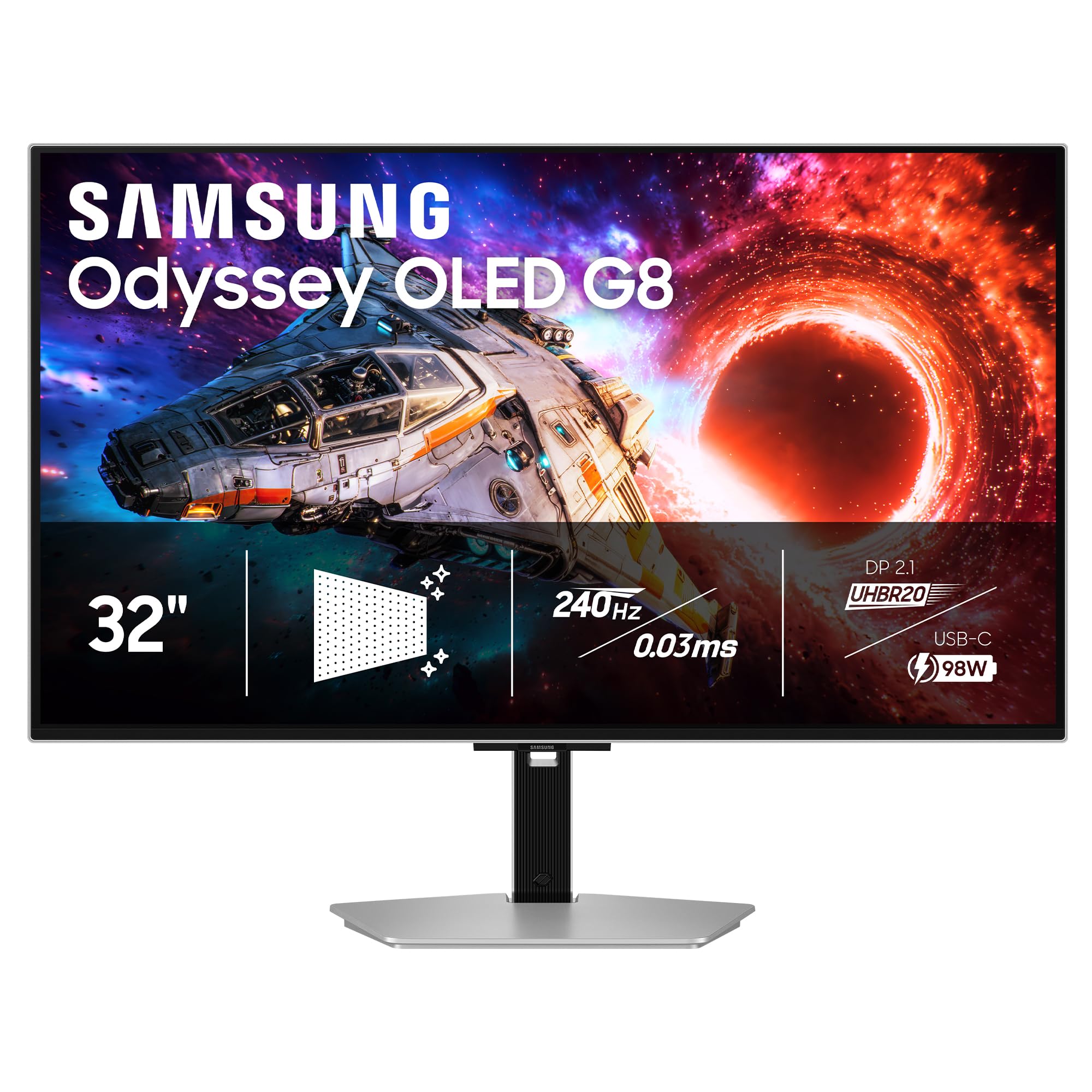
The Samsung Odyssey OLED G8 G80SH is a 32-inch 4K QD-OLED monitor with a 140 PPI pixel density that makes text rendering noticeably sharper than typical 34-inch ultrawide OLEDs. Its DisplayPort 2.1 connection provides 80Gbps bandwidth, enabling full 4K at 240Hz with 10-bit color and no DSC compression — a genuine advantage for users who want pristine image quality without artifacts.
The VESA DisplayHDR True Black 500 certification and 1000-nit peak brightness deliver a wider dynamic range than the True Black 400 standard, making HDR highlights in games like Cyberpunk 2077 and Alan Wake 2 genuinely punchy. The Glare Free technology uses a specialized coating that reduces reflections by diffusing ambient light without the hazy graininess of traditional matte finishes, though some users still prefer pure glossy for maximum perceived contrast.
OLED Safeguard+ includes a dynamic cooling system and pixel refresh routines that keep the panel temperature under control during long sessions. The ergonomic stand offers height, tilt, swivel, and pivot adjustments, and the USB-C port delivers 98W of power delivery for charging a laptop through a single cable. On the downside, the anti-glare coating introduces a subtle grain texture on solid white backgrounds, and the lack of a built-in smart platform means you need an external streaming device.
Why it’s great
- Full DP 2.1 bandwidth eliminates DSC compression at 4K 240Hz
- True Black 500 HDR certification delivers higher peak brightness than most OLED monitors
- 140 PPI density provides sharp text ideal for mixed gaming and productivity use
Good to know
- Anti-glare coating adds subtle graininess to white backgrounds
- Out-of-box color accuracy requires manual calibration for best results
- No built-in speakers or smart TV features included
3. ASUS ROG Strix XG27UCDMG

The ASUS ROG Strix XG27UCDMG uses the latest 4th-generation QD-OLED panel, which offers sharper imagery and improved text clarity over earlier iterations thanks to refined subpixel geometry. At 26.5 inches with 4K resolution, the pixel density of 166 PPI makes text rendering crisp enough for productivity work — a common pain point with lower-density OLED ultrawides.
The OLED Anti-Flicker 2.0 technology uses a luminance compensation algorithm that reduces visible flicker by 20% compared to 3rd-gen panels, which matters during variable refresh rate operation in dimly lit scenes. The Neo Proximity Sensor detects when you step away and automatically switches to a black screen, reducing burn-in risk without requiring manual intervention. Connectivity includes DisplayPort 1.4, HDMI 2.1, and USB-C with 90W power delivery.
The 240Hz refresh rate and 0.03ms response time eliminate ghosting entirely, and the 99% DCI-P3 coverage with Delta E less than 2 makes it suitable for photo editing. The glossy screen coating does show dust and fingerprints easily, and the stand, while sturdy, takes up significant desk space. The 3-year warranty includes burn-in coverage, adding peace of mind for daily desktop use.
Why it’s great
- 4th-gen QD-OLED panel delivers improved text clarity over previous OLED monitors
- OLED Anti-Flicker 2.0 reduces VRR flicker by 20% in dark scenes
- Neo Proximity Sensor automates burn-in prevention without manual activation
Good to know
- Glossy screen shows fingerprints and dust more readily than matte finishes
- Stand base is large and takes up substantial desk surface area
- Lacks DisplayPort 2.1 found on more premium ASUS models
4. MSI MPG 321URX QD-OLED

The MSI MPG 321URX delivers a 32-inch 4K QD-OLED experience with the same 240Hz refresh rate and 0.03ms response time as more expensive competitors, but at a price point that undercuts the premium tier. The 99% DCI-P3 color gamut and Delta E under 2 accuracy out of the box make it a strong candidate for users who split their time between gaming and content creation.
The built-in KVM switch is a standout productivity feature — you can share a single keyboard and mouse between your gaming PC and a work laptop connected via USB-C, switching inputs without unplugging cables. The USB-C port also delivers 90W power delivery, enough to charge most ultrabooks. OLED Care 2.0 includes panel refresh, pixel shift, and taskbar detection tools that automatically dim static elements to reduce burn-in risk.
HDR performance is excellent thanks to the True Black 400 certification, though the 250-nit typical brightness means it won’t match the peak luminance of the Samsung G80SH in bright room environments. The stand is functional but lacks the premium metal build of the ASUS ROG line, and some users report that the purple tint characteristic of QD-OLED panels is slightly more visible on this model under direct sunlight. The 3-year warranty includes burn-in coverage.
Why it’s great
- Integrated KVM switch and 90W USB-C power delivery simplify multi-device setups
- Color-accurate out of the box with Delta E under 2
- 3-year warranty explicitly covers OLED burn-in
Good to know
- 250-nit typical brightness feels dim compared to premium OLED alternatives
- Stand build quality is functional but not premium-feeling
- Purple tint on QD-OLED may be more noticeable in bright rooms
5. Alienware AW3425DW

The Alienware AW3425DW is a 34.2-inch WQHD QD-OLED monitor with a 240Hz refresh rate and 1800R curvature that balances immersive wraparound feel with productivity usability. The 21:9 aspect ratio gives you 3440 x 1440 pixels, offering roughly 35% more horizontal space than a standard 16:9 QHD monitor, which is ideal for racing sims and flight simulators where peripheral vision matters.
The panel covers 99.3% DCI-P3 with Delta E under 2 color accuracy, and the VESA DisplayHDR True Black 400 certification ensures deep blacks and bright highlights in HDR content. The AlienFX RGB lighting on the rear and the Legend 2.0 industrial design give it a distinctive look without being overly aggressive. The stand offers height, tilt, swivel, and slant adjustments, and the centralized OSD joystick makes menu navigation intuitive.
Adaptive sync support includes AMD FreeSync Premium Pro, NVIDIA G-SYNC Compatible, and VESA AdaptiveSync, ensuring smooth operation regardless of your GPU brand. The 240Hz refresh rate is a meaningful upgrade over the 165Hz AW3423DWF for competitive games, reducing motion blur in fast-paced shooters. Some users note that text clarity on the 3440 x 1440 resolution is not as sharp as a 4K 32-inch panel, and the peak brightness of 250 nits is average for the category.
Why it’s great
- 240Hz refresh rate offers a meaningful frame rate upgrade over 165Hz ultrawide OLEDs
- Compatible with all three major adaptive sync standards for GPU flexibility
- 1800R curvature provides immersive gaming without distorting productivity layouts
Good to know
- Text clarity is softer than a 4K 32-inch panel due to lower pixel density
- 250-nit typical brightness is average for the QD-OLED category
- Some users report slightly funky text rendering out of the box requiring tweaks
6. LG 39GX90SA-W

The LG 39GX90SA-W is a 39-inch WQHD OLED monitor with the steepest curvature in this guide — an 800R radius that wraps around your peripheral vision more aggressively than the standard 1800R or 1000R curves. The 21:9 ultrawide format with 3440 x 1440 resolution delivers an immersive field of view for open-world games and racing simulations, though the aggressive curve requires a desk depth of at least 30 inches for comfortable viewing.
The unique differentiator here is the integrated webOS24 smart platform, which gives you built-in access to Netflix, Prime Video, Disney+, Apple TV, and over 300 free LG channels without needing a separate streaming device. You can also connect to cloud gaming services like NVIDIA GeForce NOW and Amazon Luna directly through the monitor’s operating system, turning the display into a standalone entertainment hub. The 240Hz refresh rate and 0.03ms response time ensure smooth gaming performance when connected to a PC.
The anti-glare surface reduces reflections effectively, and the peak brightness of 275 nits with DisplayHDR True Black 400 certification delivers good HDR performance for the category. The 2-year limited warranty covers the OLED panel, which is shorter than some competitors’ 3-year burn-in policies. The dual-mode feature for resolution scaling is reported as poor by some users, making this less suitable for competitive gamers who want to switch to a lower resolution for higher frame rates.
Why it’s great
- 800R aggressive curvature creates the most immersive wraparound gaming experience
- Built-in webOS platform provides streaming and cloud gaming without a separate device
- 240Hz OLED panel with 0.03ms response delivers smooth, tear-free gaming
Good to know
- Aggressive 800R curve requires deep desk and may distort productivity layouts
- Dual-mode resolution scaling is poorly implemented according to user reports
- 2-year warranty is shorter than the 3-year burn-in coverage offered by competitors
7. Acer Predator X32

The Acer Predator X32 pairs a 31.5-inch 4K QD-OLED panel with a 240Hz refresh rate and 0.03ms response time, bringing high-refresh 4K OLED performance to a more accessible price bracket. The 1700R curvature is subtle enough to enhance immersion without distorting desktop productivity, and the 16:9 aspect ratio means no black bars or game compatibility issues with titles that don’t support ultrawide.
The DCI-P3 99% color gamut and VESA DisplayHDR True Black 400 certification produce vibrant colors and deep blacks, with the QD-OLED panel delivering noticeably higher color volume than WOLED alternatives at high brightness levels. The 1000-nit peak HDR brightness ensures specular highlights in games pop with intensity. The ergonomic stand supports tilt, swivel, and height adjustments, and connectivity includes HDMI 2.1, DisplayPort 1.4, and USB-C.
However, several user reports indicate quality control issues — some units arrived with dead pixels or required multiple exchanges to get a defect-free panel. The OSD menu is described as locked and limiting during HDR operation, and the maximum brightness claim of 1000 nits applies only to a small window area rather than full-screen. The base design is also bulky, extending 6 inches from the monitor face, which can overhang shallower desks.
Why it’s great
- 4K 240Hz QD-OLED at a price point that undercuts most premium competitors
- 1000-nit peak HDR brightness delivers punchy specular highlights
- Subtle 1700R curve enhances immersion without distorting productivity layouts
Good to know
- Multiple user reports of dead pixels and quality control inconsistency
- OSD menu is locked during HDR use, limiting user adjustments
- Bulky base extends 6 inches from the monitor, requiring a deep desk
8. Alienware AW3423DWF

The Alienware AW3423DWF is the monitor that established QD-OLED ultrawide gaming as a mainstream category, and it remains a strong option for users entering the OLED space. The 34-inch 3440 x 1440 panel with an 1800R curve delivers the same vibrant color performance and infinite contrast ratio as newer models, but at a lower 165Hz refresh rate that still provides smooth gameplay for most titles.
The QD-OLED panel covers 99.3% DCI-P3 with Delta E under 2, and the Creator Mode allows you to switch between the native DCI-P3 color space and sRGB for color-critical work. The 3-year premium warranty explicitly covers OLED burn-in, which is the best protection available at this price tier and gives you confidence for daily desktop use. The Legend 2.0 design includes customizable AlienFX RGB lighting, 360-degree ventilation for heat dissipation, and an OSD joystick for menu navigation.
User reviews consistently praise the image quality, noting that the infinite contrast makes games look dramatically better than any LCD. The main trade-offs are the 165Hz refresh rate, which is lower than the 240Hz premium models, and the 250-nit typical brightness, which can feel dim in bright rooms. The screen is also fragile — careful cleaning is required to avoid micro-scratches. Text clarity is acceptable but not as sharp as a 4K monitor due to the lower pixel density.
Why it’s great
- 3-year warranty with explicit OLED burn-in coverage is best-in-class for the price
- Creator Mode allows switching between DCI-P3 and sRGB color spaces
- Established QD-OLED panel with proven image quality and infinite contrast
Good to know
- 165Hz refresh rate is lower than newer 240Hz OLED monitors
- 250-nit typical brightness feels dim in bright room environments
- Screen is fragile and susceptible to micro-scratches from cleaning
9. LG 32GX850A-B

The LG 32GX850A-B uses a glossy WOLED panel with Micro Lens Array+ technology that delivers 275 nits of typical brightness — a meaningful improvement over earlier WOLED monitors. The dual-mode feature lets you run the display at 4K 165Hz for story-driven games or switch to 1080p 330Hz for competitive shooters, all through a simple hotkey press. This flexibility makes it the most versatile single-monitor setup for gamers who play across multiple genres.
The VESA DisplayHDR True Black 400 certification and 1.5M:1 contrast ratio deliver deep blacks and rich color, with 98.5% DCI-P3 coverage. The glossy finish enhances perceived contrast and vibrancy compared to matte OLEDs, though it does reflect ambient light more noticeably. The monitor is NVIDIA G-SYNC Compatible and AMD FreeSync Premium Pro certified, ensuring smooth variable refresh rate operation across both GPU ecosystems.
The ergonomic stand offers height, tilt, swivel, and pivot adjustments, and the design is clean and professional with a metal border. Some users report minor text clarity issues typical of WOLED panels, and a few units have arrived with dead subpixels that require replacement. The 165Hz 4K mode is sufficient for most gaming, but competitive players may find the 1080p 330Hz mode introduces visible softness due to the lower pixel density.
Why it’s great
- Dual-mode hotkey switching between 4K 165Hz and 1080p 330Hz covers multiple genres
- Micro Lens Array+ technology improves WOLED brightness over previous generations
- Fully adjustable ergonomic stand with tilt, swivel, pivot, and height adjustments
Good to know
- 1080p mode introduces softness compared to native resolution competitive monitors
- Some units report dead subpixels requiring warranty replacement
- Glossy finish reflects ambient light more than matte alternatives
10. Philips Evnia 34M2C6500

The Philips Evnia 34M2C6500 is one of the most budget-friendly ways to get a QD-OLED ultrawide monitor without sacrificing core image quality. The 34-inch 3440 x 1440 panel with an 1800R curve delivers the same vibrant colors, deep blacks, and infinite contrast ratio as more expensive QD-OLED monitors, with a 175Hz refresh rate that hits the sweet spot between smoothness and GPU demands.
The VESA DisplayHDR TrueBlack 400 certification ensures deep black levels and 1000-nit peak brightness for HDR content, making games look noticeably more dynamic than standard HDR400 monitors. The standout value-add is the 4-year advance replacement warranty, which exceeds the coverage period of almost every competitor and gives you a replacement unit before you send back the defective one. Connectivity includes HDMI 2.0 and DisplayPort 1.4.
However, the Ambiglow backlighting system is reported as delayed and not smooth, and the monitor lacks built-in speakers. The mandatory pixel refresh cycle that runs after 12 cumulative hours of use cannot be disabled, which may interrupt gaming sessions if you forget to schedule it. Quality control has been inconsistent — some users received units with dead pixels that the warranty considers acceptable unless there are more than three. The OSD menu is also reported as clunky and unintuitive.
Why it’s great
- Lowest entry price for a QD-OLED ultrawide gaming monitor
- 4-year advance replacement warranty exceeds all competitors’ coverage periods
- 1000-nit peak HDR brightness delivers punchy highlights for HDR content
Good to know
- Mandatory pixel refresh after 12 hours cannot be disabled
- Ambiglow backlighting is delayed and not smooth in operation
- Quality control inconsistency with some units arriving with dead pixels
11. INNOCN 49Q1S

The INNOCN 49Q1S is a 49-inch OLED ultrawide with a 5120 x 1440 resolution in a 32:9 aspect ratio, effectively giving you dual QHD monitors in a single curved panel without a bezel in the middle. The 1800R curvature wraps the expansive screen around your field of view, making it ideal for racing simulations, flight sims, and productivity workflows that benefit from massive horizontal real estate.
The 240Hz refresh rate and 0.03ms response time ensure smooth motion, and the OLED panel delivers the deep blacks and vibrant colors expected from the technology. Connectivity is generous — you get two DisplayPort 1.4 ports, one HDMI 2.1, USB-C with 90W power delivery, a USB hub, and even an RJ45 Ethernet port for docked setups. The built-in speakers are adequate for casual use, and the PIP/PBP split screen functionality lets you display content from two input sources simultaneously.
The glossy finish works well in controlled lighting but can show reflections. Some applications and games do not scale properly to the 32:9 aspect ratio, resulting in stretched or misaligned content. A small number of users report the unit stopping working after a few months, raising reliability concerns. The stand is height-adjustable but takes up significant desk space.
Why it’s great
- Massive 49-inch 32:9 OLED panel replaces dual monitors with a single seamless display
- Generous connectivity includes USB-C 90W PD, RJ45, and multiple video inputs
- PIP/PBP split screen supports two input sources on the same screen
Good to know
- Some apps and games do not scale properly to the 32:9 aspect ratio
- Reports of units stopping working after a few months raise reliability concerns
- Large stand takes up substantial desk surface area
12. Deco Gear 49″ QD-OLED
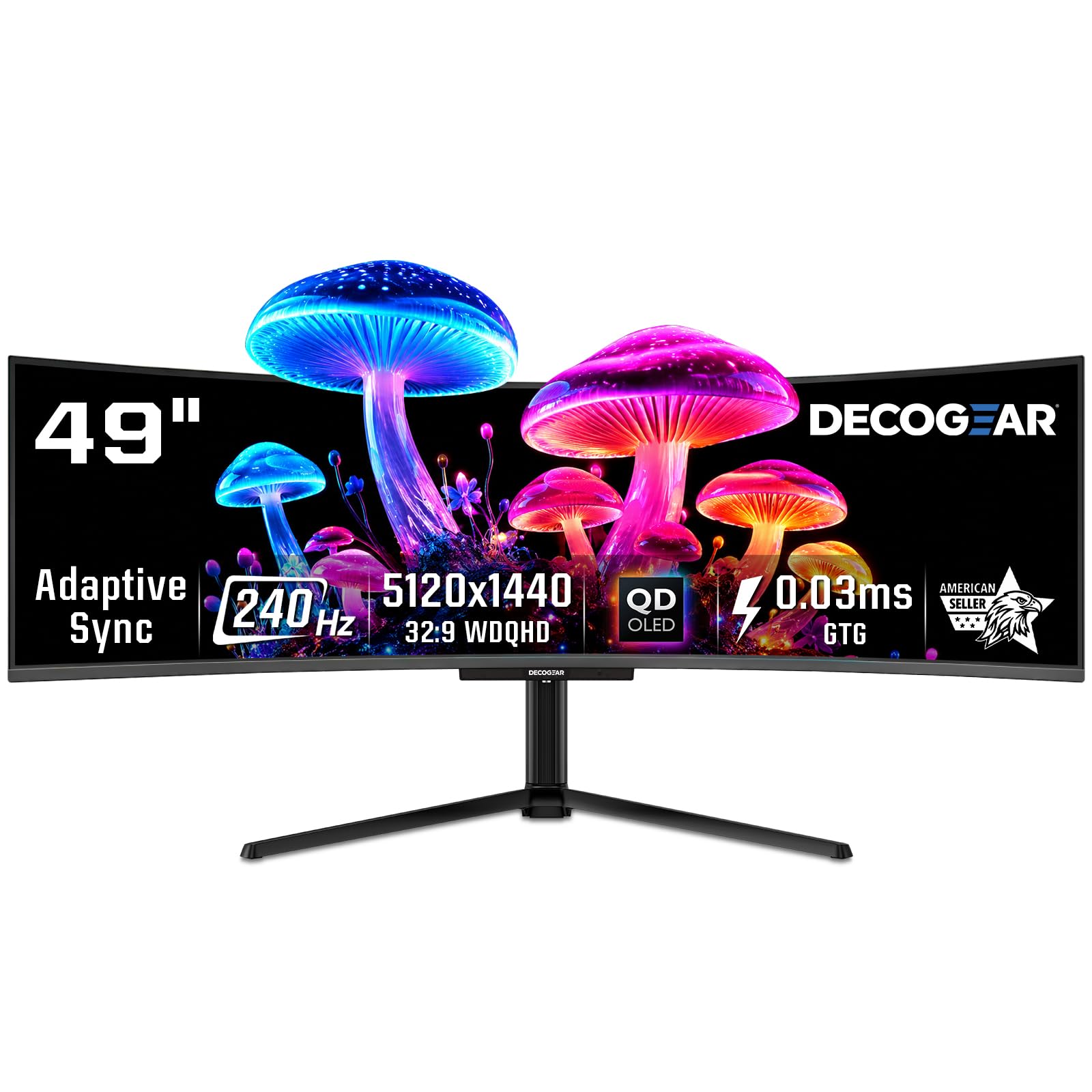
The Deco Gear 49-inch QD-OLED monitor uses the same Samsung QD-OLED panel found in the INNOCN 49Q1S, delivering equivalent image quality with 5120 x 1440 resolution, 240Hz refresh rate, and 0.03ms response time, but at a price that undercuts many 49-inch alternatives. The 32:9 aspect ratio provides dual QHD workspace and immersive gaming for supported titles.
The QD-OLED panel covers 99% DCI-P3 with a 1,500,000:1 contrast ratio, producing vibrant colors and true blacks. The USB-C port supports 90W power delivery, and the built-in KVM switch lets you control multiple devices with a single keyboard and mouse. The non-glare screen finish reduces reflections without the graininess of some matte coatings, and the RGB lighting on the rear adds ambient flair.
A notable concern is that the power cable supplied with some units arrives damaged due to tight folding during packaging, requiring a replacement cable before the monitor can be used. Refurbished models have been reported to fail after several months with no warranty support. The large base is well-suited for the 49-inch size, but a monitor arm is recommended for optimal desk space management. Application compatibility with the super ultrawide aspect ratio varies.
Why it’s great
- Uses Samsung QD-OLED panel for excellent image quality at an accessible price
- Built-in KVM switch and 90W USB-C power delivery simplify multi-device setups
- 240Hz refresh rate provides smooth gaming performance on the ultrawide format
Good to know
- Power cable may arrive damaged due to tight packaging folds
- Refurbished units have reported reliability issues with no warranty support
- Large base takes up significant desk space without a monitor arm
13. Samsung Odyssey G7 G75F

The Samsung Odyssey G7 G75F is the one monitor in this guide that uses a VA panel rather than OLED — but it earns its place by offering a 40-inch ultrawide with 5120 x 2160 WUHD resolution, which provides 140 PPI pixel density and text clarity that exceeds any 34-inch ultrawide OLED. For users who prioritize productivity and sharp text over absolute black levels, this 1000R curved VA panel delivers impressive image quality without any burn-in risk.
The 180Hz refresh rate and 1ms GtG response time provide smooth gaming performance, and the VESA DisplayHDR 600 certification delivers higher sustained brightness than most OLED monitors, at 350 nits typical with 600-nit peak. The 21:9 aspect ratio with 99% DCI-P3 color gamut covers a wide color space, and the contrast ratio of 3000:1 is excellent for a VA panel, with deep blacks that approach OLED territory in dark room viewing.
The main trade-off is the VA panel’s limited viewing angles — color shifts become noticeable if you view the screen from more than 30 degrees off-center, though this is rarely an issue for a single-user gaming setup. Some users note that out-of-box color calibration needs adjustment, and HDR requires manual tweaking to look its best. The stand is functional but the base design is somewhat awkward and unattractive. No built-in speakers are included.
Why it’s great
- 5120 x 2160 WUHD resolution delivers the sharpest text clarity of any ultrawide in this guide
- No OLED burn-in risk makes it ideal for mixed productivity and gaming use
- DisplayHDR 600 certification offers higher sustained brightness than most OLED monitors
Good to know
- VA panel viewing angles cause color shift beyond 30 degrees off-center
- Out-of-box color calibration needs adjustment for accurate colors
- Stand base design is awkward and less attractive than competition
FAQ
Does a curved OLED monitor work for productivity and coding?
How long do curved OLED gaming monitors last before burn-in appears?
Can a curved OLED monitor be wall-mounted or used with a monitor arm?
What GPU do I need to run a 4K 240Hz curved OLED monitor?
Is the color purple tint on QD-OLED monitors a real issue?
Final Thoughts: The Verdict
For most users, the best curved oled gaming monitor winner is the ASUS ROG Swift PG27AQWP-W because its Tandem OLED panel, dual-mode 540Hz refresh rate, and DisplayPort 2.1 connectivity combine to future-proof your setup without compromising image quality. If you want maximum immersion for single-player titles, grab the Samsung Odyssey OLED G8 G80SH for its 32-inch 4K QD-OLED panel with True Black 500 HDR and 140 PPI text clarity. And for the best value in ultrawide gaming, nothing beats the Alienware AW3423DWF with its proven QD-OLED quality and comprehensive 3-year burn-in warranty.

Mo Maruf
I created WellFizz to bridge the gap between vague wellness advice and actionable solutions. My mission is simple: to decode the research and give you practical tools you can actually use.
Beyond the data, I am a passionate traveler. I believe that stepping away from the screen to explore new environments is essential for mental clarity and physical vitality.