Our readers keep the lights on and my smoothie glass nicely filled. As an Amazon Associate, I earn from qualifying purchases.
Finding a genuine CRT monitor — a cathode-ray tube display with the unique analog glow, zero input lag, and deep contrast that make classic graphics hardware and vintage games look correct — has become a specialized hunt. Modern LCDs, even the best gaming panels, cannot replicate the natural motion clarity or the way a CRT renders 240p content without scaling artifacts.
I’m Mohammad Maruf — the founder and writer behind WellFizz. I’ve spent countless hours cross-referencing technical datasheets, user reports, and compatibility lists to separate the genuine CRT-era hardware from modern replacements that only claim the legacy.
This guide focuses on the very specific use cases where a best crt monitor matters today, including direct replacements for industrial machinery, arcade cabinet builds, and professional broadcast monitoring where the original tube technology is still preferred.
How To Choose The Best CRT Monitor Replacement
A true CRT monitor is not a single product category — it is a range of legacy devices serving completely different environments. Modern replacements that mimic the CRT form factor or interface must be judged by the specific job they are asked to do. The safest approach is to define your source device first, then match the display to its signal.
Signal Interface Is Non‑Negotiable
A genuine arcade PCB from the 1990s outputs RGB over a JAMMA edge connector — not HDMI or VGA. If you need a CRT replacement for a Donkey Kong cabinet, a display with only HDMI inputs will require an expensive adapter that may introduce lag. For industrial CNC machines like HAAS VF-series, the monitor must accept the original 9-pin connector and run at 800×600. Broadcast studio environments require 3G-SDI looping with tally lights. Defining your connector type before browsing is the single most important step.
Resolution and Aspect Ratio Matching
Classic CRT monitors used 4:3 or 5:4 aspect ratios at standard resolutions like 640×480, 800×600, or 1024×768. Modern replacement panels are often 16:9 widescreen. A 16:9 panel displaying a 4:3 signal adds black pillars and may introduce scaling artifacts. If pixel‑perfect retro rendering matters, a native 5:4 or 4:3 replacement is worth the higher price. For CCTV security or general productivity, a widescreen panel with a 60Hz refresh rate and BNC input is more practical.
Durability and Operating Life
Industrial and security monitors often run 24/7. A consumer-grade LCD may develop flicker or image retention within months under continuous load. Look for monitors explicitly rated for 24/7 operation, with metal enclosures for heat dissipation. Broadcast monitors built for field production include sunshades, V-mount battery plates, and ruggedized metal frames — signs of a display designed to survive daily handling rather than sit on a desk.
Quick Comparison
On smaller screens, swipe sideways to see the full table.
| Model | Category | Best For | Key Spec | Amazon |
|---|---|---|---|---|
| P173-9HSD 17.3″ | Broadcast | Studio & Field Production | 3G-SDI / HDMI loop-through | Amazon |
| ASUS ROG Swift PG27UCDM | Premium Gaming | High-End PC Gaming | 4K QD-OLED, 240Hz, 0.03ms | Amazon |
| SEETEC ATEM156 15.6″ | Live Streaming | Multi-Camera Switching | 4x HDMI input, Quad Split | Amazon |
| SEETEC P133-9HSD 13.3″ | Production | Director & Camera Assist | IPS Full HD, 3G-SDI, Tally | Amazon |
| DEJUN 12.1″ for HAAS | Industrial | CNC Machine Monitor Swap | 800×600, 9-pin CRT interface | Amazon |
| Real HD 32″ CCTV | Security | 24/7 Surveillance Viewing | 4000:1 contrast, BNC input | Amazon |
| 19″ Arcade LED | Arcade | MAME & Cocktail Cabinets | 5:4, 1280×1024, VGA input | Amazon |
| ViewSonic VB50HRTV | TV Tuner | CRT Monitor as TV | RF, S-Video, 1024×768 max | Amazon |
| Thinlerain 23.8″ | Entry | Budget Multi-Purpose | HDMI/VGA/BNC/AV, 1080p | Amazon |
In‑Depth Reviews
1. SEETEC P173-9HSD 17.3″

The SEETEC P173-9HSD is a 17.3-inch Full HD production monitor designed for broadcast environments where reliable SDI connectivity and on-set durability are critical. Its full metal cabinet resists interference on crowded stages, and the built-in red, green, and yellow tally lights make it easy for camera operators and directors to track recording status without glancing away from the frame.
Resolution holds at 1920×1080 on an IPS panel rated at 400 cd/m² brightness and a 600:1 contrast ratio. The 3G-SDI input and loop-through output allow signal daisy-chaining to multiple monitors — essential for director, client, and camera-assist stations on a single feed. The included V-mount battery plate, sunshade, and U-bracket add field-ready value that saves hundreds in third-party accessories.
One limitation is the lack of LUT support for LOG footage, which means colorists working with raw or log gamma will need an external grading monitor. The 40ms response time is fine for video playback but not suitable for fast-paced gaming or high-refresh PC use. For live event video production and studio monitoring, this is a rugged, well-connected tool.
Why it’s great
- Solid metal build with 3G-SDI loop-through for daisy-chain setups
- Built-in tally lights with three colors for production communication
- Includes sunshade, V-mount plate, and cables out of the box
Good to know
- No LUT support for LOG or raw gamma monitoring
- 40ms response time limits gaming and high-refresh applications
- 80°/80° viewing angle is narrower than premium IPS panels
2. ASUS ROG Swift PG27UCDM

The ASUS ROG Swift PG27UCDM is a 27-inch 4K QD-OLED gaming monitor with a 240Hz refresh rate and an astounding 0.03ms response time. This is not a CRT replacement — it is the modern antithesis of CRT technology — but it earns a place in this guide because many buyers searching for a CRT monitor for gaming eventually compare it against the best current-gen alternatives. Its fourth-gen QD-OLED panel delivers per-pixel lighting with a dynamic contrast ratio of 1,500,000:1, making black levels true zero.
Connectivity includes DisplayPort 2.1a UHBR20 with full 80Gbps bandwidth, HDMI 2.1, a USB-C port with 90W Power Delivery, and even a tripod socket for desk-mounted cameras. The Neo Proximity Sensor detects when the user leaves and auto-switches to a black screen to prevent burn-in — a practical OLED Care feature that extends panel life. Dolby Vision and VESA DisplayHDR 400 True Black certification ensure HDR content looks punchy and accurate.
Two trade-offs matter for the CRT-seeking buyer. The triangular QD-OLED subpixel layout reduces font clarity in Windows compared to standard RGB LCDs, though it is much improved over earlier OLED generations. There are no built-in speakers, and the downward-facing ports require careful cable management. For high-end PC gaming with an RTX 5090, this panel sets a new bar for motion clarity and color volume.
Why it’s great
- True 4K resolution with 240Hz refresh and 0.03ms response for elite gaming
- QD-OLED delivers infinite contrast and 99% DCI-P3 color gamut
- Neo Proximity Sensor and 3-year burn-in warranty protect the investment
Good to know
- Triangular subpixel layout reduces Windows text clarity
- No built-in speakers and downward-facing HDMI/DP ports
- Premium-tier pricing reflects cutting-edge panel technology
3. SEETEC ATEM156 15.6″
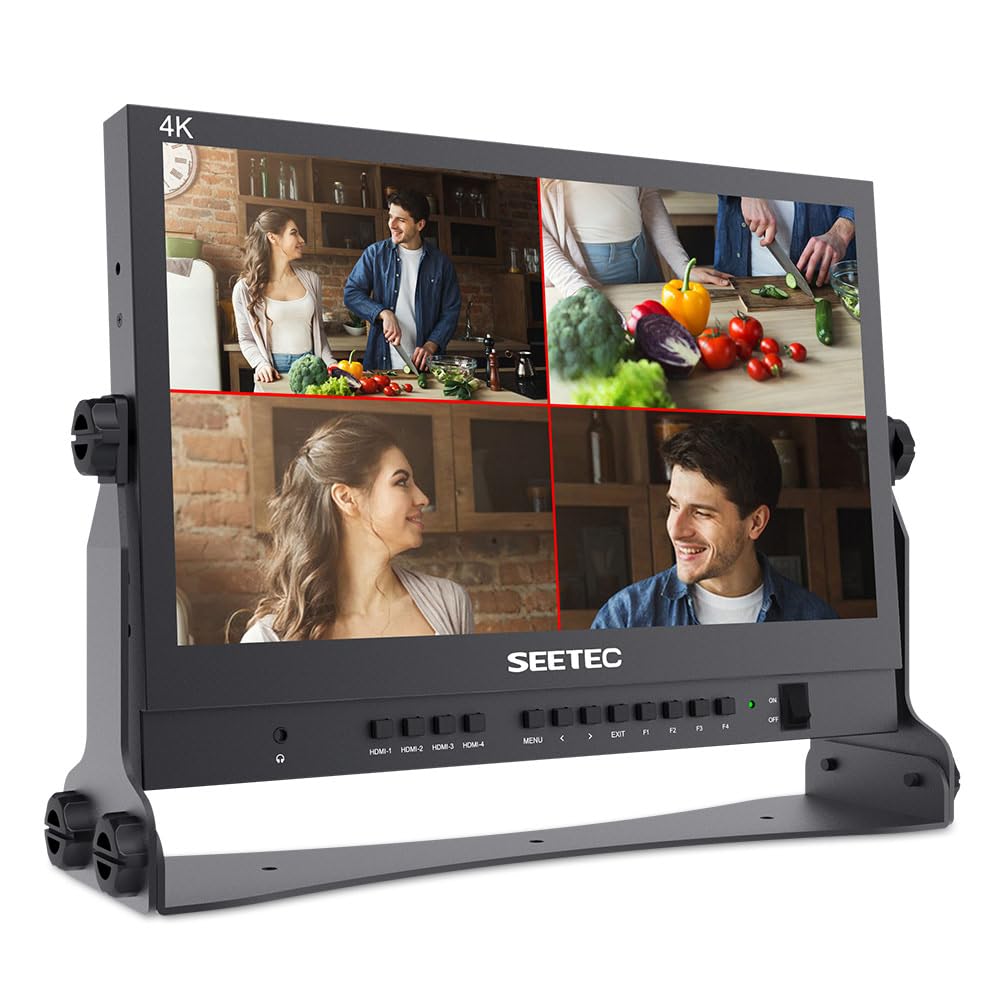
The SEETEC ATEM156 is a 15.6-inch IPS monitor purpose-built for live streaming workflows centered around the Blackmagic ATEM Mini video switcher. Its key feature is a quad-split display that shows up to four 4K HDMI inputs simultaneously, letting the operator preview every camera angle before cutting to air. The 1920×1080 resolution on an 800:1 contrast panel provides enough sharpness to judge focus across multiple feeds.
Professional assist features include peaking focus assist, false color exposure tools, and pixel-to-pixel zoom for checking critical sharpness. The control panel has customizable shortcut keys, and power can be supplied via 12V DC or a V-mount battery plate — both included in the package along with a mini HDMI cable and U-shaped bracket. The 170° wide viewing angle ensures the director, producer, and technical operator can all see the same image without color shifting.
Note that the headphone jack may inject noticeable noise into the audio monitoring chain, so external audio monitoring is recommended. The monitor also strips HDCP signals automatically when used with an HDMI splitter, which matters for live-streaming setups using consumer camera sources. For anyone running multiple cameras through an ATEM, this monitor frees up the OBS preview window and provides a dedicated hardware multi-view.
Why it’s great
- Quad-split display shows four 4K HDMI feeds in one screen
- Peaking, false color, and pixel-to-pixel tools for focus verification
- Portable with V-mount battery power and included sunshade
Good to know
- Headphone jack introduces noise into audio monitoring
- HDCP signals require an external splitter to strip
- Requires at least one HDMI source to function as a multi-view
4. SEETEC P133-9HSD 13.3″

The SEETEC P133-9HSD is a 13.3-inch professional director’s monitor that packs 1920×1080 resolution, 3G-SDI connectivity, and professional monitoring tools into a small chassis suitable for gimbal rigs or compact camera assistant bags. Its 400 cd/m² brightness and 1000:1 contrast ratio on an IPS panel deliver accurate color reproduction for judging exposure and composition on location.
Input options are generous for its size: 3G-SDI, HDMI, YPbPr, composite video, and DVI-I. The monitor includes peaking focus assist with red highlight overlay, image freeze, and multiple screen markers for framing at common aspect ratios. The three-color tally light and built-in tally kit are included, saving the cost of an aftermarket tally system. A sunshade, V-mount battery plate, and U-bracket bundle make it ready for field use immediately.
One user reported fragility after a fall, so the metal chassis is not impact-proof despite its sturdy feel. The headphone jack amp can inject noise, making external audio monitoring preferable. Some users found the included velcro for the sunshade inadequate and replaced it with gaffer tape. For the price, this is a capable field monitor with a professional feature set, but it demands careful handling in rough production environments.
Why it’s great
- Compact 13.3″ size fits gimbals, rigs, and small bags
- Wide input support including 3G-SDI, HDMI, YPbPr, and DVI-I
- Built-in tally, peaking, false color, and screen markers
Good to know
- Not impact-resistant despite metal chassis
- Headphone jack adds noise to audio monitoring
- Sunshade velcro may require replacement with stronger tape
5. DEJUN 12.1″ for HAAS VF System

The DEJUN 12.1-inch LCD monitor is a direct replacement for the original CRT monitors found on HAAS VF1, VF2, VF3, and VF4 CNC milling machines. It uses the original 9-pin signal and power interface, making it a plug-and-play swap without rewiring the machine’s control cabinet. The 800×600 monochrome display resolution matches the original CRT output, ensuring that all tool-path graphics and G-code readouts appear in the correct format.
The industrial-grade metal shell provides good heat dissipation and interference shielding in the electrically noisy environment of a machine shop. Brightness is rated at 300 cd/m², and the matte LCD surface reduces glare and eye strain during long programming sessions. Users report that the menu system allows full control over image width, horizontal and vertical positioning, and RGB color balance — useful for matching the monitor to different HAAS controller generations.
A small design gap of about 3/16 inch may appear between the screen and the machine’s bezel on older HAAS models. Some users fabricate a custom spacer from black acrylic to fill the gap. A flicker issue has been reported after several weeks of continuous operation, so choosing a unit with a reliable return policy is sensible. For anyone keeping a legacy CNC machine running, this is the most straightforward CRT-to-LCD retrofit available.
Why it’s great
- Plug-and-play replacement for HAAS VF-series machines using original 9-pin connector
- Metal shell provides heat dissipation and EMI shielding in shop environments
- Full OSD menu for image geometry and color calibration
Good to know
- 3/16 inch bezel gap may require a custom spacer on older models
- Some units have reported flicker after extended continuous use
- Monochrome display color cannot reproduce full palette of modern interfaces
6. Real HD 32″ CCTV Monitor
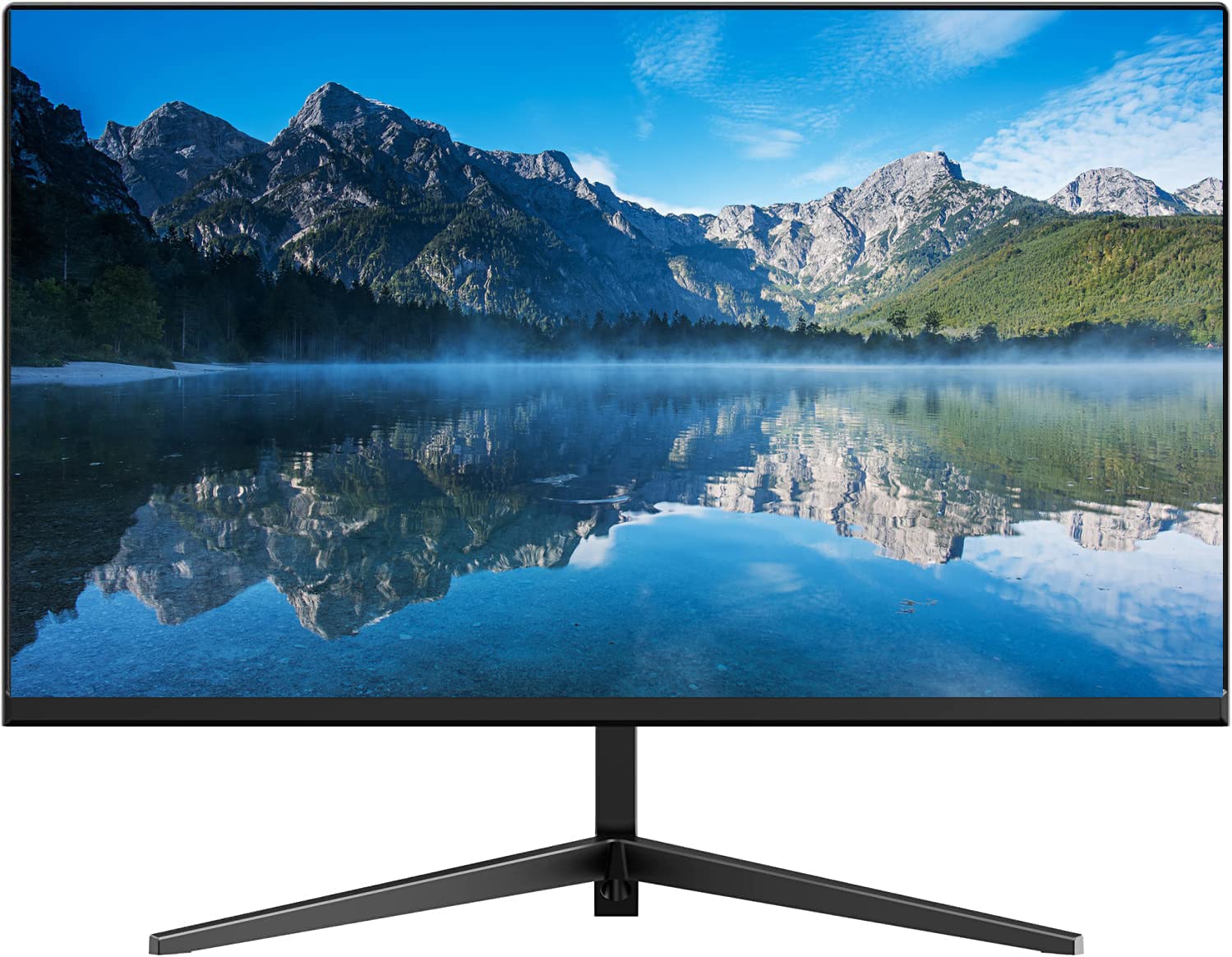
The Real HD 32-inch CCTV monitor is a Full HD 1920×1080 LED display engineered for 24/7 security surveillance operation. Its 4000:1 static contrast ratio and 8-bit panel (16.7 million colors) deliver the shadow detail needed to identify faces and license plates in low-light camera feeds. The 0.28-inch frameless bezel makes it suitable for multi-monitor video wall installations where seam visibility must be kept to a minimum.
Connectivity is security-focused: two BNC inputs for analog camera feeds, one HDMI input, one VGA input, and one audio input. The 60Hz refresh rate is standard for video playback, and the 178° viewing angle ensures operators sitting off-center still see accurate brightness and color. Real HD positions this as a direct competitor to dedicated security DVR bundles, offering a larger screen without the markup of purpose-built surveillance brands.
The monitor does not include a remote control — an omission noted by some users who wanted easy input switching from across the room. The included manual is basic and lacks detailed calibration guidance. For a dedicated security operations center or a home NVR setup where the NVR itself handles input selection, this monitor provides a clear, high-contrast image at a size that reveals detail across multiple camera tiles.
Why it’s great
- 4000:1 static contrast ratio reveals shadow detail in security feeds
- Dual BNC inputs for analog cameras alongside HDMI and VGA
- Ultra-thin frameless design suits video wall configurations
Good to know
- No remote control included for input switching
- Included manual lacks calibration information
- Not designed for high-refresh PC gaming or fast motion
7. RetroArcade.us 19″ Arcade LED Monitor

The RetroArcade.us 19-inch LED monitor is designed specifically as a drop-in replacement for arcade cabinets, including JAMMA, MAME, and cocktail table builds. Its native 5:4 aspect ratio at 1280×1024 resolution is a close match to the classic CRT proportions that retro games were designed to display on, reducing the scaling distortion that widescreen monitors introduce. The VGA input is the standard signal interface for arcade hardware, so no extra adapters are needed for most PCB or Raspberry Pi setups.
Brightness is rated at 250 cd/m² with a 450:1 contrast ratio — modest by modern standards but appropriate for the dimly lit environments of arcade bars and home game rooms. The 5ms response time and 60Hz refresh rate are sufficient for the 2D sprite-based games this monitor is intended for. The 19-inch diagonal fits the original CRT bezel openings of many classic cabinets without modification.
One critical limitation: the monitor does not rotate the image in software, which means games designed for vertical orientation may display incorrectly without a hardware rotation adapter. Viewing angles are narrower than premium IPS panels, so players viewing from a sharp angle off-center will see contrast shifting. For a dedicated MAME cabinet running horizontal games, this is a clean fit with a widely compatible VGA interface.
Why it’s great
- Native 5:4 aspect ratio matches classic CRT proportions for retro games
- Simple VGA input works with most arcade PCBs, MAME, and MiSTer setups
- Fits standard 19-inch cabinet bezel openings
Good to know
- No hardware or software rotation for vertical display games
- Narrow viewing angles cause contrast shift off-center
- 450:1 contrast ratio is low compared to modern panels
8. ViewSonic VB50HRTV

The ViewSonic VB50HRTV is a TV tuner box that connects between a CRT monitor and a computer to turn the monitor into a television. It accepts RF antenna or cable feed for up to 125 channels, plus S-Video and composite RCA inputs for connecting a DVD player, VCR, or retro game console. The pass-through design lets the monitor display computer content normally when the tuner is powered off — no cable swapping required.
Maximum output resolution is 1024×768 at 60Hz, which is the sweet spot for standard definition broadcast content and 480p game consoles. Users report that picture quality surpasses many low-cost LCD TVs of the same era, with sharp color processing and clean signal handling. The remote control and compact tabletop design make it a straightforward addition to a retro desktop setup.
This unit has been discontinued by the manufacturer, so availability is limited to third-party sellers with varying stock conditions. It does not support simultaneous PC and TV display — the tuner captures the monitor’s input entirely when active. For collectors who want to watch over-the-air TV on a period-correct CRT monitor without a bulky TV set, this is the most compatible external tuner box from the era.
Why it’s great
- RF, S-Video, and composite inputs turn any VGA monitor into a TV
- RGB pass-through allows PC use without disconnecting cables
- Compact unit with remote control for convenient channel switching
Good to know
- Discontinued product — limited stock from third-party sellers
- Max resolution of 1024×768 limits modern HD content
- Cannot display TV and PC content simultaneously
9. Thinlerain 23.8″ Monitor
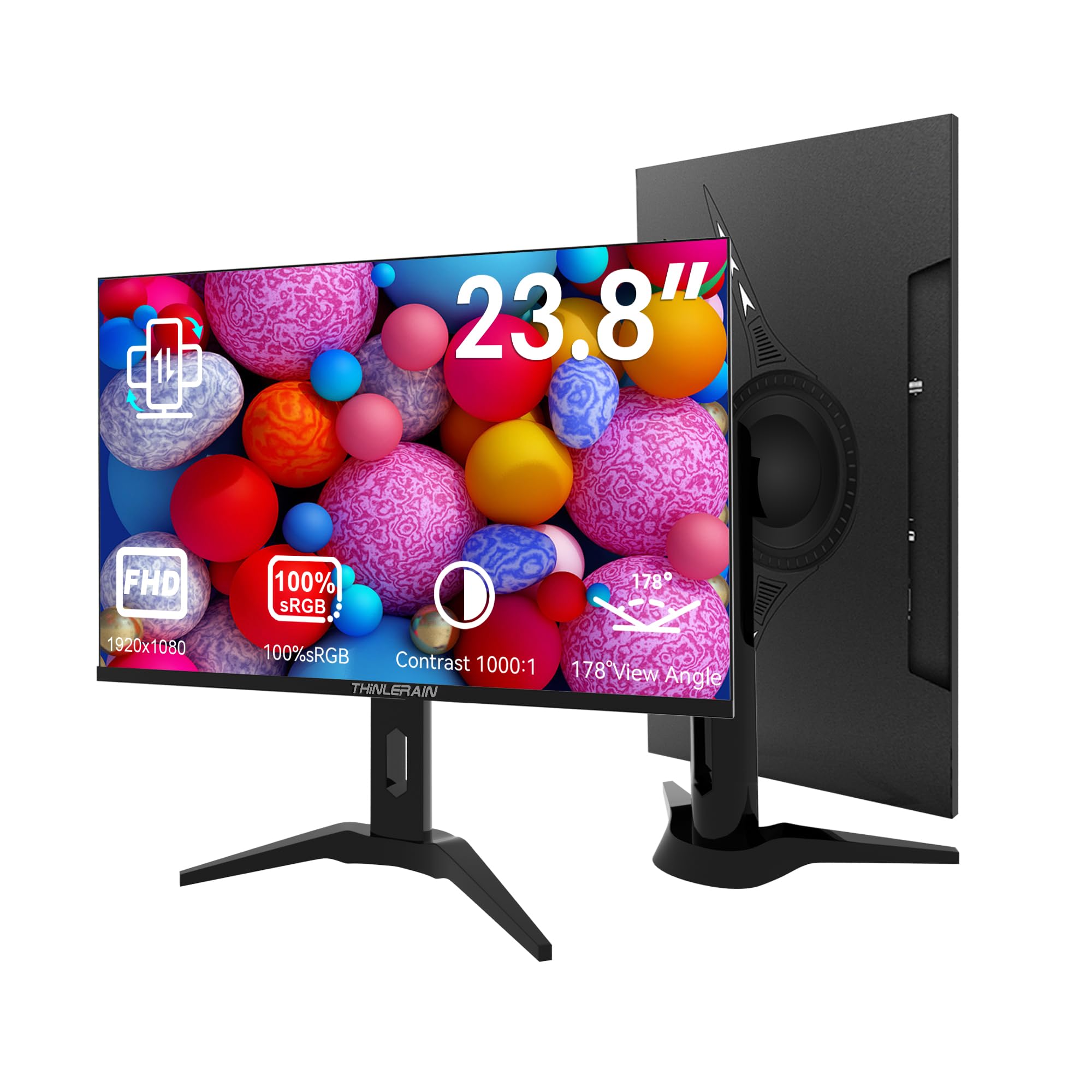
The Thinlerain 23.8-inch monitor is a budget-friendly LED display that includes the rare combination of HDMI, VGA, BNC, AV, and USB ports in a single unit. This multi-port configuration is what attracts buyers searching for a CRT monitor replacement for CCTV systems and multi-device setups where legacy connectors are still in use. The 1920×1080 resolution with 100% sRGB color gamut and 250 cd/m² brightness provides acceptable image quality for office work, basic surveillance, or as a secondary desktop screen.
The multi-function stand supports 90° vertical rotation for code reading or document review, plus swivel, height, and tilt adjustments. The ultra-thin three-sided bezel gives the screen a modern frameless look that works in multi-monitor arrays. Built-in speakers and a remote control add convenience for users who want a single display that can switch between a Raspberry Pi on AV and a PC on HDMI without manual cable swaps.
Reliability is a real concern. Multiple user reports describe flickering starting after 8 to 10 months of use, eventually rendering the monitor unusable. The vertical rotation depends entirely on the source device’s display settings — the monitor hardware cannot rotate on its own, so PC users must enable rotation in their graphics driver. For a low-cost multipurpose screen with legacy port support, the feature set is impressive, but long-term durability is inconsistent.
Why it’s great
- Five-port connectivity (HDMI, VGA, BNC, AV, USB) covers legacy and modern sources
- Vertical rotation, height adjust, and swivel stand for ergonomic multitasking
- Built-in speakers and remote control add convenience
Good to know
- Flickering failures reported within 8-10 months of use
- Screen rotation requires source device support, not automatic
- 60Hz refresh rate and 5ms response limit gaming performance
FAQ
Can I use a modern LCD as a direct replacement for a CRT in an arcade cabinet?
What is the difference between 3G-SDI and HDMI for broadcast monitoring?
What refresh rate do I need for a CRT monitor replacement used in gaming?
Why do some CRT replacement monitors support only monochrome display?
Final Thoughts: The Verdict
For most users seeking a best crt monitor replacement today, the winner is the SEETEC P173-9HSD 17.3″ because it brings true broadcast-grade SDI connectivity, rugged metal construction, and a professional feature set that matches the demands of studio and field production. If you want the modern gaming alternative that surpasses any CRT in sharpness and speed, grab the ASUS ROG Swift PG27UCDM. And for a drop-in fix to keep an industrial CNC machine running without rewiring, nothing beats the DEJUN 12.1-inch HAAS replacement.

Mo Maruf
I created WellFizz to bridge the gap between vague wellness advice and actionable solutions. My mission is simple: to decode the research and give you practical tools you can actually use.
Beyond the data, I am a passionate traveler. I believe that stepping away from the screen to explore new environments is essential for mental clarity and physical vitality.