Our readers keep the lights on and my smoothie glass nicely filled. As an Amazon Associate, I earn from qualifying purchases.
The hunt for a genuine CRT monitor for gaming is a search for purity—zero input lag, infinite contrast, and that uncompromising scanline glow no LCD can fake. Whether you are chasing the perfect light gun response, reviving an arcade cabinet, or simply refuse to let your SNES library fade into blurry upscaled pixels, the right tube makes all the difference.
I’m Mohammad Maruf — the founder and writer behind WellFizz. My research into retro gaming hardware has involved cross-referencing display technologies, refresh rates, and real-world compatibility across dozens of models to separate true CRT performance from modern LED impostors.
This guide covers the best solutions for authentic pixel response and native 4:3 playback, from dedicated arcade drop-ins to versatile security monitors with the right legacy inputs. If you need a screen built for zero-compromise retro sessions, these picks represent the best crt monitor for gaming alternatives available right now.
How To Choose The Best CRT Monitor For Gaming
Choosing the right CRT or CRT-replacement monitor for gaming is not about chasing resolution numbers. It is about ignoring the marketing noise of modern displays and focusing on aspect ratio, native refresh rate, input compatibility, and physical condition—especially when dealing with aging tubes or specialized arcade drops.
Aspect Ratio: Stick With 4:3 or 5:4
Classic consoles and arcade boards output a 4:3 (or sometimes 5:4) image natively. A widescreen 16:9 LCD will stretch or pillarbox these signals, destroying the intended geometry. A true CRT or a dedicated 4:3 LCD replacement ensures your sprites and HUD elements keep their original proportions without distortion.
Input Types: VGA Alone Is Not Enough
Real retro gaming demands more than a single VGA port. Composite, S-Video, component, and even BNC or CGA/EGA inputs let you connect light guns, 8-bit consoles, and arcade PCBs directly. A monitor with multiple legacy inputs saves you from buying expensive external scalers and adapters that often add lag.
Condition and Tube Age
Used CRTs are sold “as-is” with accelerating risk—capacitor failure, worn phosphors, geometry drift, and burn-in are common. Before buying, ask about hours of use, ask for photos of a grid test pattern, and verify the monitor accepts 240p or 480i signals if you plan to use light guns or older consoles without upscaling.
Quick Comparison
On smaller screens, swipe sideways to see the full table.
| Model | Category | Best For | Key Spec | Amazon |
|---|---|---|---|---|
| RetroArcade.us 19″ LCD w/ CRT Mount | Arcade Drop-In | Upright cabinet CRT replacement | 4:3, VGA, 1024×768 | Amazon |
| UNICO 26″ 4:3 LCD Arcade Monitor | Arcade LCD | Large 26″ cabinet replacement | 4:3, HDMI/CGA/EGA/VGA | Amazon |
| RetroArcade.us 19″ LED Arcade Monitor | Arcade LED | Cocktail table / MAME builds | 5:4, VGA, 1280×1024 | Amazon |
| JaiHo 17″ 4:3 Security Monitor | Security LCD | Budget 4:3 retro PC gaming | 4:3, BNC/HDMI/VGA | Amazon |
| JaiHo 15″ 4:3 Security Monitor | Security LCD | Small desk retro gaming | 4:3, BNC/HDMI/VGA | Amazon |
| ANGEL POS 15″ Touchscreen | Touch LCD | Interactive retro kiosk / MAME | 4:3, Capacitive touch | Amazon |
| TouchWo 27″ Multi-Touch | Widescreen Touch | Gaming table / multimedia | 16:9, HDMI/DVI/VGA | Amazon |
| Miktver 10.5″ Mini Monitor | Portable LCD | Travel retro gaming / tinkering | 16:10, HDMI/VGA | Amazon |
| ViewSonic VA2456A-MHD 24″ | Modern LCD | Casual emulation / office | 16:9, 120Hz, IPS | Amazon |
In‑Depth Reviews
1. RetroArcade.us 19″ LCD w/ CRT Mount

This kit solves the most painful part of any arcade restoration: fitting a modern display into a cabinet designed for a heavy CRT. The pre-installed bracket and 4:3 1024×768 LCD drop perfectly into upright cabinets, preserving the original geometry without drilling or fabrication. Owners report seamless integration with Ms. Pac-Man and similar classics, noting the vivid picture exceeds their expectations while maintaining zero scaling artifacts for native 640×480 titles.
The bundled CRT mount eliminates guesswork—just align the frame, secure the screws, and connect your JAMMA harness or MAME PC via the single VGA input. The LCD runs cool enough for 24/7 operation inside enclosed cabinets, and the 250 cd/m² brightness is adequate for dim arcade rooms. Several buyers have owned multiple units and consistently praise the repeatable build quality.
Competitive players will appreciate the minimal input lag, though purists seeking true 240p scanline behavior will want an analog CRT or an external scanline generator. The included mounting kit and warranty support make this the lowest-hassle route for replacing a dead tube without modifying your cabinet’s frame.
Why it’s great
- Complete kit with accurate bracket for upright cabinets
- True 4:3 ratio, no stretching or pillar-boxing
- Vivid colors and fast response for fighting games
Good to know
- Single VGA input limits connectivity options
- No built-in speakers or composite input
2. UNICO 26″ 4:3 LCD Arcade Monitor

At 26 inches diagonal with a 4:3 ratio, this is one of the few large-format LCDs that correctly replaces a 25–27 inch CRT in arcade cabinets like OutRun 2 or custom Street Fighter builds. The native 1024×768 panel and multi-format inputs—CGA, EGA, HDMI, VGA—mean you can connect everything from original arcade PCBs to a MiSTer FPGA without a separate scaler. The 1000:1 contrast ratio delivers rich blacks that approach CRT depth in dim rooms, and the mounting bracket is pre-installed for simple drop-in installation.
Some users have noted centering quirks over VGA—an HDMI connection solves this cleanly. A small percentage of units have experienced intermittent signal drops, but UNICO has acknowledged a controller board revision and offers support. For the scale and native 4:3 support, no other LCD in this size class matches the connectivity flexibility.
Reviewers replacing 27″ CRT tubes in driving cabinets report the screen fits with light fabrication, and the image quality after proper color tuning is excellent. The ability to switch between CGA and HDMI makes this viable for both original hardware and FPGA or emulation setups without adapter spaghetti.
Why it’s great
- True 4:3 at 26″ for large cabinet replacement
- Supports CGA/EGA natively without adapter
- Good contrast and color depth for an LCD
Good to know
- VGA centering can be finicky
- Occasional drop-out issues on some units
3. RetroArcade.us 19″ LED Arcade Monitor

Built for cocktail tables and MAME cabinets, this 19-incher uses a 5:4 LED panel at 1280×1024. The resolution compresses naturally to 640×400 or 800×600 without ugly artifacts, making it a solid match for horizontal arcade titles like Galaga, Dig Dug, and 1942. The compact 17.25″ x 12.88″ footprint slots neatly into flat cocktail frames, and the VGA input is plug-and-play with single-board computers and J-PAC adapters.
Reviewers confirm it works immediately with MiSTer via VGA, though the monitor lacks hardware rotation—if your game collection is mostly vertical shooters, you will need to physically tilt the unit. The 450:1 contrast ratio is modest, but for MAME titles and retro PC gaming the picture is clear and bright. Several hobbyists have used this successfully as a drop-in replacement for aging CRT monitors in cocktail cabinets, praising the flicker-free image.
Keep in mind that this is an LED-backlit LCD, not a genuine CRT: you will not get organic scanlines, and viewing angles are narrower than modern IPS panels. But for a reliable, inexpensive arcade replacement that fits tight spaces, this monitor is a proven workhorse among the modding community.
Why it’s great
- Compact size fits cocktail cabinets and MAME builds
- Flicker-free backlight with stable image
- 12V DC power simplifies portable setups
Good to know
- Narrow viewing angles compared to IPS
- No hardware rotation for vertical games
4. JaiHo 17″ 4:3 Security Monitor

This JaiHo model hits the sweet spot for budget-conscious retro PC gamers who need a 4:3 panel with serious connectivity. The 1280×1024 resolution maps perfectly to DOS-era games and early Windows titles, and the BNC, HDMI, VGA, and AV inputs let you connect everything from a vintage Pentium II to a modern emulation box. The metal housing provides EMI shielding and heat dissipation for long sessions, while the built-in 10W speakers are surprisingly loud for a security monitor.
Aspect ratio enforcement is built-in: 4:3 sources display without stretching, so your Quake or Duke Nukem sessions look geometry-perfect. The remote control makes switching inputs easy, and the VESA 75×75 mount gives you desk arm or wall options. Reviewers using this for DOSBox PCs and early emulation praise the clear, flicker-free image at native resolution.
The major downsides are the poor viewing angles—color shift is visible even at moderate off-center positions—and the stand’s finish scratches wooden surfaces. For a head-on desktop gaming setup, however, this is the most affordable entry into true 4:3 retro PC gaming without hunting for an actual CRT.
Why it’s great
- True 4:3 at a very accessible mid-range price
- Multiple legacy inputs (BNC, AV, VGA, HDMI)
- Loud built-in speakers for vintage audio
Good to know
- Very poor viewing angles off-axis
- Stand feet may scratch desk surfaces
5. JaiHo 15″ 4:3 Security Monitor

For gamers with limited desk space who still demand a 4:3 panel, the 15-inch JaiHo offers the same versatile input array as its 17-inch sibling—BNC, HDMI, VGA, and AV—in a smaller footprint. The native 1024×768 resolution is ideal for pixel-perfect scaling of 640×480 content without the blurring that occurs when a modern display upscales console video to 1080p. The 450 cd/m² brightness rating is noticeably higher than typical security monitors, delivering punchy colors even in well-lit rooms.
Users report excellent compatibility with Raspberry Pi retro gaming builds and composite video from vintage 8-bit computers. The metal body and vented back panel keep temperatures low during marathon sessions, and the dual speakers provide adequate audio for casual play. The included moon stand is stable on a desk, though some find it slightly wobbly due to the monitor’s low weight.
The weak point is the same as the 17-inch version: poor off-axis viewing angles. This is a head-on-experience monitor. If you sit directly in front of it, the image is sharp and responsive; lean to one side and brightness shifts noticeably. For a dedicated single-player gaming desk, this is a minor tradeoff for the price.
Why it’s great
- Compact 15″ form for tight desktop spaces
- High 450 cd/m² brightness for vivid retro colors
- Full BNC/HDMI/VGA/AV connectivity
Good to know
- Very poor viewing angles when not head-on
- Stand feels slightly unstable due to low weight
6. ANGEL POS 15″ Capacitive Touch Monitor

If you are building an interactive MAME cabinet, a retro gaming kiosk, or a classic point-and-click adventure setup, this 15-inch 4:3 capacitive touch monitor is a unique solution. The true-flat seamless design resists dust and spills, and the 10-point multi-touch means two players can tap icons simultaneously—useful for arcade-style menu navigation or light-gun emulation alternatives. No driver installation is needed for Windows 8/10/11; older OS versions support single-touch automatically.
The 300 cd/m² brightness and 350:1 contrast ratio are functional rather than spectacular, but for touch-interactive retro applications the image is perfectly readable. The metal POS stand offers exceptional stability during repeated taps—critical for busy environments. Some units have reported screen failure after a few months, and the touch controller occasionally fails on arrival, so testing immediately upon delivery is recommended.
This is not a general-purpose gaming monitor. You would not use it for Quake or Street Fighter. But for a dedicated touch-driven retro interface—like a cocktail-table digital jukebox or a kids’ learning station running classic educational titles—the ANGEL POS brings functionality no standard monitor can match.
Why it’s great
- True 4:3 with 10-point capacitive multi-touch
- Seamless flat design resists dust and spills
- Plug-and-play with Windows 8/10/11
Good to know
- Mixed reliability reports; test immediately
- Heavy and bulky for a 15″ monitor
7. TouchWo 27″ Multi-Touch Industrial Monitor

When your vision for a CRT-like gaming setup involves a horizontal tabletop display—think digital board games, multiplayer touch D&D, or interactive arcade tables—this 27-inch capacitive touch screen fills the role. The IP65-rated sealed front and aluminum frame protect against spills and dust in high-traffic areas, while the 3000:1 contrast ratio delivers deeper blacks than typical touch panels. The built-in speakers and 3.5mm audio jack handle sound without external speakers.
Multiple owners have repurposed this monitor as a giant interactive tablet for family scheduling and gaming tables, praising the durable optically bonded glass and snappy 10-point touch response. The HDMI, DVI, and VGA inputs allow connection to Raspberry Pi, Windows computers, and game consoles, though Mac and Linux touch configuration may require manual setup. Plug-and-play touch works immediately over USB for Windows 10/11.
Some users report a weak backlight at maximum brightness and occasional signal drops if ports are jostled. Additionally, one buyer cited a burned-out laptop battery after connecting the monitor—likely a power delivery conflict rather than a systemic issue. For a large-format interactive display that still accepts VGA from older hardware, the TouchWo is a unique hybrid for modern-retro crossover setups.
Why it’s great
- 27″ capacitive touch with 10-point multi-touch
- IP65 sealed front for food-safe environments
- 3000:1 contrast for deeper blacks
Good to know
- Weak backlight at max brightness
- Loose ports can cause signal drops
8. Miktver 10.5″ Mini Monitor
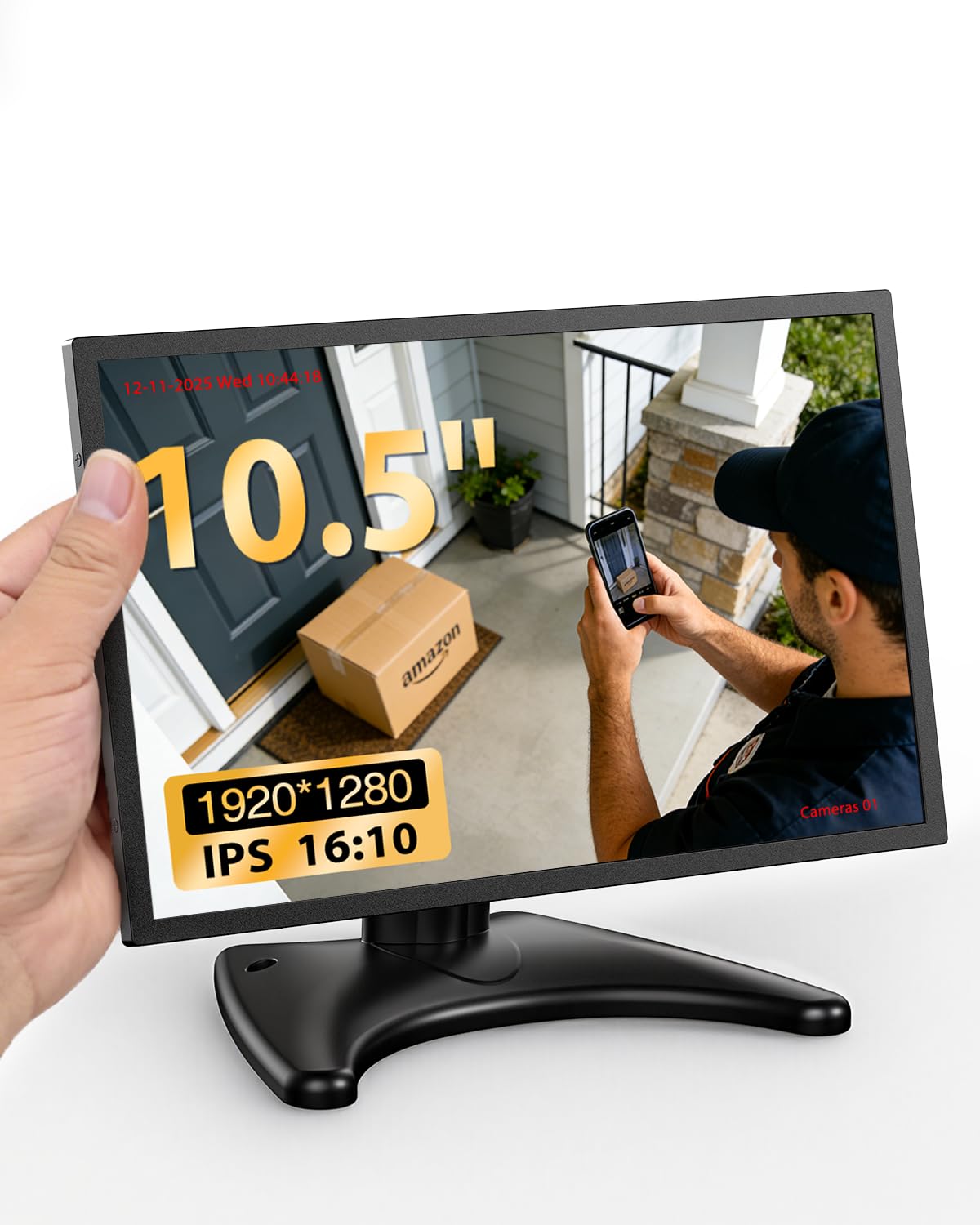
For retro gamers who travel to LAN parties or need a tiny secondary display for system stats, the Miktver 10.5-inch monitor offers a 16:10 1920×1280 IPS panel in a metal case with HDMI and VGA inputs. The 420 cd/m² brightness and 1500:1 contrast ratio produce vivid colors that hold up well in daylight, and the dual speakers provide acceptable audio for portable play. The 16:10 ratio works surprisingly well for classic 4:3 content in windowed mode without losing too much vertical screen area.
The metal body and vented back panel dissipate heat effectively during long sessions, and the FreeSync support reduces tearing in compatible emulators. Reviewers have used it successfully with Raspberry Pi retro builds, Apple II recreations, and as a travel monitor for security camera feeds. The moon stand is functional but lightweight—some users found it slightly unstable on soft surfaces.
A few units have HDMI port fit issues where the cable requires wiggling to maintain a connection, though the manufacturer resolves this under warranty. For a pocketable display that still accepts analog VGA signals from older hardware, this is a unique bridge between portability and retro compatibility.
Why it’s great
- Ultra-compact 10.5″ for portable retro gaming
- High 420 cd/m² brightness for outdoor use
- Metal housing with efficient heat dissipation
Good to know
- HDMI port fit can be inconsistent
- Stand may be unstable on uneven surfaces
9. ViewSonic VA2456A-MHD 24″

If you simply need a modern LCD that won’t ruin your emulation sessions with excessive blur, the ViewSonic VA2456A-MHD is a surprisingly capable choice—and it remains one of the few recent monitors that still includes a VGA input. The 120Hz IPS panel with FreeSync delivers smooth motion for PC-based emulators running at higher frame rates, and the flicker-free backlight reduces eye fatigue during long grinding sessions. The VA2456A supports video source auto-detection and offers a dedicated “Game” picture preset.
The stand offers only tilt adjustment and feels slightly wobbly, but the VESA mount gives you freedom to use an arm. Text clarity is sharp thanks to the 1080p resolution on a 24-inch panel, and the three-sided frameless design makes it easy to set up a multi-monitor emulation rig. The 250 nits brightness is usable indoors but struggles against direct sunlight.
This is not a CRT. It has scanlines only via shaders, not hardware. But for a budget-friendly, zero-stress option that still accepts a VGA signal from older source hardware, the ViewSonic outperforms every generic office monitor in its price tier.
Why it’s great
- 120Hz IPS with FreeSync for smooth emulation
- Includes VGA input alongside HDMI and DisplayPort
- Flicker-free and low blue light for eye comfort
Good to know
- Stand offers no height adjustment, feels wobbly
- 250 nits brightness is dim for bright rooms
FAQ
Do LCD arcade monitors produce scanlines like real CRTs?
Can I use a security monitor like the JaiHo for light gun games?
Final Thoughts: The Verdict
For most users, the best crt monitor for gaming winner is the RetroArcade.us 19″ LCD w/ CRT Mount because it combines the most hassle-free bracket installation with reliable 4:3 performance and a proven track record among cabinet restorers. If you want a large-format display with native CGA/EGA support for original arcade PCBs, grab the UNICO 26″. And for a budget-friendly desktop 4:3 panel with multiple legacy inputs, nothing beats the JaiHo 17″ for accessible retro PC gaming.

Mo Maruf
I created WellFizz to bridge the gap between vague wellness advice and actionable solutions. My mission is simple: to decode the research and give you practical tools you can actually use.
Beyond the data, I am a passionate traveler. I believe that stepping away from the screen to explore new environments is essential for mental clarity and physical vitality.