Our readers keep the lights on and my smoothie glass nicely filled. As an Amazon Associate, I earn from qualifying purchases.
A slow or unreliable credit card swiper costs you more than just time — it costs you sales. Whether you run a farmers market stall, a mobile salon, or a bustling coffee shop, the moment between a customer wanting to pay and actually completing the transaction defines your professional image. A flimsy dongle that disconnects mid-swipe or a countertop terminal that takes ten seconds to process a chip can turn a smooth checkout into an awkward pause.
I’m Mohammad Maruf — the founder and writer behind WellFizz. I’ve spent dozens of hours cross-referencing processor speeds, connector types, EMV compliance levels, battery capacities, and form factors across the modern payment hardware landscape to separate the tools built for actual business volume from the accessories that belong in a junk drawer.
The right hardware handles chip, tap, and swipe without hesitation, and this guide breaks down the trade-offs between compact mobile readers, dedicated countertop terminals, and all-in-one POS systems. Our analysis of the best credit card swiper options focuses on real-world durability, processing speed, and compatibility that keeps your checkout line moving.
How To Choose The Best Credit Card Swiper
The credit card swiper market splits into three distinct categories: ultra-portable readers that pair with a phone, dedicated countertop terminals with built-in receipt printers, and all-in-one handheld POS systems. Your choice depends entirely on where and how you sell. A fixed-location boutique needs different hardware than a food truck operator moving between festivals.
Processing Speed and EMV Compliance
Chip cards (EMV) are the standard in North America and Europe. The best readers process an EMV transaction in under three seconds. Older or budget-tier terminals can take five to ten seconds, creating a visible bottleneck at checkout. Contactless tap-to-pay should be near-instant — anything slower than a blink indicates weak NFC antenna placement or outdated firmware.
Connectivity and Power Source
Mobile sellers need a reader that communicates via Bluetooth or plugs directly into a phone’s headphone jack or USB-C port. Countertop operations can rely on Ethernet or Wi-Fi with a constant power source. The premium tier now includes devices with built-in rechargeable batteries that last a full business day, plus offline payment queuing that captures transactions even when the internet drops.
Form Factor and Durability
A credit card swiper that sits on a busy counter needs a non-slip base and a weighted dock that won’t slide during a tap. A mobile unit needs to survive drops into a bag or pocket. TPU cases with raised bezels protect the tap surface from scuffs, and models with IP water resistance ratings can survive spills in a cafe or food truck environment.
Quick Comparison
On smaller screens, swipe sideways to see the full table.
| Model | Category | Best For | Key Spec | Amazon |
|---|---|---|---|---|
| Square Terminal | Premium Terminal | All-in-one countertop & mobile | 2-second chip processing | Amazon |
| Square Handheld | Premium Mobile POS | Tableside & on-the-go sales | Built-in barcode scanner | Amazon |
| Verifone VX520 | Countertop Terminal | Fixed-location retail | Dual Comm (Dial/Ethernet) | Amazon |
| Encased Dock for Square 2nd Gen | Reader Accessory | Securing Square reader | Magnetic dock & TPU case | Amazon |
| Encased Dock for Shopify | Reader Accessory | Securing Shopify reader | Magnetic dock & TPU case | Amazon |
| Bawanfa 2-in-1 NFC & CAC Reader | NFC/Contact Reader | Government & secure ID | Dual tech (contact + NFC) | Amazon |
In‑Depth Reviews
1. Square Terminal

The Square Terminal is the gold standard for small businesses that want a single device to ring up sales, accept chip and tap payments, and print receipts. Its 2-second EMV processing speed eliminates the awkward lag that plagues older terminals, and the built-in battery lasts a full day of active use — real-world reports confirm 20+ daily transactions with charging only every other day.
The interface runs on Square’s intuitive POS software, so you can manage inventory, apply discounts, and email receipts directly from the terminal. The 5.6 x 3.4 x 2.5-inch footprint fits neatly on crowded countertops, and the device works cordlessly via Wi-Fi or tethered to a phone hotspot — critical for pop-up markets where wired internet isn’t available.
Some users note that the signature screen can glitch when used with a stylus, and processing refunds without the card present requires a few extra taps through the dashboard. But for overall reliability, speed, and professional presentation, this terminal consistently outperforms everything else in its class.
Why it’s great
- Blazing-fast 2-second chip reads
- Full-day battery with all-day runtime
- Built-in receipt printer with paper roll
Good to know
- Signature screen can be finicky with stylus input
- Requires Square merchant account to operate
2. Square Handheld

The Square Handheld takes the terminal concept and shrinks it into a pocketable, 0.62-inch-thick device that weighs just over 2 ounces. The slim form factor includes a built-in barcode scanner, making it ideal for restaurants taking tableside orders or retailers scanning inventory on the floor. The IP-rated water and dust resistance means a splash from a sink or a dusty farmers market won’t kill it.
Offline payment queuing is the standout feature here — if your Wi-Fi drops at a festival or in a basement venue, the Handheld captures the transaction and processes it automatically when the connection returns. The battery easily lasts through a full shift, and users report no issues with tap, chip, or swipe reliability even during high-volume rushes.
The trade-off is that there is no built-in receipt printer. Receipts are emailed or texted, which works for most modern shoppers but may disappoint customers who expect a paper slip. The price point is also noticeably higher than terminal-only options, reflecting the integrated barcode scanner and ruggedized build.
Why it’s great
- Built-in barcode scanner for inventory/orders
- Offline payment mode for spotty internet
- Slim, lightweight, water-resistant design
Good to know
- No built-in receipt printer
- Premium price relative to simpler readers
3. Verifone VX520 Dual Comm

The Verifone VX520 is a workhorse countertop terminal that has been a staple in retail and hospitality environments for years. The Dual Comm variant supports both dial-up and Ethernet connectivity, giving you flexibility depending on your merchant service provider. The 128/32 MB memory configuration handles standard EMV transactions reliably, and the ergonomic design with a small footprint keeps counter clutter to a minimum.
The cable management system under the unit routes cords cleanly, which matters in tight checkout spaces. The 2.5-pound weight gives it a planted feel — no sliding around when customers tap or insert cards. Setup is straightforward for anyone familiar with merchant terminal provisioning, and the device integrates with most major payment processors.
The catch is that this is a non-contactless terminal — it processes chip and swipe but not tap-to-pay. In 2025, that feels like a missing feature for businesses expecting fast contactless volume. Some units arrive pre-locked or require specific programming from your bank, so verify compatibility with your processor before purchasing.
Why it’s great
- Rock-solid build with cable management
- Dual connectivity (dial-up + Ethernet)
- Familiar interface for retail staff
Good to know
- No contactless / NFC tap support
- May arrive locked to a specific processor
4. Encased Dock for Square Card Reader (2nd Gen)
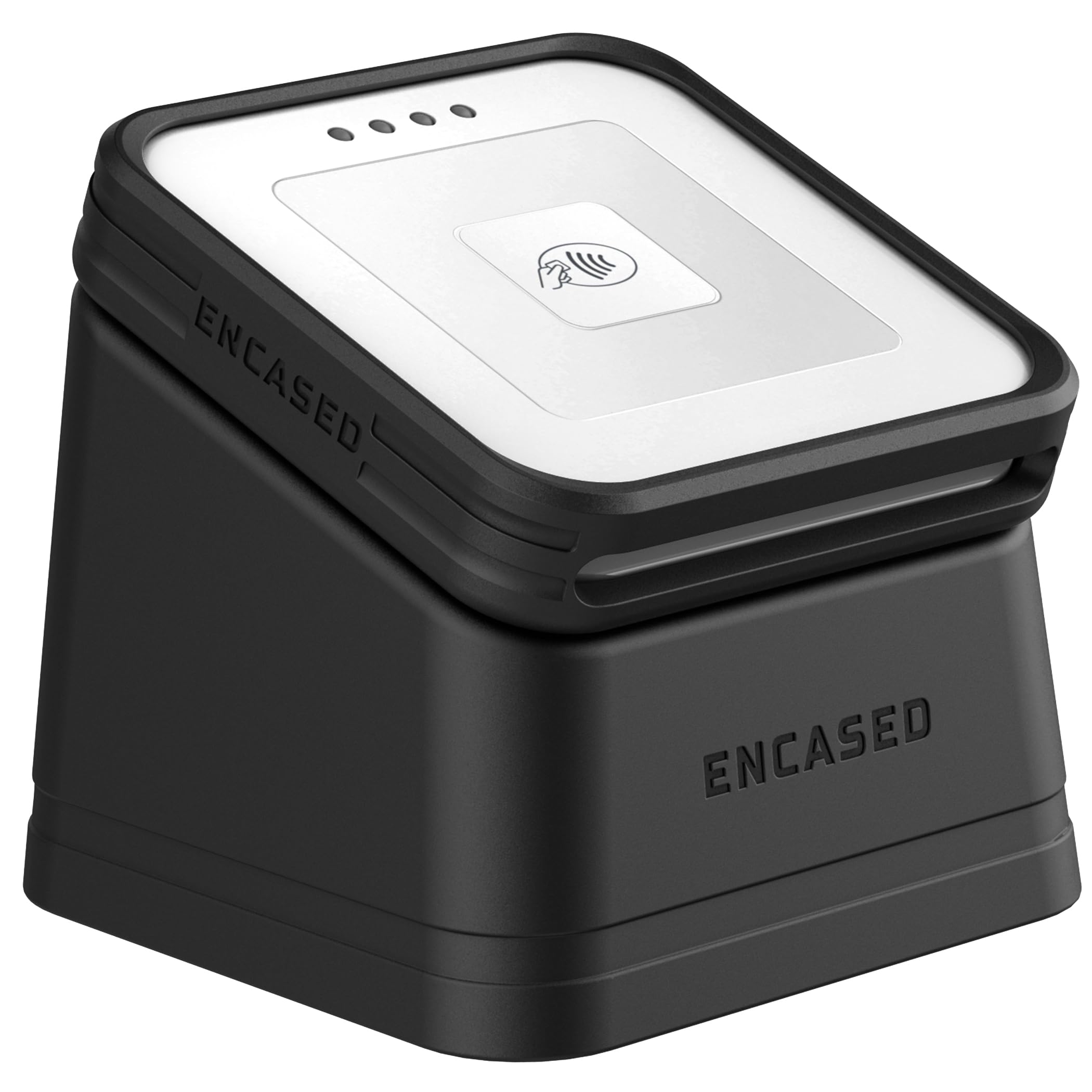
If you already own the Square Card Reader (2nd Gen), the Encased Dock transforms it from a loose dongle into a professional countertop payment station. The TPU silicone case wraps snugly around the reader with precise cutouts for the charging port, card slot, and battery indicator button. The raised lip around the tap surface provides drop protection and prevents scuffs from daily handling.
The real value is in the magnetic dock. The case snaps onto the weighted stand with a satisfying grip, and the rubber base prevents sliding on any surface. The magnet is strong enough that you can lift the dock by the reader without separation, yet the reader detaches easily when you need to take a payment tableside. Users also note MagSafe compatibility for phone mounting.
This is purely a protective accessory — it does not add processing features or speed. For a compact reader that lives on a counter, the dock eliminates the problem of the reader getting buried under papers or knocked off the register. The 3-ounce weight keeps the whole setup light enough to pack for craft shows.
Why it’s great
- Transforms a mobile reader into a fixed terminal
- Strong magnetic hold with quick detachment
- Non-slip rubber base keeps reader stable
Good to know
- Only compatible with Square 2nd Gen reader
- Adds bulk to an already portable device
5. Encased Dock for Shopify Tap & Chip Card Reader
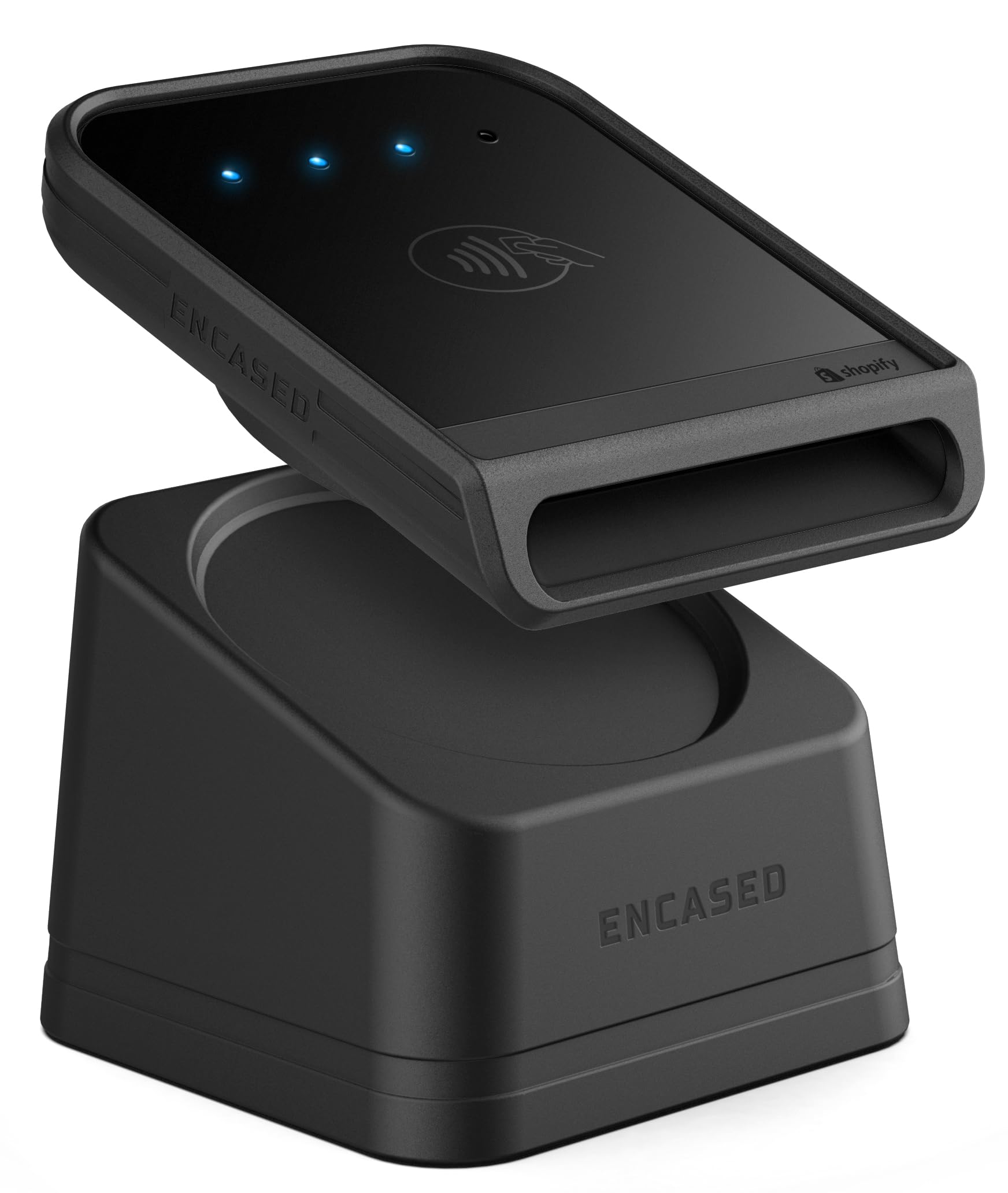
Shopify retailers using the official Tap & Chip Card Reader will find the Encased Dock a near-essential upgrade. The same TPU construction and magnetic base design that works for the Square reader is adapted here specifically for the Shopify reader’s dimensions. The silicone grip material provides shock absorption, and the precise cutouts leave the charging port and card slot fully accessible.
Customer feedback consistently praises the professional appearance it gives at checkout — the dock keeps the reader upright and visible, inviting customers to tap or insert without fumbling. The magnetic connection is strong enough that the reader stays put during high-traffic periods, yet pops off easily for mobile transactions. The rubber base does not slide on wood, metal, or glass counter surfaces.
Like the Square version, this is an accessory, not a standalone reader. It does not affect processing speed or connectivity. The one downside reported by a small number of users is that the case can slightly peel up a screen protector if not applied carefully. Overall, it is a solid, inexpensive way to look professional at checkout.
Why it’s great
- Custom-fit for Shopify Tap & Chip Reader
- Professional upright presentation at checkout
- Easy snap-on/snap-off for mobile use
Good to know
- Only compatible with Shopify reader
- Case application may affect screen protectors
6. Bawanfa 2-in-1 NFC & CAC Smart Card Reader
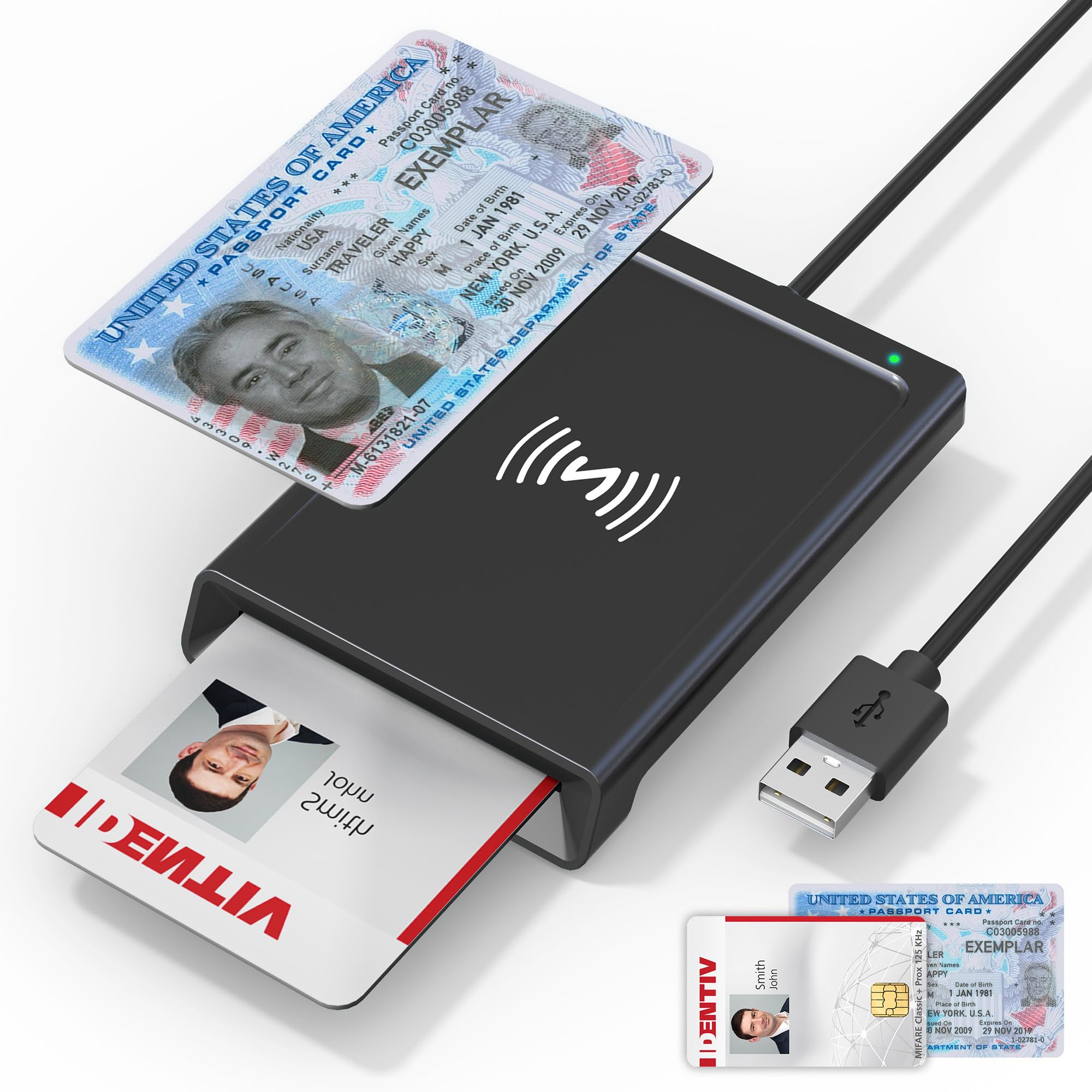
The Bawanfa 2-in-1 takes a completely different approach from the payment-terminal crowd — it is a USB-connected smart card reader designed for both contact-based CAC/PIV cards and contactless NFC credentials. This makes it a strong fit for government contractors, security professionals, or anyone who needs to authenticate identity via smart cards. The 480 Mbps data transfer rate ensures quick reads on both interfaces.
The reader supports ISO7816 Class A/B for contact cards and ISO14443A/B for NFC, covering a wide range of government IDs, bank cards, and MIFARE credentials. Plug-and-play via CCID means no driver installation on Windows, macOS, Linux, or Android — just plug in and the OS recognizes it. The 3-foot USB-A cable gives you reach without cluttering the desk.
This is not a payment terminal. It does not process merchant credit card transactions. Its purpose is reading and authenticating card data, not completing a sale. Reviewers consistently note that it works well for its intended use but caution that you need separate software from your card provider to interpret the data. Physical buttons or a touchscreen are absent — this is a pure bridge device.
Why it’s great
- Handles both contact and contactless cards
- True plug-and-play on multiple OS platforms
- Compact size with reinforced 3-foot cable
Good to know
- Does not process merchant payments
- Requires third-party card software for data access
FAQ
Will any credit card swiper work with my phone’s headphone jack or USB-C port?
What is the difference between a card swiper and a card terminal?
Final Thoughts: The Verdict
For most users, the best credit card swiper winner is the Square Terminal because it combines fast EMV processing, a built-in printer, and a full-day battery in a countertop-friendly form. If you want a lightweight device for tableside or mobile payment, grab the Square Handheld. And for securing your existing Square or Shopify reader on a countertop, nothing beats the fit and grip of the Encased Dock.

Mo Maruf
I created WellFizz to bridge the gap between vague wellness advice and actionable solutions. My mission is simple: to decode the research and give you practical tools you can actually use.
Beyond the data, I am a passionate traveler. I believe that stepping away from the screen to explore new environments is essential for mental clarity and physical vitality.