Our readers keep the lights on and my smoothie glass nicely filled. As an Amazon Associate, I earn from qualifying purchases.
Running a small business means every transaction counts. The right card reader turns a pocket or a countertop into a point-of-sale, but picking the wrong one can lock you into hidden fees or a hardware brick that won’t activate.
I’m Mohammad Maruf — the founder and writer behind WellFizz. I’ve spent hundreds of hours analyzing processing fees, hardware specs, and onboarding requirements across dozens of models to separate the truly agile from the frustrating.
This guide breaks down the top contenders, from chip-only dongles to all-in-one terminals. After sifting through real user experiences and spec sheets, here is your definitive look at the best credit card swiper for small business in today’s market.
How To Choose The Best Credit Card Swiper For Small Business
Selecting a payment terminal involves more than comparing hardware prices. The biggest trap small business owners fall into is assuming every reader works with any processor — many units are locked to a specific merchant account, and activation approval can take days or weeks.
Connectivity and Mobility
Bluetooth readers give you full mobility to approach customers at a table or booth. Wi-Fi and cellular models free you from a phone tether but add cost. Decide whether you need cordless freedom, a stationary USB connection, or a standalone terminal with built-in receipt printing.
Transaction Fees and Contracts
Flat-rate pricing (typically around 2.6% plus a fixed fee per swipe) is transparent and predictable for low-volume sellers. Some processors lure you with cheap hardware but recoup costs through monthly minimums, long-term contracts, or hidden statement fees that eat into your margins.
Onboarding and Account Approval
Multiple verified buyers report buying a reader only to discover it requires a 14-day approval process involving business licenses, DBA documents, and photos. If you need to accept payments immediately, choose a brand that lets you activate and begin swiping within minutes.
Quick Comparison
On smaller screens, swipe sideways to see the full table.
| Model | Category | Best For | Key Spec | Amazon |
|---|---|---|---|---|
| Square Reader (2nd Gen) | Bluetooth Dongle | Instant activation, low-volume | 24-hour offline mode | Amazon |
| Square Terminal | All-in-One POS | Countertop with receipts | 2-second chip processing | Amazon |
| Clover GO (3rd Gen) | Mobile Reader | Employee permission management | 5.6 ounces weight | Amazon |
| SumUp Solo | Standalone Terminal | No phone needed | Free SIM & mobile data | Amazon |
| SumUp Solo + Printer | Terminal + Printer | On-the-go receipts | 800 receipts per charge | Amazon |
| MagTek Dynamag | USB Swipe Reader | Fixed point-of-entry | 6-ft USB interface cable | Amazon |
| Clover Go Contactless | Mobile Reader | Offsite vending | Barcode scanning capability | Amazon |
In‑Depth Reviews
1. Square Reader for contactless and chip (2nd Generation)

The 2nd-generation Square Reader is the benchmark for simplicity. It connects to your phone via Bluetooth in seconds, accepts tap, dip, and NFC payments including Apple Pay and Google Pay, and requires zero upfront contracts or monthly fees. The battery holds a full day of festival or market sales without a recharge.
One standout feature is its offline mode, which lets you keep processing for up to 24 hours if your hotspot cuts out. Verified users consistently praise the quick setup and reliable connection, though one noted that the reader still needs internet access to finalize payments — transactions queue locally until you reconnect.
At a competitive transaction rate for every tap or dip, this is the most accessible entry point for pop-up shops, service contractors, and weekend vendors. The lightweight pocketable design means it disappears into a bag until you need it.
Why it’s great
- Instant activation — start swiping in minutes
- Long battery life that outlasts a busy event
- Offline payment queue for 24 hours
Good to know
- Requires internet connectivity to finalize transactions
- No built-in receipt printer
2. Square Terminal – Credit Card Machine to Accept All Payments | Mobile POS

The Square Terminal is a full-point-of-sale system in a portable handheld. It rings up sales, accepts chip and contactless payments, and prints thermal receipts on the spot — all without a phone. It processes chip cards in roughly two seconds, which keeps lines moving during rushes.
Users at pop-up markets love the flexibility of tethering to a phone hotspot, and the built-in battery comfortably handles a full day of 20-plus transactions. The dock-free design means you can walk the reader to a customer rather than forcing them to reach the counter. Multiple verified reviews note that the signature screen can glitch when using a stylus.
Money lands in your account as soon as the next business day, and there are no long-term contracts. For a business that needs both mobility and a printed receipt, this terminal bridges the gap between a dongle and a full countertop station.
Why it’s great
- Blazing fast 2-second chip processing
- All-day battery with receipt printing capability
- No merchant account needed — uses Square processing
Good to know
- Signature screen can be finicky with stylus input
- Heavier than a simple dongle at 14.7 ounces
3. MagTek 21073062 Dynamag Magnesafe Triple Track Magnetic Stripe Swipe Reader

The MagTek Dynamag is the opposite of a mobile dongle — it is a fixed USB swipe reader designed for a desktop or monitor mount. Its 6-foot USB cable has a swiveling port that makes clean cable management easy, and the slim profile attaches neatly to the side of a monitor bezel.
Accuracy matters for high-volume counter swipes, and verified users report near-perfect read rates compared to cheaper alternatives that miss every tenth swipe. The reader supports both HID keyboard wedge mode and serial output, switchable via MagTek’s configuration tool, giving developers flexibility for legacy POS software.
One critical warning from reviews: some units ship with irreversible Security Level 3 encryption enabled, which is incompatible with many standard apps. If your software only supports Level 2, you must request a non-encrypting version — verify compatibility before purchase.
Why it’s great
- Exceptional magnetic stripe read accuracy
- Swiveling USB mount for clean desktop installation
- Flexible HID or serial output modes
Good to know
- Security Level 3 encryption may block some software
- No contactless or EMV chip support
4. SumUp Solo Credit Card Payment Card Reader with Charging Station

The SumUp Solo is a standalone terminal with a full touchscreen interface and its own SIM card with free mobile data, meaning you do not need a smartphone or Wi-Fi to process payments. The included charging station keeps the device topped off between shifts, making it a true grab-and-go solution for food trucks and markets.
Users report fast transaction speeds and a responsive touchscreen, plus seamless integration with the SumUp app for reporting and tipping management. However, the onboarding process is a major hurdle: account approval can take up to 14 days and requires uploading business licenses and photos. One verified buyer described the device as a brick if purchased before approval.
Transaction fees are a flat percentage, and the free SIM eliminates data costs. This reader is a strong middle-ground option for those who plan ahead with the approval timeline and want a phone-independent solution.
Why it’s great
- No phone required — built-in cellular data
- Full touchscreen interface for simple operation
- Charging station keeps the reader ready
Good to know
- Approval process can take up to 14 days
- Device is unusable until merchant account is active
5. SumUp Solo + Printer Bundle – Credit Card Payment Card Reader
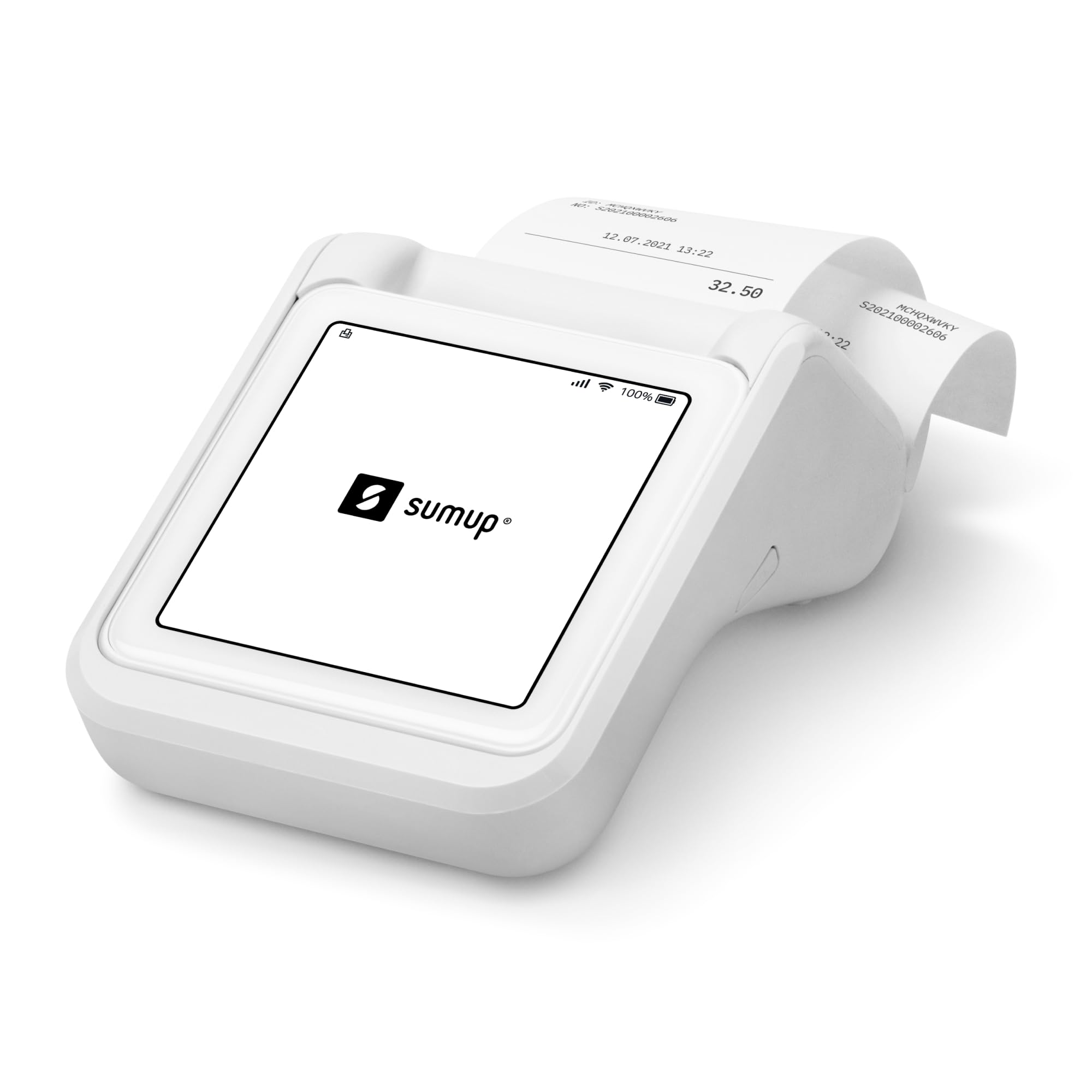
This bundle pairs the SumUp Solo reader with a dedicated thermal printer that also doubles as a battery pack. The printer charges the reader when power runs low, and you get up to 800 inkless receipts on a single charge. The pocket-sized printer uses thermal paper and delivers fast, quiet output.
The reader and printer communicate through the SumUp mobile app, which handles setup, transaction history, and tipping. Users appreciate the ability to accept all major payment types and issue printed receipts on the go. But the same onboarding friction applies — account approval can take weeks, and one verified buyer reported repeated failed attempts despite uploading proper documentation.
For businesses that need a receipt at every transaction, this bundle eliminates the awkwardness of emailing or texting receipts. Just be prepared for the approval timeline before you start accepting payments.
Why it’s great
- Printer doubles as a battery backup for the reader
- 800 receipts per charge — ideal for high-volume days
- Compact thermal printer fits in a pocket
Good to know
- Same slow approval process as the standalone Solo
- Requires phone app for pairing and management
6. Clover GO (3rd Generation) – The Mobile POS System in Your Pocket

The Clover GO 3rd Gen is a Bluetooth mobile reader that pairs with your smartphone to accept chip, contactless, and NFC payments. It supports custom tip percentages, multiple tax rates, and paperless receipts via email or text. Employee permission controls let you restrict who accesses backend reports, which is useful for businesses with part-time staff.
One major red flag emerged from verified reviews: the fine print on this Amazon listing requires you to open a merchant account with the seller’s processing partner (Chord Pay). Multiple buyers felt misled, reporting high processing fees that ate into profits, and aggressive telemarketing calls after purchase. Users who already had Clover accounts reported a smooth setup.
Weighing only 5.6 ounces, the device is genuinely pocketable. If you already use Clover processing and want a lightweight companion for offsite sales, this reader works well — just read the processing terms carefully before buying.
Why it’s great
- Lightest reader in the roundup at 5.6 ounces
- Custom tip and tax rate settings
- Employee permission controls for security
Good to know
- Requires merchant account with seller’s processor
- Reports of high processing fees and aggressive sales calls
7. Clover Go Contactless Reader – EMV/Chip Ready – No Merchant Account Required
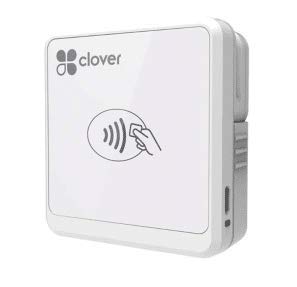
This older Clover Go reader (circa 2017) is a Bluetooth payment terminal designed for iOS and Android. It supports chip, contactless, and barcode scanning, and pairs seamlessly with the Clover Station for a unified inventory and sales system. Users report flawless offsite vending performance for scanning items and entering cash, credit, and check payments.
One significant limitation surfaced in recent reviews: the app reportedly rejects account creation if you purchased a device through a specific seller, making the reader worthless unless you already have a Clover account. Buyers who successfully activated it praise the barcode scanning and the ability to sync transactions back to the main Clover station at the end of the day.
The listing’s “No Merchant Account Required” claim has been called false advertising by frustrated customers. Bluetooth connectivity also appeared to fail after about six months for one long-term user. This reader only makes sense if you already operate within the Clover ecosystem.
Why it’s great
- Barcode scanning for inventory management
- Seamless sync with Clover Station
- Accepts chip, tap, and cash/check entries
Good to know
- App may reject new accounts not tied to Clover
- Bluetooth range issues reported after months of use
FAQ
Can I use any credit card swiper with any payment processor?
What happens if I buy a reader before getting merchant approval?
Are Bluetooth card readers secure for mobile payments?
Final Thoughts: The Verdict
For most users, the best credit card swiper for small business winner is the Square Reader (2nd Gen) because it offers instant activation, lightweight mobility, and a long battery life with no hidden contracts. If you need receipts on the spot, grab the Square Terminal. And for phone-independent payments with cellular data, nothing beats the SumUp Solo provided you plan ahead for the approval process.

Mo Maruf
I created WellFizz to bridge the gap between vague wellness advice and actionable solutions. My mission is simple: to decode the research and give you practical tools you can actually use.
Beyond the data, I am a passionate traveler. I believe that stepping away from the screen to explore new environments is essential for mental clarity and physical vitality.