Our readers keep the lights on and my smoothie glass nicely filled. As an Amazon Associate, I earn from qualifying purchases.
That awkward moment when a customer is ready to buy, but your iPad can’t take a payment—fumbling for a separate terminal, losing sales, looking unprofessional. A dedicated credit card swiper for iPad eliminates that friction entirely, turning your tablet into a sleek, all-in-one point-of-sale system that handles tap, chip, and swipe payments in seconds.
I’m Mohammad Maruf — the founder and writer behind WellFizz. I’ve spent hours analyzing transaction speeds, connectivity reliability, battery life, and build quality across the leading models to find which ones actually hold up in real retail, market, and service environments.
After evaluating compatibility, processing fees, and security features, this guide cuts through the noise to help you find the best credit card swiper for ipad that fits your specific business needs and budget.
How To Choose The Best Credit Card Swiper For iPad
Picking the right card swiper depends on more than just price. You need to consider how you run your business—whether it’s a fixed retail counter, a farmers market pop-up, or a mobile service van. The three biggest factors are connection type, battery endurance, and processing fee structure.
Connectivity: Bluetooth vs. docked vs. USB
Bluetooth readers give you freedom—you can pass the reader to a customer or place it anywhere on the counter. But Bluetooth can occasionally drop connection in crowded trade show environments. Docked readers like the Square Kiosk feel rock-solid for countertop use, while USB readers (like the Symcode) require a wired connection to your iPad or cash register for power.
Battery life and offline mode
If you work events or markets all day, battery life matters. Look for readers that last a full day on one charge and ideally offer offline payment mode—storing transaction data for up to 24 hours so you can process payments even if Wi-Fi or cellular goes down. This feature alone can save a vendor event from disaster.
Processing fees and contract terms
Flat-rate processors like Square charge one low rate per tap or dip with zero monthly fees or long-term contracts. Traditional terminal providers may require a merchant account, monthly minimums, and early termination fees. Always read the fine print before committing—some readers are locked to a specific processor.
Quick Comparison
On smaller screens, swipe sideways to see the full table.
| Model | Category | Best For | Key Spec | Amazon |
|---|---|---|---|---|
| Square Reader (2nd Gen) | Bluetooth | Mobile vendors & pop-ups | Up to 24h offline payments | Amazon |
| dot. Card Metal | NFC Tap | Networking & contact sharing | Zero subscription required | Amazon |
| Symcode Multi-Function | USB Wired | Fixed counter + register systems | Reads magstripe + chip + NFC | Amazon |
| SumUp Solo | Standalone | Full touchscreen POS terminal | Built-in Wi-Fi + free SIM data | Amazon |
| Beelta BSP101B Stand | Enclosure | Secure countertop iPad kiosk | Keyed anti-theft lock system | Amazon |
| Verifone VX520 | Countertop | High-volume retail counters | Dial + Ethernet dual comms | Amazon |
| Square Kiosk for iPad | Integrated | Self-service ordering & checkout | VESA-mountable with built-in reader | Amazon |
In‑Depth Reviews
1. Square Reader for contactless and chip (2nd Generation)

The Square Reader (2nd Gen) is the gold standard for small business owners who need a reliable, portable card swiper for their iPad. It pairs via Bluetooth in seconds and accepts contactless payments, chip cards, Apple Pay, and Google Pay with a single low flat-rate per transaction. The improved connectivity and extended battery life mean it stays paired and ready all day during busy vendor fairs.
Setup is genuinely plug-and-play—download the Square POS app, pair the reader, and start transacting. The reader’s compact size lets you toss it in your pocket or bag, while the built-in security suite (24/7 fraud prevention and payment-dispute management) comes at no extra cost. Offline payments keep you selling even when Wi-Fi drops, storing transactions for up to 24 hours.
Customer reviews consistently praise its speed and ease of use, with five-star ratings highlighting the hassle-free connection and professional look. One user noted it was “perfect for festivals” thanks to the long battery life. There are no monthly fees or long-term contracts, making it the safest bet for first-time sellers.
Why it’s great
- Bluetooth connection stays reliable even in crowded event spaces
- Offline payment mode works up to 24 hours without internet
- Zero monthly fees or long-term contracts; flat-rate processing
Good to know
- Requires internet signal or cellular hotspot for real-time processing
- Single reader—no integrated screen or receipt printer
2. Square Kiosk for iPad (USB-C)

The Square Kiosk for iPad is the ultimate all-in-one solution for businesses wanting a self-service ordering and payment experience. It transforms your iPad into a fixed kiosk with built-in card reader, guiding LED lights for checkout, and VESA mounting capability for wall, countertop, or any 100x100mm mount. All mounting hardware is included.
Setup is entirely DIY—no installation visits needed. With a Square Kiosk app subscription, diners or customers can customize orders and pay without staff intervention. The glossy white enclosure feels premium, and the swivel base allows smooth rotation for signature needs or customer-facing checkout. It supports multiple iPad models including iPad (10th gen), iPad Pro 11-inch, and iPad Air.
Reviewers highlight the professional appearance at markets and the built-in payment acceptance for Apple Pay and tap cards. The kiosk also collects customer emails at checkout, adding marketing value. It’s pricier than a simple reader but delivers a polished, branded experience that justifies the investment for busy cafes and retail stores.
Why it’s great
- Built-in NFC card reader with guiding LED lights for fast checkout
- VESA-mountable for wall, counter, or stand; all hardware included
- Collects customer emails automatically at checkout
Good to know
- Requires Square Kiosk app subscription for full self-service features
- Glossy plastic finish can show fingerprints over time
3. SumUp Solo Credit Card Payment Card Reader

The SumUp Solo is a standalone touchscreen payment terminal that works independently from your iPad—but integrates seamlessly via the SumUp app. Its full-color interface lets you manage sales, check transactions, and accept payments without needing a phone nearby. The included charging station keeps the device topped up between busy shifts.
Connectivity is a standout feature: it supports strong Wi-Fi and also includes a free SIM card with mobile data, so you can process payments anywhere—farmers markets, trade shows, or even mobile service calls. The compact, portable design and responsive touchscreen make it intuitive even for customers to use themselves. SumUp offers US-based phone, email, and chat support.
Reviews reveal a split: many love the fast setup and reliable performance, but some warn about the onboarding process. You must get pre-approved before buying—delays up to 14 days and documentation requirements (DBA, business license) can catch first-time users off guard. The transaction failure message on unapproved devices can be frustrating until resolved.
Why it’s great
- Built-in touchscreen works as a complete standalone terminal
- Free SIM card with mobile data for payments anywhere
- Charging station included for all-day battery life
Good to know
- Requires pre-approval process before use—can take up to 14 days
- Some users report inconsistent transaction reliability
4. Verifone VX520 Dual Comm Credit Card Machine

The Verifone VX520 is a traditional countertop terminal that brings enterprise-grade reliability to high-volume retail environments. It features dual communication (dial-up and Ethernet), ensuring processing continuity even if one network fails. The ergonomic design and small footprint minimize counter clutter while the cable management system keeps wires tidy.
This machine is EMV-compliant with a smart card reader, supporting chip cards for secure transactions. Setup can be completed in about 10 minutes if you’re working with a compatible merchant account provider. The unit feels substantial at 2.5 pounds, giving it a solid, durable feel that won’t slide around during busy checkout periods.
Reviewer experiences are mixed but instructive. The EMV reader failed on one user after two weeks, though the seller replaced it quickly. A critical warning: many VX520s sold on Amazon are pre-programmed and locked to a specific processor—if the seller can’t support reprogramming, the machine becomes unusable with your bank. Always confirm unlock status before purchasing.
Why it’s great
- Dual communication (dial + Ethernet) for reliable processing
- Ergonomic, compact design with effective cable management
- EMV-compliant smart card reader for secure chip transactions
Good to know
- Machines are often locked to a specific processor—verify before buying
- EMV reader failure reported by some users after short use
5. Beelta Tablet POS Stand with Printer Space BSP101B

The Beelta BSP101B is not a payment reader itself, but an all-metal enclosure that turns your iPad into a secure, professional POS station with integrated printer space. It’s compatible with iPads from 9.7 to 12.9 inches, using a four-sided clamping design for a snug fit. The built-in key lock provides peace of mind against theft in public-facing retail environments.
This stand includes a dedicated space for a 5-inch receipt printer (like the Epson TM-M30), keeping your entire checkout station compact and tidy. The 90-degree swivel feature allows you to turn the screen toward customers for signature signing without moving the base. Powder-coated metal construction handles daily commercial use without wobbling or loosening.
Users love the secure lock and clean appearance, but note two limitations: the printer space is too narrow for some thermal printers, and the stand does not actually fit iPad 12.9-inch models as advertised—reviewers suggest using it with 9.7- or 11-inch iPads for best results. Measure your printer and tablet carefully before purchasing.
Why it’s great
- All-metal construction with key lock provides excellent anti-theft security
- Dedicated printer compartment streamlines checkout workflow
- 90-degree swivel for customer-facing signature capture
Good to know
- Does not reliably accommodate 12.9-inch iPads
- Printer compartment may be too small for some thermal printer models
6. Symcode Multi-Function Magnetic Card Reader
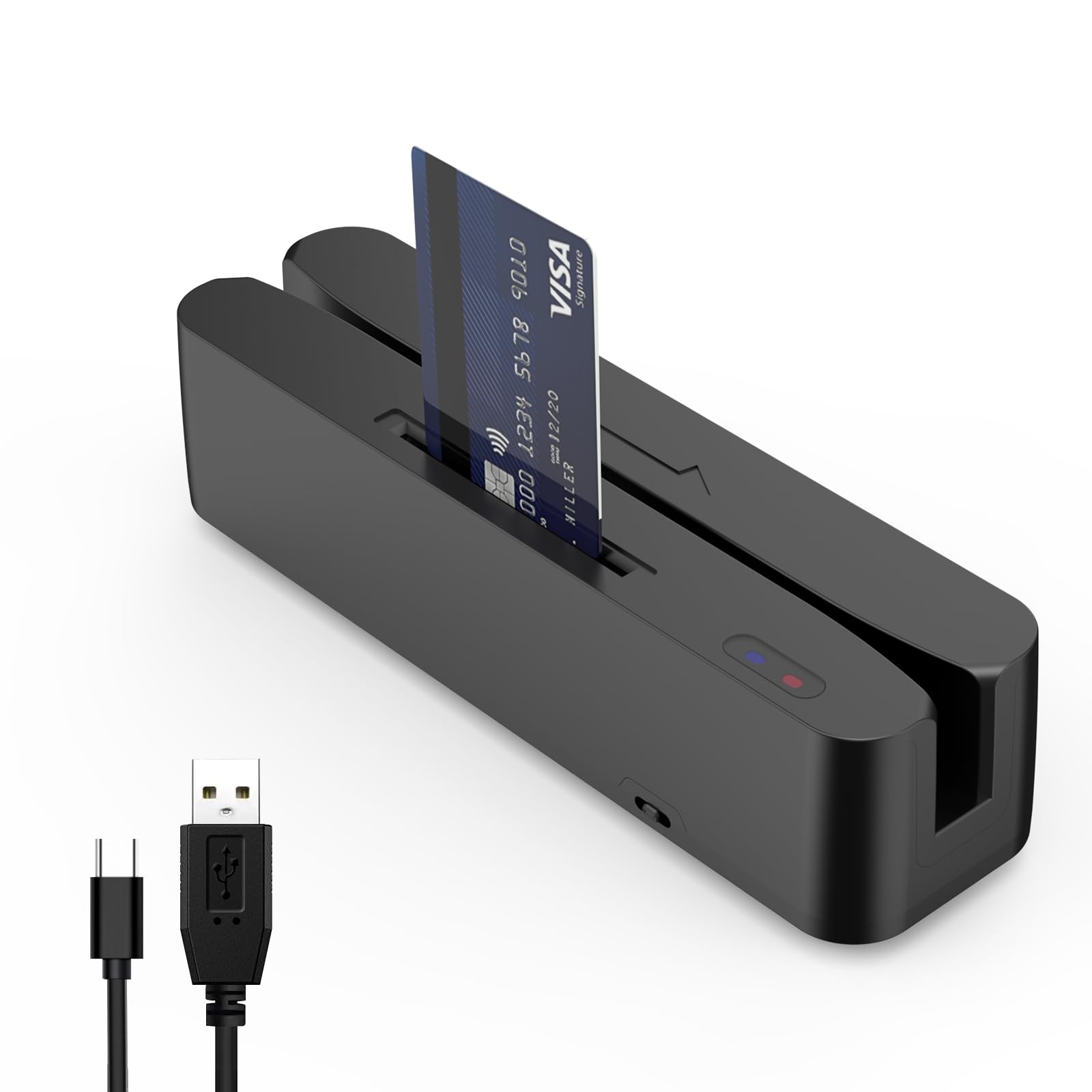
The Symcode multi-function reader is a wired USB device designed for fixed countertops where you need to read magnetic stripes, chip cards, and NFC payments from a single unit. It plugs directly into your iPad or cash register and requires no battery charging—power comes via USB. Two indicator lights show connection and reading status at a glance.
This reader supports SLE4442 chip cards and CPU chip cards, making it suitable for membership systems and check-in kiosks. It also includes a toggle switch to turn NFC sensing on or off, giving you control over contactless vs. contact-only modes. The compact size (0.21 kg) means it takes up minimal counter space.
Customer feedback is sharply divided: some retail shop owners say it works “perfectly” for daily credit card processing, while others report it fails to read full credit card data (only reading track 2). Technical support has been described as unresponsive, and manual documentation is reportedly missing English translations. Best suited for users comfortable with some technical troubleshooting.
Why it’s great
- USB-powered with zero battery maintenance needed
- Reads magnetic stripe, chip, and NFC from one device
- Compact and lightweight for clutter-free counter space
Good to know
- Mixed reliability—some units fail to read full credit card tracks
- No English documentation included; support is unresponsive
7. dot. Card Metal – Digital Business Card
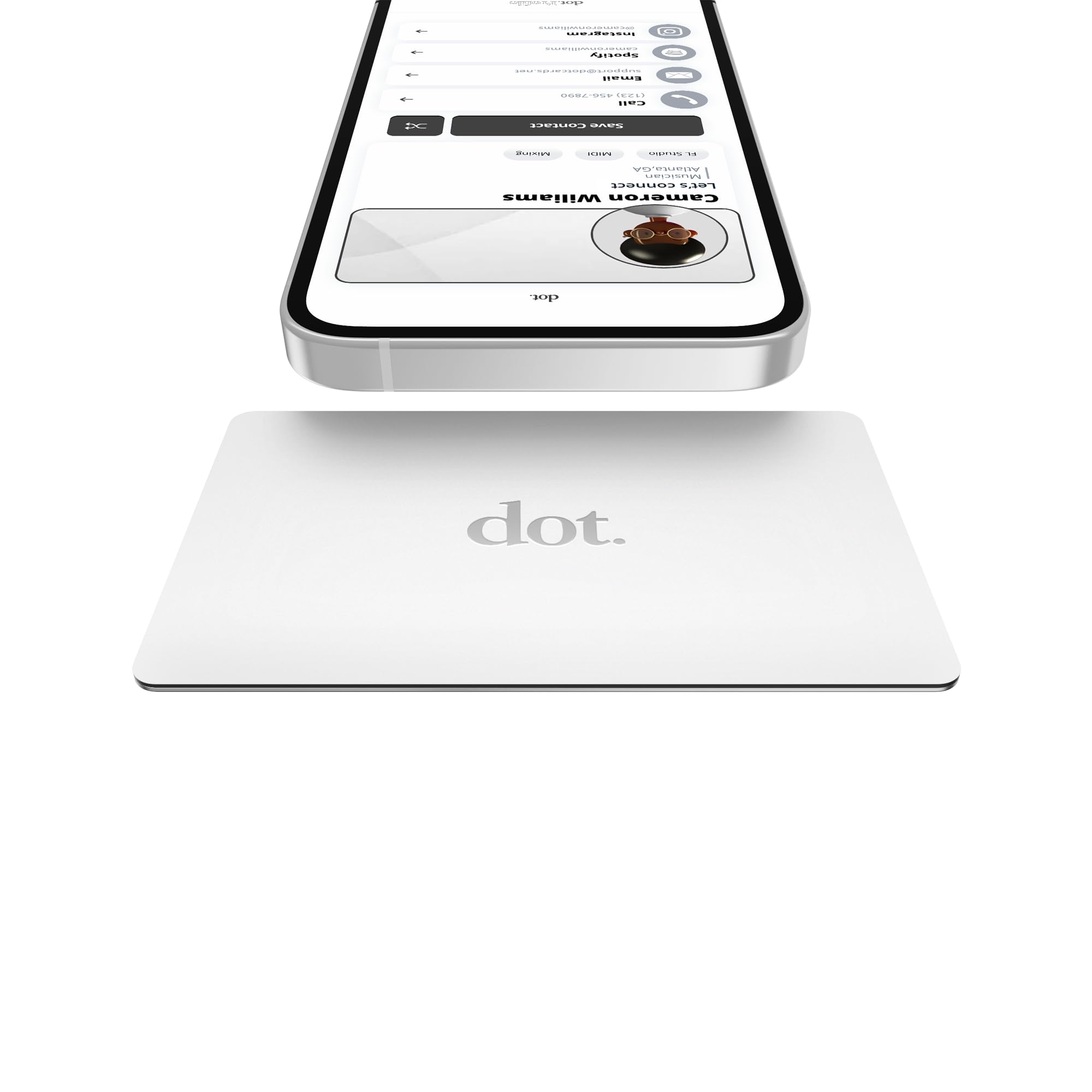
The dot. Card Metal is a different kind of “card swiper”—it’s an NFC-enabled digital business card that you tap to a compatible smartphone to instantly share your contact info. While it doesn’t process payments, it’s a professional add-on for anyone running a business who wants to eliminate paper business cards and make networking effortless.
Setup is seamless: no app or device is required for the person receiving your info. Just tap the metal card to any compatible phone (iPhone or Android) and your dot.Profile appears. You can update your profile anytime from the dot. platform, including links to social media, websites, and payment links. The metal card feels premium and fits in a standard wallet slot.
Sales professionals and educators love it—one reviewer who teaches marketing calls it an “excellent example of working smart.” The tap function can sometimes be finicky, but the QR code printed on the back serves as a reliable backup. The white color option scratches off over time, so consider the metal finish for long-term durability. No subscription is required after purchase.
Why it’s great
- Zero subscription fees after one-time purchase—unlimited sharing
- No app required for recipients; works with any NFC phone
- Sturdy metal design fits in standard wallet card slot
Good to know
- Not a payment reader—solely for sharing contact information
- Tap function occasionally unreliable; QR code backup works
FAQ
Does a credit card swiper for iPad require a merchant account?
Can I process payments without Wi-Fi or cellular data?
Why do some card readers need pre-approval before I can use them?
Final Thoughts: The Verdict
For most users, the credit card swiper for ipad winner is the Square Reader (2nd Generation) because it delivers reliable Bluetooth connectivity, extended battery life, and offline payments with zero monthly fees—perfect for mobile vendors and small retail. If you want an all-in-one self-service kiosk, grab the Square Kiosk for iPad. And for secure high-volume retail counters, nothing beats the Verifone VX520 with its dual-communication reliability.

Mo Maruf
I created WellFizz to bridge the gap between vague wellness advice and actionable solutions. My mission is simple: to decode the research and give you practical tools you can actually use.
Beyond the data, I am a passionate traveler. I believe that stepping away from the screen to explore new environments is essential for mental clarity and physical vitality.