Our readers keep the lights on and my smoothie glass nicely filled. As an Amazon Associate, I earn from qualifying purchases.
If your Android phone is your command center, the last thing you want is to fumble with a clunky terminal just to take a payment. A modern credit card reader for Android turns your smartphone into a portable point-of-sale, letting you accept chip, tap, and swipe payments at a farmer’s market, a client meeting, or a busy pop-up shop without missing a beat.
I’m Mohammad Maruf — the founder and writer behind WellFizz. I’ve spent countless hours analyzing the hardware specs, payment protocols, and real-world user feedback for the most talked-about card readers on the market to separate genuine workhorses from the gimmicks.
Whether you’re a solopreneur running a mobile business or a contractor collecting payments on-site, the right reader saves you time and transaction headaches. This guide breaks down the top options to help you find the best credit card reader for android that fits your workflow and budget.
How To Choose The Best Credit Card Reader For Android
Not all card readers are built for the same job. Some are designed for simple payment processing through a merchant app like Square, while others are more versatile smart card readers for identity verification or accessing secure networks. Knowing your primary use case narrows the field immediately.
Connection and Compatibility
Your Android device dictates the best connection type. Readers that plug directly into a USB-C port offer the most stable, low-latency connection and never need charging — perfect for stationary setups. Bluetooth readers give you freedom of movement and work even when the device is tucked away, ideal for roving vendor booths. Always verify the reader explicitly supports Android — some legacy models are Windows-only.
Payment Technology Supported
Modern businesses need to accept EMV chip cards and contactless NFC payments (Apple Pay, Google Pay). A reader that supports only magnetic stripe swipes is already outdated. Check for EMV Level 1 and Level 2 certification if you’re handling live transactions. For general smart card reading (CAC, ID, bank chip), PC/SC and CCID compliance are the standards to look for, ensuring cross-platform plug-and-play compatibility.
Portability and Power
A reader that lives in your pocket or bag needs to be compact and durable. USB-powered readers eliminate battery anxiety — they draw power directly from your phone. If you choose a Bluetooth model, examine the battery life rating and charging method. The best options offer all-day battery for a full shift of transactions without needing a mid-day recharge.
Quick Comparison
On smaller screens, swipe sideways to see the full table.
| Model | Category | Best For | Key Spec | Amazon |
|---|---|---|---|---|
| Square Reader (2nd Gen) | Payment Terminal | Small business payments | Bluetooth 5.0, 8+ hour battery | Amazon |
| Opluz USB-C Smart Card Reader | Smart Card Reader | CAC & NFC ID verification | USB-C, 10 Gbps, PC/SC | Amazon |
| Rocketek 2-in-1 Reader | Smart Card Reader | Dual connector flexibility | USB-C + USB-A, 10 Gbps | Amazon |
| Bawanfa 2-in-1 NFC Reader | Smart Card Reader | Military/government use | USB-A, 480 Mbps, CCID | Amazon |
| Koolrok MSR605X | Magstripe Reader/Writer | Magnetic stripe encoding | USB-A, 3-track read/write | Amazon |
In‑Depth Reviews
1. Square Reader for contactless and chip (2nd Generation)

The Square Reader is the gold standard for actual payment processing on Android. Unlike general-purpose smart card readers, this device is purpose-built to accept live transactions through the Square POS app, handling both EMV chip dips and contactless taps including Apple Pay and Google Pay. Its Bluetooth 5.0 radio maintains a stable connection up to 30 feet from your phone, so you can hand the reader to a customer without anchoring them to your device.
Battery life is a standout feature here — a full charge easily powers through an eight-hour market day or festival shift. The unit is compact enough to slip into a jeans pocket, and the integrated security chip handles encryption at the hardware level. Real users consistently praise its fast pairing and reliable transaction flow, with many noting it transforms a basic smartphone into a professional-grade POS terminal.
Pairing is simple: download the Square app, follow the on-screen Bluetooth pairing steps, and you’re taking payments in under two minutes. The flat-rate pricing structure means no surprise monthly fees, making it a low-risk entry point for new business owners. The only catch is that you’re tied to the Square ecosystem for processing, which is a proven trade-off for the ease of use.
Why it’s great
- True payment processing out of the box with EMV/NFC support
- Excellent Bluetooth range and all-day battery life
- No monthly contracts or hidden fees
Good to know
- Requires the Square app — not a standalone smart card reader
- Needs periodic charging (not bus-powered)
2. Rocketek 2-in-1 Smart Card Reader with NFC
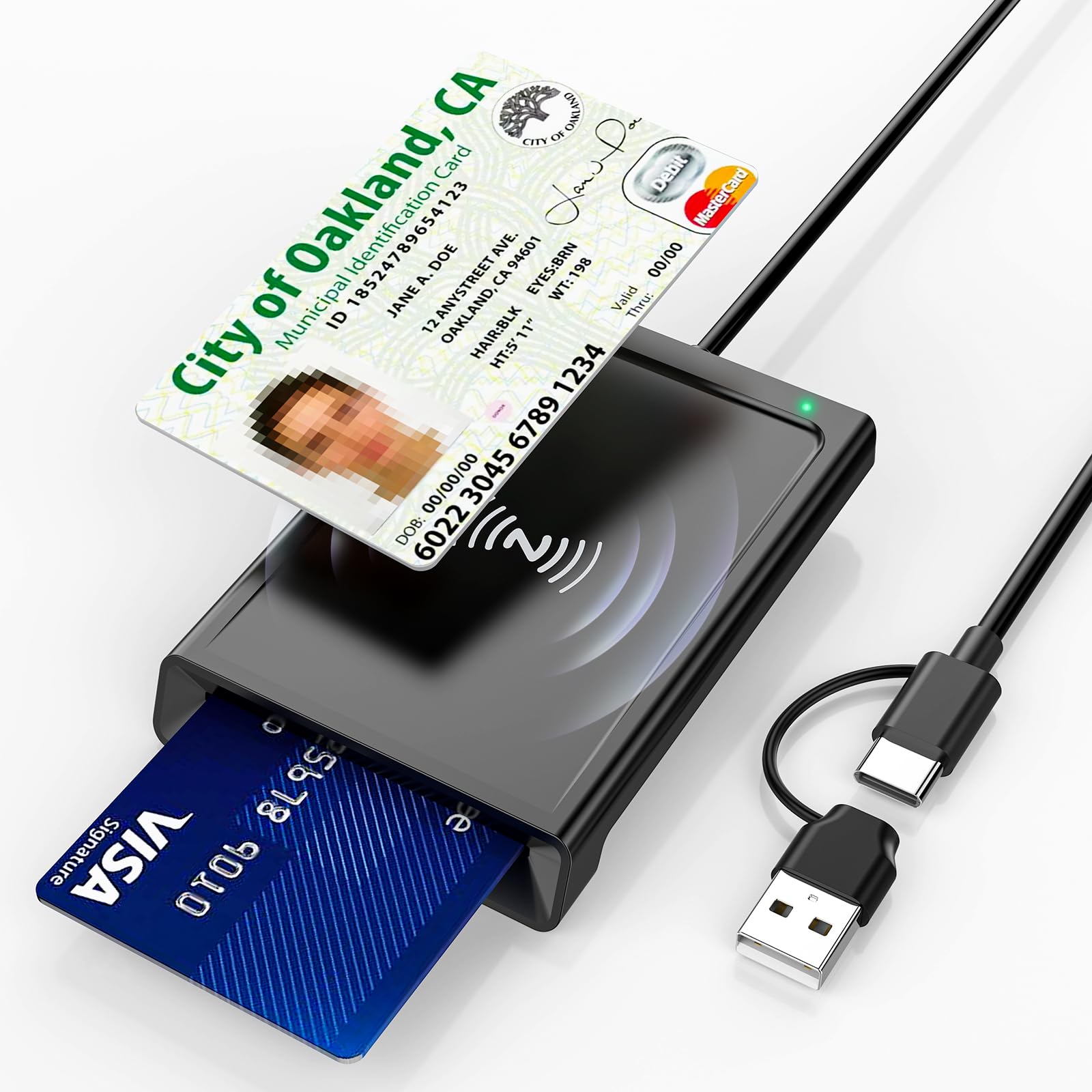
The Rocketek reader solves a common pain point for Android users: connection flexibility. It ships with a built-in USB-C cable plus a detachable USB-A adapter, so it works seamlessly with modern Android phones, older laptops, and desktop workstations without needing a dongle. Its 2-in-1 design supports both contact chip cards (insert) and contactless NFC cards (tap), covering CAC, DOD Common Access, EMV bank chips, and PIV cards.
The reader is PC/SC and CCID compliant, which means it registers as a standard HID device on Android and most operating systems without driver installation. Data transfer rates up to 10 Gbps ensure quick reads, which matters when you’re processing multiple IDs or access credentials in a row. The rugged housing and reinforced cable entry point give it a more durable feel than budget alternatives.
A key limitation is that this is a smart card reader, not a payment terminal. You will need compatible third-party software or middleware to actually process financial transactions. For its intended use — secure credential verification, identity authentication, and bank chip card reading on the go — the dual-connector design makes it the most adaptable option for users who toggle between a USB-C phone and a USB-A computer.
Why it’s great
- Built-in USB-C and included USB-A adapter cover all modern devices
- 10 Gbps data transfer for fast card reads
- Plug-and-play on Android without drivers
Good to know
- Not designed for live payment processing — needs third-party app
- Some users found it picky when used with powered USB hubs
3. Opluz USB-C Smart Card Reader with NFC
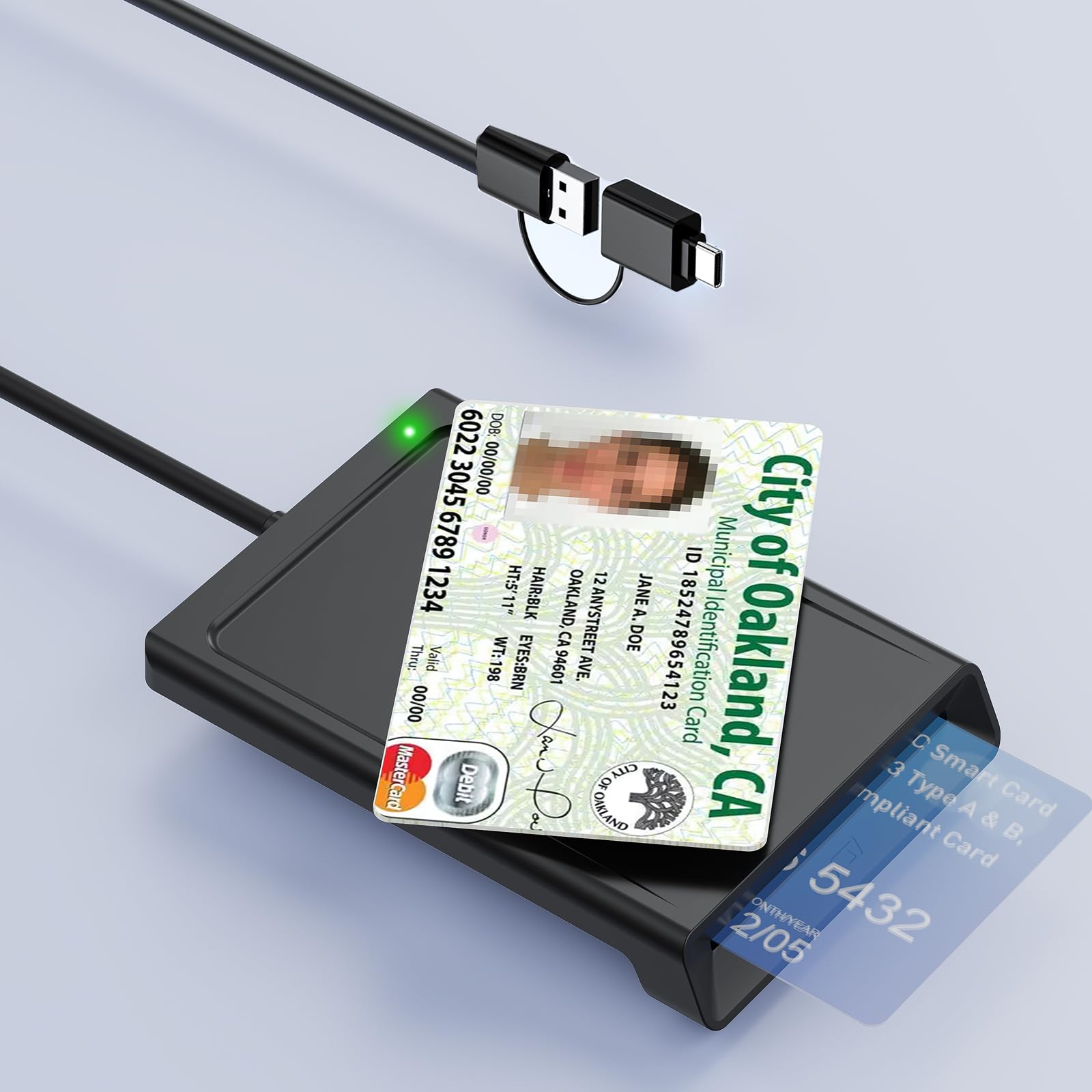
If your Android phone has a USB-C port, the Opluz reader offers the most straightforward plug-and-play experience in the budget-friendly tier. It connects directly via USB-C with no cable clutter, drawing power from the host device so you never worry about a dying battery. The 95cm cable version gives you a bit of reach, but the core value is the direct USB-C interface that many competing readers lack without an adapter.
It supports both contact and contactless cards via a single slot and NFC antenna, handling T=0 and T=1 protocols along with ISO7816 and ISO14443 standards. This makes it compatible with a broad range of smart cards beyond just payment — think military CAC, ID cards for pension or vehicle registration verification, and bank chip cards. The reader is CCID certified, so Android recognizes it immediately without extra software.
As with other general-purpose smart card readers, this unit does not include payment processing software. It functions as a hardware bridge — you supply the app or middleware. Build quality is solid for the price point, though the cable is permanently attached, which some users may find less convenient than a detachable design. For anyone who needs a reliable, no-fuss card reader for identity and bank chip reading on a USB-C Android device, this is a strong entry-level option.
Why it’s great
- Direct USB-C connection — no adapters needed for modern Androids
- Bus-powered: zero need to charge
- Excellent card protocol support for broad compatibility
Good to know
- Permanent cable may be less portable than detachable designs
- Not a payment terminal — requires separate payment software
4. Bawanfa 2-in-1 NFC & CAC Reader
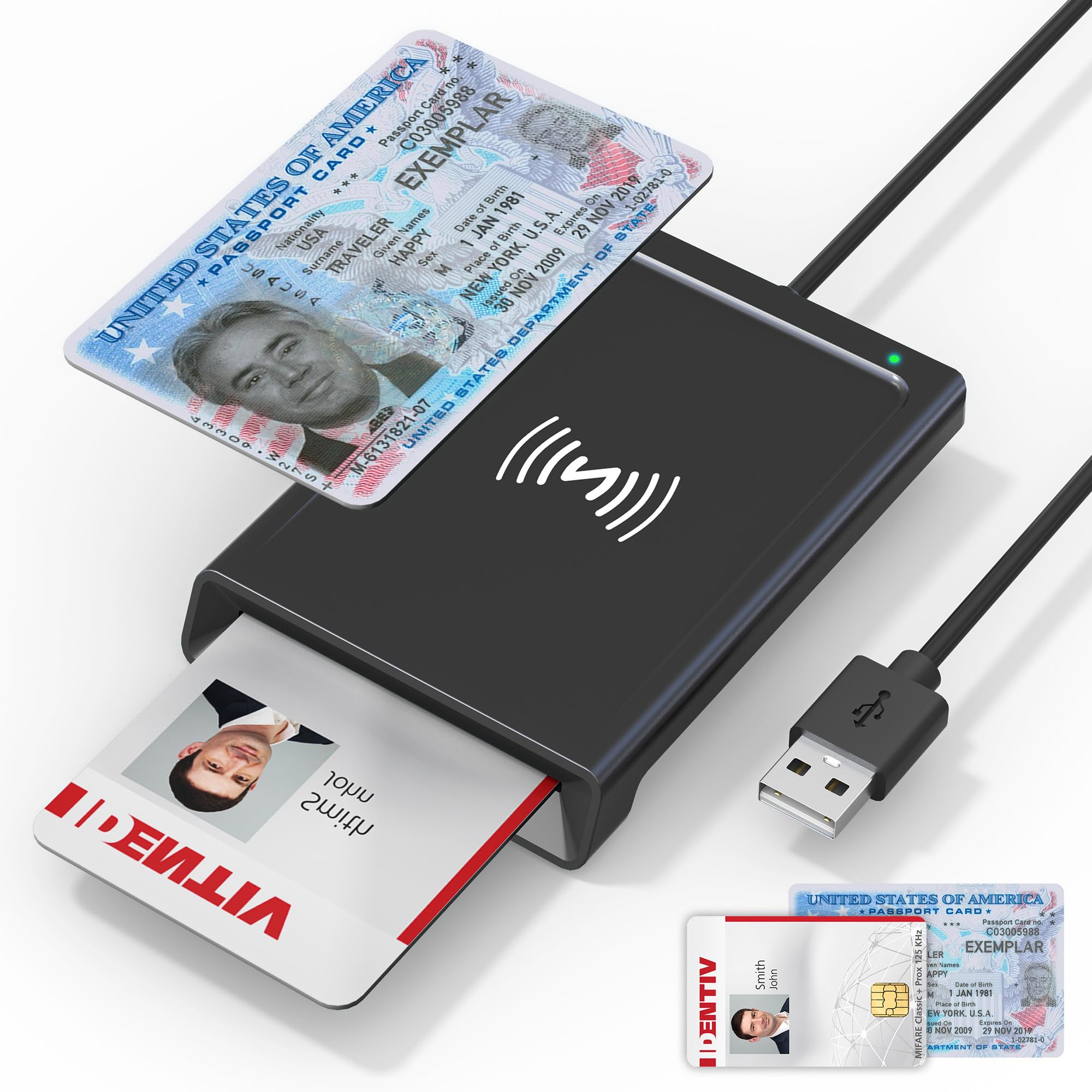
The Bawanfa reader targets the security-conscious user with its dual-interface design — contact CAC/PIV card slot and contactless NFC tap area — all in a compact, rugged housing. It’s CCID certified and works natively with Android, Windows, macOS, and Linux without drivers. The three-foot USB-A cable gives decent reach, and the integrated buzzer and LED provide clear audio and visual confirmation when a card is read, which is helpful when processing multiple credentials quickly.
This unit is particularly well-suited for military, government, and enterprise environments where Common Access Cards and PIV credentials are the standard. It supports ISO7816 Class A and B for contact smart cards and ISO14443A&B for contactless. The 480 Mbps data transfer rate is modest compared to USB 3.0 readers, but it’s perfectly adequate for the authentication and verification tasks this reader is built for.
Real-world feedback highlights its reliable dual-mode performance and true plug-and-play nature across platforms. The main consideration is its USB-A connector — if your Android device has only USB-C, you’ll need an OTG adapter. It also uses one card interface at a time, not both simultaneously. For a dedicated field reader that handles both physical tap and insert credentials without fuss, the Bawanfa is a trustworthy companion.
Why it’s great
- True plug-and-play across Windows, Mac, Linux, and Android
- Visual and audible card detection feedback
- Compact form factor with a durable build
Good to know
- USB-A only — needs an adapter for USB-C phones
- 480 Mbps is slower than USB 3.0 alternatives
5. Koolrok MSR605X USB Card Reader Writer

The MSR605X is a different beast entirely — it reads and writes magnetic stripe data across all three tracks (1, 2, and 3). This is not a device for accepting live payments at a vendor booth. Instead, it’s a specialty tool for encoding blank magnetic stripe cards, duplicating existing swipes, or developing card-based systems. Its raw magnetic head reads the analog data stored on the magstripe and converts it to digital output via a USB-A connection.
The device comes with software for Windows and Mac, but Android support is limited — this reader connects via USB and relies on host software that is not natively available on mobile platforms. The build is larger and less discreet than the pocket-sized readers above, designed more for a desk or retail back office than a mobile field kit. It does not require an external power adapter, drawing juice through the USB cable.
User experiences are mixed: some find it functional and solid for the price, while others report software compatibility issues with Windows 11 and note that the bundled software feels dated. A key consideration is that modern EMV chip cards cannot be encoded via a magstripe writer — this tool works only with older magnetic stripe cards. For anyone who genuinely needs to read or write magstripe data as part of a legacy system or hobbyist project, the MSR605X gets the job done, but it is not a general-purpose credit card reader for Android.
Why it’s great
- Dedicated 3-track magnetic stripe read/write capability
- USB bus-powered, no external adapter needed
- Includes software for Windows and Mac
Good to know
- Very limited Android functionality — Windows/Mac focused
- Software may not work reliably on modern Windows 11 builds
- Not for EMV chip payments or contactless tap
FAQ
Will any USB-C smart card reader work as a payment terminal on Android?
What does CCID compliance mean for my Android phone?
Can I use a CAC/military card reader for regular credit card payments?
Final Thoughts: The Verdict
For most users, the best credit card reader for android winner is the Square Reader (2nd Generation) because it’s the only device designed specifically for mobile payment processing with EMV chip and NFC support, all-day battery life, and a dead-simple Bluetooth setup. If you need to read smart cards for identity verification across USB-C and USB-A devices, grab the Rocketek 2-in-1 Reader for its unmatched connector flexibility. And for a budget-friendly, bus-powered reader that works directly via USB-C on Android, nothing beats the Opluz USB-C Reader.

Mo Maruf
I created WellFizz to bridge the gap between vague wellness advice and actionable solutions. My mission is simple: to decode the research and give you practical tools you can actually use.
Beyond the data, I am a passionate traveler. I believe that stepping away from the screen to explore new environments is essential for mental clarity and physical vitality.