Our readers keep the lights on and my smoothie glass nicely filled. As an Amazon Associate, I earn from qualifying purchases.
A credit card printer that spits out muddy text, smudged photos, or jams every ten cards is a direct drain on your business’s time, budget, and professional image. The gap between a printer that works reliably and one that fights you at every turn comes down to a handful of specific hardware specs and software ecosystem choices that most first-time buyers simply aren’t warned about. This guide dissects the mechanisms, media standards, and real-world failure points that define a truly capable ID card printer.
I’m Mohammad Maruf — the founder and writer behind WellFizz. I’ve spent countless hours analyzing thermal transfer and direct-to-card print engines, the differences between YMCKO and monochrome ribbon life, and how duplex gearing and card feed systems hold up over thousands of prints across various vendor ecosystems to compile this deep-dive guide.
Whether you need a handful of secure employee badges or hundreds of event passes each week, the right machine hinges on resolution, print speed, and long-term consumable costs — features that separate a capable, business-friendly tool from an expensive paperweight. This report details everything you must consider before buying a credit card printer, with clear, data-backed reviews to match your exact budget and volume needs.
How To Choose The Best Credit Card Printer
Selecting a credit card printer begins with matching the machine’s core technology to your expected volume, security level, and workspace. Consider print resolution, duplex capability, card feed mechanisms, and the long-term cost of consumables like ribbons and blank PVC cards. The right balance keeps your workflow smooth and your cards crisp.
Print Technology and Resolution
Most consumer and small-business card printers use direct-to-card (DTC) thermal transfer, which prints directly onto standard PVC cards. DTC printers typically offer 300 dpi resolution, which is sufficient for clear text and photos. High-definition (HD) retransfer printers, such as the Fargo HDP5000, print onto a film first before bonding it to the card, allowing true edge-to-edge coverage and higher durability. If your badges require microtext or barcodes, lean toward a 300 dpi resolution with a clean engine; for photo-realistic images and full-bleed designs, prioritize a retransfer printer.
Duplex Printing and Card Feeding
If you need to print on both sides of the card, look for a printer with automatic duplex. Some simplex models offer a manual bypass slot for the reverse side, but this adds labor and potential for alignment errors. For high-volume operations, a printer with a dual-hopper input allows you to load two card types simultaneously (e.g., standard white and pre-printed RFID cards) without manual swapping. Automatic duplex is a non-negotiable feature for professional security badges that include photo and data on one side and terms or logos on the other.
Software Ecosystem and Security
Proprietary design software integrated with the printer can simplify badge creation, but some packages demand annual license renewals, which may make a mid-range purchase suddenly more expensive. Evaluate whether the included software offers database import (CSV, SQLite), barcode/QR generation, and tamper-proof watermarking. For businesses that already use an access control system, verify that the printer’s SDK or driver works with your existing software to avoid a costly rip-and-replace. A printer with lifetime software support, like the Bodno Gold Edition, often proves better value than a lower upfront cost with expensive recurring fees.
Quick Comparison
On smaller screens, swipe sideways to see the full table.
| Model | Category | Best For | Key Spec | Amazon |
|---|---|---|---|---|
| Magicard 300 | Mid-Range | Reliable dual-sided printing with support | Auto duplex, 300 dpi, 3-year warranty | Amazon |
| Evolis Primacy Bundle | Premium | Mac-compatible, high-volume dual-sided prints | 300 prints ribbon, 300 PVC cards | Amazon |
| Bodno Fargo DTC1250e | Premium | Small business with barcode needs | 30 bpp color depth, 600 dpi print | Amazon |
| Fargo DTC4250e | Premium | RFID card production with fast turnaround | Auto duplex, 250 prints ribbon | Amazon |
| Fargo DTC4500e Bundle | Premium | High-volume with dual hopper flexibility | Dual input hopper, 500 prints ribbon | Amazon |
| Fargo HDP5000 Bundle | Premium | True edge-to-edge with HD retransfer | Retransfer HDP, dual-sided, 600 dpi | Amazon |
| Bodno Magicard Pronto Bundle | Mid-Range | Starter kit with lifetime software support | 300 dpi edge-to-edge, YMCKO ribbon | Amazon |
| Badgy200 Bundle | Mid-Range | User-friendly for small offices/groups | Auto duplex, 100 cards ribbon | Amazon |
| Zone 31S Badge Express | Mid-Range | Budget-friendly dual-sided printing | Manual duplex bypass, USB control | Amazon |
| IDP SMART-21S Kit | Entry-Level | Starting out with a complete starter kit | Simplex, 150 color cards/hour | Amazon |
| Badgy100 Printer | Entry-Level | Occasional single-sided badges | Simplex, 45 sec per color card | Amazon |
In‑Depth Reviews
1. Magicard 300 Dual Sided ID Card Printer

The Magicard 300 earns the top spot for its balanced blend of hardware reliability and support. It features automatic duplex printing at 300 dpi, an LCD screen for easy operation, and includes a color ribbon, 100 PVC cards, and Card Imaging design software out of the box.
Multiple verified users report seamless integration with existing badge software and high-quality output for employee IDs and membership cards. The 3-year warranty provides significant peace of mind compared to the typical 1-year coverage on entry-level models.
One notable downside is the software licensing: after purchase, the software may require a costly annual renewal fee. Buyers should confirm the license terms before committing. Another user mentioned that the out-of-box software was basic, yet the hardware performance still delivered satisfying cards in under 15 minutes of setup.
Why it’s great
- Reliable automatic dual-sided printing for professional cards
- Easy setup with fast, clear output
- Strong 3-year warranty and free tech support for setup
Good to know
- Included software licensing can lead to annual renewal fees
- Limited out-of-box software features
2. Evolis Primacy Dual Sided ID Card Printer Bundle

The Evolis Primacy bundle comes ready to go with the printer, a 300-print color ribbon, and 300 blank PVC cards. It supports automatic dual-sided printing and includes Bodno’s Bronze Edition software with a one-time license, which is a distinct advantage for budget-conscious buyers.
Users highlight the Mac compatibility as a major plus. The print quality is consistently praised for high-resolution output on professional badges, and the build quality is rated as durable for daily office use. Setup is straightforward, and the included software allows for simple template customization.
However, a few reports mention that some units arrived with mechanical defects such as the ribbon door not closing properly, and the service department was not always responsive under warranty. The 2-year warranty offers decent coverage, but check the unit upon arrival for any physical damage.
Why it’s great
- Mac-compatible with a one-time software license
- Comes with 300 cards and ribbon, ready to print
- High-resolution print quality on both sides
Good to know
- Some users reported DOA or mechanical defects
- Warranty service quality inconsistent
3. Bodno Fargo DTC1250e Single Sided ID Card Printer
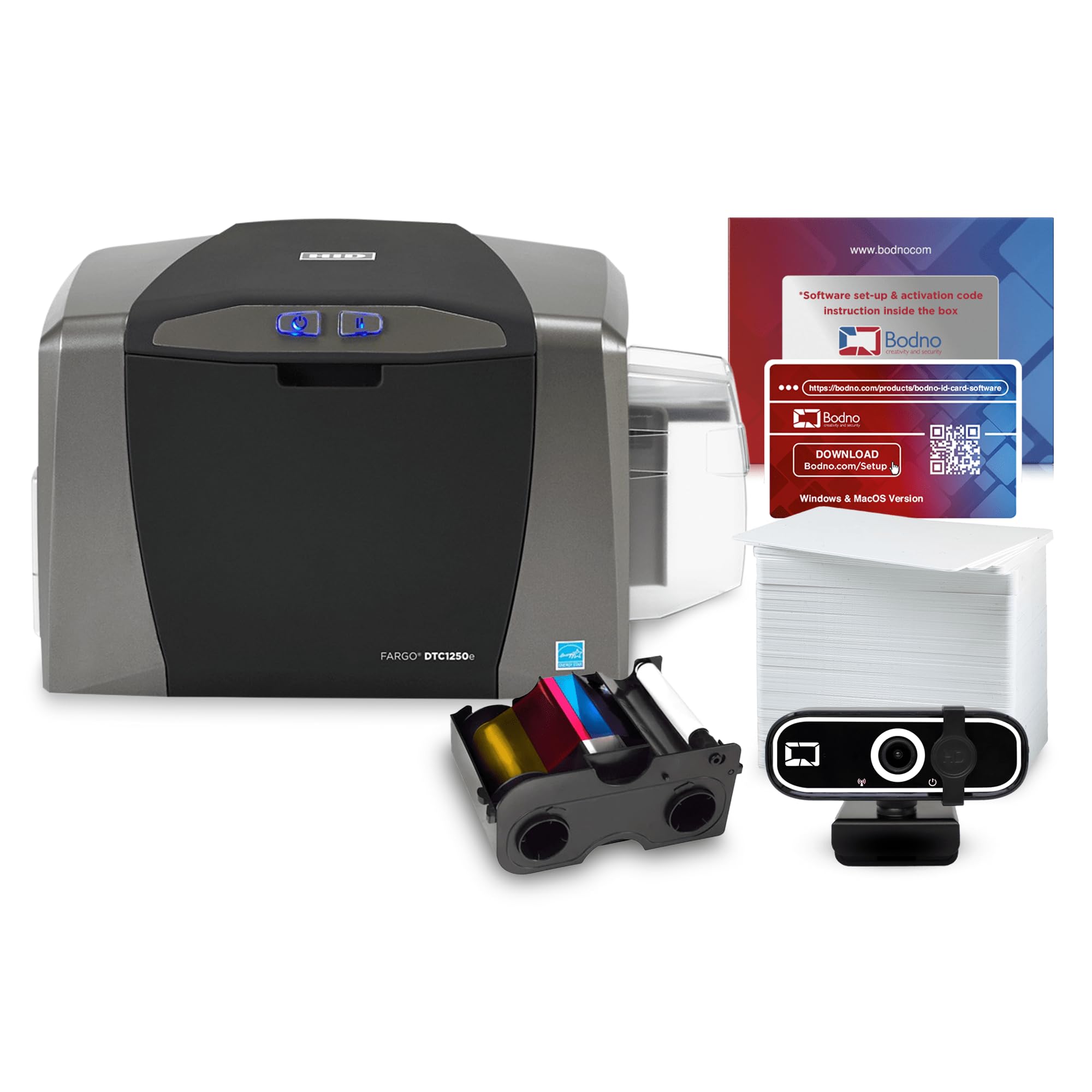
The Fargo DTC1250e from Bodno offers a higher 30-bit color depth (over 1 billion colors) and up to 600 dpi monochrome printing, making it a strong choice for cards with intricate fine print or barcodes. It includes a 250-print YMCKO ribbon and a 3-year warranty.
Users praise the easy setup and value for the price. The Gold Edition software adds 2D barcode capabilities, automatic face cropping, and database connectivity with MS Access and SQLite, which is ideal for organizations with existing databases. For a small school district printing ~130 IDs, the system worked without a hitch.
Some buyers note that print quality on gradients and multi-shade designs is less accurate than premium retransfer printers. Another caution: the advertised encoding feature requires a separate add-on part ( extra) not included in the bundle, a point of frustration for some who felt the advertising was misleading.
Why it’s great
- Higher 30 bpp color depth for vibrant cards
- Gold software includes barcode generation and database import
- 3-year warranty and solid tech support
Good to know
- Gradient/photo print quality can be inconsistent
- Encoding functionality requires an expensive add-on part
4. Fargo DTC4250e Dual-Side ID Card Printer

The Fargo DTC4250e is designed for medium-volume environments, offering automatic dual-sided printing and a smart LCD interface for quick menu navigation. It includes a 250-print color ribbon and 100 PVC cards, plus the Card Imaging software.
Users consistently report that the DTC4250e delivers fast, clear printing for employee badges, RFID key cards, and membership IDs. The LCD screen simplifies accessing more complex print commands without needing a computer open. Setup is straightforward, and the machine is robust for daily use.
One review noted occasional smudging caused by unclean cards; keeping your PVC cards dust-free helps. Additionally, some users experienced Wi-Fi connectivity issues requiring software reinstallation. The printer uses an Ethernet interface for a stable wired connection, which many offices find more reliable.
Why it’s great
- Fast, reliable dual-sided printing with clear output
- Smart LCD screen for easy job management
- Works well with RFID cards and existing systems
Good to know
- Some Wi-Fi connectivity issues reported
- Requires clean cards to prevent smudging
5. Fargo DTC4500e Dual Side ID Card Printer Bundle

The Fargo DTC4500e raises production capacity with a dual input hopper that can hold two different card types simultaneously, plus a high-yield ribbon that supports 500 prints—double the standard kit. It also offers an optional laminator for added card durability.
Users who manage event credentialing or security badges for large organizations love the fast throughput and reliable output. The setup is quick, and the printer maintains consistent color quality after thousands of cards. The optional laminator is a key advantage for cards that need long-term wear resistance.
One caution: the printer only supports Windows or older macOS versions reliably. Making it work with updated Mac hardware may require complex Recovery Mode edits. Additionally, one user reported a printhead failure just outside the warranty period, which is an expensive repair not covered.
Why it’s great
- Dual hopper allows two card types without manual swapping
- 500-print ribbon reduces consumable changes
- Fast, reliable for high-volume production
Good to know
- Mac compatibility limited to older OS versions
- Printhead can be costly to replace after warranty
6. Fargo HDP5000 Dual Side HD ID Card Printer

The Fargo HDP5000 uses High Definition Printing (HDP) retransfer technology, which prints onto a durable film that is then bonded to the card. This delivers genuine edge-to-edge printing with no white borders and superior scratch resistance compared to direct-to-card methods. The bundle includes a YMCK color ribbon, transfer film, and 100 PVC cards.
Multiple verified buyers from organizations that purchased multiple units report extremely reliable performance, easy use, and no jamming issues. The high durability of the HDP film makes these cards last much longer in environments where cards are frequently handled, like schools or hospitals.
However, some early experiences have been negative, citing poor print quality despite 600 dpi claims and extremely slow customer support turnaround times. The included software has also been criticized as outdated, with license activation issues. Check software compatibility and support channels before purchasing.
Why it’s great
- True edge-to-edge printing with no white borders
- Highly durable HDP film resists scratches and wear
- Reliable build for high-volume use
Good to know
- Customer support can be very slow
- Included software may feel outdated
7. Bodno Magicard Pronto ID Card Printer Bundle

The Bodno Magicard Pronto bundle packages a 300 dpi, simplex card printer with a 100-print YMCKO ribbon, 100 PVC cards, and the Bronze Edition ID software. This package stands out for its 2-year warranty and lifetime software support, making it a solid entry point for small offices that need professional-looking cards without a huge upfront investment.
Reviews consistently praise the print quality, speed (approximately 35 seconds per color card), and ease of setup. The software allows drag-and-drop design with pre-made templates, and the included tech support is highly rated for quickly resolving any issues. Users find it reliable for daily production of employee badges.
Some users experienced minor problems: software license keys disconnecting mid-use and occasional card jams that waste materials. Additionally, some reviewers note that while print quality is generally good, photos can appear slightly lighter than expected until settings are adjusted. Buying a hole punch separately is recommended for complete badge finishing.
Why it’s great
- Excellent print quality and fast speed
- Lifetime software support and reliable tech help
- 2-year warranty for extra coverage
Good to know
- Occasional card jams and software license disconnects
- Photo print quality may need initial calibration
8. Badgy200 Plastic Card Printer Bundle
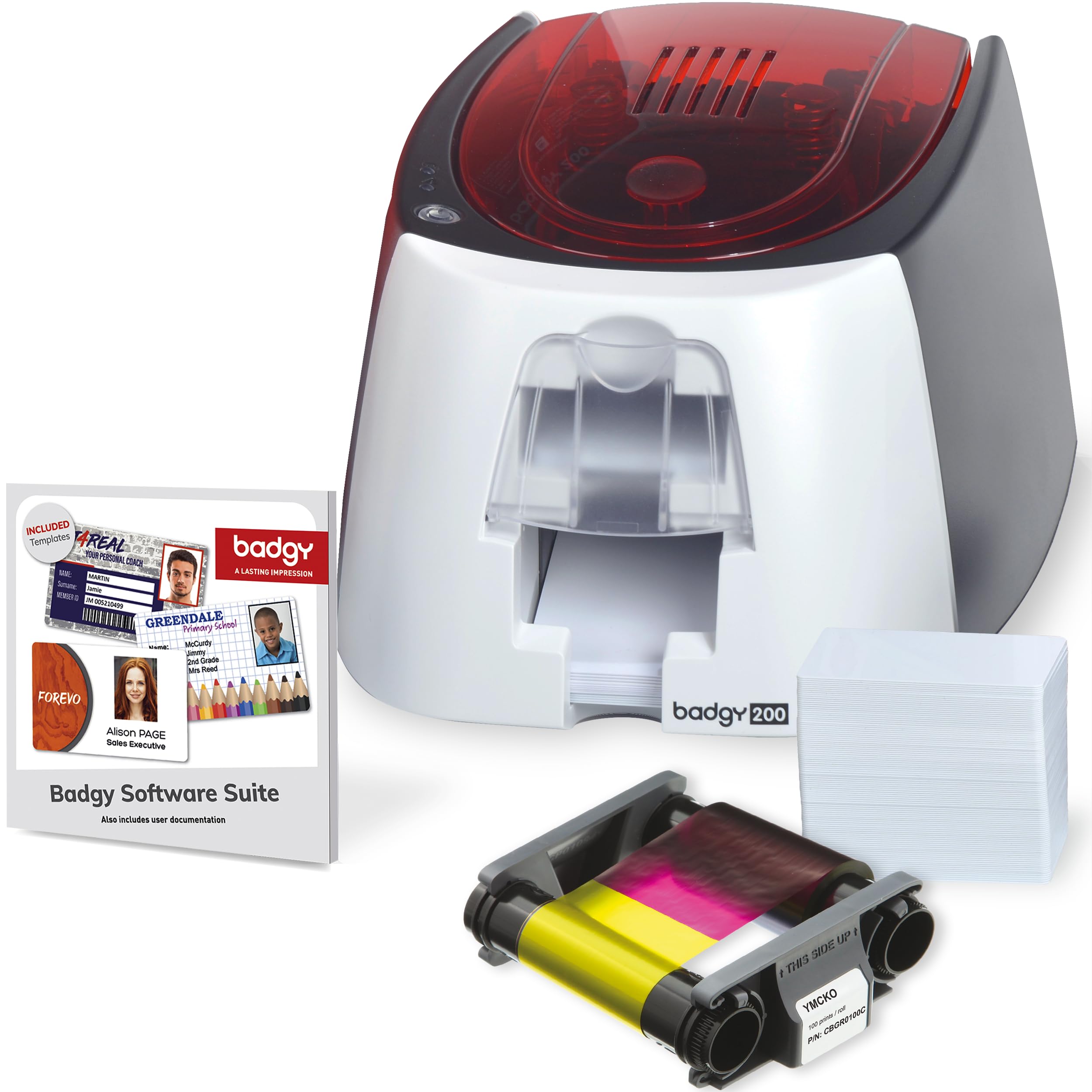
The Badgy200 is an all-in-one solution that can print single or double-sided cards using automatic duplex. It includes a 100-print color ribbon, 100 blank cards, and the upgraded Badge Studio+ software with database import and design wizards. The printer offers near-edge printing with a 1.35mm margin.
Users find the Badgy200 easy to set up and use, especially for creating personalized student IDs, employee badges, and loyalty cards. The output quality is generally good, with crisp colors, although some note that fine text can appear slightly blurry. The compact design fits well on a desktop.
A significant complaint is that the printer does not achieve true edge-to-edge printing despite marketing claims—a thick white margin remains. Additionally, the ribbon can tear after a limited number of prints, with some users reporting failure after just 50 prints. Buying spare ribbons at the time of purchase is advised.
Why it’s great
- Automatic duplex for easy two-sided printing
- Includes database-importable design software
- Compact size fits limited desk space
Good to know
- Not true edge-to-edge; leaves white margin
- Ribbon may tear well before 100 prints claimed
9. Zone 31S Badge Express ID Card Printer

The Zone 31S Badge Express offers an affordable entry into card printing with the ability to print double-sided via a manual bypass slot, despite being advertised as a simplex device. This flexibility makes it a unique value proposition for budget-conscious organizations that occasional need dual-sided badges.
Users commend the print quality, noting that it can match units costing twice as much. The setup is simple, and the printer handles single-sided volume well for events and small clubs. The images come out clear without pixelation.
Some buyers received open-box units instead of new ones, with missing chargers or used ribbons. Support from ID Zone is rated as poor, and the included software is a significant drawback. The manual duplex process adds time and requires careful alignment to avoid wasted cards.
Why it’s great
- Excellent print quality for the price point
- Offers manual duplex bypass for dual-sided printing
- Simple to set up and operate
Good to know
- Poor support from manufacturer
- Some units arrive as open-box with used accessories
10. IDP SMART-21S Simplex Printer Kit

The IDP SMART-21S is a complete starter kit that includes the printer, PC-only IDesigner software, a 100-print YMCKO ribbon, and 100 PVC cards. This is a single-sided, hand-feed printer designed for low-volume environments such as small businesses printing basic ID badges or gift cards.
Users highlight the crisp print quality when the printer works, and appreciate the compact size that fits easily on a desktop. The kit includes a free trial of IDP’s EasyCapture photo capture tool, which simplifies employee photo collection for onboarding projects. It can produce over 150 color cards per hour.
The most critical issues reported are that the printer cannot achieve full edge-to-edge printing (leaving a white border) and that blue colors print as purple, which the manufacturer’s helpdesk confirmed is a limitation. Additionally, replacement ribbon is hard to find and often sold only bundled with 100 PVC cards, increasing ongoing costs. The printer only supports 30mil cards.
Why it’s great
- Complete starter kit with ribbon and cards included
- Compact design fits small workspaces
- Decent print speed for low-volume use
Good to know
- No full edge-to-edge printing; color accuracy issues
- Replacement ribbon hard to buy separately
11. Badgy100 Plastic Card Printer

The Badgy100 is a single-sided, entry-level card printer that works on both Windows and Mac. It prints a full-color card in about 45 seconds and offers near-edge printing with a 1.35mm margin. It includes a software package for badge design.
Verified buyers appreciate how easy it is to get started for low-volume needs. It works well for small businesses printing only a handful of badges per day. The print quality is good for the price point, offering professional-looking cards with solid colors.
However, the Badgy100 has notable reliability issues. The ink cartridge often underperforms, yielding fewer prints than the claimed 50. Some users report frequent overheating warnings that require unplugging the printer after 15 minutes of idle time. It is also picky about card brands, jamming with anything outside the recommended PVC stock. This is best suited for very light, occasional use rather than regular daily production.
Why it’s great
- Very affordable entry point for occasional use
- Works on both Mac and PC
- Easy setup for beginners
Good to know
- Ink cartridge yields fewer prints than promised
- Printer can overheat and needs rest periods
FAQ
What is the difference between direct-to-card and retransfer printing?
How many cards can a typical ribbon print before replacement?
Can I use my own PVC cards with any printer?
Final Thoughts: The Verdict
For most users, the credit card printer winner is the Magicard 300 because it balances reliable automatic dual-sided printing with a strong warranty and good support at a palatable mid-range cost. If you need affordable dual-sided capability and use a Mac, grab the Evolis Primacy bundle. And for small, budget-conscious operations, nothing beats the value of the Bodno Magicard Pronto bundle for its combination of print quality, support, and included supplies.

Mo Maruf
I created WellFizz to bridge the gap between vague wellness advice and actionable solutions. My mission is simple: to decode the research and give you practical tools you can actually use.
Beyond the data, I am a passionate traveler. I believe that stepping away from the screen to explore new environments is essential for mental clarity and physical vitality.