Our readers keep the lights on and my smoothie glass nicely filled. As an Amazon Associate, I earn from qualifying purchases.
A craft printer that actually delivers crisp, clean cuts on vinyl, cardstock, and heat transfer material separates a professional-looking project from a frustrating pile of wasted sheets. Finding the right machine means balancing cutting force, software workflow, material width, and blade precision against your specific project volume and workspace.
I’m Mohammad Maruf — the founder and writer behind WellFizz. This guide comes from hundreds of hours comparing cutting force specs, print-then-cut accuracy across machines, software ecosystem limitations, and real-world user reports on material feed reliability and blade longevity across the entire price spectrum.
Whether you are scaling an Etsy sticker shop or building a home signage business, choosing the wrong machine locks you into expensive consumables and frustrating workflows. That’s why I built this guide to the best craft printer for every skill level and production need.
How To Choose The Best Craft Printer
A craft printer is not a one-size-fits-all purchase. The machine that serves a casual card-maker will frustrate a small business owner shipping fifty sticker orders a week. The key is matching the cutter’s width, blade system, and software to the materials and volume you actually produce.
Cutting Width and Material Feed
The maximum cutting width determines the size of your projects. A 12-inch machine handles standard 12-by-12-inch mats and letter-size paper, making it ideal for stickers, cards, and small decals. A 15-inch or 28-inch cutter allows you to work with rolled vinyl for banners, vehicle decals, and large-format heat transfer. Also check whether the machine supports roll feed without a mat, which saves material and time on long continuous cuts.
Blade System and Cutting Force
Automatic blade systems like the AutoBlade or auto blade holders adjust depth based on material thickness, reducing guesswork and wasted material. Manual blade adjustment offers more control but requires trial cuts to dial in pressure. Cutting force measured in grams tells you the maximum material thickness the machine can handle, with premium models reaching higher force ranges for materials like leather, chipboard, and balsa wood.
Software Ecosystem and File Compatibility
The design software that comes with your machine either empowers or limits your workflow. Some platforms require a monthly subscription to unlock essential features like vectorizing images, custom fonts, or commercial-use licenses. Others offer a one-time purchase or free software with robust tools. If you work in Adobe Illustrator or CorelDRAW, check whether the machine accepts SVG, AI, or EPS files natively without conversion.
Quick Comparison
On smaller screens, swipe sideways to see the full table.
| Model | Category | Best For | Key Spec | Amazon |
|---|---|---|---|---|
| USCutter MH 34-Inch | Premium | Professional signage and high-volume vinyl | 30-inch cutting width | Amazon |
| Brother ScanNCut SDX125EGY | Premium | Scan-to-cut workflow and intricate DIY | Built-in scanner | Amazon |
| Siser Juliet | Premium | High-detail vinyl and matless cutting | WiFi connectivity | Amazon |
| Silhouette Cameo 5 Alpha Plus | Mid-Range | Large projects with 15-inch cutting width | 15-inch electrostatic mat | Amazon |
| Silhouette Cameo 5 Alpha (α) | Mid-Range | Business Edition software and print and cut | 4-point registration | Amazon |
| Cricut Maker 4 | Mid-Range | Versatile material cutting and foil transfer | Up to 3mm material thickness | Amazon |
| VEVOR 28-Inch Vinyl Cutter | Mid-Range | Large-format decals with SignMaster software | 220 mm/s max speed | Amazon |
| VEVOR 28-Inch Vinyl Cutter (Bundle) | Budget | Entry-level large-format vinyl cutting | 500g cutting pressure | Amazon |
| Cricut Joy Xtra | Budget | Small-scale stickers and labels | 8.5-inch print-then-cut width | Amazon |
In‑Depth Reviews
1. USCutter MH 34-Inch Vinyl Cutter

Its 30-inch cutting width and 34-inch feed width handle full rolls of vinyl for banners, vehicle graphics, and large-scale decals without needing to piece together panels. The three fully adjustable pinch rollers and ball-bearing dual roller system feed material smoothly, reducing the alignment headaches common on smaller machines.
Included VinylMaster Cut software provides vectorizing and cut control, though upgrading to the Pro version unlocks auto-paneling for designs wider than the cut area. The machine relies on manual blade depth adjustment rather than an automatic system, which means you will spend the first few cuts dialing in the pressure for each new material type. Once set, the cutter holds a true track reliably even during long production runs.
Free US-based lifetime phone support sets this cutter apart from most competitors. When the feed motor struggled with a heavy 24-inch by 150-foot roll, the support team helped troubleshoot without any additional cost. This machine is built for daily commercial use, not occasional hobby projects.
Why it’s great
- Proven long-term reliability with a decade of market leadership
- Free US-based lifetime phone support for troubleshooting
- Handles large-format rolls without material fatigue issues
Good to know
- Manual blade adjustment requires trial cuts for each new material
- Software upgrade needed for auto-paneling large designs
- Heavier footprint requires dedicated workspace
2. Brother ScanNCut SDX125EGY
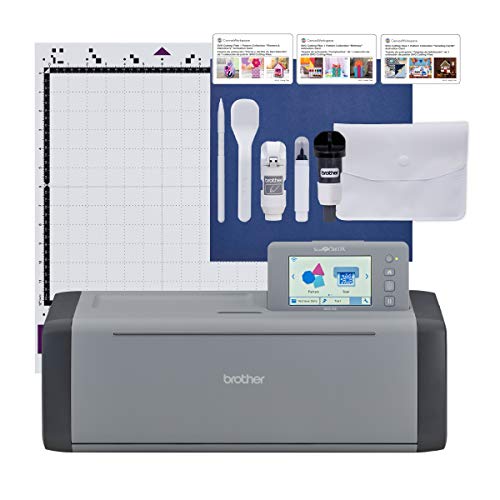
The Brother ScanNCut is the only cutting machine in its class that includes a built-in scanner, allowing you to scan hand-drawn designs or printed materials and convert them directly into cut files without needing a separate scanner or camera registration. This workflow eliminates the tedious process of counting registration blocks and aligning printed designs manually. The auto blade holder uses a sensor to detect material thickness, so you do not need to adjust blade depth or select a material setting before each cut.
The 5-inch touchscreen LCD display makes it easy to browse the 682 built-in designs and 9 fonts without connecting to a computer. Wireless connectivity and a USB port allow you to import custom SVG and FCM files. The machine cuts materials up to 3 millimeters thick, including balsa wood, chipboard, and foam, which extends its usefulness beyond paper and vinyl. The whisper-quiet operation lets you cut late at night without disturbing others.
Some users report that the Canvas Workspace software feels less intuitive than competing design platforms, and the print-and-cut registration system can become unreliable at larger sizes without workarounds like thicker registration lines. The included 12-inch by 12-inch standard tack mat works well, but heavier materials require a strong grip mat purchased separately. For crafters who value scanning over an internet-dependent design library, this machine offers a unique offline workflow.
Why it’s great
- Built-in scanner converts drawings and prints directly to cut files
- Auto blade sensor eliminates manual depth guessing
- Quiet operation and 3mm material thickness capacity
Good to know
- Software has a steeper learning curve than competitor platforms
- Print-and-cut registration can drift on larger formats
- Strong grip mat needed for thicker materials
3. Siser Juliet

The Siser Juliet is built for precision, with a high-definition cutting system that handles the finest details in vinyl, cardstock, and heat transfer material. Users consistently report that Juliet cuts reliably on small sticker edges as thin as 0.05 inches without tearing or shifting, a problem common on lower-end machines. The advanced motor delivers cuts up to 60 percent faster than traditional desktop cutters while maintaining much quieter operation, eliminating the loud grinding noise typical of budget machines.
WiFi connectivity gives you a stable wireless connection to the Leonardo Design Studio software, which works on both Windows and Mac. The intuitive touchscreen interface simplifies setup for beginners, while adjustable pinch rollers and commercial-level blades appeal to professionals who need consistent quality across long runs. The ability to cut matless allows you to load materials directly and take advantage of the full 12-inch cutting area without wasting mat adhesive.
The Leonardo software has a documented learning curve, especially for users migrating from Silhouette Studio or Cricut Design Space. Some users report that invisible pen lines from Adobe Illustrator do not transfer correctly, requiring additional troubleshooting. The built-in camera alignment system handles glossy sticker materials well, but the initial process of calibrating the registration marks can feel time-consuming. For users who prioritize cut accuracy above all else, the Siser Juliet delivers professional-level results.
Why it’s great
- Extremely precise cuts on small detailed designs
- WiFi connectivity with reliable long-range connection
- Matless cutting saves consumable costs
Good to know
- Leonardo software has a moderate learning curve
- Initial calibration of registration marks requires patience
- Limited to paper and cardstock for print-and-cut
4. Silhouette Cameo 5 Alpha Plus
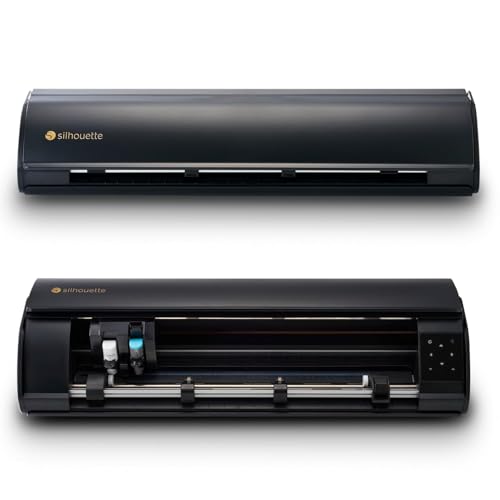
The Cameo 5 Alpha Plus extends the standard 12-inch cutting width to a full 15 inches, giving you room to create larger decals, banners, and signage without piecing together multiple cuts. The electrostatic mat keeps material flat and intact up to 0.5 millimeters thick without curling or tearing, a significant improvement over standard adhesive mats that lose tack over time. The AutoBlade automatically adjusts blade depth based on material thickness, reducing the number of failed cuts from incorrect pressure settings.
The Power Slide lid opens and closes automatically, adding a small but noticeable convenience when you switch between projects frequently. Fast Sketch Mode lets you create detailed designs at higher speeds without sacrificing line quality, which helps when you need to produce multiple prototypes or sell at craft fairs. The 4-point registration system improves print-and-cut accuracy, making this machine a strong contender for custom sticker businesses that demand consistent alignment.
Some users note the machine runs louder than expected, and the lack of a printed user manual forces you to rely on online resources for troubleshooting. The roller adjustment mechanism is not clearly documented, so first-time setup may require trial and error to avoid material feed issues. The Silhouette Studio software is user-friendly on Windows but receives consistent criticism for sluggish performance and limited hotkey support on Mac. For users who work with large materials, the 15-inch cutting width is a genuine advantage.
Why it’s great
- 15-inch cutting width for oversized projects
- Electrostatic mat holds material flat without adhesive wear
- AutoBlade reduces setup guesswork
Good to know
- No printed manual included; relies on online resources
- Roller adjustment process is unclear for new users
- Can be louder than other mid-range models
5. Silhouette Cameo 5 Alpha (α)
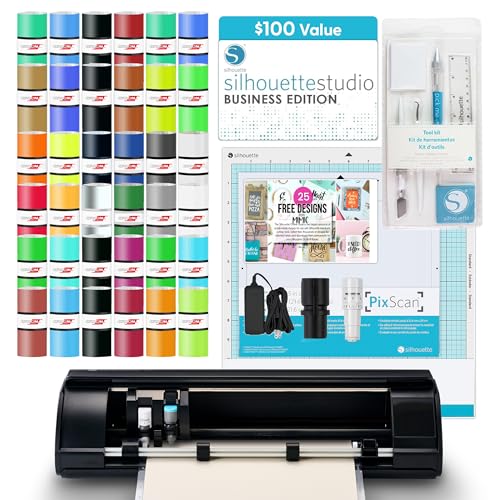
The Silhouette Cameo 5 Alpha Deluxe Bundle includes the Business Edition software valued at a significant amount, which gives you advanced design tools, vectorization, and print-and-cut control without a monthly subscription. The upgraded 4-point registration system provides noticeably better alignment for full-color sticker production compared to the 2-point systems on older models. The machine cuts vinyl, cardstock, fabric, and heat transfer material up to 3 millimeters thick, making it a versatile choice for mixed-material projects.
Fast Sketch Mode allows you to sketch designs at higher speeds without sacrificing detail, which is useful for prototyping or adding hand-drawn elements to your crafts. The included 36 sheets of vinyl, PixScan mat, and tool kit let you start creating immediately without additional purchases. The quiet operation means you can run production cuts without creating distracting noise in a shared workspace.
The software on Mac receives consistent complaints about sluggish GUI performance, no hotkey support, and forced ads for the Silhouette Design Store. On Windows, the experience is smoother and more responsive. Some users find the blade adjustment process requires several test cuts before achieving consistent results on thicker materials. For Windows users who want a one-time software purchase instead of a subscription, this bundle delivers strong value.
Why it’s great
- Business Edition software included with no subscription
- Improved 4-point registration for sticker accuracy
- Comprehensive starter bundle with materials and tools
Good to know
- Mac software has poor GUI performance and limited hotkeys
- Blade tuning requires test cuts for thicker materials
- Software interface contains store ads
6. Cricut Maker 4

The Cricut Maker 4 supports over 300 materials, including leather, wood, vinyl, iron-on HTV, cardstock, and fabric. Beyond cutting, it can draw, foil, score, engrave, deboss, and perforate, making it the most versatile single machine for crafters who experiment across different project types. The included Fine-Point Blade, materials sampler, and 30 bonus images in Design Space give you immediate access to projects without additional purchases.
The Print Then Cut feature works with most inkjet printers, enabling full-color sticker production directly from the Design Space app. The machine cuts faster and smoother than previous Cricut generations, with users reporting cleaner edges on intricate designs and quieter operation. The lightweight grip mat holds standard materials securely, while the fine-point pen adds hand-drawn accents to your projects.
Design Space requires an internet connection and auto-saves to the cloud, which can be frustrating when your connection drops mid-project. Access to the full library of over 1.5 million images and 1,000 fonts requires an optional Cricut Access subscription, adding a recurring cost that some users resent. The machine also enforces material usage through the software, occasionally limiting which settings you can use with third-party materials. For makers who prefer an all-in-one tool for diverse material handling, the Maker 4 is unmatched.
Why it’s great
- Cuts 300+ materials including leather and balsa wood
- All-in-one tool for cutting, foiling, engraving, and scoring
- Faster and quieter than previous Cricut generations
Good to know
- Design Space requires internet connection and cloud saving
- Full design library requires paid subscription
- Software limits third-party material settings
7. VEVOR 28-Inch Vinyl Cutter
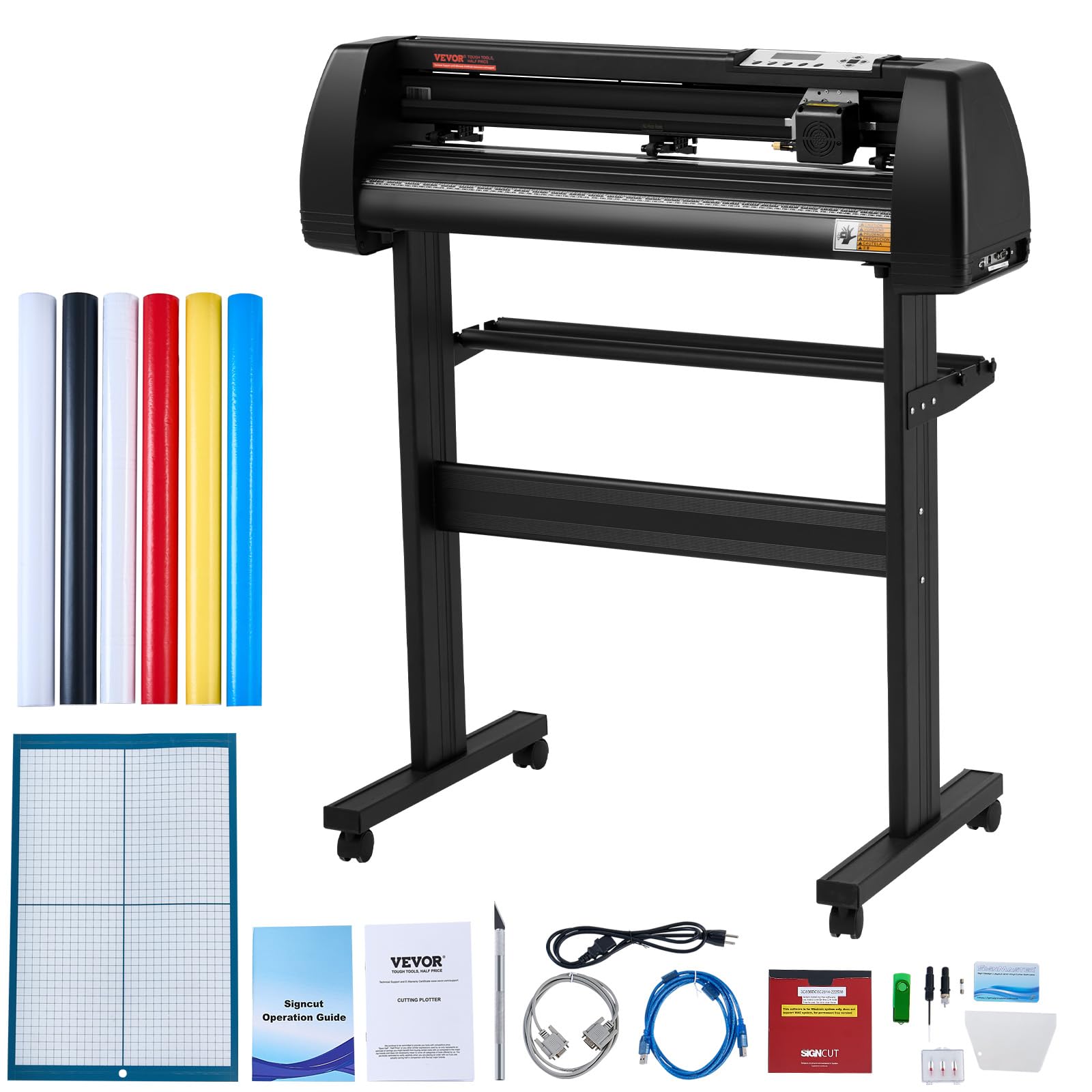
The VEVOR 28-inch vinyl cutter provides a large 24.8-inch cutting width and 28.3-inch feed width at a mid-range price point that undercuts most commercial-grade plotters. The LCD panel gives you precise control over cutting speed and force, with an adjustable pressure range that works for heat transfer vinyl, craft paper, card stock, and paint masks. The three adjustable double-spring pinch rollers and aluminum knurled rods keep the material feeding straight without jamming, even during long cuts.
The included SignMaster software works with Windows via USB or serial port, and the machine supports additional software like SignCut and Flexi for users who want more advanced design tools. The aluminum stand with caster wheels allows you to move the machine between workspaces easily. The cutting precision of plus or minus 0.01 millimeters ensures clean edges on detailed decals and lettering.
The included vinyl rolls have thin backing that can cause cutting through to the carrier sheet if you set the blade pressure too high. Several users recommend replacing the included vinyl with higher-quality brands like Oracal or 3M for consistent results. The stand assembly diagram has accuracy issues, and the roll bars may not fit standard vinyl rolls without adjustment. For the price, this machine offers large-format capability that would otherwise cost significantly more.
Why it’s great
- Large 24.8-inch cutting width at a competitive price
- LCD panel gives precise control over speed and force
- Aluminum stand with caster wheels for portability
Good to know
- Included vinyl rolls have thin backing that causes cut-through
- Stand assembly diagram has inaccuracies
- Roll bars may not fit standard vinyl rolls
8. VEVOR 28-Inch Vinyl Cutter Bundle
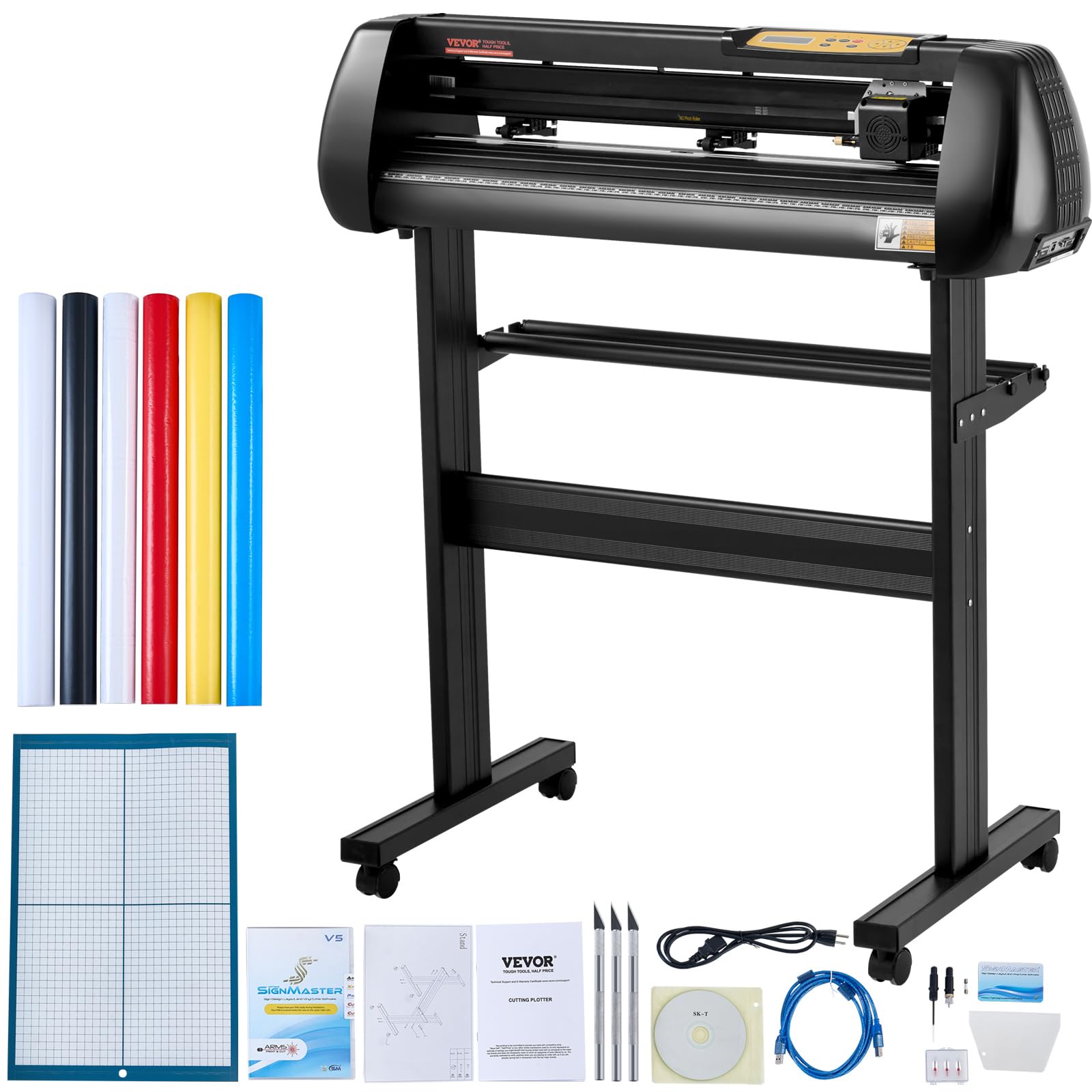
The VEVOR 28-inch vinyl cutter bundle includes five rolls of colored vinyl, a utility knife, ball pen core, holders, and blades, giving you everything needed to start cutting immediately. The machine features a maximum cutting pressure of 500 grams and a cutting speed range of 10 to 800 millimeters per second, with blade accuracy down to 0.01 millimeters. The thickened aluminum body and powerful stepper motors provide stable operation for continuous cutting sessions.
Compatibility with COM and USB interfaces, plus included SignMaster software, gives you connection flexibility across Windows systems. The machine accepts DM/PL and HP/GL languages, which means it can work with third-party software like Sure Cuts A Lot. The semi-automatic contour cutting feature and laser sensor help with print-and-cut projects, though the accuracy is not as tight as higher-end models.
The SignMaster software requires a USB dongle and does not include vectorizing capabilities in the basic version, which costs extra to unlock. The machine is not compatible with Mac, so Windows users only. Several users report that the machine’s internal circuitry can fail after several months of use, with one report of a burning smell and melted components. The included vinyl rolls also have insufficient backing thickness that requires careful pressure adjustment. For hobbyists who want to try large-format cutting without a major investment, this bundle provides a functional entry point with acknowledged reliability trade-offs.
Why it’s great
- Complete starter bundle with vinyl and tools included
- 500g cutting pressure for thicker materials
- COM and USB connectivity for flexible setup
Good to know
- Not compatible with Mac OS
- Basic software lacks vectorizing without paid upgrade
- Reported reliability issues with internal components
9. Cricut Joy Xtra
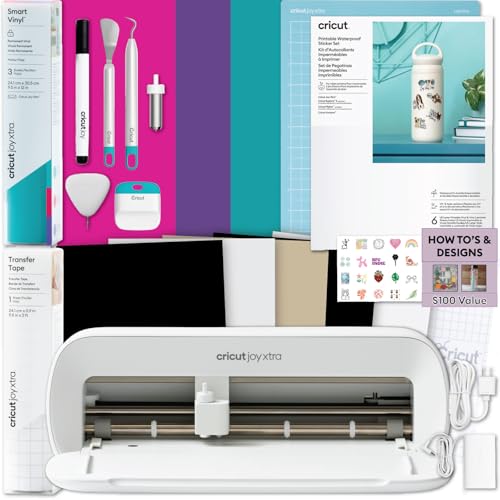
The Cricut Joy Xtra is the most compact machine in this lineup, designed specifically for small-scale sticker, label, and decal projects. The complete sticker making bundle includes printable sticker paper, Smart Vinyl sampler, transfer tape, tools, and project design guides, so you can start creating immediately after unboxing. The Print Then Cut workflow works with any inkjet printer, letting you design full-color stickers in Design Space and then cutting them precisely with the Joy Xtra.
The machine is lightweight at 9.6 pounds and small enough to store in a closet or carry to a craft fair. Setup is beginner-friendly, with step-by-step tutorials in the Design Space app that guide new users through their first project. The included Smart Vinyl allows matless cutting for simple shapes, saving consumable costs and setup time. The precision cutting technology produces clean edges on sticker sheets, labels, and cardstock without fraying.
The maximum vinyl width of 8.5 inches limits you to small-scale projects, and the Print Then Cut area is smaller than the full cutting mat, restricting how many stickers you can produce in a single pass. Bluetooth connectivity can drop on older computers that require a dongle, and Android phone operation is more challenging than desktop use. For Etsy sellers producing small sticker sheets or planners who need label organization, the Joy Xtra offers an affordable, space-saving entry into Cricut’s ecosystem.
Why it’s great
- Ultra-compact design fits small workspaces
- Complete sticker bundle with materials included
- Beginner-friendly setup with step-by-step tutorials
Good to know
- Limited to 8.5-inch vinyl width for small projects only
- Bluetooth can drop on older computers
- Print Then Cut area smaller than full mat capacity
FAQ
What cutting width do I need for vinyl decals?
Does Design Space work offline?
Can a craft printer cut leather and wood?
Final Thoughts: The Verdict
For most users, the best craft printer winner is the Cricut Maker 4 because it cuts over 300 materials, handles foiling and engraving in one machine, and integrates with the largest design library available. If your priority is large-format signage and decal production, the USCutter MH 34-Inch delivers commercial reliability with lifetime phone support that no hobby machine can match. And for crafters who want to scan hand-drawn designs without needing a separate scanner, the Brother ScanNCut SDX125EGY offers a genuinely unique workflow that no other machine in this class provides.

Mo Maruf
I created WellFizz to bridge the gap between vague wellness advice and actionable solutions. My mission is simple: to decode the research and give you practical tools you can actually use.
Beyond the data, I am a passionate traveler. I believe that stepping away from the screen to explore new environments is essential for mental clarity and physical vitality.