Our readers keep the lights on and my smoothie glass nicely filled. As an Amazon Associate, I earn from qualifying purchases.
Printing on cardstock is a different beast than standard copy paper — the denser fibers, heavier weight, and sometimes-coated surface demand a printer that can handle thicker media without jamming, curling, or smearing ink. Whether you are creating wedding invitations, handmade greeting cards, or intricate papercraft templates, the difference between a frustrating experience and a smooth run comes down to one thing: the printer’s ability to feed cardstock consistently through its paper path while delivering sharp, bleed-resistant output.
I’m Mohammad Maruf — the founder and writer behind WellFizz. I have spent countless hours analyzing print engine architectures, paper path geometries, and ink curing mechanisms to understand exactly which features determine whether a printer will treat your cardstock like a delicate canvas or a disposable scrap.
After reviewing dozens of models across inkjet and laser platforms, I have narrowed the field to the nine most reliable performers. This guide evaluates each machine on its media handling, output quality, and long-term cost, so you can confidently pick the best craft printer for cardstock that matches your creative workload and budget.
How To Choose The Best Craft Printer For Cardstock
Cardstock typically ranges from 65 lb to 110 lb cover weight, and not every printer’s feeder can reliably pick up a sheet that thick. Before you buy, focus on three factors that separate cardstock-capable machines from paper-only models.
Paper Path and Feed Mechanism
A straight or U-shaped paper path reduces the number of sharp turns a stiff sheet must navigate. Printers with a rear manual feed slot or a front-loading tray designed for thick media typically handle cardstock with fewer jams. Look for models that explicitly list a maximum media weight — anything under 80 lb cover may struggle with the heaviest cardstock.
Ink Technology — Pigment vs. Dye
Pigment-based inks sit on top of the paper surface and resist smudging when touched, making them ideal for double-sided cardstock prints where the sheet is handled repeatedly. Dye-based inks absorb into the fibers and look vibrant but can smear if the coated cardstock does not absorb moisture quickly. For craft projects that involve die-cutting, folding, or mailing, pigment ink offers a more durable finished product.
Duplex Capabilities and Curl Control
Automatic duplex printing on cardstock is rare because the stiffness of the sheet can cause misfeeds during the flipping process. Many cardstock crafters rely on manual duplexing — printing one side, flipping the sheet, and feeding it again. If you require automatic two-sided printing on heavy media, a laser printer with a straight-through fuser path may be the better choice, though some curl is still expected.
Quick Comparison
On smaller screens, swipe sideways to see the full table.
| Model | Category | Best For | Key Spec | Amazon |
|---|---|---|---|---|
| Brother HL-L3280CDW | Color Laser | Print-Only Speed | 27 ppm color, 250-sheet tray | Amazon |
| HP OfficeJet Pro 9135e | Inkjet All-in-One | Office & Craft Combo | 25 ppm black, dual 250-sheet trays | Amazon |
| Canon MegaTank MAXIFY GX2020 | Inkjet All-in-One | Low-Cost Pigment Ink | 15 ppm black, pigment ink bottles | Amazon |
| Brother HL-L3220CDW | Color Laser | Compact Laser Quality | 19 ppm color, auto duplex | Amazon |
| Epson EcoTank ET-2980 | Inkjet All-in-One | High Page Yield | 15 ppm black, auto duplex | Amazon |
| Epson EcoTank ET-2800 | Inkjet All-in-One | Budget-Friendly Ink Tank | 10 ppm black, 4500-page black yield | Amazon |
| Canon MegaTank G3270 | Inkjet All-in-One | Economical Color Prints | 11 ppm black, 6000-page black yield | Amazon |
| HP OfficeJet Pro 9730 | Inkjet Wide Format | Large-Format Cardstock | 22 ppm black, up to 11×17 | Amazon |
| Brother HL-L3280CDW | Monochrome Laser | High-Volume Toner | 50 ppm black, dual 250-sheet trays | Amazon |
In‑Depth Reviews
1. Brother HL-L3280CDW

The Brother HL-L3280CDW is a print-only color laser that delivers fast, consistent output at 27 pages per minute in both black and color. Its straight-through paper path from the front manual feed slot handles cardstock up to around 90 lb cover with minimal curling, though heavy-gauge sheets may still exhibit some edge curl after fusing. The 250-sheet input tray accommodates standard media, while the manual feeder lets you insert a single sheet of cardstock without unloading the main tray.
Print quality on coated cardstock is sharp and vibrant, with toner adhering firmly to the surface — ideal for projects that involve die-cutting or foil embossing. The integrated 2.7-inch touchscreen gives quick access to cloud-based print apps like Google Drive and Dropbox, which is handy if your design files live online. The printer is compact for a color laser but still heavy, so you will need a sturdy desk or stand.
Some users have reported connectivity hiccups with specific modems, and automatic duplex printing on cardstock is not always reliable — single-sided is the safer bet for heavy media. Toner yield is generous, with high-capacity cartridge options that keep per-page costs low. If your craft volume justifies a color laser and speed is a priority, this model is a strong contender.
Why it’s great
- Very fast color laser output at 27 ppm
- Manual feed slot handles thick cardstock with minimal curl
- High-yield toner keeps per-page costs low
Good to know
- Print only — no scanner or copier
- Auto duplex on cardstock may cause jams
2. HP OfficeJet Pro 9135e
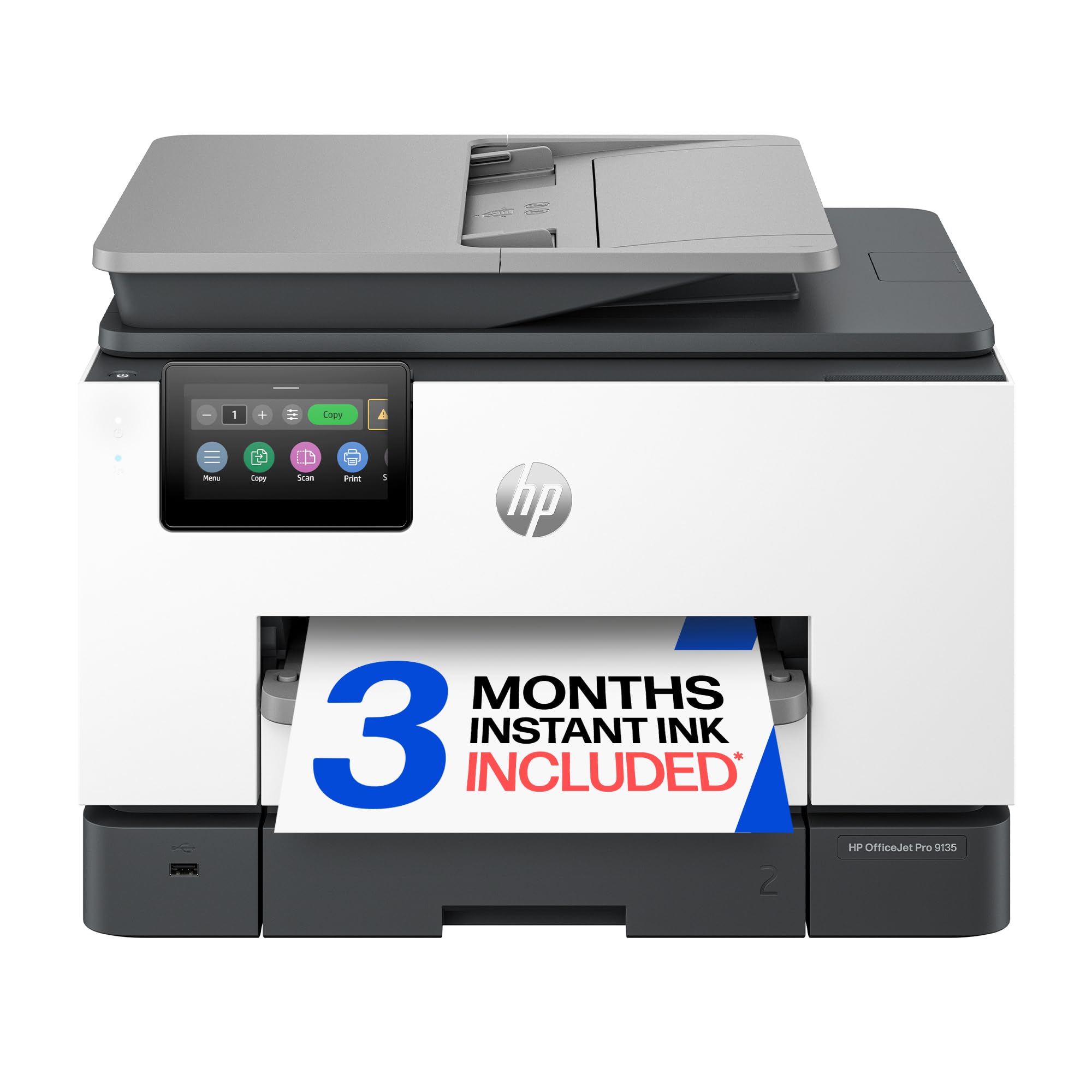
The HP OfficeJet Pro 9135e is a well-rounded inkjet all-in-one that excels at mixing office document printing with cardstock craft jobs. Its two 250-sheet input trays let you keep standard paper loaded in one and cardstock in the other, so switching between media types requires zero reconfiguration. Print speeds of 25 ppm black and 20 ppm color are quick enough for production runs of invitations or flyers.
The 4.3-inch color touchscreen and HP Smart app streamline setup and operation, and the AI-based print formatting tool helps trim unwanted content from web pages. Pigment-based HP 936 inks produce smudge-resistant text and graphics on coated cardstock, which is crucial when the printed side will be handled during cutting or scoring. The automatic document feeder with single-pass duplex scanning adds workflow efficiency for multi-page projects.
The main downside is HP’s Instant Ink subscription model — while the 3-month trial is included, long-term costs can add up if you do not choose the right plan. Some users note the printer is noisy during startup and the high-gloss cardstock may occasionally pick up roller marks. If you want a versatile machine that pulls double duty as an office workhorse and a cardstock craft printer, this is the top pick.
Why it’s great
- Dual 250-sheet trays allow dedicated cardstock loading
- Pigment inks resist smudging on coated cardstock
- Fast print speeds and robust touchscreen interface
Good to know
- Instant Ink subscription may increase long-term cost
- Startup and printing produce noticeable noise
3. Canon MegaTank MAXIFY GX2020

The Canon MAXIFY GX2020 is a pigment-based MegaTank inkjet that delivers excellent per-page ink economy — a full set of bottles yields roughly 3,000 black and 3,000 color pages. Its refillable ink system uses a rear feed slot that creates a relatively straight paper path, which helps cardstock feed without excessive bending. The 2.7-inch color touchscreen and 35-sheet auto document feeder add convenience for mixed-media workflows.
On cardstock, the pigment ink sits on the surface and dries quickly, reducing the risk of smudges when you handle the print for folding or gluing. Text is crisp, and color graphics reproduce with good saturation up to around 100 lb cover. The printer also supports automatic duplex printing on standard paper, though duplex on cardstock requires manual flipping.
User reports indicate that heavy cardstock can cause pronounced curl and occasional streaking on high-quality settings, especially if the paper is coated on both sides. The printer is louder during operation compared to office-focused HP models. For crafters who prioritize low ink costs and are willing to tweak settings for heavy media, the MAXIFY GX2020 offers solid long-term value.
Why it’s great
- Pigment ink tanks deliver very low per-page cost
- Rear feed slot provides a straight paper path for cardstock
- Fast print speeds and built-in auto document feeder
Good to know
- Heavy cardstock may curl or show streaks at high quality
- Noisier operation than many office inkjets
4. Brother HL-L3220CDW

The Brother HL-L3220CDW is one of the most compact color laser printers on the market, measuring just 15.7 inches deep. Despite its small footprint, it delivers 19 ppm in both black and color and includes automatic duplex printing. The manual feed slot on the front panel accepts cardstock up to around 90 lb cover, though the laser fuser can induce noticeable curl on coated sheets.
Toner adhesion is excellent, making prints resistant to scratching and smudging after they cool — a key advantage over dye-based inkjets for cardstock that will be handled repeatedly. The printer supports high-yield toner cartridges that extend the time between replacements, which is useful if you run large batches of invitations or craft sheets. WiFi and USB connectivity are reliable once the initial setup is completed.
Setup on Mac and PC can be finicky, particularly for users who need to configure security certificates for network printing. Some users also report that thick cardstock may jam the automatic duplex mechanism, so planning for single-sided printing on heavy media is advisable. For crafters who want a space-saving color laser that punches above its size, the HL-L3220CDW is a worthy option.
Why it’s great
- Very compact for a color laser printer
- Toner resists smudging on coated cardstock
- High-yield toner options reduce interruptions
Good to know
- Can be challenging to set up on Mac
- Heavy cardstock may cause curl and duplex jams
5. Epson EcoTank ET-2980

The Epson EcoTank ET-2980 is a seventh-generation cartridge-free inkjet that includes enough ink in the box for up to 6,600 black and 5,500 color pages. Its refillable ink tanks use dye-based Epson 502 ink, which produces vivid colors on matte cardstock but can smear on glossy or coated surfaces if not allowed to dry thoroughly. The printer’s automatic duplex feature works well on standard paper, though cardstock requires manual flipping.
Setup is straightforward for most users, though the initial priming of the ink system takes several minutes. The 2.4-inch color display is functional but smaller than the screens on competing models, and some users find the tilting angle too narrow for comfortable viewing. Print speed is average at 15 ppm black and 8 ppm color, which is fine for small to medium craft runs.
WiFi connectivity has been a common pain point — the Epson Smart Panel app sometimes fails to detect the printer, and many users resort to manual TCP/IP setup. Once configured, though, the printer runs reliably and produces good photo-quality results on cardstock up to about 80 lb cover. For crafters who value the fastest ink cost and do not mind a modest learning curve, the ET-2980 is a capable entry point.
Why it’s great
- Ink in the box lasts for thousands of pages
- Vivid dye-based colors on matte cardstock
- Low environmental impact with cartridge-free design
Good to know
- WiFi setup can be unreliable
- Glossy cardstock may show smudging
6. Epson EcoTank ET-2800

The Epson EcoTank ET-2800 offers the same low-ink-cost advantage as the ET-2980 in a simpler package with a lower entry point. It prints up to 4,500 black and 7,500 color pages per bottle set, making it one of the most economical options for crafters who plan to print hundreds of cardstock sheets over time. The printer includes a flatbed scanner and copier, so you can digitize sketches or enlarge patterns.
Users report good results on cardstock up to 80 lb cover when using the rear manual feed slot, which provides a straighter path than the main tray. Dye-based inks produce rich colors on uncoated cardstock, but coated or glossy cardstock may require extra drying time to prevent smears. The printer is compact and lightweight, fitting easily on a shelf or small desk.
Frequent complaints center around WiFi connectivity — the printer often drops the network or shows as unavailable in the Epson app, forcing users to reconnect regularly. The small monochrome LCD is also difficult to read from a distance. If you are comfortable with occasional manual troubleshooting and need the lowest possible ink expense for cardstock projects, the ET-2800 delivers exceptional value.
Why it’s great
- Extremely low per-page ink cost
- Compact footprint fits small workspaces
- Rear feed slot helps with cardstock feeding
Good to know
- WiFi connectivity requires frequent manual intervention
- Small screen hard to read
7. Canon MegaTank G3270

The Canon MegaTank G3270 is an entry-level all-in-one that packs up to 6,000 black and 7,700 color pages from its included ink bottles. While not specifically marketed for heavy cardstock, feeding a single sheet through the rear tray yields acceptable results on media up to about 80 lb cover. The printer uses pigment black ink for crisp text and dye-based color inks that produce bright, saturated images on matte cardstock.
One standout feature is the refillable ink tank system — users have printed over 500 borderless 5×7 invitations on cardstock using less than half the ink from the initial fill. The printer is slower than most competitors, with speeds of 11 ppm black and 6 ppm color, but the quality for the price is respectable. The 1.35-inch square LCD is small but provides enough feedback for basic navigation.
Print head durability is a recurring concern. Some units develop streaks within a week, and replacement print heads are often out of stock for months. The paper feeder angle is also steep, which can cause cardstock to slump and skew in humid conditions. If you are inside the return window and only need an occasional cardstock printer, the G3270 is functional — but long-term reliability is uncertain.
Why it’s great
- Very high page yield from included ink bottles
- Pigment black ink produces sharp text on cardstock
- Cost-effective for low-volume craft printing
Good to know
- Print head durability issues reported
- Steep paper feeder angle can cause cardstock skew
8. HP OfficeJet Pro 9730

The HP OfficeJet Pro 9730 is a wide-format inkjet all-in-one that handles cardstock up to 11×17 inches, making it the go-to choice for large-scale craft projects like posters, mood boards, and oversized invitations. It features dual 250-sheet trays, automatic duplex printing, and a 50-sheet auto document feeder with single-pass duplex scanning. Print speeds reach 22 ppm black and 18 ppm color.
The printer uses HP’s P3 color gamut technology, which produces screen-accurate colors on coated and uncoated cardstock. Pigment-based HP 936 inks resist smudging even on glossy media. The large 4.3-inch touchscreen simplifies navigation, and the HP Smart app provides mobile printing from anywhere. The machine is physically large, requiring a dedicated surface, but its output quality justifies the footprint.
WiFi connectivity can be unreliable during setup and in sleep mode — the printer sometimes forgets the network and needs to be reconnected via USB or Ethernet. The Instant Ink trial requires a credit card, and forgetting to cancel before the trial ends results in automatic charges. For crafters who need wide-format cardstock printing with professional color accuracy, the OfficeJet Pro 9730 is a capable but bulky solution.
Why it’s great
- Handles cardstock up to 11×17 inches
- P3 color gamut delivers accurate, vibrant prints
- Dual 250-sheet trays for dedicated media types
Good to know
- Significant footprint requires permanent desk space
- WiFi may drop during sleep mode
9. Brother HL-L3280CDW

The Brother HL-L3280CDW is a monochrome laser printer built for high-volume environments, capable of 50 pages per minute. It features dual 250-sheet paper trays and a 1.8-inch color touchscreen. While it prints only in black and white, its straight paper path and robust feed rollers can handle cardstock up to 110 lb cover without jamming — making it ideal for black-only craft applications like letterpress-style invitations or stencil templates.
The printer uses a high-yield toner cartridge that delivers thousands of pages before replacement, which drastically reduces per-page costs for monochrome cardstock projects. Automatic duplex printing works reliably on standard paper, but heavy cardstock should be fed manually through the multipurpose tray to avoid curl. Setup is straightforward for users familiar with network printing, and the touchscreen interface simplifies day-to-day operation.
The unit is large and heavy, requiring dedicated floor or desk space. It is also print-only, so scanning and copying require a separate device. Despite its age on the market, the HL-L3280CDW remains a staple for small businesses and serious crafters who need fast, reliable black-only output on heavy media. Its total cost of ownership is hard to beat for monochrome cardstock work.
Why it’s great
- Blazing 50 ppm monochrome speed
- Handles cardstock up to 110 lb cover with ease
- High-yield toner reduces per-page cost dramatically
Good to know
- Monochrome only — no color print support
- Large footprint requires dedicated space
FAQ
Can any inkjet printer handle 110 lb cardstock?
Why does my cardstock come out curled after printing?
Final Thoughts: The Verdict
For most users, the best craft printer for cardstock winner is the HP OfficeJet Pro 9135e because it balances fast office printing with smudge-resistant pigment inks and dual paper trays that let you keep cardstock loaded at all times. If you want maximum speed and color laser output with minimal curl, grab the Brother HL-L3280CDW. And for large-format cardstock projects up to 11×17, nothing beats the wide-format capabilities of the HP OfficeJet Pro 9730.

Mo Maruf
I created WellFizz to bridge the gap between vague wellness advice and actionable solutions. My mission is simple: to decode the research and give you practical tools you can actually use.
Beyond the data, I am a passionate traveler. I believe that stepping away from the screen to explore new environments is essential for mental clarity and physical vitality.