Our readers keep the lights on and my smoothie glass nicely filled. As an Amazon Associate, I earn from qualifying purchases.
Finding raw processing power when your wallet won’t stretch past triple digits means making hard trade-offs between core count, single-thread speed, and platform longevity. The used and entry-level market is full of traps: locked multipliers, dead sockets, and chips that throttle the moment you launch anything beyond Chrome. The right choice depends on whether you’re building a budget gaming rig, a silent office machine, or a multitasking workhorse.
I’m Mohammad Maruf — the founder and writer behind WellFizz. I’ve spent countless hours cross-referencing benchmark scores, customer-reported real-world temps, and socket compatibility charts to separate the genuinely capable processors from the overpriced relics in this price bracket.
This guide covers only processors that deliver measurable performance for the actual money spent. My goal is to help you pick the best cpu under 100 based on whether you prioritize single-threaded speed, multi-threaded muscle, or a ready-to-run prebuilt system with no assembly required.
How To Choose The Best CPU Under 100
At this price ceiling, every dollar must earn its place in the final build. The difference between a satisfying upgrade and a frustrating bottleneck often comes down to understanding platform lock-in and the real-world impact of thread count versus single-core frequency.
Socket Compatibility and Upgrade Path
A cheap chip on a dead socket is a sunk cost the moment you want to upgrade. LGA 1151 (for Intel 6th/7th gen) and Socket AM4 (for AMD Ryzen) offer the most aftermarket motherboard availability. AM4 specifically gives you a path to drop in a Ryzen 5000 series later — something older Intel sockets cannot match. Always verify your motherboard’s BIOS version supports the chip before purchasing.
Cores, Threads, and Real-World Tasks
Six physical cores with no hyperthreading (like the AMD FX-6300) can outperform a quad-core with hyperthreading in heavily threaded workloads, but fall behind in single-threaded tasks such as older games or office applications. Meanwhile, a modern quad-core like the Ryzen 3 4100 with simultaneous multithreading (8 threads) offers a better balance for mixed use. For pure office browsing and media playback, any quad-core from the last decade will feel snappy — the SSD is what matters most.
Overclocking: The Multiplier Check
Not all CPUs allow overclocking. Intel K-series chips (like the i5-6600K) have an unlocked multiplier; non-K chips are locked. AMD FX-series and all Ryzen chips (except the locked A-series) are unlocked. Overclocking can squeeze 10-20% more performance from a budget chip, but requires a capable motherboard, adequate cooling, and a willingness to tweak voltages in the BIOS.
Prebuilt Renewed Systems vs. Bare Processor
When the budget is under , a renewed business desktop like the Dell OptiPlex 3050 often delivers better overall value than a standalone processor. You get the CPU, motherboard, RAM, SSD, power supply, case, and operating system all at once. For someone who just needs a fast daily driver, this eliminates the hidden costs of building from scratch — though the upgrade path is nonexistent and the form factor may limit GPU size.
Quick Comparison
On smaller screens, swipe sideways to see the full table.
| Model | Category | Best For | Key Spec | Amazon |
|---|---|---|---|---|
| Intel i5-6600K | Premium | Overclocking gaming builds | 3.5 GHz base, 4 cores, unlocked | Amazon |
| AMD Ryzen 3 4100 | Mid-Range | Entry-level SMT performance | 4 cores, 8 threads, 4.0 GHz boost | Amazon |
| AMD FX-6300 | Mid-Range | Multithreaded budget builds | 6 cores, 3.5 GHz base | Amazon |
| Intel i5-3470 | Budget | Office and media duty | 3.2 GHz base, 4 cores | Amazon |
| Lenovo ThinkCentre M710 | Premium Prebuilt | Complete compact workstation | i3-6100, 8GB RAM, 256GB SSD | Amazon |
| Dell OptiPlex 3050 | Premium Prebuilt | Ready-to-run office PC | i5-7500, 8GB DDR4, 256GB SSD | Amazon |
| HP ProDesk 600 G3 Mini | Premium Prebuilt | Ultra-compact 4K-capable system | i5-6500, 8GB RAM, 256GB PCIe SSD | Amazon |
In‑Depth Reviews
1. Intel Core i5-6600K Skylake LGA 1151

The i5-6600K is the premium choice for anyone who wants to overclock on a budget. Its 14nm Skylake architecture draws less power and generates less heat than previous generations, with an unlocked multiplier that lets you push past 4.5 GHz on a decent cooler. Real-world testing shows idle temps as low as 18°C and full load staying under 40°C with a quality liquid cooler — making it one of the coolest-running chips in this entire list.
Gaming performance is strong enough to match the i7-6700K in most titles when paired with a modern GPU. Overclockers report stable 4.2 GHz on air cooling with minimal voltage bump, and the chip sips only 90W at stock. The integrated HD Graphics 530 can drive basic displays for troubleshooting or media playback without a dedicated card.
There are two critical caveats. This CPU requires a Z170 or Z270 motherboard and DDR4 RAM, raising the platform cost. It also ships without any stock cooler, so you must factor in an aftermarket solution. Verified buyers note that some third-party listings on Amazon may arrive as empty boxes or with only the fan, so vet the seller carefully.
Why it’s great
- Unlocked multiplier allows easy overclocking to 4.5 GHz+
- Extremely low temps at idle and under load
- Matches higher-end i7 in gaming at a fraction of the cost
Good to know
- No stock cooler included — must buy separate
- Requires Z170/Z270 chipset motherboard and DDR4 RAM
- Beware of counterfeit or empty-box listings from low-rated sellers
2. AMD Ryzen 3 4100 4-Core 8-Thread Processor

The Ryzen 3 4100 is the most modern architecture you can get under the hundred-dollar mark. Its four cores with simultaneous multithreading (eight threads) give it a decisive advantage in multitasking over older Intel quad-cores that lack hyperthreading. The bundled Wraith Stealth cooler is adequate for stock operation, keeping load temps manageable without extra investment.
Real-world performance is strong for everyday computing and light gaming. A discrete GPU is mandatory since there is no integrated graphics. Verified buyers report smooth 100+ FPS in popular esports titles when paired with a budget graphics card. The chip supports DDR4-3200 and PCIe 3.0, which is enough bandwidth for mid-range GPUs without bottlenecking them.
Setup can require a BIOS update if your AM4 motherboard was manufactured before the 4100’s release. Some customers received initially dead units that worked perfectly after flashing the latest BIOS. At its price cap, this is the best platform investment for someone who may want to drop in a Ryzen 5 or 7 later — something no Intel socket in this bracket offers.
Why it’s great
- Modern Zen 3 architecture with SMT for 8 threads
- Upgrade path to Ryzen 5000 on same AM4 board
- Included Wraith Stealth cooler saves money
Good to know
- No integrated graphics — dedicated GPU required
- Runs warmer than higher-end 65W Ryzen chips
- May need a BIOS update before first boot
3. AMD FX 3.5 GHz 95W AM3+ Processor FD6300WMHKBOX

The FX-6300 is a six-core legend from AMD’s Bulldozer era that still holds relevance for heavily threaded workloads at an entry-level price. Its 95W TDP is lower than the 125W of FX-8xxx chips, meaning the stock cooler — while cheap-feeling — can keep loads under 55°C with decent case airflow. Overclockers have pushed this chip to 4.7 GHz with an aftermarket cooler, demonstrating surprising headroom for the price.
In multithreaded tasks like video editing, compilation, and running multiple virtual machines, the six physical cores outperform any quad-core without hyperthreading from the same era. Customer benchmarks show it beating an i7-960 at stock, and in games like Battlefield 4 and Crysis 3, the CPU is seldom the bottleneck — the GPU takes that role instead.
Single-threaded performance is the weak spot. In MMOs and older titles that rely on per-core speed, the FX-6300 can lag 30-40% behind a contemporary Core i3. The AM3+ platform is also a dead end with no modern upgrade path. This chip makes sense only if you already own a compatible AM3+ motherboard or find a used board for next to nothing.
Why it’s great
- Six physical cores excel at multitasking and editing
- Unlocked multiplier for easy overclocking
- Very low idle temps with decent cooling
Good to know
- Single-thread performance lags behind Intel i3s
- AM3+ socket has no future upgrade path
- Stock cooler feels cheap and runs 60°C under load
4. Intel Core i5-3470 3.20 GHz LGA 1155 Processor
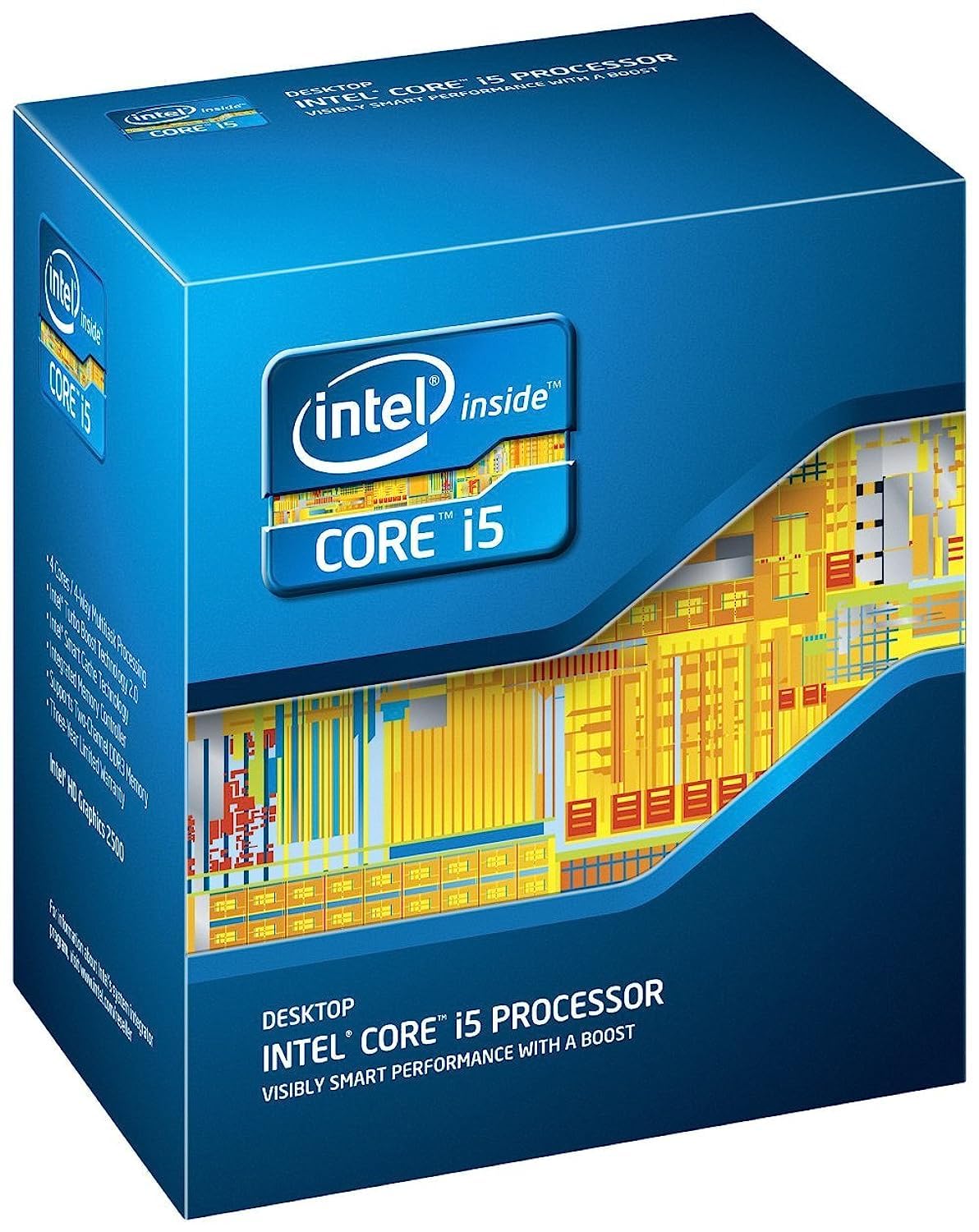
The i5-3470 is the most affordable drop-in upgrade for anyone still running an LGA 1155 motherboard. Its four physical cores run at a locked multiplier, but the 3.2 GHz base with 3.6 GHz turbo is sufficient for office work, browsing, and media playback. Customer reports show idle temps around 28°C and gaming loads staying under 60°C with the stock cooler — a testament to Ivy Bridge’s thermal efficiency.
Gaming performance is limited to titles released before 2021. Verified buyers report smooth 60 FPS in GTA V at 1080p with moderate settings, but expecting modern AAA games to run well is unrealistic. The integrated HD Graphics 2500/4000 can handle basic display output without a dedicated GPU, making this chip ideal for a home server or office PC where power draw matters.
The biggest advantage is compatibility. If you already have a Sandy Bridge or Ivy Bridge system, this is a direct swap that requires no BIOS update and ships with a thermal paste packet. The locked multiplier means no overclocking, but at this price point, the chip is already delivering all the performance its architecture can offer without additional cooling costs.
Why it’s great
- Drop-in upgrade for LGA 1155 motherboards with no BIOS flash needed
- Very low power draw and heat output
- Integrated graphics eliminates need for a dedicated GPU
Good to know
- Locked multiplier prevents overclocking
- Struggles with modern AAA games at 1080p
- LGA 1155 platform is obsolete with no upgrade path
5. Lenovo ThinkCentre M710 SFF Desktop (Renewed)
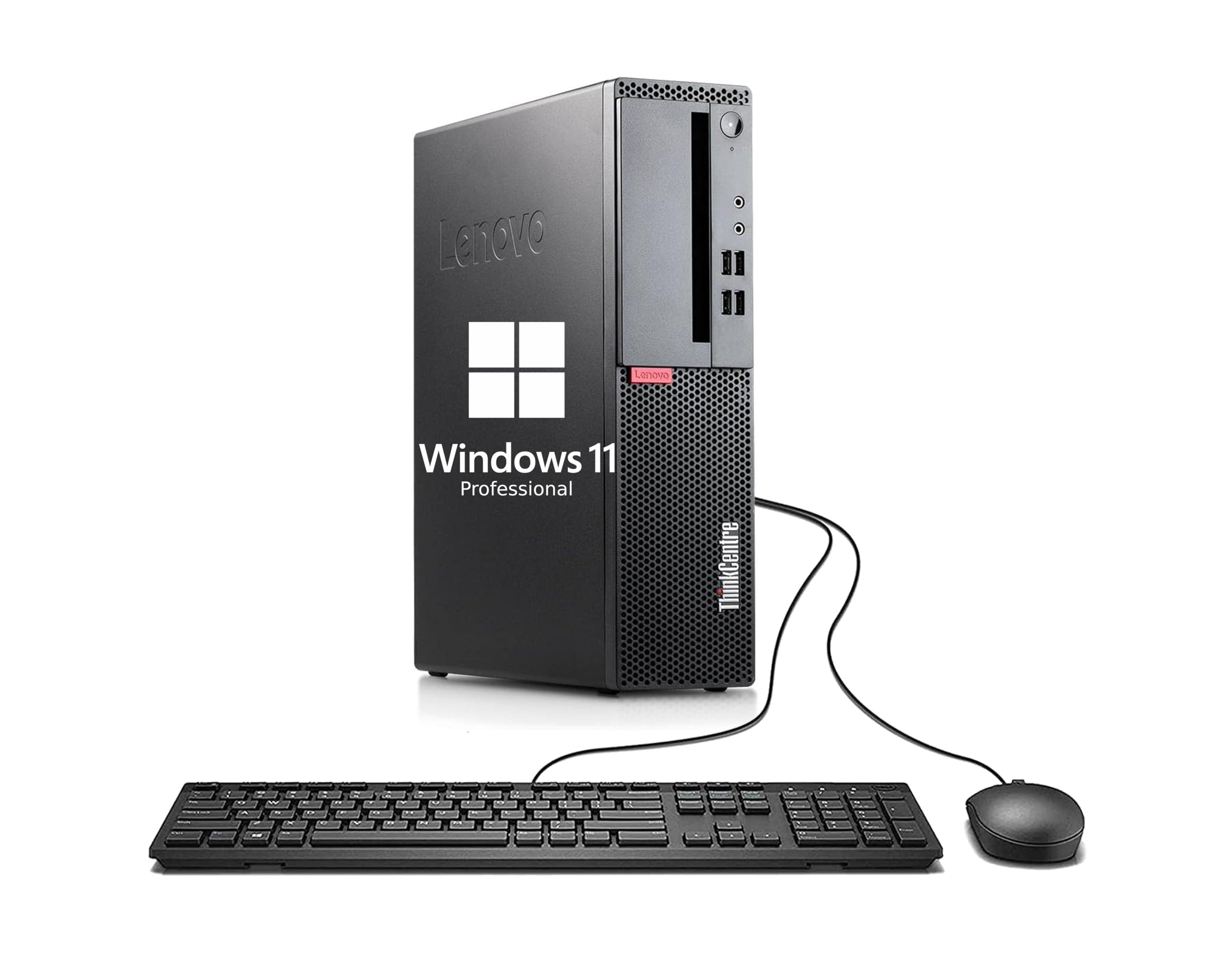
The Lenovo ThinkCentre M710 is a renewed business desktop that gives you everything at once: a 6th-gen Core i3-6100 processor, 8GB of RAM, a 256GB SSD, a keyboard, mouse, Wi-Fi, Bluetooth, and Windows 11 Pro. For someone who doesn’t want to source and assemble individual components, this is the complete package. The small form factor measures just a few inches wide, fitting easily on a desk or mounting behind a monitor.
The i3-6100 is a dual-core with hyperthreading, running at a fixed 3.7 GHz. It’s snappy for web browsing, document editing, and media consumption. The 256GB SSD means boot times are under 15 seconds, and the 8GB RAM is enough for a dozen Chrome tabs without stuttering. The included keyboard and mouse are basic but functional, and the USB 3.1 Gen1 ports allow fast data transfers to external drives.
Prebuilt limitations matter here. The integrated graphics cannot handle modern gaming, and the small form factor restricts GPU upgrades to half-height cards only. Some customers report faulty audio or broken peripherals in the box, so inspect everything on arrival. For pure office productivity and a lower total cost than building from scratch, it delivers solid value.
Why it’s great
- Complete system with RAM, SSD, OS, and peripherals included
- Compact SFF design saves desk space
- SSD delivers fast boot times and snappy app loading
Good to know
- Dual-core i3 limits multitasking and gaming performance
- Limited GPU upgrade options due to SFF chassis
- Some units arrive with broken accessories or audio issues
6. Dell OptiPlex 3050 SFF Desktop (Renewed)

The Dell OptiPlex 3050 packs a 7th-gen Core i5-7500 quad-core processor, 8GB of DDR4 RAM, and a 256GB SSD into a manufacturer-refurbished chassis that looks and runs like new. The i5-7500 boosts to 3.8 GHz on four cores without hyperthreading, delivering noticeably snappier performance than the dual-core i3 in the Lenovo unit. Verified customers report boot times around 10 seconds and whisper-quiet operation thanks to the efficient 65W TDP and air cooling.
Office productivity is where this machine shines. Spreadsheets, word processing, web conferencing, and media playback all run without lag. The integrated Intel HD Graphics 630 can drive two displays via the included DisplayPort and VGA outputs, making it a strong candidate for a dual-monitor workstation. The tool-less chassis design means opening the case and swapping components is straightforward for a small form factor.
Caveats include soldered or limited RAM expansion (the two SO-DIMM slots are often filled with 2x4GB sticks, leaving no room for an upgrade without replacement). The included SSD is a budget SATA drive rather than a faster NVMe unit. There is no built-in Wi-Fi — users must add a USB adapter or PCIe half-height card. For the total package price, however, there is no cheaper way to get a quad-core i5 system with an SSD and a legitimate Windows license.
Why it’s great
- Quad-core i5-7500 outperforms dual-core options significantly
- Very quiet operation in a compact SFF chassis
- Manufacturer refurbished with 90-day warranty
Good to know
- No built-in Wi-Fi – requires USB or half-height adapter
- SATA SSD is slower than modern NVMe drives
- RAM is 2x4GB and may not be upgradeable without replacing both sticks
7. HP ProDesk 600 G3 Mini Desktop (Renewed)

The HP ProDesk 600 G3 Mini is the smallest complete PC in this guide, measuring barely larger than a book. Its Core i5-6500 quad-core processor runs at a base of 2.5 GHz and boosts to 3.1 GHz, which is enough for office tasks, web browsing, and light server workloads. The included 256GB PCIe NVMe SSD is a genuine speed advantage over the SATA drives found in many renewed desktops — boot times feel instant, and applications load noticeably faster.
A key differentiator is native 4K support. The Intel HD Graphics 530 can drive dual 4K displays at 3840×2160 via USB-C and DisplayPort outputs. This makes the ProDesk 600 G3 a strong candidate for a media center or productivity setup that demands high-resolution output. The included USB Wi-Fi and Bluetooth adapter saves you from hunting down drivers, though the adapter itself is a basic dongle that protrudes from the USB port.
Some customers have reported monitor connectivity issues that required a VGA-to-DisplayPort adapter for older displays. The BIOS ships with virtualization disabled by default — an easy fix for anyone using the unit as a server, but an extra step for the less experienced. Overall, this is the go-to choice if desk space is at a premium and you need 4K output without building a custom mini-ITX system.
Why it’s great
- Extremely compact form factor saves desk space
- PCIe NVMe SSD delivers noticeably faster storage speeds
- Supports dual 4K displays out of the box
Good to know
- i5-6500 base clock is lower than competing prebuilts
- May require adapter for older monitors with VGA input
- No room for standard desktop GPU upgrades
FAQ
Can the Intel i5-6600K run without a dedicated graphics card?
Will the AMD Ryzen 3 4100 work on an older B450 motherboard?
Is the AMD FX-6300 still good for gaming in 2024?
Can I upgrade the GPU in the Dell OptiPlex 3050 SFF?
Does the HP ProDesk 600 G3 Mini support dual monitors?
Final Thoughts: The Verdict
For most users, the best cpu under 100 winner is the Intel Core i5-6600K because its unlocked multiplier, low power draw, and excellent gaming performance make it the most capable bare processor for building a budget rig. If you want modern architecture with an upgrade path to Ryzen 5000, grab the AMD Ryzen 3 4100. And for a complete prebuilt system that works out of the box with no assembly, nothing beats the Dell OptiPlex 3050.

Mo Maruf
I created WellFizz to bridge the gap between vague wellness advice and actionable solutions. My mission is simple: to decode the research and give you practical tools you can actually use.
Beyond the data, I am a passionate traveler. I believe that stepping away from the screen to explore new environments is essential for mental clarity and physical vitality.