Nothing kills creative momentum like a spinning beach ball or a timeline that stutters under a 4K ProRes layer. For video editors, the CPU is the engine that determines whether your workflow feels fluid or frustrating—it handles codec decoding, effects processing, and export rendering, making it the single most critical component in your editing rig.
I’m Mohammad Maruf — the founder and writer behind WellFizz. I’ve spent countless hours analyzing benchmark data, core architectures, and real-world workstation configurations to separate the processors that actually accelerate video production from those that just look good on paper.
Whether you’re cutting multicam timelines in DaVinci Resolve or rendering complex After Effects compositions, choosing the right processor means the difference between waiting and working. This guide breaks down the best options for every editing scenario to help you find the ideal cpu for video editing pc that fits your build and budget.
How To Choose The Best CPU For Video Editing PC
Selecting a processor for video editing requires balancing several competing priorities. Unlike gaming where raw single-thread speed dominates, editing workloads vary dramatically—a fluid timeline preview relies on high clock speeds, while a final 4K export uses every core you can throw at it. Understanding these trade-offs will help you avoid overspending on specs that don’t improve your actual workflow.
Core Count vs. Clock Speed
Video editing applications like Premiere Pro and DaVinci Resolve use multiple cores for rendering and exporting, but rely heavily on a few high-speed cores for real-time playback and effects. A processor with 12 to 16 cores offers an excellent balance—enough for fast exports without sacrificing the single-threaded performance needed for smooth timeline scrubbing. Higher core counts (20+) benefit professionals who render frequently, but may not improve day-to-day editing responsiveness.
Integrated Graphics and Quick Sync
Intel processors with integrated graphics include Quick Sync technology, which accelerates video encoding and decoding for common codecs like H.264 and H.265. This is a meaningful advantage for editors who work with compressed footage or stream their editing process. AMD’s Ryzen processors generally lack this feature, requiring a dedicated GPU to handle decode tasks—though they often offer superior multi-threaded raw performance for rendering.
Platform Features and Upgrade Path
The motherboard platform determines which features you can use, including memory type (DDR4 vs. DDR5), PCIe generation for fast storage, and future upgrade options. AMD’s AM5 platform supports DDR5 memory and PCIe 5.0, offering a clearer path to future processors. Intel’s LGA 1700 and 1851 platforms offer similar capabilities but with different upgrade horizons. DDR5 memory provides higher bandwidth that can improve timeline performance in RAM-intensive projects, while PCIe 5.0 enables ultra-fast NVMe SSDs that reduce load times for large media files.
Quick Comparison
On smaller screens, swipe sideways to see the full table.
| Model | Category | Best For | Key Spec | Amazon |
|---|---|---|---|---|
| Intel Core Ultra 9 285K | Premium | Professional workstation builds | 24 cores (8P+16E), 5.7GHz boost | Amazon |
| AMD Ryzen 7 9800X3D | Premium | Gaming + editing hybrid rigs | 8 cores, 104MB cache, 5.2GHz boost | Amazon |
| AMD Ryzen 9 9950X3D2 | Premium | High-end render and AI workloads | 16 cores, 208MB cache, 5.6GHz boost | Amazon |
| Intel Core i9-14900K | Premium | All-around high-performance editing | 24 cores (8P+16E), 6.0GHz boost | Amazon |
| Intel Core i9-14900KF | Mid-Range | Budget-friendly high core count | 24 cores (8P+16E), 6.0GHz boost | Amazon |
| AMD Ryzen 9 7900 | Mid-Range | Power-efficient editing workstations | 12 cores, 76MB cache, 5.4GHz boost | Amazon |
| Intel Core Ultra 7 265KF | Mid-Range | Entry-level 4K editing builds | 20 cores (8P+12E), 5.5GHz boost | Amazon |
| AMD Ryzen 9 5900XT | Mid-Range | AM4 platform value upgrade | 16 cores, 72MB cache, 4.8GHz boost | Amazon |
| KAMRUI Hyper H2 Mini PC | Budget | Compact editing on a budget | Intel Core i7-14650HX, 16 cores | Amazon |
In‑Depth Reviews
1. Intel Core Ultra 9 Desktop Processor 285K

The Intel Core Ultra 9 285K represents a significant architectural leap, combining 24 cores (8 Performance-cores and 16 Efficient-cores) with a refined hybrid design that prioritizes both raw output and thermal efficiency. Its 40MB L3 cache and 5.7 GHz unlocked boost clock provide the headroom needed for demanding multi-layer 4K timelines and complex effects stacks without the instability issues that plagued earlier generations.
Professional users running SolidWorks, Cinebench, or extended DaVinci Resolve sessions report stable operation even under sustained all-core loads, with temperatures peaking around 78-82°C on a 360mm AIO cooler. The integrated Intel Graphics offer basic decode acceleration, though serious editors will pair this chip with a dedicated GPU. Its compatibility with Intel 800-series chipset motherboards ensures PCIe 5.0 support for next-gen SSDs and graphics cards.
Where this processor truly shines is in mixed workloads—simultaneously handling timeline playback, background rendering, and multiple productivity applications without stutter. The 24-thread count (note: 24 threads across 24 cores) means pure rendering tasks leverage every available resource efficiently, though AMD alternatives with simultaneous multithreading still hold a slight edge in heavily parallelized exports.
Why it’s great
- Exceptional stability under sustained full-core loads ideal for overnight renders
- Efficient thermal profile that runs cooler and quieter than previous Intel flagship generations
- Full PCIe 5.0 and DDR5 support for future-proof workstation builds
Good to know
- Requires a new LGA1851 motherboard platform, no backward compatibility with LGA1700 boards
- No integrated cooler included—budget for a high-end 360mm AIO or large air cooler
2. AMD Ryzen 7 9800X3D

The AMD Ryzen 7 9800X3D is widely recognized as the world’s fastest gaming processor, but its 104MB of total cache and Zen 5 architecture also make it a compelling choice for video editors who game on the same rig. The 3D V-Cache technology, which stacks an additional 64MB of L3 cache, reduces latency-sensitive bottlenecks in timeline scrubbing and effect previews, resulting in exceptionally consistent frame pacing during real-time playback.
With 8 cores and 16 threads running up to 5.2 GHz, this chip delivers strong single-thread performance that keeps Premiere Pro’s interface responsive, even with multiple 4K streams. Its drop-in compatibility with the AM5 platform means you can pair it with affordable B650 or X670 motherboards and fast DDR5 memory. Users report excellent thermals—many running under 80°C with mid-range air coolers, thanks to the improved thermal interface of the second-generation V-Cache design.
The trade-off is that for pure export rendering, an 8-core chip will be outrun by 12 or 16-core alternatives from both AMD and Intel. Editors who spend most of their time cutting and previewing, with only occasional exports, will find the 9800X3D’s responsiveness more valuable than raw multi-core numbers. For those building a dual-purpose editing and gaming machine, this is the most balanced option available.
Why it’s great
- Massive 104MB cache dramatically improves timeline responsiveness and reduces stutter
- Excellent thermals and power efficiency even with stock cooling solutions
- AM5 platform support provides a clear future upgrade path to higher-core Ryzen 9 chips
Good to know
- 8-core limit means slower export times compared to 12-core or 16-core alternatives
- No integrated graphics—requires a dedicated GPU for any display output or decode acceleration
3. AMD Ryzen 9 9950X3D2 Dual Edition
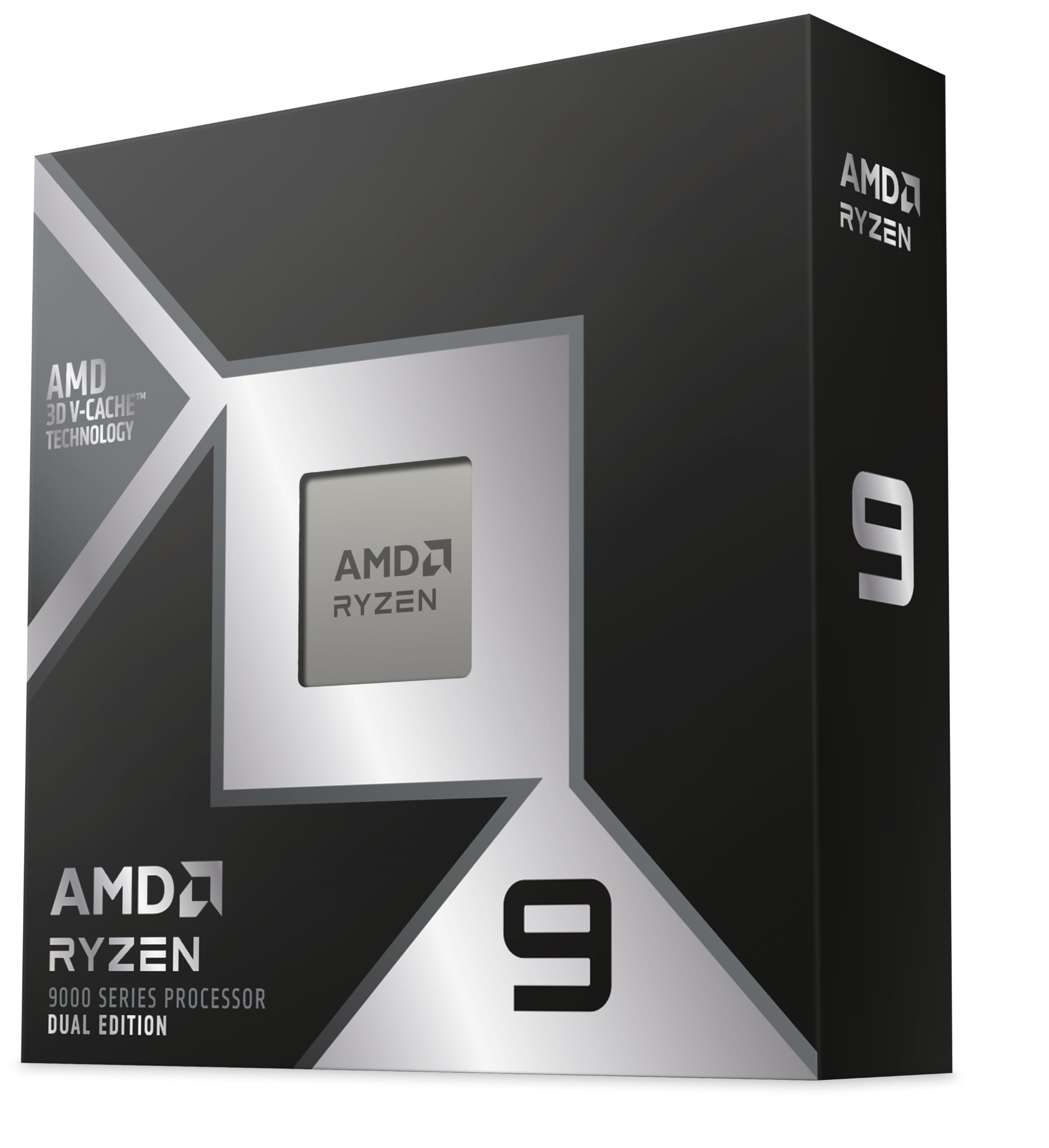
The AMD Ryzen 9 9950X3D2 Dual Edition pushes workstation-grade performance to new heights, combining 16 cores and 32 threads with a staggering 208MB of total cache. This configuration is designed for professionals who push their systems to the limit—rendering complex 3D scenes, running local AI inference for upscaling or denoising, and exporting long-form 8K projects simultaneously without compromise.
Real-world user reports highlight its ability to sustain all-core turbo speeds of 5.1 GHz under heavy computational loads, such as protein denaturation modeling, which saw 20-30% faster completion times compared to non-3D V-Cache predecessors. The dual CCD design with V-Cache on both chiplets eliminates the scheduler stuttering that affected earlier dual-CCD X3D models, ensuring consistent performance across all applications. It maintains compatibility with the AM5 socket and DDR5 memory platforms.
The primary consideration is cost—this processor sits at the top of the consumer CPU price ladder, and its performance benefits are most apparent in heavily multi-threaded tasks. Editors who primarily cut h.264 or h.265 compressed footage may not see proportional gains over a 12-core chip, but those working with RAW codecs, complex multi-layer timelines, or integrating AI-assisted tools into their workflow will find the investment justified.
Why it’s great
- Unmatched multi-threaded rendering performance with 16 cores and massive 208MB cache
- Excellent sustained all-core boost speeds for extended render sessions
- Dual V-Cache design eliminates previous-generation scheduler issues for consistent performance
Good to know
- Premium pricing makes it overkill for editors who primarily work with compressed codecs
- Requires a high-end cooler and robust power supply to handle full-load thermal output
4. Intel Core i9-14900K Desktop Processor

The Intel Core i9-14900K is the flagship of the 14th Gen lineup, delivering 24 cores (8 Performance-cores and 16 Efficient-cores) with a 6.0 GHz max turbo frequency that remains the highest boost clock available in a consumer processor. This raw clock speed translates directly into snappier timeline performance in Premiere Pro and After Effects, where single-threaded tasks dominate interface responsiveness and effect previews.
Its compatibility with both DDR4 and DDR5 memory, as well as 600 and 700-series motherboards, gives builders flexibility in balancing cost and performance. The integrated UHD Graphics 770 includes Quick Sync support, providing hardware-accelerated encoding and decoding for h.264 and h.265 that can significantly speed up preview generation and exports in supported applications. Users running Proxmox or other virtualization workloads report excellent stability in 24/7 operation environments.
Potential buyers should be aware of the well-documented stability issues that affected some 13th and 14th Gen processors under specific conditions. While many users report flawless operation with proper BIOS updates and cooling, the risk profile is higher than with the newer Core Ultra series or AMD alternatives. Investing in a robust motherboard with good VRM cooling and keeping BIOS fully updated is essential for long-term reliability.
Why it’s great
- Highest boost clock available at 6.0 GHz for superior single-threaded editing performance
- Integrated Quick Sync hardware encoder accelerates h.264/h.265 exports significantly
- Backward compatible with DDR4 memory for more affordable builds
Good to know
- Requires careful BIOS management and high-end cooling to ensure long-term stability
- LGA1700 platform is at the end of its upgrade path with no next-gen processor support
5. Intel Core i9-14900KF New Gaming Desktop Processor

The Intel Core i9-14900KF offers the same 24-core configuration and 6.0 GHz boost clock as its K-suffix counterpart, but omits the integrated graphics to reduce cost. For video editors who always use a dedicated GPU—which is the vast majority of serious editors—this trade-off makes perfect sense, as the integrated graphics would otherwise sit idle while you pay a premium for it.
Performance in editing applications is identical to the 14900K: 8 performance cores handle real-time timeline playback and effects processing, while 16 efficient cores contribute to background tasks and multi-threaded rendering. Users report stable 240 FPS in CPU-bound gaming scenarios and excellent multitasking capability, with the processor handling simultaneous OBS streaming, game rendering, and Discord communication without breaking a sweat.
The cost savings from the KF variant can be redirected toward a better GPU or faster RAM—both of which often provide more noticeable editing performance improvements than the CPU itself. However, the absence of integrated graphics means troubleshooting a GPU failure requires a spare graphics card, and you lose Quick Sync acceleration entirely. For editors who rely on Intel’s hardware encoder for their workflow, the 14900K is the better choice despite the higher price.
Why it’s great
- Identical CPU performance to the 14900K at a lower price point
- 24-core configuration provides excellent multi-threaded rendering throughput
- 6.0 GHz boost clock ensures snappy timeline and interface responsiveness
Good to know
- No integrated graphics means no Quick Sync acceleration for video encoding
- Troubleshooting GPU issues requires a spare dedicated graphics card
6. AMD Ryzen 9 7900

The AMD Ryzen 9 7900 stands out as the most power-efficient high-core-count processor for video editing, offering 12 Zen 4 cores and 24 threads with a 65W TDP that rivals many 8-core chips in heat output. This efficiency makes it an ideal choice for small form factor builds, home lab servers running virtualization, or any scenario where low noise and heat are priorities over maximum absolute performance.
Despite its modest power envelope, the 7900 boosts up to 5.4 GHz and includes 76MB of cache, delivering single-threaded performance that competes with higher-wattage processors. User reports show it achieving near-identical performance to the 7900X while drawing 40-50% less power—a significant advantage for systems that run 24/7. The included Wraith Prism RGB cooler is sufficient for stock operation, though upgrading to a better cooler unlocks additional headroom through Precision Boost Overdrive.
The primary compromise is that its 12-core count, while substantial, falls behind 16-core and 24-core processors in pure render throughput. Editors who export multiple long-form videos daily may find the 7900 slower than higher-core alternatives. However, for the majority of editors who spend more time editing than rendering, the thermal and acoustic benefits of this chip make for a more pleasant working environment.
Why it’s great
- Exceptional 65W TDP delivers high performance with minimal heat and noise output
- AM5 platform support with DDR5 and PCIe 5.0 for future upgradeability
- Wraith Prism cooler included in box, reducing initial build cost
Good to know
- 12-core limit means slower export rendering than 16-core or 24-core alternatives
- No integrated graphics—requires dedicated GPU for display output and decode tasks
7. Intel Core Ultra 7 Desktop Processor 265KF

The Intel Core Ultra 7 265KF brings the new Core Ultra architecture to a more accessible price point, offering 20 cores (8 P-cores and 12 E-cores) with a 5.5 GHz boost clock. This configuration provides strong multi-threaded performance for 4K video editing without reaching flagship pricing, making it an excellent entry point for editors building their first serious workstation.
With 36MB of cache and compatibility with Intel 800-series chipset motherboards, this processor supports PCIe 5.0 storage and DDR5 memory—features that directly benefit video editing workflows by reducing load times for large media files and improving timeline responsiveness. User reviews highlight its value for moderate encoding tasks and daily multitasking, with one builder noting a smooth transition from an Ryzen 7 3700X with significantly improved thermals and application loading speeds.
The KF suffix means no integrated graphics, which is the primary cost-saving measure. This is a reasonable trade-off for editors who already have a dedicated GPU, but it does eliminate Quick Sync acceleration. For budget-conscious builders who can allocate the savings toward a better graphics card or more RAM, this processor delivers excellent raw editing performance per dollar spent.
Why it’s great
- Strong 20-core performance at a competitive price point for 4K editing builds
- Modern architecture with PCIe 5.0 and DDR5 support for fast storage and memory
- Excellent thermal performance with good air coolers, reducing build complexity
Good to know
- No integrated graphics removes Quick Sync hardware encoding option
- Requires LGA1851 motherboard, which is a newer and less established platform
8. AMD Ryzen 9 5900XT

The AMD Ryzen 9 5900XT is a 16-core, 32-thread processor built on the Zen 3 architecture for the AM4 platform, offering a compelling upgrade path for users who want to maximize their existing motherboard investment. With 72MB of cache and a 4.8 GHz max boost, it delivers strong multi-threaded performance for video encoding and compression tasks, making it a solid choice for home media servers or budget editing workstations.
User feedback indicates this chip runs cooler than the 5950X while offering similar multi-threaded performance due to reduced thermal throttling, and it keeps DDR4 systems viable for longer. The 16-core count shines in heavily parallelized tasks like video transcoding and batch compression, where the extra cores directly translate to faster completion times. Reviewers note its suitability for running OBS alongside games, handling multi-core processes effectively during streaming workloads.
The trade-off is that Zen 3 architecture lacks the per-core efficiency and IPC improvements of newer Zen 4 or Zen 5 chips, so single-threaded tasks like timeline scrubbing won’t feel as responsive. Additionally, the AM4 platform maxes out at PCIe 4.0 and DDR4 memory, limiting future expansion. For editors with an existing AM4 board looking for a cost-effective core-count upgrade, the 5900XT is an excellent fit; for new builds, the newer platforms offer better overall value.
Why it’s great
- 16 cores at a competitive price point make it ideal for encoding and compression tasks
- Runs cooler than the 5950X while delivering comparable multi-threaded performance
- Drop-in upgrade for existing AM4 motherboards extends platform lifespan
Good to know
- Zen 3 architecture is two generations behind, with lower single-thread IPC than newer chips
- AM4 platform limited to DDR4 and PCIe 4.0, no upgrade path to next-gen processors
9. KAMRUI Hyper H2 Mini Gaming PC
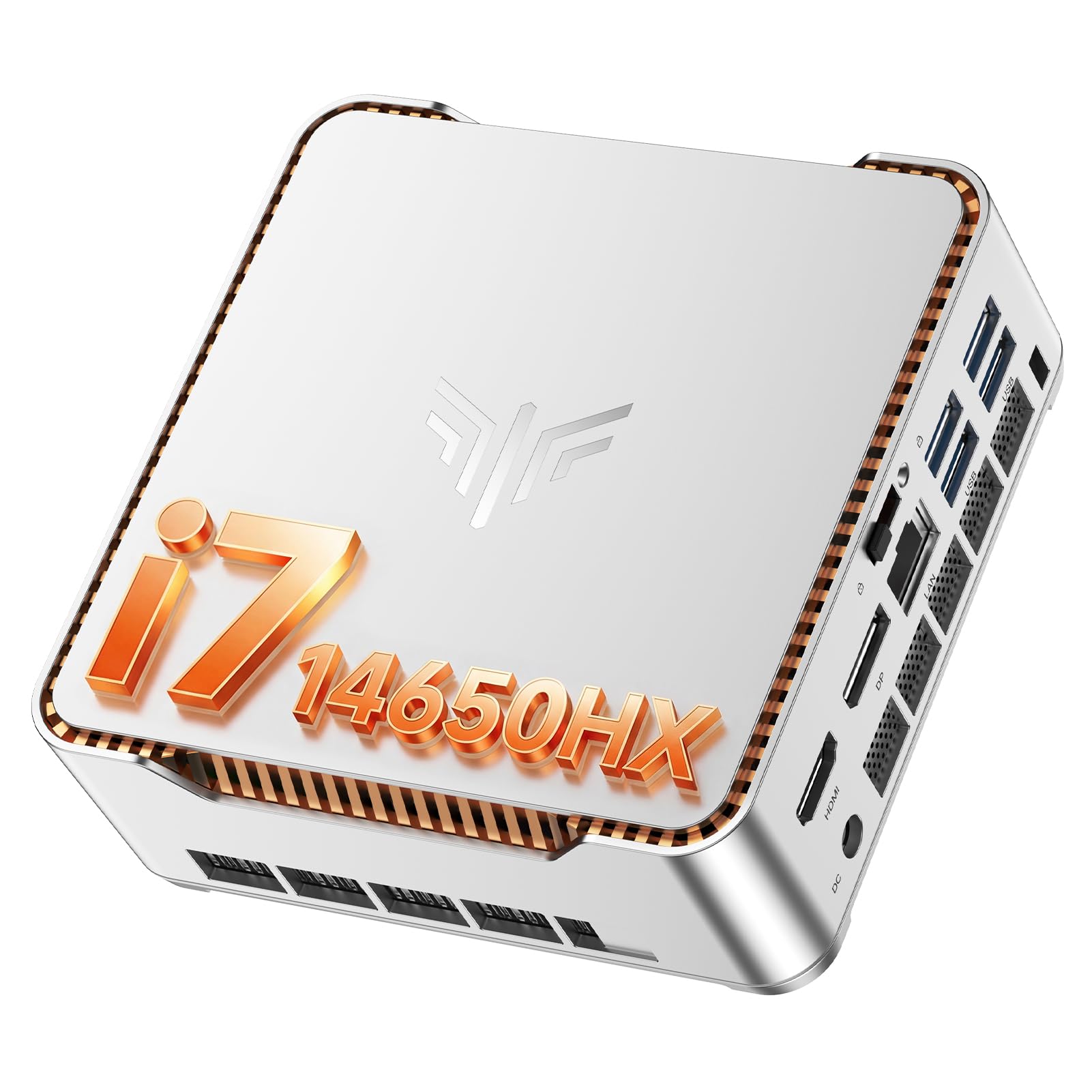
The KAMRUI Hyper H2 is a pre-built mini PC that offers an alternative to traditional DIY desktop builds for video editing on a tight budget. It features an Intel Core i7-14650HX mobile processor with 16 cores and 24 threads, turbo boosting up to 5.2 GHz, paired with 32GB of DDR memory and a 1TB M.2 SSD. Its compact form factor—just 5 inches square—makes it an option for editors with limited desk space or those who need a portable editing rig.
The i7-14650HX is a capable mobile chip that handles 4K video editing in Premiere Pro and DaVinci Resolve for lighter projects, and the 32GB of RAM provides enough headroom for moderate multi-track timelines. The system supports triple 4K display output via HDMI, DisplayPort, and USB-C, which is beneficial for editors who work with multiple reference monitors. User reviews note its quiet operation and snappy boot times, with the system handling multitasking across demanding applications without noticeable lag.
The primary limitations are the mobile processor’s lower sustained power delivery compared to desktop CPUs—it will throttle sooner under extended full-load renders—and the included SSD’s potentially slow read/write speeds, which some users have upgraded. This is not a replacement for a full desktop workstation for professional daily editing, but it serves well as a secondary editing system, a travel companion, or an entry point for hobbyist editors on a tight budget.
Why it’s great
- Ultra-compact size saves desk space and offers portability for on-location editing
- Comes with 32GB RAM and 1TB SSD pre-installed, ready to edit out of the box
- Triple 4K display support via HDMI, DP, and USB-C for multi-monitor workflows
Good to know
- Mobile processor throttles under sustained full loads, slower than desktop equivalents
- Included SSD may have slower speeds; upgrading to an NVMe drive is recommended
- Limited upgrade options compared to a full-sized desktop tower build
FAQ
How many cores do I actually need for 4K video editing?
Is Intel Quick Sync important for video editors?
Should I choose DDR4 or DDR5 memory for my editing CPU?
Final Thoughts: The Verdict
For most users, the cpu for video editing pc winner is the Intel Core Ultra 9 285K because it combines excellent multi-threaded rendering performance with strong single-threaded clock speeds and rock-solid stability, all on a modern platform with PCIe 5.0 and DDR5 support. If you want the absolute fastest rendering times for professional workloads, grab the AMD Ryzen 9 9950X3D2. And for a balanced editing and gaming hybrid, nothing beats the AMD Ryzen 7 9800X3D.

Mo Maruf
I created WellFizz to bridge the gap between vague wellness advice and actionable solutions. My mission is simple: to decode the research and give you practical tools you can actually use.
Beyond the data, I am a passionate traveler. I believe that stepping away from the screen to explore new environments is essential for mental clarity and physical vitality.