Our readers keep the lights on and my smoothie glass nicely filled. As an Amazon Associate, I earn from qualifying purchases.
The LGA 2011 platform refuses to die. Years after its prime, this socket remains the go-to foundation for homelab servers, budget workstation builds, and gamers who need more PCIe lanes than modern consumer boards can offer. The catch is that the CPU market for this socket is a minefield of used server pulls, overpriced relics, and hidden compatibility traps — picking wrong means wasted cash on a dead-end upgrade.
I’m Mohammad Maruf — the founder and writer behind WellFizz. I’ve spent hundreds of hours analyzing benchmark data, cross-referencing motherboard compatibility lists, and parsing real user feedback across every major LGA 2011 and LGA 2011-v3 CPU available on the secondary market.
A 14-core Xeon at thirty-five dollars sounds absurd until you realize the ecosystem is built on enterprise surplus. Sorting the genuine value from the silicon scrap is exactly what this guide exists to solve. Here is my definitive list of the best cpu for lga 2011 platforms in 2025.
How To Choose The Best CPU For LGA 2011
The LGA 2011 family splits into two completely incompatible revisions: the original LGA 2011 (X79 chipset, DDR3 memory, Ivy Bridge-E and Sandy Bridge-E CPUs) and the LGA 2011-v3 (X99 chipset, DDR4 memory, Haswell-E and Broadwell-E CPUs). Picking the wrong revision means buying a CPU that will not physically fit or electrically work in your board. Every decision must start with confirming which socket revision your motherboard actually supports.
Core Count vs. Clock Speed
Server-class Xeons like the E5-2697 v3 pack 14 or 22 cores, but they top out at 2.6 GHz base. Consumer Core i7 chips like the 6850K offer only six cores but hit 3.8 GHz or higher. For single-threaded workloads — gaming, older software, everyday desktop use — the higher clock speed wins every time. For heavily parallel tasks like video rendering, 3D simulation, or multiple virtual machines, the core count advantage of a Xeon dwarfs the clock speed difference. Analyze your primary use case before chasing benchmarks.
PCIe Lane Count
One of the LGA 2011 platform’s enduring advantages is its PCIe lane count. Original LGA 2011 CPUs offer 40 lanes, allowing dual x16 GPU setups without choking. LGA 2011-v3 Xeons typically offer 40 lanes, while the 6850K also carries 40 lanes — enough for triple-GPU configurations or multiple NVMe drives. If you plan to run multiple graphics cards, RAID controllers, or high-speed storage, lane count should be a primary filter. Some lower-end Xeons restrict lane counts to 28 or 32, which defeats the purpose of using this platform.
Thermal Design Power and Cooling
High-core-count Xeons carry TDP ratings of 145W or more. These chips generate serious heat under sustained load, especially in dual-socket configurations. Many refurbished units arrive without a heatsink or fan, meaning you must budget for an aftermarket cooler — typically a tower-style air cooler or a closed-loop liquid cooler rated for 150W+ TDP. The Core i7-4930K runs at 130W TDP and still requires better cooling than a stock Intel box cooler can provide. Do not cheap on the thermal solution; throttling kills the performance you paid for.
Quick Comparison
On smaller screens, swipe sideways to see the full table.
| Model | Category | Best For | Key Spec | Amazon |
|---|---|---|---|---|
| Intel Core i7-6850K | Consumer Enthusiast | High-clock gaming & multi-GPU | 6 Cores / 12 Threads / 40 PCIe Lanes | Amazon |
| Intel Xeon E5-2699 V4 | Server Flagship | Ultra-high thread count workloads | 22 Cores / 44 Threads / 55 MB Cache | Amazon |
| Intel Xeon E5-2697 V3 | Server Workhorse | Homelab & budget workstation | 14 Cores / 28 Threads / 35 MB Cache | Amazon |
| Intel Xeon E5-2698 V3 | Server Heavy | Dual-socket rendering & VMs | 16 Cores / 32 Threads / 40 MB Cache | Amazon |
| Intel Core i7-4930K | Consumer Legacy | Overclocked gaming & editing | 6 Cores / 12 Threads / 130W TDP | Amazon |
| Intel Core i7-4790K | Consumer Mainstream | Single-threaded speed builds | 4 Cores / 8 Threads / 4.4 GHz Turbo | Amazon |
| Intel Core i7-3820 | Consumer Entry | Budget LGA 2011 introduction | 4 Cores / 8 Threads / 10 MB Cache | Amazon |
In‑Depth Reviews
1. Intel Core i7-6850K
The Core i7-6850K represents the smartest mid-range pick for the LGA 2011-v3 platform. With six Haswell-E cores clocking up to 3.8 GHz out of the box and a full 40 PCIe 3.0 lanes, this chip delivers the high single-core throughput that gamers and content creators actually notice, while keeping enough parallel grunt for moderate multi-threaded workloads. Real-world overclocks to 4.4 GHz are achievable with decent liquid cooling, pushing its performance well beyond stock Xeons in everyday tasks.
The 40-lane PCIe configuration is the real differentiator here — it allows dual x16 GPU setups without any lane sharing, which translates to measurable frame rate gains in SLI-dependent titles and eliminates bandwidth bottlenecks for NVMe storage arrays. Users report idle temperatures around 27°C and gaming loads between 35-50°C with a quality air cooler, and the chip handles 4.5 GHz at 1.36V on a 360mm AIO without breaking 60°C. Quad-channel DDR4 memory bandwidth hits 66-67 GB/s, which feeds data to those cores efficiently.
At its price point, the 6850K undercuts the 6900K significantly while offering comparable real-world performance outside of fully parallelized rendering. The one tradeoff is core count — six cores look modest next to the 14-22 core Xeons, but those high thread count chips cannot match the 6850K’s clock speed in games or older software that relies on single-thread performance. For a single-socket workstation that pulls double duty as a gaming rig, this is the balanced choice.
Why it’s great
- Full 40 PCIe 3.0 lanes eliminate GPU and storage bottlenecks
- Overclocks cleanly to 4.4-4.5 GHz with moderate liquid cooling
- Quad-channel DDR4 delivers excellent memory bandwidth for its class
Good to know
- 6-core count limits extreme parallel workloads versus 14+ core Xeons
- Stock thermal solution is insufficient; budget for an aftermarket cooler
- Requires LGA 2011-v3 motherboard; not compatible with original X79 boards
2. Intel Xeon E5-2699 V4
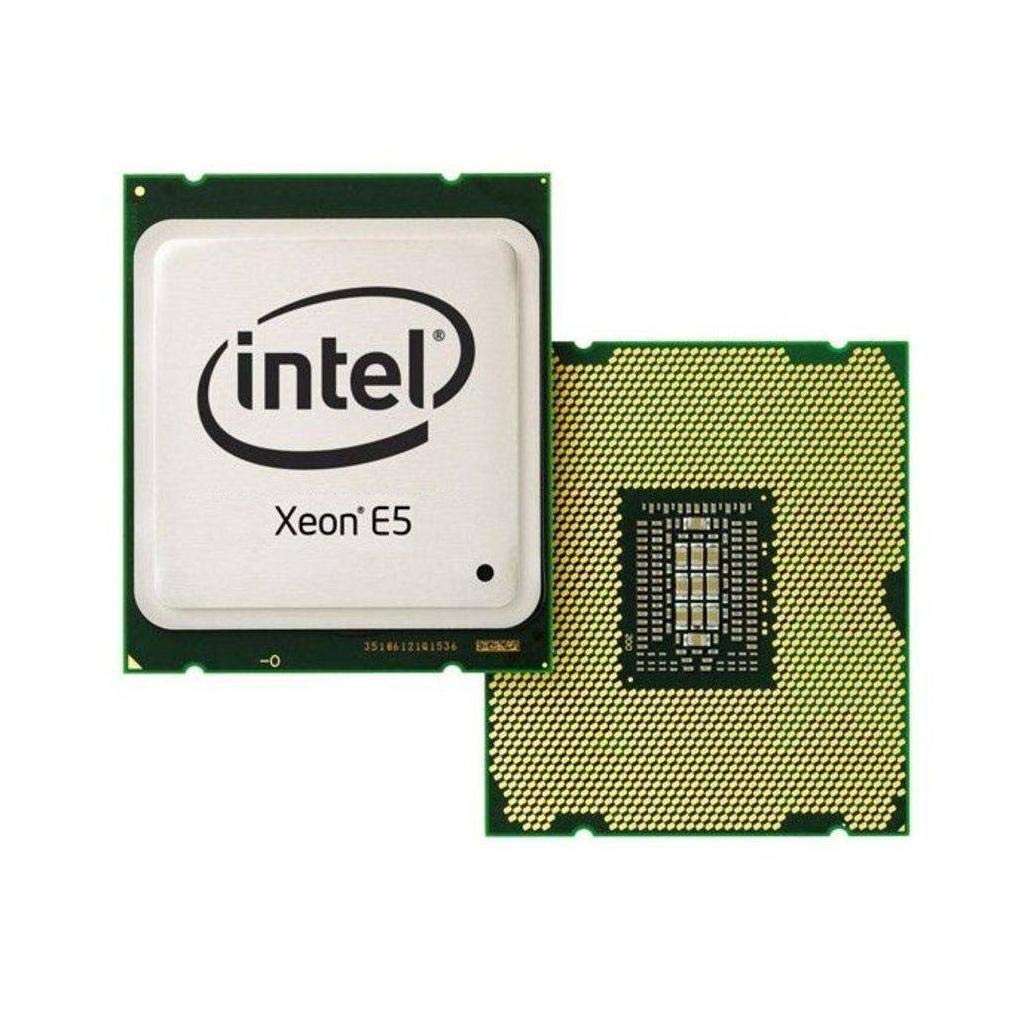
The E5-2699 V4 is the absolute ceiling of the LGA 2011-v3 platform. Twenty-two Broadwell-EP cores with Hyper-Threading yield 44 concurrent threads, paired with a massive 55 MB L3 cache that keeps data local and reduces memory latency penalties. This chip is built for workflows that scale linearly with core count — think video transcoding, 3D rendering, scientific simulation, and running a dozen virtual machines simultaneously on a homelab server.
Benchmarks confirm its workstation credentials: Cinebench R15 scores of 3239 in multi-thread and 151 in single-thread place it far ahead of any consumer LGA 2011 chip in parallel tasks, while remaining competitive for lighter workloads. Users running UNRAID with multiple HDDs and SSDs, Plex transcoding, and Minecraft servers report the chip handles everything without breaking a sweat. Active cooling is non-negotiable — at 145W TDP, the 22 cores generate serious heat under sustained all-core load, and a custom loop or high-end air cooler is the only way to keep temperatures in check.
The key drawback is clock speed. At 2.2 GHz base and 3.6 GHz max turbo, the E5-2699 V4 cannot match the per-core responsiveness of a 6850K or 4930K in games or lightly-threaded applications. Some buyers report receiving the E5-2694v4 variant instead, which runs at a slightly higher 2.4 GHz base but still carries 22 cores. If your daily workload is dominated by single-threaded tasks, this chip will feel slower despite its monstrous thread count. For pure parallel throughput, nothing on this socket touches it.
Why it’s great
- 22 cores / 44 threads deliver unmatched parallel multi-tasking
- 55 MB L3 cache reduces memory access latency for cache-heavy workloads
- Broadwell-EP architecture offers improved IPC over earlier Xeon v3 parts
Good to know
- Low 2.2 GHz base clock hurts single-threaded and gaming performance
- Requires aggressive cooling; standard tower coolers may struggle under all-core load
- Premium pricing for a used server part; only worth it if you use 22+ threads
3. Intel Xeon E5-2697 V3

The E5-2697 V3 redefines what “value” means on the LGA 2011-v3 socket. Fourteen Haswell-EP cores running at 2.6 GHz base with a 35 MB cache deliver 28 threads of parallel processing power at a price that rivals a single stick of high-end DDR5. This is the quintessential homelab and budget workstation chip — it handles Plex transcoding, Docker containers, VMs, and file servers without breaking a sweat, and the refurbished units consistently arrive in functional condition with minimal contact degradation.
User feedback confirms the performance punch: reviewers report upgrading from old i7-1660 chips and seeing immediate speed improvements across the board, with the chip enabling faster RAM support and smoother multi-tasking. The 145W TDP is manageable with a mid-range tower cooler, and the chip runs cool enough for most single-socket workstation cases. One caveat is that dual-socket setups require matching CPUs with identical stepping revisions, so plan ahead if you intend to populate both sockets on a server board.
The 2.6 GHz base clock means you will not win any single-threaded benchmarks, but for the price, the thread-per-dollar ratio is unmatched. Buyers who pair this chip with ECC DDR4 memory and an X99 motherboard get enterprise-grade reliability at a fraction of the original cost. If your workload scales across cores — video encoding, 3D rendering, database serving — this is the most cost-effective upgrade your LGA 2011-v3 system can receive.
Why it’s great
- 14 cores / 28 threads offer incredible parallel performance for the price
- Refurbished units consistently arrive functional with minimal wear
- ECC memory support enables stable server and workstation builds
Good to know
- 2.6 GHz base clock limits single-threaded speed in games and older apps
- Dual-socket setups require matching stepping; not guaranteed with random pulls
- No integrated graphics — a discrete GPU is mandatory for display output
4. Intel Xeon E5-2698 V3

The E5-2698 V3 slots in between the 14-core 2697 and the top-tier 2699, offering 16 Haswell-EP cores with a 40 MB cache and a 2.3 GHz base clock that turbos to 3.6 GHz. That 600 MHz turbo headroom makes a real difference in lightly-threaded responsiveness compared to the 2697, while the two extra cores provide a meaningful uplift in fully parallel workloads. In dual-socket configurations, two of these deliver 32 cores and 64 threads — a configuration that rivals entry-level modern Threadripper platforms at a fraction of the cost.
Users running dual E5-2698 V3 setups in HP Z840 workstations report a dramatic power boost over lower-core-count Xeons, with the system handling 128 GB of RAM and 64 threads without breaking stride. One caveat surfaced in reviews: the chips heat up rapidly under load, jumping from 42°C idle to 65°C in seconds during all-core stress tests. A robust cooling solution — either a high-end air cooler or a 240mm+ AIO — is essential to avoid thermal throttling during extended rendering sessions.
A note on condition: some units arrive with residue on the contact pads, which requires isopropyl alcohol cleaning before installation. This is common for server surplus CPUs and does not indicate damage, but it is an extra step to factor in. The 3.6 GHz turbo frequency gives this chip an edge over the 2697 for users who need both high core count and occasional single-thread responsiveness, making it the best compromise for mixed workloads on a dual-socket board.
Why it’s great
- 16-core / 32-thread configuration excels in dual-socket workstation builds
- 3.6 GHz turbo provides meaningful single-thread uplift over lower-clock Xeons
- 40 MB L3 cache improves performance for cache-sensitive workloads
Good to know
- Rapid heat buildup under load demands premium cooling solutions
- Some units arrive with contact residue requiring cleaning before use
- 2.3 GHz base clock still trails consumer i7 parts in pure single-thread tasks
5. Intel Core i7-4930K

The i7-4930K is the original LGA 2011 enthusiast’s dream, and it still holds up for specific use cases. Six Ivy Bridge-E cores clocked at 3.4 GHz base with a 3.9 GHz turbo, backed by 12 threads and a 12 MB L3 cache, deliver strong single-core performance for gaming and legacy applications. The unlocked multiplier lets overclockers push these chips to 4.9 GHz with a Corsair H110-class liquid cooler, turning it into a single-threaded monster that outperforms many newer mid-range CPUs in clock-sensitive workloads.
The 130W TDP runs hot under overclocking, and buyers consistently warn that the chip ships without a cooler. A quality aftermarket solution like the Cooler Master Hyper 212 EVO is the minimum viable option, and serious overclockers should budget for a 240mm or 280mm AIO. Users report the 4930K idles at 1.5 GHz on auto-turbo and remains cool in everyday use, but sustained all-core loads at 4.5 GHz+ push temperatures into uncomfortable territory without robust liquid cooling.
For content creators, the 4930K handles video editing, 3D modeling, and raw photo processing noticeably better than the i7-920 or earlier i7 chips, thanks to the six cores and native PCIe 3.0 support. The 40 PCIe lanes support dual x16 GPU configurations at full bandwidth, which is rare even on modern platforms. The main downside is the DDR3 memory limitation — quad-channel DDR3-1866 cannot match the bandwidth of DDR4 on the v3 socket, but for most gaming and workstation tasks, the difference is marginal.
Why it’s great
- Unlocked multiplier allows overclocks up to 4.9 GHz with adequate cooling
- Full 40 PCIe 3.0 lanes support dual x16 GPU setups without lane sharing
- Quad-channel DDR3 provides solid memory bandwidth for its generation
Good to know
- No stock cooler included; budget for an aftermarket cooler immediately
- DDR3 memory limits upgrade path and bandwidth versus v3 platform’s DDR4
- 6-core configuration is outclassed by cheap Xeons in pure multi-threaded work
6. Intel Core i7-4790K

The i7-4790K is technically an LGA 1150 chip, but it appears here because it shares the same era’s enthusiast DNA and remains a common upgrade target for users building budget workstations with older Z97 and H97 boards. With four cores at 4.0 GHz base and a 4.4 GHz turbo out of the box, this Devil’s Canyon processor was the undisputed single-threaded king of its generation. For gamers and users running older software that refuses to scale past two or four cores, the 4790K still delivers snappy performance that rivals budget modern CPUs.
Overclocking headroom is solid: users report stable 4.6 GHz at 1.26V with a Hyper 212 Evo, pushing to 4.7 GHz with better cooling. The 88W TDP keeps thermal management simple — even a mid-range air cooler handles the load, and liquid cooling is overkill unless you push past 4.5 GHz. Quick Sync Video support accelerates video transcoding in compatible software, giving it an edge over Xeon parts that lack integrated graphics entirely. Real-world usage shows the chip driving a GTX 970 through Witcher III, GTA V, and other demanding titles without bottlenecking at 1080p.
The obvious limitation is the 4-core count — do not buy this chip expecting to run multiple VMs, compile large codebases, or render 3D scenes. For those workloads, even a budget Xeon E5 will outperform it handily. But as a drop-in upgrade for an existing LGA 1150 system, the 4790K extends the platform’s lifespan significantly. It is a dead-end for expandability but a perfectly viable endpoint for a focused gaming or office PC.
Why it’s great
- High out-of-the-box turbo clock (4.4 GHz) delivers excellent single-thread speed
- Low 88W TDP runs cool even with modest air coolers
- Quick Sync Video accelerates media transcoding in compatible apps
Good to know
- 4-core / 8-thread configuration limits heavy parallel workloads
- Locked to LGA 1150 platform; no upgrade path to LGA 2011 features
- Limited PCIe lanes restrict multi-GPU and high-speed storage configurations
7. Intel Core i7-3820

The i7-3820 is the entry-level key to the LGA 2011 ecosystem. With four Sandy Bridge-E cores clocked at 3.6 GHz base and a 3.8 GHz turbo, it provides the cheapest possible ticket into the X79 platform’s 40 PCIe lane advantage. For users building a budget system that absolutely needs dual x16 GPU bandwidth — for SLI gaming rigs or compute workloads that scale across multiple graphics cards — the 3820 offers that capability at a price that undercuts every other LGA 2011 option.
The chip is partially unlocked, meaning you can raise the multiplier up to a certain point. Users report stable overclocks to 4.0 GHz without voltage changes, with the ceiling landing around 4.4 GHz with adequate cooling. The 130W TDP means a cooler is mandatory — the chip ships without one — and reviewers universally recommend high-end air cooling or liquid cooling to prevent heat damage during extended loads. The integrated quad-channel DDR3 memory controller provides solid bandwidth for the era, though it cannot match LGA 2011-v3’s DDR4.
The 3820 lacks integrated graphics, so a discrete GPU is mandatory — though anyone buying into LGA 2011 for PCIe lanes likely already plans to use one. The 10 MB cache and four cores limit performance in modern multi-threaded workloads, and the Sandy Bridge architecture lacks some instructions that newer software expects. This chip is best viewed as a temporary stepping stone: it gets you into the LGA 2011 socket with full platform features, allowing a later upgrade to a six-core i7-4930K or a server Xeon without changing the motherboard.
Why it’s great
- Cheapest CPU available for the LGA 2011 platform and its 40 PCIe lanes
- Partial overclocking headroom allows 4.0-4.4 GHz stable operation
- Quad-channel DDR3 memory controller provides decent bandwidth for its era
Good to know
- 4-core Sandy Bridge architecture struggles in modern multi-threaded workloads
- No stock cooler included; factor in cost of a quality aftermarket heatsink
- No integrated graphics — a discrete GPU is required for any display output
FAQ
Can I use an LGA 2011 CPU in an LGA 2011-v3 motherboard?
Is it safe to buy a refurbished Xeon for my homelab server?
Does every LGA 2011 CPU support ECC memory?
Final Thoughts: The Verdict
For most users, the best cpu for lga 2011 is the Intel Core i7-6850K because it balances high clock speed with enough cores for daily multitasking and a full 40 PCIe lanes for GPU flexibility. If you need maximum parallel thread count for rendering or virtualization, grab the Intel Xeon E5-2699 V4. And for the tightest budget where every dollar counts, nothing beats the Intel Xeon E5-2697 V3 for raw thread-per-dollar value.

Mo Maruf
I created WellFizz to bridge the gap between vague wellness advice and actionable solutions. My mission is simple: to decode the research and give you practical tools you can actually use.
Beyond the data, I am a passionate traveler. I believe that stepping away from the screen to explore new environments is essential for mental clarity and physical vitality.