Our readers keep the lights on and my smoothie glass nicely filled. As an Amazon Associate, I earn from qualifying purchases.
The LGA 1151 socket is a peculiar crossroads in Intel’s history—it spans the 6th, 7th, 8th, and 9th generation Core processors, but with a critical chipset split that makes compatibility a minefield. Finding the right CPU means navigating the 100/200-series versus 300-series divide while balancing core counts, clock speeds, and hyper-threading support.
I’m Mohammad Maruf — the founder and writer behind WellFizz. I’ve spent hundreds of hours cross-referencing benchmark data, customer experiences, and thermal performance reports across every Intel LGA 1151 processor tier to build this guide.
After analyzing thousands of verified user reports and spec sheets, I’ve narrowed the field to the nine most practical options that define the best cpu for lga 1151 across budget, mainstream, and high-performance builds.
How To Choose The Best CPU For LGA 1151
Selecting the right CPU for your LGA 1151 motherboard starts with identifying which chipset generation your board supports. Installing an 8th or 9th gen Coffee Lake CPU into a 100 or 200-series motherboard will not work—the socket is physically identical but the pinout and power delivery changed. Always verify your motherboard’s chipset before purchasing.
Chipset Generation: The Hard Compatibility Wall
LGA 1151 motherboards split into two incompatible groups. The 100-series (Z170, H170, B150, H110) and 200-series (Z270, H270, B250) support only 6th gen Skylake and 7th gen Kaby Lake processors. The 300-series (Z370, H370, B360, H310, Z390) supports only 8th gen Coffee Lake and 9th gen Coffee Lake Refresh processors. A BIOS update may be required within a generation family, but it will never bridge the 100/200 to 300 gap.
Core Count vs. Thread Count
Intel made a strange decision with the 8th and 9th gen lineup: the i7-8700K offers 6 cores and 12 threads with hyper-threading, while the newer i7-9700K has 8 physical cores but no hyper-threading (8 cores, 8 threads). For pure gaming, the extra physical cores of the 9700K often edge ahead. For heavily threaded productivity like video encoding, the 8700K’s hyper-threading keeps it competitive despite having two fewer physical cores.
Overclocking Capability
Processors with a “K” suffix have unlocked multipliers, allowing overclocking on Z-series motherboards (Z170, Z270, Z370, Z390). Non-K chips like the i5-8400 or i7-6700 are locked to their rated turbo frequencies. If you plan to push clock speeds beyond 5.0 GHz, you’ll need a K-series chip, a Z-series board with robust VRM cooling, and an aftermarket cooler—the stock cooler included with most retail CPUs will not handle the heat.
Quick Comparison
On smaller screens, swipe sideways to see the full table.
| Model | Category | Best For | Key Spec | Amazon |
|---|---|---|---|---|
| Intel Core i9-9900K | 9th Gen Flagship | Maximum LGA 1151 performance | 8 Cores / 16 Threads / 5.0 GHz Turbo | Amazon |
| Intel Core i7-9700K | 8-Core Gaming | High-refresh gaming without hyper-threading | 8 Cores / 8 Threads / 4.9 GHz Turbo | Amazon |
| Intel Core i7-8700K | 6-Core Hyper-Threaded | Streaming + gaming hybrid workloads | 6 Cores / 12 Threads / 4.7 GHz Turbo | Amazon |
| Intel Core i7-7700K | 7th Gen Unlocked | 200-series board overclocking | 4 Cores / 8 Threads / 4.5 GHz Turbo | Amazon |
| Intel Core i5-8400 | Value 6-Core | 1080p gaming on a budget | 6 Cores / 6 Threads / 4.0 GHz Turbo | Amazon |
| Intel Core i7-6700 | 6th Gen Hyper-Threaded | Silent low-power builds | 4 Cores / 8 Threads / 4.0 GHz Turbo | Amazon |
| Intel Core i3-9100 | 9th Gen Entry | Office PCs and media servers | 4 Cores / 4 Threads / 4.2 GHz Turbo | Amazon |
| Intel Core i3-8100 | 8th Gen Quad-Core | Budget HTPC builds | 4 Cores / 4 Threads / 3.6 GHz Base | Amazon |
In‑Depth Reviews
1. Intel Core i9-9900K

The i9-9900K is the absolute ceiling of the LGA 1151 platform—an 8-core, 16-thread chip that turbo boosts up to 5.0 GHz out of the box. It’s the only 9th gen CPU to retain hyper-threading on all eight cores, which gives it a distinct advantage in heavily threaded workloads like video rendering, 3D modeling, and streaming while gaming.
With a 95W TDP, this chip runs warm under full load. Stock cooling is not included, so you’ll need a high-end air cooler or a 240mm+ AIO liquid cooler to keep temperatures in check. Case airflow matters—idle temps sit around 24-27°C with a good AIO, and gaming loads push into the high 40s or low 50s depending on ambient temperature.
The main drawback is price—this remains a premium-tier processor even on the used market. If your motherboard supports it and your workload demands every thread available, the 9900K still competes respectably with modern mid-range CPUs years after launch.
Why it’s great
- Full 8-core hyper-threading delivers serious multi-threaded headroom
- 5.0 GHz turbo out of the box with good silicon
- Compatible with Z370 and Z390 boards after BIOS update
Good to know
- Requires an aftermarket cooler—no stock fan included
- Premium pricing even as a previous-generation chip
- Some units reported DOA or unstable under sustained load
2. Intel Core i7-9700K
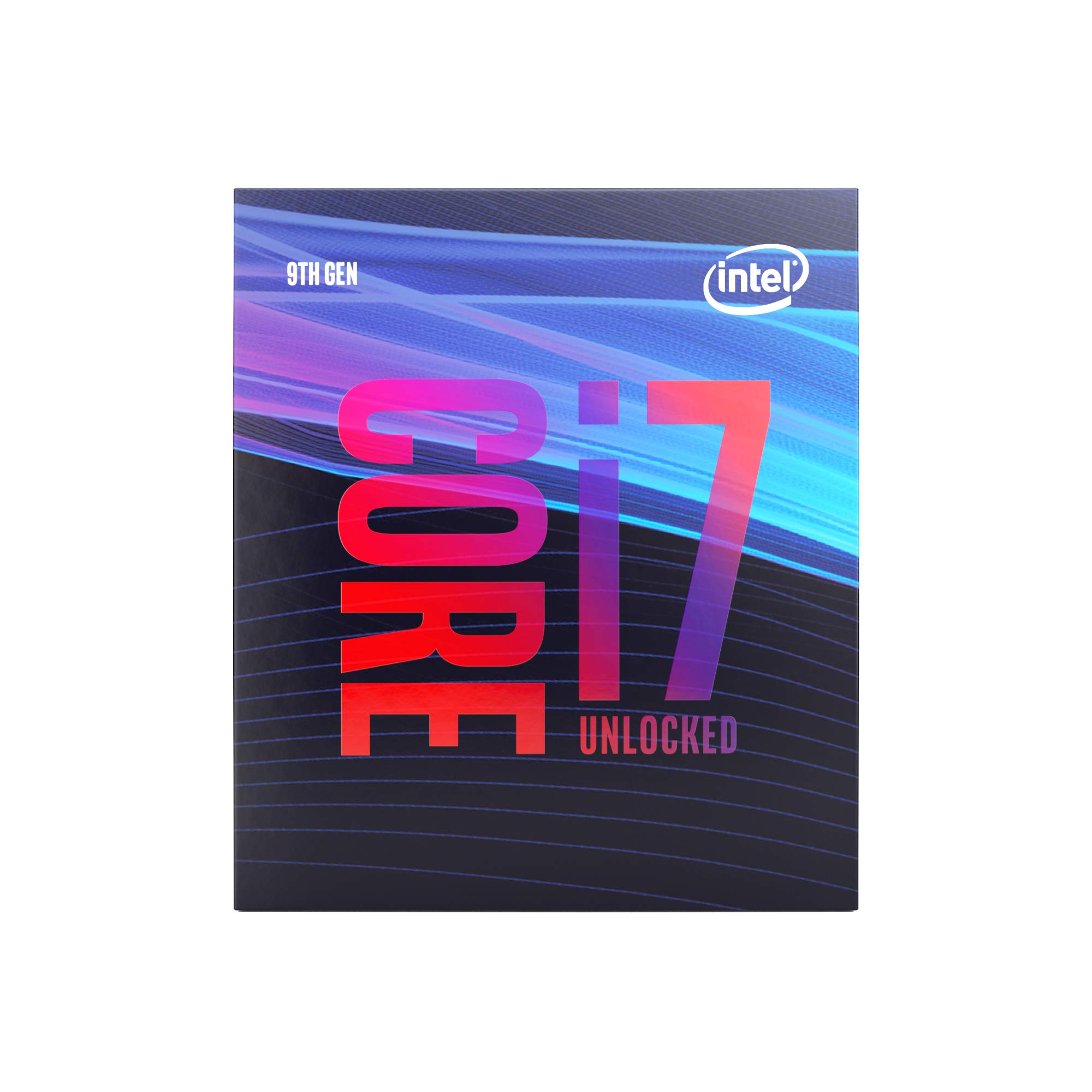
The i7-9700K packs eight physical cores but no hyper-threading, making it an unusual bet in Intel’s lineup. For pure gaming, this trade-off barely matters—most titles rely on physical core count and clock speed, and the 9700K delivers up to 4.9 GHz turbo on favorable silicon. Users with a Z390 board and good cooling have reported stable overclocks to 5.0 GHz at 1.32V.
The real-world benefit shows in 1% low frame rates. Paired with a high-end GPU like an RTX 3080 Ti, reviewers noted smoother minimum frame rates compared to the i7-8700K in CPU-bound scenarios. The chip handles streaming plus gaming well, though the lack of hyper-threading means multitasking-heavy workflows may see occasional bottlenecks compared to the 9900K.
No cooler is included, so factor in the cost of a decent air cooler or AIO. The chip ran strong for roughly six years of heavy use based on real customer feedback before users upgraded to newer platforms, which speaks to its durability and thermal resilience when properly cooled.
Why it’s great
- Eight physical cores dominate gaming benchmarks
- Overclocks reliably to 5.0 GHz with adequate cooling
- Excellent 1% low frame rates with high-end GPUs
Good to know
- No hyper-threading limits heavy multi-threaded workloads
- No stock cooler bundled
- Requires Z370 or Z390 motherboard
3. Intel Core i7-8700K
The i7-8700K was Intel’s first 6-core mainstream processor with hyper-threading, and it remains a compelling option for the LGA 1151 platform. With 6 cores and 12 threads hitting 4.7 GHz turbo, it handles gaming, streaming, and productivity tasks simultaneously without breaking a sweat. Some users reported stable overclocks past 5.0 GHz on quality silicon.
This chip is particularly strong for users running multiple background applications—Discord, OBS, browser tabs—while gaming. The hyper-threading gives it a real edge over the i7-9700K in mixed workloads, even though it has two fewer physical cores. Single-core performance remains excellent for older games that rely on high clock speeds.
The OEM version reviewed here does not include a cooler, so you’ll need an aftermarket solution. The 6-core design runs cooler than the 8-core 9700K under similar loads, which can be an advantage for compact builds with limited airflow.
Why it’s great
- Hyper-threading on all six cores handles mixed workloads smoothly
- Great overclocking headroom on Z370/Z390 boards
- Runs cooler under load than 8-core alternatives
Good to know
- Silicon lottery can yield chips that struggle to overclock
- No stock cooler with OEM version
- Two fewer physical cores than 9700K for raw core-count workloads
4. Intel Core i7-7700K (Renewed)
The i7-7700K remains the highest-clocked unlocked processor for the 100 and 200-series chipsets, reaching 4.5 GHz turbo out of the box. With 4 cores and 8 threads, it delivers strong single-threaded performance that keeps it viable for older titles and productivity apps that don’t scale past four cores.
This renewed unit comes tested and repackaged, which means it has a 90-day warranty and may show minor cosmetic wear. Several buyers reported using it as a drop-in upgrade from i5-6500 or i5-6400 processors on Z170 and Z270 boards—just be prepared to update your BIOS before installation. The chip runs hot under load, so a decent aftermarket cooler is strongly recommended over the stock fan.
The main concern with renewed chips is consistency. While many users reported flawless operation and excellent overclocking potential, a small number received non-functional units. Buying new or from a seller with a solid return policy is advisable if reliability is your top priority.
Why it’s great
- Highest turbo clock available for 100/200-series boards
- Drop-in upgrade path from 6th gen i5 and i7 CPUs
- Hyper-threading helps with multitasking
Good to know
- Renewed units carry risk of DOA or instability
- Runs hot—needs good cooling for overclocking
- 4-core limit shows age in modern multi-threaded games
5. Intel Core i5-8400

The i5-8400 delivers six physical cores with a 4.0 GHz turbo, making it one of the best value propositions on the LGA 1151 platform. It’s locked (no overclocking) and has a 65W TDP that keeps thermals low even with the stock cooler. Gamers pairing it with a GTX 1060 or RX 580 report smooth 60-90fps at 1080p in demanding titles and well over 200fps in esports games.
The lack of hyper-threading means it won’t match an i7 in heavily threaded productivity tasks, but for pure gaming and general use, the six cores give it a noticeable edge over older quad-core i5s and i7s. The included UHD Graphics 630 can handle light gaming and 4K video playback without a discrete GPU, though you’ll want a dedicated card for serious gaming.
This chip requires a 300-series motherboard—it will not work on Z170 or Z270 boards. Installation is straightforward, and the stock cooler is sufficient for stock operation, though aftermarket cooling improves noise levels under sustained load.
Why it’s great
- Six cores at a budget-friendly price point
- Low 65W TDP keeps temps and power bills down
- Stock cooler works fine for stock operation
Good to know
- No hyper-threading limits multi-tasking potential
- Locked multiplier—no overclocking
- Requires 300-series chipset motherboard
6. Intel Core i7-6700

The i7-6700 is a 65W quad-core processor with hyper-threading that reaches 4.0 GHz turbo, compatible with both 100 and 200-series chipsets. It also supports DDR3L memory in addition to DDR4, which can be useful for budget builds repurposing older RAM. The 8MB L3 cache helps with cached workloads.
This chip is a favorite for silent PC enthusiasts because its 65W TDP allows near-passive cooling with large heatsinks like the Noctua NH-D15. Users report idle temperatures around 28-30°C and load temps around 40°C with premium air coolers, meaning fans rarely need to spin up. The included stock cooler is adequate for standard builds but can get loud under sustained load.
The downside is that 4 cores and 8 threads now feel limiting in modern games and productivity apps. It’s a fine choice for media servers, Linux workstations, or secondary PCs where quiet operation matters more than raw performance.
Why it’s great
- 65W TDP enables near-silent passive cooling setups
- Compatible with DDR3L memory for budget builds
- Reliable and cool-running for 24/7 operation
Good to know
- 4-core limit shows age in modern games
- Stock cooler gets loud under heavy loads
- Outperformed by newer budget options in multi-threaded tasks
7. Intel Core i3-9100

The i3-9100 is a 4-core, 4-thread processor with a 4.2 GHz turbo and 65W TDP, designed for office PCs, basic home use, and media servers. It includes Intel UHD Graphics 630, so you don’t need a discrete GPU for everyday tasks like web browsing, document editing, and 4K video playback. The stock cooler is included and sufficient for the chip’s thermal output.
For light gaming at lower settings, the integrated graphics can handle older titles and less demanding esports games. However, buyers should note that 4 cores without hyper-threading is a hard limitation in 2025—modern operating systems and background applications can push this chip to its limits during multitasking.
Compatibility requires a 300-series chipset motherboard with a BIOS update. Some users reported that the chip works with H310, B360, B365, H370, and Z390 boards after updating firmware. It’s a stable, low-cost option for secondary or office builds where budget is the primary concern.
Why it’s great
- 4.2 GHz turbo gives snappy responsiveness for office tasks
- Integrated GPU eliminates need for discrete graphics
- Very quiet and cool with stock cooler
Good to know
- 4 cores struggle with gaming and heavy multitasking
- Requires 300-series board with BIOS update
- Intel support updates ending mid-2025
8. Intel Core i3-8100
The i3-8100 is a 4-core, 4-thread processor running at 3.6 GHz base with a 65W TDP, making it one of the most affordable entry points for the LGA 1151 platform. It includes Intel UHD Graphics 630 and a stock cooler, so you can build a functional PC with just the processor, motherboard, RAM, storage, and power supply.
For basic gaming with a budget GPU like a GTX 1050 Ti or GTX 1060, users reported 60+ FPS in AAA titles at high settings and well over 100 FPS in esports games. The chip does not bottleneck mid-range GPUs, though pairing it with a GTX 1080 or higher will show CPU limitations. The stock cooler keeps temperatures reasonable, and the system can run nearly silent with good case fans.
The main limitation is the locked 3.6 GHz clock and the absence of turbo boost—the i3-8100 runs at its base frequency regardless of load. This means it’s noticeably slower than the i3-9100 in burst tasks. It also requires a 300-series chipset motherboard and works best with DDR4-2400 RAM.
Why it’s great
- Very affordable entry point for LGA 1151 builds
- Integrated graphics with stock cooler included
- Low power draw enables silent HTPC builds
Good to know
- No turbo boost—locked to 3.6 GHz under all loads
- Bottlenecks high-end GPUs like GTX 1080 and above
- 4 cores without hyper-threading limit multitasking
FAQ
Can I install an 8th gen CPU in a Z170 motherboard?
Does the i7-9700K support hyper-threading?
Is the i5-8400 still good for gaming in 2025?
Do I need a BIOS update for 9th gen CPUs on Z370 boards?
Which LGA 1151 CPU has the best overclocking potential?
Final Thoughts: The Verdict
For most users, the best cpu for lga 1151 winner is the Intel Core i7-9700K because its 8 physical cores deliver excellent gaming performance with high frame rates and strong longevity. If you need hyper-threading for mixed productivity and gaming workloads, grab the Intel Core i7-8700K. And for budget-conscious builders who want six cores without breaking the bank, nothing beats the Intel Core i5-8400.

Mo Maruf
I created WellFizz to bridge the gap between vague wellness advice and actionable solutions. My mission is simple: to decode the research and give you practical tools you can actually use.
Beyond the data, I am a passionate traveler. I believe that stepping away from the screen to explore new environments is essential for mental clarity and physical vitality.