Our readers keep the lights on and my smoothie glass nicely filled. As an Amazon Associate, I earn from qualifying purchases.
The LGA 1150 socket has been a bedrock for reliable desktop computing, powering millions of builds long past its original release. Upgrading or building within this socket today means targeting the right balance of core count, clock speed, and thermals without chasing new platforms. The real challenge isn’t compatibility—it’s picking the exact chip that justifies keeping your existing motherboard alive.
I’m Mohammad Maruf — the founder and writer behind WellFizz. I’ve spent countless hours analyzing benchmark data, thermal reports, and real-world user feedback to find the processors that still deliver serious performance on this established platform.
If you’re looking to maximize your Z87 or Z97 board without throwing money at a full platform swap, this guide breaks down the top performers and hidden gems within the best cpu for lga 1150 ecosystem.
How To Choose The Best CPU For LGA 1150
Selecting the right CPU for an LGA 1150 socket isn’t about raw core counts—it’s about matching the chip’s thermal profile and thread count to your workload. The platform uses DDR3 memory and supports both 4th-gen Haswell and 5th-gen Broadwell processors, but the real value lies in the Haswell refresh and Devil’s Canyon chips that raised clock speeds without changing the socket.
Locked vs Unlocked Multipliers
A “K” suffix means an unlocked multiplier, allowing overclocking on Z87 or Z97 boards. This can push clock speeds 400-600 MHz higher with adequate cooling. Non-K chips like the i7-4770 and i7-4790 still turbo boost automatically but lack the headroom for manual tuning. If your motherboard doesn’t support overclocking (H81, B85, H97), save money and choose a locked chip.
Hyper-Threading and Real-World Gains
Hyper-threading turns 4 physical cores into 8 logical threads. This directly benefits video editing, 3D rendering, and virtualization. For pure gaming, the extra threads offer diminishing returns—a high-clocked i5 often matches an i7 in titles that use 4 cores or fewer. Weigh your primary workload before paying the premium for hyper-threading.
Thermal Design Power and Cooling Requirements
Haswell chips range from 84W TDP on the i5-4570 to 88W on the i7-4790K. The stock Intel cooler is adequate for non-K chips under normal loads, but unlocked processors or sustained all-core workloads will push temperatures past 80°C quickly. An aftermarket tower cooler with a 120mm fan is a smart investment for any chip in this socket.
Quick Comparison
On smaller screens, swipe sideways to see the full table.
| Model | Category | Best For | Key Spec | Amazon |
|---|---|---|---|---|
| i7-4790K | Premium | Overclocking & max gaming | 4.0 GHz base / 4.4 GHz boost | Amazon |
| i7-4790 | Premium | Stable high-end workstation | 3.6 GHz boost, 84W TDP | Amazon |
| Xeon E3-1241 V3 | Workstation | Server build / no iGPU needed | 3.5 GHz boost, 8 threads | Amazon |
| i7-4770K | Mid-Range | Budget overclocking entry | 3.5 GHz base, unlocked multiplier | Amazon |
| i7-4770 | Mid-Range | Drop-in i5 upgrade | 3.4 GHz base, 84W TDP | Amazon |
| i7-4770S | Mid-Range | Low-power media box | 3.1 GHz base, 65W TDP | Amazon |
| i5-4670 | Value | Gaming without hyper-threading | 3.4 GHz base, turbo 3.8 GHz | Amazon |
| i5-4570 | Budget | Basic office / light gaming | 3.2 GHz base, 6MB L3 cache | Amazon |
In‑Depth Reviews
1. Intel Core i7-4790K

The i7-4790K represents the absolute ceiling of the LGA 1150 platform. With a base clock of 4.0 GHz and a maximum turbo of 4.4 GHz out of the box, it outperforms every other Haswell chip without touching the multiplier. The 8 MB L3 cache and hyper-threading give it the muscle for AAA gaming, 4K video transcoding, and heavy multi-tasking. Users consistently report stable overclocks to 4.6 GHz with aftermarket cooling, making it a long-lived performer even by modern standards.
Thermal performance is where the 4790K demands respect. Idle temperatures land in the low 30s with a liquid cooler, while full load rarely exceeds 80°C at stock voltages. The stock Intel cooler works but struggles under extended AVX loads. Most builders pair this chip with a Z97 motherboard and a 120mm or larger tower cooler to unlock its full potential. The integrated HD 4600 graphics handle basic displays, but a dedicated GPU is recommended for gaming or creative work.
Real-world feedback confirms this chip remains competitive with entry-level modern CPUs. Users running Tomb Raider on Ultimate settings with a GTX 960 report smooth frame rates. Raw HDR photo editing is 4x faster than older i5-4430 builds. The unlocked multiplier also means this chip can be undervolted to reduce power draw in systems that don’t need maximum clocks. It’s the definitive choice for anyone who wants the most from their LGA 1150 board.
Why it’s great
- Highest factory clocks on LGA 1150
- Consistently overclocks to 4.6 GHz with good cooling
- Rock-solid stability reported across Z87/Z97 boards
Good to know
- Runs hot under full load without aftermarket cooler
- Premium price compared to locked i7 chips
2. Intel Core i7-4790

The non-K i7-4790 is the sensible upgrade for anyone who needs hyper-threading without the thermal complexity of overclocking. Its 3.6 GHz turbo clock is only 200 MHz behind the 4790K at stock, while its locked multiplier ensures consistent operation on any LGA 1150 board, including H81 and B85 chipsets that don’t support overclocking. The 84W TDP keeps heat in check, and users report idle temps in the low 30s even with the stock cooler.
Compatibility is a strong point for this chip. It works with Z87 motherboards after a BIOS update and drops right into Z97 boards without preparation. Builders upgrading from i5-4430 chips report 15-30% gaming gains in older titles and massive improvements in AAA games that leverage all 8 threads. For video editing, the i7-4790 handles 1080p AVCHD workflows smoothly, making it a cost-effective alternative to building a new PC on a modern socket.
Users running CNC workstations and media servers trust this chip for its reliability. The stock cooler is adequate for general use, though sustained 100% load on all cores pushes temperatures near 70°C. An aftermarket cooler like the Cooler Master Hyper 212 EVO drops load temps to the high 50s. For anyone who values stability and plug-and-play installation, the i7-4790 delivers i7 performance without the overclocking hassle.
Why it’s great
- Simple drop-in upgrade for most LGA 1150 boards
- Runs cooler and quieter than unlocked chips
- Strong multi-threaded performance for editing
Good to know
- Not compatible with Intel-branded motherboards
- Z87 boards need a BIOS update first
3. Intel Xeon E3-1241 V3

The Xeon E3-1241 V3 is the server-grade secret of the LGA 1150 socket. Built on the same Haswell architecture as the i7-4790, it offers 4 cores and 8 threads at 3.5 GHz boost with 8 MB of L3 cache. The trade-off is the lack of integrated graphics—this CPU requires a dedicated GPU for video output. That makes it ideal for headless servers, NAS builds, or workstations that already have a discrete graphics card installed.
Performance matches the i7-4770 in multi-threaded workloads, and users praise its stability under 24/7 operation. The 80W TDP means lower power draw than the i7-4790K, which is a significant advantage for Unraid servers or home lab environments. Builders report flawless operation with GeForce GTX 770 cards in AutoCAD workflows, handling industrial CAD files without stuttering or crashes over months of continuous use.
Price positioning makes this chip a compelling choice. It delivers i7-class thread counts at a price point that often undercuts equivalent i5 chips. For users who already own a GPU and prioritize raw compute threads for virtualization or encoding tasks, the Xeon E3-1241 V3 is the smartest allocation of money on this socket. Just ensure your motherboard supports Xeon processors—most Z87 and Z97 boards work without additional configuration.
Why it’s great
- i7-level performance for less money
- Lower power draw than unlocked i7 chips
- Excellent stability for server workloads
Good to know
- Requires a separate graphics card for display
- Not all boards officially support Xeon CPUs
4. Intel Core i7-4770K

The i7-4770K was the original unlocked Haswell flagship before Devil’s Canyon arrived. With a 3.5 GHz base clock and an unlocked multiplier, it can reach 4.2-4.4 GHz with adequate cooling. The 8 MB L3 cache and hyper-threading match the i7-4790K for thread-sensitive tasks, though the older 22nm die runs slightly hotter at the same voltage. Users upgrading from i5 processors notice an immediate improvement in multitasking and game load times.
This chip works natively with most Z87 and Z97 boards out of the box. Buyers note that it ships without a stock cooler when purchased as OEM, so verify packaging before ordering. For overclocking, a tower cooler or 240mm AIO is recommended—the stock cooler can hit 80°C during extended encoding runs. Undervolting is common with this chip, with stable overclocks at 1.2V achieving meaningful clock speed gains without excessive heat.
Real-world performance remains competitive. Users report beating friends with nominally better CPUs in gaming benchmarks thanks to tight memory timings and good single-thread performance. The chip handles Maya and Zbrush 3D modeling workflows well. However, it’s worth remembering that this is a 5-generation-old architecture—if your workload demands AVX-512 or PCIe 4.0, newer platforms offer clear advantages over any LGA 1150 chip.
Why it’s great
- Unlocked multiplier for cost-effective overclocking
- Strong single-thread performance for gaming
- Compatible with most Z87/Z97 boards
Good to know
- No stock cooler included in OEM packaging
- Runs hotter than newer Devil’s Canyon chips
5. Intel Core i7-4770
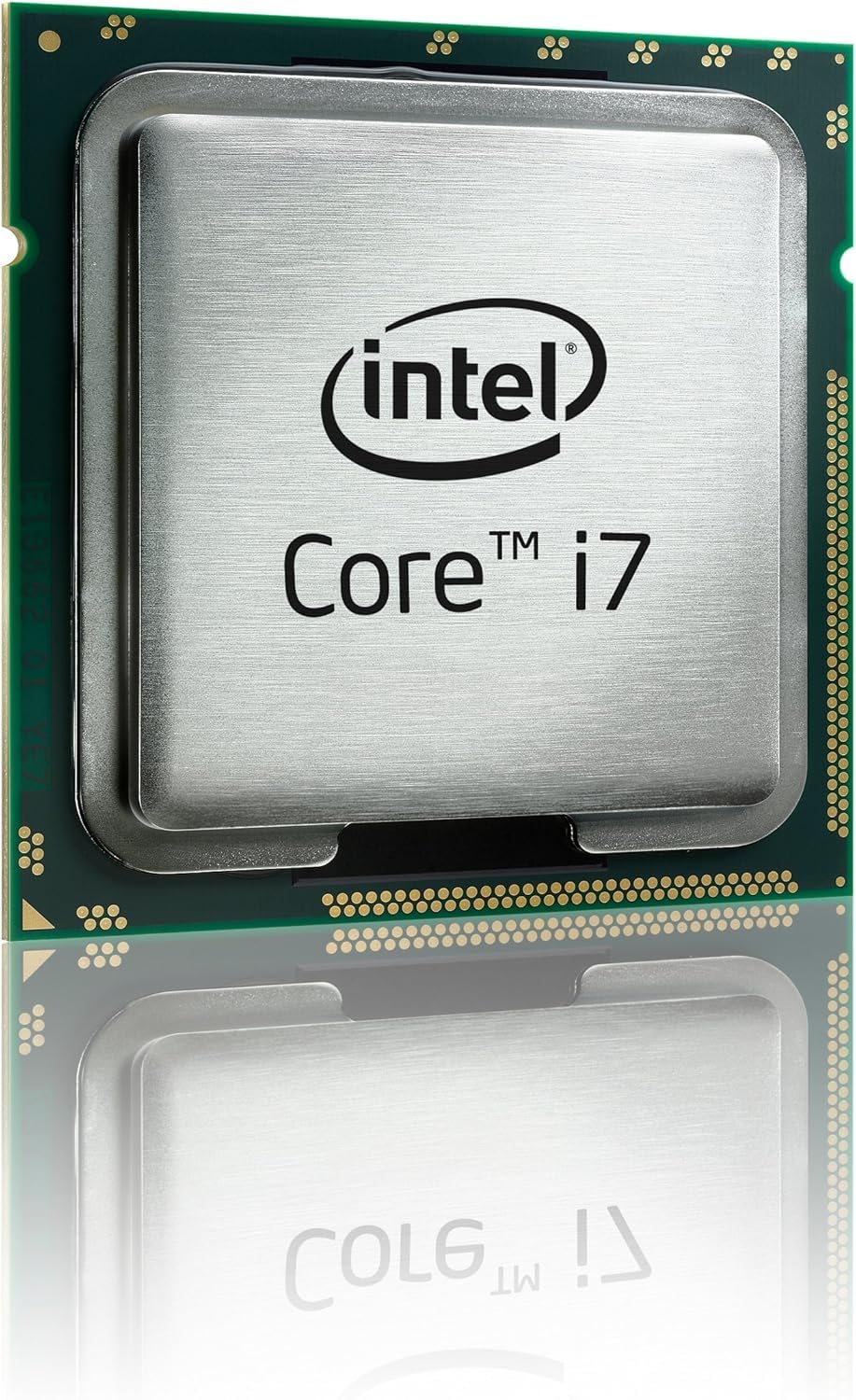
The i7-4770 is the locked version of the original Haswell i7, offering 4 cores and 8 threads at 3.4 GHz base with a 3.9 GHz turbo. This chip is the easiest upgrade path for OEM prebuilt systems or budget H81 boards that lack overclocking support. Users upgrading from i5-4570 chips report a noticeable jump in video encoding speed and smoother multitasking, especially when running multiple virtual machines.
Thermal performance is manageable with the stock cooler. Idle temperatures sit in the low 30s, and gaming loads push to 55°C with the stock fan. The integrated HD 4600 graphics rival (and in some cases exceed) older discrete GPUs like the Radeon HD 7950, making this a capable chip for light gaming without a dedicated card. Builders in the real world report 30-55°C temps during gaming sessions with the stock cooler.
The main drawback is the push-pin fastener design on the stock cooler, which some users find frustrating to install and remove. Aftermarket coolers like the Cooler Master Hyper 212 Plus drop temperatures to 25-45°C, making the system quieter and cooler overall. For non-overclocking users who want hyper-threading at the lowest possible cost, the i7-4770 is a reliable workhorse that still punches above its weight class for daily tasks.
Why it’s great
- Excellent drop-in upgrade from i5 processors
- Strong integrated graphics for basic gaming
- Low power draw at 84W TDP
Good to know
- Stock cooler push-pins can be difficult to install
- Thermal compound may need reapplication
6. Intel Core i7-4770S

The i7-4770S is the low-power variant of the Haswell i7, with a 65W TDP that makes it ideal for compact builds or systems with limited cooling. Its 3.1 GHz base clock is 300 MHz lower than the standard i7-4770, but the turbo boost reaches 3.9 GHz under single-thread load. The 8 threads and 8 MB cache remain intact, preserving hyper-threading benefits for multi-threaded applications.
Power efficiency is the headline spec here. Users report total system power draw dropping by 100W compared to older LGA 1366 builds with similar compute capability. The chip passes severe burn-in tests like 5-hour x264 10-bit encodes without thermal throttling, though full load temperatures can hit 80°C with the stock cooler. An aftermarket cooler like the Cooler Master T4 drops load temps to 60°C, making this a quiet, efficient option for media servers or always-on workstations.
Compatibility is broad across LGA 1150 boards, with users easily upgrading from i5 chips on ASUS motherboards. Gaming at 1080p is smooth even with a modest GPU, and the lower heat output allows for smaller cases and quieter fans. The trade-off is a slight reduction in peak performance compared to full-power i7 chips, but for users prioritizing silence and energy savings over raw clock speed, the i7-4770S is a smart choice.
Why it’s great
- Significantly lower power draw than standard i7 chips
- Runs cooler, enabling smaller builds
- Full hyper-threading in a 65W package
Good to know
- Base clock is lower than non-S variants
- Can still hit high temperatures under sustained load
7. Intel Core i5-4670

The i5-4670 delivers impressive single-threaded performance without the cost of hyper-threading. Its 3.4 GHz base clock turbos up to 3.8 GHz, making it a strong contender for gaming builds where most titles rely on 4 cores or fewer. The Passmark PerformanceTest 8.0 score of 8092 puts it miles ahead of older laptop chips, and users report smooth 1080p gaming, video playback, and multitasking.
Thermal behavior is worth noting. The stock cooler reaches 70°C under full load, which is adequate but not ideal for extended gaming sessions. Users observe a core temperature variance of up to 10°C between cores, which persists even with aftermarket coolers—this is likely due to sensor placement rather than a cooling issue. An aftermarket cooler is recommended for any sustained workload, especially during summer months.
Value is the i5-4670’s strongest argument. It offers similar gaming performance to the i7-4770K in many titles while costing significantly less. The integrated HD 4600 graphics handle basic gaming and video playback without a dedicated GPU. For budget-conscious builders or those upgrading from very old systems, the i5-4670 provides a meaningful performance boost without the premium of an i7 chip.
Why it’s great
- Excellent price-to-performance for gaming
- Strong single-thread turbo clock
- Integrated graphics handle basic tasks
Good to know
- No hyper-threading limits multi-threaded tasks
- Stock cooler runs hot under load
8. Intel Core i5-4570

The i5-4570 is the entry point for LGA 1150 builds, offering 4 physical cores at 3.2 GHz base with a 3.6 GHz turbo boost. Its Passmark CPUmark score of approximately 7500 with a single-thread score around 2200 means single-core performance matches the far more expensive i7-3970X. For everyday tasks like web browsing, office applications, and light photo editing, this chip feels responsive without wasting energy.
Gaming performance is adequate for most titles at 1080p, especially when paired with a mid-range GPU. The integrated HD 4600 graphics handle basic display output, but a dedicated graphics card is recommended for any 3D gaming. Users report the chip running smoothly for semi-pro photo processing and general CAD work. The 84W TDP keeps power draw manageable, and the stock cooler is sufficient for normal use.
Longevity is a surprising strength of this chip. Users report faithful operation for over six years without degradation. The i5-4570 is ideal for budget builds where the primary goal is cost savings. It’s also a good candidate for home theater PCs or secondary workstations where hyper-threading isn’t necessary. For 4K video playback, a GPU upgrade is recommended over an i7 upgrade, as the i5-4570 leaves room in the budget for a better graphics card.
Why it’s great
- Lowest cost entry to LGA 1150 platform
- Single-thread performance rivals high-end chips
- Proven reliability over many years
Good to know
- No hyper-threading limits multitasking
- Struggles with 4K video without GPU
FAQ
Can I use a modern GPU with an LGA 1150 CPU?
Is the Xeon E3-1241 V3 better than the i7-4790 for gaming?
Can I overclock a locked i7 on a Z97 motherboard?
Do I need a BIOS update for my Z87 board with an i7-4790K?
How much RAM can an LGA 1150 system support?
Final Thoughts: The Verdict
For most users, the best cpu for lga 1150 winner is the Intel Core i7-4790K because it offers the highest clock speeds, unlocked multiplier, and hyper-threading in one package that still feels responsive in 2024. If you want stable, cool operation without overclocking, grab the Intel Core i7-4790. And for the best value in a thread-heavy workstation, nothing beats the Intel Xeon E3-1241 V3.

Mo Maruf
I created WellFizz to bridge the gap between vague wellness advice and actionable solutions. My mission is simple: to decode the research and give you practical tools you can actually use.
Beyond the data, I am a passionate traveler. I believe that stepping away from the screen to explore new environments is essential for mental clarity and physical vitality.