Our readers keep the lights on and my smoothie glass nicely filled. As an Amazon Associate, I earn from qualifying purchases.
At this point, buying a new CPU often means committing to a full platform overhaul—new motherboard, new RAM, and all the labor that goes with it. For millions of users still on the AM4 socket, the real question isn’t whether to upgrade your board, but which chip squeezes the last bit of high-performance life out of your existing setup. The AM4 ecosystem is a mature, battle-tested platform with a deep bench of processors that can handle everything from competitive gaming to professional content creation without forcing you to rebuild your rig.
I’m Mohammad Maruf — the founder and writer behind WellFizz. I’ve spent countless hours analyzing benchmark data, thermal reports, and user feedback across the entire AM4 product stack to separate the true upgrade-worthy chips from the incremental refreshes.
This guide focuses exclusively on the best cpu for am4, breaking down each option by core count, clock speed, cache size, and real-world workload performance so you can make a confident final upgrade to your socket.
How To Choose The Best CPU For AM4
Selecting the right processor for an AM4 board is about balancing your current motherboard’s chipset capabilities against your performance needs. Unlike a new-build scenario, you are working within the constraints of an existing platform, which makes core count, thermal design power, and PCIe generation compatibility critical factors.
Core Count and Workload Matching
The most important decision is whether your daily tasks benefit from more than eight cores. For pure gaming at 1440p or 4K, a high-clock 8-core chip like the 5800X often delivers identical frame rates to a 16-core 5950X because games rarely utilize more than eight threads efficiently. For video editing, 3D rendering, or running virtual machines, the extra cores on a 5900X or 5950X translate directly into reduced render times and smoother multitasking.
Cache Architecture and Gaming Performance
AMD’s 3D V-Cache technology stacks an additional 64MB of L3 cache on top of the standard 32MB, bringing the total to 96MB on the 5800X3D and 5700X3D. This extra cache reduces the number of times the CPU must fetch data from system RAM, dramatically improving frame-time consistency and average FPS in simulation and open-world games. If your motherboard supports it and gaming is your primary use case, the X3D chips represent the single largest gaming uplift available on AM4.
Thermal Design Power and Cooler Compatibility
The 65W TDP chips (5700X, 5600X) can run effectively on budget air coolers and even stock Wraith coolers, making them drop-in upgrades for pre-built systems with limited cooling. The 105W TDP chips (5800X, 5900X, 5950X) require at least a mid-range tower air cooler or a 240mm liquid cooler to avoid thermal throttling during sustained loads. Always verify your cooler’s mounting bracket supports the AM4 socket before purchasing.
Motherboard Chipset Limitations
Not all AM4 motherboards can run all AM4 processors. A320 and A520 chipsets lack PCIe 4.0 support, which limits GPU bandwidth on modern graphics cards. B450 and X470 boards may require a BIOS update to run Ryzen 5000 series chips, and some older boards lack the power delivery to sustain a 16-core 5950X under full load. Check your motherboard manufacturer’s CPU support list before ordering.
Quick Comparison
On smaller screens, swipe sideways to see the full table.
| Model | Category | Best For | Key Spec | Amazon |
|---|---|---|---|---|
| AMD Ryzen 9 9950X3D2 Dual Edition | Premium | AI Workloads & Top-Tier Productivity | 16 Cores / 16 Threads, 208 MB Cache | Amazon |
| AMD Ryzen 9 9900X3D 12-Core | Premium | High-End Gaming & Content Creation | 12 Cores / 24 Threads, 140 MB Cache | Amazon |
| AMD Ryzen 7 9850X3D | Premium | Pure Gaming Performance | 8 Cores / 16 Threads, 104 MB Cache | Amazon |
| AMD Ryzen 9 5900XT | High-End | Workstation & Multitasking | 16 Cores / 32 Threads, 72 MB Cache | Amazon |
| AMD Ryzen 7 5800X | Mid-Range | Gaming & Streaming | 8 Cores / 16 Threads, 36 MB Cache | Amazon |
| AMD Ryzen 7 5700X | Mid-Range | Efficient 8-Core Upgrade | 8 Cores / 16 Threads, 36 MB Cache, 65W TDP | Amazon |
| Micro Center AMD Ryzen 5 5500 + ASUS A520M | Budget | Entry-Level Gaming Build | 6 Cores / 12 Threads, 19 MB Cache | Amazon |
| INLAND AMD Ryzen 5 5500 + MSI A520M | Budget | First-Time PC Builder Bundle | 6 Cores / 12 Threads, 19 MB Cache | Amazon |
| Thermaltake Toughpower GT 850W | PSU | Supporting Power Delivery | 850W, 80 Plus Gold, Fully Modular | Amazon |
In‑Depth Reviews
1. AMD Ryzen 9 9950X3D2 Dual Edition
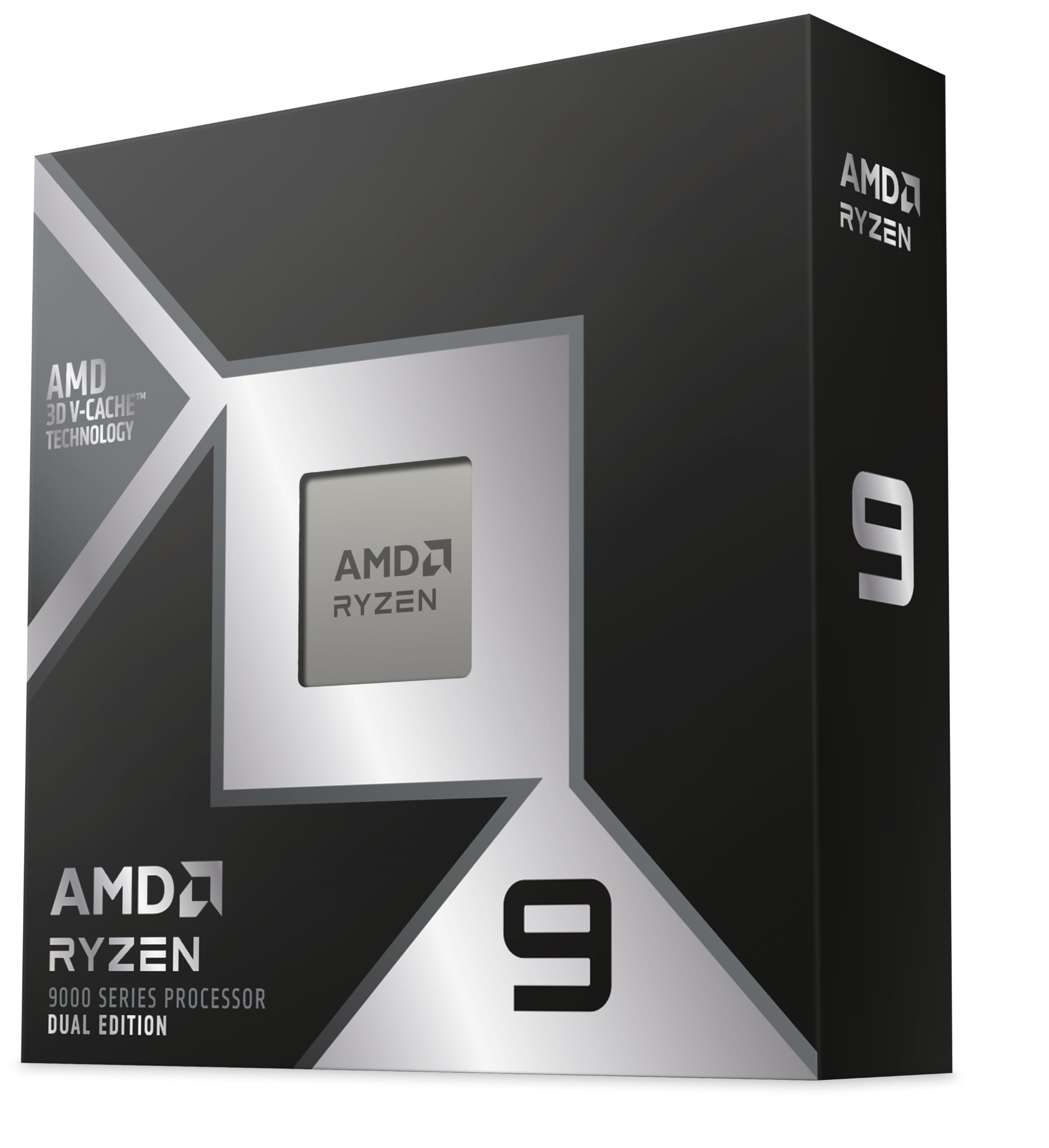
The 9950X3D2 Dual Edition sits at the absolute peak of what a consumer processor can deliver, with a staggering 208 MB of total cache across 16 cores and a 5.6 GHz boost clock. User reports confirm that the dual-CCD design resolves scheduler stutters that plagued previous X3D chips, allowing both core complexes to sustain 5.1 GHz under sustained all-core loads. For anyone doing local AI inference, the benchmark data shows 165 tokens per second on Gemma 4 models, a result that puts this chip in a league of its own for AM4-compatible workloads.
The 16-thread count and massive cache pool make it an exceptional choice for protein folding simulations, complex 3D rendering, and code compilation. Owners upgrading from a 7950X describe feeling an immediate speed difference in productivity apps, and the chip handles simultaneous gaming, streaming, and encoding without measurable frame drops. The power delivery demands are significant, so a premium X570 motherboard with robust VRMs and a high-end 360mm AIO cooler are non-negotiable partners for this processor.
While the 9950X3D2 is technically backward-compatible with many AM4 boards, its full potential is unlocked only on boards with PCIe 4.0 and strong multi-phase power delivery. This is not a chip for a casual drop-in upgrade; it is the ultimate final destination for builders who want to wring every ounce of performance from the AM4 ecosystem before the platform officially sunsets.
Why it’s great
- Unmatched 208 MB cache for AI and data-heavy workflows
- Dual CCD design eliminates previous scheduler hiccups
- 5.6 GHz boost clock provides top-tier single-threaded speed
Good to know
- Requires a premium motherboard and high-end liquid cooling
- Overkill for pure gaming without productivity needs
2. AMD Ryzen 9 9900X3D 12-Core

The 9900X3D strikes a rare balance between extreme productivity and elite gaming, packing 12 cores and 24 threads with a 140 MB cache that handles multi-threaded workloads without sacrificing frame rates. User reports highlight excellent thermal behavior with a standard AIO cooler, noting no thermal throttling even during extended rendering sessions. The extra cache provides snappy system responsiveness across the board, from launching applications to loading large project files.
Content creators who edit video, run CAD software, or compile code will see direct benefits from the 12-core configuration, while gamers enjoy the X3D cache advantage in simulation and open-world titles. The chip pairs beautifully with a 7900 XT or higher-end GPU, as evidenced by user builds that report flawless stability and no performance bottlenecks. The 9900X3D is often easier to source than the 9800X3D, making it a practical choice for users who want X3D cache without hunting for stock.
This processor fits best in a system used for both work and play, where the line between productivity and gaming is blurry. It demands a solid cooler—a dual-tower air cooler or 240mm AIO at minimum—and a motherboard with PCIe 4.0 to fully benefit from the cache architecture. For the user who wants one chip that does everything well, this is the strongest option on AM4.
Why it’s great
- 140 MB cache delivers outstanding gaming frame times
- 12 cores handle heavy productivity without compromise
- Runs cool and stable with standard AIO cooling
Good to know
- 12-core X3D is overkill for gamers who don’t multitask
- Requires PCIe 4.0 motherboard to unlock full potential
3. AMD Ryzen 7 9850X3D

The 9850X3D is purpose-built for framerate-obsessed gamers who want every possible advantage without diving into expensive higher-core-count chips. With 104 MB of cache and a 4.7 GHz boost clock on 8 cores, users report frame rates between 140 and 160 FPS in modern titles when paired with a Radeon 7800 XT. The chip remains remarkably cool, reaching a maximum of 70°C under load when paired with a 360mm AIO, and idle temperatures hover around 38°C—impressive numbers for a high-performance gaming processor.
Owners upgrading from older X3D chips like the 7800X3D note improvements in branch prediction and thermal performance, with boost clocks reaching 5.6 GHz in single-threaded scenarios. The 9850X3D works best on X870 or B650 motherboards, where the BIOS support is mature and the power delivery is robust. Users who undervolt and overclock report even better temperatures, often staying below 60°C in extended gaming sessions.
This processor is ideal for the dedicated gamer who wants the best possible frame-time consistency and average FPS on AM4. It is less suited for heavy rendering or workstation tasks where 12 or 16 cores would provide a significant advantage. Pair it with fast DDR5-6000 CL30 RAM and a high-end graphics card for the most balanced gaming build possible on this platform.
Why it’s great
- 104 MB cache provides elite gaming frame consistency
- Low idle and load temperatures with good cooling
- Excellent overclocking and undervolting headroom
Good to know
- Requires a high-end cooler to manage peak thermal output
- Not ideal for heavy multi-threaded productivity workloads
4. AMD Ryzen 9 5900XT

The 5900XT delivers 16 cores and 32 threads of Zen 3 architecture with a 72 MB cache, making it a compelling choice for users who need serious multi-threaded horsepower without moving to the X3D lineup. Users report that this chip runs cooler than the 5950X due to improved binning, with all-core boost speeds around 4.1 GHz on SSE workloads and 3.3 to 3.6 GHz under AVX2 loads. For content creation apps like AutoCAD, Blender, and Premiere Pro, the multi-threaded advantage over 8-core chips is significant.
The 5900XT is a strong performer in gaming as well, though the split CCD design means some users disable the second CCD in BIOS for better latency in older titles. At stock settings, it handles modern AAA games without bottlenecking a high-end GPU. The chip does require a good cooling solution—a 360mm AIO is recommended to keep peak temperatures under 80°C during extended all-core loads.
This processor is best suited for the hybrid user who both creates and games, offering workstation-class core counts at a mid-range price point. It keeps the DDR4 ecosystem viable for users who are not ready to jump to DDR5, and its compatibility with B550 and X570 boards makes it a straightforward upgrade for existing AM4 builders.
Why it’s great
- 16 cores provide excellent workstation performance
- Runs cooler and more efficiently than the 5950X
- Maintains strong gaming performance with a good GPU
Good to know
- Split CCD design can cause latency in some older games
- Requires a 360mm AIO for sustained all-core loads
5. AMD Ryzen 7 5800X

The 5800X remains one of the most versatile processors on AM4, offering 8 cores and 16 threads with a 4.7 GHz boost clock and 36 MB of cache. User reports confirm that enabling Precision Boost Overdrive allows single-core boosts up to 5.1 GHz and all-core speeds around 4.75 GHz, delivering significant gaming improvements over older Ryzen generations. One user upgrading from a Ryzen 3600 saw a 10 to 20 FPS gain at 1440p with the same RTX 2070 Super, demonstrating how CPU-bound gaming benefits from the Zen 3 architecture.
The 5800X does not include a cooler, and its 105W TDP demands a quality tower air cooler or liquid cooler. Users report idle temperatures around 39°C and load temperatures of 68°C under moderate workloads, though Prime95 stress tests push temperatures into the low 80s even with dual-tower air coolers. The chip is particularly well-suited for streaming and gaming simultaneously, with one user noting a drop from 30-40% FPS loss on a 5600 to under 10% on the 5800X.
For AM4 users who want a meaningful upgrade without the complexity of X3D cache or the expense of 12-core chips, the 5800X hits a sweet spot. It works well on B450, B550, and X570 boards after a BIOS update, and it supports PCIe 4.0 on compatible chipsets. Pair it with a Radeon 6700 XT or GeForce RTX 3070-class GPU for a well-matched gaming system.
Why it’s great
- Excellent single-core boost up to 5.1 GHz with PBO
- Dramatic gaming uplift over earlier Ryzen generations
- Works well for streaming and gaming simultaneously
Good to know
- No included cooler—must budget for a quality air or liquid cooler
- 105W TDP runs hotter than the 65W 5700X
6. AMD Ryzen 7 5700X

The 5700X delivers 8 cores and 16 threads with a 4.6 GHz boost clock, but its defining feature is the 65W TDP. Users upgrading from the 2700X report a dramatic temperature improvement, with load temperatures dropping from the mid-80s to the mid-60s under full load. This makes the 5700X the ideal choice for pre-built systems, small form factor builds, or any case with limited airflow where heat dissipation is a concern.
Performance-wise, the 5700X matches the 5800X in games that are not thermally constrained, and the single-core uplift over older Ryzen generations is night and day. One user noted a huge improvement in CPU-heavy games like World of Warcraft when moving from a 3700X, where the higher clock speed and improved IPC translated into smoother raid content and better frame-time consistency. The chip works on B550 boards without issue and requires only a simple BIOS update for B450 and X470 boards.
Because the 5700X does not include a cooler, users have the freedom to choose a high-quality low-noise air cooler that keeps the system silent even under load. The low TDP means even a budget tower cooler like a Cooler Master Hyper 212 is sufficient, keeping system noise minimal. For the user who wants 8-core performance without the thermal overhead, this chip is the most practical option on AM4.
Why it’s great
- 65W TDP makes it easy to cool in any case
- 8-core performance matches the 5800X in most games
- Dramatically lower temperatures than previous-generation 8-core chips
Good to know
- No cooler included in the box
- Slightly lower boost clock than the 5800X
7. Micro Center AMD Ryzen 5 5500 + ASUS A520M

The Micro Center bundle combines a Ryzen 5 5500 with an ASUS TUF Gaming A520M-PLUS WiFi motherboard, creating an entry-level platform that delivers solid 100+ FPS performance in popular titles. The 5500 features 6 cores and 12 threads with a 4.2 GHz boost clock and the bundled Wraith Stealth cooler keeps temperatures manageable at the 65W TDP. Users report that the motherboard comes with a BIOS that supports the 5500 out of the box, eliminating the common frustration of needing a boot kit for updates.
The ASUS A520M board includes built-in 802.11ac WiFi, DisplayPort and HDMI outputs, and multiple USB 3.2 Gen 1 ports, making it a feature-rich foundation for a budget build. One user built an entertainment and server PC with this combo, noting good stability after lowering the voltage in BIOS to keep the CPU cooler. The board supports up to 128 GB of DDR4 memory and includes an M.2 slot for fast NVMe storage.
The bundle’s main limitation is the lack of PCIe 4.0 support, as the A520 chipset caps at PCIe 3.0. Users pairing this with modern mid-range GPUs will not notice a meaningful performance difference, but high-end cards like the RX 7900 XT may see some bandwidth constraints. For the builder on a strict budget who needs a functional gaming PC without hunting for individual parts, this bundle simplifies the process considerably.
Why it’s great
- Plug-and-play bundle with out-of-box BIOS support
- Built-in WiFi saves the cost of a separate adapter
- Good entry-level performance for popular games
Good to know
- PCIe 3.0 only—limits bandwidth for high-end GPUs
- Stock cooler is poor; consider a budget tower cooler
8. INLAND AMD Ryzen 5 5500 + MSI A520M

The INLAND bundle pairs the same Ryzen 5 5500 with an MSI A520M-A PRO motherboard, offering a slightly different feature set at the same entry-level tier. The MSI board includes Core Boost digital power design for better multi-core stability, DDR4 Boost for memory signal integrity, and an M.2 slot running at PCI-E Gen3 x4 for NVMe SSDs. Users describe the combo as plug-and-play, with one builder noting that the system booted Windows 11 from a USB drive in under five minutes with all drivers pulled by Windows Update.
The 5500 processor delivers smooth 100+ FPS performance in games like Apex Legends and Fortnite when paired with a discrete GPU, and the bundled Wraith Stealth cooler provides adequate cooling for the 65W TDP. Some users note that the stock cooler creates RAM clearance issues in certain configurations, so checking your memory heat spreader height is advisable. The motherboard features useful onboard debugging LEDs that help troubleshoot any issues during the initial build.
This bundle is best for first-time PC builders who want a complete, tested combination that works out of the box. The 5500’s 6-core configuration will feel substantially faster than any office PC or laptop, and the MSI board offers room for modest upgrades like faster RAM and a budget GPU. The main caveat is the lack of PCIe 4.0 support, but for the target audience of budget-conscious builders, this limitation rarely affects real-world performance.
Why it’s great
- Reliable plug-and-play experience for first-time builders
- MSI Core Boost provides clean power delivery
- Debugging LEDs simplify troubleshooting
Good to know
- Stock cooler may obstruct RAM slots with tall heat spreaders
- No PCIe 4.0 support limits future GPU upgrade potential
9. Thermaltake Toughpower GT 850W ATX 3.1

The Toughpower GT 850W is not a CPU, but it is the critical enabling component for any high-performance AM4 build. With ATX 3.1 and PCIe 5.1 support, this power supply includes a native 12V-2×6 connector that powers the latest generation of graphics cards without adapter cables. Users report flawless compatibility with Ryzen 5 7500F and RTX 5070 Ti combinations, noting that the 850W capacity provides ample headroom for peak power draws without fan noise.
The 80 Plus Gold efficiency rating translates to reduced electricity bills and lower heat output inside the case, while the Smart Zero Fan mode keeps the fan completely silent at low loads. The fully modular design includes low-profile flat black cables that simplify cable management in even tight cases like the Montech XR. One user who upgraded from a non-modular power supply described the difference in cable management as transformative, with better airflow and a cleaner interior.
The unit does have some reported reliability concerns, with a small number of users experiencing total failure within weeks. While the majority of reports are positive, the occasional bad unit and the presence of a similar Thermaltake model failing in LTT Labs testing are worth noting. The 5-year warranty provides some peace of mind, but sensitive buyers may prefer to pair this with a surge protector or UPS for additional protection.
Why it’s great
- Native 12V-2×6 connector for modern GPU compatibility
- Smart Zero Fan mode keeps it silent at low load
- Fully modular flat cables simplify cable management
Good to know
- Some reports of unit failure within the first month
- 5-year warranty is shorter than the 10-year options from competitors
FAQ
Will a Ryzen 5000 series CPU work in my B450 motherboard?
What is the difference between the 5800X and the 5800X3D?
Final Thoughts: The Verdict
For most users, the best cpu for am4 winner is the AMD Ryzen 9 9950X3D2 Dual Edition because it delivers unmatched cache capacity and multi-threaded performance for users who need absolute compute power. If you want premium gaming performance without sacrificing productivity, grab the AMD Ryzen 9 9900X3D 12-Core. And for the budget-conscious builder building their first PC, nothing beats the Micro Center AMD Ryzen 5 5500 + ASUS A520M bundle for its plug-and-play simplicity and solid price-to-performance ratio.

Mo Maruf
I created WellFizz to bridge the gap between vague wellness advice and actionable solutions. My mission is simple: to decode the research and give you practical tools you can actually use.
Beyond the data, I am a passionate traveler. I believe that stepping away from the screen to explore new environments is essential for mental clarity and physical vitality.