Our readers keep the lights on and my smoothie glass nicely filled. As an Amazon Associate, I earn from qualifying purchases.
Pairing a GeForce RTX 4080 Super with the wrong processor creates a bottleneck that leaves performance on the table—your expensive GPU idles while your CPU struggles to keep up. Finding the right match means understanding clock speeds, core counts, and cache architecture, not just picking the most expensive chip on the shelf.
I’m Mohammad Maruf — the founder and writer behind WellFizz. I’ve spent hundreds of hours analyzing gaming benchmarks, productivity workloads, and thermal data to build this guide around the specific demands of the 4080 Super.
After comparing real-world performance data across dozens of configurations, I’ve identified the processors that truly let this GPU stretch its legs. This is your complete resource for finding the best cpu for 4080 super across every budget and use case.
How To Choose The Best CPU For 4080 Super
Choosing a CPU for the RTX 4080 Super isn’t about raw core count alone. The 4080 Super thrives at 4K and high-refresh 1440p, so the processor must feed it frames without stalling. You need to consider single-threaded gaming performance, multi-core muscle for background tasks, and platform longevity. A balanced pairing ensures the GPU runs near 100% utilization rather than waiting on the CPU to catch up.
Gaming Performance vs Productivity Power
For pure gaming, high clock speeds and large L3 cache matter more than core count. Processors with 3D V-Cache technology excel here because the extra cache reduces memory latency and boosts frame rates in simulation and strategy titles. If you also render video, compile code, or stream, you’ll want at least 12 cores so the 4080 Super isn’t starved during multi-threaded workloads. A processor that hits 5.5 GHz or higher single-core turbo and maintains 70°C under load fits the sweet spot.
Platform and Upgrade Path
Socket choice determines future upgrades. LGA 1700 boards support 12th through 14th gen Intel processors but are a dead end after that. AM5 sockets promise several more generations of AMD CPUs, making them better for builders who want to drop in a new chip later without replacing the motherboard. Both platforms support PCIe 5.0 and DDR5, which the 4080 Super can use for faster asset streaming and memory bandwidth.
Thermal and Power Considerations
The 4080 Super draws up to 320W under load, so your CPU shouldn’t add excessive heat to the case. Processors with a TDP under 150W run cooler with smaller coolers, while chips pulling 250W+ demand 360mm AIOs or beefy air towers. A mid-range CPU around 125W TDP strikes the best balance—it keeps system temperatures manageable while delivering enough throughput to keep the GPU fed at 4K.
Quick Comparison
On smaller screens, swipe sideways to see the full table.
| Model | Category | Best For | Key Spec | Amazon |
|---|---|---|---|---|
| AMD Ryzen 7 7800X3D | Mid-Range | Pure Gaming | 96MB L3 Cache | Amazon |
| AMD Ryzen 7 9850X3D | Mid-Range | Gaming + Streaming | 5.6 GHz Boost | Amazon |
| AMD Ryzen 9 9900X3D | Mid-Range | Gaming + Light Productivity | 140MB Total Cache | Amazon |
| Intel Core Ultra 7 270K | Mid-Range | Multi-Core Value | 24 Cores, 5.5 GHz | Amazon |
| Intel Core i9-14900KF | Premium | High-FPS Gaming | 6.0 GHz Turbo | Amazon |
| Intel Core Ultra 9 285K | Premium | Heavy Productivity | 24 Cores, 5.7 GHz | Amazon |
| AMD Ryzen 9 9950X3D | Premium | Ultimate Gaming/Creator | 16 Cores, 144MB Cache | Amazon |
| AMD Ryzen 9 9950X3D2 | Premium | Workstation + Gaming | 208MB Total Cache | Amazon |
| RTX 4080 Super (Reference) | GPU | N/A | 16GB GDDR6X | Amazon |
In‑Depth Reviews
1. AMD Ryzen 7 7800X3D

The Ryzen 7 7800X3D has become the reference standard for pairing with the RTX 4080 Super at 1440p and 4K. The 96MB 3D V-Cache dramatically reduces memory latency, which directly translates to higher 1% lows and smoother gameplay in titles like Flight Simulator, Factorio, and Total War. With a TDP of just 120W, it runs cool enough for a mid-range air cooler, leaving thermal headroom for the GPU to breathe. Real benchmarks show it trading blows with chips twice its price in gaming scenarios while consuming half the power.
Installation is straightforward on any AM5 motherboard, and the 8-core 16-thread layout handles Discord streaming and browser tabs without introducing stutter. The 5.0 GHz boost clock may seem modest on paper, but the cache architecture compensates so effectively that raw clock speed becomes secondary. Users consistently report CPU utilization around 60-70% during demanding titles while the 4080 Super stays pegged at 99%, indicating zero bottleneck.
Where this chip falls short is heavily multi-threaded productivity like 4K video rendering or 3D simulation. The 8-core limit means it will trail 16-core competitors in Cinebench multi-core scores. However, for the vast majority of gamers who want maximum frame rates and minimal input lag, this CPU delivers the most consistent experience with the 4080 Super at a price that leaves room for faster RAM or a better cooler.
Why it’s great
- Best gaming frame rates at 1440p and 4K
- Low power draw keeps system cool
- AM5 platform offers future upgrade path
Good to know
- Not ideal for heavy video rendering
- Requires BIOS update on older AM5 boards
2. Intel Core Ultra 7 270K

The Intel Core Ultra 7 270K represents a compelling value proposition for builders who need both gaming performance and multi-core grunt. With 24 cores split between 8 performance and 16 efficiency cores, it matches the core count of the flagship 285K while clocking up to 5.5 GHz. In VR gaming scenarios at 4K per eye, users report frame rates within 3-5 FPS of the 9800X3D while saving significantly on platform costs by reusing DDR5 memory. The LGA1851 socket gives access to Intel 800 series chipsets with PCIe 5.0 connectivity.
What sets this chip apart is its stability and memory controller quality. Users running AI Overclocking profiles consistently hit 5.5 GHz under load with idle temps around 38°C when paired with a 360mm AIO. The 40MB cache helps maintain snappy responsiveness in daily tasks and emulation workloads where single-threaded performance matters. Multi-threaded rendering tasks see a noticeable uplift over the 7800X3D, making this a true hybrid chip for mixed-use systems.
The trade-off comes in pure gaming scenarios where the 3D V-Cache AMD chips still hold a small advantage in CPU-bound titles. Additionally, the 125W base power can spike to 250W under full turbo load, demanding a capable cooler. For builders who split time between gaming, content creation, and VR, this CPU offers the best balance of price and versatility for the 4080 Super.
Why it’s great
- Excellent multi-core performance for price
- Matches flagship in many workloads
- Stable memory controller
Good to know
- Requires robust cooling for turbo loads
- Slightly behind X3D chips in pure gaming
3. AMD Ryzen 7 9850X3D

The Ryzen 7 9850X3D takes the 7800X3D formula and adds higher boost clocks and improved thermal characteristics. Clocking up to 5.6 GHz, this chip delivers a noticeable uplift in single-threaded performance while maintaining the low-latency cache benefits. Users pairing it with the RTX 4080 Super report frame rates between 140-160 FPS in demanding titles at 1440p ultra settings, with the GPU rarely dropping below 95% utilization. The improved branch prediction and thermal performance allow for aggressive undervolting without stability loss.
Thermal management is where this processor shines. Under full gaming load with a 360mm AIO, temperatures hover around 60°C, which is remarkable for an 8-core chip at these clock speeds. The AM5 platform compatibility means you can drop this into existing B650 or X870 boards after a BIOS update, making it an attractive upgrade for current Ryzen users. The 5.6 GHz boost translates directly to snappier boot times and reduced load screens in open-world games.
Like its predecessor, the 9850X3D is primarily a gaming-first processor. Multi-threaded productivity scores are good but not class-leading, as the 8-core count caps parallel processing throughput. For users who want the best possible gaming experience with the 4080 Super and occasionally stream or edit video, this represents a refined step forward from the 7800X3D without jumping to a higher core count.
Why it’s great
- Higher clock speeds than 7800X3D
- Runs cool with standard AIO cooling
- Excellent single-threaded gaming performance
Good to know
- 8-core limit affects heavy multitasking
- Requires recent BIOS on older AM5 boards
4. AMD Ryzen 9 9900X3D

The Ryzen 9 9900X3D bridges the gap between gaming excellence and serious productivity. With 12 cores and 24 threads backed by 140MB of total cache, this processor handles 4K video editing, code compilation, and multitasking while still delivering excellent frame rates in games. Users report snappy responsiveness even with dozens of browser tabs, streaming software, and a game running simultaneously. The 3D V-Cache technology ensures that gaming performance remains competitive with the 7800X3D while the extra cores crush rendering tasks.
Thermal behavior is well-managed for a 12-core chip. With a Peerless Assassin 120 air cooler or basic AIO, temperatures stay under 70°C during sustained loads. The 5.7 GHz boost clock on single-core tasks means general system responsiveness feels instant. The extra cache also helps in simulation and physics-heavy games where data needs to be fetched quickly, preventing micro-stutters that can occur with smaller cache processors.
The main consideration is that pure gaming enthusiasts may not see a large enough benefit over the 7800X3D to justify the step up in cost. The 9900X3D shines brightest for users who split their time 60/40 between productivity and gaming. If your primary use is gaming with occasional productivity, the 7800X3D or 9850X3D will serve you better and leave more budget for GPU upgrades.
Why it’s great
- Powerful multi-core for productivity
- Gaming performance nearly matches 7800X3D
- Cool and stable under load
Good to know
- Overkill for pure gaming builds
- Requires AM5 board with good VRMs
5. Intel Core i9-14900KF
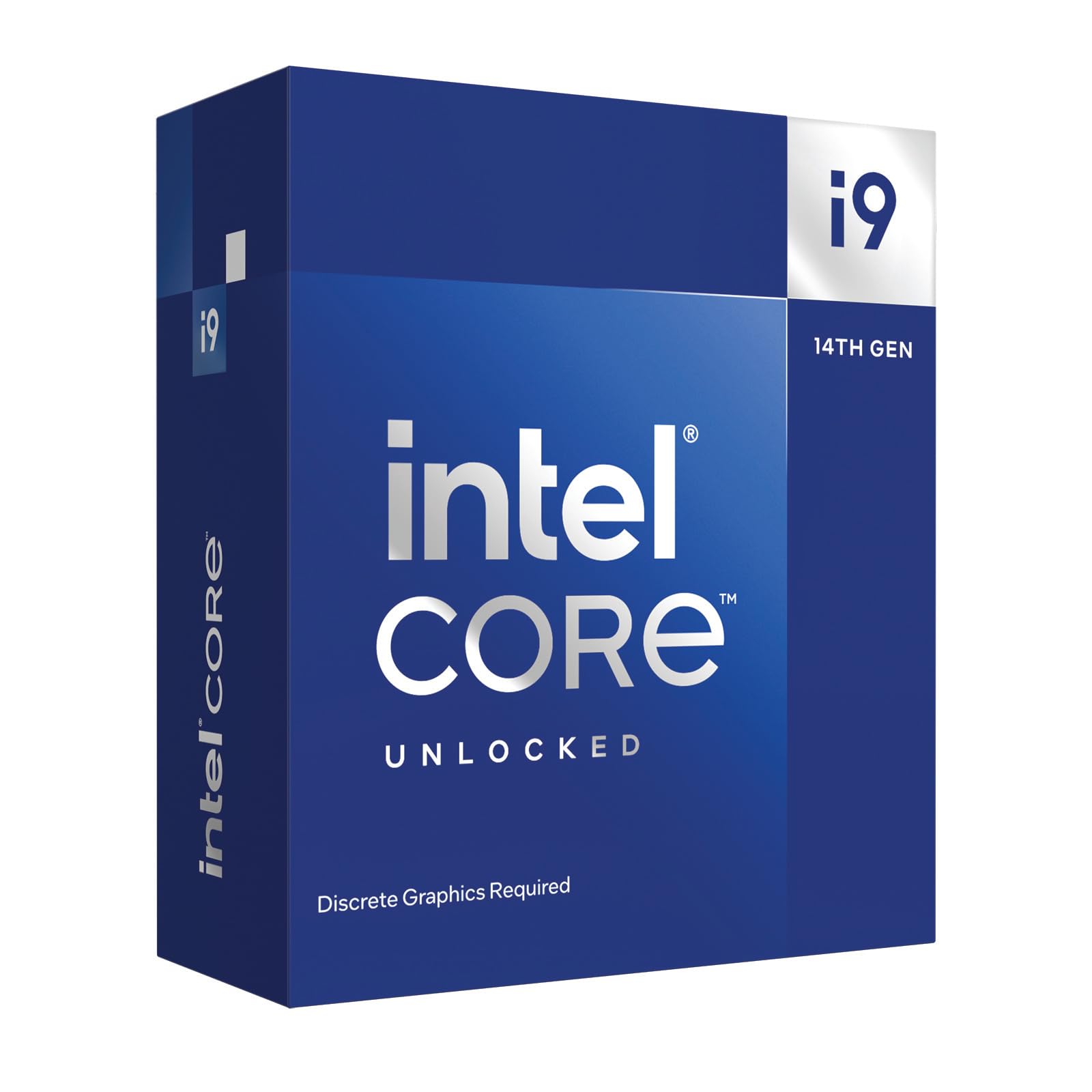
The Intel Core i9-14900KF remains a monstrous option for users who want the highest possible clock speeds available today. With a 6.0 GHz turbo boost, this chip delivers outstanding performance in games that are sensitive to raw clock frequency, such as CS2 and Valorant, where every megahertz counts. The 24-core 32-thread configuration plows through video encoding, 3D rendering, and compilation tasks with ease. When paired with the 4080 Super, users report CPU utilization hovering around 50-70% in demanding titles, leaving plenty of headroom for background tasks.
Where this processor demands respect is cooling and power delivery. Under full load, the 14900KF can draw 250W and spike temperatures to 90°C even with a 360mm AIO. This thermal behavior means you need high-end cooling and a robust Z790 motherboard with quality VRMs. Users who invest in proper cooling report stable long gaming sessions with temperatures in the 50-70°C range, but skimping on the cooler leads to thermal throttling and lost performance.
The LGA 1700 platform is a dead end for future upgrades, which is a significant consideration for builders who want to drop in a newer CPU later. Additionally, the power draw means this chip is best suited for users who have a high-wattage PSU and don’t mind the electricity cost. For maxed-out gaming rigs where budget is less of a concern and raw clock speed is the priority, the 14900KF still holds its ground against newer architectures.
Why it’s great
- Highest turbo clock speed available
- Excellent multi-core performance
- Compatible with affordable LGA 1700 boards
Good to know
- Runs very hot under load
- LGA 1700 platform has no upgrade path
6. Intel Core Ultra 9 285K

The Intel Core Ultra 9 285K represents a new architectural direction with the Arrow Lake design, focusing on efficiency alongside performance. With 24 cores (8P+16E) clocking up to 5.7 GHz, it delivers strong all-around performance while running cooler and quieter than the 14900KF.
This chip excels in professional content creation workflows where reliability and thermal consistency matter more than peak clock speeds. The integrated Intel Graphics provides a basic display output for troubleshooting or secondary monitors. The LGA1851 socket and 800-series chipset support DDR5-7200 memory and PCIe 5.0, giving the 4080 Super full bandwidth for asset streaming. Users note that the platform is particularly stable with CUDIMM RAM at high speeds, avoiding the memory training issues that plagued earlier Intel platforms.
Gaming performance is very strong but doesn’t match the raw frame rates of the 14900KF or the X3D chips in CPU-bound titles. The efficiency focus means this chip trades a few percentage points of gaming performance for significantly better thermal behavior and lower power bills. For builders who prioritize a quiet, stable workstation that can game well on the side, the 285K is a compelling choice.
Why it’s great
- Runs cooler than previous Intel flagships
- Excellent stability for professional use
- Efficient power draw under load
Good to know
- New LGA1851 platform requires new board
- Gaming performance trails X3D chips
7. AMD Ryzen 9 9950X3D

The Ryzen 9 9950X3D is the ultimate enthusiast processor for pairing with the RTX 4080 Super. With 16 Zen 5 cores, 144MB of total cache, and boost clocks up to 5.7 GHz, it delivers uncompromising performance in every scenario—gaming, rendering, code compilation, and AI workloads. Users switching from Intel i9-14900KS report zero crashes and dramatically improved stability, with the 9950X3D supporting AVX-512 instructions for scientific computing. Frame rates with the 4080 Super at 4K are consistently smooth, with 1% lows that feel locked.
Thermals are surprisingly manageable for a 16-core powerhouse. Users report temperatures never exceeding 70°C under full load with high-end air coolers like the Noctua NH-D15 G2, and the chip remains whisper-quiet during gaming sessions. The AM5 platform with PBO overclocking allows enthusiasts to push performance further while maintaining stability. The 144MB cache means simulation games and physics-heavy titles run with minimal stutter, even with complex scenes.
The main barrier is cost. This is a premium-tier processor that offers diminishing returns for pure gaming workloads compared to the 7800X3D or 9850X3D. The extra cores only matter if you regularly use them. For users who need a single system that can do everything at the highest level—gaming at 4K 144Hz while streaming and rendering in the background—the 9950X3D is the definitive choice.
Why it’s great
- Exceptional gaming and productivity performance
- Runs cool for a 16-core chip
- AM5 platform with future upgrade path
Good to know
- High cost for pure gaming use
- Overkill for most users
8. AMD Ryzen 9 9950X3D2 Dual Edition
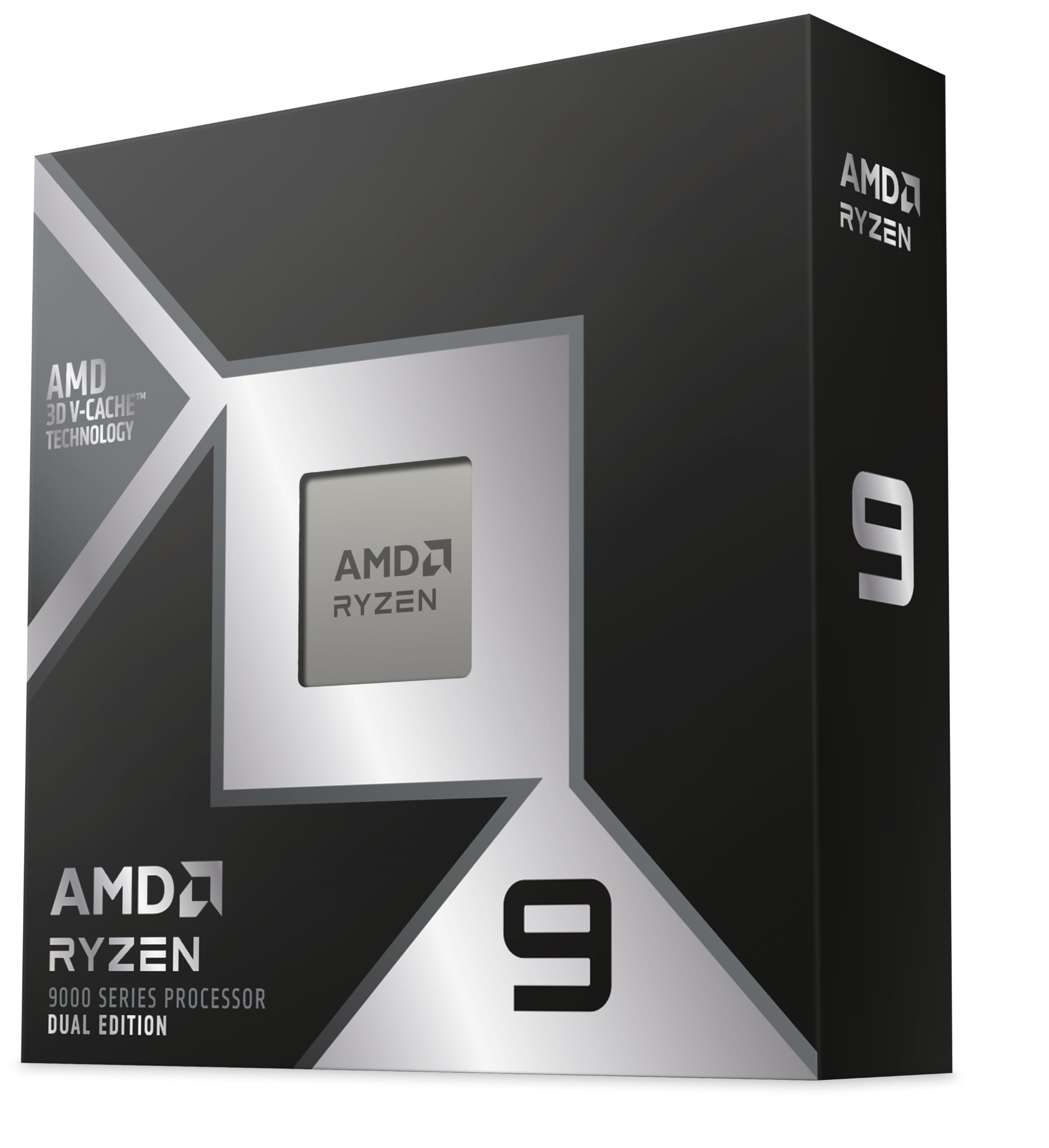
The Ryzen 9 9950X3D2 Dual Edition pushes cache capacity to an absurd 208MB, making it the ultimate choice for local AI inference, massive data processing, and extreme multitasking. Users running RAG AI workloads with Gemma 4 report 165 tokens per second, a figure that dwarfs what traditional CPUs can manage. For gaming, the massive cache eliminates virtually all memory latency issues, resulting in incredibly smooth frame pacing even in CPU-bound scenarios. The 5.6 GHz boost ensures single-threaded performance remains competitive with lower-cache chips.
Where this processor truly differentiates itself is in workstation-level tasks. Protein denaturation modeling runs 20-30% faster than the 9950X3D, and multitasking feels effortless even with dozens of virtual machines or containers. The Dual Edition branding suggests refined binning and improved memory controller quality, though users note that hitting 8000MT/s RAM speeds still requires careful motherboard selection. Thermal performance is similar to the standard 9950X3D, meaning a quality 360mm AIO is sufficient for sustained loads.
The main downsides are cost and platform maturity. This is the most expensive AMD desktop processor and offers minimal benefit for standard gaming builds. The scheduler improvements in this generation mean both CCDs run at 5.1GHz under full load, eliminating the stutter issues seen in earlier dual-CCD processors. For AI researchers, data scientists, or users who simply want the absolute maximum desktop computing capability, this chip has no equal.
Why it’s great
- Largest cache of any desktop CPU
- Exceptional AI and compute performance
- Refined binning and memory controller
Good to know
- Extremely expensive for gaming
- Gaming benefit over 7800X3D is minimal
9. Gigabyte RTX 4080 Super WINDFORCE V2

The Gigabyte RTX 4080 Super WINDFORCE V2 is the GPU around which this entire buying guide is built. With 16GB of GDDR6X memory on a 256-bit bus and core clocks reaching 2550MHz, it delivers exceptional 4K gaming performance and ray tracing capabilities. The WINDFORCE cooling system uses three fans and a large metal backplate to keep temperatures in check under load. Users upgrading from older GPUs like the GTX 1070 report a transformative experience, describing it as moving from a sedan to a supercar in terms of performance.
DLSS 3.5 and frame generation technology mean this card can push well beyond native resolution performance in supported titles, making it ideal for high-refresh-rate 4K monitors. The PCIe 4.0 interface is fully compatible with both AM5 and LGA 1700/1851 platforms, and the card’s power draw of around 320W requires a quality 850W PSU minimum. Builders should note that while the card performs excellently, a small percentage of units have reported fan bearing issues within the first few months, so purchasing from a retailer with good return policy is recommended.
For CPU pairing purposes, the 4080 Super is the target. You need a processor that can feed this card enough frames at 4K to keep it from bottlenecking. The CPUs reviewed in this guide are specifically chosen to ensure the 4080 Super runs at near 100% utilization in demanding titles, rather than being held back by CPU limitations. Pairing this GPU with a weak CPU would waste its potential, which is why choosing the right processor matters so much.
Why it’s great
- Outstanding 4K gaming performance
- DLSS 3.5 frame generation support
- Efficient WINDFORCE cooling system
Good to know
- Some units report fan bearing noise
- Requires high-wattage PSU
FAQ
Will a 4080 Super bottleneck with a Ryzen 7 7800X3D at 4K?
Should I choose Intel or AMD for a 4080 Super build in 2025?
How much does the CPU matter for 4K gaming with a 4080 Super?
Final Thoughts: The Verdict
For most users, the best cpu for 4080 super winner is the AMD Ryzen 7 7800X3D because it delivers class-leading gaming performance with low power draw and keeps the GPU fully utilized at 4K without expensive cooling. If you want strong multi-core performance for productivity alongside gaming, grab the AMD Ryzen 9 9900X3D. And for pure workstation-level performance with local AI capability, nothing beats the AMD Ryzen 9 9950X3D2 Dual Edition.

Mo Maruf
I created WellFizz to bridge the gap between vague wellness advice and actionable solutions. My mission is simple: to decode the research and give you practical tools you can actually use.
Beyond the data, I am a passionate traveler. I believe that stepping away from the screen to explore new environments is essential for mental clarity and physical vitality.