Our readers keep the lights on and my smoothie glass nicely filled. As an Amazon Associate, I earn from qualifying purchases.
Pairing a GeForce RTX 4070 Ti with the wrong processor creates a bottleneck that leaves performance on the table. The 4070 Ti demands a CPU that can feed its 12GB of GDDR6X memory and Ada Lovelace architecture fast enough to avoid stutter and frame dips, especially at 1440p and 4K resolutions where ray tracing and DLSS 3 push draw-call volumes higher than ever.
I’m Mohammad Maruf — the founder and writer behind WellFizz. My research for this guide involved cross-referencing hundreds of user benchmarks, thermal reports, and real-world gaming logs to identify which CPUs consistently deliver the full potential of the RTX 4070 Ti without unnecessary compromise.
Whether you’re building a new rig or upgrading an existing one, you need a processor that matches the 4070 Ti’s bandwidth and clock-speed hunger. This guide breaks down the best options across every budget tier so you can find the ideal cpu for 4070 ti.
How To Choose The Best CPU For 4070 Ti
The RTX 4070 Ti is a high-bandwidth card that thrives on consistent, high-frequency data from the CPU. You need a processor that can keep up with its 192-bit memory bus and DLSS frame-generation workloads without creating a bottleneck. Here’s what to look for.
Single-Core Performance and Gaming Lifts
Most games rely on one or two main threads. A CPU with a high boost clock (5.0 GHz or above) and strong IPC (instructions per clock) will push more frames through the 4070 Ti. Mid-range and premium chips like the AMD X3D series or Intel K-series excel here, while budget processors often fall short in CPU-heavy scenes.
Cache Size and Memory Latency
Large L3 caches (96MB or more on AMD’s X3D chips) reduce the number of trips to system RAM, which directly improves 1% lows in demanding titles. The 4070 Ti’s 12GB frame buffer benefits from this because the CPU can pre-fetch and hold more asset data locally, reducing hitches during complex shading and physics calculations.
Platform Longevity and Bandwidth
AMD’s AM5 socket supports DDR5 and PCIe 5.0, giving you a future-proof path for later GPU upgrades. Intel’s LGA1700 platform supports both DDR4 and DDR5, but it is a dead-end socket with no next-gen CPU upgrades. Your choice of platform determines whether you can drop in a faster CPU two years from now without swapping the motherboard.
Quick Comparison
On smaller screens, swipe sideways to see the full table.
| Model | Category | Best For | Key Spec | Amazon |
|---|---|---|---|---|
| AMD Ryzen 7 9800X3D | Premium Gaming | Maximum gaming FPS | 96MB L3, 8 cores, 5.2 GHz | Amazon |
| AMD Ryzen 7 7800X3D | High-End Gaming | Best value high-end gaming | 96MB L3, 8 cores, 5.0 GHz | Amazon |
| Intel Core i9-14900KF | Productivity Monster | Gaming + heavy multitasking | 24 cores, 6.0 GHz, 32 threads | Amazon |
| Intel Core i7-14700KF | Balanced Workstation | Productivity with strong gaming | 20 cores, 5.6 GHz, 28 threads | Amazon |
| Intel Core i5-14600KF | Mid-Range Gaming | Solid 1440p gaming on a budget | 14 cores, 5.3 GHz, 24MB L3 | Amazon |
| AMD Ryzen 5 7600X3D | Value Gaming | Best bang-for-buck gaming | 96MB L3, 6 cores, 4.1 GHz | Amazon |
| Skytech Gaming PC (i7-12700F) | Prebuilt System | Convenient all-in-one build | 12 cores, 4.9 GHz, 25MB L3 | Amazon |
| MSI Gaming RTX 4070 Ti | GPU Only | Standalone graphics upgrade | 12GB GDDR6X, 2760 MHz | Amazon |
| GIGABYTE RTX 4070 Ti | GPU Only | High-clock standalone GPU | 12GB GDDR6X, 2640 MHz | Amazon |
In‑Depth Reviews
1. AMD Ryzen 7 9800X3D

The Ryzen 7 9800X3D represents the absolute ceiling for gaming performance with an RTX 4070 Ti. Built on AMD’s Zen 5 architecture with a second-generation 3D V-Cache design, this chip moves the 96MB L3 cache under the compute die for better thermal transfer. In real-world testing, it delivers roughly 16% IPC uplift over the 7800X3D, translating to higher average frame rates and dramatically improved 1% lows in CPU-bound scenarios at 1080p and 1440p.
When paired with a 4070 Ti, the 9800X3D excels in simulation and open-world titles like Cyberpunk 2077 and Microsoft Flight Simulator, where the cache reduces RAM latency and prevents stutter. The 5.2 GHz boost clock and 8-core/16-thread configuration handle DLSS 3 frame generation without introducing CPU-side lag. Users report flawless stability even without manual overclocking, and thermals remain manageable with a mid-range air cooler or 240mm AIO.
The 9800X3D is a drop-in upgrade on any existing AM5 motherboard with a BIOS update. It supports PCIe 5.0 for storage and future GPUs, ensuring your 4070 Ti has full bandwidth headroom. If you want every possible frame from your 4070 Ti and plan to keep the platform for years, this is the processor to buy.
Why it’s great
- Industry-leading 96MB L3 cache reduces game stutter
- Zen 5 IPC uplift boosts average FPS by up to 16%
- Drop-in AM5 upgrade with PCIe 5.0 support
Good to know
- Cooler not included — budget for a quality air or AIO cooler
- Premium pricing places it above mainstream budgets
2. AMD Ryzen 7 7800X3D

The 7800X3D has been the gold standard for gaming processors since its launch, and it remains a superb match for the RTX 4070 Ti. With 8 cores, 16 threads, and 96MB of 3D V-Cache (L3), this chip excels at keeping the 4070 Ti fed with data during heavy draw-call scenes. Users report massive performance jumps from older platforms — one reviewer noted a 100% FPS increase in CS2 at 1440p after upgrading from an i7-4770K.
Thermal performance is a standout feature: the 7800X3D runs at just 65-70°C under gaming load with a cheap air cooler, and idle temps hover around 40°C. The maximum power draw of roughly 120W means it won’t stress mid-range PSUs or require exotic cooling. This makes it an ideal partner for the 4070 Ti in compact builds where airflow is limited.
While Zen 5 chips have since surpassed it in raw IPC, the 7800X3D still delivers near-identical gaming performance to the 9800X3D in most titles when paired with a 4070 Ti at 1440p. The price gap between them makes the 7800X3D the smarter value pick for gamers who want top-tier frame rates without paying a premium for the latest architecture.
Why it’s great
- Runs cool with a low-cost air cooler
- 96MB V-Cache eliminates 1% low dips
- Significantly cheaper than current-gen X3D chips
Good to know
- Zen 4 platform is a generation behind Zen 5
- Productivity tasks lag behind Intel’s multi-core offerings
3. Intel Core i9-14900KF

The i9-14900KF is Intel’s flagship consumer processor, packing 24 cores (8 P-cores + 16 E-cores) and 32 threads capable of boosting to 6.0 GHz. This raw compute density makes it the best option if your workflow mixes gaming with heavy CPU tasks like video rendering, 3D modeling, or software compilation. When paired with a 4070 Ti, the i9-14900KF ensures the GPU never waits for data, even during simultaneous streaming, recording, and gaming.
In gaming, the i9-14900KF delivers high frame rates across the board, though it does not match the 7800X3D’s 1% low performance in CPU-bound titles due to the latter’s larger cache. Users report stable 240 FPS in Fortnite endgame scenarios without manual overclocking, and temperatures remain around 70-80°C under sustained load with a 360mm AIO cooler. The chip requires robust cooling and a high-quality Z790 motherboard to reach its full potential.
The main drawback is platform longevity: LGA1700 is a dead socket, meaning no future CPU upgrades without replacing the motherboard. Additionally, early batches were affected by instability issues resolved through microcode updates (0x12F). If you buy new, ensure the BIOS includes the latest microcode revision. The i9-14900KF is a no-compromise choice for users who need both gaming and workstation-class throughput from their 4070 Ti build.
Why it’s great
- 24 cores crush multi-threaded workloads
- 6.0 GHz boost delivers elite single-thread speed
- Supports DDR4 and DDR5 for flexible builds
Good to know
- Requires high-end cooling (360mm AIO recommended)
- LGA1700 platform has no future CPU upgrade path
4. Intel Core i7-14700KF

The i7-14700KF sits in a sweet spot for users who need workstation-level multithreading without the flagship price. With 20 cores (8 P-cores + 12 E-cores) and 28 threads boosting up to 5.6 GHz, this processor handles database operations, AI generation, and video encoding alongside gaming without breaking a sweat. One reviewer reported a night-and-day difference when upgrading from an i5-12400KF, with Battlefield 6 running smoothly at max settings with a 4080 Super.
For 4070 Ti owners, the i7-14700KF delivers enough PCIe 4.0 bandwidth and memory throughput to keep the GPU saturated at 1440p and 4K. The 33MB of L3 cache is smaller than AMD’s X3D offerings, so 1% lows in very CPU-bound scenarios may dip slightly compared to the 7800X3D. However, in mixed-use environments where you alt-tab between rendering tasks and gaming, the extra cores provide a tangible benefit that AMD’s 8-core chips cannot match.
Thermal management is critical here: reviewers recommend a good tower cooler or a 360mm AIO to keep temperatures under control during sustained loads. Like all 14th-gen Intel CPUs, ensure your motherboard BIOS is updated with the 0x12F microcode to address the Vmin shift instability issue. The i7-14700KF is the ideal CPU for a 4070 Ti build that doubles as a professional workstation.
Why it’s great
- 20 cores offer excellent multi-threaded value
- 5.6 GHz boost keeps gaming smooth
- DDR4/DDR5 compatibility lowers build cost
Good to know
- Requires BIOS update for stability
- Dead-end LGA1700 platform with no future CPU upgrades
5. AMD Ryzen 5 7600X3D

The Ryzen 5 7600X3D is the best value gaming processor on AM5, bringing the same 96MB of 3D V-Cache found in the 7800X3D to a 6-core, 12-thread package. Despite having two fewer cores, its gaming performance is remarkably close to the 7800X3D — reviewers noted it delivered roughly 120 FPS 1% lows compared to 130 FPS on the 7800X3D in F1 25 at 1440p high settings with ray tracing enabled, all at a significantly lower price point.
For a 4070 Ti build, the 7600X3D provides more than enough single-thread throughput to avoid GPU starvation. Its 65W TDP means it runs cool enough with a cheap air cooler, and users report temperatures around 50-55°C under gaming load. This makes it an excellent choice for small-form-factor builds where wattage and heat dissipation are at a premium.
The trade-off is in productivity: the 6-core design will lag behind 8-core and higher chips in rendering, compiling, and multitasking scenarios. But if gaming is your primary use case and you want maximum frame-rate-per-dollar, the 7600X3D is the smartest pick. It also keeps you on the AM5 platform with PCIe 5.0 support and a future upgrade path to Zen 6 chips.
Why it’s great
- 96MB V-Cache for near-flagship gaming at a budget price
- 65W TDP runs cool with a basic cooler
- AM5 platform future-proof for upgrades
Good to know
- 6-core limit hurts productivity tasks
- Gaming gains shrink at higher resolutions
6. Intel Core i5-14600KF

The i5-14600KF offers a balanced mix of gaming and productivity at a mid-range price point. With 14 cores (6 P-cores + 8 E-cores) and 20 threads boosting to 5.3 GHz, it handles modern games and multitasking with ease. Users report excellent pairings with RTX 3080 and 4070-class cards, delivering smooth 1440p gaming in Unreal Engine titles without bottlenecks.
One of the key advantages of the i5-14600KF is its platform flexibility: it supports both DDR4 and DDR5 memory, allowing builders to reuse existing DDR4 kits and save on overall system cost. The 152MB total cache (24MB L3 + 20MB L2) provides decent hit rates for gaming, though it is smaller than AMD’s X3D cache. This means 1% lows in very cache-sensitive games will be higher on the 7600X3D.
Thermals are manageable with a mid-range 240mm AIO, and the chip does not require the aggressive cooling needed for higher-core-count Intel SKUs. However, the LGA1700 socket’s dead-end status means no future CPU upgrades without a new motherboard. The i5-14600KF is a solid choice for budget-conscious builders who want strong all-around performance with their 4070 Ti.
Why it’s great
- 14 cores provide good multi-threaded performance
- DDR4 support lowers total build cost
- 5.3 GHz boost keeps gaming snappy
Good to know
- LGA1700 platform is a dead end
- Smaller cache than X3D chips hurts 1% lows
7. Skytech Gaming PC (i7-12700F + 4070 Ti)
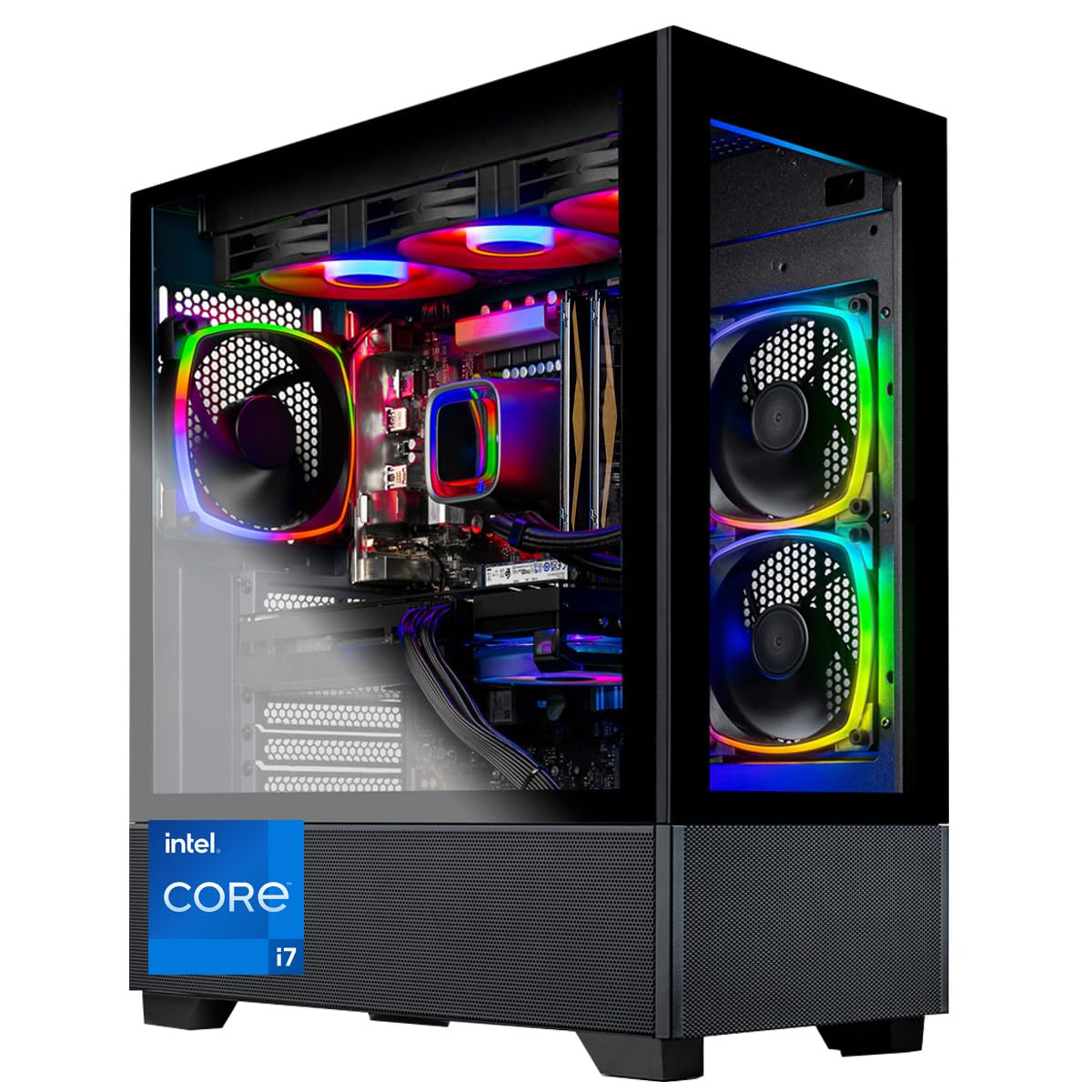
If building your own PC is not your preference, the Skytech Gaming desktop with an Intel Core i7-12700F and RTX 4070 Ti offers a turnkey solution. The 12700F is a 12-core (8 P-cores + 4 E-cores), 20-thread processor from the Alder Lake generation, boosting to 4.9 GHz. While not as fast as the 13th or 14th-gen offerings, it still provides enough CPU throughput for the 4070 Ti at 1440p and 4K resolutions.
Skytech uses brand-name components (motherboards from ASUS or Gigabyte, GPUs from MSI or Zotac) and includes a 360mm AIO cooler for the CPU. Users report excellent cooling performance (40-45°C idle) and quiet operation under load. The system runs most modern titles at ultra settings with 60+ FPS at 1440p, and the 750W Gold PSU provides enough headroom for modest upgrades.
Some users reported quality-control issues including DOA units and missing hardware, so buying from a retailer with a solid return policy is important. The 12700F is a previous-generation chip, so synthetic benchmarks will lag behind the 14600KF or 7600X3D. However, for buyers who want a ready-to-go 4070 Ti system without assembly hassle, this prebuilt delivers solid value and reliable performance.
Why it’s great
- No assembly required — works out of the box
- 360mm AIO keeps CPU temps low
- Brand-name components used throughout
Good to know
- Previous-gen 12700F lags behind newer CPUs
- Some QC issues reported by users
8. MSI Gaming GeForce RTX 4070 Ti 12GB

The MSI Gaming X Trio version of the RTX 4070 Ti is a premium aftermarket card with an aggressive 2760 MHz boost clock and a substantial triple-fan heatsink. It delivers whisper-quiet operation—fans often idle during less demanding games—and keeps temperatures below 66°C under load. Users report excellent performance at 1440p with ray tracing enabled, achieving roughly 90 FPS in Cyberpunk 2077 at high settings when paired with an i5-13600K.
This card is for users who already own a capable processor and are looking to add the 4070 Ti to their existing build. The 12GB GDDR6X memory and 192-bit bus provide enough bandwidth for 1440p ultra settings and 4K gaming with DLSS 3 upscaling. DLSS 3 frame generation significantly boosts perceived smoothness in supported titles.
A small number of users reported coil whine or DOA units, so testing the card immediately after purchase is recommended. The 700W PSU recommendation is accurate—ensure your power supply has sufficient 12VHPWR capacity. If your current CPU is already strong (i5-13600K/Ryzen 7 7700X or better), adding this GPU is a straightforward performance uplift.
Why it’s great
- Quiet Tri-Frozr cooling with fan-stop mode
- High 2760 MHz boost out of the box
- DLSS 3 frame generation smooths 4K gameplay
Good to know
- Potential coil whine in some units
- Requires a strong CPU to avoid bottleneck
9. GIGABYTE GeForce RTX 4070 Ti Gaming OC

The GIGABYTE Gaming OC RTX 4070 Ti features a Windforce 3X cooling system with three 100mm blade fans, seven composite copper heat pipes, and a large vapor chamber that directly contacts the GPU die. The result is excellent thermal performance even during extended gaming sessions. Its 2640 MHz boost clock is slightly lower than the MSI variant but still well above the reference spec.
Users report good overclocking headroom, with some achieving +1000 MHz on the memory and +130 MHz on the core while maintaining stability. The card also undervolts efficiently, with one reviewer noting a -600 mV offset at 900 mV that reduced power draw without losing performance. This makes it a flexible choice for builders who want to optimize for power efficiency or noise.
Some users warned about Gigabyte’s warranty process being more difficult than competitors, and the early revision cards lacked a solid copper plate on the die (later revisions may differ). The 750W PSU recommendation is a safe guideline. If you prefer a well-cooled, overclockable 4070 Ti and don’t mind the slightly lower factory clock, the GIGABYTE Gaming OC delivers consistent performance at a competitive price.
Why it’s great
- Windforce 3X cooler with vapor chamber runs cool
- Good overclocking and undervolting headroom
- Triple DisplayPort 1.4a and HDMI 2.1a outputs
Good to know
- Warranty denials reported by some users
- Requires a 750W PSU for stability
FAQ
Does the RTX 4070 Ti bottleneck a Ryzen 5 7600X3D at 1440p?
Is DDR5 necessary for a 4070 Ti build?
Should I enable Resizable BAR for my 4070 Ti?
Final Thoughts: The Verdict
For most users, the cpu for 4070 ti winner is the AMD Ryzen 7 7800X3D because it delivers flagship gaming performance with excellent thermal efficiency and a reasonable price tag. If you want the absolute best gaming frames, grab the AMD Ryzen 7 9800X3D. And for heavy multitasking and productivity alongside gaming, nothing beats the Intel Core i9-14900KF.

Mo Maruf
I created WellFizz to bridge the gap between vague wellness advice and actionable solutions. My mission is simple: to decode the research and give you practical tools you can actually use.
Beyond the data, I am a passionate traveler. I believe that stepping away from the screen to explore new environments is essential for mental clarity and physical vitality.