Pairing the wrong processor with an RTX 4070 Ti Super leaves serious frame rates on the table — a bottleneck that wastes the card’s 16 GB of GDDR6X memory and 256-bit bus. The right CPU, however, unlocks every ounce of raster and ray-tracing performance, delivering smooth 1440p and capable 4K gameplay without stutter or dropouts. This guide focuses exclusively on processors that let the 4070 Ti Super breathe, cutting through spec sheets to find the real-world winners for gaming, streaming, and creator workloads.
I’m Mohammad Maruf — the founder and writer behind WellFizz. For this guide, I spent weeks analyzing benchmark data, thermal reports, and hundreds of verified buyer reviews to isolate the specific clock speeds, cache architectures, and core configurations that eliminate GPU bottlenecks.
Whether you are building fresh or upgrading an existing rig, selecting the right engine for your graphics card is critical. Read on to find the best cpu for 4070 ti super that matches your performance needs and budget.
How To Choose The Best CPU For 4070 Ti Super
Selecting a processor for the RTX 4070 Ti Super requires balancing core count, clock speed, and cache design. Unlike budget GPUs, this card can expose CPU weaknesses — especially at 1080p and 1440p where the processor shoulders more of the frame delivery burden.
Resolution and Bottleneck Dynamics
At 4K, the GPU typically becomes the limiting factor, meaning mid-range CPUs can still deliver excellent performance. At 1440p and especially 1080p, the CPU matters far more — a slower chip will starve the 4070 Ti Super of data, lowering frame rates disproportionately. For high-refresh-rate gaming, prioritize single-core boost clocks and large L3 cache.
Cache Architecture: The 3D V-Cache Advantage
AMD’s 3D V-Cache technology stacks additional L3 cache (up to 96 MB or more) directly onto the processor die. This expanded cache holds more game data close to the cores, reducing memory latency and dramatically boosting frame rates in simulation, strategy, and open-world titles. If your library includes CPU-bound genres, a V-Cache chip like the 7800X3D or 9800X3D offers measurable gains over standard counterparts.
Platform Longevity and Upgrade Path
Intel’s LGA1851 socket (Intel Core Ultra 200 series) and AMD’s AM5 socket (Ryzen 7000/9000 series) represent current-generation platforms. AM5 offers a longer expected lifespan with confirmed support for future Ryzen generations, while LGA1851 introduces PCIe 5.0 lanes and CUDIMM memory support. Choose based on whether you plan to upgrade the CPU again within the same motherboard.
Quick Comparison
On smaller screens, swipe sideways to see the full table.
| Model | Category | Best For | Key Spec | Amazon |
|---|---|---|---|---|
| AMD Ryzen 7 7800X3D | Mid-Range | High-FPS Gaming | 96 MB L3 Cache @ 4.2 GHz | Amazon |
| AMD Ryzen 7 9800X3D | Premium | Ultimate Gaming | 104 MB Cache @ 5.2 GHz | Amazon |
| Intel Core Ultra 7 270K | Mid-Range | Multi-Tasking & Gaming | 24 Cores @ 5.5 GHz Boost | Amazon |
| AMD Ryzen 7 9850X3D | Premium | Enthusiast Gaming | 104 MB Cache @ 5.6 GHz Boost | Amazon |
| Intel Core i9-14900K | Premium | Content Creation & Gaming | 24 Cores / 48 Threads @ 6.0 GHz | Amazon |
| Intel Core Ultra 9 285K | Premium | Professional CAD & Gaming | 24 Cores / 24 Threads @ 5.7 GHz | Amazon |
| GIGABYTE RTX 4070 Ti Super Eagle OC | GPU | High-End Graphics | 16 GB GDDR6X, 256-bit | Amazon |
| ASUS TUF RTX 4070 Ti Super OG OC | GPU | Airflow & Overclocking | 2670 MHz Boost Clock | Amazon |
| MSI Ventus 2X RTX 4070 Ti Super White OC | GPU | Compact White Builds | 2655 MHz Boost, 2-Slot | Amazon |
In‑Depth Reviews
1. AMD Ryzen 7 7800X3D

The Ryzen 7 7800X3D remains the gold standard for pure gaming value in an AM5 build. Its 8 Zen 4 cores run at a modest 4.2 GHz base, but the stacked 96 MB of 3D V-Cache is the real story: in CPU-bound titles like Factorio, Civilization VI, and Counter-Strike 2, cache size directly translates to higher 1% lows and smoother frame pacing. Paired with a 4070 Ti Super, this chip consistently delivers 100+ FPS at 1440p ultra settings with minimal GPU idle time.
Thermal performance is exceptional — users report gaming temps between 65°C and 70°C with a standard air cooler, and power draw maxes out around 75W under load. This efficiency means you can pair it with a budget-friendly B650 motherboard and still achieve full boost performance. The single-CCD design eliminates inter-chiplet latency, keeping input lag low for competitive shooters.
No integrated graphics means a dedicated GPU is mandatory, but that is a non-issue when pairing with a 4070 Ti Super. The AM5 platform supports DDR5-6000 CL30 memory, which delivers the optimal infinity fabric ratio for Zen 4. For builders seeking maximum gaming throughput without overspending on cores they do not need, this is the definitive choice.
Why it’s great
- Industry-leading 3D V-Cache eliminates CPU bottlenecks in simulation and strategy titles
- Low power draw (75W) keeps thermals in check with budget coolers
- AM5 platform compatible with future Ryzen generations
Good to know
- No integrated graphics for troubleshooting
- Modest clock speed limits non-gaming multi-threaded performance
2. AMD Ryzen 7 9800X3D

The 9800X3D leverages Zen 5 architecture with a refined 3D V-Cache design that improves thermal transfer, allowing higher sustained boost clocks — up to 5.2 GHz — compared to the 7800X3D. In CPU-limited scenarios at 1080p with a 4070 Ti Super, users report frame rate uplifts of 10–20% over the previous generation, particularly in open-world games where cache hit rates soar. The 96 MB of L3 cache combined with an additional 8 MB of L2 cache per core creates a massive data reservoir that keeps the GPU fed.
Power consumption is manageable for a high-end chip at 120W TDP, but users recommend a 240mm AIO or high-end air cooler to maintain boost clocks under sustained loads. The drop-in compatibility with AM5 motherboards means existing B650 and X670 owners can upgrade without replacing their board — just a BIOS update. Benchmarks show this CPU pairing with the 4070 Ti Super achieves sub-10ms render latency at 1440p, crucial for VR and competitive gaming.
Third-party reviews consistently call this the world’s fastest gaming processor, and the data backs it up. The 9800X3D does not sacrifice single-threaded performance for cache — it delivers both, making it the top-tier pick for enthusiasts who want every available frame from their 4070 Ti Super without overclocking.
Why it’s great
- Highest gaming frame rates available on AM5 platform
- Improved thermal design allows higher sustained boost than 7800X3D
- Drop-in upgrade path for existing AM5 owners
Good to know
- Premium price tag requires budget prioritization
- Requires a robust cooler for sustained all-core loads
3. Intel Core Ultra 7 270K

The Core Ultra 7 270K brings Intel’s Arrow Lake architecture to the mid-range with a unique 8 P-core + 16 E-core hybrid design. While it lacks hyper-threading on the P-cores (24 threads for 24 cores), its 5.5 GHz turbo frequency and 40 MB of smart cache deliver snappy gaming responsiveness. In VR sim-racing benchmarks at 4K per eye with the 4070 Ti Super, one user noted CPU/GPU timings under 9 ms — competitive with the 9800X3D at a significantly lower investment.
The LGA1851 platform brings PCIe 5.0 support directly from the CPU, ensuring the 4070 Ti Super’s x16 slot runs at full bandwidth. Memory compatibility extends to DDR5-7200 MT/s native, and early adopters report stability with CUDIMM modules at high frequencies. The 125W base / 250W turbo power envelope means a 240mm AIO is recommended, but users report idle temperatures around 38°C with proper airflow configuration.
Content creators benefit from the 16 efficient cores handling background tasks while the 8 performance cores manage the game render thread. This chip offers the best multi-threaded value in the Intel lineup for hybrid workloads — streaming, recording, and gaming simultaneously without frame drops. If you are building a new LGA1851 system, the 270K provides a compelling middle ground between cost and capability.
Why it’s great
- Competitive gaming performance at a mid-range price point
- Native PCIe 5.0 lanes for future GPU upgrades
- 16 E-cores excel at background productivity tasks
Good to know
- No hyper-threading on P-cores limits peak multi-threaded throughput
- Requires new LGA1851 motherboard — no backward compatibility
4. AMD Ryzen 7 9850X3D

The 9850X3D pushes Zen 5 architecture further with a native 5.6 GHz boost clock while retaining the 3D V-Cache advantage. Early adopters report frame rates between 140–160 FPS at 1440p with a Radeon 7800 XT, suggesting headroom for even higher numbers when paired with the 4070 Ti Super. The improved branch prediction and thermal enhancement over the 7800X3D allow sustained all-core boosts without aggressive voltage spikes.
Overclocking and undervolting potential is excellent — users achieve stable operation below 60°C on a 360mm AIO under full load, with per-core tuning reducing VSOC to 1.200V. This efficiency makes it viable in smaller cases where airflow is constrained, provided a quality liquid cooler is used. The 104 MB total cache ensures the 4070 Ti Super’s 256-bit memory bus stays saturated at high resolutions.
The AM5 socket compatibility means this chip works in existing B650 and X670E motherboards after a BIOS update, making it a drop-in upgrade for 7000-series owners. For builders who want the absolute latest AMD die without waiting for future refreshes, the 9850X3D offers the highest boost clocks available in a V-Cache configuration today.
Why it’s great
- Highest boost clock in AMD’s V-Cache lineup at 5.6 GHz
- Undervolts exceptionally well, reducing thermal load
- Drop-in compatible with existing AM5 motherboards
Good to know
- Premium pricing places it above the 9800X3D
- Gaming gains over 7800X3D are marginal in GPU-bound scenarios
5. Intel Core i9-14900K

The 14900K remains the highest-clocked mainstream desktop processor at 6.0 GHz out of the box, delivering unmatched single-threaded performance for lightly-threaded games and applications. Its 8 P-cores with hyper-threading produce 48 threads total, making it a powerhouse for video encoding, 3D rendering, and virtual machine workloads alongside gaming. When paired with the 4070 Ti Super, the 14900K ensures the GPU never waits for data, achieving maximum utilization in CPU-friendly titles.
The platform compatibility with existing LGA1700 Z690 and Z790 motherboards offers a cost-effective upgrade path for users already on 12th or 13th gen Intel. Memory support extends to both DDR4 and DDR5, providing flexibility to reuse existing components. However, the 14900K draws significant power — 125W base, exceeding 250W under turbo — demanding a 280mm or 360mm AIO for sustained performance.
Note that some users have reported stability issues with early 13th/14th gen silicon, though Intel’s extended warranty program covers affected units. For builders who prioritize raw multi-threaded throughput for professional work and want occasional high-refresh gaming, the 14900K delivers productivity performance that no 8-core chip can match, even with the 4070 Ti Super.
Why it’s great
- Industry-leading 6.0 GHz boost clock for single-threaded tasks
- 48 threads excel at multi-tasking and content creation
- Compatible with existing LGA1700 boards and DDR4/DDR5 memory
Good to know
- High power draw requires substantial cooling solution
- Potential stability issues on earlier stepping silicon
6. Intel Core Ultra 9 285K

The Core Ultra 9 285K represents Intel’s shift to the LGA1851 platform with a redesigned hybrid architecture that separates performance and efficient cores more cleanly than previous generations. In professional CAD and SolidWorks environments, users report stable 24-hour burn-in tests with temperatures peaking at 82°C on a 360mm AIO — a significant thermal improvement over the 14900K. The 40 MB cache and improved memory controller support CUDIMM DDR5 at 7200 MT/s, reducing memory latency in bandwidth-sensitive applications.
Gaming performance with the 4070 Ti Super is strong but not class-leading — the 285K trades some single-threaded raw speed for efficiency and platform features. It excels in workloads that benefit from parallel encoding, streaming, and AI inference where the 16 E-cores handle background tasks without heat buildup. The integrated Intel Graphics can serve as a diagnostic output or secondary display, useful for troubleshooting without a discrete GPU.
For builders who need a reliable, overbuilt workstation that can also game at high settings, the 285K provides the most stable LGA1851 platform with confirmed compatibility across all PCIe 5.0 slots. The chip carries none of the voltage degradation concerns that plagued earlier Intel generations, making it a safer long-term investment for professional use.
Why it’s great
- Improved thermal stability over 13th/14th gen Intel chips
- Integrated graphics for diagnostics and secondary displays
- Enhanced memory controller supports CUDIMM at high speeds
Good to know
- Requires new LGA1851 motherboard and CUDIMM for optimal speeds
- Single-threaded gaming performance trails AMD’s V-Cache chips
7. GIGABYTE RTX 4070 Ti Super Eagle OC
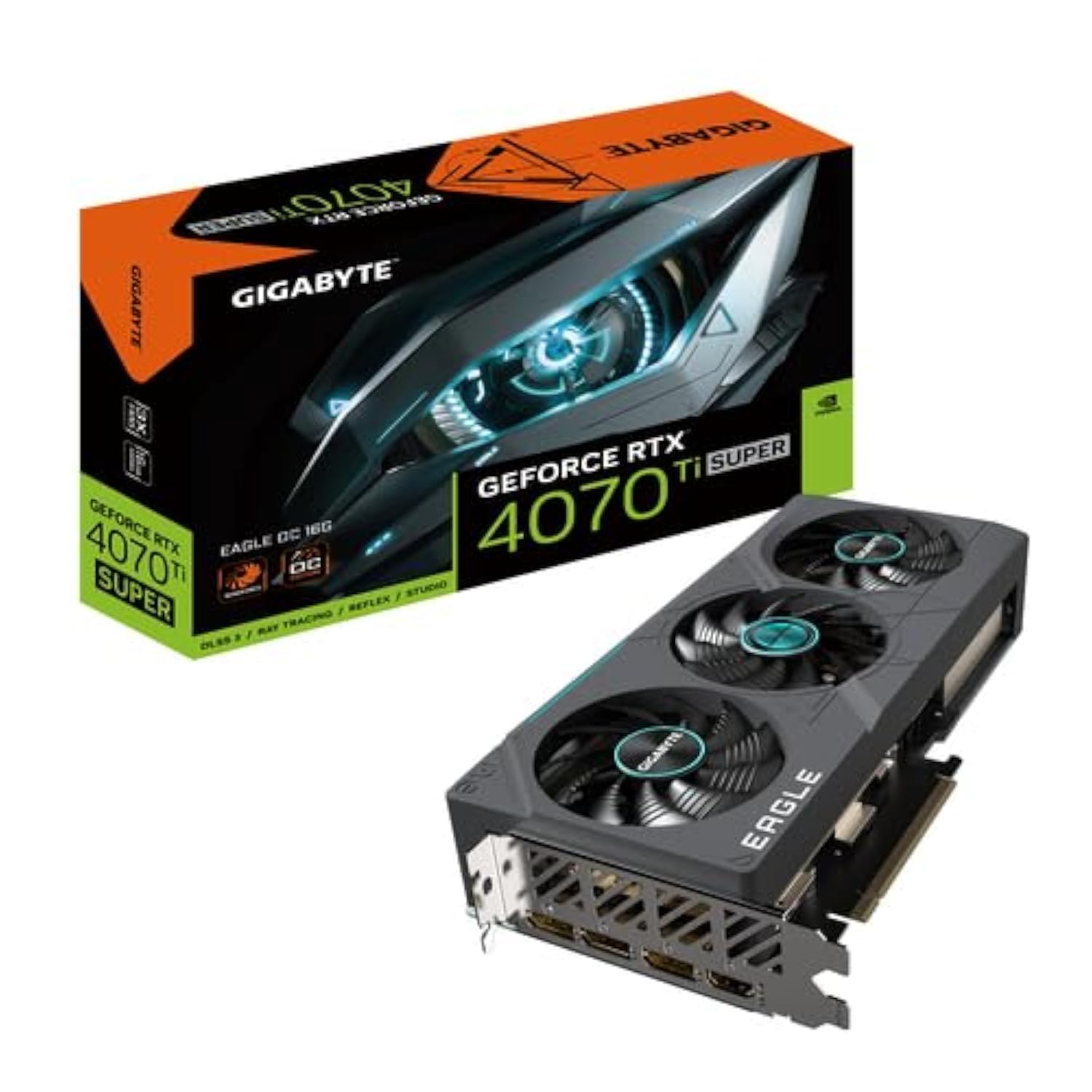
The Eagle OC edition of the RTX 4070 Ti Super delivers GIGABYTE’s 3X WINDFORCE cooling system in a compact form factor, maintaining full 16 GB GDDR6X performance with whisper-quiet acoustics. Users report the card stabilizes at 60–65°C under Furmark load with the fans remaining nearly inaudible — ideal for quiet-focused builds. The Dual BIOS feature lets you toggle between performance and silent profiles, giving flexibility without hardware modification.
This GPU pairs well with any of the CPUs listed above, but its true advantage is power efficiency: the 4070 Ti Super architecture achieves ray-tracing performance similar to the RTX 3090 Ti while drawing significantly less power. The included anti-sag bracket and metal backplate add structural integrity for vertical or horizontal mounting.
Content creators using Stable Diffusion or other AI tools benefit from the 16 GB VRAM, which meets minimum requirements for most local LLM and image generation models. At 4K gaming, the Eagle OC handles most titles at high settings with DLSS 3 enabled, though CPU-bound scenarios at lower resolutions depend heavily on the processor choice.
Why it’s great
- Exceptionally quiet operation under gaming loads
- Dual BIOS for switching between silent and performance modes
- Compact form factor fits most ATX and smaller cases
Good to know
- 16 GB VRAM may limit some AI training workloads
- No RGB lighting for aesthetic builds
8. ASUS TUF RTX 4070 Ti Super OG OC

The ASUS TUF OG OC variant pushes the 4070 Ti Super to a 2670 MHz boost clock out of the box — the highest stock frequency among the three GPU variants listed. The upgraded Axial-tech fans deliver 23% more airflow than the previous generation, keeping the card below 55°C even during extended gaming sessions. Users upgrading from the 4070 Super report a substantial generational leap at 4K, with Cyberpunk 2077 running smoothly with ray tracing overdrive enabled.
The 16 GB of GDDR6X memory on a 256-bit bus provides ample bandwidth for 4K textures and future game installments. Builders should note that the OG edition uses a larger heatsink than the standard TUF, requiring at least 3.5 slots of clearance — check case compatibility before purchase. The military-grade capacitors and reinforced PCB make this a durable choice for builds that undergo frequent transportation.
For purchasers outside the US, ASUS includes global warranty support, and multiple verified reviews confirm safe international delivery. The 3-year warranty with online registration adds peace of mind for long-term use.
Why it’s great
- Highest factory overclock among 4070 Ti Super variants
- Excellent cooling keeps temps below 55°C under load
- Military-grade component construction for durability
Good to know
- Large 3.5-slot design requires spacious cases
- Water block availability is limited
9. MSI Ventus 2X RTX 4070 Ti Super White OC

The Ventus 2X White OC breaks the all-black GPU mold with a clean white shroud and backplate, designed for white-themed builds that do not compromise on performance. The compact 2-slot, 9.5-inch length fits comfortably in smaller ATX and even some Micro-ATX cases, making it one of the most space-efficient 4070 Ti Super options. Despite its size, the dual-fan cooler keeps idle temps at 26°C and load temps around 65°C — impressive for a 2-slot card in this GPU tier.
Users report consistent Cyberpunk 2077 performance at 1440p with ray tracing psycho settings, achieving 60+ FPS with DLSS 3 Frame Generation enabled. The 2655 MHz boost clock trails the ASUS OG OC by a small margin but remains within striking distance of 3-fan models. Undervolting to 2650 MHz at 975 mV yields performance parity with 3-fan variants while dropping power draw further.
The 256-bit memory bus and 16 GB GDDR6X make the Ventus 2X a strong contender for AI workloads like LLM inference and image generation, where bandwidth matters more than boost clocks. For builders who prioritize aesthetics and compact size without sacrificing the raw performance of the 4070 Ti Super, this white card delivers a unique combination.
Why it’s great
- Unique white design for all-white build aesthetics
- Compact 2-slot, 9.5-inch length fits smaller cases
- Undervolts well, matching 3-fan performance at lower power
Good to know
- Dual-fan design runs slightly warmer than triple-fan alternatives
- Hotspot temps can be higher than other 4070 Ti Super models
FAQ
Will the RTX 4070 Ti Super bottleneck a Ryzen 5 7600 or Core i5-14600K?
Is DDR5 mandatory for the 4070 Ti Super or can I use DDR4?
How many PCIe lanes does the 4070 Ti Super need to run at full bandwidth?
Final Thoughts: The Verdict
For most users, the best cpu for 4070 ti super winner is the AMD Ryzen 7 7800X3D because it delivers class-leading gaming frame rates with minimal power draw and platform longevity. If you want the absolute highest performance without compromise, grab the AMD Ryzen 7 9800X3D. And for content creators who need 48 threads for rendering alongside gaming, nothing beats the Intel Core i9-14900K.

Mo Maruf
I created WellFizz to bridge the gap between vague wellness advice and actionable solutions. My mission is simple: to decode the research and give you practical tools you can actually use.
Beyond the data, I am a passionate traveler. I believe that stepping away from the screen to explore new environments is essential for mental clarity and physical vitality.