Nothing kills productivity faster than a conference room where everyone hunts for a signal or a warehouse floor where inventory scanners time out mid-count. A corporate wireless access point isn’t a consumer router; it’s a hardened infrastructure device designed to juggle hundreds of simultaneous connections across concrete, steel, and open-plan chaos without flinching.
I’m Mohammad Maruf — the founder and writer behind WellFizz. My analysis digs into the measurable specs, real-world deployment feedback, and multi-client stress tolerance that separate business-grade hardware from gear that belongs in an apartment.
Whether you’re outfitting a fifty-person office or a multi-floor facility, understanding beamforming, PoE budgets, and mesh backhaul options determines whether your network hums or stumbles. This guide breaks down the most reliable models so you can deploy with confidence and pick the best corporate wireless access point for your specific environment.
How To Choose The Best Corporate Wireless Access Point
Picking an access point for a business environment means thinking about density, roaming behavior, and management overhead, not just peak speed. A single unit covering a few desks is a different problem than thirty APs managing handoff across a warehouse.
Client Capacity and Spatial Streams
The number of devices an AP can handle simultaneously depends on its spatial stream count and MU-MIMO implementation. A 2×2 AP works for light office traffic, but high-density conference rooms or open-plan floors need 4×4 configurations with OFDMA to prevent congestion.
Power over Ethernet Requirements
Every corporate AP relies on PoE for clean ceiling installations. Standard 802.3af PoE supplies around 15W, enough for basic units, but Wi-Fi 6 and 7 access points with multi-gig ports often require 802.3at PoE+ (up to 30W) or 802.3bt PoE++ (up to 60W). Underpowering an AP causes random reboots and reduced radio performance.
Management and Security Features
Cloud-managed ecosystems like Omada, UniFi, Instant On, and Cisco Business offer remote monitoring, firmware updates, and VLAN configuration. Look for WPA3-Enterprise support, rogue AP detection, and the ability to set up multiple SSIDs with separate VLANs for guest traffic, IoT devices, and corporate data.
Quick Comparison
On smaller screens, swipe sideways to see the full table.
| Model | Category | Best For | Key Spec | Amazon |
|---|---|---|---|---|
| TP-Link EAP660 HD | Wi-Fi 6 | High-density deployments | 8 spatial streams, 2.5G port | Amazon |
| TP-Link Omada EAP773 | Wi-Fi 7 | Future-proof multi-gig offices | 10G uplink, BE11000 | Amazon |
| HPE Instant On AP25 | Wi-Fi 6 | 100+ device environments | 4×4 MU-MIMO, 2.5G port | Amazon |
| HPE Instant On AP22 | Wi-Fi 6 | Small business simplicity | 2×2, Smart Mesh support | Amazon |
| Cisco Business 240AC | Wi-Fi 5 | Reliable enterprise legacy | 4×4 MU-MIMO, 3000 sq ft | Amazon |
| Ubiquiti U7 Long-Range | Wi-Fi 6 | Large open spaces | 150 ft indoor range | Amazon |
| NETGEAR WAX610 | Wi-Fi 6 | Insight cloud monitoring | 200 client capacity | Amazon |
| Ubiquiti U6+ | Wi-Fi 6 | UniFi ecosystem expansion | 3 Gbit/s aggregate speed | Amazon |
| Tenda BE5010 | Wi-Fi 7 | Budget Wi-Fi 7 trial | 5010 Mbps, 2.5G PoE+ | Amazon |
In‑Depth Reviews
1. TP-Link EAP660 HD

The EAP660 HD is purpose-built for environments where device density suffocates lesser hardware. Its eight spatial streams and 4×4 MU-MIMO configuration allow it to serve upwards of four hundred clients without degrading throughput, which is exactly what open-plan offices and busy retail floors demand. Real-world tests show it sustaining five simultaneous iPerf streams plus PlayStation Remote Play while competing units like the Ubiquiti U6-LR buckle under the same load.
The 2.5 Gigabit Ethernet port removes the bottleneck that often caps multi-AP deployments, and the Omada SDN platform provides centralized management across hardware, software, and cloud controllers. Ceiling-mount installation is straightforward with the included kit, and the unit supports both 802.3at PoE+ and the bundled DC adapter for flexible placement. WPA3 encryption and VLAN segmentation come standard.
One quirk: the front LED is aggressively bright with no software dimming option, which can be distracting in low-light offices. Some users report that placement matters for peak performance — the AP performs best when ceiling-mounted rather than sitting on a desk. But for raw high-density throughput, the EAP660 HD is the current benchmark.
Why it’s great
- Eight spatial streams handle extreme client density without slowdown
- Outperforms Ubiquiti U6-LR under simultaneous multi-client stress
- 2.5G uplink prevents backhaul saturation in multi-AP setups
Good to know
- Bright blue LED cannot be dimmed or disabled
- Requires 802.3at PoE+ for full operation
- Omada web UI is functional but less polished than UniFi
2. TP-Link Omada EAP773

Wi-Fi 7 isn’t marketing hype when you pair it with a 10G uplink port. The EAP773 delivers tri-band BE11000 speeds, with Multi-Link Operation that bonds multiple bands for lower latency and 4K-QAM for roughly 20 percent more data capacity than Wi-Fi 6. For offices with fiber internet or internal file servers, this AP can saturate a 10 Gbps wired backbone without breaking a sweat.
The Omada Cloud Management Platform enables Zero-Touch Provisioning and AI-driven network optimization across sites, making it a strong fit for multi-location businesses. The unit supports 250+ concurrent clients and includes seamless roaming (802.11k/v/r) and WPA3 security out of the box. Deployment flexibility is solid with 802.3at PoE+ support and the included ceiling/wall mount kit.
Thermal management is a known concern: a small number of users report units failing after extended operation with heavy client loads. The EAP773 also runs warm, so avoid enclosed spaces without ventilation. Placement is critical for peak throughput—ceiling mounting delivers the best results, while desk placement reduces speeds significantly. Despite these caveats, it’s the fastest AP in this lineup for organizations ready to invest in Wi-Fi 7.
Why it’s great
- 10G uplink eliminates backhaul bottleneck entirely
- Wi-Fi 7 Multi-Link Operation reduces latency for real-time apps
- Advanced cloud management with Zero-Touch Provisioning
Good to know
- Thermal issues reported under sustained heavy client loads
- 6 GHz band may have regulatory delays after power-on
- Requires PoE+ or separate DC adapter
3. HPE Instant On AP25

The AP25 is essentially Aruba’s enterprise 530-series hardware rebranded for the small-to-medium business market, and it shows in the build quality and radio performance. With a 4×4 MU-MIMO configuration and 5374 Mbps aggregate throughput, it easily handles 100+ active devices across conference rooms, coworking spaces, and boutique hotels. The seamless roaming implementation is so clean that users report zero dropouts during video calls while walking between floors.
Setup takes minutes via the Instant On mobile app, and the cloud portal provides per-client bandwidth monitoring, real-time traffic graphs, and VLAN tagging without any licensing fees — a significant cost advantage over Cisco Meraki and similar platforms. The unit supports 802.3at PoE+ and includes a combined ceiling and wall rail mount clip. Smart Mesh extends coverage without running additional cables.
The only notable gap is the lack of IPv6 support for the cloud connection, which can complicate setup in IPv6-only environments. There’s also no SNMP support for legacy network monitoring tools. But for organizations that want enterprise reliability without annual subscription costs, the AP25 is a compelling choice.
Why it’s great
- Enterprise Aruba hardware at SMB pricing with no licensing fees
- Seamless roaming with zero packet loss during handoff
- Per-client bandwidth monitoring in the free cloud portal
Good to know
- No IPv6 support for cloud management connection
- Lacks SNMP for legacy monitoring integrations
- Power adapter not included in standard model
4. HPE Instant On AP22

The AP22 brings Instant On’s simple management and rock-solid stability to a price point that works for small offices and retail locations. Its 2×2 Wi-Fi 6 radio delivers reliable coverage for up to sixty devices, and the Smart Mesh functionality extends the network without pulling Ethernet to every corner of the building. Users consistently praise the five-minute setup time and the complete absence of “no response” errors.
The included power adapter in this bundle model simplifies installation in locations without PoE switches, though the unit also supports 802.3af PoE. The web and mobile management interfaces are clean and responsive, allowing VLAN configuration, guest networks, and bandwidth controls without any learning curve. The AP runs cooler than the AP25, which is a real advantage in warm ceiling plenums.
Range is adequate for a standard office floor but falls short of the premium 4×4 units in large open spaces. The AP22 also requires an online account for initial setup, which may be a minor friction point for privacy-conscious buyers. For straightforward, budget-friendly wireless that just works, the AP22 delivers.
Why it’s great
- Setup in under five minutes with the Instant On mobile app
- Smart Mesh extends wireless without additional cabling
- Power adapter included for non-PoE installations
Good to know
- Range weaker than 4×4 models in large open spaces
- Requires online account for initial setup
- Not suited for environments over 60 clients
5. Cisco Business 240AC

Cisco’s 240AC proves that Wi-Fi 5 hardware can still be a beast in the right deployment. Its 4×4 MU-MIMO radio covers up to 3000 square feet and supports 200 devices with the kind of signal penetration that cuts through concrete and steel better than many newer units. The limited lifetime warranty and one-year technical support provide peace of mind that consumer brands cannot match.
Setup is handled through the Cisco Business mobile app or web browser, with enterprise security features like Cisco Umbrella integration for malware and phishing protection. The AP supports up to 25 mesh extenders, making it easy to blanket even complex floor plans. Dual Gigabit Ethernet ports with link aggregation offer wired redundancy for critical installations.
The trade-off is speed: real-world throughput caps around 500 Mbps, which is fine for typical business internet connections but won’t saturate multi-gig fiber. More concerning are reports of units failing after a year of operation, with some users experiencing a 50 percent failure rate across multiple APs. Check seller authenticity carefully, as refurbished units with blocked Cisco registration have been reported.
Why it’s great
- Excellent signal penetration through concrete and steel
- Limited lifetime warranty with enterprise support
- Dual Gigabit ports with link aggregation
Good to know
- Wi-Fi 5 caps real-world throughput around 500 Mbps
- Reliability concerns with hardware failures reported
- Counterfeit and refurbished units found on marketplace
6. Ubiquiti U7 Long-Range
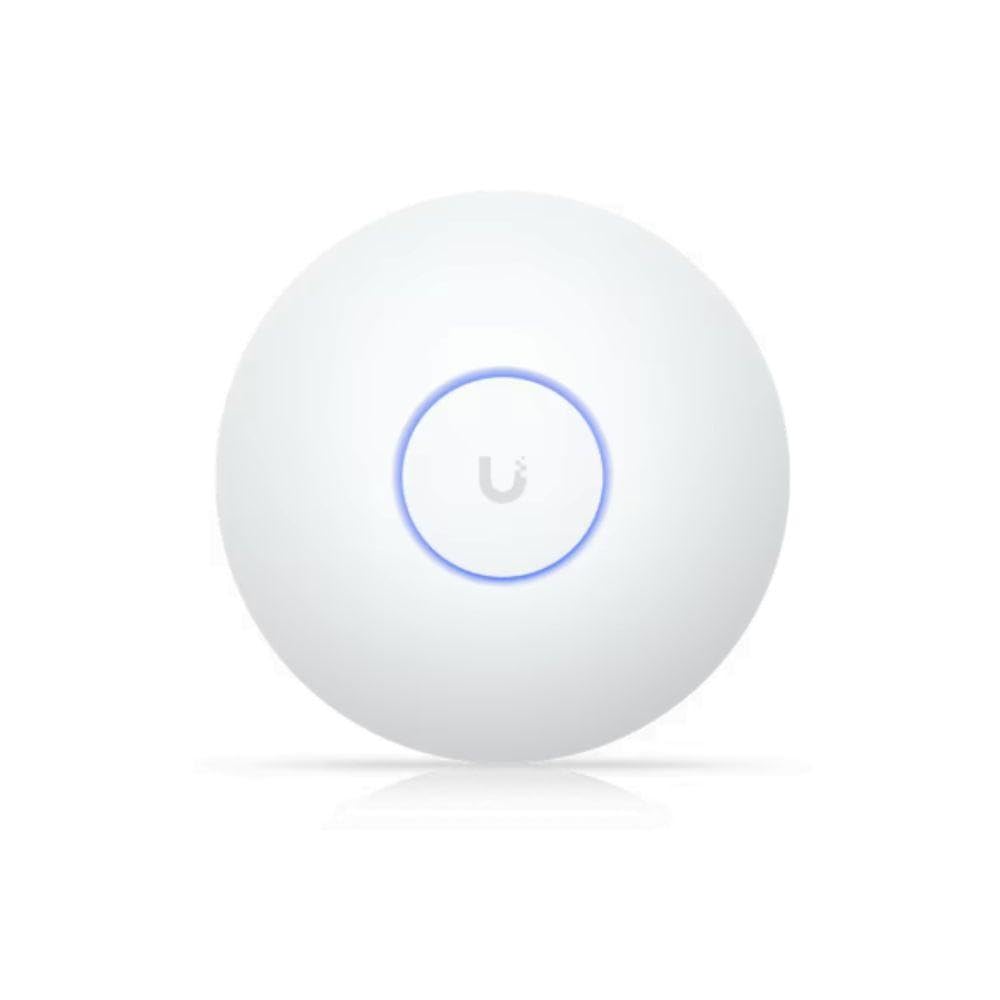
The U7-LR lives up to its name with tested coverage of up to 150 feet indoors, making it the go-to choice for warehouses, large retail floors, and sprawling office layouts. Its Wi-Fi 6 radio with OFDMA handles dense deployments efficiently, and adoption into a UniFi ecosystem is as simple as scanning a QR code from the mobile app. Network engineers often run entire homes and offices exclusively on UniFi gear for its stability and management depth.
Range is the headline here: users report strong signal strength across entire large homes and light commercial spaces without needing multiple units. The ceiling-mount design is unobtrusive, and the unit runs cool enough to survive enclosed spaces like linen closets and utility rooms without thermal issues. The UniFi controller provides detailed analytics, client history, and airtime fairness controls.
The main limitation is the Gigabit Ethernet uplink, which becomes a bottleneck in environments with high-speed internet or internal file transfers exceeding 1 Gbps. The U7-LR also lacks a 2.5G or multi-gig port, which may matter for future-proofing. For pure coverage area at a moderate price, however, the U7-LR is hard to beat.
Why it’s great
- Industry-leading indoor range for large open spaces
- Seamless UniFi ecosystem integration and management
- Runs cool in enclosed or poorly ventilated locations
Good to know
- Gigabit uplink caps throughput for multi-gig connections
- Requires UniFi gateway or controller for full features
- No 2.5G or multi-gig port for future upgrades
7. NETGEAR WAX610

The WAX610 combines AX1800 Wi-Fi 6 performance with NETGEAR Insight cloud management, making remote monitoring and configuration straightforward for IT teams managing multiple locations. With support for up to 200 client devices and 2500 square feet of coverage, it slots nicely into mid-sized office deployments. The 2.5G Ethernet port is a welcome addition at this price tier, preventing backhaul bottlenecks.
One year of free Insight subscription is included, after which annual renewal is required for cloud management. The AP also operates in standalone mode without a subscription, though advanced features like band steering, load balancing, and assisted roaming require the cloud platform. Security includes WPA3, rogue AP detection, and up to eight SSIDs with client isolation.
Power requirements can be tricky: the WAX610 needs a 12V/2.5A power adapter or a PoE+ injector that supplies adequate current, and using standard PoE injectors results in reduced throughput and amber LED warnings. Operating temperature runs hot enough to be concerning when mounted in confined ceiling spaces. Despite these quirks, the WAX610 delivers strong performance for VR and latency-sensitive applications.
Why it’s great
- Insight cloud management enables remote multi-site monitoring
- 2.5G port prevents wired backhaul bottlenecks
- Excellent performance for low-latency applications like VR
Good to know
- Requires precise PoE+ injector for full performance
- Runs hot during operation
- Insight subscription required for cloud features after first year
8. Ubiquiti U6+

The U6+ is Ubiquiti’s entry-level Wi-Fi 6 AP, offering a clean upgrade path for existing UniFi users without breaking the bank. Its dual-band radio delivers aggregate speeds up to 3 Gbit/s, and the coverage area of 140 square meters is sufficient for small offices or retail spaces. The ceiling-mount design blends in seamlessly, often mistaken for a smoke detector.
Setup is identical to other UniFi products: adopt via the UniFi network application, configure SSIDs, VLANs, and guest networks, and let the controller handle channel optimization and roaming. Users report rock-solid stability with zero reboots over months of operation, and seamless handoff between multiple U6+ units works flawlessly. The unit supports 802.3af PoE, keeping power requirements simple.
The U6+ lacks a 2.5G port, limiting its wired throughput to 1 Gbps, which is fine for most internet connections but bottlenecks internal file transfers. It also requires a Ubiquiti router or PoE+ injector for power, as the unit ships without a power adapter. For budget-conscious UniFi expansions, the U6+ delivers reliable performance at a low entry cost.
Why it’s great
- Plug-and-play adoption into existing UniFi networks
- Rock-solid stability with no reboots over months
- Works with standard 802.3af PoE
Good to know
- Gigabit-only uplink, no multi-gig port
- Requires separate UniFi router or PoE injector
- Best suited as expansion unit, not primary high-density AP
9. Tenda BE5010
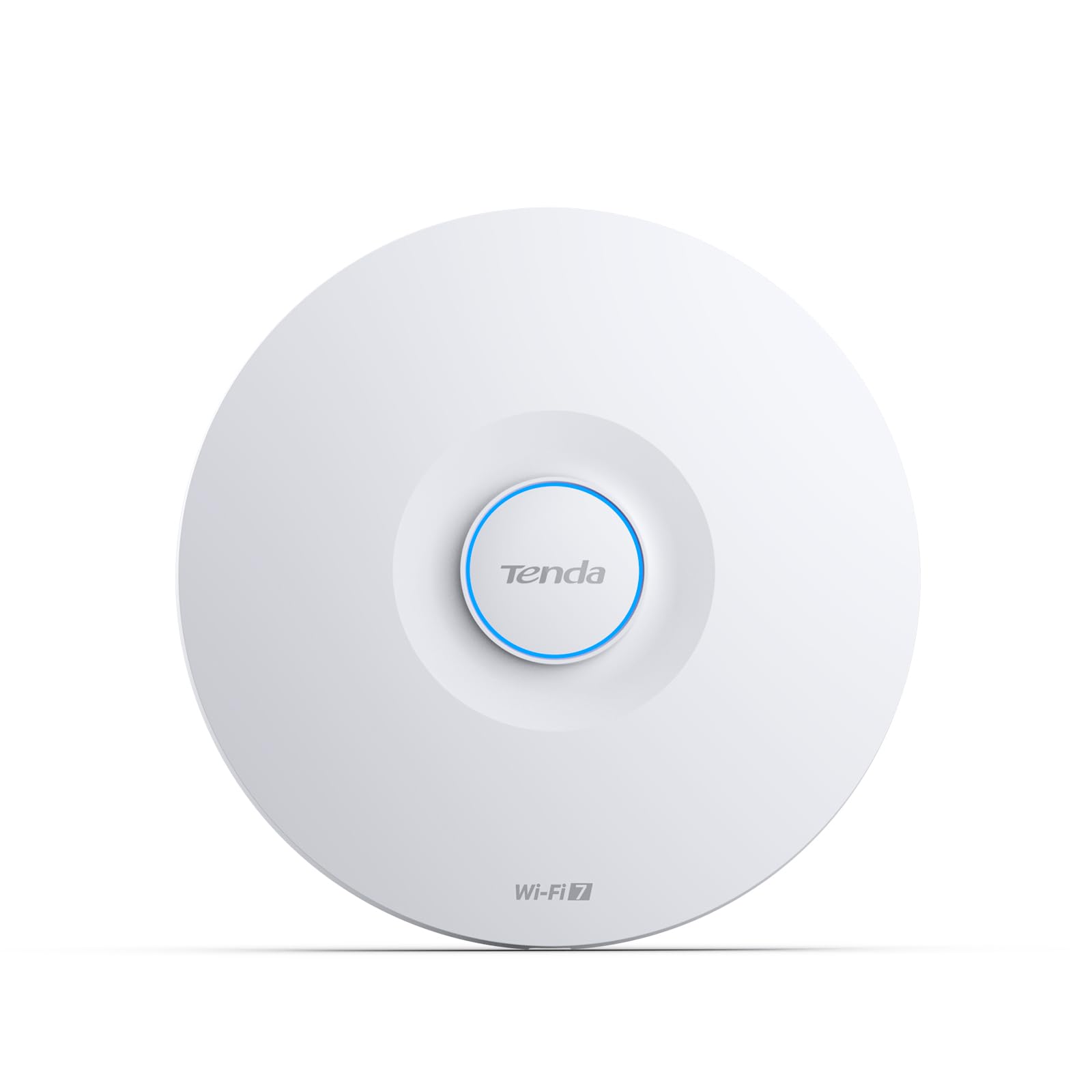
The Tenda BE5010 brings Wi-Fi 7 to a budget-friendly tier, making next-generation speeds accessible for small offices and home-based businesses. Its dual-band BE5010 radio delivers up to 5 Gbps aggregate throughput with 4096-QAM and 160 MHz bandwidth, and the 2.5G PoE+ port ensures the wired backhaul doesn’t limit the wireless performance. It supports 802.11k/v/r fast roaming for seamless mobility across multiple units.
Management is handled through the CloudFi app or web dashboard, offering VLAN tagging, WPA3 encryption, and guest network isolation. The unit ships with a DC adapter, giving flexibility for installations without PoE switches. Users report noticeable coverage improvements in large spaces, with outdoor cameras going from weak signal to strong connectivity after installation.
Where the BE5010 cuts corners is in client capacity: it’s not designed for high-density environments with 100+ simultaneous connections. The management interface is more basic than Omada or UniFi, lacking advanced analytics. For a small office wanting Wi-Fi 7 without a premium price tag, the BE5010 is a smart entry point, but it won’t replace proper enterprise gear in demanding deployments.
Why it’s great
- Wi-Fi 7 speeds at entry-level pricing
- 2.5G PoE+ port matches modern wired infrastructure
- CloudFi app provides simple remote management
Good to know
- Limited client capacity for high-density environments
- Management interface lacks advanced analytics
- Not a replacement for enterprise-grade high-density hardware
FAQ
Do I need a separate controller or gateway to use a corporate wireless access point?
How many clients can a single corporate AP realistically handle?
Is Wi-Fi 7 worth the premium for a business network right now?
Can I mix different brands of access points in the same building?
What does PoE+ mean for access point installation?
Final Thoughts: The Verdict
For most users, the best corporate wireless access point winner is the TP-Link EAP660 HD because its eight spatial streams and 2.5G uplink handle high-density environments without the thermal or licensing headaches of competing enterprise options. If you want Wi-Fi 7 with a 10G backhaul for future-proofing, grab the TP-Link Omada EAP773. And for large warehouses or retail floors where coverage range matters most, nothing beats the Ubiquiti U7 Long-Range.

Mo Maruf
I created WellFizz to bridge the gap between vague wellness advice and actionable solutions. My mission is simple: to decode the research and give you practical tools you can actually use.
Beyond the data, I am a passionate traveler. I believe that stepping away from the screen to explore new environments is essential for mental clarity and physical vitality.