The daily double-click of a tired mouse button or the sudden cursor freeze from a dying battery is a silent productivity killer. A corded mouse eliminates that entire class of frustration, offering a connection so stable you forget the cable exists. For anyone who spends hours editing, developing, or gaming, the right wired peripheral is the single most reliable upgrade you can make to your desk.
I’m Mohammad Maruf — the founder and writer behind WellFizz. My research process for this guide involved cross-referencing sensor specifications, button actuation mechanisms, and ergonomic contour designs across dozens of models to identify which wired mice actually deliver on their performance claims.
The list below isolates only the models that justify their place on your desk. Whether you need silent clicks for a shared workspace or a high-DPI sensor for precision tasks, this guide to the best corded computer mouse breaks down exactly what each option brings to the table.
How To Choose The Best Corded Computer Mouse
Not every wired mouse is built alike. The three factors that separate a great daily driver from a desk drawer orphan are sensor performance, physical ergonomics, and switch durability. The table below highlights the key specs, but understanding their impact on your daily use is what matters.
Sensor Resolution and Tracking
DPI, or dots per inch, measures how many pixels the cursor moves for every inch the mouse physically travels. A range between 800 and 2400 DPI covers most productivity tasks. Higher resolution sensors, like the 25,600 DPI unit in the Logitech G502, matter primarily for competitive gaming where micro-movements translate to faster target acquisition. Avoid the trap of chasing the highest number — a stable optical sensor without acceleration is more important than raw DPI.
Ergonomic Shape and Button Layout
The angle of your wrist during extended use determines fatigue. Vertical mice place the hand in a handshake position, relieving tendon pressure for users with wrist or elbow discomfort. Ambidextrous designs suit left-handed users but often compromise the thumb-rest contour found on right-handed models. Programmable buttons reduce desktop navigation steps, but their placement near the thumb area can lead to accidental presses if the layout is not well thought out.
Quick Comparison
On smaller screens, swipe sideways to see the full table.
| Model | Category | Best For | Key Spec | Amazon |
|---|---|---|---|---|
| Logitech G502 Hero | Gaming | Precision & customization | 25,600 DPI sensor | Amazon |
| Logitech Signature Wired M520 L | Office | Quiet operation & USB-C | SmartWheel scrolling | Amazon |
| Macally USB C Mouse | USB-C | Mac & iPad compatibility | 4 DPI modes (800-2400) | Amazon |
| Dell MS3220 | Budget | Simple replacement | 3200 DPI sensor | Amazon |
| SANWA Wired Ergonomic Mouse | Ergonomic | Small hands & wrist relief | Vertical orientation | Amazon |
In‑Depth Reviews
1. Logitech G502 Hero

The G502 Hero is the reference standard for wired mice because of its Hero 25K optical sensor. This sub-micron tracking delivers zero smoothing or acceleration, making it equally suited for pixel-level Photoshop work and competitive FPS gameplay. The adjustable weight system, with five 3.6 gram cartridges, lets you fine-tune the balance from light to heavy depending on your preference.
Its 11 programmable buttons include a dual-mode hyper-fast scroll wheel that toggles between free-spin for long documents and notched scrolling for precise line-by-line movement. The metal spring tensioning system on the left and right buttons provides a crisp, tactile click with rapid feedback. On-board memory stores up to three profiles, so your macros and DPI settings follow the mouse to any PC without additional software.
The right-handed sculpted body is generous in size, accommodating larger palms without cramping. RGB lighting via LIGHTSYNC is fully customizable but can be disabled for a distraction-free work environment. The braided cable is durable and resists kinking, though some users find the mouse on the heavier side even with all weights removed.
Why it’s great
- Hero 25K sensor tracks without smoothing or acceleration
- Dual-mode scroll wheel handles both speed and precision
- Adjustable weights and on-board profile memory
Good to know
- Right-handed design limits left-handed use
- Heavier than some productivity-focused mice
2. Logitech Signature Wired M520 L for Business
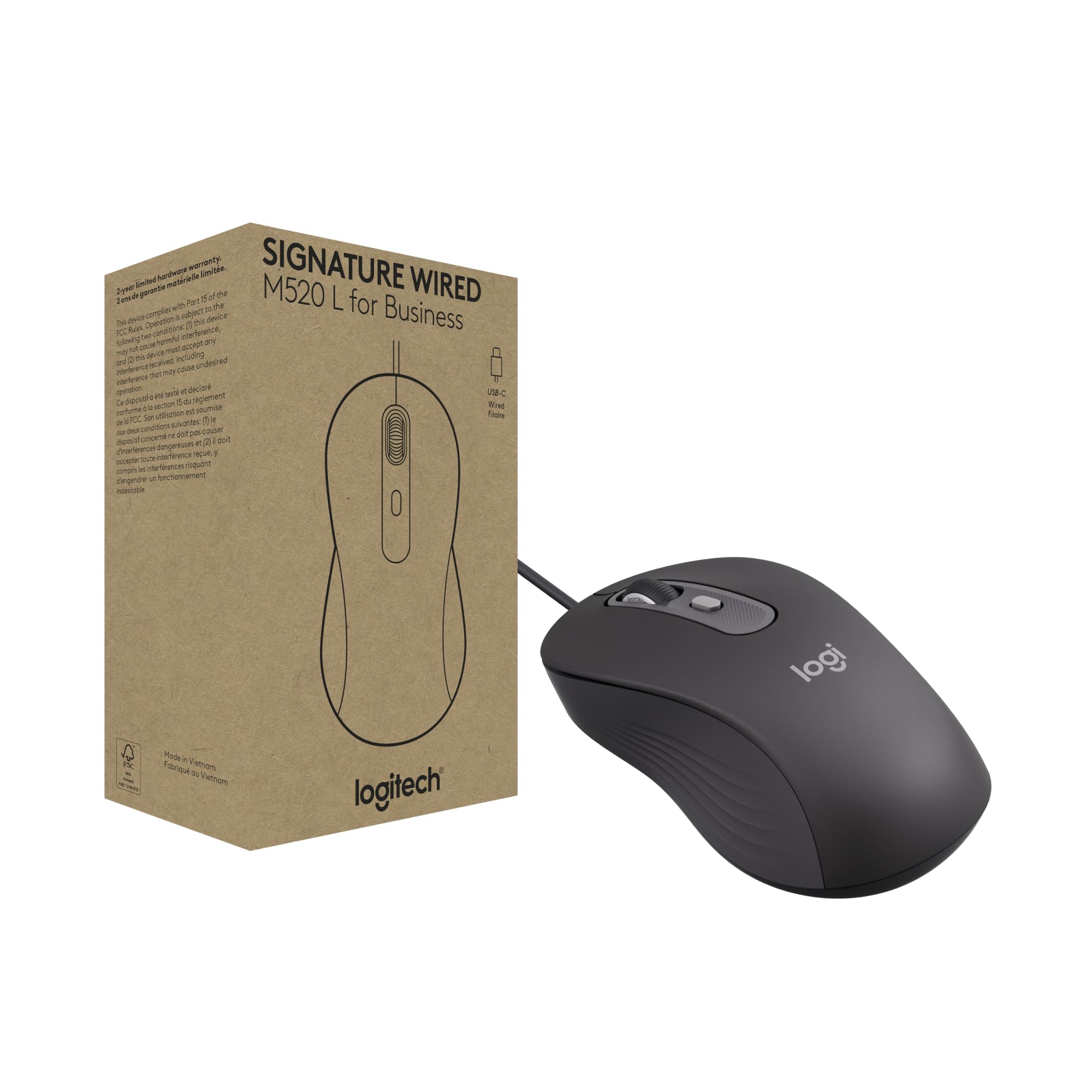
The M520 L is engineered for shared or open-plan workspaces where noise is a distraction. Its Silent Touch technology reduces clicking noise by 90 percent, providing a tactile response without the audible snap that travels through office walls. The SmartWheel scrolling shifts between hyper-fast and line-by-line precision with a simple flick, saving time when scanning through lengthy documents.
This mouse uses a USB-C connection for modern laptops and desktops, eliminating the need for a USB-A adapter on newer devices. The contoured ambidextrous shape fits both left and right hands comfortably, though right-handers may miss a dedicated thumb rest. A customizable DPI button lets you adjust cursor speed on the fly, and the side buttons can be reprogrammed via Logi Tune or Logi Options+ for shortcuts like copy-paste or volume control.
From a sustainability perspective, the plastic body incorporates a minimum of 73 percent post-consumer recycled material, and the power-saving model draws 68 percent less energy than comparable mice. The cable is generous and flexible, though a USB-A adapter is not included in the box. The sensor tracks accurately on most surfaces and stops on lift, preventing cursor drift when repositioning.
Why it’s great
- Silent Touch cuts click noise by 90% for shared workspaces
- SmartWheel toggles between fast and precise scrolling
- USB-C connection and high recycled plastic content
Good to know
- No USB-A adapter included
- Side buttons are pre-configured and may need remapping
3. Macally USB C Mouse Wired

Designed specifically for USB-C devices, the Macally mouse plugs directly into MacBook Pros, iPads with USB-C, and modern Windows laptops without any dongle. The four DPI settings — 800, 1200, 1600, and 2400 — offer enough granularity to switch between precise photo retouching and fast desktop navigation. The optical sensor tracks smoothly on most surfaces, including wood and some glass tabletops.
The body uses a simplified ambidextrous contour that molds to the palm without excessive bulk. It is noticeably smaller than a full-size office mouse, which suits users with smaller hands or those who prefer a fingertip grip. Scroll wheel feedback is clean and quiet, making it a viable alternative to Apple’s Magic Mouse for users who miss physical buttons. The matte black finish avoids fingerprints and feels dry to the touch during long sessions.
Caution: the USB-C cable is thin and coiled, which can feel less premium than a braided cord. Some users with larger hands report that the compact shape causes the pinky to drag on the mouse pad. Macally includes a 2-year warranty and free returns, which mitigates concerns about the lighter build. The mouse is plug-and-play with no driver installation required on macOS, Windows, Android, or iPadOS.
Why it’s great
- Native USB-C plug-and-play with Macs and iPads
- Four DPI settings cover productivity and creative work
- Compact and lightweight for travel or smaller hands
Good to know
- Smaller size may not suit larger hands
- Coiled cable feels less durable than braided alternatives
4. SANWA Wired Ergonomic Mouse

The SANWA vertical mouse shifts the hand into a natural handshake position, reducing muscle tension in the wrist and forearm. This orientation is especially beneficial for users who already experience carpal tunnel or elbow discomfort from prolonged flat-mouse use. The rounded shape fits securely in the palm, and the white matte finish makes it easy to spot on a cluttered desk.
Two adjustable DPI levels — 1000 and 1600 — give you a usable range for browsing and light productivity. The blue LED tracking works on marble, wood, glass, and leather surfaces, so you are not forced to use a mouse pad. Five buttons include forward and back navigation that simplifies web browsing, though Mac users should note these side buttons will not function on macOS. The wired connection draws power from the USB port, eliminating battery replacement entirely.
The scroll wheel is the most common failure point reported in long-term use; the plastic rim can separate from the metal core after several months of heavy scrolling. This is a repairable issue with superglue, but it indicates a durability ceiling. The mouse is also right-handed only, and the thumb buttons sit close to the palm, leading to accidental Back commands during normal use for some users.
Why it’s great
- Vertical grip reduces wrist and elbow tension
- No batteries needed, always ready to use
- Works on many surfaces including glass
Good to know
- Scroll wheel durability is a concern with heavy use
- Side buttons do not work on Mac systems
5. Dell MS3220 Mouse
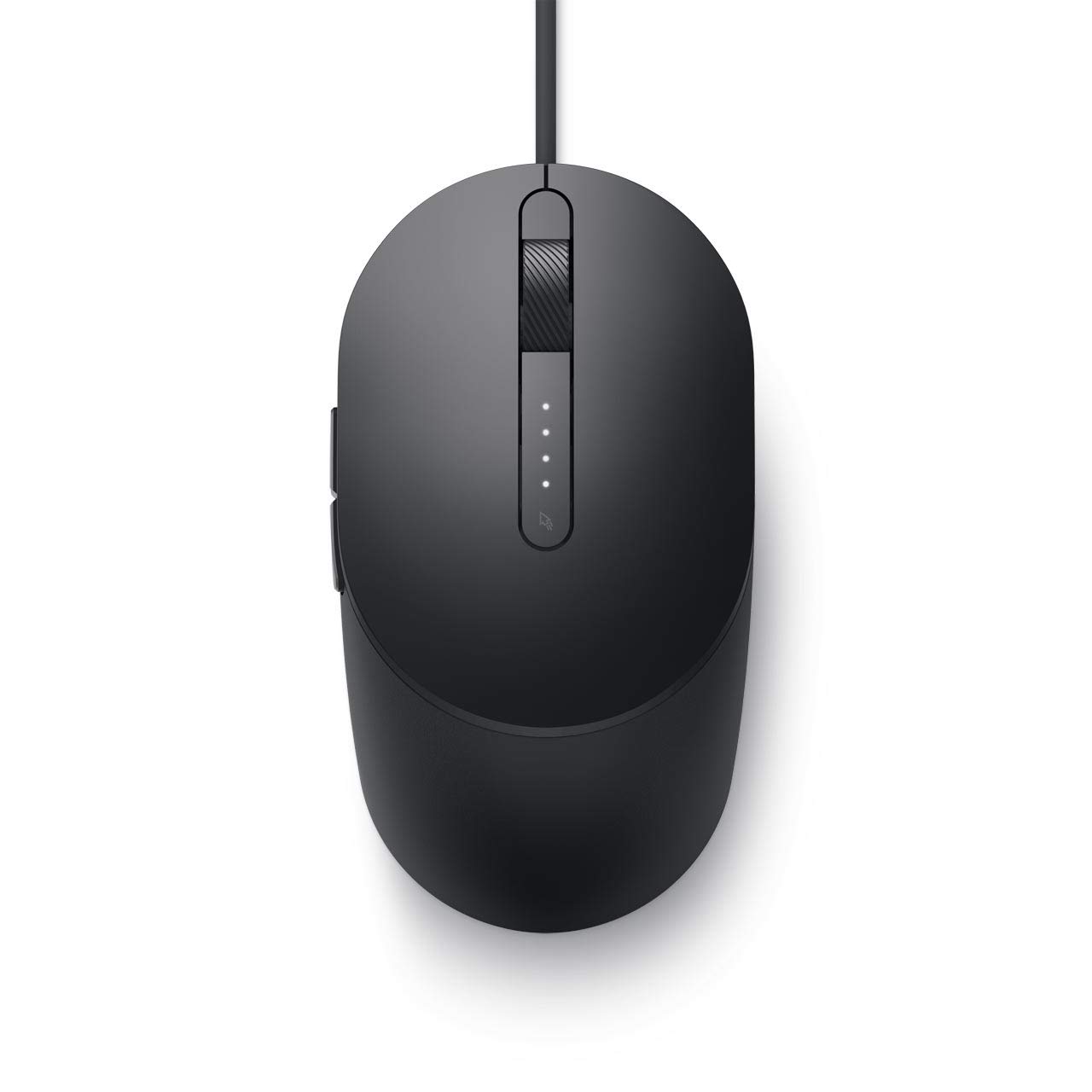
The Dell MS3220 is a straightforward, no-frills wired mouse that prioritises function over flair. Its 3200 DPI sensor exceeds the needs of most office tasks, and the five-button layout includes standard left/right click, a clickable scroll wheel, and forward/back navigation. The ambidextrous design works for both left and right-handed users, though the symmetrical shape means no thumb rest is present.
Setup is as simple as plugging the USB cable into any available port; Windows and macOS recognize it instantly without driver downloads. The matte black plastic finish is resistant to visible wear and fingerprints. The cable is a standard rubber sheath that is flexible enough for basic desktop routing but lacks the durability of a braided cord. The scroll wheel has a moderately notched feel with a fast spin by default.
The main drawback is its size — several users describe it as smaller than average, which can cause accidental double-button clicks if your fingers are broad. The mouse functions perfectly as a direct replacement for a worn-out original, but the compact footprint may not be comfortable for extended work sessions. It includes batteries in the box despite being wired (these are likely for the optional wireless variant of the same series and can be disregarded).
Why it’s great
- High 3200 DPI sensor for precise cursor control
- Plug-and-play setup with no software needed
- Budget-friendly ambidextrous design
Good to know
- Smaller than average size may cause accidental clicks
- Rubber cable is less durable than braided options
FAQ
Does a higher DPI always mean a better mouse?
Can a vertical ergonomic mouse reduce wrist pain?
Are wired mice still relevant for gaming?
Final Thoughts: The Verdict
For most users, the best corded computer mouse winner is the Logitech G502 Hero because it combines a class-leading sensor with 11 programmable buttons and adjustable weights, covering both productivity and gaming needs without compromise. If you need near-silent operation in an open office, grab the Logitech Signature Wired M520 L. And for USB-C Mac and iPad compatibility with a compact form factor, nothing beats the Macally USB C Mouse.

Mo Maruf
I created WellFizz to bridge the gap between vague wellness advice and actionable solutions. My mission is simple: to decode the research and give you practical tools you can actually use.
Beyond the data, I am a passionate traveler. I believe that stepping away from the screen to explore new environments is essential for mental clarity and physical vitality.