Our readers keep the lights on and my smoothie glass nicely filled. As an Amazon Associate, I earn from qualifying purchases.
The promise of a convertible computer is absolute flexibility — one device that shifts from a productivity powerhouse with a full keyboard to a sketchpad or presentation tool with a simple twist of the hinge. But that versatility introduces a complex set of trade-offs: screen size versus portability, raw processing power versus battery endurance, and the quality of the touch experience versus the stability of the laptop chassis. Finding the right balance for your specific workflow requires more than just comparing tech specs; it demands understanding how each component behaves in tent, stand, and tablet modes.
I’m Mohammad Maruf — the founder and writer behind WellFizz. I analyze the specific hardware trade-offs that define the convertible experience, from hinge durability and display touch-layer responsiveness to the thermal management strategies that change when a fan-equipped chassis is flipped into your hands.
Whether you are a student, a creative professional, or a business traveler who needs one machine for every scenario, this guide cuts through the marketing claims to identify the most reliable convertible computer for your actual daily routine.
How To Choose The Best Convertible Computer
The convertible market spans from budget-friendly 14-inch models to premium dual-screen workstations. Your choice hinges on three key conflicts: raw performance versus fanless quiet operation, screen real estate versus shoulder-friendly weight, and battery chemistry that must survive both a full workday and a long flight. The right match depends on whether you are primarily a typist who occasionally annotates, or a digital artist who needs the laptop to vanish into a tablet.
Hinge Design and Build Quality
The 360-degree hinge is the mechanical heart of any convertible. A loose hinge introduces wobble during touch input in laptop mode, while an overly stiff hinge makes one-handed mode switching impossible. Look for reinforced steel or alloy hinges rated for at least 20,000 cycles. Premium models from Lenovo, HP, and ASUS tend to offer tighter tolerances that hold the screen firm at any angle, even after years of everyday flipping.
Display Touch Layer and Pen Support
Not all touchscreens are equal for active stylus work. An IPS panel with a matte finish reduces glare but can feel slightly spongy under a pen tip. An OLED or AMOLED display delivers richer contrast and deeper blacks, making digital artwork pop, but the glass surface can be more reflective. MPP 2.0 and AES 2.0 protocols offer 4096 levels of pressure sensitivity and tilt recognition — critical if you plan to sketch, take handwritten notes, or annotate PDFs directly on the screen.
Processor Architecture and Thermal Constraints
Convertibles often operate in tighter thermal envelopes than traditional clamshells because the keyboard deck serves as the primary heat dissipation surface. Intel Core Ultra 7 (Series 2) and AMD Ryzen AI 7 chips offer dedicated NPUs for local AI tasks, but sustained loads like video rendering or extended gaming sessions can trigger thermal throttling. If you run demanding software, prioritize models with active cooling fans and dual heat pipes. For general productivity and media consumption, a fanless Snapdragon X Plus design delivers excellent battery life and silent operation.
Quick Comparison
On smaller screens, swipe sideways to see the full table.
| Model | Category | Best For | Key Spec | Amazon |
|---|---|---|---|---|
| ASUS Zenbook Duo | Premium | Dual-screen multitasking | 2x 14″ 3K OLED 120Hz | Amazon |
| GIGABYTE AERO X16 | Premium | High-end gaming and creation | RTX 5070 + AMD AI 9 HX 370 | Amazon |
| HP OmniBook 7 Flip | Premium | Business and creative pro | 32GB DDR5 + Arc 140V GPU | Amazon |
| Samsung Galaxy Book5 Pro 360 | Premium | Samsung ecosystem and media | 16″ 3K AMOLED 120Hz | Amazon |
| Microsoft Surface Pro | Premium | Ultra-portable tablet-first use | Snapdragon X Plus, 13″ Touch | Amazon |
| Samsung Galaxy Book Pro 360 | Mid-Range | Creative and design work | 15.6″ Super AMOLED + S Pen | Amazon |
| HP OmniBook X Flip | Mid-Range | AI-enhanced mobile productivity | 24GB LPDDR5 + Ryzen AI 7 | Amazon |
| Lenovo Yoga 7i | Mid-Range | Everyday productivity and media | Core Ultra 7 + 16″ 2K IPS Touch | Amazon |
| ASUS Vivobook 14 Flip | Mid-Range | Casual gaming and students | 14″ OLED + Intel Arc Graphics | Amazon |
| HP OmniBook X FILP 16 | Mid-Range | Large-screen budget convertible | 16″ 2K Touch + AMD Ryzen AI 5 | Amazon |
| Dell Inspiron 14 2-in-1 | Budget | Value with bundled accessories | AMD Ryzen 5 + 1TB Total Storage | Amazon |
In‑Depth Reviews
1. ASUS Zenbook Duo

The Zenbook Duo redefines the convertible category by offering two full-size 14-inch 3K OLED panels instead of a single screen. Each display runs at 120Hz with Pantone-validated 100% DCI-P3 color accuracy, making this a genuine workstation for video editors, day traders, and software developers who need constant multi-window visibility. The detachable Bluetooth keyboard and built-in kickstand let you switch between dual-screen desktop mode and standard laptop mode without carrying extra peripherals.
Under the hood, the Intel Core Ultra 9 285H processor with Intel Arc Graphics handles AV1 encoding and light gaming like GTA V at playable frame rates. The 75Wh battery delivers around 9 hours in dual-screen mode, though running both OLED panels at full brightness pulls power faster than expected. The included ASUS Pen 2.0 with MPP 2.0 support works well for annotations on either screen, and the MIL-STD 810H durability rating adds confidence for frequent travelers.
Heat management is the main trade-off — the chassis runs noticeably warm during extended creative sessions, and the dual-screen layout makes lap use awkward. The speakers lack bass punch, and the glossy screens reflect overhead lights aggressively. But for anyone whose productivity scales with screen real estate, this is the most versatile convertible money can buy.
Why it’s great
- Dual 3K OLED 120Hz displays for unmatched multitasking
- Included Bluetooth keyboard and MPP 2.0 stylus
- Military-grade build quality and 32GB RAM
Good to know
- Runs hot under sustained load
- Weak built-in speakers
- Glossy screens can cause significant glare
2. GIGABYTE AERO X16

The AERO X16 is a rare breed: a convertible that packs a full NVIDIA GeForce RTX 5070 laptop GPU. That discrete graphics muscle, combined with the AMD Ryzen AI 9 HX 370 processor and 32GB of DDR5 RAM, allows this machine to run AAA games at 165Hz on its 2560×1600 WQXGA display while also handling local AI model inference and 4K video editing without stuttering. The 16.75mm thin chassis with a 16-inch screen keeps it portable enough for a creator studio or a LAN party.
Thermal performance is surprisingly strong — real-world testing shows the CPU and GPU stay in the mid-60s Celsius under load when paired with a cooling pad, and the fans remain quiet during non-gaming tasks. Battery life hovers around 7 hours for school or work use, and fast charging gets you back to 50% in about 30 minutes. The display is not OLED, but the high resolution and 165Hz refresh rate make it excellent for both gaming and color-sensitive work.
The only compromises are the single USB-C port (you will want a hub) and the 4.18-pound weight, which is noticeable in tablet mode. The bundled software is minimal, and the Windows 11 Home installation is clean. This is not a casual productivity machine — it is a workstation-grade convertible that happens to fold.
Why it’s great
- RTX 5070 GPU enables serious gaming and AI workloads
- Excellent thermals with quiet fan operation
- High-resolution 165Hz display
Good to know
- Only one USB-C port
- Heavy for extended tablet use
- Battery drains fast under GPU load
3. HP OmniBook 7 Flip

The OmniBook 7 Flip, the next-gen evolution of the HP Envy x360 and Spectre x360, is purpose-built for consultants and remote professionals who demand enterprise-grade security with convertible flexibility. The Intel Core Ultra 7 258V processor with a 47 TOPS NPU accelerates local AI tasks — think real-time transcription, background blur in video calls, and on-device image generation — while the integrated Intel Arc 140V GPU shares up to 16GB of system memory for light creative work.
The 16-inch WUXGA IPS touchscreen hits 400 nits brightness, which is comfortable for indoor and shaded outdoor use, and the 360-degree hinge feels reassuringly solid. The HP USB-C Rechargeable MPP2.0 Stylus with 4096 pressure levels is included, making detailed note-taking and diagramming accurate. The 5MP IR camera with temporal noise reduction ensures you look professional in dim conference rooms, and Windows 11 Pro with BitLocker adds the security layer businesses require.
The keyboard lacks dedicated Home and End keys, and the key stroke is shallow, which heavy typists may find fatiguing. Battery life is a solid 10 hours for mixed productivity, and the 65W fast charger tops it up quickly. The Wi-Fi 7 and Bluetooth 5.4 support future-proof connectivity. If your workflow revolves around Microsoft 365, Teams, and secure remote access, this is the most polished business convertible available.
Why it’s great
- Dedicated NPU for on-device AI acceleration
- Included MPP2.0 stylus with 4096 pressure levels
- Windows 11 Pro with enterprise security features
Good to know
- Shallow keyboard key stroke
- No dedicated Home/End keys
- Dim backlit keyboard in low light
4. Samsung Galaxy Book5 Pro 360

The Galaxy Book5 Pro 360 is the ultimate companion for anyone invested in the Samsung ecosystem. The Dynamic AMOLED 2X display at 3K resolution and 120Hz refresh rate produces jaw-dropping color accuracy and deep blacks that make photo editing, video streaming, and digital art feel immersive. The included S Pen with enhanced tilt sensitivity writes on the glass with a natural paper-like friction, and the seamless integration with Samsung phones via Phone Link and Quick Share makes file transfers and notifications feel instantaneous.
Performance from the Intel Core 7 Ultra processor is smooth for multitasking between Android Studio, design software, and dozens of browser tabs. The 25-hour battery life claim is achievable under light use, though heavy coding sessions or gaming will pull it down to a full workday. The quad AKG speakers with Dolby Atmos produce surprisingly rich sound for such a thin chassis, and the Thunderbolt 4 ports plus HDMI cover most connectivity needs without a dongle.
The build is premium but slightly heavy for its 16-inch size, and the soft keyboard deck may not satisfy mechanical-switch enthusiasts. A small number of users report spontaneous screen cracks, so a protective sleeve is wise. For Samsung phone and tablet owners, the integration features alone make this the most fluid convertible experience available.
Why it’s great
- Stunning Dynamic AMOLED 2X 120Hz display
- Seamless Samsung ecosystem integration
- Excellent battery life and fast charging
Good to know
- Reports of spontaneous screen cracking
- Soft keyboard feel
- Heavy for a 16-inch convertible
5. Microsoft Surface Pro (2024)

The Surface Pro remains the gold standard for the tablet-first convertible experience. The Snapdragon X Plus processor with a powerful NPU delivers performance that rivals the MacBook Air M3 in CPU tasks while running completely fanless and silent. The 13-inch touchscreen is responsive and sharp, and the built-in kickstand offers infinite angles for typing, drawing, or presenting. This is the lightest and most portable way to run a full Windows 11 Copilot+ PC.
The detachable Surface Pro Flex Keyboard (sold separately) adds a laptop experience when needed, but the real strength is the tablet mode — the ARM-based Snapdragon chip provides around 14 hours of battery life for note-taking, web browsing, and media consumption. The 10-core CPU handles Lightroom and Davinci Resolve without major slowdowns, though some legacy x86 apps may have compatibility quirks. The front and rear cameras are excellent for video calls and document scanning.
The main drawbacks are the cost of the keyboard and stylus, which push the total price higher, and the limited port selection — only two USB-C ports and no headphone jack on some configurations. The screen glare can be intense under direct light. But if your primary need is a supremely portable device that works as a laptop when docked and a tablet everywhere else, the Surface Pro sets the benchmark.
Why it’s great
- Fanless, silent operation with excellent performance
- Outstanding 14-hour battery life
- Versatile kickstand and premium build quality
Good to know
- Keyboard and stylus sold separately
- Limited to two USB-C ports
- Some x86 apps have ARM compatibility issues
6. Samsung Galaxy Book Pro 360

The Galaxy Book Pro 360 targets photographers, designers, and creators who want a large Super AMOLED canvas in a slim 2-in-1 package. The 15.6-inch FHD AMOLED display delivers vibrant colors and true blacks that make photo editing and design work visually accurate. The included S Pen writes and draws with natural tilt sensitivity, and the 360-degree hinge lets you switch to tent mode for client presentations or stand mode for sketching without the keyboard getting in the way.
The Intel Core i7-1260P processor paired with 16GB of RAM and a 1TB SSD provides snappy performance for multitasking across creative apps, and the Thunderbolt 4 port supports connections to up to two 8K external monitors. The AKG quad speakers with Dolby Atmos produce clear, spatial audio for media reviews. Samsung’s Multi Control and Second Screen features let you use a Galaxy Tab as an extended display or control your phone from the laptop, streamlining creative workflows.
The advertised 21-hour battery life is optimistic — real-world use with the AMOLED screen at moderate brightness yields around 6 to 8 hours. A small number of users report spontaneous screen cracking, so careful handling is advised. The overall build feels premium, and the 1TB of onboard storage is generous. For creatives already using Galaxy devices, the ecosystem synergy and beautiful display are hard to beat.
Why it’s great
- Vibrant Super AMOLED display with deep blacks
- Included S Pen with tilt sensitivity
- Thunderbolt 4 supports dual 8K monitors
Good to know
- Battery life much shorter than advertised
- Reports of spontaneous screen cracking
- Older 12th-gen Intel processor
7. HP OmniBook X Flip
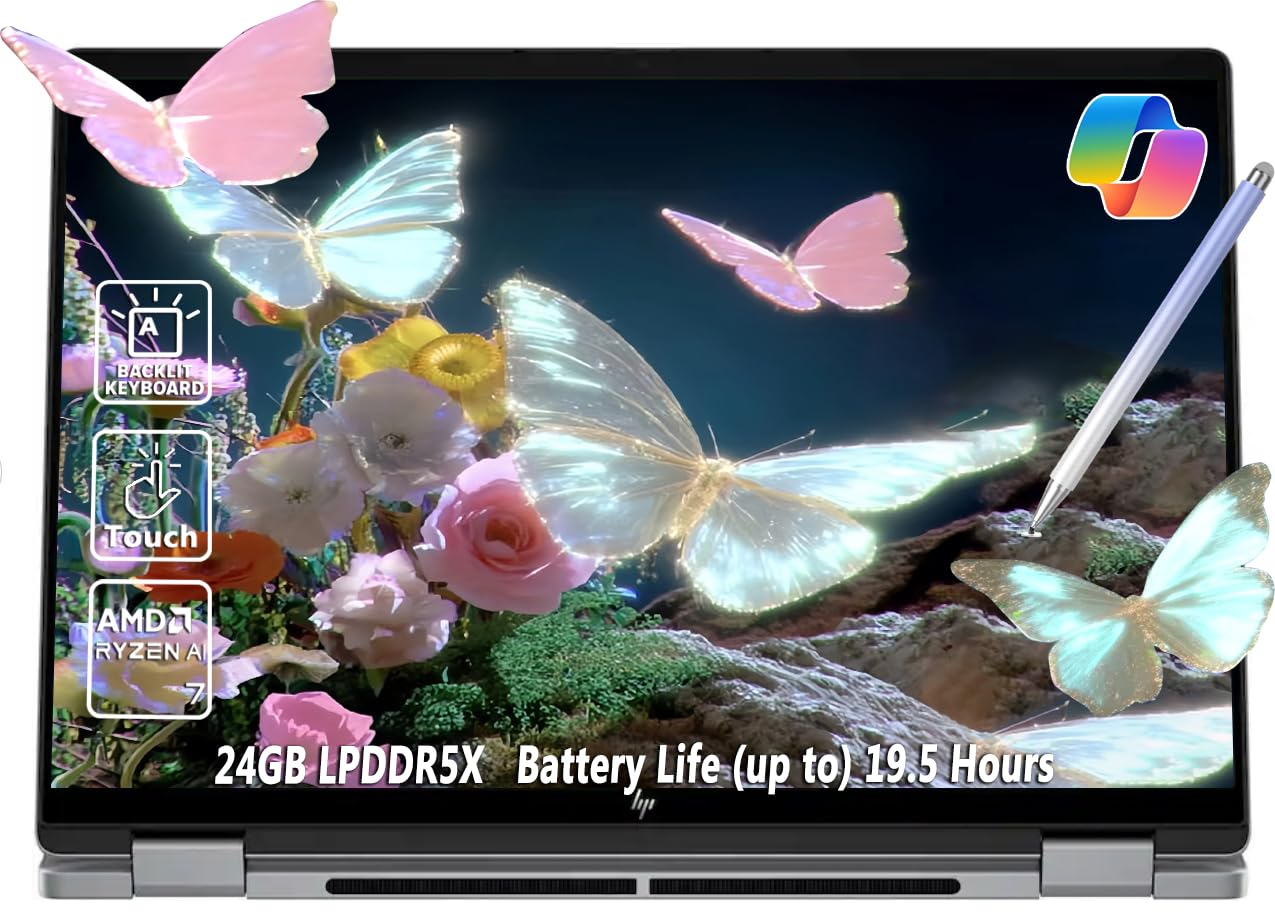
The HP OmniBook X Flip is a mid-range convertible that punches above its weight with a generous 24GB of LPDDR5 RAM and 1TB SSD, making it ideal for users who run memory-hungry apps like Davinci Resolve, FL Studio, or multiple virtual machines. The AMD Ryzen AI 7 350 8-core processor with Radeon 860M graphics delivers smooth performance for creative software and even handles light gaming at respectable frame rates. The 14-inch WUXGA IPS touchscreen at 400 nits is bright and responsive, with low blue light certification.
At just 3.11 pounds, this is one of the lightest 14-inch convertibles with a full set of ports: two USB-A, two USB-C (one with Thunderbolt 4), HDMI 2.1, and a headphone jack. The Wi-Fi 6E and Bluetooth 5.3 keep connections fast, and the included MPP stylus offers 4096 pressure levels for detailed note-taking. The 360-degree hinge feels durable, and the 5MP IR camera with a privacy shutter makes video calls secure and clear.
The 59Wh battery delivers about 8 hours of non-gaming use, which is adequate but not outstanding. Some users report the battery drains faster than expected under moderate loads. The chassis is thin at 0.58 inches but still feels sturdy. For creative professionals or students who need a lightweight, well-connected convertible with plenty of RAM, the OmniBook X Flip is a smart mid-range pick.
Why it’s great
- 24GB RAM for memory-intensive creative work
- Very light at 3.11 pounds
- Full port selection with Thunderbolt 4
Good to know
- Battery life could be better
- Plastic build feels less premium
- Screen smudges easily
8. Lenovo Yoga 7i

The Lenovo Yoga 7i is the definition of a dependable, no-surprises convertible. The 16-inch 2K IPS touchscreen delivers sharp text and accurate colors, and the 360-degree hinge has the tight, confidence-inspiring feel that Lenovo’s Yoga line is known for. The Intel Core Ultra 7 155U processor with 12 cores handles everyday productivity, streaming, and light photo editing without breaking a sweat, while the 16GB of DDR5 RAM and 1TB SSD provide ample headroom for multitasking.
The build quality is excellent — the Storm Grey aluminum chassis feels solid, and the full-size keyboard with a number pad is comfortable for long typing sessions. The port selection is generous with two USB-A, two USB-C, HDMI, and a microSD card reader. Wi-Fi 6E ensures fast wireless connectivity, and the fingerprint reader integrated into the power button makes login instant and secure. The Lenovo Vantage software offers useful system management, though some users find its promotional pop-ups intrusive.
The 16-inch form factor makes this laptop less portable than 14-inch rivals, and the weight is noticeable in tablet mode. The 2K display is bright but not as vibrant as OLED alternatives. Battery life is solid for a screen this size, lasting a full workday on mixed use. For users who prioritize a large, clear display, reliable performance, and a trusted brand, the Yoga 7i is a safe and satisfying choice.
Why it’s great
- Excellent 2K IPS display with accurate colors
- Sturdy build with premium aluminum chassis
- Full keyboard with number pad and generous ports
Good to know
- Large and heavy for tablet use
- Not as vibrant as OLED screens
- Lenovo Vantage can have intrusive pop-ups
9. ASUS Vivobook 14 Flip
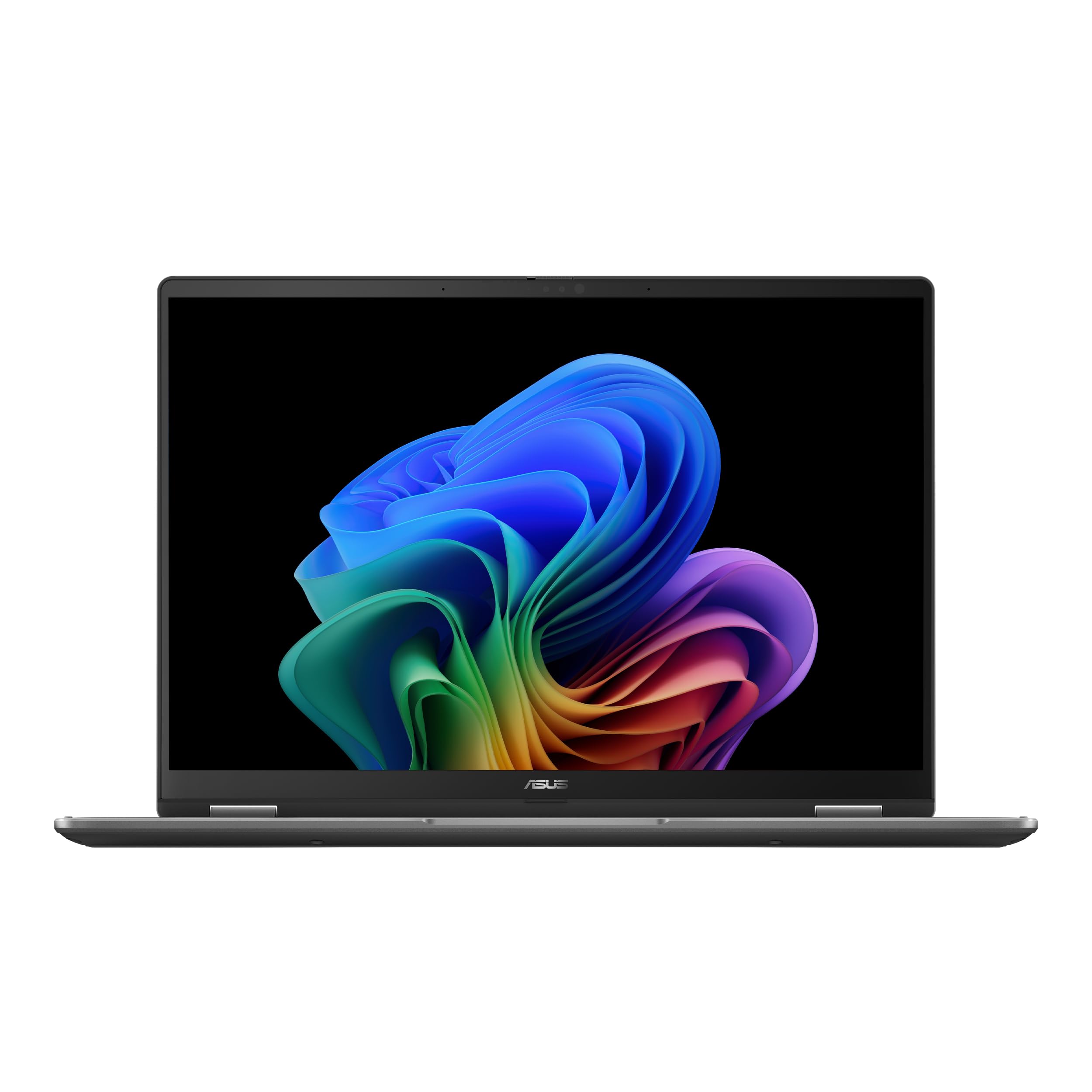
The Vivobook 14 Flip is a budget-friendly convertible that surprises with its gaming capability. The Intel Core Ultra 5 226V processor paired with Intel Arc Graphics can run Cyberpunk 2077 at low settings and 60fps, which is remarkable for a slim 14-inch 2-in-1. The 14-inch OLED touchscreen with 1920×1200 resolution and 500 nits peak brightness delivers gorgeous colors and deep blacks, making both games and movies look fantastic. The 360-degree hinge allows for comfortable tent mode viewing.
The 16GB of LPDDR5 RAM and 512GB SSD provide solid performance for general productivity, schoolwork, and light design tasks. The battery life is the main trade-off — the OLED panel and Arc GPU drain power quickly, with heavy use delivering around 3 to 5 hours. The plastic chassis feels less premium than metal alternatives, but it keeps the weight down. The keyboard has good tactile feedback, though the surface around it can feel soft.
One usability issue is the reflective OLED screen, which smudges easily and shows fingerprints. The bottom screws are different sizes, so take care when upgrading. For students or casual gamers who want a single device that can handle both note-taking and light gaming, the Vivobook 14 Flip offers incredible value and a stunning display.
Why it’s great
- Vibrant OLED display with excellent contrast
- Able to run modern games at playable frame rates
- Lightweight and portable 14-inch design
Good to know
- Short battery life under load
- Plastic build feels less premium
- Screen is very reflective and smudges easily
10. HP OmniBook X FILP 16

The HP OmniBook X FILP 16 brings a large 16-inch 2K IPS touchscreen with a 360-degree hinge into a budget-friendly price bracket. The AMD Ryzen AI 5 340 processor with a 50 TOPS NPU provides solid performance for everyday tasks and basic AI-enhanced features in Windows 11. The 16GB of DDR5 RAM and 512GB SSD handle typical student and office workloads smoothly, and the backlit keyboard makes typing comfortable in low-light environments.
The 16-inch WUXGA display offers good brightness at 400 nits and wide viewing angles, making it suitable for collaborative work in tent mode. The 5MP IR camera with AI noise reduction delivers clear video calls, and the Poly Studio Audio tuning ensures your voice comes through clearly. The laptop is designed with recycled metals, and the Meteor Silver finish looks clean without being flashy. The 21-hour advertised battery life is optimistic — real-world mixed use yields around 8 to 10 hours.
The main drawback is the weight — a 16-inch convertible is noticeably heavy in tablet mode. The integrated AMD Radeon graphics are fine for media consumption and light photo editing but not for gaming. Some users report initial lag during Windows updates that resolves quickly.
Why it’s great
- Large 16-inch 2K touchscreen with good brightness
- Dedicated NPU for AI-accelerated tasks
- Good value for a large-screen convertible
Good to know
- Heavy for extended tablet use
- Integrated graphics only, not for gaming
- Initial setup can have lag from updates
11. Dell Inspiron 14 2-in-1
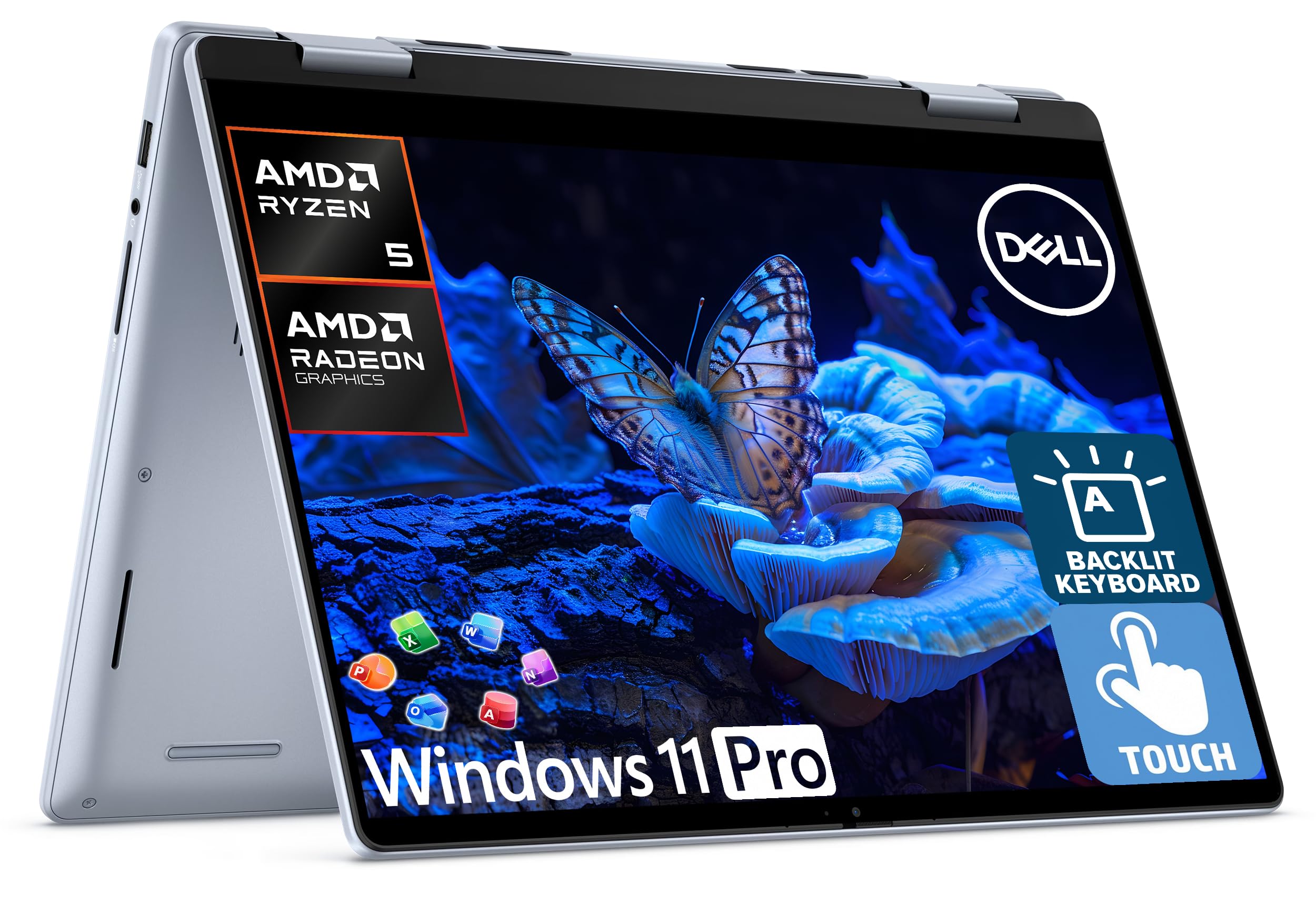
The Dell Inspiron 14 2-in-1 is the ultimate value proposition for budget-conscious buyers who want a fully equipped convertible without compromise. The AMD Ryzen 5 8640HS processor with integrated Radeon graphics handles daily productivity, streaming, and light photo editing without hesitation. The 14-inch FHD+ IPS touchscreen with 178-degree viewing angles is responsive and clear, and the 360-degree hinge allows for all four standard modes. The bundled accessories — a 6-in-1 USB-C hub, wireless mouse, mouse pad, HDMI cable, and a 500GB external drive — make this a complete out-of-the-box solution.
The 16GB of DDR5 RAM and the combined 1TB storage (512GB internal plus 500GB external) provide plenty of space for documents, media, and backups. Windows 11 Pro is included, and the free lifetime Microsoft Office license adds significant value for students and professionals. The backlit keyboard is comfortable for extended typing, and the fingerprint reader ensures secure, fast login. The Ice Blue finish is understated and professional.
The trade-offs are typical for the budget tier: the case is not premium metal, the screen is IPS rather than OLED, and battery life is average. Some users report units arriving with the external storage drive not properly formatted. But at this price point with the extensive accessory bundle and Office license included, the Dell Inspiron 14 represents the best bang for your buck in the convertible market. An excellent entry-level choice for students and home users.
Why it’s great
- Excellent value with full accessory bundle
- Free lifetime Microsoft Office included
- 1TB total storage with 16GB RAM
Good to know
- Not as premium build as metal chassis
- IPS screen lacks OLED vibrancy
- External drive may require formatting on arrival
FAQ
What is the difference between a 360-degree hinge and a detachable keyboard convertible?
Is an OLED display worth it for a convertible computer?
How much RAM do I need for a convertible computer in 2026?
Can I use a convertible computer for gaming?
How important is stylus pressure sensitivity for note-taking?
Final Thoughts: The Verdict
For most users, the convertible computer winner is the Lenovo Yoga 7i because it offers the best balance of a large 2K display, reliable performance, and trusted build quality at a mid-range price. If you want dual-screen multitasking for maximum productivity, grab the ASUS Zenbook Duo. And for a fanless, ultra-portable tablet-first experience, nothing beats the Microsoft Surface Pro (2024).

Mo Maruf
I created WellFizz to bridge the gap between vague wellness advice and actionable solutions. My mission is simple: to decode the research and give you practical tools you can actually use.
Beyond the data, I am a passionate traveler. I believe that stepping away from the screen to explore new environments is essential for mental clarity and physical vitality.