Our readers keep the lights on and my smoothie glass nicely filled. As an Amazon Associate, I earn from qualifying purchases.
Specs are compiled from manufacturer listings and verified buyer reviews and can change over time — please confirm the key details on the product page before buying.
One wrong math step when estimating concrete yards, figuring rafter lengths, or laying out stairs can cost you time and materials. That is why a purpose-built construction calculator exists — it takes the building dimensions you work with every day (feet, inches, fractions, yards, metric) and handles the conversions and material estimates for you with dedicated keys, so you can make cuts with confidence instead of guessing.
I’m Mohammad Maruf — the founder and writer behind WellFizz. This guide is built by comparing the manufacturers’ published specifications and the patterns across verified customer reviews, so you get each pick’s real strengths and trade-offs instead of marketing spin.
If you are a contractor, carpenter, or serious DIY renovator, you need a construction calculator with built-in formulas for your specific trade — concrete, framing, roofing, or stairs — so every calculation pushes your project forward, not backward.
Quick Picks
- Calculated Industries 4065 Construction Master — Best Overall
- Calculated Industries 4225 ConcreteCalc Pro — Concrete Specialist
- Calculated Industries 44080 Construction Master — Desk Powerhouse
- ROATEE Construction Calculator — Site Workhorse
- GUYUCOM Construction Calculator — All-Round Contractor
- Calculated Industries 8528 ProjectCalc Plus MX — Metric DIY Companion
- Calculated Industries 4054 Construction Master — Spanish-Language Tool
How To Choose The Best Construction Calculator
Not every calculator that says “construction” on the box will handle the same jobs. Some models are laser-focused on concrete and masonry, while others cover framing, roofing, and stairs all at once. Before you pick one, match its built-in functions to the work you do most often.
Trade-Specific Functions Matter Most
A concrete contractor needs quick access to square-ups, drops, and truck-load estimates, while a framer lives inside rafter solutions and stair layouts. A general-purpose construction calculator will cover a wider range of tasks, but a specialized model like the ConcreteCalc Pro gives you dedicated keys for rebar weight and bag counts that a framing calculator simply does not have.
Display Size and Durability
On a dusty jobsite, a 3-inch screen with large 12-digit digits makes reading your numbers straightforward — no squinting at tiny figures. Look for a protective case (some ship with an Armadillo Gear case) and hard plastic buttons that can handle drops and debris without failing.
Easy Conversions Between Units
Your plans might be in feet-inch-fractions, but your material supplier quotes in yards or metric. A solid construction calculator lets you toggle between formats instantly without re-entering the number, so you can move from a blueprint to a material list in seconds rather than minutes.
Quick Comparison
| Model | Best For | Built-In Functions | Display Size | Dimensions | Amazon |
|---|---|---|---|---|---|
| Calculated Industries 4065 Construction Master Pro | Framing & Roofing | Rafters, stairs, rake-walls, drywall, studs, concrete footings | LCD | 5.75″x3″ | Amazon |
| Calculated Industries 4225 ConcreteCalc Pro | Concrete & Masonry | Square-ups, rebar weight, truck loads, block/footing keys | LCD | 5.75″x3″ | Amazon |
| Calculated Industries 44080 Construction Master Pro-Desktop | Office & Desk Use | Full trig, roofing, drywall, studs, compound miter, columns | Tilt LCD | 9″x6.4″ | Amazon |
| ROATEE Construction Calculator | Versatile Site Use | 200+ functions, writing tablet, area/volume, rafters/stairs | 3″ 12-digit | 6.7″x3.75″ | Amazon |
| GUYUCOM Construction Calculator | All-Round Contractor | 200+ functions, writing tablet, rafters/stairs/concrete | 3″ 12-digit | — | Amazon |
| Calculated Industries 8528 ProjectCalc Plus MX | DIY & Metric Projects | Paint, concrete, gravel, studs, drywall, tile, flooring | LCD | 4.72″x2.95″ | Amazon |
| Calculated Industries 4054 Construction Master 5 en Español | Spanish-Speaking Pros | Rafters, stairs, arcs, columns, area/volume | LCD | 5.75″x3.25″ | Amazon |
In‑Depth Reviews
1. Calculated Industries 4065 Construction Master Pro

The framing and roofing specialist that serious builders have kept on their belt for years.
If your day revolves around layouts, plans, and bids, this model gives you instant solutions for right angles — square-ups, rafters (hip, valley, jacks), rake-walls, slopes, and angles — without flipping through a reference book. One reviewer noted that after a year of daily jobsite use, the calculator remains accurate and durable, calling it a worthy investment for anyone in construction or carpentry. At 0.51 pounds and measuring 5.75″x3″, it slides into a pouch ready for a dusty environment.
The 4065 also prevents material waste with built-in keys for roofing, drywall, studs, blocks, concrete footings, and board-feet lumber estimating. Unlike the ROATEE or GUYUCOM models, this unit skips the writing tablet, concentrating all its efforts on speed and accuracy in the dimensional math that framers and remodelers face hourly. Buyers report that the keystrokes take a little time to learn, but the time savings on a single complex roof cut can justify the investment.
Why It Leads the Pack
- Award-winning design with dedicated keys for rafters, stairs, and rake-walls
- Works easily across feet-inch-fractions, decimal feet-inches, yards, and metric
- Durable enough to survive a year of continuous jobsite use per reviewer feedback
One Thing to Know
- Keystrokes are not immediately intuitive; expect a short learning curve
Reach for it if: you frame, roof, or remodel professionally and need fast, accurate dimensional math on the jobsite every day.
Look elsewhere if: you only need a calculator for occasional DIY projects and prefer a lower entry point.
2. Calculated Industries 4225 ConcreteCalc Pro
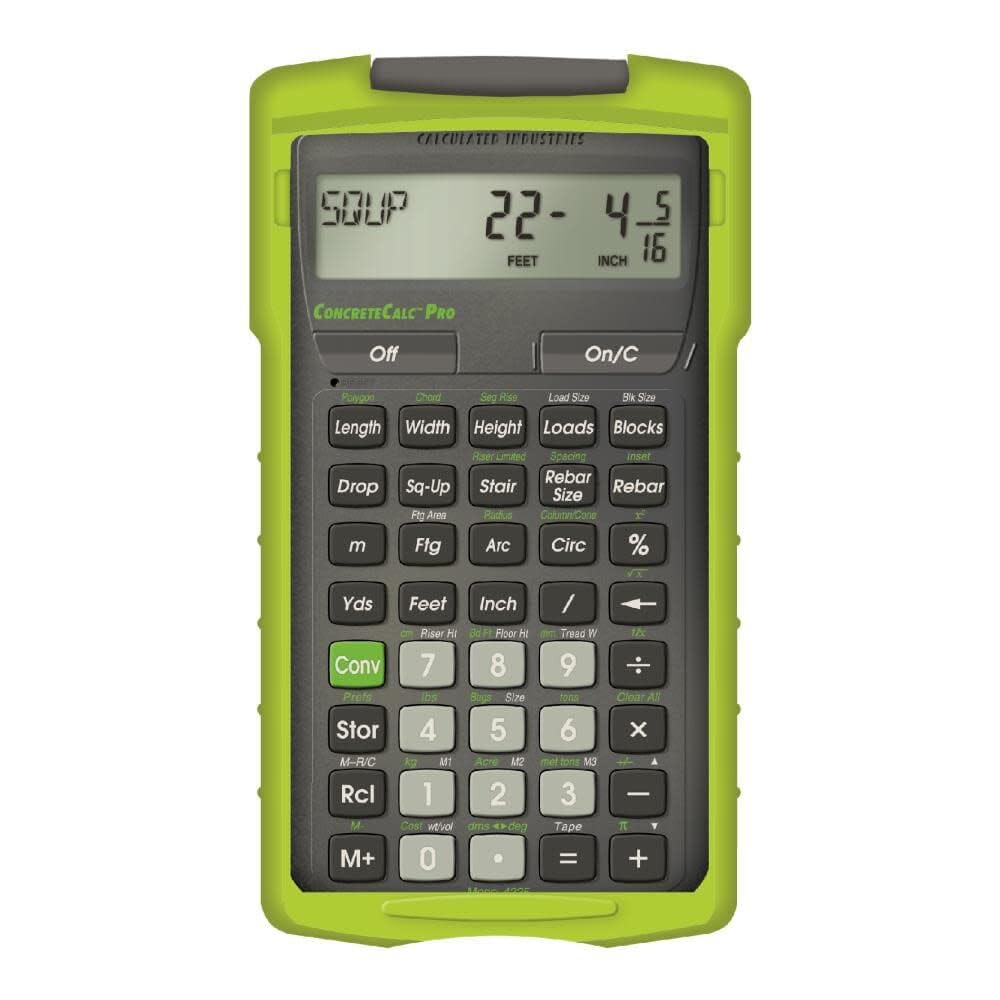
Built from the ground up for concrete, masonry, and paving — the one that calculates weight and loads before you order a truck.
Unlike a general construction calculator, the ConcreteCalc Pro is laser-focused on reducing material waste in concrete work. It automatically determines weight per volume in pounds, tons, kilograms, or metric tons, so you know the removal weight before you schedule a disposal. It also calculates total linear feet and weight for all rebar sizes and figures the number of truck loads and concrete bags required, which is exactly what a concrete finisher needs when bidding on a job. One buyer who works as a concrete finisher mentioned the calculator helps get work done faster compared to doing it on paper.
The 4225 also handles square-ups and drops for form layout, stair calculations, and circular/polygon area and volume solutions for truck load requirements. At 117.7 grams and 5.75″x3″, it fits easily into a binder or pocket, and the included Armadillo Gear case protects it from shock, dust, and moisture. This is a more specialized tool than the 4065 Construction Master Pro — if you primarily handle concrete and masonry rather than framing, this model gives you the dedicated keys that the all-rounder lacks.
Where It Excels
- Dedicated keys for rebar weight, truck loads, and bag counts
- Automatically calculates concrete density and weight per volume
- Rugged Armadillo Gear case protects against dust and moisture
The Trade-Off
- Narrow focus on concrete and masonry; less useful for general framing work
The play for you: concrete and paving contractors who want a calculator that does not make them switch tools between estimating bags and figuring truck loads.
Consider something else: if your mix of work includes as much framing as concrete — the 4065 Construction Master Pro gives broader utility.
3. Calculated Industries 44080 Construction Master Pro-Desktop

A desk-bound monster with a tilting screen — built for estimators and architects who need a full trig toolkit.
At 9″x6.4″ and 1.3 pounds, this is not a pocket calculator. It sits on your desk or plan table with a large-digit, multi-position tilt display that makes reading numbers easy, even for users with vision challenges — one buyer specifically praised the large screen for this reason. Beyond the standard construction functions, the 44080 includes sine, cosine, tangent, arcsine, arccosine, and arctangent, which means you can handle advanced angle problems that the handheld 4065 cannot. One long-time user mentioned they have used the handheld models for over 20 years and find the desktop version easier to see and just as accurate.
The 44080 shares the same built-in solutions for roofing, drywall, studs, blocks, concrete footings, and board-feet lumber estimating as the 4065, plus compound miter functions for crown molding and millwork. Unlike the earlier models, the metal enclosure adds serious heft and durability for daily office use. If the job requires trig and you rarely work outside the office, this desktop model delivers a better reading experience than any handheld.
Strengths
- Full trig functions (sine, cosine, tangent) for complex angle and layout problems
- Large-digit tilt display reduces reading errors, especially for users with vision needs
- Metal enclosure feels more durable than plastic handhelds
Caveats
- Not portable — it lives on a desk or in an office
- Heavier and larger than any pocket model
Your kind of tool: if you sit at a desk preparing estimates and want full trig capability with a screen that is easy on the eyes all day.
Pass it by: if you need something that clips to your belt and goes up ladders — grab the 4065 instead.
4. ROATEE Construction Calculator with Writing Tablet
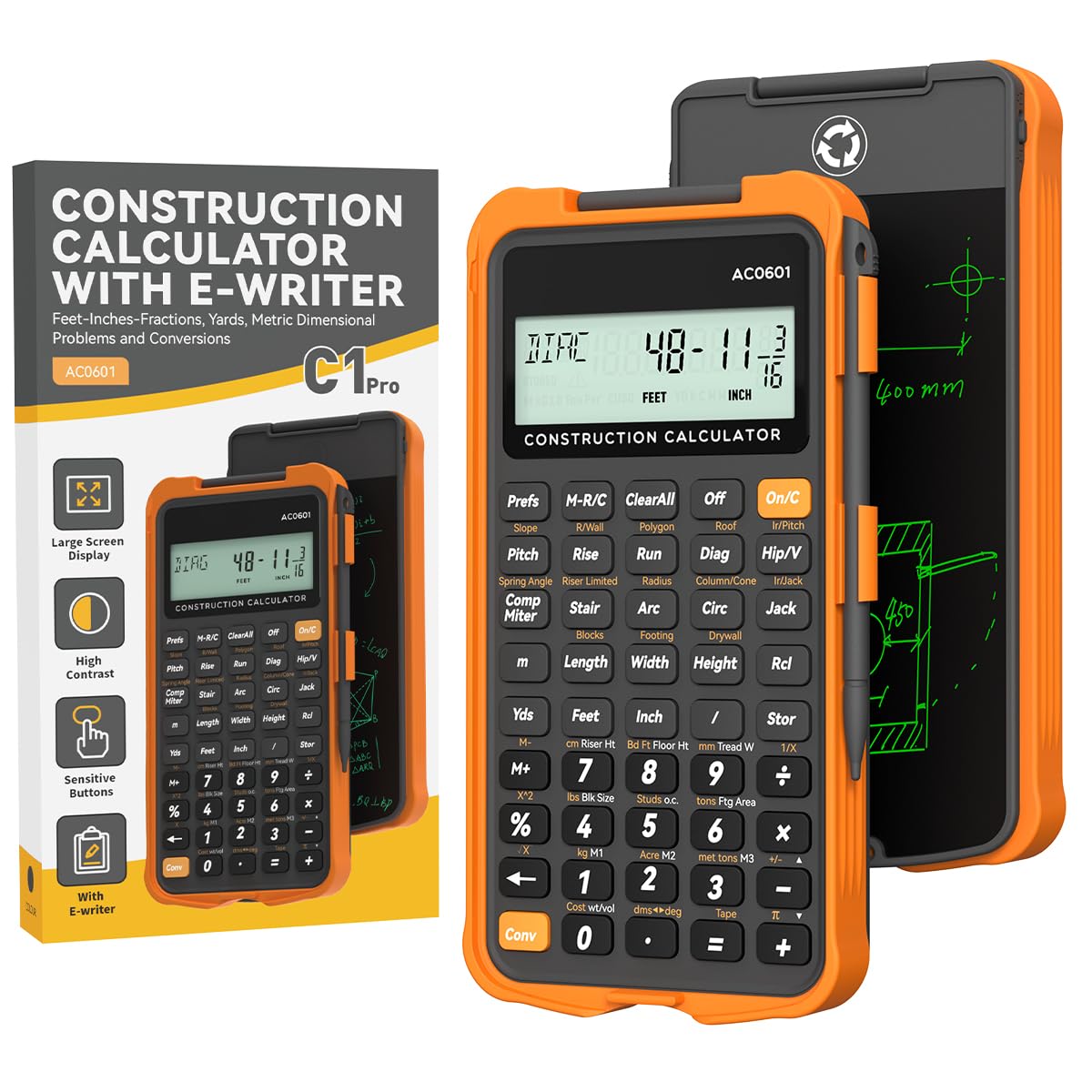
A rugged orange machine with a writing tablet on the back — an idea one reviewer called brilliant for jotting down site notes.
The ROATEE earns its spot because it packs over 200 functions — including area and volume, brick and block, concrete, boards, drywall sheet count, roofing material, stair layout, and rafter calculations — into a body that is larger than the Calculated Industries 8528 ProjectCalc Plus MX (6.7″x3.75″ vs. 4.72″x2.95″). That extra size gives you a 3-inch, 12-digit screen that is easier to read on a bright jobsite, plus a built-in notepad on the back. One buyer mentioned they broke their Construction Master Pro and found this calculator works exactly the same for a great price, while another called the writing tablet a genius idea for note-taking without reaching for a separate pad. skip it if you need a pocket-sized model — this one is noticeably larger and won’t slip into a shirt pocket.
The 45 hard PC buttons are smartly laid out to reduce fumbling, and the calculator auto-powers down after 8-12 minutes to save battery. The flip-page writing pad uses no paper or pen, so it is eco-friendly and keeps your notes attached to the tool. That said, the tablet is not integrated with the calculator — it is a separate surface, and the stylus can be easy to lose, as owners mention. If you value having a notepad always clipped to your calculator, this model beats the 4065 for on-site documentation.
What Stands Out
- Flip-page writing tablet eliminates separate paper and pen for quick notes
- 200+ functions covering concrete, rafters, stairs, and drywall
- Auto-shutdown after 8-12 minutes saves battery between uses
The Catch
- Writing tablet is a separate surface — not integrated with calculations
- Stylus is prone to loss per reviewer feedback
Choose this one: if you want a larger-screen construction calculator with a built-in notepad for jotting measurements and notes on the go.
pass on it if: you only need pure speed in dimensional math and prefer a smaller, pocket-sized unit like the 4065.
5. GUYUCOM Construction Calculator with Writing Tablet
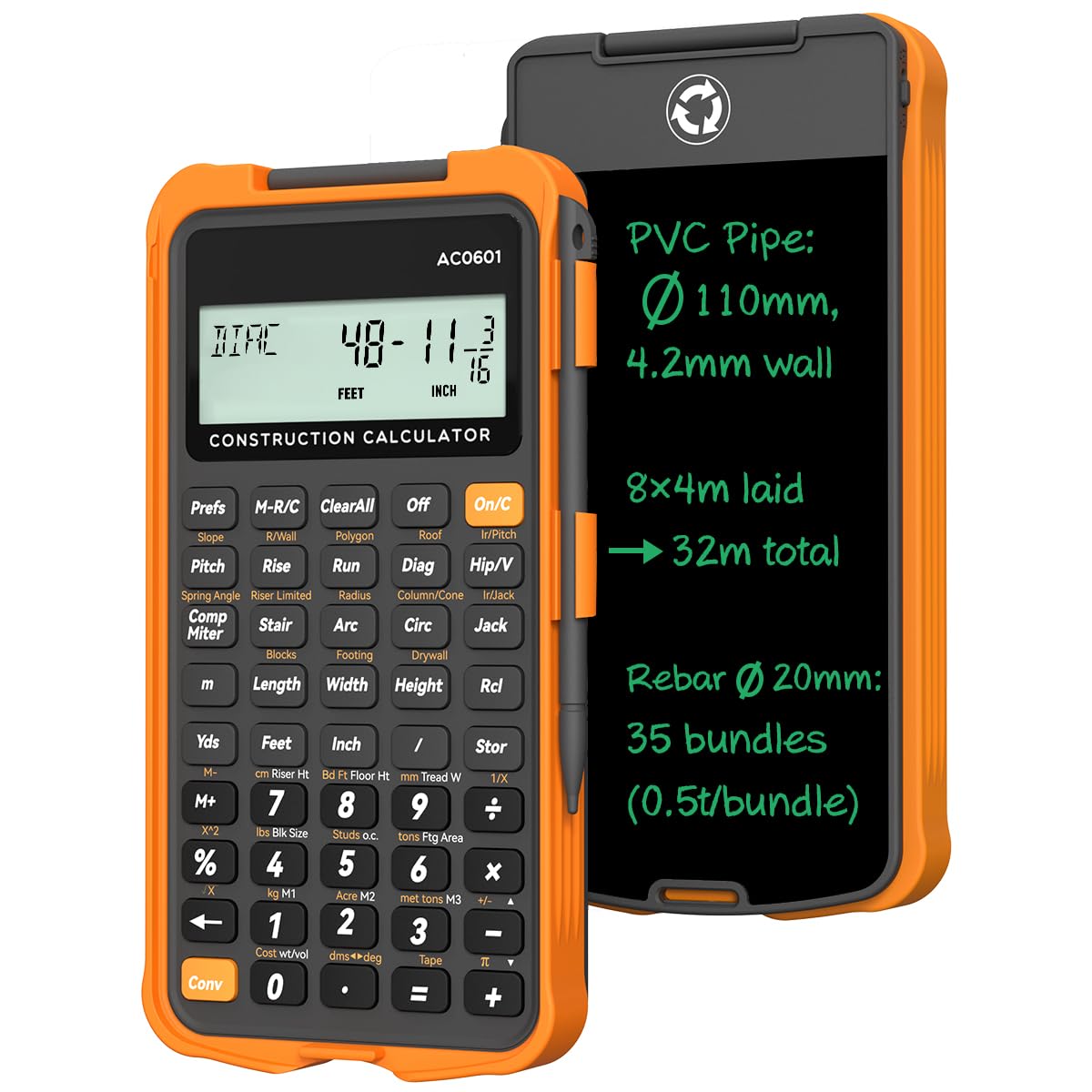
A mid-range workhorse that splits 13’5 3/4″ into thirds in 11 key presses — and writes it down for you.
Like the ROATEE above, the GUYUCOM comes with a flip-page writing tablet for instant note-taking, eliminating the separate paper pad. Its thick, smartphone-grade casing is designed to protect the unit from drops and rough site conditions. Under the cover, you get over 200 pro-grade functions covering mixed-dimension calculations, area and volume, bricks, blocks, concrete, boards, flooring, drywall, roofing, stairs, and rafters. One owner reported that it streamlines construction calculations — for example, splitting 13’5 3/4″ into thirds takes just 11 key presses. The rubberized removable case adds a layer of drop protection that the standard Calculated Industries models do not have from the start.
The 3-inch, 12-digit extra-clear display reduces reading errors compared to smaller screens, and the calculator powers down after 8-12 minutes to extend battery life. At this price point, the GUYUCOM compares well against the ROATEE — they share a very similar feature set and design, so the choice often depends on minor preferences in build or brand availability. Customers note that the e-writer is not integrated with the calculator and the stylus can be easy to misplace. For contractors who want both a calculator and a notepad in one device without paying more, this is a strong contender — just keep the stylus clipped to the case.
High Points
- Rubberized removable case provides better drop protection than bare plastic models
- 200+ functions with dedicated keys for complex formulas like concrete and rafters
- Large 3-inch 12-digit display for fewer reading errors
Downsides
- Writing tablet is separate from the calculator — not a combined input
- Stylus is prone to being lost, as multiple reviewers mention
Get this if: you want a well-protected, all-round construction calculator with a notepad attached, without jumping to a premium price point.
Consider an alternative: if you prefer a smaller, pocketable model without the extra bulk of a writing tablet.
6. Calculated Industries 8528 ProjectCalc Plus MX

The smallest model here — a yellow DIY companion built for UK-style metric and imperial project calculations.
While the larger ROATEE spans 6.7″x3.75″, the ProjectCalc Plus MX measures just 4.72″L x 2.95″W, making it the most pocketable option on the list. It is specifically designed for handymen and serious DIYers in the United Kingdom and other countries that use metric and imperial measurements, handling conversions to and from feet-inch-fractions and yards. It estimates material quantities for paint, concrete, gravel, studs, drywall, tile, wallpaper, flooring, and patio slabs. One customer observed that the calculator works immediately, was well-packaged, and delivered on time, calling it a great value with a shirt-pocket size.
At this entry-level price, the trade-off is obvious: the ProjectCalc has fewer built-in construction functions than the 4065 or the ROATEE — you get linear distances, areas, volumes, and material costs, but not dedicated rafter or stair solutions. Another reviewer felt the unit feels cheap and might not last long in a construction environment, so it is better suited for weekend renovations and project planning than daily professional framing. The hard plastic case protects from dirt and cement dust, but it is not as rugged as the Armadillo Gear case on the ConcreteCalc Pro.
What Works Well
- Smallest form factor — truly shirt-pocket size at 4.72″x2.95″
- Supports metric and imperial, ideal for UK and European DIY projects
- Handy material estimates for paint, concrete, gravel, studs, drywall, tile
Where It Falls Short
- Feels less durable; not designed for heavy daily jobsite abuse
- Lacks rafter, stair, and advanced framing functions
Right for you: DIYers and handymen who want a pocketable calculator for material estimates around the house, especially if you work in metric.
Not for you: professional framers or roofers who need rafter solutions and daily durability — step up to the 4065.
7. Calculated Industries 4054 Construction Master 5 en Español

A fully Spanish-labeled construction calculator that works just like the English version sold in big-box stores.
All the keys, display readouts, and instructions are in Spanish, making it a practical choice for Spanish-speaking contractors, builders, and tradespersons who need to estimate layouts, cut-lists, and material quantities without the barrier of an English interface. It covers linear, area, and volume functions, and includes right angle solutions for square-ups, rafters (hip, valley, jacks), rake-walls, slopes, and angles. The stair layout functions handle risers, treads, and stringers (labeled “escalera”), plus solutions for arcs, arches, circles, and columns. At 0.5 pounds and 5.75″x3.25″, it is nearly identical in size and weight to the 4065, but with the added benefit of a 360 hard-cover door for screen protection.
One user highlighted using the calculator to build a dog house (“una casa para nuestro perrito”) and found it saved time by giving instant results. Another praised its excellent precision. The included Spanish quick-reference guide sits inside the protective door, alongside pocket reference guides in both Spanish and English. While the function set mirrors the Construction Master 5 (which is simpler than the full Construction Master Pro), it still handles the core needs of a construction site without requiring the user to read English labels.
Advantages
- Every key and display reads in Spanish — no language barrier on the jobsite
- Includes full stair layout and rafter functions labeled in Spanish
- 360 hard-cover door protects the screen and stores reference guides
Limitations
- Function set is closer to a base model than the Pro series — fewer advanced routines
- Not available with a writing tablet or extra note-taking features
This one is for: Spanish-speaking professionals who need a rugged, Spanish-language construction calculator with stair and rafter functions right on the keys.
Grab the 4065 instead: if you are comfortable with English and want the full Construction Master Pro function set for the same general size and feel.
Understanding the Specs
Feet-Inch-Fraction & Unit Conversions
This is the core reason you buy a construction calculator — the ability to work directly in feet, inches, and fractions without converting to decimal decimals. A good model lets you toggle instantly between feet-inch-fractions, decimal feet-inches, yards, and metric (millimeters, meters). That means you can enter a wall height of 8′ 2 1/2″ and get the area in square yards or cubic meters without rekeying the number.
Dedicated Rafter & Stair Keys
A standard scientific calculator cannot handle a compound miter or a hip rafter in one press. Construction calculators with dedicated keys for common rafter length, hip/jack rafter spacing, and stair layout (risers, treads, stringers) let you solve these problems in seconds rather than minutes of manual trigonometry. If you frame houses or build decks, these keys alone justify the purchase.
FAQ
Can a construction calculator handle both imperial and metric units?
What is the difference between the Construction Master Pro and the ConcreteCalc Pro?
Do construction calculators come with a writing tablet?
How long do the batteries last in a construction calculator?
Is a construction calculator worth it for a DIY homeowner?
Can I use a regular scientific calculator for construction math?
What does the Armadillo Gear case do?
How do I learn the keystrokes on a construction calculator?
Are there construction calculators with Spanish labeling?
Final Thoughts: The Verdict
If you want one dependable pick, the construction calculator winner is the Calculated Industries 4065 Construction Master Pro because it blends the widest range of pro-grade functions (rafters, stairs, material estimating) with a pocket-size design that survives daily jobsite use. If concrete is your primary trade, grab the Calculated Industries 4225 ConcreteCalc Pro for its dedicated rebar, bag, and truck-load keys. And for a writing-tablet all-rounder at a mid-range price, the GUYUCOM Construction Calculator brings over 200 functions and a built-in notepad in one durable package.
How We Picked
We do not accept paid placement. Every pick is matched to a real buyer and a real use-case; we do not hands-on test units.
Sources & Methodology
Specifications: manufacturer listings and product documentation. Review insights: verified customer reviews, as of July 2026. Pricing: not shown on this page (it changes often); check the current price via the retailer link.
As an Amazon Associate, WellFizz earns from qualifying purchases. This does not affect which products we feature.
Related Guides

Mo Maruf
I created WellFizz to bridge the gap between vague wellness advice and actionable solutions. My mission is simple: to decode the research and give you practical tools you can actually use.
Beyond the data, I am a passionate traveler. I believe that stepping away from the screen to explore new environments is essential for mental clarity and physical vitality.