Our readers keep the lights on and my smoothie glass nicely filled. As an Amazon Associate, I earn from qualifying purchases.
Specs are compiled from manufacturer listings and verified buyer reviews and can change over time — please confirm the key details on the product page before buying.
Buying a new monitor for your PS5 or Xbox Series X used to be simple — you just needed a screen that could do 4K at 120Hz. But now the best console gaming monitors can switch to a lightning-fast 320Hz or even 360Hz mode for competitive shooters, giving you a real edge. The hard part is sorting through the specs to find a monitor that actually supports HDMI 2.1 (that is the port you need for full 4K on modern consoles) without draining your wallet.
I’m Mohammad Maruf — the founder and writer behind WellFizz. This guide is built by comparing the manufacturers’ published specifications and the patterns across verified customer reviews, so you get each pick’s real strengths and trade-offs instead of marketing spin.
Below you will find eleven monitors that all have HDMI 2.1 ports and span from around three hundred to nearly nine hundred dollars. Every pick here earns its spot as a genuine console gaming monitor for the way it handles high-resolution detail, fast motion, and the varying needs of different players.
Our Picks at a Glance


How To Choose The Best Console Gaming Monitor
Three specs define every pick on this list, and getting them right is the difference between a monitor that works perfectly with your console and one that leaves performance on the table. Here is what to focus on.
HDMI 2.1: The One Port Rule
Modern consoles like the PS5 and Xbox Series X are capable of outputting a 4K signal at 120 frames per second. You need an HDMI 2.1 port on the monitor to accept that signal — older HDMI 2.0 ports top out at 4K at 60Hz. Every single monitor reviewed below has at least one HDMI 2.1 port, so you will get the full resolution and speed your console can deliver.
Dual-Mode: One Screen for Story and Speed
Some monitors on this list can switch between two operating modes. In one mode, the monitor runs at 4K at a high refresh rate like 160Hz or 180Hz — ideal for single-player adventures where you want visual detail. Flip a setting, and the monitor drops the resolution to 1080p but boosts the refresh rate to 320Hz or 360Hz. That extreme speed reduces motion blur in competitive shooters like Call of Duty or Overwatch, giving you a smoother image when every millisecond counts.
Panel Type and Color Coverage
IPS panels offer wide viewing angles and good color (often covering 95–97% of the DCI-P3 color space), making them a strong all-around choice. VA panels give you deeper contrast (a 3000:1 ratio is common) but viewing angles are narrower. OLED panels deliver perfect blacks and the highest contrast, but they cost more and need care against burn-in. For console gaming in a living room setting, IPS gives you the best mix of quality and price.
Quick Comparison
| Model | Best For | Resolution | Refresh Rate | Panel Type | Amazon |
|---|---|---|---|---|---|
| KTC H27P6★ Best Overall | Top Pick Value | 4K UHD | 160Hz / 320Hz | Fast IPS | Amazon |
| KOORUI G2741LPro Dual-Mode | Best Dual-Mode | 4K UHD | 160Hz / 320Hz | IPS | Amazon |
| Acer Nitro VG270KBlazing Speed | Fastest Response | 4K UHD | 160Hz / 320Hz | IPS | Amazon |
| Gawfolk 32 Curved | Budget Curved | 4K UHD | 160Hz | VA | Amazon |
| CRUA 32 Curved | Entry-Level Curved | 4K UHD | 160Hz | VA | Amazon |
| LG 27G810A-B | Premium 27-Inch Speed | 4K UHD | 180Hz / 360Hz | IPS | Amazon |
| ASUS ROG Strix XG32UCWG | Glossy OLED Immersion | 4K UHD | 165Hz / 330Hz | WOLED | Amazon |
| Samsung Odyssey Neo G8 | Extreme HDR Brightness | 4K UHD | 240Hz | VA Mini-LED | Amazon |
| Acer Predator X32 | OLED HDR Gaming | 4K UHD | 240Hz | QD-OLED | Amazon |
| LG 32GX850A-B | Glossy OLED All-Rounder | 4K UHD | 165Hz / 330Hz | OLED (WOLED) | Amazon |
| MSI MPG 321URX | Top-Tier QD-OLED | 4K UHD | 240Hz | QD-OLED | Amazon |
In‑Depth Reviews
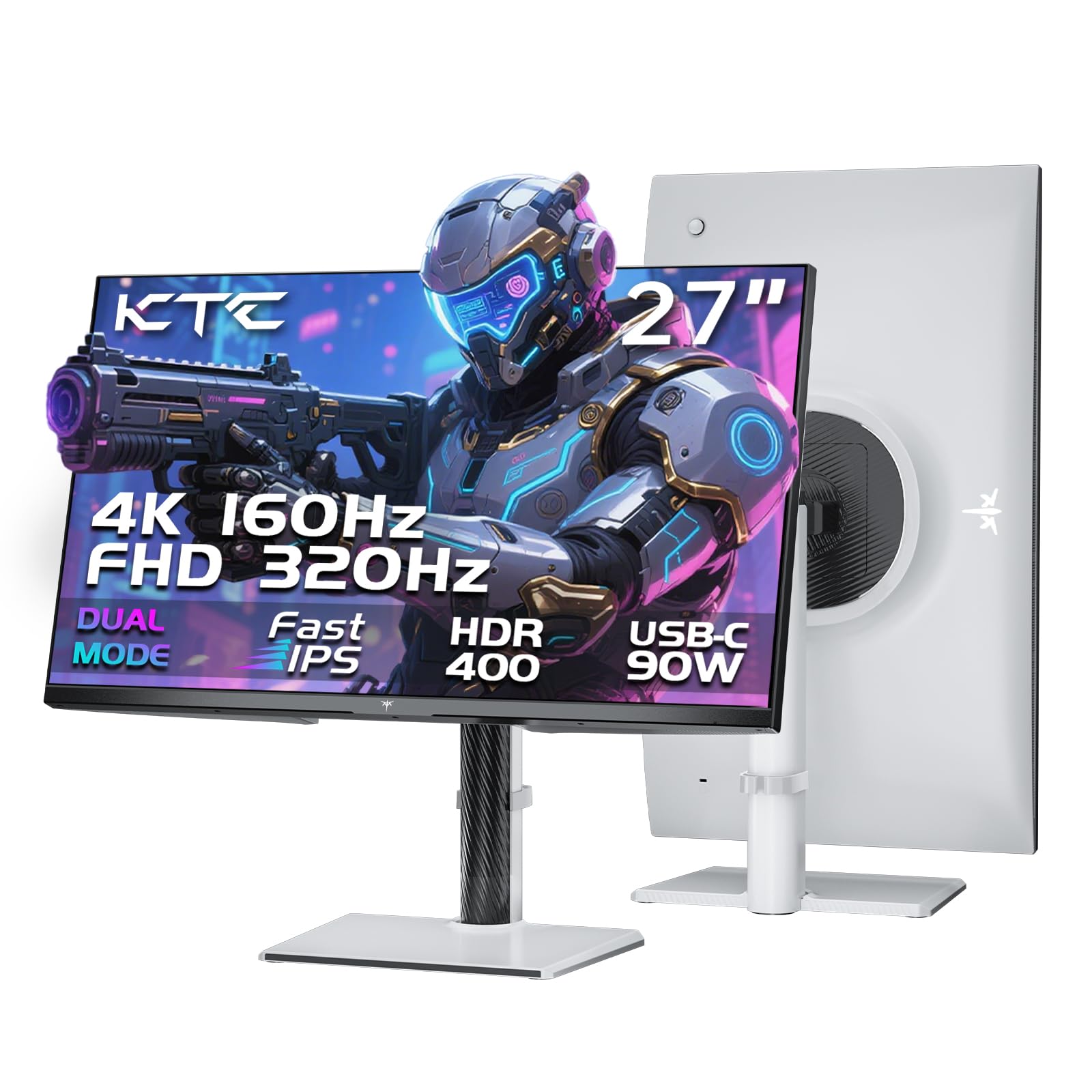
1. KTC 27 Inch 4K Gaming Monitor (H27P6)
Our pick — 4.5★ from 800+ verified ratings; the strongest balance of quality and price.
The dual-mode champ that gives you crisp 4K and a blistering 320Hz in one white chassis.
Smooth motion and a vivid 4K image are the two things you want most from a console screen, and this KTC delivers both without forcing a trade-off. In its standard mode, you get a 4K UHD image at 160Hz — that is well above the 120Hz your PS5 or Xbox can push, so your console runs easily within the monitor’s comfort zone. Flip to the dual-mode setting and you switch to 1080p at a very fast 320Hz, which cleans up motion blur in competitive games where split-second reactions matter. The Fast IPS panel handles a wide range of 125 DCI-P3 color gamut, making games look punchy and lifelike, while the factory calibration with ΔE<2 (a measure of color error below human perception) ensures what you see is accurate.
The 90W USB-C port is a standout for convenience — as one owner noted, theirs is connected to a 14-inch MacBook Pro M2 Pro through that port and it “works flawlessly,” handling video, data, and charging with a single cable. The stand gives you a full 130mm height adjustment and rotates 90 degrees into portrait mode, which is unusual at this price point. At a 4.5-star average across many owners, this monitor is the crowd favorite for the complete package it offers: dual-mode performance, generous connectivity with two HDMI 2.1 ports, and an ergonomic stand that puts some premium models to shame.
The Dual-Mode Advantage
- Switches between 4K 160Hz and 1080p 320Hz for story games vs competitive shooters
- Vibrant 125 DCI-P3 color gamut for rich visuals
- Full ergonomic stand with height, pivot, and swivel adjustments
- 90W USB-C powers a laptop and sends video with one cable
- Factory calibrated with ΔE<2 for accurate color
One Trade-Off
- White finish may not match every setup aesthetic
- No built-in speakers, so plan for headphones or external audio
Reach for this if: you want the best blend of crisp 4K visuals and ultra-high-speed 320Hz gaming without spending OLED money.
Look elsewhere if: you need integrated speakers or prefer a black monitor to fit a darker desk aesthetic.
2. KOORUI 27″ 4K Gaming Monitor (G2741L)
The dual-mode monitor that has over ten thousand owners giving it a strong vote of confidence.
This KOORUI matches the KTC’s dual-mode capability — 4K at 160Hz or 1080p at 320Hz — but does it in a black, more traditional frame. The 99 DCI-P3 color gamut is close to its competitor’s broader 125 coverage, meaning games still look rich and saturated, but the KOORUI offers a slightly more restrained color punch that some buyers prefer for prolonged use. The IPS panel delivers wide viewing angles from any seat on the couch.
What really sets this monitor apart is the sheer number of owners who have put it through its paces and come away satisfied. With over eleven thousand ratings and a strong 4.4-star average, the consensus is that this monitor delivers excellent graphics at a reasonable price. As one owner put it, “Video game displays and clarity is Top notch, and the price is very reasonable.” The stand offers height, tilt, and pivot adjustments, matching the KTC in ergonomic flexibility. Just note the brightness tops out at 350 cd/m² — fine for a dim room but not as punchy in direct sunlight as the KTC’s 400 cd/m².
What Wins Owners Over
- Ultra-fast 320Hz mode for esports titles on Xbox and PS5
- High 99% DCI-P3 color coverage for vivid gameplay
- Full ergonomic stand with height, tilt, and pivot
- Huge owner base with strong positive consensus on clarity
One Thing to Know
- Brightness at 350 cd/m² is good for dark rooms but less ideal for very sunny spaces
- Color gamut is 99%, slightly narrower than the top pick’s 125% coverage
Best for: the buyer who wants proven reliability in a dual-mode monitor backed by a massive number of happy owners.
skip it if: you need the punchiest brightness for a bright room or prefer the broader color coverage of the KTC.
3. Acer Nitro 27″ 4K UHD Gaming IPS Monitor (VG270K)
A 0.5ms response time that keeps fast-moving action razor-sharp with no ghosting.
Response time is the metric that matters most when you are tracking enemies across a busy screen, and this Acer claims the fastest figure on the list — 0.5ms GTG (Gray to Gray, the industry standard measurement for how fast a pixel changes color). The 180Hz 4K mode and 320Hz 1080p dual-mode are backed by AMD FreeSync Premium, which keeps your console’s output and the monitor’s refresh rate perfectly synchronized so you see no screen tearing. As buyers sum it up, “The 180Hz refresh rate and 0.5ms response make gameplay super smooth.”
The Acer also includes built-in speakers, a convenience the KTC and KOORUI lack. At the same entry-level price as the top two picks, this monitor adds that feature while still offering the same dual-mode flexibility. The ZeroFrame design gives a nearly bezel-less look, making it a clean option for multi-monitor setups. Just be aware that one owner flagged a blue light issue with the default settings — the standard mode leans cool, and there is no simple off switch for the blue light filter, which some find distracting when paired with a warmer secondary screen.
Speed Demon: With the fastest 0.5ms response time in this price bracket and built-in speakers, this Acer is the pick for competitive gamers who want a console-friendly screen that does not require external audio.
Choose this for: the fastest pixel response available at this price, plus the convenience of built-in speakers.
Think twice if: you are sensitive to a blue-tinted default image and prefer warmer color presets from the start.
4. Gawfolk 32-inch 4K Ultra HD Curved 1500R Monitor
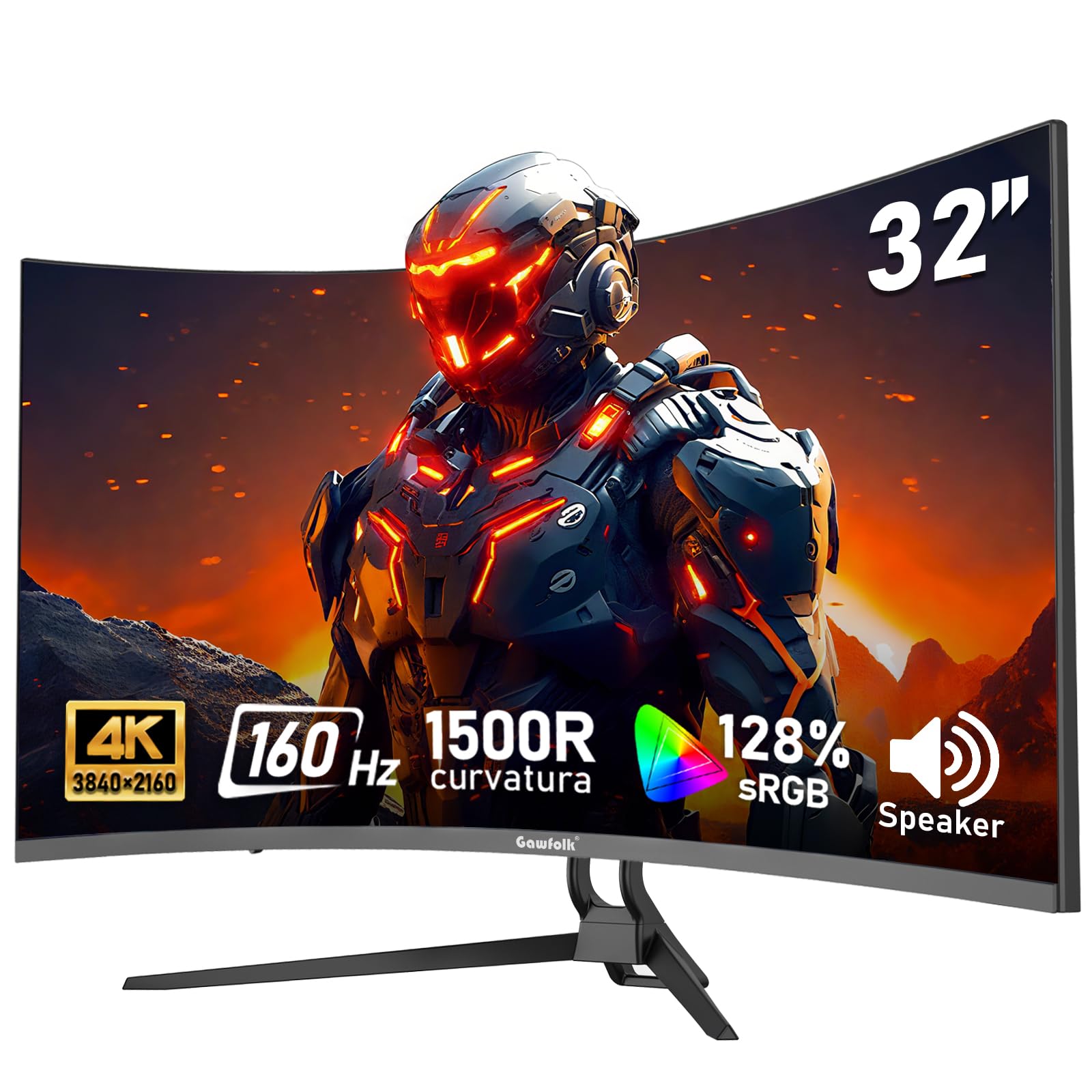
A 32-inch curved VA screen that throws a wider, more rich field of view on your desk.
If you want a larger screen that wraps around your peripheral vision, this Gawfolk gives you a 32-inch 1500R curved VA panel at a budget-friendly price. The 3000:1 contrast ratio is a major advantage over IPS monitors for console gaming — blacks are deeper, and dark scenes in games like Resident Evil or Alan Wake show more shadow detail without looking washed out. The 128% sRGB coverage is more than enough for vivid game worlds, though the 160Hz refresh rate tops out at native 4K (there is no dual-mode switch here).
Buyers consistently call out the picture quality and the connectivity as strong points — the monitor includes built-in speakers and two HDMI 2.1 ports. One owner noted that after daily use for weeks, “the refresh rate works, picture and colors are crisp.” A common caveat is that the maximum refresh rate may only reach 144Hz in some configurations rather than the advertised 160Hz, so check your HDMI cable quality. At 270 cd/m² brightness, this monitor is better suited to a dimmer room.
Immersion First: The 32-inch VA curve and deep 3000:1 contrast make this the pick for story-driven single-player games where atmosphere matters more than split-second competitive speed.
Go for this if: you prioritize a big curved screen and deep black levels for cinematic console gaming on a tighter budget.
Consider another if: you need the dual-mode fast refresh rate or plan to use the monitor in a bright, sunlit room.
5. CRUA 32″ 4K UHD 160Hz Curved Gaming Monitor

A white 32-inch curved display with built-in RGB lighting for a flashy gaming setup.
This CRUA shares the same 32-inch 1500R VA panel and 160Hz refresh rate as the Gawfolk above, but it adds a distinctive white color scheme and built-in RGB lighting that glows behind the screen for extra desk flair. The 120% sRGB coverage and 3000:1 contrast deliver the same deep blacks and rich colors that VA panels are known for, making cinematic console games look dramatic and rich. HDMI 2.1 and DP 1.4 connections ensure full compatibility with PS5 and Xbox.
The most-discussed aspects among owners are build quality and value for money, with many saying it is a great entry-level curved monitor that “took my gaming to next level.” However, the picture quality gets mixed feedback — some find the HDR toning weak, and reliability has been inconsistent, with a few owners reporting the screen failing after a few months. Sound quality from the built-in speakers is also noted as a weak point by a significant number of buyers. For the price, this monitor trades some polish for size and style.
Style and Size
- 32-inch curved VA panel with 3000:1 contrast for deep blacks
- Built-in RGB lighting adds gaming aesthetic to your desk
- White color stands out from the sea of black monitors
- HDMI 2.1 for full PS5 and Xbox support
Heads Up
- Mixed reports on long-term reliability and HDR quality
- Built-in speakers are widely considered weak
- Brightness is limited for use in sunny rooms
Grab it for: a stylish, large curved screen with RGB lighting for a bedroom or dorm gaming setup on a budget.
Pass if: long-term reliability is a top concern or you want a monitor with strong HDR performance.
6. LG 27G810A-B 27-inch UltraGear 4K Gaming Monitor

The only 27-inch monitor here that hits a 360Hz mode for buttery-smooth competitive play.
LG’s UltraGear line pushes the dual-mode concept further than anyone else on this list. In 4K mode you get 180Hz — already faster than the 160Hz of the KTC and KOORUI — and in 1080p mode the refresh rate jumps to 360Hz. That extra 40Hz over the 320Hz competition makes a real difference in fast-paced shooters where frame smoothness directly translates to how clearly you track moving targets. The 1ms GTG response time keeps motion crisp, and the 95% DCI-P3 color coverage means story-driven games still look vibrant when you are in 4K mode.
G-Sync and FreeSync Premium compatibility cover both PC and console use, so you get tear-free play regardless of which platform you favor. The stand adjusts in height, tilt, swivel, and pivot — the full four-axis range. One owner who uses it for both a Mac and a gaming PC noted that the 4K mode is “crisp, vivid, easy on eyes” while the 1080p ultra-high refresh rate is “enjoyable” for competitive games. At this price, you pay extra for the highest refresh speed available in the 27-inch class.
Speed Ceiling: With a dual-mode that reaches 360Hz and premium G-Sync and FreeSync support, this LG is built for the player who wants the absolute highest refresh rate money can buy in a 27-inch package.
Ideal for: competitive players who want the fastest 1080p mode possible while still having a strong 4K mode for story games.
pass on it if: you prefer a larger 32-inch screen or do not need the extra speed over 320Hz.
7. ASUS ROG Strix 32” 4K OLED Gaming Monitor (XG32UCWG)

A glossy WOLED panel that delivers perfect blacks and a zero-haze surface for sharpest detail.
This ASUS marks the jump from IPS and VA to OLED, and the difference is immediate when you load a game with dark scenes. The WOLED (White OLED) panel produces a 1,500,000:1 contrast ratio, meaning black areas are truly black — not dark gray — with no backlight glow around bright objects. The TrueBlack Glossy coating is a zero-haze surface that makes images look exceptionally sharp, almost like looking through glass rather than at a screen. The dual-mode offers 4K at 165Hz and FHD at 330Hz, though the 0.03ms response time is where OLED truly shines — motion clarity is flawless with no ghosting at any speed.
ASUS includes a Neo Proximity Sensor as part of its OLED Care Pro system, which detects when you leave the desk and switches the screen to black to reduce burn-in risk. The 3-year warranty covers burn-in, giving confidence for this type of panel. Owners consistently praise the appearance and picture quality, calling it “top-notch screen quality” with “perfect black levels.” The main trade-off is that glossy OLED panels are delicate and reflect ambient light, so this monitor is best enjoyed in a room where you can control the lighting.
OLED Excellence
- Perfect blacks with 1,500,000:1 contrast for stunning dark scenes
- TrueBlack Glossy coating gives zero-haze, exceptionally sharp imagery
- 0.03ms response for ghost-free motion clarity
- 3-year warranty with burn-in coverage and Neo Proximity Sensor
- 99% DCI-P3 gamut and Delta E < 2 color accuracy
Consider This
- Glossy panel reflects room light; best in a controlled-lighting space
- Premium price compared to IPS and VA alternatives
Buy this if: you want the most rich image quality for cinematic console games and can control your room’s lighting.
Look elsewhere if: you need a bright panel for a sunny room or want to spend closer to the mid-range mark.
8. Samsung 32″ Odyssey Neo G8 (G85NB) 4K 240Hz Curved Monitor

The world’s first 4K 240Hz monitor with Quantum HDR2000 for blindingly bright highlights.
While OLEDs win on black levels, the Samsung Neo G8 wins on brightness — its Quantum Mini-LED technology pushes peak brightness to 2,000 nits (HDR2000). That is over four times brighter than the typical 400-nit monitor, making sun flares, explosions, and neon lights in games look intensely bright and lifelike. The 1,000,000:1 contrast ratio comes from the Mini-LED backlight, which dims in small zones to approximate the deep black of OLED. The 1000R curvature wraps tightly around your field of view, matching the natural curve of the human eye for a deeply rich feel.
The 240Hz native refresh rate at 4K is the highest of any monitor here when running full resolution — there is no dual-mode gimmick, just straight high-speed 4K performance. AMD FreeSync Premium Pro keeps the frame sync smooth. Owners describe the display as “gorgeous” and “responsive” with “near-OLED quality” blacks, though a recurring note is that some units have scan-line issues when running at 240Hz, with one owner reporting the problem forced them to drop to 120Hz. The matte screen does an excellent job of killing reflections.
Brightest in Class: With 2,000 nits peak brightness and a fast 240Hz 4K panel, the Neo G8 is the pick for console players who want HDR highlights that punch harder than any other monitor here — just be aware of the occasional scan-line reports at the highest refresh rate.
Go for it if: you want the brightest HDR experience possible and prefer a fast 4K native refresh rate over a dual-mode compromise.
Think twice if: reliability concerns at 240Hz worry you, or you prefer a flat screen over a tight 1000R curve.
9. Acer Predator X32 31.5″ QD-OLED Curved Gaming Monitor

A 31.5-inch QD-OLED with a 1700R curve and a 240Hz refresh rate on a true 10-bit panel.
The Predator X32 uses a Quantum Dot OLED panel, which combines the perfect black levels of OLED with a quantum dot layer that boosts color volume — you get a DCI-P3 99% color gamut and true 10-bit (1.07 billion colors) for smooth gradients with no banding. The 1700R curvature is gentler than the Samsung’s 1000R, so it wraps the image around you without feeling aggressive. HDR performance reaches 1,000 nits peak brightness on a 3% window, which, combined with VESA DisplayHDR True Black 400, delivers bright highlights alongside deep shadows.
The 0.03ms response time and 240Hz refresh rate make this one of the fastest and smoothest monitors for console play, while the built-in speakers and USB-C connectivity add convenience. Owners rave about the “brilliant colors” and “flawless deep blacks,” with one saying the true blacks make it “look absolutely unreal.” A common minor annoyance is that the monitor prompts you to run pixel refresh every couple of hours, requiring a button press to dismiss. The base takes up considerable desk space due to its deep V-shaped footprint.
Stunning Visuals
- QD-OLED with 99% DCI-P3 and true 10-bit color for vibrant, band-free images
- 240Hz refresh rate and 0.03ms response for silky motion
- HDR peak brightness of 1,000 nits for effective highlights
- Full ergonomic stand with tilt, swivel, and height adjustment
Room Layout
- Deep V-shaped stand takes significant desk space
- Periodic pixel refresh prompt can be an annoyance mid-session
Choose this for: a curved QD-OLED experience with the highest color volume and HDR brightness, plus full stand adjustability.
Consider another if: you have a small desk or dislike interrupting your game for OLED maintenance prompts.
10. LG 32GX850A-B 32″ UltraGear 4K Glossy OLED Gaming Monitor

A 32-inch glossy WOLED that combines perfect blacks with a dual-mode reaching 330Hz.
This LG pairs a 32-inch glossy WOLED panel — the same type used in high-end TVs — with a dual-mode that goes from 4K at 165Hz to FHD at 330Hz. The Micro Lens Array+ technology pushes typical brightness to 275 nits, making it one of the brighter OLED options. The 1,500,000:1 contrast ratio delivers those signature perfect blacks, and the 98.5% DCI-P3 color gamut makes game worlds look punchy and saturated. VESA DisplayHDR True Black 400 certification ensures the HDR performance meets a strict industry standard for black depth and brightness.
The glossy finish is the defining feature here — it makes colors and contrast look richer than matte OLEDs, but it also reflects room light like a mirror. One owner described the upgrade from IPS as “a crazy difference” with “perfect blacks, amazing colors.” The stand offers the full four-axis adjustment suite. A small number of owners have reported flickering with horizontal lines, though the majority find the display quality exceptional. Three UL certifications (Anti-Glare, Flicker-Free, Low Blue Light) add legitimacy to its eye comfort claims.
Glossy OLED Depth
- Per-pixel perfect blacks and 1,500,000:1 contrast for rich HDR
- Dual-mode: 4K 165Hz for detail, FHD 330Hz for competitive speed
- Glossy finish makes colors pop more than matte alternatives
- Full ergonomic stand with height, tilt, swivel, and pivot
One Caveat
- Glossy screen is highly reflective; best for a dark or controlled room
- Occasional flickering reports, though not a widespread issue
Best for: the buyer who wants a large glossy OLED for the deepest colors and contrasts, with a high-speed dual-mode for competitive gaming.
Pass if: your gaming room has direct light sources that will reflect off the glossy panel.
11. MSI MPG 321URX QD-OLED 32″ 4K Gaming Monitor

The QD-OLED reference that balances 240Hz speed, 99% DCI-P3 color, and a 3-year warranty.
The MSI MPG 321URX is many enthusiasts’ pick for the best overall 4K OLED gaming monitor available right now. The 31.5-inch QD-OLED panel delivers a 240Hz refresh rate at true 4K resolution with a 0.03ms response time — numbers that put it at the very top end of console-capable monitors. The 1.07 billion (10-bit) color depth and 99% DCI-P3 coverage mean gradients are perfectly smooth and every scene looks rich. VESA DisplayHDR True Black 400 certification ensures the HDR performance meets the same standard as the ASUS and LG OLEDs.
MSI includes OLED Care 2.0, a suite of anti-burn-in features that shift pixels and dim static elements automatically, plus Gaming Intelligence AI software for settings adjustments. The KVM support and PiP/PbP modes let you run a console and a PC on the same screen at once. Owners overwhelmingly use words like “stunning” and “breathtaking” to describe the HDR, with one calling it “the best 4K OLED I’ve ever used.” The 90W USB-C port powers a laptop, and the 4-way adjustable stand covers height, tilt, swivel, and pivot. The one real barrier is the price — this is the most expensive monitor on the list, but it justifies every dollar with its performance and features.
The Full Package
- QD-OLED with 99% DCI-P3 and true 10-bit for vibrant, accurate color
- 240Hz refresh rate and 0.03ms response for elite motion clarity
- OLED Care 2.0 and 3-year warranty for burn-in protection
- KVM, PiP/PbP, and 90W USB-C for multi-device setups
- Full ergonomic stand with height, tilt, swivel, and pivot
The Investment
- Highest price on this list — a serious investment
- QD-OLED can have a slight purple tint in very bright rooms
Buy this if: you want the absolute best QD-OLED gaming experience with full burn-in protection and multi-device features, and the budget supports it.
Choose a different pick if: you are shopping in the mid-range – bracket where the KTC or KOORUI deliver great performance for much less.
Understanding the Specs
HDMI 2.1 vs HDMI 2.0
HDMI 2.1 is the port you need on a console gaming monitor. It has enough data bandwidth (48 Gbps) to carry a 4K signal with HDR at up to 120Hz, which is what your PS5 or Xbox Series X can output. An HDMI 2.0 port tops out at 4K at 60Hz, which means you lose half your potential frame rate. Every monitor in this list has at least one HDMI 2.1 port, so you get the full performance your console can deliver.
Dual-Mode: 4K vs Speed Switch
A dual-mode monitor lets you pick between two display presets. In one mode, you run the full 4K resolution at a high refresh rate like 160Hz or 180Hz — great for single-player games where you want to see every texture and shadow. Press a button, and the monitor drops to 1080p but boosts the refresh rate to 320Hz or even 360Hz. That extreme speed cuts motion blur dramatically in competitive shooters, making moving targets appear sharper as they track across the screen.
FAQ
Will a 4K gaming monitor work with my PS5 or Xbox Series X?
Is HDMI 2.1 really necessary for console gaming?
What does dual-mode mean on a gaming monitor?
Should I get an IPS, VA, or OLED panel for my console?
Is a curved monitor good for console gaming?
Does G-Sync or FreeSync matter on a console?
How important is the stand and ergonomics for a console monitor?
Will a 27-inch or 32-inch monitor be better for console gaming?
What is the difference between HDR400, HDR600, and TrueBlack 400?
Does a 240Hz monitor give better performance than a 160Hz monitor on PS5?
Final Thoughts: The Verdict
For the majority of shoppers, the console gaming monitor winner is the KTC 27 Inch 4K Gaming Monitor because it combines a versatile dual-mode (4K at 160Hz and 1080p at 320Hz), a vibrant Fast IPS panel with 125% DCI-P3 coverage, a full ergonomic stand, and a 90W USB-C port — all at a price that undercuts many less-capable options. If you want the proven reliability of over ten thousand happy owners, grab the KOORUI G2741L. And for the pinnacle of image quality with perfect blacks and a premium QD-OLED panel, the MSI MPG 321URX is the one to reach for.
How We Picked
We do not accept paid placement. Every pick is matched to a real buyer and a real use-case; we do not hands-on test units.
Sources & Methodology
Specifications: manufacturer listings and product documentation. Review insights: verified customer reviews, as of July 2026. Pricing: not shown on this page (it changes often); check the current price via the retailer link.
As an Amazon Associate, WellFizz earns from qualifying purchases. This does not affect which products we feature.
Related Guides

Mo Maruf
I created WellFizz to bridge the gap between vague wellness advice and actionable solutions. My mission is simple: to decode the research and give you practical tools you can actually use.
Beyond the data, I am a passionate traveler. I believe that stepping away from the screen to explore new environments is essential for mental clarity and physical vitality.