Our readers keep the lights on and my smoothie glass nicely filled. As an Amazon Associate, I earn from qualifying purchases.
Bringing back the glow of a cathode-ray tube without lugging a 50-pound television to your desk is the defining promise of the modern retro console. These small, dedicated devices skip the setup headaches of PC emulators and let you jump straight into pixel-perfect classics from the NES, SNES, Atari, and arcade libraries.
I’m Mohammad Maruf — the founder and writer behind WellFizz. I’ve spent hundreds of hours cross-referencing processor specs, screen resolutions, and controller lag for this specific shelf of gaming hardware so you don’t have to guess which hardware actually delivers authentic nostalgia without glitches.
Whether you prefer a cartridge-driven clone that honors your original collection or a handheld loaded with thousands of ROMs, this guide to the best console for retro games breaks down the specs, trade-offs, and real-world performance of seven very different machines.
How To Choose The Best Console For Retro Games
Retro consoles today fall into two families: cartridge-based clones that accept original game paks, and handheld or HDMI-stick devices that ship with pre-loaded ROMs. Your choice depends on whether you own a physical collection or want instant access to hundreds of titles without tracking down dusty cartridges.
Cartridge Compatibility Versus Pre-Loaded Libraries
If your attic still holds NES, SNES, or Atari 2600 cartridges, a clone like the Hyperkin RetroN 2 HD preserves that authentic insert-and-play ritual. These units use custom pin connectors that read original hardware without the failing 72-pin connectors of old consoles. On the other hand, pre-loaded handhelds such as the Anbernic RG40XX H skip the scavenger hunt entirely, packing 5,000-plus games onto a TF card with emulators for 23 different systems.
Screen Quality and Display Features
Pixel-art games look dramatically different on a 3.5-inch IPS panel versus a 7-inch LCD. Handhelds with 640×480 resolution and CRT-inspired bezels soften harsh edges without blurring sprite detail. Standalone TV consoles like the Atari Flashback 12 Gold output 720p via HDMI, which helps older 2600 titles fill a modern screen without stretching artifacts.
Input Method and Controller Feel
Joysticks, D-pads, and paddle controllers each reproduce a specific era. Wired options eliminate battery anxiety and reduce input lag, while 2.4 GHz wireless sets offer freedom during co-op sessions. Pay special attention to shoulder buttons and analog stick sensitivity on handhelds — budget units often use 8-direction digital sticks that miss diagonal inputs in fighting games.
Quick Comparison
On smaller screens, swipe sideways to see the full table.
| Model | Category | Best For | Key Spec | Amazon |
|---|---|---|---|---|
| Hyperkin RetroN 2 HD | Cartridge Clone | Original NES/SNES/SFC collections | 720p output with 4:3/16:9 switch | Amazon |
| Anbernic RG40XX H | Handheld | PSX/SNES/GBA on the go | 4-inch 640×480 IPS, 3200mAh | Amazon |
| Atari Gamestation Go | Portable/TV Hybrid | Atari arcade + modern screen | 7-inch display, HDMI out, Wi-Fi | Amazon |
| Atari Flashback 12 Gold | TV Plug & Play | Atari 2600 purists | 130 built-in games, paddle controls | Amazon |
| R36MAX Retro Handheld | Handheld | Large ROM library on a budget | 4-inch 720×720 IPS, 4000mAh | Amazon |
| R36T Retro Gaming Console | Handheld | CRT filter + online multiplayer | 3.5-inch CRT-inspired IPS, 3500mAh | Amazon |
| RMOKA Retro Game Stick | HDMI Stick | Plug-and-play 2-player TV sessions | 4K output, 2.4GHz wireless controllers | Amazon |
In‑Depth Reviews
1. Hyperkin RetroN 2 HD

The RetroN 2 HD is a proven cartridge clone that accepts NES, Super NES, and Super Famicom cartridges in a single slot. Hyperkin’s proprietary Perfect Pin technology replaces the flimsy original 72-pin connector, reducing the need to blow into cartridges or wiggle them for a boot. The unit outputs both 720p over HDMI and standard composite AV, with a switchable 4:3 or 16:9 aspect ratio that fits modern TVs without stretching sprites into ovals.
Included in the box are two controllers — a “Cadet” NES-style pad and a “Scout” SNES-style pad — plus a 6-foot micro USB charge cable and AC adapter. Multiple verified buyers confirmed zero input lag when their TV’s game mode was enabled, making this one of the most responsive clones available. Colors on NES titles can appear slightly more saturated than original hardware, but SNES and Super Famicom games come through with excellent accuracy.
The main trade-off is the tight cartridge slot: users recommend inserting NES carts at a slight angle to avoid stressing the pins. The system also lacks wireless controller options out of the box, so multiplayer sessions require wired extensions or original first-party pads plugged into the controller ports. For anyone with a shelf of original cartridges who wants a clean, lag-free way to play on a 4K TV, this is the most reliable bridge between eras.
Why it’s great
- Plays NTSC and PAL NES, SNES, and Super Famicom carts without modification
- Zero input lag in 720p with TV game mode enabled
- Two included controllers are faithful reproductions of original designs
Good to know
- Tight pin connector requires careful cartridge insertion to avoid damage
- NES color palette looks different from original CRT output
- No wireless controllers included; wired extensions needed for multiplayer distance
2. Anbernic RG40XX H

The RG40XX H uses a quad-core ARM Cortex-A53 processor paired with a PowerVR SGX544MP GPU — a chipset that runs 16-bit and 32-bit emulation with very little overhead. Its 4-inch IPS display at 640×480 resolution is crisp for 2D pixel art, and the OCA full-lamination eliminates the air gap between the glass and the LCD, improving contrast and reducing glare during outdoor play. The Linux-based operating system boots quickly and supports custom firmware like Knulli or GarlicOS for users who want deeper emulator tweaks.
Battery life reaches up to eight hours on low-power systems like Game Boy Advance and SNES, though more demanding PlayStation 1 and Dreamcast titles cut that closer to six. The 3200mAh polymer lithium-ion cell charges via USB-C, and the included 64GB Kioxia TF card comes pre-loaded with thousands of titles spanning 23 emulators. Buyers praised the comfortable horizontal form factor, the responsive D-pad, and the ability to connect to a TV via a mini-to-full-size HDMI adapter for couch play.
Not every system runs flawlessly: N64 and some PSP games can stutter, and the analog sticks are physically limited to eight directions, making fine movements in 3D platformers feel digital rather than analog. The shoulder buttons are clicky and can feel loud to some users. Despite these compromises, the RG40XX H delivers the best balance of screen quality, battery endurance, and ergonomic feel among handhelds near this price tier.
Why it’s great
- Eight-hour battery life with typical 16-bit game usage
- Full-laminated 4-inch IPS screen with excellent contrast
- Custom firmware support for advanced emulator tweaks
Good to know
- Eight-direction analog sticks limit precision in 3D titles
- N64 and PSP emulation can stutter on demanding scenes
- Menu chime and short USB-C cable may annoy out of the box
3. My Arcade Atari Gamestation Go
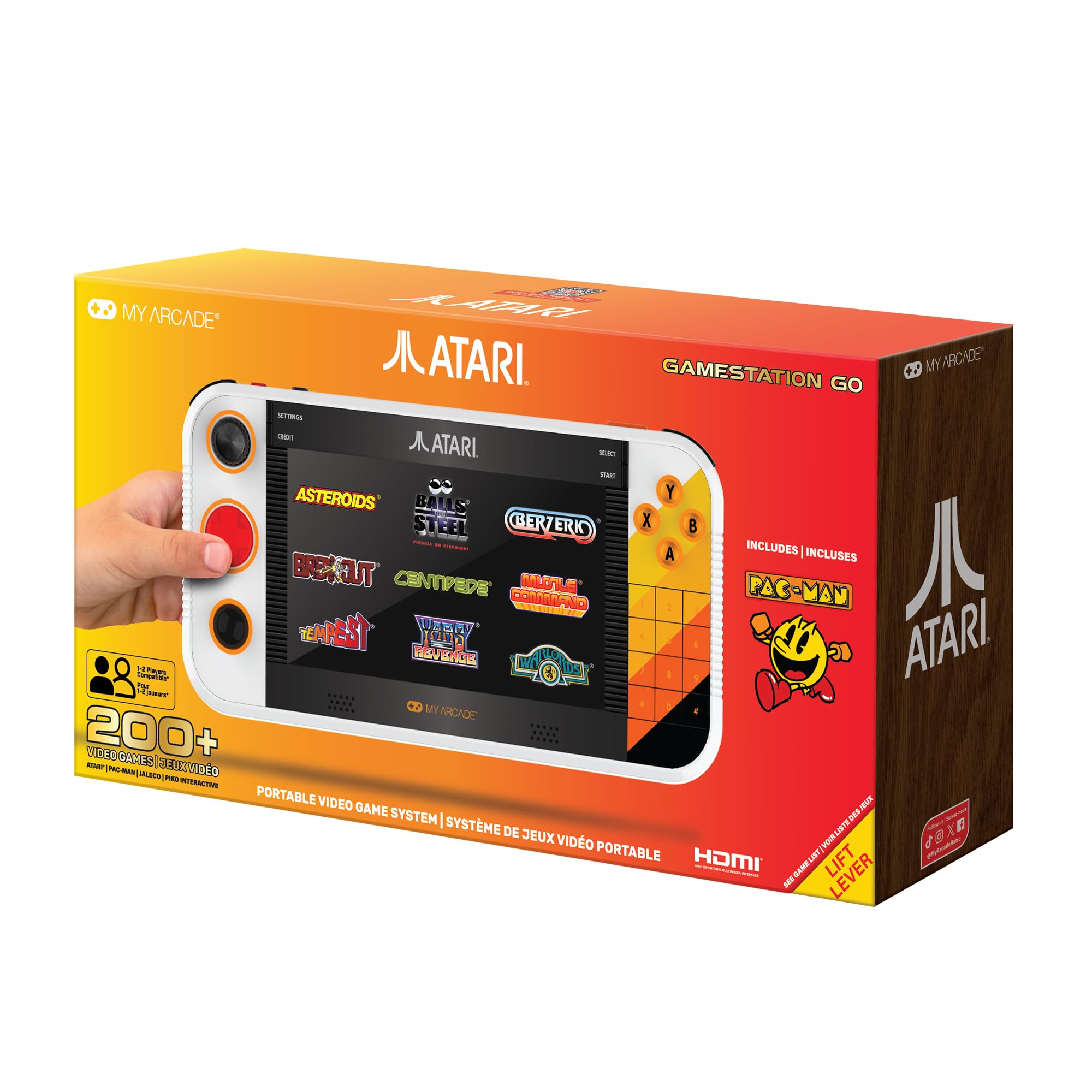
The Gamestation Go is the only unit in this lineup that combines a 7-inch 16:9 display with a built-in control deck featuring a D-pad, trackball, numbered keypad, dual analog nubs, and paddle wheels. That control diversity is critical for Atari’s library because games like “Tempest” require a rotary input while “Centipede” demands a trackball — and no single gamepad can cover both. The SmartGlow feature illuminates the specific buttons needed for each title, reducing the guessing game that plagues other multi-system handhelds.
Over 200 pre-loaded games are officially licensed from Atari, including titles from the 2600, 5200, and 7800 libraries plus licensed arcade classics. The unit connects to a TV via HDMI for big-screen play and includes built-in Wi-Fi for firmware updates that have already fixed early issues with vector game rendering and backlight bleed. A microSD slot lets you add custom ROMs, though it requires a reboot to switch between internal and external storage sources.
At roughly 1.5 pounds, the Gamestation Go is heavier and larger than any other handheld here, and the lack of “Pitfall” and “Frogger” in the base library is a notable omission for nostalgia hunters. The fold-out stand helps when playing on a tabletop, but the paddle controllers are tighter than the original Atari CX30s, which some buyers found fatiguing during long sessions. For Atari fans who want one device that handles every type of controller input from the 2600 era, this is the most complete package available.
Why it’s great
- Trackball, paddle, and D-pad controls cover the full Atari input range
- 7-inch screen is the largest display of any retro handheld reviewed here
- HDMI output and Wi-Fi firmware updates extend playability
Good to know
- Heavier and bulkier than other portable consoles
- Paddle controllers feel tighter than original Atari hardware
- Missing some iconic titles like Pitfall and Frogger pre-loaded
4. Atari Flashback 12 Gold
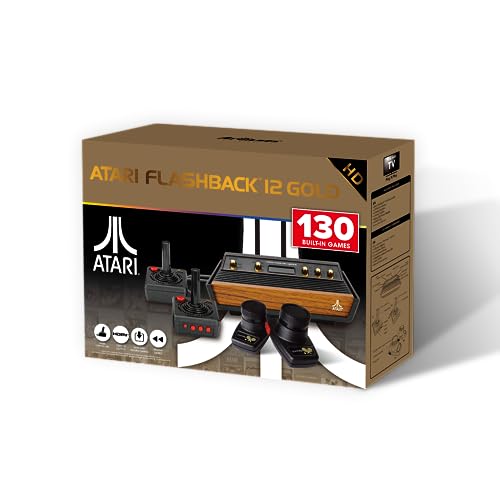
The Flashback 12 Gold is an officially licensed mini console that packs 130 Atari 2600 titles — including Activision classics like “Pitfall” and “River Raid” alongside Atari staples “Asteroids” and “Missile Command.” The unit outputs 720p over HDMI and includes both a wired joystick and a wired paddle controller. Plugging in the included HDMI cable and micro USB power adapter delivers a full game library with no downloads, account creation, or internet connection needed.
The joystick replicates the original CX40 feel with a red fire button on the side, and the paddle controller allows analog rotation for games like “Breakout” and “Circus Atari.” A save/load/rewind function works for every title, which is invaluable for games that originally had no save system. The console is tiny — about the size of a deck of cards — so the lightweight chassis can slide around the table if the controller cord is pulled too far. A firmware update is available to fix early display scaling issues and add USB flash drive support for sideloading additional ROMs.
Sound emulation is a weak point: some reviewers note audio stuttering and off-key notes that weren’t present on the original 2600 hardware. The paddle controller also feels stiffer than the original, causing quicker hand fatigue during extended play. If you want the most straightforward way to revisit the 2600 library on a modern TV without hacking or cartridge hunting, the Flashback 12 Gold is the value leader among the TV-plug options.
Why it’s great
- 130 built-in games include Activision titles missing from other Atari re-releases
- Wired joystick and paddle cover both major 2600 control styles
- Save/load/rewind for every title removes the original difficulty ceiling
Good to know
- Sound emulation can stutter and sound off-key on some titles
- Console is very lightweight; controller cord tension pulls it on a slick table
- Paddle is tighter than original, causing hand fatigue over time
5. R36MAX Retro Handheld
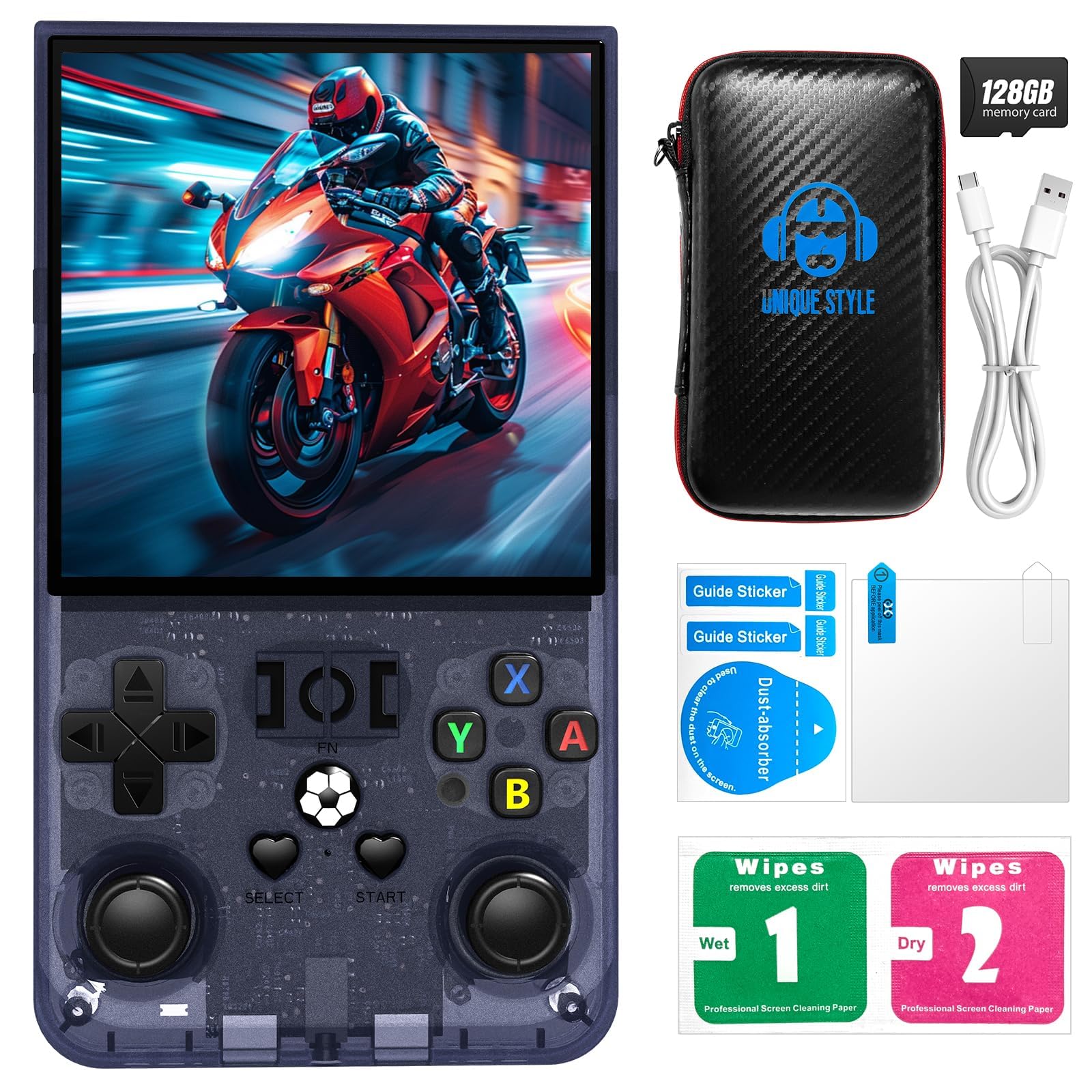
The R36MAX differentiates itself with a square 720×720 IPS panel — a resolution that provides unusually sharp pixel mapping for systems like Game Boy, Game Gear, and vertical arcade shooters that natively use square-ish viewports. The 4-inch OCA full-laminated display with tempered glass protection is noticeably brighter than the 640×480 panels found on cheaper handhelds. The device runs on a Linux-based OS, handles 2D games from 23 emulators smoothly, and includes a 4000mAh battery that stretches to roughly seven hours of mixed play.
Pre-loaded on the included 64GB TF card are 18,000-plus games, though a significant portion are duplicated regional releases and ROM hacks — common across most budget handhelds. The physical build is dense and lightweight, roughly the size of a Game Boy Advance SP. Users praised the responsive face buttons and the crisp screen, noting that text-heavy RPGs like “Final Fantasy VI” are easier to read than on lower-resolution rivals.
Performance is inconsistent on 3D titles: early PlayStation games like “Tekken 3” run acceptably, but N64 and Dreamcast titles show framedrops and texture corruption. The joysticks feel slightly loose out of the box, and there is no built-in instruction manual for each emulator’s button mapping, so users may need to look up which key combo exits a title or opens the menu. For buyers who prioritize a vivid screen and long battery life for 2D retro gaming on a budget, the R36MAX hits a sweet spot between cost and display quality.
Why it’s great
- Square 720×720 resolution is ideal for Game Boy and vertical arcade games
- 4000mAh battery delivers long play sessions without frequent charging
- Large 4-inch IPS screen with OCA lamination and tempered glass
Good to know
- Duplicate ROMs pad the 18,000-game library count
- N64 and Dreamcast emulation suffers from frame drops
- No in-system controls guide; button mapping varies per emulator
6. R36T Retro Gaming Console
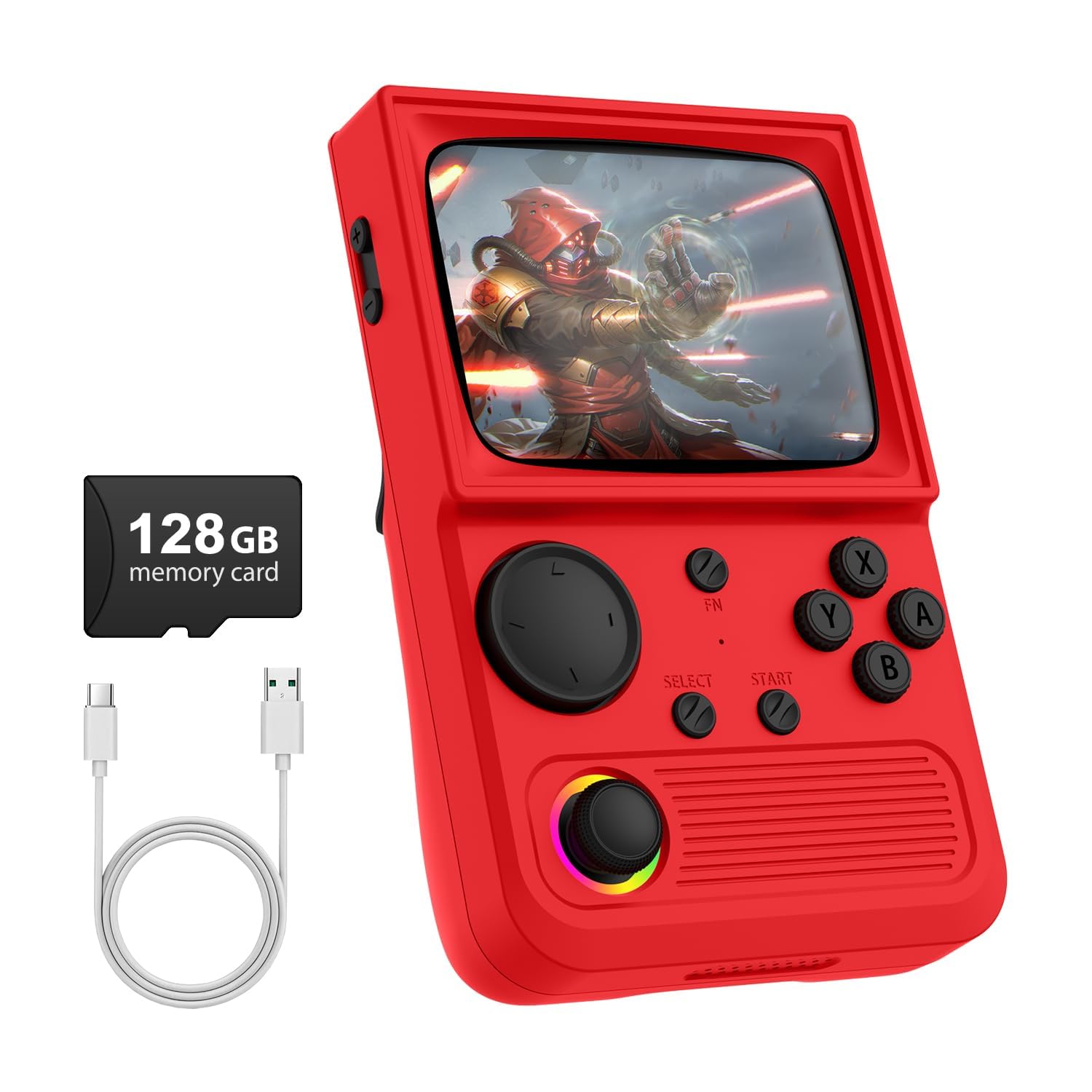
The R36T focuses on visual authenticity by wrapping its 3.5-inch IPS screen in CRT-inspired display bezels — simulated curved glass borders that mimic the look of a 1980s television set while still using a modern LCD panel. The 640×480 resolution is standard for this class, but the rounded corner overlay helps soften the harsh pixel edges that modern LCDs exaggerate. The device also includes customizable 16-million-color RGB lighting around the joysticks, with 16 different lighting effects that can be switched off entirely for battery conservation.
Unique to this model is support for 5G WiFi and 2.4G OTG wireless controllers, enabling local online multiplayer and streaming directly from the handheld. The 64GB card carries over 18,000 pre-loaded games across 23 emulators, and the 3500mAh battery delivers six to eight hours of continuous gameplay according to multiple verified reviews. A padded protective case is included in the box, making this one of the few handhelds that ships with a dedicated travel solution.
The main reliability concern comes from multiple user reports of units failing after a few weeks of use — a problem that seems tied to the internal SD card slot or the emulator configuration rather than the hardware itself. The R36T lacks any parental control features such as rating filtering or game deletion, which surprised some buyers buying for younger children. If the CRT-inspired design and online multiplayer capability outweigh potential longevity concerns, this is the most visually creative handheld in the line-up.
Why it’s great
- CRT-inspired rounded bezels recreate the curved TV aesthetic
- 5G WiFi and OTG support for online multiplayer sessions
- Includes padded travel case and 3500mAh battery
Good to know
- Multiple user reports of units failing within weeks of use
- No parental controls or game filtering options
- RGB lighting drains battery even at medium brightness
7. RMOKA Retro Game Stick
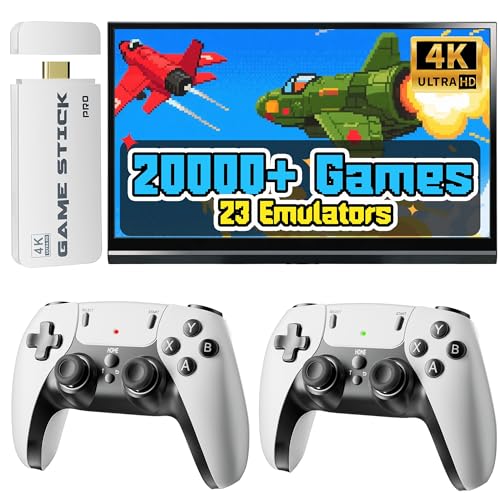
The RMOKA stick is the simplest route to retro gaming on a TV — plug it directly into an HDMI port, connect the included 2.4GHz wireless controllers, and power it via USB-C. It supports 4K signal output (with the actual game resolution scaling at 1080p), and the interface auto-detects the display’s EDID to fit without manual aspect ratio tuning. The 64GB microSD card holds over 20,000 games across 23 emulators, covering everything from the NES through the Nintendo 64 generation.
Setup requires only three steps: plug in the power adapter, insert the stick into an HDMI port, and switch the TV’s input source. Each controller requires two AA batteries, which are not included, so factor that into the unboxing experience. Verified buyers consistently praised the smooth menu navigation, the stability of the 2.4GHz wireless connection up to 40 feet, and the fact that no internet connection is needed after initial setup — the entire library runs locally.
The stick’s main limitation is its reliance on the included emulator configuration. You cannot swap the stock SD card for a custom build without reformatting and rebuilding the directory structure, which is beyond casual users’ comfort zone. The N64 emulation here is also hit-or-miss: simple 2D titles run fine, but polygon-heavy games like “GoldenEye” exhibit slowdown. For parents wanting to show their kids “Super Mario Bros.” or for first-time retro buyers who want maximum games with minimum complexity, the RMOKA stick delivers exactly that.
Why it’s great
- Three-step setup — plug, power, play — with no downloads
- Two 2.4GHz wireless controllers support co-op up to 40 feet away
- 20,000 games cover five console generations out of the box
Good to know
- Controllers require AA batteries not included
- N64 emulation struggles with polygon-heavy titles
- Custom ROM swapping requires rebuilding the SD directory structure
FAQ
Can I add my own ROMs to a pre-loaded retro console?
Do these consoles support original game cartridges?
What is input lag and how do I minimize it on modern TVs?
Are these consoles safe for children to use independently?
Final Thoughts: The Verdict
For most users, the best console for retro games winner is the Hyperkin RetroN 2 HD because it bridges the gap between genuine cartridge hardware and modern HDMI convenience with zero input lag and dual-system support. If you want a portable handheld with a crisp screen and long battery for 16-bit classics, grab the Anbernic RG40XX H. And for Atari enthusiasts who need a trackball, paddle, and D-pad in one device, nothing beats the Atari Gamestation Go.

Mo Maruf
I created WellFizz to bridge the gap between vague wellness advice and actionable solutions. My mission is simple: to decode the research and give you practical tools you can actually use.
Beyond the data, I am a passionate traveler. I believe that stepping away from the screen to explore new environments is essential for mental clarity and physical vitality.