Our readers keep the lights on and my smoothie glass nicely filled. As an Amazon Associate, I earn from qualifying purchases.
Specs are compiled from manufacturer listings and verified buyer reviews and can change over time — please confirm the key details on the product page before buying.
A projector that forces you to dim the lights before every meeting is a projector your team will stop using. The real test for a conference room projector is simple: can it hold its own against overhead lighting, sunlit windows, and a mid-afternoon schedule? The models here are built to do exactly that — each one hits 4,000 lumens (a measure of light output) or more, so your slides, spreadsheets, and video calls stay sharp without turning your workspace into a cave.
I’m Mohammad Maruf — the founder and writer behind WellFizz. This guide is built by comparing the manufacturers’ published specifications and the patterns across verified customer reviews, so you get each pick’s real strengths and trade-offs instead of marketing spin.
I have studied the specs and owner experiences to bring you the five best contenders for the job, all meeting that critical brightness threshold. After reading, you will know exactly which conference room projector is the right fit for your room size, lighting, and budget.
Our Picks at a Glance

How To Choose The Best Conference Room Projector
Picking the right projector for a conference room is different from picking one for a home theater. Your room is rarely pitch-black. Your audience cares about reading fine text on a spreadsheet, not watching a movie. The wrong pick leads to squinting, washed-out colors, and a device that gets ignored. Here is what to focus on.
Brightness is the deciding factor
The single most important spec for a conference room is brightness, measured in lumens. A home theater projector might be fine at 2,000 lumens. For a conference room with any ambient light, 4,000 lumens is the floor. The brighter the projector, the more it overpowers ceiling lights and window glare. Every pick in this guide meets that 4,000-lumen threshold.
Resolution matters for text clarity
WXGA (1280×800) is the standard for business projectors and handles most presentations well. Full HD (1920×1080) and WUXGA (1920×1200) give you noticeably sharper text and more screen real estate for multitasking views. For detailed CAD drawings or data-heavy dashboards, step up to the higher resolutions.
Throw ratio determines placement
The throw ratio tells you how far from the screen the projector needs to sit. A standard projector may need 8 to 12 feet for a 100-inch image. A short-throw projector (with a ratio around 0.5) can sit just a couple feet from the screen and still produce a large image, which is a lifesaver in small rooms where you cannot mount the projector in the middle of the ceiling.
Laser vs. lamp light source
Traditional lamp projectors are cheaper upfront, but their bulbs dim over time and need replacement every few thousand hours. Laser projectors cost more initially, but they maintain full brightness for tens of thousands of hours and power on and off instantly with no warm-up or cool-down cycle. For a high-use conference room, the laser premium often pays for itself.
Quick Comparison
| Model | Best For | Brightness | Resolution | Contrast Ratio | Amazon |
|---|---|---|---|---|---|
| Epson Pro EX7280★ Best Overall | Versatile all-rounder | 4000 Lumen | 1280 x 800 | 16000:1 | Amazon |
| ViewSonic PS502WShort Throw Specialist | Short-throw setups | 4000 Lumen | 1280 x 800 | 15000:1 | Amazon |
| ViewSonic LS740HD | Laser-powered brightness | 5500 Lumen | 1920 x 1080 | 3000000:1 | Amazon |
| Epson PowerLite 2250U | Premium network management | 5000 Lumen | 1920×1200 | 15000:1 | Amazon |
In‑Depth Reviews
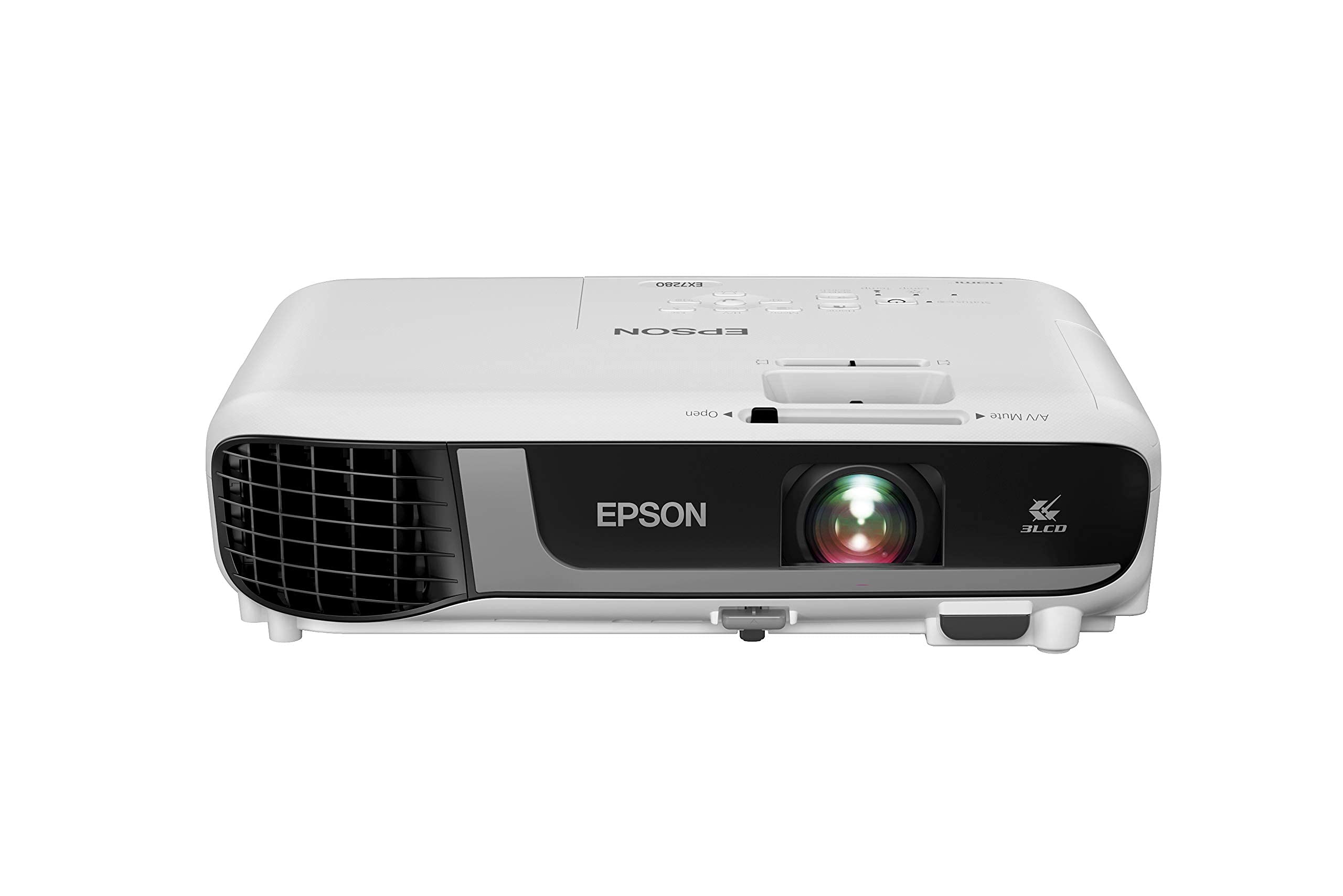
1. Epson Pro EX7280 3-Chip 3LCD WXGA Projector
Our pick — over 4.5★ from 300+ verified ratings; the strongest balance of quality and price.
The crowd-pleaser that juggles indoor meetings and outdoor movie nights without missing a beat.
This Epson hits the balance where brightness, ease of use, and versatility meet. Its 4,000 lumens of color and white brightness keep slides readable under full overhead lights. Many projectors inflate white-only brightness, but this one delivers the same figure for color. The 3-chip 3LCD technology (a design that uses three separate chips to process red, green, and blue) displays 100% of the RGB color signal for every frame. This avoids the “rainbowing” effect — brief flashes of red, green, and blue that can happen with single-chip DLP (Digital Light Processing) projectors. Owners describe the image as “crisp” and “clear.” One business user simply says, “We use this for our business,” noting it works perfectly indoors and even better outdoors after dark.
The 1280×800 WXGA resolution gives you the standard conference-room balance. Text-heavy spreadsheets and presentations look sharp without the price jump to Full HD. Setup is genuinely painless. The built-in picture skew sensor automatically analyzes the image and corrects vertical keystone (the trapezoid shape from an angled projector) to square it up. You are not fiddling with menu dials. A 1.2x optical zoom gives you some placement flexibility, and the built-in speaker means you can run video clips without external audio gear. The trade-off is that audio output is reportedly a headache if you try to route sound to external speakers. Keep it simple with the internal speaker or a direct HDMI audio feed.
What owners praise most
- Crisp, clear image quality that handles both bright rooms and dusk outdoors
- Simple setup with automatic vertical keystone correction
- Connectivity via HDMI works smoothly with laptops, phones, and streaming sticks
The honest trade-off
- Audio output is a notable headache if you want to use external speakers
- Not the lightest unit; it is portable but not ultra-compact
Reach for this if: you need a single projector that moves between your conference room, a training area, and an occasional outdoor event — it handles all three without drama.
Think twice if: your setup demands high-end external audio routing or a ceiling-mounted short-throw placement where the projector sits inches from the screen.
2. ViewSonic PS502W 4000 Lumens WXGA Short Throw Projector
The space-saver that throws a massive image from just a few feet away.
In tight conference rooms or spaces where a ceiling mount in the middle of the room is impractical, the ViewSonic PS502W solves the placement puzzle. Its 0.5 throw ratio (the distance needed from the projector to the screen for a given image size) means it projects a 100-inch image from only 4.5 feet away. That is a night-and-day difference from standard projectors that need double that distance. With 4,000 ANSI lumens and a 1280×800 WXGA resolution, it delivers the same brightness floor as the top pick, but in a form factor that sits near the wall or screen. Buyers have put it to creative uses — one owner mounted theirs vertically for a projection pro billiard pool table, calling the image quality “excellant” and noting it “illuminates the whole table 9×4.5ft.” Others find it works great with golf simulators, noting that the clarity is “not really any less” than a premium-model Benq that costs nearly five times the price.
The DLP display type (a technology that uses tiny mirrors to create the image) offers good contrast at 15000:1. The SuperColor technology is designed to deliver a wide color gamut for vibrant images. Setup is straightforward thanks to auto keystone and a 0.8x-2.0x digital zoom. However, the fan is notably noisier than some competitors, and the on-screen menu navigation is described as clunky. The image is best when the projector is positioned at the same height as the screen’s top or bottom edge. Rear projection users should be aware of a bright spot that can appear. This is a specialized tool that excels when you need a short throw; it is a less ideal fit for a traditional long-throw ceiling mount.
What wins people over
- Projects a 100-inch image from only 4.5 ft away — a standout for small rooms
- High versatility: used for pool tables, golf simulators, and corporate presentations
- Excellent value for the brightness and short-throw capability
The honest trade-off
- Fan noise is noticeable, especially in a quiet meeting room
- Menu navigation is unintuitive and can be frustrating to navigate
Pick this for: any room where mounting a projector at the far end is impossible — boardrooms with glass walls, small huddle rooms, or interactive setups like golf sims and floor projection.
skip it if: you need whisper-quiet operation during presentations or you prefer a projector that sits on a standard long-throw ceiling mount.
3. ViewSonic LS740HD 5500 Lumens 1080p Laser Projector
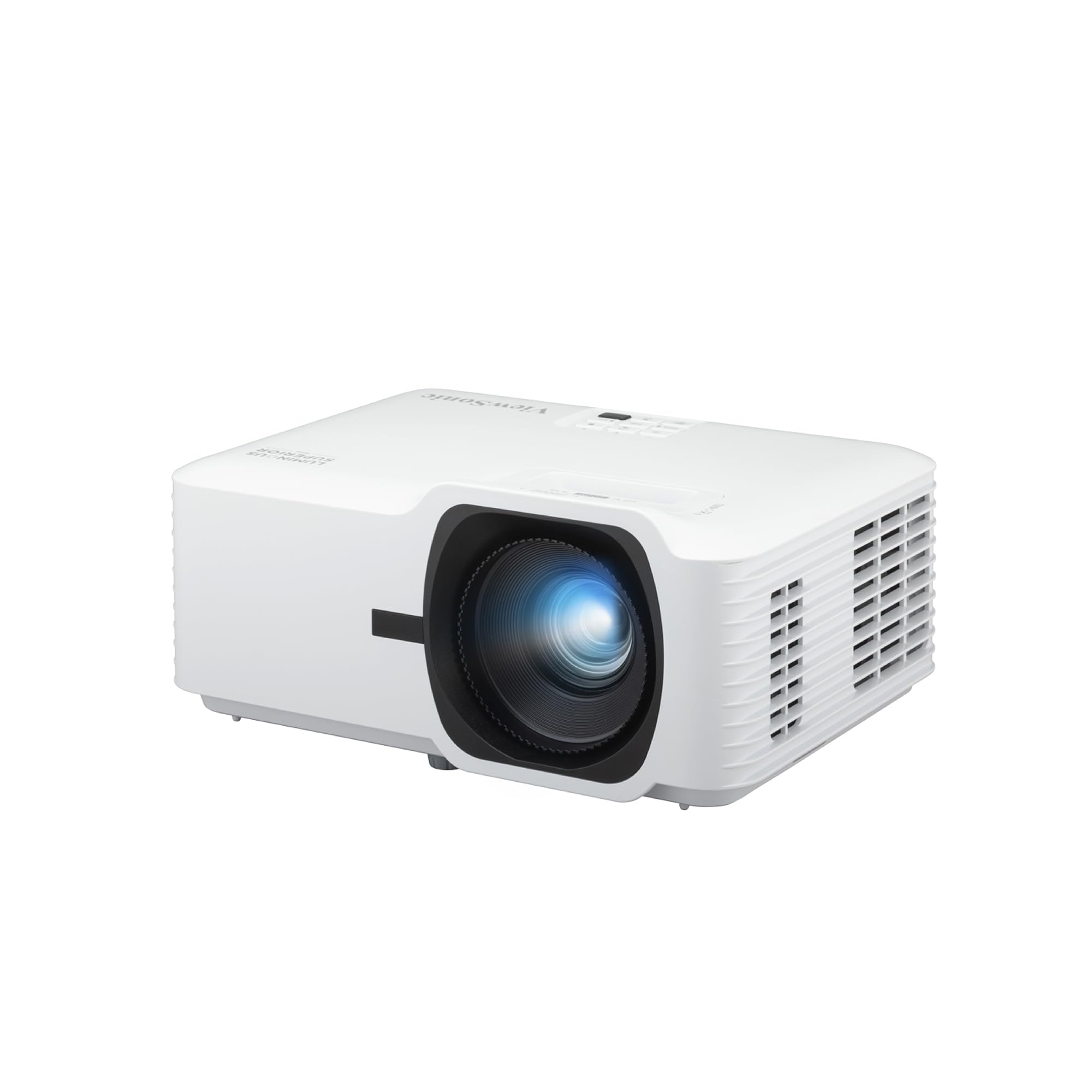
The heavy hitter that blasts through ambient light with 5,500 lumens and a laser engine.
The ViewSonic LS740HD is the brightest projector on this list by a significant margin. It delivers 5,500 ANSI lumens, which is 38% more light output than the 4,000-lumen models. That extra punch is immediately noticeable. Buyers report the “very bright” image is visible even with the lights fully on, a claim you rarely hear with lesser projectors. The laser light source is a major advantage for a busy conference room. Unlike a traditional lamp that gradually dims over its lifespan, a laser maintains full brightness for tens of thousands of hours and powers on and off instantly with no cool-down cycle. The Full HD 1080p resolution (1920×1080) is a step up from the WXGA models, delivering noticeably sharper text and more detailed charts. Its contrast ratio of 3,000,000:1 is dramatically higher than the 15,000:1 or 16,000:1 of the lamp-based projectors — 200 times the contrast, which makes black text on white backgrounds pop with exceptional clarity. One owner says: “Very bright, great 1080p image, low noise, reliable laser.”
The 360-degree projection and 4-corner adjustment give you tremendous installation flexibility. You can even mount it on its side or upside down and still dial in a perfect rectangular image. A dedicated Golf Mode tune the image for golf simulators, and the 1.3x optical zoom helps you fill the screen without moving the projector. The built-in speakers are a weak point, described as “muffled” and “blown-out,” so budget for external speakers or a sound system. An occasional orange flash glitch has been noted by some owners across multiple units, and the external power brick is a bit bulky. The picture quality and brightness are what the crowd raves about most. It is the top-mentioned positive aspect by a wide margin.
What the crowd raves about
- Picture quality is the star — 28 owners highlight it, calling it excellent for bright rooms
- Laser light source for instant power and long lifespan
- Flexible setup with 360-degree projection and 4-corner keystone
The honest trade-off
- Built-in speakers are genuinely muffled and weak; plan for external audio
- An occasional orange flash glitch has been reported by a handful of owners
Choose this for: large, brightly lit conference rooms, auditoriums, or any space where overwhelming ambient light is a daily challenge — the laser engine is the long-term winner here.
Consider the lamp-based options if: your budget is tighter and you are willing to replace a lamp bulb every few years in exchange for a lower upfront cost.
4. Epson PowerLite 2250U Full HD WUXGA 3LCD Projector

The IT-manager’s choice that pairs 5,000 lumens with enterprise-grade remote control.
The Epson PowerLite 2250U shares the same 5,000-lumen brightness and WUXGA resolution as the 2255U, but adds features that matter most to IT departments managing multiple projectors across a building. The 3-chip 3LCD technology is the headline here. Epson claims it delivers “3x Higher Color Brightness” and “up to 3x Wider Color Gamut” than competitive DLP projectors. In plain terms, this means your company logo, charts, and video call images look more accurate and vibrant, with none of the “rainbowing” color flashes that can distract from single-chip DLP projectors. At 5,000 lumens, it handles well-lit rooms with authority. One church auditorium upgraded from a 3,000-lumen Samsung and found the 2250U so bright that they only needed 35% brightness for sermon graphics and song lyrics. A DJ uses it for full-clearly visible monogram projection even in “bright venues with many windows.”
Where the 2250U separates itself is its network management toolkit. It includes software for remote monitoring and control of Epson networked projectors. It is compatible with Crestron RoomView — a standard in corporate AV management. This lets your IT team check lamp life, power status, and even push updates from a central console. The Split Screen feature lets you project two images side-by-side from two different sources, handy for comparing documents during a meeting. The lamp can last up to 10,000 hours in ECO Mode, which reduces total cost of ownership. Quality is the most-discussed positive aspect, with brightness following close behind. The recurring caveat from owners is mixed reliability — a minority report units going dead after a few months. As with the 2255U, test your unit immediately.
What the IT team loves
- Enterprise-grade remote management via Crestron RoomView and included software
- 3LCD technology for accurate color — no rainbow effect
- Long lamp life up to 10,000 hours in ECO Mode
The honest trade-off
- Reliability is mixed — a few owners mention the unit failing after months of use
- Optional wireless module is an extra purchase, not included
Pick this for: any IT-managed environment with multiple projectors — the network control features alone justify the premium over the 2255U.
pass on it if: you are buying a single projector for a small office and will not use the remote management — the 2255U gives you the same image quality for less.
Understanding the Specs
Lumens (Brightness)
Lumens measure how much light the projector throws. In a conference room with the lights on, you need at least 4,000 lumens to keep images visible and readable. Every projector on this list meets that baseline. The brighter the room, the more you will appreciate a 5,000+ lumen model.
Resolution (Sharpness)
Resolution determines how fine the detail is, especially for text. WXGA (1280×800) is the standard for business and handles presentations well. WUXGA (1920×1200) gives you extra vertical space for documents and is noticeably sharper. Full HD (1920×1080) sits between them and is excellent for both presentations and video.
Throw Ratio (Placement)
Throw ratio tells you how far the projector must be from the screen to create a certain image size. A standard projector needs 6 to 12 feet for a 100-inch image. A short-throw projector (around 0.5 ratio) needs only 3 to 5 feet. Measure your room and your ceiling mount location before you choose.
Laser vs. Lamp Light Source
Lamp projectors are cheaper but their bulbs dim over time and need replacement every 3,000 to 10,000 hours. Laser projectors cost more upfront but maintain full brightness for 20,000+ hours and power on/off instantly. For a high-use conference room, the laser premium pays for itself in fewer replacements and zero warm-up time.
FAQ
Can I use a home theater projector in a conference room?
What is the difference between ANSI lumens and LED lumens?
How do I calculate the proper screen size for my room?
What is keystone correction and do I need it?
Is WXGA resolution good enough for text-heavy presentations?
What does “rainbowing” mean and why should I care?
How often do I need to replace a projector lamp?
Can I project wirelessly from my laptop?
What is the ideal throw distance for a short-throw projector?
How important is contrast ratio for a business projector?
Final Thoughts: The Verdict
For most offices, the conference room projector winner is the Epson Pro EX7280 because it nails the essential balance of brightness, image quality, and ease of setup without the premium price of a laser model. If you need a short-throw placement that saves serious ceiling space, grab the ViewSonic PS502W. And for the brightest image in a sun-drenched room with a long-term laser light source, the ViewSonic LS740HD is the one to reach for.
How We Picked
We do not accept paid placement. Every pick is matched to a real buyer and a real use-case; we do not hands-on test units.
Sources & Methodology
Specifications: manufacturer listings and product documentation. Review insights: verified customer reviews, as of July 2026. Pricing: not shown on this page (it changes often); check the current price via the retailer link.
As an Amazon Associate, WellFizz earns from qualifying purchases. This does not affect which products we feature.
Related Guides

Mo Maruf
I created WellFizz to bridge the gap between vague wellness advice and actionable solutions. My mission is simple: to decode the research and give you practical tools you can actually use.
Beyond the data, I am a passionate traveler. I believe that stepping away from the screen to explore new environments is essential for mental clarity and physical vitality.